Archive for the ‘Crash Dump Analysis’ Category

What is Memory Dump Analysis?

Wednesday, November 7th, 2007

From a computer system we get a memory dump composed from fixed size observable values called bit or byte values. Then we impose some structure on it in order to extract various derived objects like threads, processes, etc., build some organization and understand what had happened. This activity is called modeling and memory, crash or core dump analysis is all about modeling a dynamical computer system based on its memory slice. Then we can make predictions and test them via controlled experiments called troubleshooting advices. Tools like WinDbg or GDB can be considered as abstract computers whose job is to model another computer when we feed memory dumps to them.

Modeling computers on computers is inherently reductionist approach and most of mainstream science is just plain reductionism. Just compare the notion of point-like particles as building blocks in physics and bits, recursiveness of physical states and computer algorithms.   

If you want to understand reductionist modeling in physics I would recommend the following book The Comprehensible Cosmos: Where Do the Laws of Physics Come From? written by Victor J. Stenger which I have just finished reading.

Buy from Amazon

The nice feature of this book is its clear separation between textual description and mathematics. The first 190 pages don’t have any mathematical formulas and the next 130 pages repeat the same discussion using undergraduate level of mathematics. 

- Dmitry Vostokov @ DumpAnalysis.org -

Crash Dump Analysis Patterns (Part 34)

Tuesday, November 6th, 2007

Although crash dumps are static in nature they contain Historical Information about past system dynamics that might give clues to a problem and help with troubleshooting and debugging.

For example, IRP flow between user processes and drivers is readily available in any kernel or complete memory dump. WinDbg !irpfind command will show the list of currently present I/O request packets. !irp command will give individual packet details. 

Recent Driver Verifier improvements in Vista and Windows Server 2008 allow to embed stack traces associated with IRP allocation, completion and cancellation. For information please look at the following document:

http://www.microsoft.com/whdc/devtools/tools/vistaverifier.mspx

Other information that can be included in process, kernel and complete memory dumps may reveal some history of function calls beyond the current snapshot of thread stacks:

- Dmitry Vostokov @ DumpAnalysis.org -

Crash Dump Analysis Patterns (Part 33)

Monday, November 5th, 2007

If there are no CPU-bound threads on a system then most of the time processors are looping in the so called idle thread where they are halted waiting for an interrupt to occur (HLT instruction). When an interrupt occurs they process a DPC list and then do thread scheduling if necessary as evident from stack trace and its functions disassembly below. If we have a memory dump one of running threads would be the one that called KeBugCheck(Ex) function. In examples below crash dumps were generated by SystemDump application:

3: kd> !running

System Processors f (affinity mask)
  Idle Processors d

     Prcb      Current   Next
  1  f7737120  8a3da020            ................

3: kd> !thread 8a3da020 1f
THREAD 8a3da020  Cid 0ebc.0dec  Teb: 7ffdf000 Win32Thread: bc002328 RUNNING on processor 1
Not impersonating
DeviceMap                 e3e3e080
Owning Process            8a0aea88       Image:         SystemDump.exe
Wait Start TickCount      17154          Ticks: 0
Context Switch Count      568                 LargeStack
UserTime                  00:00:00.046
KernelTime                00:00:00.375
Win32 Start Address 0x0040fe92
Start Address 0x77e6b5c7
Stack Init f4266000 Current f4265c08 Base f4266000 Limit f4261000 Call 0
Priority 11 BasePriority 10 PriorityDecrement 0
ChildEBP RetAddr
f4265bec f79c9743 nt!KeBugCheckEx+0x1b
WARNING: Stack unwind information not available. Following frames may be wrong.
f4265c38 8081dce5 SystemDump+0x743
f4265c4c 808f4797 nt!IofCallDriver+0x45
f4265c60 808f5515 nt!IopSynchronousServiceTail+0x10b
f4265d00 808ee0e4 nt!IopXxxControlFile+0x5db
f4265d34 80888c6c nt!NtDeviceIoControlFile+0x2a
f4265d34 7c82ed54 nt!KiFastCallEntry+0xfc

3: kd> !ready
Processor 0: No threads in READY state
Processor 1: No threads in READY state
Processor 2: No threads in READY state
Processor 3: No threads in READY state

3: kd> ~2s

2: kd> !thread -1 1f
THREAD f7742090  Cid 0000.0000  Teb: 00000000 Win32Thread: 00000000 RUNNING on processor 2
Not impersonating
Owning Process            8089db40       Image:         Idle
Wait Start TickCount      0              Ticks: 17154 (0:00:04:28.031)
Context Switch Count      193155
UserTime                  00:00:00.000
KernelTime                00:03:23.328
Stack Init f78b7000 Current f78b6d4c Base f78b7000 Limit f78b4000 Call 0
Priority 0 BasePriority 0 PriorityDecrement 0
ChildEBP RetAddr
f78b6d50 8088d262 intelppm!AcpiC1Idle+0x12
f78b6d54 00000000 nt!KiIdleLoop+0xa

2: kd> .asm no_code_bytes
Assembly options: no_code_bytes

2: kd> uf intelppm!AcpiC1Idle
intelppm!AcpiC1Idle:
f6e73c90 push    ecx
f6e73c91 push    0
f6e73c93 call    intelppm!KeQueryPerformanceCounter (f6e740c6)
f6e73c98 mov     ecx,dword ptr [esp]
f6e73c9b mov     dword ptr [ecx],eax
f6e73c9d mov     dword ptr [ecx+4],edx
f6e73ca0 sti
f6e73ca1 hlt
f6e73ca2 push    0
f6e73ca4 call    intelppm!KeQueryPerformanceCounter (f6e740c6)
f6e73ca9 pop     ecx
f6e73caa mov     dword ptr [ecx+8],eax
f6e73cad mov     dword ptr [ecx+0Ch],edx
f6e73cb0 xor     eax,eax
f6e73cb2 ret

2: kd> uf nt!KiIdleLoop
nt!KiIdleLoop:
8088d258 jmp     nt!KiIdleLoop+0xa (8088d262)

nt!KiIdleLoop+0x2:
8088d25a lea     ecx,[ebx+0EC0h]
8088d260 call    dword ptr [ecx]

nt!KiIdleLoop+0xa:
8088d262 pause
8088d264 sti
8088d265 nop
8088d266 nop
8088d267 cli
8088d268 mov     eax,dword ptr [ebx+0A4Ch]
8088d26e or      eax,dword ptr [ebx+0A88h]
8088d274 or      eax,dword ptr [ebx+0C10h]
8088d27a je      nt!KiIdleLoop+0×37 (8088d28f)

nt!KiIdleLoop+0x24:
8088d27c mov     cl,2
8088d27e call    dword ptr [nt!_imp_HalClearSoftwareInterrupt (808010a8)]
8088d284 lea     ecx,[ebx+120h]
8088d28a call    nt!KiRetireDpcList (80831be8)

nt!KiIdleLoop+0x37:
8088d28f cmp     dword ptr [ebx+128h],0
8088d296 je      nt!KiIdleLoop+0xca (8088d322)

nt!KiIdleLoop+0x44:
8088d29c mov     ecx,1Bh
8088d2a1 call    dword ptr [nt!_imp_KfRaiseIrql (80801100)]
8088d2a7 sti
8088d2a8 mov     edi,dword ptr [ebx+124h]
8088d2ae mov     byte ptr [edi+5Dh],1
8088d2b2 lock bts dword ptr [ebx+0A7Ch],0
8088d2bb jae     nt!KiIdleLoop+0x70 (8088d2c8)

nt!KiIdleLoop+0x65:
8088d2bd lea     ecx,[ebx+0A7Ch]
8088d2c3 call    nt!KefAcquireSpinLockAtDpcLevel (80887fd0)

nt!KiIdleLoop+0x70:
8088d2c8 mov     esi,dword ptr [ebx+128h]
8088d2ce cmp     esi,edi
8088d2d0 je      nt!KiIdleLoop+0xb3 (8088d30b)

nt!KiIdleLoop+0x7a:
8088d2d2 and     dword ptr [ebx+128h],0
8088d2d9 mov     dword ptr [ebx+124h],esi
8088d2df mov     byte ptr [esi+4Ch],2
8088d2e3 and     byte ptr [ebx+0AA3h],0
8088d2ea and     dword ptr [ebx+0A7Ch],0

nt!KiIdleLoop+0x99:
8088d2f1 mov     ecx,1
8088d2f6 call    nt!SwapContext (8088d040)
8088d2fb mov     ecx,2
8088d300 call    dword ptr [nt!_imp_KfLowerIrql (80801104)]
8088d306 jmp     nt!KiIdleLoop+0xa (8088d262)

nt!KiIdleLoop+0xb3:
8088d30b and     dword ptr [ebx+128h],0
8088d312 and     dword ptr [ebx+0A7Ch],0
8088d319 and     byte ptr [edi+5Dh],0
8088d31d jmp     nt!KiIdleLoop+0xa (8088d262)

nt!KiIdleLoop+0xca:
8088d322 cmp     byte ptr [ebx+0AA3h],0
8088d329 je      nt!KiIdleLoop+0x2 (8088d25a)

nt!KiIdleLoop+0xd7:
8088d32f sti
8088d330 lea     ecx,[ebx+120h]
8088d336 call    nt!KiIdleSchedule (808343e6)
8088d33b test    eax,eax
8088d33d mov     esi,eax
8088d33f mov     edi,dword ptr [ebx+12Ch]
8088d345 jne     nt!KiIdleLoop+0x99 (8088d2f1)

nt!KiIdleLoop+0xef:
8088d347 jmp     nt!KiIdleLoop+0xa (8088d262)

In some memory dumps taken when systems or sessions were hanging or very slow for some time we might see Busy System pattern where all processors execute non-idle threads and there are threads in ready queues waiting to be scheduled:

3: kd> !running

System Processors f (affinity mask)
  Idle Processors 0

     Prcb      Current   Next
  0  ffdff120  88cef850            ................
  1  f7727120  8940b7a0            ................
  2  f772f120  8776f020            ................
  3  f7737120  87b25360            ................

3: kd> !ready
Processor 0: Ready Threads at priority 8
    THREAD 88161668  Cid 3d58.43a0  Teb: 7ffdf000 Win32Thread: bc1eba48 READY
    THREAD 882d0020  Cid 1004.0520  Teb: 7ffdf000 Win32Thread: bc230838 READY
    THREAD 88716b40  Cid 2034.241c  Teb: 7ffdd000 Win32Thread: bc11b388 READY
    THREAD 88bf7978  Cid 2444.2564  Teb: 7ffde000 Win32Thread: bc1ccc18 READY
    THREAD 876f7a28  Cid 2308.4bfc  Teb: 7ffdd000 Win32Thread: bc1f7b98 READY
Processor 0: Ready Threads at priority 0
    THREAD 8a3925a8  Cid 0004.0008  Teb: 00000000 Win32Thread: 00000000 READY
Processor 1: Ready Threads at priority 9
    THREAD 87e69db0  Cid 067c.3930  Teb: 7ffdb000 Win32Thread: bc180990 READY
Processor 1: Ready Threads at priority 8
    THREAD 88398c70  Cid 27cc.15b4  Teb: 7ffde000 Win32Thread: bc159ea8 READY
Processor 2: Ready Threads at priority 8
    THREAD 8873cdb0  Cid 4c24.4384  Teb: 7ffdd000 Win32Thread: bc1c9838 READY
    THREAD 89f331e0  Cid 453c.4c68  Teb: 7ffdf000 Win32Thread: bc21dbd0 READY
    THREAD 889a03f0  Cid 339c.2fcc  Teb: 7ffdf000 Win32Thread: bc1cdbe8 READY
    THREAD 87aacdb0  Cid 3b80.4ed0  Teb: 7ffde000 Win32Thread: bc1c5d10 READY
Processor 3: No threads in READY state

Here is another example from busy 8-processor system where only one processor was idle at the time of the bugcheck:

5: kd> !ready
Processor 0: No threads in READY state
Processor 1: No threads in READY state
Processor 2: No threads in READY state
Processor 3: No threads in READY state
Processor 4: No threads in READY state
Processor 5: No threads in READY state
Processor 6: No threads in READY state
Processor 7: No threads in READY state

5: kd> !running

System Processors ff (affinity mask)
  Idle Processors 1

     Prcb      Current   Next
  1  f7727120  8713a5a0            ................
  2  f772f120  86214750            ................
  3  f7737120  86f87020            ................
  4  f773f120  86ffe700            ................
  5  f7747120  86803a90            ................
  6  f774f120  86043db0            ................
  7  f7757120  86bcbdb0            ................

5: kd> !thread 8713a5a0 1f
THREAD 8713a5a0  Cid 4ef4.4f04  Teb: 7ffdd000 Win32Thread: bc423920 RUNNING on processor 1
Not impersonating
DeviceMap                 e44e9a40
Owning Process            864d1d88       Image:         SomeExe.exe
Wait Start TickCount      1415535        Ticks: 0
Context Switch Count      7621092                 LargeStack
UserTime                  00:06:59.218
KernelTime                00:19:26.359
Win32 Start Address BROWSEUI!BrowserProtectedThreadProc (0x75ec1c3f)
Start Address kernel32!BaseThreadStartThunk (0x77e617ec)
Stack Init b68b8a70 Current b68b8c28 Base b68b9000 Limit b68b1000 Call b68b8a7c
Priority 13 BasePriority 13 PriorityDecrement 0
ChildEBP RetAddr
00c1f4fc 773dc4e4 USER32!DispatchHookA+0x35
00c1f528 7739c9c6 USER32!fnHkINLPCWPRETSTRUCTA+0x60
00c1f550 7c828536 USER32!__fnDWORD+0x24
00c1f550 808308f4 ntdll!KiUserCallbackDispatcher+0x2e
b68b8a94 8091d6d1 nt!KiCallUserMode+0x4
b68b8aec bf8a26d3 nt!KeUserModeCallback+0x8f
b68b8b70 bf89dd4d win32k!SfnDWORD+0xb4
b68b8be8 bf89d79d win32k!xxxHkCallHook+0x22c
b68b8c90 bf89da19 win32k!xxxCallHook2+0x245
b68b8cac bf8a137a win32k!xxxCallHook+0x26
b68b8cec bf85af67 win32k!xxxSendMessageTimeout+0x1e3
b68b8d10 bf8c182c win32k!xxxWrapSendMessage+0x1b
b68b8d40 8088978c win32k!NtUserMessageCall+0x9d
b68b8d40 7c8285ec nt!KiFastCallEntry+0xfc
00c1f550 7c828536 ntdll!KiFastSystemCallRet
00c1f57c 7739d1ec ntdll!KiUserCallbackDispatcher+0x2e
00c1f5b8 7738cee9 USER32!NtUserMessageCall+0xc
00c1f5d8 01438f73 USER32!SendMessageA+0x7f

5: kd> !thread 86214750
THREAD 86214750  Cid 0b94.1238  Teb: 7ffdb000 Win32Thread: bc2f5ea8 RUNNING on processor 2
Not impersonating
DeviceMap                 e3482310
Owning Process            85790020       Image:         SomeExe.exe
Wait Start TickCount      1415535        Ticks: 0
Context Switch Count      1745682                 LargeStack
UserTime                  00:01:20.031
KernelTime                00:04:03.484
Win32 Start Address 0x75ec1c3f
Start Address kernel32!BaseThreadStartThunk (0x77e617ec)
Stack Init b4861000 Current b4860558 Base b4861000 Limit b4856000 Call 0
Priority 13 BasePriority 13 PriorityDecrement 0
ChildEBP RetAddr  Args to Child
b4860bd8 bf8da699 8623ebc8 bc2f5ea8 00000000 nt!PsGetThreadProcess
b4860bf4 bf89d6e6 8623ebc8 0010a198 be654f38 win32k!IsRestricted+0x2f
b4860c90 bf89da19 be631660 00000000 00000000 win32k!xxxCallHook2+0x12d
b4860cac bf8a137a 00000000 00000000 00000002 win32k!xxxCallHook+0x26
b4860cec bf85af67 be654f38 0000110a 00000001 win32k!xxxSendMessageTimeout+0x1e3
b4860d10 bf8c182c be654f38 0000110a 00000001 win32k!xxxWrapSendMessage+0x1b
b4860d40 8088978c 00250238 0000110a 00000001 win32k!NtUserMessageCall+0x9d
b4860d40 7c8285ec 00250238 0000110a 00000001 nt!KiFastCallEntry+0xfc
00c1f5fc 00000000 00000000 00000000 00000000 ntdll!KiFastSystemCallRet

5: kd> !thread 86f87020 1f
THREAD 86f87020  Cid 0238.0ae8  Teb: 7ffa5000 Win32Thread: 00000000 RUNNING on processor 3
IRP List:
    86869200: (0006,0094) Flags: 00000900  Mdl: 00000000
    85b2a7f0: (0006,0094) Flags: 00000900  Mdl: 00000000
    86f80a20: (0006,0094) Flags: 00000800  Mdl: 00000000
    85e6af68: (0006,0094) Flags: 00000900  Mdl: 00000000
    892a6c78: (0006,0094) Flags: 00000900  Mdl: 00000000
    85d06070: (0006,0094) Flags: 00000900  Mdl: 00000000
    85da35e0: (0006,0094) Flags: 00000900  Mdl: 00000000
    87216340: (0006,0094) Flags: 00000900  Mdl: 00000000
Not impersonating
DeviceMap                 e1003940
Owning Process            8850e020       Image:         lsass.exe
Wait Start TickCount      1415535        Ticks: 0
Context Switch Count      39608
UserTime                  00:00:01.625
KernelTime                00:00:05.437
Win32 Start Address RPCRT4!ThreadStartRoutine (0x77c7b0f5)
Start Address kernel32!BaseThreadStartThunk (0x77e617ec)
Stack Init f4925000 Current f4924c38 Base f4925000 Limit f4922000 Call 0
Priority 10 BasePriority 9 PriorityDecrement 0
*** ERROR: Module load completed but symbols could not be loaded for SomeDrv.sys
ChildEBP RetAddr
f4924640 80972e8e nt!SePrivilegeCheck+0x24
f4924678 80944aa0 nt!SeSinglePrivilegeCheck+0x3a
f4924770 8088978c nt!NtOpenProcess+0x13a
f4924770 8082eff5 nt!KiFastCallEntry+0xfc
f49247f8 f6037bee nt!ZwOpenProcess+0x11
WARNING: Stack unwind information not available. Following frames may be wrong.
f4924830 f6002996 SomeDrv+0x48bee

5: kd> !thread 86ffe700 1f
THREAD 86ffe700  Cid 1ba4.1ba8  Teb: 7ffdf000 Win32Thread: bc23cea8 RUNNING on processor 4
Not impersonating
DeviceMap                 e44e9a40
Owning Process            87005708       Image:         WINWORD.EXE
Wait Start TickCount      1415535        Ticks: 0
Context Switch Count      1547251                 LargeStack
UserTime                  00:01:00.750
KernelTime                00:00:45.265
*** ERROR: Symbol file could not be found.  Defaulted to export symbols for WINWORD.EXE -
Win32 Start Address WINWORD (0x300019b0)
Start Address kernel32!BaseProcessStartThunk (0x77e617f8)
Stack Init f3465000 Current f3464c48 Base f3465000 Limit f345e000 Call 0
Priority 8 BasePriority 8 PriorityDecrement 0
ChildEBP RetAddr
f3464d64 7c8285eb nt!KiFastCallEntry+0x91
f3464d68 badb0d00 ntdll!KiFastSystemCall+0x3

5: kd> !thread 86803a90 1f
THREAD 86803a90  Cid 3c20.29f8  Teb: 7ffdf000 Win32Thread: bc295480 RUNNING on processor 5
Not impersonating
DeviceMap                 e518c6b8
Owning Process            857d5500       Image:         SystemDump.exe
Wait Start TickCount      1415535        Ticks: 0
Context Switch Count      310                 LargeStack
UserTime                  00:00:00.015
KernelTime                00:00:00.046
*** ERROR: Module load completed but symbols could not be loaded for SystemDump.exe
Win32 Start Address SystemDump_400000 (0x0040fe92)
Start Address kernel32!BaseProcessStartThunk (0x77e617f8)
Stack Init b38a4000 Current b38a3c08 Base b38a4000 Limit b389f000 Call 0
Priority 11 BasePriority 8 PriorityDecrement 2
ChildEBP RetAddr  Args to Child
b38a3bf0 f79e3743 000000e2 cccccccc 866962b0 nt!KeBugCheckEx+0x1b
WARNING: Stack unwind information not available. Following frames may be wrong.
b38a3c3c 8081df65 865c4460 870888c0 85a7ff90 SystemDump+0x743
b38a3c50 808f5437 87088930 85a7ff90 870888c0 nt!IofCallDriver+0x45
b38a3c64 808f61bf 865c4460 870888c0 85a7ff90 nt!IopSynchronousServiceTail+0x10b
b38a3d00 808eed08 000000e4 00000000 00000000 nt!IopXxxControlFile+0x5e5
b38a3d34 8088978c 000000e4 00000000 00000000 nt!NtDeviceIoControlFile+0x2a
b38a3d34 7c8285ec 000000e4 00000000 00000000 nt!KiFastCallEntry+0xfc
0012efc4 7c826fcb 77e416f5 000000e4 00000000 ntdll!KiFastSystemCallRet
0012efc8 77e416f5 000000e4 00000000 00000000 ntdll!NtDeviceIoControlFile+0xc
0012f02c 00402208 000000e4 9c400004 00a37b38 kernel32!DeviceIoControl+0x137
0012f884 00404f8e 0012fe80 00000001 00000000 SystemDump_400000+0x2208

5: kd> !thread 86043db0 1f
THREAD 86043db0  Cid 0610.55dc  Teb: 7ffa1000 Win32Thread: 00000000 RUNNING on processor 6
IRP List:
    86dc99a0: (0006,0094) Flags: 00000a00  Mdl: 00000000
Impersonation token:  e7b30030 (Level Impersonation)
DeviceMap                 e4e470a8
Owning Process            891374a8       Image:         SomeSvc.exe
Wait Start TickCount      1415215        Ticks: 320 (0:00:00:05.000)
Context Switch Count      11728
UserTime                  00:00:02.546
KernelTime                00:02:57.765
Win32 Start Address 0x0082b983
LPC Server thread working on message Id 82b983
Start Address kernel32!BaseThreadStartThunk (0x77e617ec)
Stack Init b49c1000 Current b49c0a7c Base b49c1000 Limit b49be000 Call 0
Priority 8 BasePriority 8 PriorityDecrement 0
ChildEBP RetAddr
b49c0b80 8087c9c0 hal!KeReleaseQueuedSpinLock+0x2d
b49c0ba0 8087ca95 nt!ExReleaseResourceLite+0xac
b49c0ba4 f6faa5ae nt!ExReleaseResourceAndLeaveCriticalRegion+0x5
b49c0bb8 f6faad05 termdd!_IcaCallStack+0x60
b49c0bdc f6fa6bda termdd!IcaCallDriver+0x71
b49c0c34 f6fa86dc termdd!IcaWriteChannel+0xd8
b49c0c50 f6fa8cc6 termdd!IcaWrite+0x40
b49c0c68 8081df65 termdd!IcaDispatch+0xd0
b49c0c7c 808f5437 nt!IofCallDriver+0x45
b49c0c90 808f3157 nt!IopSynchronousServiceTail+0x10b
b49c0d38 8088978c nt!NtWriteFile+0x663
b49c0d38 7c8285ec nt!KiFastCallEntry+0xfc
0254d814 7c827d3b ntdll!KiFastSystemCallRet
0254d818 77e5b012 ntdll!NtWriteFile+0xc
0254d878 004389f2 kernel32!WriteFile+0xa9

5: kd> !thread 86bcbdb0 1f
THREAD 86bcbdb0  Cid 34ac.1b04  Teb: 7ffdd000 Win32Thread: bc3d9a48 RUNNING on processor 7
IRP List:
    8581d900: (0006,01fc) Flags: 00000884  Mdl: 00000000
Not impersonating
DeviceMap                 e153fc48
Owning Process            872fb708       Image:         SomeExe.exe
Wait Start TickCount      1415535        Ticks: 0
Context Switch Count      7655285                 LargeStack
UserTime                  00:10:09.343
KernelTime                00:30:21.296
Win32 Start Address 0x75ec1c3f
Start Address 0x77e617ec
Stack Init b86cb000 Current b86ca58c Base b86cb000 Limit b86c2000 Call 0
Priority 13 BasePriority 13 PriorityDecrement 0
ChildEBP RetAddr
b86ca974 f724ffc2 fltmgr!FltpPerformPostCallbacks+0x260
b86ca988 f72504f1 fltmgr!FltpProcessIoCompletion+0x10
b86ca998 f7250b83 fltmgr!FltpPassThroughCompletion+0x89
b86ca9c8 f725e5de fltmgr!FltpLegacyProcessingAfterPreCallbacksCompleted+0x269
b86caa04 8081df65 fltmgr!FltpCreate+0x26a
b86caa18 f75fa8c7 nt!IofCallDriver+0x45
b86caa40 f75faa5a SomeFlt!PassThrough+0xbb
b86caa5c 8081df65 SomeFlt!Create+0xda
b86caa70 808f8f71 nt!IofCallDriver+0x45
b86cab58 80937942 nt!IopParseDevice+0xa35
b86cabd8 80933a76 nt!ObpLookupObjectName+0x5b0
b86cac2c 808eae25 nt!ObOpenObjectByName+0xea
b86caca8 808ec0bf nt!IopCreateFile+0x447
b86cad04 808efc4f nt!IoCreateFile+0xa3
b86cad44 8088978c nt!NtOpenFile+0x27
b86cad44 7c8285ec nt!KiFastCallEntry+0xfc

Running threads have good chance to be Spiking Threads.

- Dmitry Vostokov @ DumpAnalysis.org -

Crash Dump Analysis Patterns (Part 13c)

Friday, November 2nd, 2007

Although handle leaks may result in insufficient pool memory, many drivers allocate their own private memory and specify a 4-letter ASCII tag, for example, non-paged pool from my x64 Vista workstation:

lkd> !poolused 3
   Sorting by  NonPaged Pool Consumed

  Pool Used:
            NonPaged
 Tag    Allocs    Frees     Diff     Used
 EtwB      304      134      170  6550080  Etw Buffer , Binary: nt!etw
 File 32630649 32618671    11978  3752928  File objects
 Pool       16       11        5  3363472  Pool tables, etc.
 Ntfr   204791   187152    17639  2258704  ERESOURCE , Binary: ntfs.sys
 FMsl   199039   187685    11354  2179968  STREAM_LIST_CTRL structure , Binary: fltmgr.sys
 MmCa   250092   240351     9741  2134368  Mm control areas for mapped files , Binary: nt!mm
 ViMm   135503   134021     1482  1783824  Video memory manager , Binary: dxgkrnl.sys
 Cont       53       12       41  1567664  Contiguous physical memory allocations for device drivers
 Thre    72558    71527     1031  1234064  Thread objects , Binary: nt!ps
 VoSm      872      851       21  1220544  Bitmap allocations , Binary: volsnap.sys
 NtFs  8122505  8110933    11572  1190960  StrucSup.c , Binary: ntfs.sys
 AmlH        1        0        1  1048576  ACPI AMLI Pooltags
 SaSc    20281    14820     5461  1048512  UNKNOWN pooltag ‘SaSc’, please update pooltag.txt
 RaRS     1000        0     1000   960000  UNKNOWN pooltag ‘RaRS’, please update pooltag.txt


If the pool tag is unknown the following Microsoft article KB298102 explains how to locate the corresponding driver. We can also use memory search in WinDbg to locate kernel space addresses and see what modules they correspond to. 

WinDbg shows the number of failed pool allocations and also shows a message when pool usage is nearly its maximum. Below I put some examples with possible troubleshooting hints.

Session pool

3: kd> !vm

*** Virtual Memory Usage ***
       Physical Memory:     1572637 (   6290548 Kb)
       Page File: \??\C:\pagefile.sys
         Current:   3145728 Kb  Free Space:   3001132 Kb
         Minimum:   3145728 Kb  Maximum:      3145728 Kb
       Available Pages:     1317401 (   5269604 Kb)
       ResAvail Pages:      1478498 (   5913992 Kb)
       Locked IO Pages:         114 (       456 Kb)
       Free System PTEs:     194059 (    776236 Kb)
       Free NP PTEs:          32766 (    131064 Kb)
       Free Special NP:           0 (         0 Kb)
       Modified Pages:          443 (      1772 Kb)
       Modified PF Pages:       442 (      1768 Kb)
       NonPagedPool Usage:    13183 (     52732 Kb)
       NonPagedPool Max:      65215 (    260860 Kb)

       PagedPool 0 Usage:     11328 (     45312 Kb)
       PagedPool 1 Usage:      1473 (      5892 Kb)
       PagedPool 2 Usage:      1486 (      5944 Kb)
       PagedPool 3 Usage:      1458 (      5832 Kb)
       PagedPool 4 Usage:      1505 (      6020 Kb)
       PagedPool Usage:       17250 (     69000 Kb)
       PagedPool Maximum:     65536 (    262144 Kb)


       ********** 3441 pool allocations have failed **********
 

       Shared Commit:          8137 (     32548 Kb)
       Special Pool:              0 (         0 Kb)
       Shared Process:         8954 (     35816 Kb)
       PagedPool Commit:      17312 (     69248 Kb)
       Driver Commit:          2095 (      8380 Kb)
       Committed pages:      212476 (    849904 Kb)
       Commit limit:        2312654 (   9250616 Kb)

Paged and non-paged pool usage is far from maximum therefore we check session pool:

3: kd> !vm 4

       Terminal Server Memory Usage By Session:
 

       Session Paged Pool Maximum is 32768K
       Session View Space Maximum is 20480K


       Session ID 0 @ f79a1000:
       Paged Pool Usage:        9824K
       Commit Usage:           10148K


       Session ID 2 @ f7989000:
       Paged Pool Usage:        1212K
       Commit Usage:            2180K


       Session ID 9 @ f79b5000:
       Paged Pool Usage:       32552K


       *** 7837 Pool Allocation Failures ***
 

       Commit Usage:           33652K

Here Microsoft article KB840342 might help.

Paged pool

We might have a direct warning:

1: kd> !vm

*** Virtual Memory Usage ***
 Physical Memory:   511881   ( 2047524 Kb)
 Page File: \??\S:\pagefile.sys
    Current:   2098176Kb Free Space:   1837740Kb
    Minimum:   2098176Kb Maximum:      2098176Kb
 Page File: \??\R:\pagefile.sys
    Current:   1048576Kb Free Space:    792360Kb
    Minimum:   1048576Kb Maximum:      1048576Kb
 Available Pages:   201353   (  805412 Kb)
 ResAvail Pages:    426839   ( 1707356 Kb)
 Modified Pages:     45405   (  181620 Kb)
 NonPagedPool Usage: 10042   (   40168 Kb)
 NonPagedPool Max:   68537   (  274148 Kb)
 PagedPool 0 Usage:  26820   (  107280 Kb)
 PagedPool 1 Usage:   1491   (    5964 Kb)
 PagedPool 2 Usage:   1521   (    6084 Kb)
 PagedPool 3 Usage:   1502   (    6008 Kb)
 PagedPool 4 Usage:   1516   (    6064 Kb)
 ********** Excessive Paged Pool Usage *****
 PagedPool Usage:    32850   (  131400 Kb)
 PagedPool Maximum:  40960   (  163840 Kb)
 Shared Commit:      14479   (   57916 Kb)
 Special Pool:           0   (       0 Kb)
 Free System PTEs:  135832   (  543328 Kb)
 Shared Process:     15186   (   60744 Kb)
 PagedPool Commit:   32850   (  131400 Kb)
 Driver Commit:       1322   (    5288 Kb)
 Committed pages:   426786   ( 1707144 Kb)
 Commit limit:     1259456   ( 5037824 Kb)

or if there is no warning we can check the size manually and if paged pool usage is close to its maximum but for non-paged pool it is not then most likely failed allocations were from paged pool:

0: kd> !vm
 

*** Virtual Memory Usage ***
       Physical Memory:     4193696 (  16774784 Kb)
       Page File: \??\C:\pagefile.sys
         Current:   4193280 Kb  Free Space:   3313120 Kb
         Minimum:   4193280 Kb  Maximum:      4193280 Kb
       Available Pages:     3210617 (  12842468 Kb)
       ResAvail Pages:      4031978 (  16127912 Kb)
       Locked IO Pages:         120 (       480 Kb)
       Free System PTEs:      99633 (    398532 Kb)
       Free NP PTEs:          26875 (    107500 Kb)
       Free Special NP:           0 (         0 Kb)
       Modified Pages:          611 (      2444 Kb)
       Modified PF Pages:       590 (      2360 Kb)
       NonPagedPool 0 Used:    8271 (   33084 Kb)
       NonPagedPool 1 Used:   13828 (   55312 Kb)
       NonPagedPool Usage:    37846 (    151384 Kb)
       NonPagedPool Max:      65215 (    260860 Kb)

       PagedPool 0 Usage:     82308 (    329232 Kb)
       PagedPool 1 Usage:     12700 (     50800 Kb)
       PagedPool 2 Usage:     25702 (    102808 Kb)
       PagedPool Usage:      120710 (    482840 Kb)
       PagedPool Maximum:    134144 (    536576 Kb)


      ********** 818 pool allocations have failed **********
 

       Shared Commit:         80168 (    320672 Kb)
       Special Pool:              0 (         0 Kb)
       Shared Process:        55654 (    222616 Kb)
       PagedPool Commit:     120772 (    483088 Kb)
       Driver Commit:          1890 (      7560 Kb)
       Committed pages:     1344388 (   5377552 Kb)
       Commit limit:        5177766 (  20711064 Kb)

!poolused 4 WinDbg command will sort paged pool consumption by pool tag:

0: kd> !poolused 4
   Sorting by  Paged Pool Consumed


  Pool Used:
            NonPaged            Paged
 Tag    Allocs     Used    Allocs     Used
 MmSt        0        0     85622 140642616     Mm section object prototype ptes , Binary: nt!mm
 Ntff        5     1040     63715 51991440      FCB_DATA , Binary: ntfs.sys

Here Microsoft article KB312362 might help.

Non-paged pool

0: kd> !vm
 

*** Virtual Memory Usage ***
       Physical Memory:      851775 (   3407100 Kb)
       Page File: \??\C:\pagefile.sys
         Current:   4190208 Kb  Free Space:   4175708 Kb
         Minimum:   4190208 Kb  Maximum:      4190208 Kb
       Available Pages:      147274 (    589096 Kb)
       ResAvail Pages:       769287 (   3077148 Kb)
       Locked IO Pages:         118 (       472 Kb)
       Free System PTEs:     184910 (    739640 Kb)
       Free NP PTEs:            110 (       440 Kb)
       Free Special NP:           0 (         0 Kb)
       Modified Pages:          168 (       672 Kb)
       Modified PF Pages:       168 (       672 Kb)
       NonPagedPool Usage:    64445 (    257780 Kb)
       NonPagedPool Max:      64640 (    258560 Kb)
       ********** Excessive NonPaged Pool Usage *****
       PagedPool 0 Usage:     21912 (     87648 Kb)
       PagedPool 1 Usage:       691 (      2764 Kb)
       PagedPool 2 Usage:       706 (      2824 Kb)
       PagedPool 3 Usage:       704 (      2816 Kb)
       PagedPool 4 Usage:       708 (      2832 Kb)
       PagedPool Usage:       24721 (     98884 Kb)
       PagedPool Maximum:    134144 (    536576 Kb)


       ********** 429 pool allocations have failed **********
 

       Shared Commit:          5274 (     21096 Kb)
       Special Pool:              0 (         0 Kb)
       Shared Process:         3958 (     15832 Kb)
       PagedPool Commit:      24785 (     99140 Kb)
       Driver Commit:         19289 (     77156 Kb)
       Committed pages:      646282 (   2585128 Kb)
       Commit limit:        1860990 (   7443960 Kb)

!poolused 3 WinDbg command will sort non-paged pool consumption by pool tag:

0: kd> !poolused 3
   Sorting by  NonPaged Pool Consumed


  Pool Used:
            NonPaged
 Tag    Allocs    Frees     Diff
 Ddk   9074558  3859522  5215036  Default for driver allocated memory (user’s of ntddk.h)
 MmCm    43787    42677     1110  Calls made to MmAllocateContiguousMemory , Binary: nt!mm
 LSwi        1        0        1  initial work context
 TCPt  3281838  3281808       30  TCP/IP network protocol , Binary: TCP

Regarding Ddk tag I published a case study earlier:

The search for ‘Ddk’ tag

The following Microsoft article KB293857 explains how we can use xpool command from old kdex2×86.dll extension which even works for Windows 2003 dumps:

0: kd> !w2kfre\kdex2x86.xpool -map
unable to get NT!MmSizeOfNonPagedMustSucceed location
unable to get NT!MmSubsectionTopPage location
unable to get NT!MmKseg2Frame location
unable to get NT!MmNonPagedMustSucceed location

Status Map of Pool Area Pages
==============================
  'O': one page in use                              ('P': paged out)
  '<': start page of contiguous pages in use        ('{': paged out)
  '>': last page of contiguous pages in use         ('}': paged out)
  '=': intermediate page of contiguous pages in use ('-': paged out)
  '.': one page not used

Non-Paged Pool Area Summary
----------------------------
Maximum Number of Pages  = 64640 pages
Number of Pages In Use   = 36721 pages (56.8%)

          +00000  +08000   +10000  +18000   +20000  +28000   +30000  +38000
82780000: ..OO.OO.OO..O.OO .O..OO.OO.OO..O. OO.O..OO.O..OO.. ..OO.O..OO.OO.OO
827c0000: .O..OO....OO..O. OO.OO.OO....OO.. O....O..OO....OO .O..OO.O..OO..O.
82800000: ..O............. ................ ................ ................
82840000: ................ ................ ................ ................
82880000: ......O.....O... ..O.O.....O..... O.....O.....O... ..O.....O.......
828c0000: ..O.........O... ......OOO.....O. ....O.....O..... O.....O.........
82900000: .O.........OO... O....O........O. ......OO........ OO.O..O.........
82940000: ...............O ..O.OO........OO ................ ...O.....O......
82980000: O.........O..O.. ....O.........O. ........O.....O. ..O.........O...
829c0000: ........O....... ..O...........O. .O..O...O..O.... ..O.........O...
82a00000: ......O..O...... O.........O..... ....O.........O. ................
82a40000: ............O... O..O.O......OO.. ......O.....O... ..O.....O...O.OO
...
...
...
893c0000: ................ ................ ................ ................
89400000: ..........=..=.. ....=.....=..... =..=......=..=.. ....=..=......=.
89440000: ..=............. ............=... =..=.....=..=... =...=.=.....==..
89480000: ....==......=.=. .........=...... ====.=.=........ ................
894c0000: ................ ................ ..........=.=... ...==...........
89500000: ..=............. ..=............. ..=............. ..=.............
89540000: ..=............. ..=............. ..=............. ..=...=.....=..=
89580000: ......=..=...... =..=......=.==== ==..==.=....=... .=....=....=.==.
895c0000: =.....==........ ..=............. =..=......=...=. ................
89600000: ........=...=..= .....=......=..= ==....=......... .........=....=.
89640000: ..=...===...=... ==......=..=..=. ..=..=......=... ......=.=.....=.
...
...
...

Here is another example:

0: kd> !vm

*** Virtual Memory Usage ***
 Physical Memory:   786299   ( 3145196 Kb)
 Page File: \??\C:\pagefile.sys
    Current:   4193280Kb Free Space:   3407908Kb
    Minimum:   4193280Kb Maximum:      4193280Kb
 Available Pages:   200189   (  800756 Kb)
 ResAvail Pages:    657130   ( 2628520 Kb)
 Modified Pages:       762   (    3048 Kb)
 NonPagedPool Usage: 22948   (   91792 Kb)
 NonPagedPool Max:   70145   (  280580 Kb)
 PagedPool 0 Usage:  19666   (   78664 Kb)
 PagedPool 1 Usage:   3358   (   13432 Kb)
 PagedPool 2 Usage:   3306   (   13224 Kb)
 PagedPool 3 Usage:   3312   (   13248 Kb)
 PagedPool 4 Usage:   3309   (   13236 Kb)
 ********** Excessive Paged Pool Usage *****
 PagedPool Usage:    32951   (  131804 Kb)
 PagedPool Maximum:  40960   (  163840 Kb)
 Shared Commit:       9664   (   38656 Kb)
 Special Pool:           0   (       0 Kb)
 Free System PTEs:  103335   (  413340 Kb)
 Shared Process:     45024   (  180096 Kb)
 PagedPool Commit:   32951   (  131804 Kb)
 Driver Commit:       1398   (    5592 Kb)
 Committed pages:   864175   ( 3456700 Kb)
 Commit limit:     1793827   ( 7175308 Kb)

0: kd> !poolused 4
   Sorting by Paged Pool Consumed

  Pool Used:
            NonPaged            Paged
 Tag    Allocs     Used    Allocs     Used
 CM         85     5440     11045 47915424
 MyAV        0        0       186 14391520

 MmSt        0        0     11795 13235744
 Obtb      709    90752      2712 11108352
 Ntff        5     1120      9886  8541504


MyAV tag seems to be the prefix for MyAVDrv module and this is hardly a coincidence. Looking at the list of drivers we see that MyAVDrv.sys was loaded and unloaded several times. Could it be that it didn’t free its non-paged pool allocations?

0: kd> lmv m MyAVDrv.sys
start    end        module name

Unloaded modules:
a5069000 a5084000   MyAVDrv.sys
    Timestamp: unavailable (00000000)
    Checksum:  00000000
a5069000 a5084000   MyAVDrv.sys
    Timestamp: unavailable (00000000)
    Checksum:  00000000
a5069000 a5084000   MyAVDrv.sys
    Timestamp: unavailable (00000000)
    Checksum:  00000000
b93e1000 b93fc000   MyAVDrv.sys
    Timestamp: unavailable (00000000)
    Checksum:  00000000
b9ae5000 b9b00000   MyAVDrv.sys
    Timestamp: unavailable (00000000)
    Checksum:  00000000
be775000 be790000   MyAVDrv.sys
    Timestamp: unavailable (00000000)
    Checksum:  00000000

Also we see that CM tag has the most allocations and !locks command shows hundreds of threads waiting for registry, an example of High Contention pattern:

0: kd> !locks

Resource @ nt!CmpRegistryLock (0x80478b00)    Shared 10 owning threads
    Contention Count = 9149810
    NumberOfSharedWaiters = 718
    NumberOfExclusiveWaiters = 21

Therefore we see at least two problems in this memory dump: excessive paged pool usage and high thread contention around registry resource slowing down if not halting the system. 

- Dmitry Vostokov @ DumpAnalysis.org -

Memory dumps from VMware images

Wednesday, October 31st, 2007

Although I haven’t found the way to distinguish the process dump taken from a physical machine versus virtualized machine there is a way to see it from kernel and complete memory dumps if VMware Tools are installed inside the guest Windows OS:

kd> !vm
...
...
...
         1098 VMwareUser.exe     350 (      1400 Kb)
...
         14e4 VMwareTray.exe     317 (      1268 Kb)
...
         0664 VMwareService.e    190 (       760 Kb)
...
...
...

In case of a kernel minidump we can check for VMware drivers (as we can obviously do with kernel and complete memory dumps):

kd> lmt m vm*
start    end        module name
bf9e6000 bf9faa80   vmx_fb    Tue Oct 04 08:13:32 2005
f6e8b000 f6e8ed80   vmx_svga  Tue Oct 04 08:13:02 2005
f77e7000 f77ede80   vmxnet    Sat Apr 22 23:13:11 2006
f7997000 f7998200   vmmouse   Tue Aug 02 20:07:49 2005
f79c9000 f79ca5c0   vmmemctl  Thu Jul 26 21:50:03 2007

If VMware Tools are not installed we can check machine id:

kd> !sysinfo machineid
Machine ID Information [From Smbios 2.31, DMIVersion 0, Size=1642]
BiosVendor = Phoenix Technologies LTD
BiosVersion = 6.00
BiosReleaseDate = 04/17/2006
SystemManufacturer = VMware, Inc.
SystemProductName = VMware Virtual Platform

SystemVersion = None
BaseBoardManufacturer = Intel Corporation
BaseBoardProduct = 440BX Desktop Reference Platform
BaseBoardVersion = None

- Dmitry Vostokov @ DumpAnalysis.org -

Patterns on Portal

Wednesday, October 31st, 2007

Some Crash Dump Analysis (CDA) Portal announcements:

  • Registration-free - no need to register. This has been done to remove administration overhead. Thanks for everyone who has registered so far.

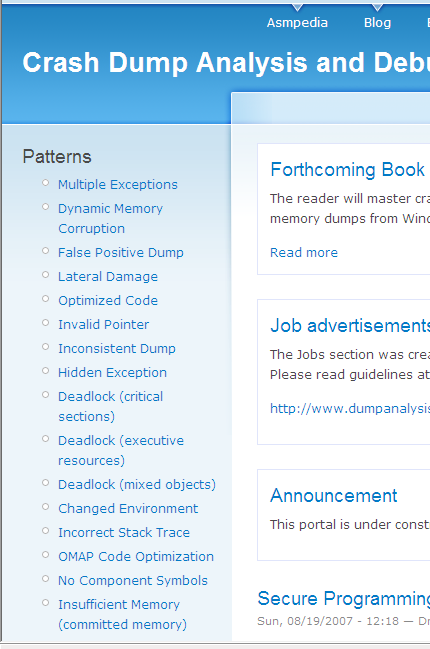
  • CDA Patterns are listed on the right side bar. These most popular posts from my blog are made readily accessible:

- Dmitry Vostokov @ DumpAnalysis.org -

Object names and waiting threads

Tuesday, October 30th, 2007

Sometimes we have threads waiting for synchronization objects like events and it is good to know their names or vice versa because it might give some clues to whether the particular thread and object are relevant for the problem. For example, we have a thread from !process 0 ff WinDbg command applied to a complete memory dump:

THREAD 86047968  Cid 01e8.04d4  Teb: 7ffaa000 Win32Thread: 00000000 WAIT: (Unknown) UserMode Non-Alertable
    8604b750  NotificationEvent
    86013070  NotificationEvent

Not impersonating
DeviceMap                 e1007d00
Owning Process            86014ba0       Image:         winlogon.exe
Wait Start TickCount      997            Ticks: 788709 (0:03:25:23.578)
Context Switch Count      1
UserTime                  00:00:00.000
KernelTime                00:00:00.000
Win32 Start Address USERENV!NotificationThread (0×76929dd9)
Start Address kernel32!BaseThreadStartThunk (0×77e617ec)
Stack Init f5d48000 Current f5d47914 Base f5d48000 Limit f5d45000 Call 0
Priority 10 BasePriority 10 PriorityDecrement 0
Kernel stack not resident.
ChildEBP RetAddr
f5d4792c 8082ffb7 nt!KiSwapContext+0×25
f5d47944 808282b0 nt!KiSwapThread+0×83
f5d47978 80930d34 nt!KeWaitForMultipleObjects+0×320
f5d47bf4 80930e96 nt!ObpWaitForMultipleObjects+0×202
f5d47d48 80883908 nt!NtWaitForMultipleObjects+0xc8
f5d47d48 7c8285ec nt!KiFastCallEntry+0xf8
00f1fec0 7c827cfb ntdll!KiFastSystemCallRet
00f1fec4 77e6202c ntdll!NtWaitForMultipleObjects+0xc
00f1ff6c 77e62fbe kernel32!WaitForMultipleObjectsEx+0×11a
00f1ff88 76929e35 kernel32!WaitForMultipleObjects+0×18
00f1ffb8 77e64829 USERENV!NotificationThread+0×5f
00f1ffec 00000000 kernel32!BaseThreadStart+0×34

or we switched to winlogon.exe process and we are inspecting this thread:

kd> .process 86014ba0
Implicit process is now 86014ba0

kd> .reload /user
Loading User Symbols

kd> .thread 86047968
Implicit thread is now 86047968

kd> kv
  *** Stack trace for last set context - .thread/.cxr resets it
ChildEBP RetAddr  Args to Child
f5d4792c 8082ffb7 86047968 ffdff120 00002700 nt!KiSwapContext+0x25
f5d47944 808282b0 86047968 00000002 00000000 nt!KiSwapThread+0x83
f5d47978 80930d34 00000002 f5d47aac 00000001 nt!KeWaitForMultipleObjects+0×320
f5d47bf4 80930e96 00000002 f5d47c1c 00000001 nt!ObpWaitForMultipleObjects+0×202
f5d47d48 80883908 00000002 00f1ff10 00000001 nt!NtWaitForMultipleObjects+0xc8
f5d47d48 7c8285ec 00000002 00f1ff10 00000001 nt!KiFastCallEntry+0xf8
00f1fec0 7c827cfb 77e6202c 00000002 00f1ff10 ntdll!KiFastSystemCallRet
00f1fec4 77e6202c 00000002 00f1ff10 00000001 ntdll!NtWaitForMultipleObjects+0xc
00f1ff6c 77e62fbe 00000002 769cd34c 00000000 kernel32!WaitForMultipleObjectsEx+0×11a
00f1ff88 76929e35 00000002 769cd34c 00000000 kernel32!WaitForMultipleObjects+0×18
00f1ffb8 77e64829 00000000 00000000 00000000 USERENV!NotificationThread+0×5f
00f1ffec 00000000 76929dd9 00000000 00000000 kernel32!BaseThreadStart+0×34

kd> dd f5d47aac l2
f5d47aac  8604b750 86013070

WinDbg !object command will show names for named synchronization objects:

kd> !object 8604b750
Object: 8604b750  Type: (86598990) Event
    ObjectHeader: 8604b738 (old version)
    HandleCount: 1  PointerCount: 2

kd> !object 86013070
Object: 86013070  Type: (86598990) Event
    ObjectHeader: 86013058 (old version)
    HandleCount: 10  PointerCount: 18
    Directory Object: e19b61c0  Name: userenv: Machine Group Policy has been applied

We see that one object is named and related to group policies. The same technique can be applied in reverse. For example, we want to find which thread is waiting for 85efb848 event:

kd> !object \BaseNamedObjects
Object: e19b61c0  Type: (865cab50) Directory
    ObjectHeader: e19b61a8 (old version)
    HandleCount: 75  PointerCount: 259
    Directory Object: e10012c8  Name: BaseNamedObjects

    Hash Address  Type          Name
    ---- -------  ----          ----


...
...
...
         861697f0 Event         COM+ Tracker Push Event
         85f6fbb0 Event         WMI_ProcessIdleTasksComplete
         85efb848 Event         VMwareToolsServiceEvent


Looking at threads from !process 0 ff command we find that VMwareService.exe uses it:

THREAD 8633bd40  Cid 0664.0680  Teb: 7ffde000 Win32Thread: 00000000 WAIT: (Unknown) UserMode Alertable
    85efb848  SynchronizationEvent
    8633bdb8  NotificationTimer
Not impersonating
DeviceMap                 e1007d00
Owning Process            862fa938       Image:         VMwareService.exe
Wait Start TickCount      789703         Ticks: 3 (0:00:00:00.046)
Context Switch Count      120485
UserTime                  00:00:00.093
KernelTime                00:00:00.062
Win32 Start Address ADVAPI32!ScSvcctrlThreadA (0×77f65e70)
Start Address kernel32!BaseThreadStartThunk (0×77e617ec)
Stack Init f5cc8000 Current f5cc7914 Base f5cc8000 Limit f5cc5000 Call 0
Priority 15 BasePriority 15 PriorityDecrement 0
ChildEBP RetAddr
f5cc792c 8082ffb7 nt!KiSwapContext+0×25
f5cc7944 808282b0 nt!KiSwapThread+0×83
f5cc7978 80930d34 nt!KeWaitForMultipleObjects+0×320
f5cc7bf4 80930e96 nt!ObpWaitForMultipleObjects+0×202
f5cc7d48 80883908 nt!NtWaitForMultipleObjects+0xc8
f5cc7d48 7c8285ec nt!KiFastCallEntry+0xf8
00a5fe4c 7c827cfb ntdll!KiFastSystemCallRet
00a5fe50 77e6202c ntdll!NtWaitForMultipleObjects+0xc
00a5fef8 0040158e kernel32!WaitForMultipleObjectsEx+0×11a
WARNING: Stack unwind information not available. Following frames may be wrong.
00a5ff18 00402390 VMwareService+0×158e
00a5ff84 00402f5a VMwareService+0×2390
00a5ffa4 77f65e91 VMwareService+0×2f5a
00a5ffb8 77e64829 ADVAPI32!ScSvcctrlThreadW+0×21
00a5ffec 00000000 kernel32!BaseThreadStart+0×34

!object command is equivalent to WinObj tool and allows to inspect Windows Object Manager namespace that existed at the time when a memory dump was saved. Here is the root directory from my x64 Vista workstation:

lkd> !object \
Object: fffff880000056c0  Type: (fffffa800183fde0) Directory
    ObjectHeader: fffff88000005690 (old version)
    HandleCount: 0  PointerCount: 50
    Directory Object: 00000000  Name: \

    Hash Address          Type          Name
    ---- -------          ----          ----
     01  fffff88000005510 Directory     ObjectTypes
     03  fffffa80047574e0 Event         NETLOGON_SERVICE_STARTED
     05  fffff8800156fb00 SymbolicLink  SystemRoot
     06  fffff880018bfeb0 Directory     Sessions
     07  fffffa800448eb90 ALPC Port     MmcssApiPort
     08  fffff8800000a060 Directory     ArcName
     09  fffff88000081e10 Directory     NLS
         fffffa80047523c0 ALPC Port     XactSrvLpcPort
     10  fffffa8004504e60 ALPC Port     ThemeApiPort
         fffff880018efce0 Directory     Windows
         fffff88000007bd0 Directory     GLOBAL??
         fffffa8004199de0 Event         LanmanServerAnnounceEvent
         fffffa80043027d0 Event         DSYSDBG.Debug.Trace.Memory.2a4
     11  fffff8800189feb0 Directory     RPC Control
     13  fffffa8003ed6490 Event         EFSInitEvent
     14  fffffa8002746bd0 Device        clfs
         fffff88000fb6b10 -
     15  fffffa8003dd5060 ALPC Port     SeRmCommandPort
         fffffa80040c7210 Event         CsrSbSyncEvent
     16  fffff880000052e0 SymbolicLink  DosDevices
         fffffa8004626c70 Device        Cdfs
     17  fffff8800471c210 Directory     KnownDlls32
         fffffa8004770490 ALPC Port     AELPort
         fffffa8004342680 Event         EFSSrvInitEvent
     18  fffff8800000a2b0 Key           \REGISTRY
         fffffa8004851900 ALPC Port     WindowsErrorReportingServicePort
     19  fffff88004732380 Directory     BaseNamedObjects
     21  fffff88000072d00 Directory     UMDFCommunicationPorts
         fffffa8004182120 ALPC Port     SmSsWinStationApiPort
         fffffa8003ddbe60 Event         UniqueInteractiveSessionIdEvent
     22  fffff88000875a00 Directory     KnownDlls
         fffffa8003ece330 Device        FatCdrom
         fffffa8003a16720 Device        Fat
     23  fffff88000005120 Directory     KernelObjects
         fffff88000081ab0 Directory     FileSystem
         fffffa8002a5f620 Device        Ntfs
     26  fffff88000007300 Directory     Callback
         fffffa80042e14c0 ALPC Port     SeLsaCommandPort
     28  fffff880000095f0 Directory     Security
     29  fffffa8004574e60 ALPC Port     UxSmsApiPort
     30  fffff88000013060 Directory     Device
         fffffa8004342700 Event         EFSSmbInitEvent
     32  fffffa8004342260 ALPC Port     LsaAuthenticationPort
     34  fffffa8003dd7e60 ALPC Port     SmApiPort
         fffff88004bf5080 Section       LsaPerformance
         fffffa8003f65160 Event         UniqueSessionIdEvent
     36  fffff88000081c60 Directory     Driver
         fffffa8004308c00 Event         SAM_SERVICE_STARTED

We can inspect any directory or object, for example:

lkd> !object \FileSystem
Object: fffff88000081ab0  Type: (fffffa800183fde0) Directory
    ObjectHeader: fffff88000081a80 (old version)
    HandleCount: 0  PointerCount: 31
    Directory Object: fffff880000056c0  Name: FileSystem

    Hash Address          Type          Name
    ---- -------          ----          ----
     02  Unable to read directory entry at fffff88004d46ca0
     03  fffffa80041a9bc0 Driver        mrxsmb20
     04  fffffa8004371450 Driver        luafv
     11  fffffa8003e3b530 Driver        rdbss
         fffffa8003c6e470 Device        CdfsRecognizer
     12  fffffa800261c300 Device        UdfsDiskRecognizer
         fffffa8003c6e680 Driver        Fs_Rec
     13  fffffa8002626e70 Driver        Msfs
     15  fffffa8003edc7e0 Driver        DfsC
     16  fffffa8004640e70 Driver        cdfs
     17  fffffa800410ed90 Driver        srvnet
     19  fffffa80046f9420 Driver        srv
         fffffa800468cc90 Driver        MRxDAV
         fffff88000072eb0 Directory     Filters
     21  fffffa80046be400 Driver        bowser
         fffffa8001c92c40 Driver        FltMgr
     22  fffffa800261cc40 Device        FatCdRomRecognizer
     23  fffffa8002756e70 Driver        Ntfs
     24  fffffa8003dc0530 Driver        Npfs
         fffffa80027abd20 Driver        Mup
         fffffa80018476a0 Driver        RAW
     27  fffffa8003f04270 Driver        fastfat
     28  fffffa8002745060 Driver        FileInfo
     31  fffffa800261ce50 Device        FatDiskRecognizer
     33  fffffa80046c4650 Driver        srv2
         fffffa8003eaf470 Driver        NetBIOS
         fffffa800261ca30 Device        ExFatRecognizer
     34  fffffa8003ce3610 Driver        SRTSP
     35  fffffa800261c060 Device        UdfsCdRomRecognizer

- Dmitry Vostokov @ DumpAnalysis.org -

Symbolism

Tuesday, October 30th, 2007

This has nothing to do with symbols for debugging. I’ve just found the picture from November 2003 taken in Miami where the sand castle behind me symbolizes the architecture of a modern monolithic operating system. I started doing crash dump analysis a month before.

- Dmitry Vostokov @ DumpAnalysis.org -

The list of Citrix services

Friday, October 26th, 2007

In kernel or complete memory dumps coming from Windows servers running Citrix Presentation Server 4.x you might see the following processes running in session 0, for example:

2: kd> !process 0 0

PROCESS 895c7380  SessionId: 0  Cid: 03f0    Peb: 7ffdf000  ParentCid: 01a8
    DirBase: 0a43d220  ObjectTable: 895c7628  HandleCount: 684.
    Image: CpSvc.exe

PROCESS 892e3320  SessionId: 0  Cid: 060c    Peb: 7ffdf000  ParentCid: 01a8
    DirBase: 0a43d440  ObjectTable: 892e76c8  HandleCount:  93.
    Image: cdmsvc.exe

PROCESS 892ed4a0  SessionId: 0  Cid: 05f8    Peb: 7ffdf000  ParentCid: 01a8
    DirBase: 0a43d420  ObjectTable: 892f1268  HandleCount: 107.
    Image: CdfSvc.exe

PROCESS 89297020  SessionId: 0  Cid: 06ac    Peb: 7ffdf000  ParentCid: 01a8
    DirBase: 0a43d520  ObjectTable: 892991c8  HandleCount:  62.
    Image: encsvc.exe

PROCESS 892a4020  SessionId: 0  Cid: 06d4    Peb: 7ffdf000  ParentCid: 01a8
    DirBase: 0a43d540  ObjectTable: 892b9a48  HandleCount: 1088.
    Image: ImaSrv.exe

PROCESS 892a5020  SessionId: 0  Cid: 070c    Peb: 7ffdf000  ParentCid: 01a8
    DirBase: 0a43d560  ObjectTable: 8927b568  HandleCount: 188.
    Image: mfcom.exe

PROCESS 890e8620  SessionId: 0  Cid: 0cc4    Peb: 7ffdf000  ParentCid: 01a8
    DirBase: 0a43d6e0  ObjectTable: 890e8948  HandleCount: 691.
    Image: SmaService.exe

PROCESS 8901bd60  SessionId: 0  Cid: 0d80    Peb: 7ffdf000  ParentCid: 01a8
    DirBase: 0a43d880  ObjectTable: 89021e88  HandleCount: 148.
    Image: XTE.exe

PROCESS 88fce020  SessionId: 0  Cid: 1204    Peb: 7ffdf000  ParentCid: 01a8
    DirBase: 0a43d900  ObjectTable: 88fcfac8  HandleCount: 186.
    Image: ctxwmisvc.exe

These are Citrix services and the following Citrix article describes them:

Citrix Presentation Server Services Overview

- Dmitry Vostokov @ DumpAnalysis.org -

JIT service debugging

Wednesday, October 24th, 2007

If you have services running under network service account (prior to Vista) and they crash you can use NTSD from recent Debugging Tools for Windows and -noio switch as described in the following article:

http://www.debuginfo.com/articles/ntsdwatson.html 

You need to copy the latest ntsd.exe, dbghelp.dll and dbgeng.dll to some folder on your system if you don’t want to install Debugging Tools for Windows in your production environment.

The AeDebug key I use for 64-bit JIT debugging is

C:\ntsd\ntsd -p %ld -e %ld -g -noio -c ".dump /ma /u c:\TEMP\new.dmp; q"

It is always good to double check settings with TestDefaultDebugger tool.

- Dmitry Vostokov @ DumpAnalysis.org -

Memory Dump - A Mathematical Definition

Wednesday, October 24th, 2007

This is the first post in Science of Memory Dump Analysis category where I apply philosophy, systems theory, mathematics, physics and computer science ideas. It was inspired after reading Life Itself book written by Robert Rosen where computers are depicted as direct sums of states. As shown in that book, in the case of machines, their synthetic models (direct sums) are equivalent to analytic models (direct product of observables). Taking every single bit as an observable having its values in Z2 set {0, 1} we can make a definition of an ideal memory dump as a direct product or a direct sum of bits saved instantaneously at the given time:

i si = i si

Of course, we can also consider bytes having 8 bits as observables having their values from Z256 set, etc.

In our case we can simply rewrite direct sum or product as the list of bits, bytes, words or double words, etc:

(…, si-1, si, si+1, …, sj-1, sj, sj+1, …)

According to Rosen we include hardware states (registers, for example) and partition memory into input, output states for particular computation and other states.

Saving a memory dump takes certain amount of time. Suppose that it takes 3 discrete time events (ticks). During the first tick we save memory up to (…, si-1, si) and that memory has some relationship to sj state. During the second tick sj state changes its value and during the 3rd tick we copy the rest of the memory (si+1, …, sj-1, sj, sj+1, …). Now we see that the final memory dump is inconsistent:

(…, si-1, si, si+1, …, sj-1, sj, sj+1, …)

I explained this earlier in plain words in Inconsistent Dump pattern. Therefore we might consider a real memory dump as a direct sum of disjoint memory areas Mt taken during some time interval (t0, …, tn)

M = t Mt where Mt = k stk or simply

M = t k stk

- Dmitry Vostokov @ DumpAnalysis.org -

Crash Dump Analysis Patterns (Part 32)

Tuesday, October 23rd, 2007

When we look at a thread and it is not in the Passive Thread list and looks more like Blocked Thread we may ask whether it is Main Thread. Every process has at least one thread of execution called main or primary thread. Most GUI applications have window message processing loop inside their main process thread. When a memory dump is saved it is most likely that this thread is blocked waiting for window or user-defined messages to arrive and can be considered as Passive Thread. If we see it blocked on something else waiting for some time we may consider that the application was hanging. 

Here is an example of the normal iexplore.exe thread stack taken from a kernel dump:

PROCESS 88de4140  SessionId: 3  Cid: 15a8    Peb: 7ffdf000  ParentCid: 0e28
    DirBase: 0a43df40  ObjectTable: 88efe008  TableSize: 852.
    Image: IEXPLORE.EXE
    VadRoot 88dbbca8 Clone 0 Private 6604. Modified 951. Locked 0.
    DeviceMap 88de6408
    Token                             e3f5ccf0
    ElapsedTime                        0:10:52.0281
    UserTime                          0:00:06.0250
    KernelTime                        0:00:10.0421
    QuotaPoolUsage[PagedPool]         126784
    QuotaPoolUsage[NonPagedPool]      197704
    Working Set Sizes (now,min,max)  (8347, 50, 345) (33388KB, 200KB, 1380KB)
    PeakWorkingSetSize                10000
    VirtualSize                       280 Mb
    PeakVirtualSize                   291 Mb
    PageFaultCount                    15627
    MemoryPriority                    FOREGROUND
    BasePriority                      8
    CommitCharge                      7440

THREAD 88ee2b00  Cid 15a8.1654  Teb: 7ffde000  Win32Thread: a2242018 WAIT: (WrUserRequest) UserMode Non-Alertable
    88f82ee0  SynchronizationEvent
Not impersonating
Owning Process 88de4140
Wait Start TickCount    104916        Elapsed Ticks: 0
Context Switch Count    100208                   LargeStack
UserTime                  0:00:04.0484
KernelTime                0:00:09.0859
Start Address KERNEL32!BaseProcessStartThunk (0x7c57b70c)
Stack Init be597000 Current be596cc8 Base be597000 Limit be58f000 Call 0
Priority 12 BasePriority 8 PriorityDecrement 0 DecrementCount 0

ChildEBP RetAddr
be596ce0 8042d8d7 nt!KiSwapThread+0x1b1
be596d08 a00019c2 nt!KeWaitForSingleObject+0x1a3
be596d44 a00138c5 win32k!xxxSleepThread+0x18a
be596d54 a00138d1 win32k!xxxWaitMessage+0xe
be596d5c 8046b2a9 win32k!NtUserWaitMessage+0xb
be596d5c 77e3c7cd nt!KiSystemService+0xc9

In the same kernel dump there is another iexplore.exe process with the following main thread stack which had been blocked for 31 seconds:

PROCESS 8811ca00  SessionId: 21  Cid: 4d18    Peb: 7ffdf000  ParentCid: 34c8
    DirBase: 0a086ee0  ObjectTable: 87d07528  TableSize: 677.
    Image: IEXPLORE.EXE
    VadRoot 87a92ae8 Clone 0 Private 4600. Modified 227. Locked 0.
    DeviceMap 88b174e8
    Token                             e49508d0
    ElapsedTime                        0:08:03.0062
    UserTime                          0:00:01.0531
    KernelTime                        0:00:10.0375
    QuotaPoolUsage[PagedPool]         120792
    QuotaPoolUsage[NonPagedPool]      198376
    Working Set Sizes (now,min,max)  (7726, 50, 345) (30904KB, 200KB, 1380KB)
    PeakWorkingSetSize                7735
    VirtualSize                       272 Mb
    PeakVirtualSize                   275 Mb
    PageFaultCount                    11688
    MemoryPriority                    BACKGROUND
    BasePriority                      8
    CommitCharge                      6498

THREAD 87ce6da0  Cid 4d18.4c68  Teb: 7ffde000  Win32Thread: a22157b8 WAIT: (Executive) KernelMode Non-Alertable
    b5bd6370  NotificationEvent
IRP List:
    885d4808: (0006,00dc) Flags: 00000014  Mdl: 00000000
Not impersonating
Owning Process 8811ca00
Wait Start TickCount    102908        Elapsed Ticks: 2008
Context Switch Count    130138                   LargeStack
UserTime                  0:00:01.0125
KernelTime                0:00:08.0843
Start Address KERNEL32!BaseProcessStartThunk (0×7c57b70c)
Stack Init b5bd7000 Current b5bd62f4 Base b5bd7000 Limit b5bcf000 Call 0
Priority 8 BasePriority 8 PriorityDecrement 0 DecrementCount 0

ChildEBP RetAddr
b5bd630c 8042d8d7 nt!KiSwapThread+0x1b1
b5bd6334 bf09342d nt!KeWaitForSingleObject+0x1a3
b5bd6380 bf08896f mrxsmb!SmbCeAssociateExchangeWithMid+0x24b
b5bd63b0 bf0aa0ef mrxsmb!SmbCeTranceive+0xff
b5bd6490 bf0a92df mrxsmb!SmbTransactExchangeStart+0x559
b5bd64a8 bf0a9987 mrxsmb!SmbCeInitiateExchange+0x2ac
b5bd64c4 bf0a96e2 mrxsmb!SmbCeSubmitTransactionRequest+0x124
b5bd6524 bf0ac7c3 mrxsmb!_SmbCeTransact+0x86
b5bd6608 bf104ea0 mrxsmb!MRxSmbQueryFileInformation+0x553
b5bd66b4 bf103aff rdbss!__RxInitializeTopLevelIrpContext+0x52
b5bd6784 bf10da73 rdbss!WPP_SF_ZL+0x4b
b5bd67b4 bf0a8b29 rdbss!RxCleanupPipeQueues+0x117
b5bd67d4 8041ef05 mrxsmb!MRxSmbFsdDispatch+0x118
b5bd67e8 eb833839 nt!IopfCallDriver+0x35
b5bd6890 804a8109 nt!IopQueryXxxInformation+0x164
b5bd68b0 804c7d63 nt!IoQueryFileInformation+0x19
b5bd6a4c 80456562 nt!IopParseDevice+0xe8f
b5bd6ac4 804de0c0 nt!ObpLookupObjectName+0x504
b5bd6bd4 804a929b nt!ObOpenObjectByName+0xc8
b5bd6d54 8046b2a9 nt!NtQueryFullAttributesFile+0xe7
b5bd6d54 77f88887 nt!KiSystemService+0xc9

0: kd> !whattime 0n2008
2008 Ticks in Standard Time: 31.375s

Main thread need not be GUI thread. Most input console applications have ReadConsole calls in normal main process thread stack:

0:000> kL
ChildEBP RetAddr
0012fc6c 77d20190 ntdll!KiFastSystemCallRet
0012fc70 77d27fdf ntdll!NtRequestWaitReplyPort+0xc
0012fc90 765d705c ntdll!CsrClientCallServer+0xc2
0012fd8c 76634674 kernel32!ReadConsoleInternal+0x1cd
0012fe14 765eaf6a kernel32!ReadConsoleA+0×40
0012fe7c 6ec35196 kernel32!ReadFile+0×84
0012fec0 6ec35616 MSVCR80!_read_nolock+0×201
0012ff04 6ec45928 MSVCR80!_read+0xc0
0012ff1c 6ec49e47 MSVCR80!_filbuf+0×78
0012ff54 0040100d MSVCR80!getc+0×113
0012ff5c 0040117c ConsoleTest!wmain+0xd
0012ffa0 765d3833 ConsoleTest!__tmainCRTStartup+0×10f
0012ffac 77cfa9bd kernel32!BaseThreadInitThunk+0xe
0012ffec 00000000 ntdll!_RtlUserThreadStart+0×23

0:000> kL
ChildEBP RetAddr
001cf594 77d20190 ntdll!KiFastSystemCallRet
001cf598 77d27fdf ntdll!NtRequestWaitReplyPort+0xc
001cf5b8 765d705c ntdll!CsrClientCallServer+0xc2
001cf6b4 765d6efe kernel32!ReadConsoleInternal+0x1cd
001cf740 49ecd538 kernel32!ReadConsoleW+0×47
001cf7a8 49ecd645 cmd!ReadBufFromConsole+0xb5
001cf7d4 49ec2247 cmd!FillBuf+0×175
001cf7d8 49ec2165 cmd!GetByte+0×11
001cf7f4 49ec20d8 cmd!Lex+0×75
001cf80c 49ec207f cmd!GeToken+0×27
001cf81c 49ec200a cmd!ParseStatement+0×36
001cf830 49ec6038 cmd!Parser+0×46
001cf878 49ecc703 cmd!main+0×1de
001cf8bc 765d3833 cmd!_initterm_e+0×163
001cf8c8 77cfa9bd kernel32!BaseThreadInitThunk+0xe
001cf908 00000000 ntdll!_RtlUserThreadStart+0×23

- Dmitry Vostokov @ DumpAnalysis.org -

Old dumps, new extensions

Tuesday, October 23rd, 2007

Up to now I’ve been using old Windows 2000 WinDbg extensions to extract information from Windows 2003 and XP crash dumps when their native extensions failed. Today I have found I can do the way around, to extract information from old Windows 2000 crash dumps using WinDbg extensions written for Windows XP and later. Here is an example. WinDbg !stacks command shows the following not really helpful output from Windows 2000 complete memory dump:

2: kd> !stacks
Proc.Thread  Thread   Ticks   ThreadState Blocker
                                     [System]
   8.000004  89df8220 0000000 BLOCKED     nt!KiSwapThread+0x1b1
   8.00000c  89dc1860 0003734 BLOCKED     nt!KiSwapThread+0x1b1
   8.000010  89dc15e0 0003734 BLOCKED     nt!KiSwapThread+0x1b1
   8.000014  89dc1360 00003b4 BLOCKED     nt!KiSwapThread+0x1b1
   8.000018  89dc10e0 0003734 BLOCKED     nt!KiSwapThread+0x1b1
   8.00001c  89dc0020 0000381 BLOCKED     nt!KiSwapThread+0x1b1
   8.000020  89dc0da0 00066f6 BLOCKED     nt!KiSwapThread+0x1b1
   8.000024  89dc0b20 00025b4 BLOCKED     nt!KiSwapThread+0x1b1
   8.000028  89dc08a0 00025b4 BLOCKED     nt!KiSwapThread+0x1b1
   8.00002c  89dc0620 0003734 BLOCKED     nt!KiSwapThread+0x1b1
   8.000030  89dc03a0 0003734 BLOCKED     nt!KiSwapThread+0x1b1
   8.000034  89dbf020 00025b4 BLOCKED     nt!KiSwapThread+0x1b1
   8.000038  89dbfda0 00025b4 BLOCKED     nt!KiSwapThread+0x1b1
   8.00003c  89dbfb20 00007b4 BLOCKED     nt!KiSwapThread+0x1b1
   8.000040  89dbf8a0 00007b4 BLOCKED     nt!KiSwapThread+0x1b1
   8.000044  89dbf620 0000074 BLOCKED     nt!KiSwapThread+0x1b1
   8.000048  89dbf3a0 00007b4 BLOCKED     nt!KiSwapThread+0x1b1
...
...
...

This command belongs to different WinDbg extension DLLs (from WinDbg help):

Windows NT 4.0         Unavailable
Windows 2000           Kdextx86.dll
Windows XP and later   Kdexts.dll

and I tried newer kdexts.dll with better results:

2: kd> !winxp\kdexts.stacks
Proc.Thread  .Thread  Ticks   ThreadState Blocker
                            [89df84a0 System]
   8.0000c8  89db77c0 0000000 Blocked    nt!MiRemoveUnusedSegments+0xf4
   8.0000f0  89c8a020 0019607 Blocked    cpqasm2+0x1ef0
   8.000108  89881900 0000085 Blocked    CPQCISSE+0x3ae8
   8.000110  8982cda0 000000a Blocked    cpqasm2+0x2a523
   8.00013c  8974a9a0 00007d7 Blocked    rdbss!RxSetMinirdrCancelRoutine+0x3d
   8.000148  89747b20 000010a Blocked    rdbss!RxIsOkToPurgeFcb+0x3f
   8.00014c  89758a80 0019493 Blocked    nt!NtNotifyChangeMultipleKeys+0x434
   8.0002dc  89620680 000000e Blocked    cpqasm2+0x5523
   8.0002e0  89620400 00000d2 Blocked    cpqasm2+0x584d
   8.0004ac  895ae9c0 000955b Blocked    srv!SrvOemStringTo8dot3+0xb7
   8.0004c0  8937b4e0 0018fea Blocked    srv!SrvOemStringTo8dot3+0xb7
   8.0004a0  895b09e0 0018fe9 Blocked    srv!SrvOemStringTo8dot3+0xb7
   8.0004cc  893784e0 0018fe8 Blocked    srv!SrvOemStringTo8dot3+0xb7
   8.0004d0  893774e0 000955b Blocked    srv!SrvOemStringTo8dot3+0xb7
   8.0004d4  893764e0 0018fe8 Blocked    srv!SrvOemStringTo8dot3+0xb7
   8.003d68  87abb580 00000b7 Blocked    rdbss!RxSearchForCollapsibleOpen+0x17c
   8.002b94  88e4f180 00000b9 Blocked    rdbss!RxSearchForCollapsibleOpen+0x17c

                            [89736940 smss.exe]

                            [896d3b20 csrss.exe]
 178.000180  896c8020 0000012 Blocked    ntdll!NtReplyWaitReceivePort+0xb
 178.00018c  896c5320 0000012 Blocked    ntdll!NtReplyWaitReceivePort+0xb
 178.001260  88fbcb20 0000060 Blocked    ntdll!NtReplyWaitReceivePort+0xb
 178.001268  88fbbda0 0000060 Blocked    ntdll!NtReplyWaitReceivePort+0xb

                            [896c8740 WINLOGON.EXE]
 174.00019c  896b7740 0000299 Blocked    ntdll!ZwDelayExecution+0xb
 174.0001a0  896b6020 00015dd Blocked    ntdll!NtRemoveIoCompletion+0xb
 174.000f08  8913eda0 00000b0 Blocked    ntdll!ZwWaitForMultipleObjects+0xb
 174.000f0c  8901b020 00000b0 Blocked    ntdll!ZwWaitForSingleObject+0xb

- Dmitry Vostokov @ DumpAnalysis.org -

The search for ‘Ddk’ tag

Monday, October 22nd, 2007

Sometimes we get pool allocation failures and the driver’s tag is ‘Ddk’:

0: kd> !vm

*** Virtual Memory Usage ***
 Physical Memory:      851775 (   3407100 Kb)
 Page File: \??\C:\pagefile.sys
   Current:   4190208 Kb  Free Space:   4175708 Kb
   Minimum:   4190208 Kb  Maximum:      4190208 Kb
 Available Pages:      147274 (    589096 Kb)
 ResAvail Pages:       769287 (   3077148 Kb)
 Locked IO Pages:         118 (       472 Kb)
 Free System PTEs:     184910 (    739640 Kb)
 Free NP PTEs:            110 (       440 Kb)
 Free Special NP:           0 (         0 Kb)
 Modified Pages:          168 (       672 Kb)
 Modified PF Pages:       168 (       672 Kb)
 NonPagedPool Usage:    64445 (    257780 Kb)
 NonPagedPool Max:      64640 (    258560 Kb)
 ********** Excessive NonPaged Pool Usage *****

 PagedPool 0 Usage:     21912 (     87648 Kb)
 PagedPool 1 Usage:       691 (      2764 Kb)
 PagedPool 2 Usage:       706 (      2824 Kb)
 PagedPool 3 Usage:       704 (      2816 Kb)
 PagedPool 4 Usage:       708 (      2832 Kb)
 PagedPool Usage:       24721 (     98884 Kb)
 PagedPool Maximum:    134144 (    536576 Kb)

 ********** 429 pool allocations have failed **********

 Shared Commit:          5274 (     21096 Kb)
 Special Pool:              0 (         0 Kb)
 Shared Process:         3958 (     15832 Kb)
 PagedPool Commit:      24785 (     99140 Kb)
 Driver Commit:         19289 (     77156 Kb)
 Committed pages:      646282 (   2585128 Kb)
 Commit limit:        1860990 (   7443960 Kb)

0: kd> !poolused 3
   Sorting by  NonPaged Pool Consumed

  Pool Used:
            NonPaged
 Tag    Allocs    Frees     Diff     Used
 Ddk   9074558  3859522  5215036 225708304 Default for driver allocated memory (user’s of ntddk.h)

How do we find which driver had caused this memory leak? We can search for drivers using the following command:

C:\>findstr /S /m /l hDdk *.sys  

or we can guess the driver using the fact that long time ago ExAllocatePool was defined as ExAllocatePoolWithTag(, … ‘Ddk ‘). Currently all DDK samples use their separate driver tags and ExAllocatePool uses ‘None’:

0: kd> .asm no_code_bytes
Assembly options: no_code_bytes

0: kd> uf ExAllocatePool
nt!ExAllocatePool:
80894d1f mov     edi,edi
80894d21 push    ebp
80894d22 mov     ebp,esp
80894d24 push    656E6F4Eh
80894d29 push    dword ptr [ebp+0Ch]
80894d2c push    dword ptr [ebp+8]
80894d2f call    nt!ExAllocatePoolWithTag (8089b93f)
80894d34 pop     ebp
80894d35 ret     8

0: kd> .formats 656E6F4Eh
Evaluate expression:
  Hex:     656e6f4e
  Decimal: 1701736270
  Octal:   14533467516
  Binary:  01100101 01101110 01101111 01001110
  Chars:   enoN
  Time:    Tue Dec 05 00:31:10 2023
  Float:   low 7.03735e+022 high 0
  Double:  8.40769e-315

Note: we push ‘None’ but see ‘enoN’ in memory because of little endian byte ordering.

Most of the recent drivers use their own tags and it is common not to encounter ‘None’ at all:

kd> !poolused
   Sorting by  Tag

  Pool Used:
            NonPaged            Paged
 Tag    Allocs     Used    Allocs     Used
...
...
...
 None        0        0         1     8192 call to ExAllocatePool

Therefore the driver must be old and if we see most drivers dated 2006-2007 and some dated 1998-2001 the chances are that 2001 drivers were responsible for our memory leak:

b9840000 b9842980   newdriver     Sat Feb 10 00:33:41 2007 (45CD12E5)
b8cfa000 b8d39e00   olddriver     Tue Aug 21 12:18:35 2001 (3B82438B)
f79e5000 f79e6400   veryolddriver Wed Sep 23 13:09:52 1998 (3608E510)

However veryolddriver.sys doesn’t use ExAllocatePoolWithTag so olddriver.sys is under suspicion:

0: kd> !dh f79e5000
...
...
...
     A00 [      33] address [size] of Export Directory
     C00 [      3C] address [size] of Import Directory
     E00 [     3A4] address [size] of Resource Directory
       0 [       0] address [size] of Exception Directory
       0 [       0] address [size] of Security Directory
    1200 [      34] address [size] of Base Relocation Directory
     440 [      54] address [size] of Debug Directory
       0 [       0] address [size] of Description Directory
       0 [       0] address [size] of Special Directory
       0 [       0] address [size] of Thread Storage Directory
       0 [       0] address [size] of Load Configuration Directory
       0 [       0] address [size] of Bound Import Directory
     400 [      34] address [size] of Import Address Table Directory
       0 [       0] address [size] of Delay Import Directory
       0 [       0] address [size] of COR20 Header Directory
       0 [       0] address [size] of Reserved Directory


0: kd> dds f79e5000+400
f79e5400  80a82264 hal!HalTranslateBusAddress
f79e5404  80a84358 hal!READ_PORT_BUFFER_UCHAR
f79e5408  00000000
f79e540c  80840bd9 nt!IofCompleteRequest
f79e5410  808e8f01 nt!IoCreateSymbolicLink
f79e5414  80838035 nt!RtlInitUnicodeString
f79e5418  808fbe85 nt!IoDeleteSymbolicLink
f79e541c  80816a6e nt!MmUnmapIoSpace
f79e5420  808ef1f1 nt!IoCreateDevice
f79e5424  80837e3a nt!READ_REGISTER_BUFFER_UCHAR
f79e5428  80815fc8 nt!IoDeleteDevice
f79e542c  80816814 nt!MmMapIoSpace
f79e5430  00000000
f79e5434  00000000

To confirm that olddriver.sys uses ‘Ddk ‘ tag we can search its address space for code that calls ExAllocatePoolWithTag:

b8cfa000 b8d39e00 olddriver Tue Aug 21 12:18:35 2001 (3B82438B)

0: kd> !dh b8cfa000
...
...
...
       0 [       0] address [size] of Export Directory
   3D330 [      50] address [size] of Import Directory
   3DE00 [     380] address [size] of Resource Directory
       0 [       0] address [size] of Exception Directory
   3FE00 [      88] address [size] of Security Directory
   3E180 [    1BE8] address [size] of Base Relocation Directory
   3B640 [      1C] address [size] of Debug Directory
       0 [       0] address [size] of Description Directory
       0 [       0] address [size] of Special Directory
       0 [       0] address [size] of Thread Storage Directory
       0 [       0] address [size] of Load Configuration Directory
       0 [       0] address [size] of Bound Import Directory
   3B480 [     1B4] address [size] of Import Address Table Directory
       0 [       0] address [size] of Delay Import Directory
       0 [       0] address [size] of COR20 Header Directory
       0 [       0] address [size] of Reserved Directory


0: kd> dds b8cfa000+3B480 b8cfa000+3B480+1B4
b8d35480  80a83dba hal!KeQueryPerformanceCounter
b8d35484  80a7e3c0 hal!KfAcquireSpinLock
b8d35488  80a7e440 hal!KfReleaseSpinLock
b8d3548c  00000000
...
...
...
b8d35544  80812b1a nt!IoWriteErrorLogEntry
b8d35548  8081287b nt!IoAllocateErrorLogEntry
b8d3554c  8082f12f nt!swprintf
b8d35550  8089b93f nt!ExAllocatePoolWithTag
b8d35554  8087c465 nt!KeBugCheckEx
b8d35558  80815407 nt!wcsncat
b8d3555c  8083bc54 nt!ZwQueryValueKey
b8d35560  8083affb nt!ZwClose
b8d35564  80841a14 nt!_wcsicmp
b8d35568  80928d30 nt!ObReferenceObjectByHandle


… 

0: kd> s-d b8cfa000 b8d39e00 b8d35550
b8d19f08  b8d35550 555425ff 25ffb8d3 b8d35480  PU…%TU…%.T..
b8d1a068  b8d35550 ff85f88b 75fc7d89 b85e5f0c  PU…….}.u._^.
b8d2c4e4  b8d35550 0375c085 89c35d5e 04c08330  PU….u.^]..0…

0: kd> u b8d19f08-2
olddriver!ExAllocatePoolWithTag:
b8d19f06 jmp     dword ptr [olddriver!_imp__ExAllocatePoolWithTag (b8d35550)]

0: kd> u b8d2c4e4-2
olddriver!malloc+0x12
b8d2c4e2 call    dword ptr [olddriver!_imp__ExAllocatePoolWithTag (b8d35550)]
b8d2c4e8 test    eax,eax
b8d2c4ea jne     olddriver!malloc+0x1f (b8d2c4ef)
b8d2c4ec pop     esi
b8d2c4ed pop     ebp
b8d2c4ee ret
b8d2c4ef mov     dword ptr [eax],esi
b8d2c4f1 add     eax,4

0: kd> ub b8d1a068-2
olddriver!TraceRoutine+0xc1
b8d1a051 mov     esp,ebp
b8d1a053 pop     ebp
b8d1a054 ret
b8d1a055 cmp     edi,8
b8d1a058 jbe     olddriver!TraceRoutine+0x157 (b8d1a0e7)
b8d1a05e push    206b6444h
b8d1a063 push    edx
b8d1a064 push    0

0: kd> .formats 206b6444
Evaluate expression:
  Hex:     206b6444
  Decimal: 543908932
  Octal:   04032662104
  Binary:  00100000 01101011 01100100 01000100
  Chars:    kdD
  Time:    Sat Mar 28 05:48:52 1987
  Float:   low 1.99384e-019 high 0
  Double:  2.68727e-315

- Dmitry Vostokov @ DumpAnalysis.org -

Local crash dumps on Vista

Thursday, October 18th, 2007

It appears that Microsoft decided to help customers to save full user dumps locally for later postmortem analysis. According to MSDN this is done via LocalDumps registry key starting from Vista SP1 and Windows Server 2008:

http://msdn2.microsoft.com/en-us/library/bb787181.aspx

This is a quote from the article above:

[…] Prior to application termination, the system will check the registry settings to determine whether a local dump is to be collected. The registry settings control whether a full dump is collected versus a minidump. The custom flags specified also determine which information is collected in the dump. […] You can make use of the local dump collection even if WER is disabled. The local dumps are collected even if the user cancels WER reporting at any point. […]

From my understanding it is independent from the default postmortem debugger mechanism via AeDebug registry key and might help to solve the problem with native services. I haven’t tried it yet but will do as soon as I install Vista SP1 or install Windows Server 2008 RC0. If it works then dump collection might be easier in production environments because of no need to install Debugging Tools for Windows to set up a postmortem debugger.

- Dmitry Vostokov @ DumpAnalysis.org -

Crash Dump Analysis Patterns (Part 31)

Wednesday, October 17th, 2007

When trying to understand why the particular application or service hangs we look at Stack Trace Collection and hope to find some suspicious threads that are waiting for a response. These are active blocked threads. Other threads may appear waiting but they are merely waiting for some notification or data which may or may not come during their lifetime and, therefore, are normal. In other words, they are passive and hence the name of the pattern Passive Thread. Typical examples from user space include

  • - the main service thread and dispatch threads (when idle)

  • - a thread waiting for file or registry notifications

  • - a generic RPC/LPC/COM thread waiting for messages

  • - worker threads waiting for a data to appear in a queue

  • - window message loops (when idle)

  • - socket and network protocol threads (when idle)

  • - a thread with function names on its stack trace suggesting that it is a notification or listener thread

Of course, sometimes these passive threads can be the reason for an application or service hang, but from my experience, most of the time they are not, unless there are other threads which they block. Let’s now look at example stack traces.

Note: Generic threads spawned to service various requests and waiting for data to arrive can be filtered using !uniqstack WinDbg command. Conceptually these threads are part of the so called thread pool software design pattern.

LPC/RPC/COM threads waiting for requests:

  70  Id: 8f8.1100 Suspend: 1 Teb: 7ff80000 Unfrozen
ChildEBP RetAddr
0d82fe18 7c82783b ntdll!KiFastSystemCallRet
0d82fe1c 77c885ac ntdll!NtReplyWaitReceivePortEx+0xc
0d82ff84 77c88792 rpcrt4!LRPC_ADDRESS::ReceiveLotsaCalls+0x198
0d82ff8c 77c8872d rpcrt4!RecvLotsaCallsWrapper+0xd
0d82ffac 77c7b110 rpcrt4!BaseCachedThreadRoutine+0x9d
0d82ffb8 77e64829 rpcrt4!ThreadStartRoutine+0x1b
0d82ffec 00000000 kernel32!BaseThreadStart+0x34

  71  Id: 8f8.1e44 Suspend: 1 Teb: 7ffde000 Unfrozen
ChildEBP RetAddr
0c01fe18 7c82783b ntdll!KiFastSystemCallRet
0c01fe1c 77c885ac ntdll!NtReplyWaitReceivePortEx+0xc
0c01ff84 77c88792 rpcrt4!LRPC_ADDRESS::ReceiveLotsaCalls+0x198
0c01ff8c 77c8872d rpcrt4!RecvLotsaCallsWrapper+0xd
0c01ffac 77c7b110 rpcrt4!BaseCachedThreadRoutine+0x9d
0c01ffb8 77e64829 rpcrt4!ThreadStartRoutine+0x1b
0c01ffec 00000000 kernel32!BaseThreadStart+0x34

  72  Id: 8f8.1804 Suspend: 1 Teb: 7ff90000 Unfrozen
ChildEBP RetAddr
0e22fe18 7c82783b ntdll!KiFastSystemCallRet
0e22fe1c 77c885ac ntdll!NtReplyWaitReceivePortEx+0xc
0e22ff84 77c88792 rpcrt4!LRPC_ADDRESS::ReceiveLotsaCalls+0x198
0e22ff8c 77c8872d rpcrt4!RecvLotsaCallsWrapper+0xd
0e22ffac 77c7b110 rpcrt4!BaseCachedThreadRoutine+0x9d
0e22ffb8 77e64829 rpcrt4!ThreadStartRoutine+0x1b
0e22ffec 00000000 kernel32!BaseThreadStart+0x34

  73  Id: 8f8.1860 Suspend: 1 Teb: 7ff79000 Unfrozen
ChildEBP RetAddr
0da2fe18 7c82783b ntdll!KiFastSystemCallRet
0da2fe1c 77c885ac ntdll!NtReplyWaitReceivePortEx+0xc
0da2ff84 77c88792 rpcrt4!LRPC_ADDRESS::ReceiveLotsaCalls+0x198
0da2ff8c 77c8872d rpcrt4!RecvLotsaCallsWrapper+0xd
0da2ffac 77c7b110 rpcrt4!BaseCachedThreadRoutine+0x9d
0da2ffb8 77e64829 rpcrt4!ThreadStartRoutine+0x1b
0da2ffec 00000000 kernel32!BaseThreadStart+0x34

  74  Id: 8f8.f24 Suspend: 1 Teb: 7ff7e000 Unfrozen
ChildEBP RetAddr
0d20feac 7c8277db ntdll!KiFastSystemCallRet
0d20feb0 77e5bea2 ntdll!ZwRemoveIoCompletion+0xc
0d20fedc 77c7b900 kernel32!GetQueuedCompletionStatus+0x29
0d20ff18 77c7b703 rpcrt4!COMMON_ProcessCalls+0xa1
0d20ff84 77c7b9b5 rpcrt4!LOADABLE_TRANSPORT::ProcessIOEvents+0x117
0d20ff8c 77c8872d rpcrt4!ProcessIOEventsWrapper+0xd
0d20ffac 77c7b110 rpcrt4!BaseCachedThreadRoutine+0x9d
0d20ffb8 77e64829 rpcrt4!ThreadStartRoutine+0x1b
0d20ffec 00000000 kernel32!BaseThreadStart+0x34

  75  Id: 8f8.11f8 Suspend: 1 Teb: 7ffa1000 Unfrozen
ChildEBP RetAddr
08e0feac 7c8277db ntdll!KiFastSystemCallRet
08e0feb0 77e5bea2 ntdll!ZwRemoveIoCompletion+0xc
08e0fedc 77c7b900 kernel32!GetQueuedCompletionStatus+0x29
08e0ff18 77c7b703 rpcrt4!COMMON_ProcessCalls+0xa1
08e0ff84 77c7b9b5 rpcrt4!LOADABLE_TRANSPORT::ProcessIOEvents+0x117
08e0ff8c 77c8872d rpcrt4!ProcessIOEventsWrapper+0xd
08e0ffac 77c7b110 rpcrt4!BaseCachedThreadRoutine+0x9d
08e0ffb8 77e64829 rpcrt4!ThreadStartRoutine+0x1b
08e0ffec 00000000 kernel32!BaseThreadStart+0x34

   2  Id: ecc.c94 Suspend: 1 Teb: 7efac000 Unfrozen
ChildEBP RetAddr
0382f760 76e31330 ntdll!NtDelayExecution+0x15
0382f7c8 76e30dac kernel32!SleepEx+0x62
0382f7d8 75ec40f4 kernel32!Sleep+0xf
0382f7e4 75eafc0d ole32!CROIDTable::WorkerThreadLoop+0x14
0382f800 75eafc73 ole32!CRpcThread::WorkerLoop+0x26
0382f80c 76ea19f1 ole32!CRpcThreadCache::RpcWorkerThreadEntry+0x20
0382f818 7797d109 kernel32!BaseThreadInitThunk+0xe
0382f858 00000000 ntdll!_RtlUserThreadStart+0x23

Worker threads waiting for data items to process:

  43  Id: 8f8.17c0 Suspend: 1 Teb: 7ff8c000 Unfrozen
ChildEBP RetAddr
0c64ff20 7c8277db ntdll!KiFastSystemCallRet
0c64ff24 77e5bea2 ntdll!ZwRemoveIoCompletion+0xc
0c64ff50 67823549 kernel32!GetQueuedCompletionStatus+0x29
0c64ff84 77bcb530 component!WorkItemThread+0×1a9
0c64ffb8 77e64829 msvcrt!_endthreadex+0xa3
0c64ffec 00000000 kernel32!BaseThreadStart+0×34

  44  Id: 8f8.7b4 Suspend: 1 Teb: 7ff8b000 Unfrozen
ChildEBP RetAddr
0c77ff20 7c8277db ntdll!KiFastSystemCallRet
0c77ff24 77e5bea2 ntdll!ZwRemoveIoCompletion+0xc
0c77ff50 67823549 kernel32!GetQueuedCompletionStatus+0x29
0c77ff84 77bcb530 component!WorkItemThread+0×1a9
0c77ffb8 77e64829 msvcrt!_endthreadex+0xa3
0c77ffec 00000000 kernel32!BaseThreadStart+0×34

  45  Id: 8f8.1708 Suspend: 1 Teb: 7ff8a000 Unfrozen
ChildEBP RetAddr
0c87ff20 7c8277db ntdll!KiFastSystemCallRet
0c87ff24 77e5bea2 ntdll!ZwRemoveIoCompletion+0xc
0c87ff50 67823549 kernel32!GetQueuedCompletionStatus+0x29
0c87ff84 77bcb530 component!WorkItemThread+0×1a9
0c87ffb8 77e64829 msvcrt!_endthreadex+0xa3
0c87ffec 00000000 kernel32!BaseThreadStart+0×34

   5 Id: 11fc.16f4 Suspend: 1 Teb: 7ffd9000 Unfrozen
ChildEBP RetAddr
0109bf10 7c822124 ntdll!KiFastSystemCallRet
0109bf14 77e6baa8 ntdll!NtWaitForSingleObject+0xc
0109bf84 77e6ba12 kernel32!WaitForSingleObjectEx+0xac
0109bf98 66886519 kernel32!WaitForSingleObject+0x12
0109ff84 77bcb530 component!WorkerThread+0xe8
0109ffb8 77e66063 msvcrt!_endthreadex+0xa3
0109ffec 00000000 kernel32!BaseThreadStart+0x34

A thread waiting for registry change notification: 

   1  Id: 13c4.350 Suspend: 1 Teb: 000007ff`fffde000 Unfrozen
Child-SP          RetAddr           Call Site
00000000`0012fdd8 000007fe`fd62c361 ntdll!ZwNotifyChangeKey+0xa
00000000`0012fde0 00000001`40001181 ADVAPI32!RegNotifyChangeKeyValue+0×115
00000000`0012ff30 00000000`76d9cdcd sample12!WaitForRegChange+0xe
00000000`0012ff60 00000000`76eec6e1 kernel32!BaseThreadInitThunk+0xd
00000000`0012ff90 00000000`00000000 ntdll!RtlUserThreadStart+0×1d

Idle main service thread and service dispatch threads:

.  0  Id: 65c.660 Suspend: 1 Teb: 000007ff`fffdc000 Unfrozen
Child-SP          RetAddr           Call Site
00000000`0011f2c8 00000000`76d926da ntdll!NtReadFile+0xa
00000000`0011f2d0 000007fe`fd6665aa kernel32!ReadFile+0x8a
00000000`0011f360 000007fe`fd6662e3 ADVAPI32!ScGetPipeInput+0x4a
00000000`0011f440 000007fe`fd6650f3 ADVAPI32!ScDispatcherLoop+0x9a
00000000`0011f540 00000000`ff0423a3 ADVAPI32!StartServiceCtrlDispatcherW+0x176
00000000`0011f7e0 00000000`ff042e66 spoolsv!main+0x23
00000000`0011f850 00000000`76eec6e1 kernel32!BaseThreadInitThunk+0xd
00000000`0011f880 00000000`00000000 ntdll!RtlUserThreadStart+0x1d

   1  Id: 65c.664 Suspend: 1 Teb: 000007ff`fffda000 Unfrozen
Child-SP          RetAddr           Call Site
00000000`0009f9c8 00000000`76d9d820 ntdll!NtWaitForSingleObject+0xa
00000000`0009f9d0 00000000`ff04307f kernel32!WaitForSingleObjectEx+0x9c
00000000`0009fa90 000007fe`fd664bf5 spoolsv!SPOOLER_main+0x80
00000000`0009fac0 00000000`76d9cdcd ADVAPI32!ScSvcctrlThreadW+0x25
00000000`0009faf0 00000000`76eec6e1 kernel32!BaseThreadInitThunk+0xd
00000000`0009fb20 00000000`00000000 ntdll!RtlUserThreadStart+0x1d

Idle window message loops:

  10  Id: 65c.514 Suspend: 1 Teb: 000007ff`fffa2000 Unfrozen
Child-SP          RetAddr           Call Site
00000000`02c5fc18 00000000`76cae6ea USER32!ZwUserGetMessage+0xa
00000000`02c5fc20 000007fe`f88523f0 USER32!GetMessageW+0×34
00000000`02c5fc50 00000000`76d9cdcd usbmon!CPNPNotifications::WindowMessageThread+0×1a0
00000000`02c5fd20 00000000`76eec6e1 kernel32!BaseThreadInitThunk+0xd
00000000`02c5fd50 00000000`00000000 ntdll!RtlUserThreadStart+0×1d

  11  Id: 65c.9bc Suspend: 1 Teb: 000007ff`fffa0000 Unfrozen
Child-SP          RetAddr           Call Site
00000000`037cf798 00000000`76cae6ea USER32!ZwUserGetMessage+0xa
00000000`037cf7a0 000007fe`f7ea0d3a USER32!GetMessageW+0×34
00000000`037cf7d0 00000000`76d9cdcd WSDMon!Ncd::TPower::WindowMessageThread+0xe6
00000000`037cf870 00000000`76eec6e1 kernel32!BaseThreadInitThunk+0xd
00000000`037cf8a0 00000000`00000000 ntdll!RtlUserThreadStart+0×1d

  13  Id: ecc.b34 Suspend: 1 Teb: 7ef85000 Unfrozen
ChildEBP RetAddr
0621fc18 75b86458 USER32!NtUserGetMessage+0x15
0621fc3c 74aa1404 USER32!GetMessageA+0xa2
0621fc74 76ea19f1 WINMM!mciwindow+0×102
0621fc80 7797d109 kernel32!BaseThreadInitThunk+0xe
0621fcc0 00000000 ntdll!_RtlUserThreadStart+0×23

Idle socket and network protocol threads:

   5  Id: ecc.920 Suspend: 1 Teb: 7efa3000 Unfrozen
ChildEBP RetAddr
0412f534 751b3b28 ntdll!ZwWaitForSingleObject+0x15
0412f574 751b2690 mswsock!SockWaitForSingleObject+0x19f
0412f660 771d3781 mswsock!WSPSelect+0x38c
0412f6dc 760f60fd ws2_32!select+0x456
0412fa34 760f2a78 WININET!ICAsyncThread::SelectThread+0x242
0412fa3c 76ea19f1 WININET!ICAsyncThread::SelectThreadWrapper+0xd
0412fa48 7797d109 kernel32!BaseThreadInitThunk+0xe
0412fa88 00000000 ntdll!_RtlUserThreadStart+0x23

   6  Id: ecc.b1c Suspend: 1 Teb: 7ef9d000 Unfrozen
ChildEBP RetAddr
047afa6c 751b1b25 ntdll!NtRemoveIoCompletion+0x15
047afaa4 76ea19f1 mswsock!SockAsyncThread+0x69
047afab0 7797d109 kernel32!BaseThreadInitThunk+0xe
047afaf0 00000000 ntdll!_RtlUserThreadStart+0x23

   7 Id: 820.f90 Suspend: 1 Teb: 7ffd9000 Unfrozen
ChildEBP RetAddr
018dff84 7c93e9ab ntdll!KiFastSystemCallRet (FPO: [0,0,0])
018dff88 60620e6c ntdll!ZwWaitForMultipleObjects+0xc
018dffb4 7c80b683 NETAPI32!NetbiosWaiter+0x73
018dffec 00000000 kernel32!BaseThreadStart+0x37

Function names showing passive nature of threads: 

   8  Id: 65c.b40 Suspend: 1 Teb: 000007ff`fffa6000 Unfrozen
Child-SP          RetAddr           Call Site
00000000`0259fdc8 00000000`76d9d820 ntdll!NtWaitForSingleObject+0xa
00000000`0259fdd0 000007fe`f8258084 kernel32!WaitForSingleObjectEx+0x9c
00000000`0259fe90 000007fe`fee994e7 wsnmp32!thrNotify+0×9c
00000000`0259fef0 000007fe`fee9967d msvcrt!endthreadex+0×47
00000000`0259ff20 00000000`76d9cdcd msvcrt!endthreadex+0×100
00000000`0259ff50 00000000`76eec6e1 kernel32!BaseThreadInitThunk+0xd
00000000`0259ff80 00000000`00000000 ntdll!RtlUserThreadStart+0×1d

  12  Id: 65c.908 Suspend: 1 Teb: 000007ff`fff9e000 Unfrozen
Child-SP          RetAddr           Call Site
00000000`0368fd48 00000000`76d9d820 ntdll!NtWaitForSingleObject+0xa
00000000`0368fd50 000007fe`fa49afd0 kernel32!WaitForSingleObjectEx+0x9c
00000000`0368fe10 00000000`76d9cdcd FunDisc!CNotificationQueue::ThreadProc+0×2ec
00000000`0368fe70 00000000`76eec6e1 kernel32!BaseThreadInitThunk+0xd
00000000`0368fea0 00000000`00000000 ntdll!RtlUserThreadStart+0×1d

  13  Id: 65c.904 Suspend: 1 Teb: 000007ff`fff9c000 Unfrozen
Child-SP          RetAddr           Call Site
00000000`034af9f8 00000000`76d9ed73 ntdll!NtWaitForMultipleObjects+0xa
00000000`034afa00 00000000`76cae96d kernel32!WaitForMultipleObjectsEx+0x10b
00000000`034afb10 00000000`76cae85e USER32!RealMsgWaitForMultipleObjectsEx+0x129
00000000`034afbb0 00000000`76ca3680 USER32!MsgWaitForMultipleObjectsEx+0x46
00000000`034afbf0 000007fe`fa49b60a USER32!MsgWaitForMultipleObjects+0x20
00000000`034afc30 00000000`76d9cdcd FunDisc!ListenerThread+0×1a6
00000000`034afd20 00000000`76eec6e1 kernel32!BaseThreadInitThunk+0xd
00000000`034afd50 00000000`00000000 ntdll!RtlUserThreadStart+0×1d

  64  Id: 8f8.1050 Suspend: 1 Teb: 7ff74000 Unfrozen
ChildEBP RetAddr
0ef5fa48 7c82787b ntdll!KiFastSystemCallRet
0ef5fa4c 77c80a6e ntdll!NtRequestWaitReplyPort+0xc
0ef5fa98 77c7fcf0 rpcrt4!LRPC_CCALL::SendReceive+0x230
0ef5faa4 77c80673 rpcrt4!I_RpcSendReceive+0x24
0ef5fab8 77ce315a rpcrt4!NdrSendReceive+0x2b
0ef5fea0 771f4fbd rpcrt4!NdrClientCall2+0x22e
0ef5feb8 771f4f60 winsta!RpcWinStationWaitSystemEvent+0x1c
0ef5ff00 76f01422 winsta!WinStationWaitSystemEvent+0x51
0ef5ff24 0c922ace wtsapi32!WTSWaitSystemEvent+0×97
0ef5ff48 67823331 component!MonitorEvents+0xaf
0ef5ffb8 77e64829 msvcrt!_endthreadex+0xa3
0ef5ffec 00000000 kernel32!BaseThreadStart+0×34

   11 Id: 140c.e8c Suspend: 1 Teb: 7ffaf000 Unfrozen
ChildEBP RetAddr
01e3fec0 7c822114 ntdll!KiFastSystemCallRet
01e3fec4 77e6711b ntdll!NtWaitForMultipleObjects+0xc
01e3ff6c 77e61075 kernel32!WaitForMultipleObjectsEx+0x11a
01e3ff88 76928415 kernel32!WaitForMultipleObjects+0x18
01e3ffb8 77e66063 userenv!!NotificationThread+0×5f
01e3ffec 00000000 kernel32!BaseThreadStart+0×34

When in doubt it is always a good idea to examine threads in non-hanging processes to see their normal idle stack traces.

I’ll discuss passive threads from kernel space in the next part.

- Dmitry Vostokov @ DumpAnalysis.org -

Crash Dumps for Dummies (Part 6)

Tuesday, October 16th, 2007

Bugtation No. 73:
Crash “must be distinguished from” hang “with which it is often confounded.”
Sydney Smith

In part 4 I highlighted the difference between crashes and hangs. In this part I will elaborate on this terminology a bit further. First of all, we have to unify them as manifestations of a functional failure. Considering computer as a system of components having certain functions we shall subdivide failures into system and component failures. Of course, systems may be components in some larger hierarchy, like in the case of virtualization. Application and service process failures fall under component failures category. Blue screen and server freezes fall under system failures category. Now it is obvious why most computer users confuse crashes and hangs. They are just failures and often the distinction between them is blurred from user perspective.

Software developers tend to make sharp distinction between crash and hang terms because they consider a situation when a computer accesses wrong memory or gets and executes an invalid instruction as a crash. However, after such situation a computer system may or may not terminate that application or service. 

Therefore, I propose to consider crashes as situations when a system or a component is not observed anymore. For example, a running application or service disappears from Task Manager, computer system shows blue screen or reboots. In hang situations we can observe that existence of a failed component in Task Manager or a computer system doesn’t reboot automatically and shows some screen image different from BSOD or panic message. The so called sluggish behavior or long response time can also be considered as hang situations.

Here is a simple rough diagram I devised to illuminate the proposed terminological difference:

Based on the clarification above the task of collecting memory or crash dumps is much simpler and clearer.

In the case of a system crash or hang we need to setup correct crash dump options in Advanced System Settings in Control Panel and check page file size in case of the complete memory dump option. A system crash will save the dump automatically. For system hangs we need to actively trigger crash dump saving procedure using either standard keyboard method, SystemDump tool or live system debugging.   

In the case of an application crash we need to set up a postmortem debugger, get WER report or attach a debugger to a component and wait for a failure to happen. In the case of a hang we save a memory dump manually either by using process dumpers like userdump.exe or attaching a debugger.

Links to some dump collection techniques can be found in the previously published part 3 (crashes explained) and part 4 (hangs explained). Forthcoming Windows® Crash Dump Analysis book will discuss all memory dump collection methods thoroughly and in detail.

- Dmitry Vostokov @ DumpAnalysis.org -

TOC for Windows® Crash Dump Analysis

Monday, October 15th, 2007

Following up the announcement of the forthcoming book I’ve published a preliminary Table of Contents which can be found here:

http://www.dumpanalysis.org/index.php?q=TOC+for+Windows+Crash+Dump+Analysis+Book

In November I’m going to publish a sample chapter and by that time try to finalize TOC.

As a part of my preparatory work I also installed TinyMCE module for my Drupal installation and can now enjoy writing anytime and anywhere:

At the same time I’m trying to improve my writing by reading these two books:

Spring Into Technical Writing for Engineers and Scientists (Spring Into… Series)

Buy from Amazon

BUGS in Writing, Revised Edition: A Guide to Debugging Your Prose (2nd Edition)

Buy from Amazon

- Dmitry Vostokov @ DumpAnalysis.org -

Crash Dump Analysis Patterns (Part 30)

Monday, October 15th, 2007

When a system is unresponsive or sluggish we usually check _ERESOURCE locks in kernel or complete memory dumps to see deadlock or high resource contention. However there is some chance that reported locks are purely accidental and appear in a crash dump because they just happened at that time. We need to look at Contention Count, Ticks and KernelTime in both blocking and blocked threads to recognize an Accidental Lock. Also the current version of WinDbg doesn’t distinguish between prolonged and accidental locks when we use !analyze -v -hang command and merely reports some lock chain it finds among equal alternatives.

Here is an example. The system was reported hang and kernel memory dump was saved. WinDbg analysis command reports one thread blocking 3 other threads and the driver on top of the blocking thread stack is AVDriver.sys. The algorithm WinDbg uses to point to specific image name is described here and in our case it chooses AVDriver:  

BLOCKED_THREAD:  8089d8c0

BLOCKING_THREAD:  8aab4700

LOCK_ADDRESS:  8859a570 -- (!locks 8859a570)

Resource @ 0x8859a570    Exclusively owned
    Contention Count = 3
    NumberOfExclusiveWaiters = 3
     Threads: 8aab4700-01<*>
     Threads Waiting On Exclusive Access:
              885d0020       88a7c020       8aafc7d8

1 total locks, 1 locks currently held

BUGCHECK_STR:  LOCK_HELD

FAULTING_THREAD:  8aab4700

STACK_TEXT:
f592f698 80832f7a nt!KiSwapContext+0x26
f592f6c4 80828705 nt!KiSwapThread+0x284
f592f70c f720a394 nt!KeDelayExecutionThread+0x2ab
WARNING: Stack unwind information not available. Following frames may be wrong.
f592f734 f720ae35 AVDriver+0×1394
f592f750 f720b208 AVDriver+0×1e35
f592f794 f721945a AVDriver+0×2208
f592f7cc 8081dcdf AVDriver+0×1045a
f592f7e0 f5b9f76a nt!IofCallDriver+0×45
f592f7f0 f5b9c621 Driver!FS_Dispatch+0xa4
f592f7fc 8081dcdf Driver!Kernel_dispatch+0×53
f592f810 f5eb2856 nt!IofCallDriver+0×45
f592f874 8081dcdf AVFilter!QueryFullName+0×5c10
f592f888 f5e9eae3 nt!IofCallDriver+0×45
f592f8b8 f5e9eca4 DrvFilter!PassThrough+0×115
f592f8d4 8081dcdf DrvFilter!Create+0xda
f592f8e8 808f8275 nt!IofCallDriver+0×45
f592f9d0 808f86bc nt!IopParseDevice+0xa35
f592fa08 80936689 nt!IopParseFile+0×46
f592fa88 80932e04 nt!ObpLookupObjectName+0×11f
f592fadc 808ea231 nt!ObOpenObjectByName+0xea
f592fb58 808eb4cb nt!IopCreateFile+0×447
f592fbb4 f57c8efd nt!IoCreateFile+0xa3
f592fc24 f57c9f29 srv!SrvIoCreateFile+0×36d
f592fcf0 f57ca5e4 srv!SrvNtCreateFile+0×5cc
f592fd78 f57adbc6 srv!SrvSmbNtCreateAndX+0×15c
f592fd84 f57c3451 srv!SrvProcessSmb+0xb7
f592fdac 80948bd0 srv!WorkerThread+0×138
f592fddc 8088d4e2 nt!PspSystemThreadStartup+0×2e
00000000 00000000 nt!KiThreadStartup+0×16

STACK_COMMAND:  .thread 0xffffffff8aab4700 ; kb

FOLLOWUP_IP:
AVDriver+1394
f720a394 eb85            jmp     AVDriver+0x131b (f720a31b)

MODULE_NAME: AVDriver

IMAGE_NAME:  AVDriver.sys

Motivated by this “discovery” we want to see all locks:

0: kd> !locks
**** DUMP OF ALL RESOURCE OBJECTS ****
KD: Scanning for held locks...

Resource @ 0x895a62d8    Shared 1 owning threads
     Threads: 89570520-01<*>

Resource @ 0x897ceba8    Shared 1 owning threads
     Threads: 89584020-01<*>

Resource @ 0x8958e020    Shared 1 owning threads
     Threads: 89555020-01<*>

Resource @ 0x89590608    Shared 1 owning threads
     Threads: 89666020-01<*>

Resource @ 0x89efc398    Shared 1 owning threads
     Threads: 89e277c0-01<*>

Resource @ 0x88d70820    Shared 1 owning threads
     Threads: 88e43948-01<*>

Resource @ 0x89f2fb00    Shared 1 owning threads
     Threads: 89674688-01<*>

Resource @ 0x89c80370    Shared 1 owning threads
     Threads: 888496b8-01<*>

Resource @ 0x89bfdf08    Shared 1 owning threads
     Threads: 88b62910-01<*>

Resource @ 0x888b5488    Shared 1 owning threads
     Threads: 88536730-01<*>

Resource @ 0x89f2e348    Shared 1 owning threads
     Threads: 89295930-01<*>

Resource @ 0x891a0838    Shared 1 owning threads
     Threads: 88949020-01<*>

Resource @ 0x8825bf08    Shared 1 owning threads
     Threads: 882b9a08-01<*>

Resource @ 0x881a6510    Shared 1 owning threads
     Threads: 88a88338-01<*>

Resource @ 0x885c5890    Shared 1 owning threads
     Threads: 881ab020-01<*>

Resource @ 0x886633a8    Shared 1 owning threads
     Threads: 89b5f8b0-01<*>

Resource @ 0x88216390    Shared 1 owning threads
     Threads: 88820020-01<*>

Resource @ 0x88524490    Shared 1 owning threads
     Threads: 88073020-01<*>

Resource @ 0x88f6a020    Shared 1 owning threads
     Threads: 88e547b0-01<*>

Resource @ 0x88cf2020    Shared 1 owning threads
     Threads: 89af32d8-01<*>

Resource @ 0x889cea80    Shared 1 owning threads
     Threads: 88d18b40-01<*>

Resource @ 0x88486298    Shared 1 owning threads
     Threads: 88af7db0-01<*>

Resource @ 0x88b22270    Exclusively owned
    Contention Count = 4
    NumberOfExclusiveWaiters = 4
     Threads: 8aad07d8-01<*>
     Threads Waiting On Exclusive Access:
              8ad78020       887abdb0       88eb39a8       8aa1f668

Resource @ 0x88748c20    Exclusively owned
    Contention Count = 2
    NumberOfExclusiveWaiters = 2
     Threads: 8873c8d8-01<*>
     Threads Waiting On Exclusive Access:
              88477478       88db6020

Resource @ 0x8859a570    Exclusively owned
    Contention Count = 3
    NumberOfExclusiveWaiters = 3
     Threads: 8aab4700-01<*>
     Threads Waiting On Exclusive Access:
              885d0020       88a7c020       8aafc7d8

KD: Scanning for held locks...
18911 total locks, 25 locks currently held

We can ignore shared locks and concentrate on the last 3 exclusively owned resources. It looks suspicious that Contention Count has the same number as the number of threads waiting on exclusive access (NumberOfExclusiveWaiters). This means that these resources had never been used before. If we dump locks verbosely we would see that blocked threads had been waiting no more than 2 seconds, for example, for resource 0×8859a570:

0: kd> !thread 885d0020; !thread 88a7c020; !thread 8aafc7d8
THREAD 885d0020  Cid 0004.1c34  Teb: 00000000 Win32Thread: 00000000 WAIT: (Unknown) KernelMode Non-Alertable
    89908d50  SynchronizationEvent
    885d0098  NotificationTimer
Not impersonating
DeviceMap                 e10022c8
Owning Process            8ad80648 Image:         System
Wait Start TickCount      7689055  Ticks: 127 (0:00:00:01.984)
Context Switch Count      248
UserTime                  00:00:00.000
KernelTime                00:00:00.000
Start Address srv!WorkerThread (0xf57c3394)
Stack Init b4136000 Current b4135b74 Base b4136000 Limit b4133000 Call 0
Priority 9 BasePriority 9 PriorityDecrement 0
ChildEBP RetAddr
b4135b8c 80832f7a nt!KiSwapContext+0×26
b4135bb8 8082925c nt!KiSwapThread+0×284
b4135c00 8087c1ad nt!KeWaitForSingleObject+0×346
b4135c3c 8087c3a1 nt!ExpWaitForResource+0xd5
b4135c5c f57c9e95 nt!ExAcquireResourceExclusiveLite+0×8d
b4135cf0 f57ca5e4 srv!SrvNtCreateFile+0×510
b4135d78 f57adbc6 srv!SrvSmbNtCreateAndX+0×15c
b4135d84 f57c3451 srv!SrvProcessSmb+0xb7
b4135dac 80948bd0 srv!WorkerThread+0×138
b4135ddc 8088d4e2 nt!PspSystemThreadStartup+0×2e
00000000 00000000 nt!KiThreadStartup+0×16

THREAD 88a7c020  Cid 0004.3448  Teb: 00000000 Win32Thread: 00000000 WAIT: (Unknown) KernelMode Non-Alertable
    89908d50  SynchronizationEvent
    88a7c098  NotificationTimer
Not impersonating
DeviceMap                 e10022c8
Owning Process            8ad80648  Image:         System
Wait Start TickCount      7689112   Ticks: 70 (0:00:00:01.093)
Context Switch Count      210
UserTime                  00:00:00.000
KernelTime                00:00:00.000
Start Address srv!WorkerThread (0xf57c3394)
Stack Init b55dd000 Current b55dcb74 Base b55dd000 Limit b55da000 Call 0
Priority 9 BasePriority 9 PriorityDecrement 0
ChildEBP RetAddr
b55dcb8c 80832f7a nt!KiSwapContext+0×26
b55dcbb8 8082925c nt!KiSwapThread+0×284
b55dcc00 8087c1ad nt!KeWaitForSingleObject+0×346
b55dcc3c 8087c3a1 nt!ExpWaitForResource+0xd5
b55dcc5c f57c9e95 nt!ExAcquireResourceExclusiveLite+0×8d
b55dccf0 f57ca5e4 srv!SrvNtCreateFile+0×510
b55dcd78 f57adbc6 srv!SrvSmbNtCreateAndX+0×15c
b55dcd84 f57c3451 srv!SrvProcessSmb+0xb7
b55dcdac 80948bd0 srv!WorkerThread+0×138
b55dcddc 8088d4e2 nt!PspSystemThreadStartup+0×2e
00000000 00000000 nt!KiThreadStartup+0×16

THREAD 8aafc7d8  Cid 0004.058c  Teb: 00000000 Win32Thread: 00000000 WAIT: (Unknown) KernelMode Non-Alertable
    89908d50  SynchronizationEvent
    8aafc850  NotificationTimer
Not impersonating
DeviceMap                 e10022c8
Owning Process            8ad80648  Image:         System
Wait Start TickCount      7689171   Ticks: 11 (0:00:00:00.171)
Context Switch Count      310
UserTime                  00:00:00.000
KernelTime                00:00:00.000
Start Address srv!WorkerThread (0xf57c3394)
Stack Init f592c000 Current f592bb18 Base f592c000 Limit f5929000 Call 0
Priority 9 BasePriority 9 PriorityDecrement 0
ChildEBP RetAddr
f592bb30 80832f7a nt!KiSwapContext+0×26
f592bb5c 8082925c nt!KiSwapThread+0×284
f592bba4 8087c1ad nt!KeWaitForSingleObject+0×346
f592bbe0 8087c3a1 nt!ExpWaitForResource+0xd5
f592bc00 f57c8267 nt!ExAcquireResourceExclusiveLite+0×8d
f592bc18 f57ff0ed srv!UnlinkRfcbFromLfcb+0×33
f592bc34 f57ff2ea srv!SrvCompleteRfcbClose+0×1df
f592bc54 f57b5e8f srv!CloseRfcbInternal+0xb6
f592bc78 f57ce8a9 srv!SrvCloseRfcbsOnSessionOrPid+0×74
f592bc94 f57e2b22 srv!SrvCloseSession+0xb0
f592bcb8 f57aeb12 srv!SrvCloseSessionsOnConnection+0xa9
f592bcd4 f57c79ed srv!SrvCloseConnection+0×143
f592bd04 f5808c50 srv!SrvCloseConnectionsFromClient+0×17f
f592bdac 80948bd0 srv!WorkerThread+0×138
f592bddc 8088d4e2 nt!PspSystemThreadStartup+0×2e
00000000 00000000 nt!KiThreadStartup+0×16

Blocking threads themselves are not blocked and active: the number of ticks passed since their last wait or preemption is 0. This could be a sign of CPU spike pattern. However their accumulated KernelTime is less than a second:

0: kd> !thread 8aad07d8
THREAD 8aad07d8  Cid 0004.0580  Teb: 00000000 Win32Thread: 00000000 WAIT: (Unknown) KernelMode Non-Alertable
    8aad0850  NotificationTimer
IRP List:
    8927ade0: (0006,0220) Flags: 00000884  Mdl: 00000000
Impersonation token:  eafdc030 (Level Impersonation)
DeviceMap                 e5d69340
Owning Process            8ad80648       Image:         System
Wait Start TickCount      7689182        Ticks: 0
Context Switch Count      915582
UserTime                  00:00:00.000
KernelTime                00:00:00.125
Start Address srv!WorkerThread (0xf57c3394)
Stack Init f59d8000 Current f59d7680 Base f59d8000 Limit f59d5000 Call 0
Priority 9 BasePriority 9 PriorityDecrement 0

0: kd> !thread 8873c8d8
THREAD 8873c8d8  Cid 0004.2898  Teb: 00000000 Win32Thread: 00000000 WAIT: (Unknown) KernelMode Non-Alertable
    8873c950  NotificationTimer
IRP List:
    882a8de0: (0006,0220) Flags: 00000884  Mdl: 00000000
Impersonation token:  eafdc030 (Level Impersonation)
DeviceMap                 e5d69340
Owning Process            8ad80648       Image:         System
Wait Start TickCount      7689182        Ticks: 0
Context Switch Count      917832
UserTime                  00:00:00.000
KernelTime                00:00:00.031
Start Address srv!WorkerThread (0xf57c3394)
Stack Init ac320000 Current ac31f680 Base ac320000 Limit ac31d000 Call 0
Priority 9 BasePriority 9 PriorityDecrement 0

0: kd> !thread 8aab4700
THREAD 8aab4700  Cid 0004.0588  Teb: 00000000 Win32Thread: 00000000 WAIT: (Unknown) KernelMode Non-Alertable
    8aab4778  NotificationTimer
IRP List:
    88453008: (0006,0220) Flags: 00000884  Mdl: 00000000
Impersonation token:  e9a82728 (Level Impersonation)
DeviceMap                 eb45f108
Owning Process            8ad80648       Image:         System
Wait Start TickCount      7689182        Ticks: 0
Context Switch Count      1028220
UserTime                  00:00:00.000
KernelTime                00:00:00.765
Start Address srv!WorkerThread (0xf57c3394)
Stack Init f5930000 Current f592f680 Base f5930000 Limit f592d000 Call 0
Priority 9 BasePriority 9 PriorityDecrement 0

Based on this observation we could say that locks were accidental and indeed, when the problem happened again, the new dump didn’t show them.

- Dmitry Vostokov @ DumpAnalysis.org -

Minidump Analysis (Part 4)

Thursday, October 11th, 2007

In part 3 we explored raw stack dumps. Now suppose we have a minidump with a stack trace that involves our product driver and due to some reason WinDbg doesn’t pick symbols automatically and shows the following stack trace and crash address that point to driver.sys module:

1: kd> kL
ChildEBP RetAddr
WARNING: Stack unwind information not available. Following frames may be wrong.
ba0fd0e4 bfabd64b driver+0×2df2a
ba0fd1c8 bf8b495d driver+0×1f64b
ba0fd27c bf9166ae win32k!NtGdiBitBlt+0×52d
ba0fd2d8 bf9168d0 win32k!TileWallpaper+0xd4
ba0fd2f8 bf826c83 win32k!xxxDrawWallpaper+0×50
ba0fd324 bf8651df win32k!xxxDesktopPaintCallback+0×48
ba0fd388 bf8280f3 win32k!xxxEnumDisplayMonitors+0×13a
ba0fd3d4 bf8283ab win32k!xxxInternalPaintDesktop+0×66
ba0fd3f8 80833bdf win32k!NtUserPaintDesktop+0×41
ba0fd3f8 7c9485ec nt!KiFastCallEntry+0xfc

1: kd> r
eax=000007d0 ebx=000007d0 ecx=00000086 edx=bfb371a3 esi=bc492000 edi=bfb3775b
eip=bfacbf2a esp=ba0fd0b8 ebp=ba0fd0e4 iopl=0 nv up ei pl nz na po nc
cs=0008 ss=0010 ds=0023 es=0023 fs=0030 gs=0000 efl=00010202
driver+0×2df2a:
bfacbf2a f3a5 rep movs dword ptr es:[edi],dword ptr [esi] es:0023:bfb3775b=e4405a64 ds:0023:bc492000=????????

We can get timestamp of this module too: 

1: kd> lmv m driver
start    end        module name
bfa9e000 bfb42a00   driver   T (no symbols)
    Loaded symbol image file: driver.sys
    Image path: driver.sys
    Image name: driver.sys
    Timestamp:        Thu Mar 01 20:50:04 2007 (45E73C7C)
    CheckSum:         000A5062
    ImageSize:        000A4A00
    Translations:     0000.04b0 0000.04e0 0409.04b0 0409.04e0

We see that no symbols for driver.sys were found and this is also indicated by the absence of function names and huge code offsets like 0×2df2a. Perhaps we don’t have a symbol server and store our symbol files somewhere. Or we got symbols from the developer of the recent fix that bugchecks and we want to apply them. In any case if we add a path to Symbol Search Path dialog (File -> Symbol File Path …) or use .sympath WinDbg command

we are able to get better stack trace and crash point:

1: kd> .reload
Loading Kernel Symbols
...
Loading User Symbols
Loading unloaded module list
...
Unable to load image driver.sys, Win32 error 0n2
*** WARNING: Unable to verify timestamp for driver.sys

1: kd> kL
ChildEBP RetAddr
ba0fd0c0 bfabc399 driver!ProcessBytes+0×18
ba0fd0e4 bfabd64b driver!ProcessObject+0xc9
ba0fd1c8 bf8b495d driver!CacheBitBlt+0×13d
ba0fd27c bf9166ae win32k!NtGdiBitBlt+0×52d
ba0fd2d8 bf9168d0 win32k!TileWallpaper+0xd4
ba0fd2f8 bf826c83 win32k!xxxDrawWallpaper+0×50
ba0fd324 bf8651df win32k!xxxDesktopPaintCallback+0×48
ba0fd388 bf8280f3 win32k!xxxEnumDisplayMonitors+0×13a
ba0fd3d4 bf8283ab win32k!xxxInternalPaintDesktop+0×66
ba0fd3f8 80833bdf win32k!NtUserPaintDesktop+0×41
ba0fd3f8 7c9485ec nt!KiFastCallEntry+0xfc

1: kd> r
eax=000007d0 ebx=000007d0 ecx=00000086 edx=bfb371a3 esi=bc492000 edi=bfb3775b
eip=bfacbf2a esp=ba0fd0b8 ebp=ba0fd0e4 iopl=0 nv up ei pl nz na po nc
cs=0008 ss=0010 ds=0023 es=0023 fs=0030 gs=0000 efl=00010202
driver!ProcessBytes+0×18:
bfacbf2a f3a5 rep movs dword ptr es:[edi],dword ptr [esi] es:0023:bfb3775b=e4405a64 ds:0023:bc492000=????????

Because WinDbg reports that it was unable to verify timestamp for driver.sys we might want to double check the return address saved when ProcessBytes function was called. If symbols are correct then disassembling the return address backwards will most likely show ProcessObject function code and “call” instruction with ProcessBytes address. Unfortunately minidumps don’t have code except for the currently executing function:

1: kd> ub bfabc399
                 ^ Unable to find valid previous instruction for 'ub bfabc399'

1: kd> uf driver!ProcessObject
No code found, aborting

Therefore we need to point WinDbg to our driver.sys which contains executable code. This can be done by specifying a path in Executable Image Search Path dialog (File -> Image File Path …) or using .exepath WinDbg command.

Now we get more complete stack trace and we are able to double check the return address:

1: kd> .reload
Loading Kernel Symbols
...
Loading User Symbols
Loading unloaded module list
...

1: kd> kL
ChildEBP RetAddr
ba0fd0c0 bfabc399 driver!ProcessBytes+0×18
ba0fd0e4 bfabd64b driver!ProcessObject+0xc9
ba0fd104 bfac5aac driver!CacheBitBlt+0×13d
ba0fd114 bfac6840 driver!ProcessCommand+0×150
ba0fd140 bfac1878 driver!CheckSurface+0×258
ba0fd178 bfaba0ee driver!CopyBitsEx+0xfa
ba0fd1c8 bf8b495d driver!DrvCopyBits+0xb6
ba0fd27c bf9166ae win32k!NtGdiBitBlt+0×52d
ba0fd2d8 bf9168d0 win32k!TileWallpaper+0xd4
ba0fd2f8 bf826c83 win32k!xxxDrawWallpaper+0×50
ba0fd324 bf8651df win32k!xxxDesktopPaintCallback+0×48
ba0fd388 bf8280f3 win32k!xxxEnumDisplayMonitors+0×13a
ba0fd3d4 bf8283ab win32k!xxxInternalPaintDesktop+0×66
ba0fd3f8 80833bdf win32k!NtUserPaintDesktop+0×41
ba0fd3f8 7c9485ec nt!KiFastCallEntry+0xfc

1: kd> ub bfabc399
driver!ProcessObject+0xb7:
bfabc387 57              push    edi
bfabc388 40              inc     eax
bfabc389 50              push    eax
bfabc38a e861fb0000      call    driver!convert (bfacbef0)
bfabc38f ff7508          push    dword ptr [ebp+8]
bfabc392 57              push    edi
bfabc393 50              push    eax
bfabc394 e879fb0000      call    driver!ProcessBytes (bfacbf12)

- Dmitry Vostokov @ DumpAnalysis.org -