Archive for the ‘WinDbg Tips and Tricks’ Category

Filtering processes

Monday, November 19th, 2007

When I analyze memory dumps coming from Microsoft or Citrix terminal service environments I frequently need to find a process hosting terminal service. In Windows 2000 it was the separate process termsrv.exe and now it is termsrv.dll which can be loaded into any of several instances of svchost.exe. The simplest way to narrow down that svchost.exe process if we have a complete memory dump is to use the module option of WinDbg !process command:

!process /m termsrv.dll 0

!process /m wsxica.dll 0

!process /m ctxrdpwsx.dll 0

Note: this option works only with W2K3, XP and later OS

Also to list all processes with user space stacks having the same image name we can use:

!process 0 ff msiexec.exe

or  

!process 0 ff svchost.exe

Note: this command works with W2K too as well as session option (/s)

- Dmitry Vostokov @ DumpAnalysis.org

Symbol file warnings in WinDbg 6.8.0004.0

Thursday, November 8th, 2007

I started using new WinDbg 6.8.4.0 and found that it prints the following message twice when I open a process dump or a complete memory dump where the current context is from some user mode process:

0:000> !analyze -v
...
...
...
***
***    Your debugger is not using the correct symbols
***
***    In order for this command to work properly, your symbol path
***    must point to .pdb files that have full type information.
***
***    Certain .pdb files (such as the public OS symbols) do not
***    contain the required information.  Contact the group that
***    provided you with these symbols if you need this command to
***    work.
***
***    Type referenced: kernel32!pNlsUserInfo
***

Fortunately kernel32.dll symbols were loaded correctly despite the warning:

0:000> lmv m kernel32
start    end        module name
77e40000 77f42000   kernel32   (pdb symbols)          c:\mssymbols\kernel32.pdb\DF4F569C743446809ACD3DFD1E9FA2AF2\kernel32.pdb
    Loaded symbol image file: kernel32.dll
    Image path: C:\WINDOWS\system32\kernel32.dll
    Image name: kernel32.dll
    Timestamp:        Tue Jul 25 13:31:53 2006 (44C60F39)
    CheckSum:         001059A9
    ImageSize:        00102000
    File version:     5.2.3790.2756
    Product version:  5.2.3790.2756
    File flags:       0 (Mask 3F)
    File OS:          40004 NT Win32
    File type:        2.0 Dll
    File date:        00000000.00000000
    Translations:     0409.04b0
    CompanyName:      Microsoft Corporation
    ProductName:      Microsoft® Windows® Operating System
    InternalName:     kernel32
    OriginalFilename: kernel32
    ProductVersion:   5.2.3790.2756
    FileVersion:      5.2.3790.2756 (srv03_sp1_gdr.060725-0040)
    FileDescription:  Windows NT BASE API Client DLL
    LegalCopyright:   © Microsoft Corporation. All rights reserved.

Also double checking return addresses on the stack trace shows that symbol mapping was correct (from another dump with the same message):

kd> dpu kernel32!pNlsUserInfo l1
77ecb0a8  77ecb760 "ENU"

kd> kv
ChildEBP RetAddr  Args to Child
f552bbec f79e1743 000000e2 cccccccc 858a0470 nt!KeBugCheckEx+0x1b
WARNING: Stack unwind information not available. Following frames may be wrong.
f552bc38 8081d39d 85699390 8596fe78 860515f8 SystemDump+0x743
f552bc4c 808ec789 8596fee8 860515f8 8596fe78 nt!IofCallDriver+0x45
f552bc60 808ed507 85699390 8596fe78 860515f8 nt!IopSynchronousServiceTail+0x10b
f552bd00 808e60be 00000090 00000000 00000000 nt!IopXxxControlFile+0x5db
f552bd34 80882fa8 00000090 00000000 00000000 nt!NtDeviceIoControlFile+0x2a
f552bd34 7c82ed54 00000090 00000000 00000000 nt!KiFastCallEntry+0xf8
0012efc4 7c8213e4 77e416f1 00000090 00000000 ntdll!KiFastSystemCallRet
0012efc8 77e416f1 00000090 00000000 00000000 ntdll!NtDeviceIoControlFile+0xc
0012f02c 00402208 00000090 9c400004 00947eb8 kernel32!DeviceIoControl+0×137
0012f884 00404f8e 0012fe80 00000001 00000000 SystemDump_400000+0×2208

kd> ub 77e416f1
kernel32!DeviceIoControl+0x11d:
77e416db lea     eax,[ebp-28h]
77e416de push    eax
77e416df push    ebx
77e416e0 push    ebx
77e416e1 push    ebx
77e416e2 push    dword ptr [ebp+8]
77e416e5 je      kernel32!DeviceIoControl+0x131 (77e417f3)
77e416eb call    dword ptr [kernel32!_imp__NtDeviceIoControlFile (77e4103c)]

So everything is allright and messages above shall be ignored. I also got e-mails from other people having the same problem so it seems to be related with this WinDbg release and not with my debugging environment.

- Dmitry Vostokov @ DumpAnalysis.org -
Crash Dump Analysis Patterns (Part 13c)

Friday, November 2nd, 2007

Although handle leaks may result in insufficient pool memory, many drivers allocate their own private memory and specify a 4-letter ASCII tag, for example, non-paged pool from my x64 Vista workstation:

lkd> !poolused 3
   Sorting by  NonPaged Pool Consumed

  Pool Used:
            NonPaged
 Tag    Allocs    Frees     Diff     Used
 EtwB      304      134      170  6550080  Etw Buffer , Binary: nt!etw
 File 32630649 32618671    11978  3752928  File objects
 Pool       16       11        5  3363472  Pool tables, etc.
 Ntfr   204791   187152    17639  2258704  ERESOURCE , Binary: ntfs.sys
 FMsl   199039   187685    11354  2179968  STREAM_LIST_CTRL structure , Binary: fltmgr.sys
 MmCa   250092   240351     9741  2134368  Mm control areas for mapped files , Binary: nt!mm
 ViMm   135503   134021     1482  1783824  Video memory manager , Binary: dxgkrnl.sys
 Cont       53       12       41  1567664  Contiguous physical memory allocations for device drivers
 Thre    72558    71527     1031  1234064  Thread objects , Binary: nt!ps
 VoSm      872      851       21  1220544  Bitmap allocations , Binary: volsnap.sys
 NtFs  8122505  8110933    11572  1190960  StrucSup.c , Binary: ntfs.sys
 AmlH        1        0        1  1048576  ACPI AMLI Pooltags
 SaSc    20281    14820     5461  1048512  UNKNOWN pooltag ‘SaSc’, please update pooltag.txt
 RaRS     1000        0     1000   960000  UNKNOWN pooltag ‘RaRS’, please update pooltag.txt


If the pool tag is unknown the following Microsoft article KB298102 explains how to locate the corresponding driver. We can also use memory search in WinDbg to locate kernel space addresses and see what modules they correspond to. 

WinDbg shows the number of failed pool allocations and also shows a message when pool usage is nearly its maximum. Below I put some examples with possible troubleshooting hints.

Session pool

3: kd> !vm

*** Virtual Memory Usage ***
       Physical Memory:     1572637 (   6290548 Kb)
       Page File: \??\C:\pagefile.sys
         Current:   3145728 Kb  Free Space:   3001132 Kb
         Minimum:   3145728 Kb  Maximum:      3145728 Kb
       Available Pages:     1317401 (   5269604 Kb)
       ResAvail Pages:      1478498 (   5913992 Kb)
       Locked IO Pages:         114 (       456 Kb)
       Free System PTEs:     194059 (    776236 Kb)
       Free NP PTEs:          32766 (    131064 Kb)
       Free Special NP:           0 (         0 Kb)
       Modified Pages:          443 (      1772 Kb)
       Modified PF Pages:       442 (      1768 Kb)
       NonPagedPool Usage:    13183 (     52732 Kb)
       NonPagedPool Max:      65215 (    260860 Kb)

       PagedPool 0 Usage:     11328 (     45312 Kb)
       PagedPool 1 Usage:      1473 (      5892 Kb)
       PagedPool 2 Usage:      1486 (      5944 Kb)
       PagedPool 3 Usage:      1458 (      5832 Kb)
       PagedPool 4 Usage:      1505 (      6020 Kb)
       PagedPool Usage:       17250 (     69000 Kb)
       PagedPool Maximum:     65536 (    262144 Kb)


       ********** 3441 pool allocations have failed **********
 

       Shared Commit:          8137 (     32548 Kb)
       Special Pool:              0 (         0 Kb)
       Shared Process:         8954 (     35816 Kb)
       PagedPool Commit:      17312 (     69248 Kb)
       Driver Commit:          2095 (      8380 Kb)
       Committed pages:      212476 (    849904 Kb)
       Commit limit:        2312654 (   9250616 Kb)

Paged and non-paged pool usage is far from maximum therefore we check session pool:

3: kd> !vm 4

       Terminal Server Memory Usage By Session:
 

       Session Paged Pool Maximum is 32768K
       Session View Space Maximum is 20480K


       Session ID 0 @ f79a1000:
       Paged Pool Usage:        9824K
       Commit Usage:           10148K


       Session ID 2 @ f7989000:
       Paged Pool Usage:        1212K
       Commit Usage:            2180K


       Session ID 9 @ f79b5000:
       Paged Pool Usage:       32552K


       *** 7837 Pool Allocation Failures ***
 

       Commit Usage:           33652K

Here Microsoft article KB840342 might help.

Paged pool

We might have a direct warning:

1: kd> !vm

*** Virtual Memory Usage ***
 Physical Memory:   511881   ( 2047524 Kb)
 Page File: \??\S:\pagefile.sys
    Current:   2098176Kb Free Space:   1837740Kb
    Minimum:   2098176Kb Maximum:      2098176Kb
 Page File: \??\R:\pagefile.sys
    Current:   1048576Kb Free Space:    792360Kb
    Minimum:   1048576Kb Maximum:      1048576Kb
 Available Pages:   201353   (  805412 Kb)
 ResAvail Pages:    426839   ( 1707356 Kb)
 Modified Pages:     45405   (  181620 Kb)
 NonPagedPool Usage: 10042   (   40168 Kb)
 NonPagedPool Max:   68537   (  274148 Kb)
 PagedPool 0 Usage:  26820   (  107280 Kb)
 PagedPool 1 Usage:   1491   (    5964 Kb)
 PagedPool 2 Usage:   1521   (    6084 Kb)
 PagedPool 3 Usage:   1502   (    6008 Kb)
 PagedPool 4 Usage:   1516   (    6064 Kb)
 ********** Excessive Paged Pool Usage *****
 PagedPool Usage:    32850   (  131400 Kb)
 PagedPool Maximum:  40960   (  163840 Kb)
 Shared Commit:      14479   (   57916 Kb)
 Special Pool:           0   (       0 Kb)
 Free System PTEs:  135832   (  543328 Kb)
 Shared Process:     15186   (   60744 Kb)
 PagedPool Commit:   32850   (  131400 Kb)
 Driver Commit:       1322   (    5288 Kb)
 Committed pages:   426786   ( 1707144 Kb)
 Commit limit:     1259456   ( 5037824 Kb)

or if there is no warning we can check the size manually and if paged pool usage is close to its maximum but for non-paged pool it is not then most likely failed allocations were from paged pool:

0: kd> !vm
 

*** Virtual Memory Usage ***
       Physical Memory:     4193696 (  16774784 Kb)
       Page File: \??\C:\pagefile.sys
         Current:   4193280 Kb  Free Space:   3313120 Kb
         Minimum:   4193280 Kb  Maximum:      4193280 Kb
       Available Pages:     3210617 (  12842468 Kb)
       ResAvail Pages:      4031978 (  16127912 Kb)
       Locked IO Pages:         120 (       480 Kb)
       Free System PTEs:      99633 (    398532 Kb)
       Free NP PTEs:          26875 (    107500 Kb)
       Free Special NP:           0 (         0 Kb)
       Modified Pages:          611 (      2444 Kb)
       Modified PF Pages:       590 (      2360 Kb)
       NonPagedPool 0 Used:    8271 (   33084 Kb)
       NonPagedPool 1 Used:   13828 (   55312 Kb)
       NonPagedPool Usage:    37846 (    151384 Kb)
       NonPagedPool Max:      65215 (    260860 Kb)

       PagedPool 0 Usage:     82308 (    329232 Kb)
       PagedPool 1 Usage:     12700 (     50800 Kb)
       PagedPool 2 Usage:     25702 (    102808 Kb)
       PagedPool Usage:      120710 (    482840 Kb)
       PagedPool Maximum:    134144 (    536576 Kb)


      ********** 818 pool allocations have failed **********
 

       Shared Commit:         80168 (    320672 Kb)
       Special Pool:              0 (         0 Kb)
       Shared Process:        55654 (    222616 Kb)
       PagedPool Commit:     120772 (    483088 Kb)
       Driver Commit:          1890 (      7560 Kb)
       Committed pages:     1344388 (   5377552 Kb)
       Commit limit:        5177766 (  20711064 Kb)

!poolused 4 WinDbg command will sort paged pool consumption by pool tag:

0: kd> !poolused 4
   Sorting by  Paged Pool Consumed


  Pool Used:
            NonPaged            Paged
 Tag    Allocs     Used    Allocs     Used
 MmSt        0        0     85622 140642616     Mm section object prototype ptes , Binary: nt!mm
 Ntff        5     1040     63715 51991440      FCB_DATA , Binary: ntfs.sys

Here Microsoft article KB312362 might help.

Non-paged pool

0: kd> !vm
 

*** Virtual Memory Usage ***
       Physical Memory:      851775 (   3407100 Kb)
       Page File: \??\C:\pagefile.sys
         Current:   4190208 Kb  Free Space:   4175708 Kb
         Minimum:   4190208 Kb  Maximum:      4190208 Kb
       Available Pages:      147274 (    589096 Kb)
       ResAvail Pages:       769287 (   3077148 Kb)
       Locked IO Pages:         118 (       472 Kb)
       Free System PTEs:     184910 (    739640 Kb)
       Free NP PTEs:            110 (       440 Kb)
       Free Special NP:           0 (         0 Kb)
       Modified Pages:          168 (       672 Kb)
       Modified PF Pages:       168 (       672 Kb)
       NonPagedPool Usage:    64445 (    257780 Kb)
       NonPagedPool Max:      64640 (    258560 Kb)
       ********** Excessive NonPaged Pool Usage *****
       PagedPool 0 Usage:     21912 (     87648 Kb)
       PagedPool 1 Usage:       691 (      2764 Kb)
       PagedPool 2 Usage:       706 (      2824 Kb)
       PagedPool 3 Usage:       704 (      2816 Kb)
       PagedPool 4 Usage:       708 (      2832 Kb)
       PagedPool Usage:       24721 (     98884 Kb)
       PagedPool Maximum:    134144 (    536576 Kb)


       ********** 429 pool allocations have failed **********
 

       Shared Commit:          5274 (     21096 Kb)
       Special Pool:              0 (         0 Kb)
       Shared Process:         3958 (     15832 Kb)
       PagedPool Commit:      24785 (     99140 Kb)
       Driver Commit:         19289 (     77156 Kb)
       Committed pages:      646282 (   2585128 Kb)
       Commit limit:        1860990 (   7443960 Kb)

!poolused 3 WinDbg command will sort non-paged pool consumption by pool tag:

0: kd> !poolused 3
   Sorting by  NonPaged Pool Consumed


  Pool Used:
            NonPaged
 Tag    Allocs    Frees     Diff
 Ddk   9074558  3859522  5215036  Default for driver allocated memory (user’s of ntddk.h)
 MmCm    43787    42677     1110  Calls made to MmAllocateContiguousMemory , Binary: nt!mm
 LSwi        1        0        1  initial work context
 TCPt  3281838  3281808       30  TCP/IP network protocol , Binary: TCP

Regarding Ddk tag I published a case study earlier:

The search for ‘Ddk’ tag

The following Microsoft article KB293857 explains how we can use xpool command from old kdex2×86.dll extension which even works for Windows 2003 dumps:

0: kd> !w2kfre\kdex2x86.xpool -map
unable to get NT!MmSizeOfNonPagedMustSucceed location
unable to get NT!MmSubsectionTopPage location
unable to get NT!MmKseg2Frame location
unable to get NT!MmNonPagedMustSucceed location

Status Map of Pool Area Pages
==============================
  'O': one page in use                              ('P': paged out)
  '<': start page of contiguous pages in use        ('{': paged out)
  '>': last page of contiguous pages in use         ('}': paged out)
  '=': intermediate page of contiguous pages in use ('-': paged out)
  '.': one page not used

Non-Paged Pool Area Summary
----------------------------
Maximum Number of Pages  = 64640 pages
Number of Pages In Use   = 36721 pages (56.8%)

          +00000  +08000   +10000  +18000   +20000  +28000   +30000  +38000
82780000: ..OO.OO.OO..O.OO .O..OO.OO.OO..O. OO.O..OO.O..OO.. ..OO.O..OO.OO.OO
827c0000: .O..OO....OO..O. OO.OO.OO....OO.. O....O..OO....OO .O..OO.O..OO..O.
82800000: ..O............. ................ ................ ................
82840000: ................ ................ ................ ................
82880000: ......O.....O... ..O.O.....O..... O.....O.....O... ..O.....O.......
828c0000: ..O.........O... ......OOO.....O. ....O.....O..... O.....O.........
82900000: .O.........OO... O....O........O. ......OO........ OO.O..O.........
82940000: ...............O ..O.OO........OO ................ ...O.....O......
82980000: O.........O..O.. ....O.........O. ........O.....O. ..O.........O...
829c0000: ........O....... ..O...........O. .O..O...O..O.... ..O.........O...
82a00000: ......O..O...... O.........O..... ....O.........O. ................
82a40000: ............O... O..O.O......OO.. ......O.....O... ..O.....O...O.OO
...
...
...
893c0000: ................ ................ ................ ................
89400000: ..........=..=.. ....=.....=..... =..=......=..=.. ....=..=......=.
89440000: ..=............. ............=... =..=.....=..=... =...=.=.....==..
89480000: ....==......=.=. .........=...... ====.=.=........ ................
894c0000: ................ ................ ..........=.=... ...==...........
89500000: ..=............. ..=............. ..=............. ..=.............
89540000: ..=............. ..=............. ..=............. ..=...=.....=..=
89580000: ......=..=...... =..=......=.==== ==..==.=....=... .=....=....=.==.
895c0000: =.....==........ ..=............. =..=......=...=. ................
89600000: ........=...=..= .....=......=..= ==....=......... .........=....=.
89640000: ..=...===...=... ==......=..=..=. ..=..=......=... ......=.=.....=.
...
...
...

Here is another example:

0: kd> !vm

*** Virtual Memory Usage ***
 Physical Memory:   786299   ( 3145196 Kb)
 Page File: \??\C:\pagefile.sys
    Current:   4193280Kb Free Space:   3407908Kb
    Minimum:   4193280Kb Maximum:      4193280Kb
 Available Pages:   200189   (  800756 Kb)
 ResAvail Pages:    657130   ( 2628520 Kb)
 Modified Pages:       762   (    3048 Kb)
 NonPagedPool Usage: 22948   (   91792 Kb)
 NonPagedPool Max:   70145   (  280580 Kb)
 PagedPool 0 Usage:  19666   (   78664 Kb)
 PagedPool 1 Usage:   3358   (   13432 Kb)
 PagedPool 2 Usage:   3306   (   13224 Kb)
 PagedPool 3 Usage:   3312   (   13248 Kb)
 PagedPool 4 Usage:   3309   (   13236 Kb)
 ********** Excessive Paged Pool Usage *****
 PagedPool Usage:    32951   (  131804 Kb)
 PagedPool Maximum:  40960   (  163840 Kb)
 Shared Commit:       9664   (   38656 Kb)
 Special Pool:           0   (       0 Kb)
 Free System PTEs:  103335   (  413340 Kb)
 Shared Process:     45024   (  180096 Kb)
 PagedPool Commit:   32951   (  131804 Kb)
 Driver Commit:       1398   (    5592 Kb)
 Committed pages:   864175   ( 3456700 Kb)
 Commit limit:     1793827   ( 7175308 Kb)

0: kd> !poolused 4
   Sorting by Paged Pool Consumed

  Pool Used:
            NonPaged            Paged
 Tag    Allocs     Used    Allocs     Used
 CM         85     5440     11045 47915424
 MyAV        0        0       186 14391520

 MmSt        0        0     11795 13235744
 Obtb      709    90752      2712 11108352
 Ntff        5     1120      9886  8541504


MyAV tag seems to be the prefix for MyAVDrv module and this is hardly a coincidence. Looking at the list of drivers we see that MyAVDrv.sys was loaded and unloaded several times. Could it be that it didn’t free its non-paged pool allocations?

0: kd> lmv m MyAVDrv.sys
start    end        module name

Unloaded modules:
a5069000 a5084000   MyAVDrv.sys
    Timestamp: unavailable (00000000)
    Checksum:  00000000
a5069000 a5084000   MyAVDrv.sys
    Timestamp: unavailable (00000000)
    Checksum:  00000000
a5069000 a5084000   MyAVDrv.sys
    Timestamp: unavailable (00000000)
    Checksum:  00000000
b93e1000 b93fc000   MyAVDrv.sys
    Timestamp: unavailable (00000000)
    Checksum:  00000000
b9ae5000 b9b00000   MyAVDrv.sys
    Timestamp: unavailable (00000000)
    Checksum:  00000000
be775000 be790000   MyAVDrv.sys
    Timestamp: unavailable (00000000)
    Checksum:  00000000

Also we see that CM tag has the most allocations and !locks command shows hundreds of threads waiting for registry, an example of High Contention pattern:

0: kd> !locks

Resource @ nt!CmpRegistryLock (0x80478b00)    Shared 10 owning threads
    Contention Count = 9149810
    NumberOfSharedWaiters = 718
    NumberOfExclusiveWaiters = 21

Therefore we see at least two problems in this memory dump: excessive paged pool usage and high thread contention around registry resource slowing down if not halting the system. 

- Dmitry Vostokov @ DumpAnalysis.org -
Object names and waiting threads

Tuesday, October 30th, 2007

Sometimes we have threads waiting for synchronization objects like events and it is good to know their names or vice versa because it might give some clues to whether the particular thread and object are relevant for the problem. For example, we have a thread from !process 0 ff WinDbg command applied to a complete memory dump:

THREAD 86047968  Cid 01e8.04d4  Teb: 7ffaa000 Win32Thread: 00000000 WAIT: (Unknown) UserMode Non-Alertable
    8604b750  NotificationEvent
    86013070  NotificationEvent

Not impersonating
DeviceMap                 e1007d00
Owning Process            86014ba0       Image:         winlogon.exe
Wait Start TickCount      997            Ticks: 788709 (0:03:25:23.578)
Context Switch Count      1
UserTime                  00:00:00.000
KernelTime                00:00:00.000
Win32 Start Address USERENV!NotificationThread (0×76929dd9)
Start Address kernel32!BaseThreadStartThunk (0×77e617ec)
Stack Init f5d48000 Current f5d47914 Base f5d48000 Limit f5d45000 Call 0
Priority 10 BasePriority 10 PriorityDecrement 0
Kernel stack not resident.
ChildEBP RetAddr
f5d4792c 8082ffb7 nt!KiSwapContext+0×25
f5d47944 808282b0 nt!KiSwapThread+0×83
f5d47978 80930d34 nt!KeWaitForMultipleObjects+0×320
f5d47bf4 80930e96 nt!ObpWaitForMultipleObjects+0×202
f5d47d48 80883908 nt!NtWaitForMultipleObjects+0xc8
f5d47d48 7c8285ec nt!KiFastCallEntry+0xf8
00f1fec0 7c827cfb ntdll!KiFastSystemCallRet
00f1fec4 77e6202c ntdll!NtWaitForMultipleObjects+0xc
00f1ff6c 77e62fbe kernel32!WaitForMultipleObjectsEx+0×11a
00f1ff88 76929e35 kernel32!WaitForMultipleObjects+0×18
00f1ffb8 77e64829 USERENV!NotificationThread+0×5f
00f1ffec 00000000 kernel32!BaseThreadStart+0×34

or we switched to winlogon.exe process and we are inspecting this thread:

kd> .process 86014ba0
Implicit process is now 86014ba0

kd> .reload /user
Loading User Symbols

kd> .thread 86047968
Implicit thread is now 86047968

kd> kv
  *** Stack trace for last set context - .thread/.cxr resets it
ChildEBP RetAddr  Args to Child
f5d4792c 8082ffb7 86047968 ffdff120 00002700 nt!KiSwapContext+0x25
f5d47944 808282b0 86047968 00000002 00000000 nt!KiSwapThread+0x83
f5d47978 80930d34 00000002 f5d47aac 00000001 nt!KeWaitForMultipleObjects+0×320
f5d47bf4 80930e96 00000002 f5d47c1c 00000001 nt!ObpWaitForMultipleObjects+0×202
f5d47d48 80883908 00000002 00f1ff10 00000001 nt!NtWaitForMultipleObjects+0xc8
f5d47d48 7c8285ec 00000002 00f1ff10 00000001 nt!KiFastCallEntry+0xf8
00f1fec0 7c827cfb 77e6202c 00000002 00f1ff10 ntdll!KiFastSystemCallRet
00f1fec4 77e6202c 00000002 00f1ff10 00000001 ntdll!NtWaitForMultipleObjects+0xc
00f1ff6c 77e62fbe 00000002 769cd34c 00000000 kernel32!WaitForMultipleObjectsEx+0×11a
00f1ff88 76929e35 00000002 769cd34c 00000000 kernel32!WaitForMultipleObjects+0×18
00f1ffb8 77e64829 00000000 00000000 00000000 USERENV!NotificationThread+0×5f
00f1ffec 00000000 76929dd9 00000000 00000000 kernel32!BaseThreadStart+0×34

kd> dd f5d47aac l2
f5d47aac  8604b750 86013070

WinDbg !object command will show names for named synchronization objects:

kd> !object 8604b750
Object: 8604b750  Type: (86598990) Event
    ObjectHeader: 8604b738 (old version)
    HandleCount: 1  PointerCount: 2

kd> !object 86013070
Object: 86013070  Type: (86598990) Event
    ObjectHeader: 86013058 (old version)
    HandleCount: 10  PointerCount: 18
    Directory Object: e19b61c0  Name: userenv: Machine Group Policy has been applied

We see that one object is named and related to group policies. The same technique can be applied in reverse. For example, we want to find which thread is waiting for 85efb848 event:

kd> !object \BaseNamedObjects
Object: e19b61c0  Type: (865cab50) Directory
    ObjectHeader: e19b61a8 (old version)
    HandleCount: 75  PointerCount: 259
    Directory Object: e10012c8  Name: BaseNamedObjects

    Hash Address  Type          Name
    ---- -------  ----          ----


...
...
...
         861697f0 Event         COM+ Tracker Push Event
         85f6fbb0 Event         WMI_ProcessIdleTasksComplete
         85efb848 Event         VMwareToolsServiceEvent


Looking at threads from !process 0 ff command we find that VMwareService.exe uses it:

THREAD 8633bd40  Cid 0664.0680  Teb: 7ffde000 Win32Thread: 00000000 WAIT: (Unknown) UserMode Alertable
    85efb848  SynchronizationEvent
    8633bdb8  NotificationTimer
Not impersonating
DeviceMap                 e1007d00
Owning Process            862fa938       Image:         VMwareService.exe
Wait Start TickCount      789703         Ticks: 3 (0:00:00:00.046)
Context Switch Count      120485
UserTime                  00:00:00.093
KernelTime                00:00:00.062
Win32 Start Address ADVAPI32!ScSvcctrlThreadA (0×77f65e70)
Start Address kernel32!BaseThreadStartThunk (0×77e617ec)
Stack Init f5cc8000 Current f5cc7914 Base f5cc8000 Limit f5cc5000 Call 0
Priority 15 BasePriority 15 PriorityDecrement 0
ChildEBP RetAddr
f5cc792c 8082ffb7 nt!KiSwapContext+0×25
f5cc7944 808282b0 nt!KiSwapThread+0×83
f5cc7978 80930d34 nt!KeWaitForMultipleObjects+0×320
f5cc7bf4 80930e96 nt!ObpWaitForMultipleObjects+0×202
f5cc7d48 80883908 nt!NtWaitForMultipleObjects+0xc8
f5cc7d48 7c8285ec nt!KiFastCallEntry+0xf8
00a5fe4c 7c827cfb ntdll!KiFastSystemCallRet
00a5fe50 77e6202c ntdll!NtWaitForMultipleObjects+0xc
00a5fef8 0040158e kernel32!WaitForMultipleObjectsEx+0×11a
WARNING: Stack unwind information not available. Following frames may be wrong.
00a5ff18 00402390 VMwareService+0×158e
00a5ff84 00402f5a VMwareService+0×2390
00a5ffa4 77f65e91 VMwareService+0×2f5a
00a5ffb8 77e64829 ADVAPI32!ScSvcctrlThreadW+0×21
00a5ffec 00000000 kernel32!BaseThreadStart+0×34

!object command is equivalent to WinObj tool and allows to inspect Windows Object Manager namespace that existed at the time when a memory dump was saved. Here is the root directory from my x64 Vista workstation:

lkd> !object \
Object: fffff880000056c0  Type: (fffffa800183fde0) Directory
    ObjectHeader: fffff88000005690 (old version)
    HandleCount: 0  PointerCount: 50
    Directory Object: 00000000  Name: \

    Hash Address          Type          Name
    ---- -------          ----          ----
     01  fffff88000005510 Directory     ObjectTypes
     03  fffffa80047574e0 Event         NETLOGON_SERVICE_STARTED
     05  fffff8800156fb00 SymbolicLink  SystemRoot
     06  fffff880018bfeb0 Directory     Sessions
     07  fffffa800448eb90 ALPC Port     MmcssApiPort
     08  fffff8800000a060 Directory     ArcName
     09  fffff88000081e10 Directory     NLS
         fffffa80047523c0 ALPC Port     XactSrvLpcPort
     10  fffffa8004504e60 ALPC Port     ThemeApiPort
         fffff880018efce0 Directory     Windows
         fffff88000007bd0 Directory     GLOBAL??
         fffffa8004199de0 Event         LanmanServerAnnounceEvent
         fffffa80043027d0 Event         DSYSDBG.Debug.Trace.Memory.2a4
     11  fffff8800189feb0 Directory     RPC Control
     13  fffffa8003ed6490 Event         EFSInitEvent
     14  fffffa8002746bd0 Device        clfs
         fffff88000fb6b10 -
     15  fffffa8003dd5060 ALPC Port     SeRmCommandPort
         fffffa80040c7210 Event         CsrSbSyncEvent
     16  fffff880000052e0 SymbolicLink  DosDevices
         fffffa8004626c70 Device        Cdfs
     17  fffff8800471c210 Directory     KnownDlls32
         fffffa8004770490 ALPC Port     AELPort
         fffffa8004342680 Event         EFSSrvInitEvent
     18  fffff8800000a2b0 Key           \REGISTRY
         fffffa8004851900 ALPC Port     WindowsErrorReportingServicePort
     19  fffff88004732380 Directory     BaseNamedObjects
     21  fffff88000072d00 Directory     UMDFCommunicationPorts
         fffffa8004182120 ALPC Port     SmSsWinStationApiPort
         fffffa8003ddbe60 Event         UniqueInteractiveSessionIdEvent
     22  fffff88000875a00 Directory     KnownDlls
         fffffa8003ece330 Device        FatCdrom
         fffffa8003a16720 Device        Fat
     23  fffff88000005120 Directory     KernelObjects
         fffff88000081ab0 Directory     FileSystem
         fffffa8002a5f620 Device        Ntfs
     26  fffff88000007300 Directory     Callback
         fffffa80042e14c0 ALPC Port     SeLsaCommandPort
     28  fffff880000095f0 Directory     Security
     29  fffffa8004574e60 ALPC Port     UxSmsApiPort
     30  fffff88000013060 Directory     Device
         fffffa8004342700 Event         EFSSmbInitEvent
     32  fffffa8004342260 ALPC Port     LsaAuthenticationPort
     34  fffffa8003dd7e60 ALPC Port     SmApiPort
         fffff88004bf5080 Section       LsaPerformance
         fffffa8003f65160 Event         UniqueSessionIdEvent
     36  fffff88000081c60 Directory     Driver
         fffffa8004308c00 Event         SAM_SERVICE_STARTED

We can inspect any directory or object, for example:

lkd> !object \FileSystem
Object: fffff88000081ab0  Type: (fffffa800183fde0) Directory
    ObjectHeader: fffff88000081a80 (old version)
    HandleCount: 0  PointerCount: 31
    Directory Object: fffff880000056c0  Name: FileSystem

    Hash Address          Type          Name
    ---- -------          ----          ----
     02  Unable to read directory entry at fffff88004d46ca0
     03  fffffa80041a9bc0 Driver        mrxsmb20
     04  fffffa8004371450 Driver        luafv
     11  fffffa8003e3b530 Driver        rdbss
         fffffa8003c6e470 Device        CdfsRecognizer
     12  fffffa800261c300 Device        UdfsDiskRecognizer
         fffffa8003c6e680 Driver        Fs_Rec
     13  fffffa8002626e70 Driver        Msfs
     15  fffffa8003edc7e0 Driver        DfsC
     16  fffffa8004640e70 Driver        cdfs
     17  fffffa800410ed90 Driver        srvnet
     19  fffffa80046f9420 Driver        srv
         fffffa800468cc90 Driver        MRxDAV
         fffff88000072eb0 Directory     Filters
     21  fffffa80046be400 Driver        bowser
         fffffa8001c92c40 Driver        FltMgr
     22  fffffa800261cc40 Device        FatCdRomRecognizer
     23  fffffa8002756e70 Driver        Ntfs
     24  fffffa8003dc0530 Driver        Npfs
         fffffa80027abd20 Driver        Mup
         fffffa80018476a0 Driver        RAW
     27  fffffa8003f04270 Driver        fastfat
     28  fffffa8002745060 Driver        FileInfo
     31  fffffa800261ce50 Device        FatDiskRecognizer
     33  fffffa80046c4650 Driver        srv2
         fffffa8003eaf470 Driver        NetBIOS
         fffffa800261ca30 Device        ExFatRecognizer
     34  fffffa8003ce3610 Driver        SRTSP
     35  fffffa800261c060 Device        UdfsCdRomRecognizer

- Dmitry Vostokov @ DumpAnalysis.org -
Old dumps, new extensions

Tuesday, October 23rd, 2007

Up to now I’ve been using old Windows 2000 WinDbg extensions to extract information from Windows 2003 and XP crash dumps when their native extensions failed. Today I have found I can do the way around, to extract information from old Windows 2000 crash dumps using WinDbg extensions written for Windows XP and later. Here is an example. WinDbg !stacks command shows the following not really helpful output from Windows 2000 complete memory dump:

2: kd> !stacks
Proc.Thread  Thread   Ticks   ThreadState Blocker
                                     [System]
   8.000004  89df8220 0000000 BLOCKED     nt!KiSwapThread+0x1b1
   8.00000c  89dc1860 0003734 BLOCKED     nt!KiSwapThread+0x1b1
   8.000010  89dc15e0 0003734 BLOCKED     nt!KiSwapThread+0x1b1
   8.000014  89dc1360 00003b4 BLOCKED     nt!KiSwapThread+0x1b1
   8.000018  89dc10e0 0003734 BLOCKED     nt!KiSwapThread+0x1b1
   8.00001c  89dc0020 0000381 BLOCKED     nt!KiSwapThread+0x1b1
   8.000020  89dc0da0 00066f6 BLOCKED     nt!KiSwapThread+0x1b1
   8.000024  89dc0b20 00025b4 BLOCKED     nt!KiSwapThread+0x1b1
   8.000028  89dc08a0 00025b4 BLOCKED     nt!KiSwapThread+0x1b1
   8.00002c  89dc0620 0003734 BLOCKED     nt!KiSwapThread+0x1b1
   8.000030  89dc03a0 0003734 BLOCKED     nt!KiSwapThread+0x1b1
   8.000034  89dbf020 00025b4 BLOCKED     nt!KiSwapThread+0x1b1
   8.000038  89dbfda0 00025b4 BLOCKED     nt!KiSwapThread+0x1b1
   8.00003c  89dbfb20 00007b4 BLOCKED     nt!KiSwapThread+0x1b1
   8.000040  89dbf8a0 00007b4 BLOCKED     nt!KiSwapThread+0x1b1
   8.000044  89dbf620 0000074 BLOCKED     nt!KiSwapThread+0x1b1
   8.000048  89dbf3a0 00007b4 BLOCKED     nt!KiSwapThread+0x1b1
...
...
...

This command belongs to different WinDbg extension DLLs (from WinDbg help):

Windows NT 4.0         Unavailable
Windows 2000           Kdextx86.dll
Windows XP and later   Kdexts.dll

and I tried newer kdexts.dll with better results:

2: kd> !winxp\kdexts.stacks
Proc.Thread  .Thread  Ticks   ThreadState Blocker
                            [89df84a0 System]
   8.0000c8  89db77c0 0000000 Blocked    nt!MiRemoveUnusedSegments+0xf4
   8.0000f0  89c8a020 0019607 Blocked    cpqasm2+0x1ef0
   8.000108  89881900 0000085 Blocked    CPQCISSE+0x3ae8
   8.000110  8982cda0 000000a Blocked    cpqasm2+0x2a523
   8.00013c  8974a9a0 00007d7 Blocked    rdbss!RxSetMinirdrCancelRoutine+0x3d
   8.000148  89747b20 000010a Blocked    rdbss!RxIsOkToPurgeFcb+0x3f
   8.00014c  89758a80 0019493 Blocked    nt!NtNotifyChangeMultipleKeys+0x434
   8.0002dc  89620680 000000e Blocked    cpqasm2+0x5523
   8.0002e0  89620400 00000d2 Blocked    cpqasm2+0x584d
   8.0004ac  895ae9c0 000955b Blocked    srv!SrvOemStringTo8dot3+0xb7
   8.0004c0  8937b4e0 0018fea Blocked    srv!SrvOemStringTo8dot3+0xb7
   8.0004a0  895b09e0 0018fe9 Blocked    srv!SrvOemStringTo8dot3+0xb7
   8.0004cc  893784e0 0018fe8 Blocked    srv!SrvOemStringTo8dot3+0xb7
   8.0004d0  893774e0 000955b Blocked    srv!SrvOemStringTo8dot3+0xb7
   8.0004d4  893764e0 0018fe8 Blocked    srv!SrvOemStringTo8dot3+0xb7
   8.003d68  87abb580 00000b7 Blocked    rdbss!RxSearchForCollapsibleOpen+0x17c
   8.002b94  88e4f180 00000b9 Blocked    rdbss!RxSearchForCollapsibleOpen+0x17c

                            [89736940 smss.exe]

                            [896d3b20 csrss.exe]
 178.000180  896c8020 0000012 Blocked    ntdll!NtReplyWaitReceivePort+0xb
 178.00018c  896c5320 0000012 Blocked    ntdll!NtReplyWaitReceivePort+0xb
 178.001260  88fbcb20 0000060 Blocked    ntdll!NtReplyWaitReceivePort+0xb
 178.001268  88fbbda0 0000060 Blocked    ntdll!NtReplyWaitReceivePort+0xb

                            [896c8740 WINLOGON.EXE]
 174.00019c  896b7740 0000299 Blocked    ntdll!ZwDelayExecution+0xb
 174.0001a0  896b6020 00015dd Blocked    ntdll!NtRemoveIoCompletion+0xb
 174.000f08  8913eda0 00000b0 Blocked    ntdll!ZwWaitForMultipleObjects+0xb
 174.000f0c  8901b020 00000b0 Blocked    ntdll!ZwWaitForSingleObject+0xb

- Dmitry Vostokov @ DumpAnalysis.org -

Minidump Analysis (Part 4)

Thursday, October 11th, 2007

In part 3 we explored raw stack dumps. Now suppose we have a minidump with a stack trace that involves our product driver and due to some reason WinDbg doesn’t pick symbols automatically and shows the following stack trace and crash address that point to driver.sys module:

1: kd> kL
ChildEBP RetAddr
WARNING: Stack unwind information not available. Following frames may be wrong.
ba0fd0e4 bfabd64b driver+0×2df2a
ba0fd1c8 bf8b495d driver+0×1f64b
ba0fd27c bf9166ae win32k!NtGdiBitBlt+0×52d
ba0fd2d8 bf9168d0 win32k!TileWallpaper+0xd4
ba0fd2f8 bf826c83 win32k!xxxDrawWallpaper+0×50
ba0fd324 bf8651df win32k!xxxDesktopPaintCallback+0×48
ba0fd388 bf8280f3 win32k!xxxEnumDisplayMonitors+0×13a
ba0fd3d4 bf8283ab win32k!xxxInternalPaintDesktop+0×66
ba0fd3f8 80833bdf win32k!NtUserPaintDesktop+0×41
ba0fd3f8 7c9485ec nt!KiFastCallEntry+0xfc

1: kd> r
eax=000007d0 ebx=000007d0 ecx=00000086 edx=bfb371a3 esi=bc492000 edi=bfb3775b
eip=bfacbf2a esp=ba0fd0b8 ebp=ba0fd0e4 iopl=0 nv up ei pl nz na po nc
cs=0008 ss=0010 ds=0023 es=0023 fs=0030 gs=0000 efl=00010202
driver+0×2df2a:
bfacbf2a f3a5 rep movs dword ptr es:[edi],dword ptr [esi] es:0023:bfb3775b=e4405a64 ds:0023:bc492000=????????

We can get timestamp of this module too: 

1: kd> lmv m driver
start    end        module name
bfa9e000 bfb42a00   driver   T (no symbols)
    Loaded symbol image file: driver.sys
    Image path: driver.sys
    Image name: driver.sys
    Timestamp:        Thu Mar 01 20:50:04 2007 (45E73C7C)
    CheckSum:         000A5062
    ImageSize:        000A4A00
    Translations:     0000.04b0 0000.04e0 0409.04b0 0409.04e0

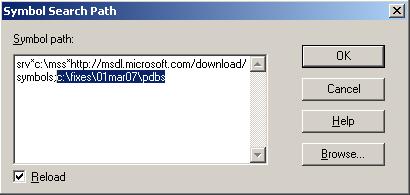
We see that no symbols for driver.sys were found and this is also indicated by the absence of function names and huge code offsets like 0×2df2a. Perhaps we don’t have a symbol server and store our symbol files somewhere. Or we got symbols from the developer of the recent fix that bugchecks and we want to apply them. In any case if we add a path to Symbol Search Path dialog (File -> Symbol File Path …) or use .sympath WinDbg command

we are able to get better stack trace and crash point:

1: kd> .reload
Loading Kernel Symbols
...
Loading User Symbols
Loading unloaded module list
...
Unable to load image driver.sys, Win32 error 0n2
*** WARNING: Unable to verify timestamp for driver.sys

1: kd> kL
ChildEBP RetAddr
ba0fd0c0 bfabc399 driver!ProcessBytes+0×18
ba0fd0e4 bfabd64b driver!ProcessObject+0xc9
ba0fd1c8 bf8b495d driver!CacheBitBlt+0×13d
ba0fd27c bf9166ae win32k!NtGdiBitBlt+0×52d
ba0fd2d8 bf9168d0 win32k!TileWallpaper+0xd4
ba0fd2f8 bf826c83 win32k!xxxDrawWallpaper+0×50
ba0fd324 bf8651df win32k!xxxDesktopPaintCallback+0×48
ba0fd388 bf8280f3 win32k!xxxEnumDisplayMonitors+0×13a
ba0fd3d4 bf8283ab win32k!xxxInternalPaintDesktop+0×66
ba0fd3f8 80833bdf win32k!NtUserPaintDesktop+0×41
ba0fd3f8 7c9485ec nt!KiFastCallEntry+0xfc

1: kd> r
eax=000007d0 ebx=000007d0 ecx=00000086 edx=bfb371a3 esi=bc492000 edi=bfb3775b
eip=bfacbf2a esp=ba0fd0b8 ebp=ba0fd0e4 iopl=0 nv up ei pl nz na po nc
cs=0008 ss=0010 ds=0023 es=0023 fs=0030 gs=0000 efl=00010202
driver!ProcessBytes+0×18:
bfacbf2a f3a5 rep movs dword ptr es:[edi],dword ptr [esi] es:0023:bfb3775b=e4405a64 ds:0023:bc492000=????????

Because WinDbg reports that it was unable to verify timestamp for driver.sys we might want to double check the return address saved when ProcessBytes function was called. If symbols are correct then disassembling the return address backwards will most likely show ProcessObject function code and “call” instruction with ProcessBytes address. Unfortunately minidumps don’t have code except for the currently executing function:

1: kd> ub bfabc399
                 ^ Unable to find valid previous instruction for 'ub bfabc399'

1: kd> uf driver!ProcessObject
No code found, aborting

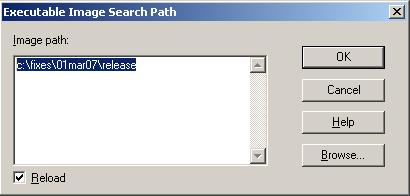
Therefore we need to point WinDbg to our driver.sys which contains executable code. This can be done by specifying a path in Executable Image Search Path dialog (File -> Image File Path …) or using .exepath WinDbg command.

Now we get more complete stack trace and we are able to double check the return address:

1: kd> .reload
Loading Kernel Symbols
...
Loading User Symbols
Loading unloaded module list
...

1: kd> kL
ChildEBP RetAddr
ba0fd0c0 bfabc399 driver!ProcessBytes+0×18
ba0fd0e4 bfabd64b driver!ProcessObject+0xc9
ba0fd104 bfac5aac driver!CacheBitBlt+0×13d
ba0fd114 bfac6840 driver!ProcessCommand+0×150
ba0fd140 bfac1878 driver!CheckSurface+0×258
ba0fd178 bfaba0ee driver!CopyBitsEx+0xfa
ba0fd1c8 bf8b495d driver!DrvCopyBits+0xb6
ba0fd27c bf9166ae win32k!NtGdiBitBlt+0×52d
ba0fd2d8 bf9168d0 win32k!TileWallpaper+0xd4
ba0fd2f8 bf826c83 win32k!xxxDrawWallpaper+0×50
ba0fd324 bf8651df win32k!xxxDesktopPaintCallback+0×48
ba0fd388 bf8280f3 win32k!xxxEnumDisplayMonitors+0×13a
ba0fd3d4 bf8283ab win32k!xxxInternalPaintDesktop+0×66
ba0fd3f8 80833bdf win32k!NtUserPaintDesktop+0×41
ba0fd3f8 7c9485ec nt!KiFastCallEntry+0xfc

1: kd> ub bfabc399
driver!ProcessObject+0xb7:
bfabc387 57              push    edi
bfabc388 40              inc     eax
bfabc389 50              push    eax
bfabc38a e861fb0000      call    driver!convert (bfacbef0)
bfabc38f ff7508          push    dword ptr [ebp+8]
bfabc392 57              push    edi
bfabc393 50              push    eax
bfabc394 e879fb0000      call    driver!ProcessBytes (bfacbf12)

- Dmitry Vostokov @ DumpAnalysis.org -

Resolving “Symbol file could not be found”

Monday, September 17th, 2007

On one of my debugging workstations I couldn’t analyze kernel and complete memory dumps from Windows 2003 Server R02. I was always getting this message: 

*** ERROR: Symbol file could not be found.  Defaulted to export symbols for ntkrnlmp.exe -

An attempt to reload and overwrite PDB files using .reload /o /f command didn’t resolve the issue but the following WinDbg command helped:

1: kd> !sym noisy
noisy mode - symbol prompts on

Reloading symbol files showed that default symbol path contained corrupt ntkrnlmp.pdb:  

1: kd> .reload
DBGHELP: C:\Program Files\Debugging Tools for Windows\sym\ntkrnlmp.pdb\A91CA63E49A840F4A50509F90ADE10D52\ntkrnlmp.pdb - E_PDB_CORRUPT
DBGHELP: ntkrnlmp.pdb - file not found
*** ERROR: Symbol file could not be found.  Defaulted to export symbols for ntkrnlmp.exe -
DBGHELP: nt - export symbol

Deleting it and reloading symbols again showed problems with the file downloaded from MS symbol server too: 

1: kd> .reload
SYMSRV:  c:\mss\ntkrnlmp.pdb\A91CA63E49A840F4A50509F90ADE10D52\ntkrnlmp.pd_
         The file or directory is corrupted and unreadable.
DBGHELP: ntkrnlmp.pdb - file not found
*** ERROR: Symbol file could not be found.  Defaulted to export symbols for ntkrnlmp.exe -
DBGHELP: nt - export symbols

Removing the folder and reloading symbols resolved the problem: 

1: kd> .reload
DBGHELP: nt - public symbols
         c:\mss\ntkrnlmp.pdb\A91CA63E49A840F4A50509F90ADE10D52\ntkrnlmp.pdb

Now it was time to switch noisy mode off:

1: kd> !sym quiet
quiet mode - symbol prompts on

- Dmitry Vostokov @ DumpAnalysis.org -

Crash Dump Analysis Patterns (Part 27)

Friday, September 14th, 2007

Sometimes a problem can be identified not from a single Stack Trace pattern but from a Stack Trace Collection

These include Coupled ProcessesProcedure Call Chains and Blocked Threads. All of them will be discussed in subsequent parts and in this part I only discuss various methods to list stack traces.

  • Process dumps including various process minidumps:

~*kv command lists all process threads

!findstack module[!symbol] 2 command filters all stack traces to show ones containing module or module!symbol

!uniqstack command

  • Kernel minidumps:

have only one problem thread. kv command or its variant is suffice.

  • Kernel and complete memory dumps:

!process 0 ff command lists all processes and their threads including user space process thread stacks for complete memory dumps. This command is valid for Windows XP and later. For older systems use WinDbg scripts

!stacks 2 [module[!symbol]] command shows kernel mode stack traces and you can filter the output based on module or module!symbol. Filtering is valid only for dumps from Windows XP and later systems    

~[ProcessorN]s;.reload /user;kv command sequence shows stack trace for the running thread on the specified processor.

!sprocess 0n<SessionId> ff lists all processes and their threads for the specified [terminal services] session. 

!for_each_thread “.thread /r /p @#Thread; kvallows execution of stack trace command variants per each thread. The following script takes the advantage of this command to list complete stack traces from an x64 system.

The processor change command is illustrated in this example:

0: kd> ~2s

2: kd> k
ChildEBP RetAddr
eb42bd58 00000000 nt!KiIdleLoop+0x14

2: kd> ~1s;.reload /user;k
Loading User Symbols
...
ChildEBP RetAddr
be4f8c30 eb091f43 i8042prt!I8xProcessCrashDump+0x53
be4f8c8c 8046bfe2 i8042prt!I8042KeyboardInterruptService+0x15d
be4f8c8c 8049470f nt!KiInterruptDispatch+0x32
be4f8d54 80468389 nt!NtSetEvent+0x71
be4f8d54 77f8290a nt!KiSystemService+0xc9
081cfefc 77f88266 ntdll!ZwSetEvent+0xb
081cff0c 77f881b1 ntdll!RtlpUnWaitCriticalSection+0x1b
081cff14 1b00c7d1 ntdll!RtlLeaveCriticalSection+0x1d
081cff4c 1b0034da msjet40!Database::ReadPages+0x81
081cffb4 7c57b3bc msjet40!System::WorkerThread+0x115
081cffec 00000000 KERNEL32!BaseThreadStart+0x52

Example of !findstack command (process dump):

0:000> !findstack kernel32!RaiseException 2
Thread 000, 1 frame(s) match
* 00 0013b3f8 72e8d3ef kernel32!RaiseException+0x53
  01 0013b418 72e9a26b msxml3!Exception::raiseException+0x5f
  02 0013b424 72e8ff00 msxml3!Exception::_throwError+0x22
  03 0013b46c 72e6abaa msxml3!COMSafeControlRoot::getBaseURL+0x3d
  04 0013b4bc 72e6a888 msxml3!Document::loadXML+0x82
  05 0013b510 64b73a9b msxml3!DOMDocumentWrapper::loadXML+0x5a
  06 0013b538 64b74eb6 iepeers!CPersistUserData::initXMLCache+0xa6
  07 0013b560 77d0516e iepeers!CPersistUserData::load+0xfc
  08 0013b57c 77d14abf oleaut32!DispCallFunc+0x16a
...
...
...
  66 0013fec8 0040243d shdocvw!IEWinMain+0x129
  67 0013ff1c 00402744 iexplore!WinMain+0x316
  68 0013ffc0 77e6f23b iexplore!WinMainCRTStartup+0x182
  69 0013fff0 00000000 kernel32!BaseProcessStart+0x23

Example of !stacks command (kernel dump):

2: kd> !stacks 2 nt!PspExitThread
Proc.Thread  .Thread  Ticks   ThreadState Blocker
                            [8a390818 System]

                            [8a1bbbf8 smss.exe]

                            [8a16cbf8 csrss.exe]

                            [89c14bf0 winlogon.exe]

                            [89dda630 services.exe]

                            [89c23af0 lsass.exe]

                            [8a227470 svchost.exe]

                            [89f03bb8 svchost.exe]

                            [89de3820 svchost.exe]

                            [89d09b60 svchost.exe]

                            [89c03530 ccEvtMgr.exe]

                            [89b8f4f0 ccSetMgr.exe]

                            [89dfe8c0 SPBBCSvc.exe]

                            [89c9db18 svchost.exe]

                            [89dfa268 spoolsv.exe]

                            [89dfa6b8 msdtc.exe]

                            [89df38f0 CpSvc.exe]

                            [89d97d88 DefWatch.exe]

                            [89e04020 IBMSPSVC.EXE]

                            [89b54710 IBMSPREM.EXE]

                            [89d9e4b0 IBMSPREM.EXE]

                            [89c2c4e8 svchost.exe]

                            [89d307c0 SavRoam.exe]

                            [89bfcd88 Rtvscan.exe]

                            [89b53b60 uphclean.exe]

                            [89c24020 AgentSVC.exe]

                            [89d75b60 sAginst.exe]

                            [89cf0d88 CdfSvc.exe]

                            [89d87020 cdmsvc.exe]

                            [89dafd88 ctxxmlss.exe]

                            [89d8dd88 encsvc.exe]

                            [89d06d88 ImaSrv.exe]

                            [89d37b60 mfcom.exe]

                            [89c8bb18 SmaService.exe]

                            [89d2ba80 svchost.exe]

                            [89ce8630 XTE.exe]

                            [89b64b60 XTE.exe]

                            [89b7c680 ctxcpusched.exe]

                            [88d94a88 ctxcpuusync.exe]

                            [89ba5418 unsecapp.exe]

                            [89d846e0 wmiprvse.exe]

                            [89cda9d8 ctxwmisvc.exe]

                            [88d6cb78 logon.scr]

                            [88ba0a70 csrss.exe]

                            [88961968 winlogon.exe]

                            [8865f740 rdpclip.exe]

                            [8858db20 wfshell.exe]

                            [88754020 explorer.exe]

                            [88846d88 BacsTray.exe]

                            [886b6180 ccApp.exe]

                            [884bc020 fppdis3a.exe]

                            [885cb350 ctfmon.exe]

                            [888bb918 cscript.exe]

                            [8880b3c8 cscript.exe]

                            [88ad2950 csrss.exe]
 b68.00215c  88930020 0000000 RUNNING    nt!KeBugCheckEx+0x1b
                                        nt!MiCheckSessionPoolAllocations+0xe3
                                        nt!MiDereferenceSessionFinal+0x183
                                        nt!MmCleanProcessAddressSpace+0x6b
                                        nt!PspExitThread+0x5f1
                                        nt!PspTerminateThreadByPointer+0x4b
                                        nt!PspSystemThreadStartup+0x3c
                                        nt!KiThreadStartup+0x16

                            [88629310 winlogon.exe]

                            [88a4d9b0 csrss.exe]

                            [88d9f8b0 winlogon.exe]

                            [88cd5840 wfshell.exe]

                            [8a252440 OUTLOOK.EXE]

                            [8a194bf8 WINWORD.EXE]

                            [88aabd20 ctfmon.exe]

                            [889ef440 EXCEL.EXE]

                            [88bec838 HogiaGUI2.exe]

                            [88692020 csrss.exe]

                            [884dd508 winlogon.exe]

                            [88be1d88 wfshell.exe]

                            [886a7d88 OUTLOOK.EXE]

                            [889baa70 WINWORD.EXE]

                            [8861e3d0 ctfmon.exe]

                            [887bbb68 EXCEL.EXE]

                            [884e4020 csrss.exe]

                            [8889d218 winlogon.exe]

                            [887c8020 wfshell.exe]

Threads Processed: 1101

What if we have a list of processes from a complete memory dump by using !process 0 0 command and we want to interrogate the specific process? In this case we need to switch to that process and reload user space symbol files (.process /r /p address)

There is also a separate command to reload user space symbol files any time (.reload /user).

After switching we can list threads (!process address), dump or search process virtual memory, etc. For example:

1: kd> !process 0 0
**** NT ACTIVE PROCESS DUMP ****
PROCESS 890a3320  SessionId: 0  Cid: 0008    Peb: 00000000  ParentCid: 0000
    DirBase: 00030000  ObjectTable: 890a3e08  TableSize: 405.
    Image: System

PROCESS 889dfd60  SessionId: 0  Cid: 0144    Peb: 7ffdf000  ParentCid: 0008
    DirBase: 0b9e7000  ObjectTable: 889fdb48  TableSize: 212.
    Image: SMSS.EXE

PROCESS 890af020  SessionId: 0  Cid: 0160    Peb: 7ffdf000  ParentCid: 0144
    DirBase: 0ce36000  ObjectTable: 8898e308  TableSize: 747.
    Image: CSRSS.EXE

PROCESS 8893d020  SessionId: 0  Cid: 0178    Peb: 7ffdf000  ParentCid: 0144
    DirBase: 0d33b000  ObjectTable: 890ab4c8  TableSize: 364.
    Image: WINLOGON.EXE

PROCESS 88936020  SessionId: 0  Cid: 0194    Peb: 7ffdf000  ParentCid: 0178
    DirBase: 0d7d5000  ObjectTable: 88980528  TableSize: 872.
    Image: SERVICES.EXE

PROCESS 8897f020  SessionId: 0  Cid: 01a0    Peb: 7ffdf000  ParentCid: 0178
    DirBase: 0d89d000  ObjectTable: 889367c8  TableSize: 623.
    Image: LSASS.EXE

1: kd> .process /r /p 8893d020
Implicit process is now 8893d020
Loading User Symbols
...

1: kd> !process 8893d020
PROCESS 8893d020  SessionId: 0  Cid: 0178    Peb: 7ffdf000  ParentCid: 0144
    DirBase: 0d33b000  ObjectTable: 890ab4c8  TableSize: 364.
    Image: WINLOGON.EXE
    VadRoot 8893a508 Clone 0 Private 1320. Modified 45178. Locked 0.
    DeviceMap 89072448
    Token                             e392f8d0
    ElapsedTime                        9:54:06.0882
    UserTime                          0:00:00.0071
    KernelTime                        0:00:00.0382
    QuotaPoolUsage[PagedPool]         34828
    QuotaPoolUsage[NonPagedPool]      43440
    Working Set Sizes (now,min,max)  (737, 50, 345) (2948KB, 200KB, 1380KB)
    PeakWorkingSetSize                2764
    VirtualSize                       46 Mb
    PeakVirtualSize                   52 Mb
    PageFaultCount                    117462
    MemoryPriority                    FOREGROUND
    BasePriority                      13
    CommitCharge                      1861

        THREAD 8893dda0  Cid 178.15c  Teb: 7ffde000  Win32Thread: a2034908 WAIT: (WrUserRequest) UserMode Non-Alertable
            8893bee0  SynchronizationEvent
        Not impersonating
        Owning Process 8893d020
        Wait Start TickCount    29932455      Elapsed Ticks: 7
        Context Switch Count    28087                   LargeStack
        UserTime                  0:00:00.0023
        KernelTime                0:00:00.0084
        Start Address winlogon!WinMainCRTStartup (0x0101cbb0)
        Stack Init eb1b0000 Current eb1afcc8 Base eb1b0000 Limit eb1ac000 Call 0
        Priority 15 BasePriority 15 PriorityDecrement 0 DecrementCount 0

        ChildEBP RetAddr  Args to Child
        eb1afce0 8042d893 00000000 a2034908 00000001 nt!KiSwapThread+0x1b1
        eb1afd08 a00019c2 8893bee0 0000000d 00000001 nt!KeWaitForSingleObject+0x1a3
        eb1afd44 a0013993 000020ff 00000000 00000001 win32k!xxxSleepThread+0x18a
        eb1afd54 a001399f 0006fdd8 80468389 00000000 win32k!xxxWaitMessage+0xe
        eb1afd5c 80468389 00000000 00000000 00000000 win32k!NtUserWaitMessage+0xb
        eb1afd5c 77e58b53 00000000 00000000 00000000 nt!KiSystemService+0xc9
        0006fdd0 77e33630 00000000 00000000 0000ffff USER32!NtUserWaitMessage+0xb
        0006fe04 77e44327 000100d2 00000000 00000010 USER32!DialogBox2+0x216
        0006fe28 77e38d37 76b90000 76c75c78 00000000 USER32!InternalDialogBox+0xd1
        0006fe48 77e39eba 76b90000 76c75c78 00000000 USER32!DialogBoxIndirectParamAorW+0x34
        0006fe6c 01011749 76b90000 00000578 00000000 USER32!DialogBoxParamW+0x3d
        0006fea8 01018bd3 000755e8 76b90000 00000578 winlogon!TimeoutDialogBoxParam+0x27
        0006fee0 76b93701 000755e8 76b90000 00000578 winlogon!WlxDialogBoxParam+0×7b
        0006ff08 010164c6 0008d0e0 5ffa0000 000755e8 3rdPartyGINA!WlxDisplaySASNotice+0×43
        0006ff20 01014960 000755e8 00000005 00072c9c winlogon!MainLoop+0×96
        0006ff58 0101cd06 00071fc8 00000000 00072c9c winlogon!WinMain+0×37a
        0006fff4 00000000 7ffdf000 000000c8 00000100 winlogon!WinMainCRTStartup+0×156

        THREAD 88980020  Cid 178.188  Teb: 7ffdc000  Win32Thread: 00000000 WAIT: (DelayExecution) UserMode Alertable
            88980108  NotificationTimer
        Not impersonating
        Owning Process 8893d020
        Wait Start TickCount    29930810      Elapsed Ticks: 1652
        Context Switch Count    15638
        UserTime                  0:00:00.0000
        KernelTime                0:00:00.0000
        Start Address KERNEL32!BaseThreadStartThunk (0x7c57b740)
        Win32 Start Address ntdll!RtlpTimerThread (0x77faa02d)
        Stack Init bf6f7000 Current bf6f6cc4 Base bf6f7000 Limit bf6f4000 Call 0
        Priority 13 BasePriority 13 PriorityDecrement 0 DecrementCount 0

        ChildEBP RetAddr  Args to Child
        bf6f6cdc 8042d340 bf6f6d64 00bfffac 00bfffac nt!KiSwapThread+0x1b1
        bf6f6d04 8052aac9 8046c101 00000001 bf6f6d34 nt!KeDelayExecutionThread+0x182
        bf6f6d54 80468389 00000001 00bfffac 00000000 nt!NtDelayExecution+0x7f
        bf6f6d54 77f82831 00000001 00bfffac 00000000 nt!KiSystemService+0xc9
        00bfff9c 77f842c4 00000001 00bfffac 00000000 ntdll!NtDelayExecution+0xb
        00bfffb4 7c57b3bc 0006fe60 00000000 00000000 ntdll!RtlpTimerThread+0x42
        00bfffec 00000000 77faa02d 0006fe60 00000000 KERNEL32!BaseThreadStart+0x52

1: kd> dds 0006fee0
0006fee0  0006ff08
0006fee4  76b93701 3rdPartyGINA!WlxDisplaySASNotice+0x43
0006fee8  000755e8
0006feec  76b90000 3rdParty
0006fef0  00000578
0006fef4  00000000
0006fef8  76b9370b 3rdParty!WlxDisplaySASNotice+0x4d
0006fefc  0008d0e0
0006ff00  00000008
0006ff04  00000080
0006ff08  0006ff20
0006ff0c  010164c6 winlogon!MainLoop+0x96
0006ff10  0008d0e0
0006ff14  5ffa0000
0006ff18  000755e8
0006ff1c  00000000
0006ff20  0006ff58
0006ff24  01014960 winlogon!WinMain+0x37a
0006ff28  000755e8
0006ff2c  00000005
0006ff30  00072c9c
0006ff34  00000001
0006ff38  000001bc
0006ff3c  00000005
0006ff40  00000001
0006ff44  0000000d
0006ff48  00000000
0006ff4c  00000000
0006ff50  00000000
0006ff54  0000ffe4
0006ff58  0006fff4
0006ff5c  0101cd06 winlogon!WinMainCRTStartup+0x156

- Dmitry Vostokov @ DumpAnalysis.org -

Minidump Analysis (Part 3)

Wednesday, September 12th, 2007

Part 2 dealt with stack traces. Unfortunately stack traces reported by WinDbg, especially involving 3rd-party components, are usually incomplete and sometimes not even correct. They can also point to stable drivers when the system failure happened after slowly accumulated corruption caused by some intermediate driver or a combination of drivers.

Sometimes there are other 3rd-party drivers involved before the system crash that are not visible in the output of !analyze -v command and simply removing them, disabling or upgrading software they are part from make the system stable. To see them we can look at the so called raw stack data. Because kernel mode thread stack size is small (12Kb or 0×3000) we can simply dump memory range between ESP-3000 and ESP+3000. We can use RSP register for x64 dumps but the output will be the same.

Let’s look at our minidump from the previous part. The stack trace is small, incomplete and points to DisplayDriver. This is because we don’t have symbol information for DisplayDriver.dll. Could it be the case that DisplayDriver.dll was used incorrectly by another driver or operating system component? What are other components that might have been used prior to BSOD? Raw stack dump shows additional symbols like DisplayDriver_mini, win32k and dxg:

0: kd> dps esp-3000 esp+3000
b4f4f8b4  ????????
b4f4f8b8  ????????
b4f4f8bc  ????????
b4f4f8c0  ????????
...
...
...
b4f51ffc  ????????
b4f52000  00001000
b4f52004  00006000
b4f52008  b4f5204c
b4f5200c  89025978
b4f52010  89139000
b4f52014  00000000
b4f52018  b4f527ec
b4f5201c  b4f52840
b4f52020  bfbf0ca6 DisplayDriver+0x21bca6
b4f52024  00000000
b4f52028  89025978
...
...
...
b4f52100  e24079e0
b4f52104  bfbf0ca6 DisplayDriver+0x21bca6
b4f52108  00000008
...
...
...
b4f52364  b4f52414
b4f52368  804dc0b2 nt!ExecuteHandler+0x24
b4f5236c  b4f527ec
b4f52370  b4f52d40
b4f52374  b4f524e8
b4f52378  b4f52400
b4f5237c  bf9d2132 dxg!_except_handler3
b4f52380  2a2a2a0a
...
...
...
b4f523e8  b4f52408
b4f523ec  8053738a nt!KeBugCheckEx+0x1b
b4f523f0  0000008e
b4f523f4  c0000005
b4f523f8  bfbf0ca6 DisplayDriver+0x21bca6
b4f523fc  b4f52840
b4f52400  00000000
b4f52404  00000000
b4f52408  b4f527d0
b4f5240c  80521fed nt!KiDispatchException+0x3b1
b4f52410  0000008e
b4f52414  c0000005
b4f52418  bfbf0ca6 DisplayDriver+0x21bca6
b4f5241c  b4f52840
b4f52420  00000000
b4f52424  03a3fb4c
b4f52428  03a3fb4c
b4f5242c  b4f52800
b4f52430  00000000
b4f52434  00000000
b4f52438  00000000
b4f5243c  b9deffc6 DisplayDriver_mini+0x4bfc6
b4f52440  897c621c
b4f52444  00000086
b4f52448  0000003c
b4f5244c  b9f3af5a DisplayDriver_mini+0x196f5a
b4f52450  897c6200
b4f52454  00000086
b4f52458  897c6200
b4f5245c  00000000
b4f52460  00000000
b4f52464  00000000
b4f52468  b9f38b4e DisplayDriver_mini+0x194b4e
b4f5246c  00000000
...
...
...
b4f5250c  00002800
b4f52510  b9f3ac10 DisplayDriver_mini+0x196c10
b4f52514  897c6200
b4f52518  00002504
b4f5251c  00000010
b4f52520  897c6200
b4f52524  b9f2d194 DisplayDriver_mini+0x189194
b4f52528  897c6200
b4f5252c  00002504
b4f52530  00000010
b4f52534  897c6200
b4f52538  898cca80
b4f5253c  00000080
b4f52540  89654008
b4f52544  b9f358e2 DisplayDriver_mini+0x1918e2
b4f52548  897c6200
...
...
...
b4f5256c  00000000
b4f52570  b9deff5c DisplayDriver_mini+0x4bf5c
b4f52574  00000000
...
...
...
b4f5259c  e24079e0
b4f525a0  bfbf0ca6 DisplayDriver+0x21bca6
b4f525a4  00000008
b4f525a8  00010246
b4f525ac  b4f528b4
b4f525b0  00000010
b4f525b4  0000003c
b4f525b8  b9f3af5a DisplayDriver_mini+0x196f5a
b4f525bc  897c6200
b4f525c0  00000086
b4f525c4  89b81008
b4f525c8  897c6200
b4f525cc  00000000
b4f525d0  00007c00
b4f525d4  b9deff5c DisplayDriver_mini+0x4bf5c
b4f525d8  b9deff5c DisplayDriver_mini+0x4bf5c
b4f525dc  8988d7d8
b4f525e0  b9deff66 DisplayDriver_mini+0x4bf66
b4f525e4  b9deff5c DisplayDriver_mini+0x4bf5c
b4f525e8  8961c288
b4f525ec  b9deff66 DisplayDriver_mini+0x4bf66
b4f525f0  8961c288
b4f525f4  00000000
b4f525f8  00000046
b4f525fc  00000000
b4f52600  89903000
b4f52604  b9e625a9 DisplayDriver_mini+0xbe5a9
b4f52608  8961c288
b4f5260c  00000046
b4f52610  00000000
b4f52614  b9deff5c DisplayDriver_mini+0x4bf5c
b4f52618  896ac008
...
...
...
b4f52630  898a8000
b4f52634  b9e9f220 DisplayDriver_mini+0xfb220
b4f52638  89941400
b4f5263c  b9e2ffec DisplayDriver_mini+0x8bfec
b4f52640  00000000
b4f52644  00000000
b4f52648  00000050
b4f5264c  b9e790d3 DisplayDriver_mini+0xd50d3
b4f52650  897c6200
...
...
...
b4f5266c  89bf6200
b4f52670  805502fa nt!ExFreePoolWithTag+0x664
b4f52674  00000000
b4f52678  88f322e0
b4f5267c  88c9d708
b4f52680  00000001
b4f52684  898cf918
b4f52688  ffdff538
b4f5268c  804dc766 nt!KiUnlockDispatcherDatabase+0x1c
b4f52690  b4f52901
b4f52694  b4f526ac
b4f52698  00000001
b4f5269c  804eaf06 nt!IopFreeIrp+0xed
b4f526a0  00000000
b4f526a4  00000000
b4f526a8  88c9d708
b4f526ac  b4f52700
b4f526b0  804f2b9f nt!IopCompleteRequest+0x319
b4f526b4  804f2bb5 nt!IopCompleteRequest+0x32f
b4f526b8  88c9d748
b4f526bc  89025978
b4f526c0  890259ac
b4f526c4  897752e8
b4f526c8  89025978
b4f526cc  b4f52910
b4f526d0  b4f527c8
b4f526d4  00000000
b4f526d8  b9e0d300 DisplayDriver_mini+0x69300
b4f526dc  88c9d708
b4f526e0  00000000
b4f526e4  00000086
b4f526e8  b4f526b8
b4f526ec  b9f3ad28 DisplayDriver_mini+0x196d28
b4f526f0  ffffffff
b4f526f4  804e2ed8 nt!_except_handler3
b4f526f8  804f2bb8 nt!GUID_DOCK_INTERFACE+0x424
b4f526fc  ffffffff
b4f52700  804f2bb5 nt!IopCompleteRequest+0x32f
b4f52704  804f2db5 nt!KiDeliverApc+0xb3
b4f52708  88c9d748
b4f5270c  b4f5274c
b4f52710  b4f52728
b4f52714  890259ac
b4f52718  804dce74 nt!KiDeliverApc+0x1e0
b4f5271c  806ffae4 hal!KeReleaseQueuedSpinLock+0x3c
b4f52720  89025978
b4f52724  b4f527f8
b4f52728  00000000
b4f5272c  89025a60
b4f52730  00000001
b4f52734  b4f52d64
b4f52738  88e775c8
b4f5273c  804f2a72 nt!IopCompleteRequest
b4f52740  00000000
b4f52744  00000000
b4f52748  00000000
b4f5274c  00000000
b4f52750  b4f52768
b4f52754  806ffef2 hal!HalpApcInterrupt+0xc6
b4f52758  00000000
b4f5275c  00000000
b4f52760  b4f52768
b4f52764  00000000
b4f52768  b4f527f8
b4f5276c  806ffae4 hal!KeReleaseQueuedSpinLock+0x3c
b4f52770  badb0d00
b4f52774  00000000
b4f52778  00000000
b4f5277c  806ffae4 hal!KeReleaseQueuedSpinLock+0x3c
b4f52780  00000008
b4f52784  00000246
b4f52788  804e5d2c nt!KeInsertQueueApc+0x6d
b4f5278c  88c9d748
...
...
...
b4f527c0  b4f52c10
b4f527c4  804e2ed8 nt!_except_handler3
b4f527c8  804faca0 nt!KiFindFirstSetLeft+0x120
b4f527cc  ffffffff
b4f527d0  b4f52840
b4f527d4  804de403 nt!CommonDispatchException+0x4d
b4f527d8  b4f527ec
...
...
...
b4f527f4  00000000
b4f527f8  bfbf0ca6 DisplayDriver+0x21bca6
b4f527fc  00000002
...
...
...
b4f52828  b4f52840
b4f5282c  804e0944 nt!KiTrap0E+0xd0
b4f52830  00000000
b4f52834  03a3fb4c
b4f52838  00000000
b4f5283c  804de3b4 nt!Kei386EoiHelper+0x18a
b4f52840  e24079e0
b4f52844  bfbf0ca6 DisplayDriver+0x21bca6
b4f52848  badb0d00
...
...
...
b4f52884  00000000
b4f52888  bfdba6c7 DisplayDriver+0x3e56c7
b4f5288c  b4f52c10
...
...
...
b4f528a4  00000000
b4f528a8  bfbf0ca6 DisplayDriver+0x21bca6
b4f528ac  00000008
...
...
...
b4f528d8  000000f3
b4f528dc  bfb6269f DisplayDriver+0x18d69f
b4f528e0  9745d083
b4f528e4  00000001
b4f528e8  e9a18d4c
b4f528ec  ffffffff
b4f528f0  bfb268e7 DisplayDriver+0x1518e7
b4f528f4  000000ab
...
...
...
b4f52960  0000027a
b4f52964  bfb2696c DisplayDriver+0x15196c
b4f52968  00000000
...
...
...
b4f5298c  e2004308
b4f52990  bfab8ce4 DisplayDriver+0xe3ce4
b4f52994  000000ab
...
...
...
b4f52bd0  00000000
b4f52bd4  bf804779 win32k!GreReleaseFastMutex+0x14
b4f52bd8  b4f52be8
b4f52bdc  bf8a04e3 win32k!dhpdevRetrieveNode+0x32
b4f52be0  89b20128
b4f52be4  b4f52c50
b4f52be8  b4f52c20
b4f52bec  bf907d15 win32k!WatchdogDdBlt+0x38
b4f52bf0  b4f52c50
...
...
...
b4f52c10  b4f52d40
b4f52c14  bf9877ae win32k!_except_handler3
b4f52c18  bf995380 win32k!`string'+0x2b4
b4f52c1c  00000000
b4f52c20  b4f52d50
b4f52c24  bf9cdd78 dxg!DxDdBlt+0x374
b4f52c28  b4f52c50
b4f52c2c  b4f52d64
b4f52c30  038dfaf4
b4f52c34  bf907ca3 win32k!NtGdiDdBlt
b4f52c38  00000001
...
...
...
b4f52c90  000000b0
b4f52c94  bf805b42 win32k!AllocateObject+0xaa
b4f52c98  00000001
b4f52c9c  00000006
b4f52ca0  b4f52cb0
b4f52ca4  32040ddf
b4f52ca8  bf805734 win32k!HANDLELOCK::vLockHandle+0x75
b4f52cac  00000ff4
b4f52cb0  00000000
b4f52cb4  bc40ddf0
b4f52cb8  b4f52cd0
b4f52cbc  00000001
b4f52cc0  804da3ee nt!ExAcquireResourceExclusiveLite+0x67
b4f52cc4  00000008
...
...
...
b4f52ce8  80004005
b4f52cec  804dc605 nt!ExReleaseResourceLite+0x8d
b4f52cf0  00000000
...
...
...
b4f52d08  b4f52d18
b4f52d0c  bf8018bf win32k!GreReleaseSemaphore+0xa
b4f52d10  bf803d1e win32k!GreUnlockDisplay+0x24
b4f52d14  00000000
...
...
...
b4f52d40  ffffffff
b4f52d44  bf9d2132 dxg!_except_handler3
b4f52d48  bf9d2928 dxg!GUID_MiscellaneousCallbacks+0x42c
b4f52d4c  ffffffff
b4f52d50  b4f52d64
b4f52d54  804dd99f nt!KiFastCallEntry+0xfc
b4f52d58  02400002
...
...
...
b4f52ddc  00000023
b4f52de0  804ec781 nt!KiThreadStartup+0x16
b4f52de4  f7849b85 NDIS!ndisWorkerThread
b4f52de8  88c9d4d0
b4f52dec  00000000
b4f52df0  0020027f
b4f52df4  011c0000
b4f52df8  bfdb97b7 DisplayDriver+0x3e47b7
b4f52dfc  00000008
...
...
...
b4f52e70  00000000
b4f52e74  f7800000 InCDPass+0x1000
b4f52e78  00004026
...
...
...
b4f52ff8  00000000
b4f52ffc  00000000
b4f53000  ????????
b4f53004  ????????

Some are coincidental like InCDPass and NDIS. Obviously DisplayDriver, DisplayDriver_mini, dxg and win32k are related due to their functions: Display, DirectX, GDI (Graphics Device Interface). 

Now we can check their module information:

0: kd> lmv m DisplayDriver
start    end        module name
bf9d5000 bff42500   DisplayDriver T (no symbols)
    Loaded symbol image file: DisplayDriver.dll
    Image path: DisplayDriver.dll
    Image name: DisplayDriver.dll
    Timestamp:        Fri Jun 29 09:13:08 2007 (4684BF14)
    CheckSum:         00570500
    ImageSize:        0056D500
    Translations:     0000.04b0 0000.04e0 0409.04b0 0409.04e0

0: kd> lmv m DisplayDriver_mini
start    end        module name
b9da4000 ba421f20   DisplayDriver_mini T (no symbols)
    Loaded symbol image file: DisplayDriver_mini.sys
    Image path: DisplayDriver_mini.sys
    Image name: DisplayDriver_mini.sys
    Timestamp:        Fri Jun 29 09:16:41 2007 (4684BFE9)
    CheckSum:         00680F20
    ImageSize:        0067DF20
    Translations:     0000.04b0 0000.04e0 0409.04b0 0409.04e0

0: kd> lmv m dxg
start    end        module name
bf9c3000 bf9d4580   dxg        (pdb symbols)
    Loaded symbol image file: dxg.sys
    Mapped memory image file: c:\websymbols\dxg.sys\41107B9311580\dxg.sys
    Image path: dxg.sys
    Image name: dxg.sys
    Timestamp:        Wed Aug 04 07:00:51 2004 (41107B93)
    CheckSum:         0001D181
    ImageSize:        00011580
    File version:     5.1.2600.2180
    Product version:  5.1.2600.2180
    File flags:       0 (Mask 3F)
    File OS:          40004 NT Win32
    File type:        3.7 Driver
    File date:        00000000.00000000
    Translations:     0409.04b0
    CompanyName:      Microsoft Corporation
    ProductName:      Microsoft® Windows® Operating System
    InternalName:     dxg.sys
    OriginalFilename: dxg.sys
    ProductVersion:   5.1.2600.2180
    FileVersion:      5.1.2600.2180 (xpsp_sp2_rtm.040803-2158)
    FileDescription:  DirectX Graphics Driver
    LegalCopyright:   © Microsoft Corporation. All rights reserved.

0: kd> lmv m win32k
start    end        module name
bf800000 bf9c2180   win32k   # (pdb symbols)
    Loaded symbol image file: win32k.sys
    Mapped memory image file: c:\websymbols\win32k.sys\45F013F61c2180\win32k.sys
    Image path: win32k.sys
    Image name: win32k.sys
    Timestamp:        Thu Mar 08 13:47:34 2007 (45F013F6)
    CheckSum:         001C4886
    ImageSize:        001C2180
    File version:     5.1.2600.3099
    Product version:  5.1.2600.3099
    File flags:       0 (Mask 3F)
    File OS:          40004 NT Win32
    File type:        3.7 Driver
    File date:        00000000.00000000
    Translations:     0406.04b0
    CompanyName:      Microsoft Corporation
    ProductName:      Microsoft® Windows® Operativsystem
    InternalName:     win32k.sys
    OriginalFilename: win32k.sys
    ProductVersion:   5.1.2600.3099
    FileVersion:      5.1.2600.3099 (xpsp_sp2_gdr.070308-0222)
    FileDescription:  Win32-flerbrugerdriver
    LegalCopyright:   © Microsoft Corporation. Alle rettigheder forbeholdes.

- Dmitry Vostokov @ DumpAnalysis.org -

Crash Dump Analysis Patterns (Part 26)

Tuesday, September 11th, 2007

Sometimes we get a process dump from x64 Windows and when we load it into WinDbg we get the output telling us that an exception or a breakpoint comes from wow64.dll. For example:

Loading Dump File [X:\ppid2088.dmp]
User Mini Dump File with Full Memory: Only application data is available

Comment: 'Userdump generated complete user-mode minidump with Exception Monitor function on SERVER01'
Symbol search path is: srv*c:\mss*http://msdl.microsoft.com/download/symbols
Executable search path is:
Windows Server 2003 Version 3790 (Service Pack 2) MP (4 procs) Free x64
Product: Server, suite: TerminalServer
Debug session time: Tue Sep  4 13:36:14.000 2007 (GMT+2)
System Uptime: 6 days 3:32:26.081
Process Uptime: 0 days 0:01:54.000
WARNING: tsappcmp overlaps ws2_32
WARNING: msvcp60 overlaps oleacc
WARNING: tapi32 overlaps rasapi32
WARNING: rtutils overlaps rasman
WARNING: dnsapi overlaps rasapi32
WARNING: wldap32 overlaps dnsapi
WARNING: ntshrui overlaps userenv
WARNING: wtsapi32 overlaps dnsapi
WARNING: winsta overlaps setupapi
WARNING: activeds overlaps rtutils
WARNING: activeds overlaps rasman
WARNING: adsldpc overlaps activeds
WARNING: drprov overlaps apphelp
WARNING: netui1 overlaps netui0
WARNING: davclnt overlaps apphelp
...
This dump file has an exception of interest stored in it.
The stored exception information can be accessed via .ecxr.
(2088.2fe4): Unknown exception - code 000006d9 (first/second chance not available)
wow64!Wow64NotifyDebugger+0×9:
00000000`6b006369 b001            mov     al,1

Analysis shows that some run-time exception was raised but the stack trace shows only WOW64 CPU simulation code in all process threads:

0:000> !analyze -v
*********************************************************
*                                                       *
*                  Exception Analysis                   *
*                                                       *
*********************************************************

FAULTING_IP:
kernel32!RaiseException+53
00000000`7d4e2366 5e              pop     rsi

EXCEPTION_RECORD:  ffffffffffffffff -- (.exr 0xffffffffffffffff)
ExceptionAddress: 000000007d4e2366 (kernel32!RaiseException+0x0000000000000053)
   ExceptionCode: 000006d9
  ExceptionFlags: 00000001
NumberParameters: 0

DEFAULT_BUCKET_ID:  STACK_CORRUPTION

PROCESS_NAME:  App.exe

ERROR_CODE: (NTSTATUS) 0x6d9 - There are no more endpoints available from the endpoint mapper.

NTGLOBALFLAG:  0

APPLICATION_VERIFIER_FLAGS:  0

LAST_CONTROL_TRANSFER:  from 000000006b0064f2 to 000000006b006369

FOLLOWUP_IP:
wow64!Wow64NotifyDebugger+9
00000000`6b006369 b001            mov     al,1

SYMBOL_STACK_INDEX:  0

SYMBOL_NAME:  wow64!Wow64NotifyDebugger+9

FOLLOWUP_NAME:  MachineOwner

MODULE_NAME: wow64

IMAGE_NAME:  wow64.dll

DEBUG_FLR_IMAGE_TIMESTAMP:  45d6943d

FAULTING_THREAD:  0000000000002fe4

PRIMARY_PROBLEM_CLASS:  STACK_CORRUPTION

BUGCHECK_STR:  APPLICATION_FAULT_STACK_CORRUPTION

STACK_COMMAND:  ~0s; .ecxr ; dt ntdll!LdrpLastDllInitializer BaseDllName ; dt ntdll!LdrpFailureData ; kb

FAILURE_BUCKET_ID:  X64_APPLICATION_FAULT_STACK_CORRUPTION_wow64!Wow64NotifyDebugger+9

BUCKET_ID:  X64_APPLICATION_FAULT_STACK_CORRUPTION_wow64!Wow64NotifyDebugger+9

Followup: MachineOwner
---------

0:000> ~*k

.  0  Id: 2088.2fe4 Suspend: 1 Teb: 00000000`7efdb000 Unfrozen
Child-SP          RetAddr           Call Site
00000000`0016e190 00000000`6b0064f2 wow64!Wow64NotifyDebugger+0x9
00000000`0016e1c0 00000000`6b006866 wow64!Wow64KiRaiseException+0x172
00000000`0016e530 00000000`78b83c7d wow64!Wow64SystemServiceEx+0xd6
00000000`0016edf0 00000000`6b006a5a wow64cpu!ServiceNoTurbo+0x28
00000000`0016ee80 00000000`6b005e0d wow64!RunCpuSimulation+0xa
00000000`0016eeb0 00000000`77ed8030 wow64!Wow64LdrpInitialize+0x2ed
00000000`0016f3f0 00000000`77ed582f ntdll!LdrpInitializeProcess+0x1538
00000000`0016f6f0 00000000`77ef30a5 ntdll!LdrpInitialize+0x18f
00000000`0016f7d0 00000000`7d4d1510 ntdll!KiUserApcDispatcher+0x15
00000000`0016fcc8 00000000`00000000 kernel32!BaseProcessStartThunk
00000000`0016fcd0 00000000`00000000 0x0
00000000`0016fcd8 00000000`00000000 0x0
00000000`0016fce0 00000000`00000000 0x0
00000000`0016fce8 00000000`00000000 0x0
00000000`0016fcf0 00000000`00000000 0x0
00000000`0016fcf8 00000000`00000000 0x0
00000000`0016fd00 00010007`00000000 0x0
00000000`0016fd08 00000000`00000000 0x10007`00000000
00000000`0016fd10 00000000`00000000 0x0
00000000`0016fd18 00000000`00000000 0x0

   1  Id: 2088.280c Suspend: 1 Teb: 00000000`7efd8000 Unfrozen
Child-SP          RetAddr           Call Site
00000000`0200f0d8 00000000`6b006a5a wow64cpu!WaitForMultipleObjects32+0x3a
00000000`0200f180 00000000`6b005e0d wow64!RunCpuSimulation+0xa
00000000`0200f1b0 00000000`77f109f0 wow64!Wow64LdrpInitialize+0x2ed
00000000`0200f6f0 00000000`77ef30a5 ntdll!LdrpInitialize+0x2aa
00000000`0200f7d0 00000000`7d4d1504 ntdll!KiUserApcDispatcher+0x15
00000000`0200fcc8 00000000`00000000 kernel32!BaseThreadStartThunk
00000000`0200fcd0 00000000`00000000 0x0
00000000`0200fcd8 00000000`00000000 0x0
00000000`0200fce0 00000000`00000000 0x0
00000000`0200fce8 00000000`00000000 0x0
00000000`0200fcf0 00000000`00000000 0x0
00000000`0200fcf8 00000000`00000000 0x0
00000000`0200fd00 0001002f`00000000 0x0
00000000`0200fd08 00000000`00000000 0x1002f`00000000
00000000`0200fd10 00000000`00000000 0x0
00000000`0200fd18 00000000`00000000 0x0
00000000`0200fd20 00000000`00000000 0x0
00000000`0200fd28 00000000`00000000 0x0
00000000`0200fd30 00000000`00000000 0x0
00000000`0200fd38 00000000`00000000 0x0

   2  Id: 2088.1160 Suspend: 1 Teb: 00000000`7efd5000 Unfrozen
Child-SP          RetAddr           Call Site
00000000`0272e7c8 00000000`6b29c464 wow64win!ZwUserGetMessage+0xa
00000000`0272e7d0 00000000`6b006866 wow64win!whNtUserGetMessage+0x34
00000000`0272e830 00000000`78b83c7d wow64!Wow64SystemServiceEx+0xd6
00000000`0272f0f0 00000000`6b006a5a wow64cpu!ServiceNoTurbo+0x28
00000000`0272f180 00000000`6b005e0d wow64!RunCpuSimulation+0xa
00000000`0272f1b0 00000000`77f109f0 wow64!Wow64LdrpInitialize+0x2ed
00000000`0272f6f0 00000000`77ef30a5 ntdll!LdrpInitialize+0x2aa
00000000`0272f7d0 00000000`7d4d1504 ntdll!KiUserApcDispatcher+0x15
00000000`0272fcc8 00000000`00000000 kernel32!BaseThreadStartThunk
00000000`0272fcd0 00000000`00000000 0x0
00000000`0272fcd8 00000000`00000000 0x0
00000000`0272fce0 00000000`00000000 0x0
00000000`0272fce8 00000000`00000000 0x0
00000000`0272fcf0 00000000`00000000 0x0
00000000`0272fcf8 00000000`00000000 0x0
00000000`0272fd00 00010003`00000000 0x0
00000000`0272fd08 00000000`00000000 0x10003`00000000
00000000`0272fd10 00000000`00000000 0x0
00000000`0272fd18 00000000`00000000 0x0
00000000`0272fd20 00000000`00000000 0x0

   3  Id: 2088.2d04 Suspend: 1 Teb: 00000000`7efad000 Unfrozen
Child-SP          RetAddr           Call Site
00000000`0289f108 00000000`78b84191 wow64cpu!CpupSyscallStub+0x9
00000000`0289f110 00000000`6b006a5a wow64cpu!Thunk2ArgNSpNSpReloadState+0x21
00000000`0289f180 00000000`6b005e0d wow64!RunCpuSimulation+0xa
00000000`0289f1b0 00000000`77f109f0 wow64!Wow64LdrpInitialize+0x2ed
00000000`0289f6f0 00000000`77ef30a5 ntdll!LdrpInitialize+0x2aa
00000000`0289f7d0 00000000`7d4d1504 ntdll!KiUserApcDispatcher+0x15
00000000`0289fcc8 00000000`00000000 kernel32!BaseThreadStartThunk
00000000`0289fcd0 00000000`00000000 0x0
00000000`0289fcd8 00000000`00000000 0x0
00000000`0289fce0 00000000`00000000 0x0
00000000`0289fce8 00000000`00000000 0x0
00000000`0289fcf0 00000000`00000000 0x0
00000000`0289fcf8 00000000`00000000 0x0
00000000`0289fd00 0001002f`00000000 0x0
00000000`0289fd08 00000000`00000000 0x1002f`00000000
00000000`0289fd10 00000000`00000000 0x0
00000000`0289fd18 00000000`00000000 0x0
00000000`0289fd20 00000000`00000000 0x0
00000000`0289fd28 00000000`00000000 0x0
00000000`0289fd30 00000000`00000000 0x0

   4  Id: 2088.15c4 Suspend: 1 Teb: 00000000`7efa4000 Unfrozen
Child-SP          RetAddr           Call Site
00000000`02def0a8 00000000`6b006a5a wow64cpu!RemoveIoCompletionFault+0x41
00000000`02def180 00000000`6b005e0d wow64!RunCpuSimulation+0xa
00000000`02def1b0 00000000`77f109f0 wow64!Wow64LdrpInitialize+0x2ed
00000000`02def6f0 00000000`77ef30a5 ntdll!LdrpInitialize+0x2aa
00000000`02def7d0 00000000`7d4d1504 ntdll!KiUserApcDispatcher+0x15
00000000`02defcc8 00000000`00000000 kernel32!BaseThreadStartThunk
00000000`02defcd0 00000000`00000000 0x0
00000000`02defcd8 00000000`00000000 0x0
00000000`02defce0 00000000`00000000 0x0
00000000`02defce8 00000000`00000000 0x0
00000000`02defcf0 00000000`00000000 0x0
00000000`02defcf8 00000000`00000000 0x0
00000000`02defd00 0001002f`00000000 0x0
00000000`02defd08 00000000`00000000 0x1002f`00000000
00000000`02defd10 00000000`00000000 0x0
00000000`02defd18 00000000`00000000 0x0
00000000`02defd20 00000000`00000000 0x0
00000000`02defd28 00000000`00000000 0x0
00000000`02defd30 00000000`00000000 0x0
00000000`02defd38 00000000`00000000 0x0

This is a clear indication that the process was in fact 32-bit but the dump is 64-bit. This situation is depicted in one of my earlier posts last year:

Dumps, Debuggers and Virtualization

and we need a debugger plugin to understand virtualized CPU architecture:

Dumps, Debuggers and Virtualization refined

This crash dump pattern can be called Virtualized Process. In our case we need to load wow64exts.dll WinDbg extension and set the target processor mode to x86 by using .effmach command

0:000> .load wow64exts
0:000> .effmach x86
Effective machine: x86 compatible (x86)

Then analysis gives us more meaningful results:

0:000:x86> !analyze -v
*********************************************************
*                                                       *
*                Exception Analysis                     *
*                                                       *
*********************************************************

FAULTING_IP:
kernel32!RaiseException+53
00000000`7d4e2366 5e              pop     esi

EXCEPTION_RECORD:  ffffffffffffffff -- (.exr 0xffffffffffffffff)
ExceptionAddress: 000000007d4e2366 (kernel32!RaiseException+0x0000000000000053)
   ExceptionCode: 000006d9
  ExceptionFlags: 00000001
NumberParameters: 0

BUGCHECK_STR:  6d9

DEFAULT_BUCKET_ID:  APPLICATION_FAULT

PROCESS_NAME:  App.exe

ERROR_CODE: (NTSTATUS) 0x6d9 - There are no more endpoints available from the endpoint mapper.

NTGLOBALFLAG:  0

APPLICATION_VERIFIER_FLAGS:  0

LAST_CONTROL_TRANSFER:  from 000000007da4a631 to 000000007d4e2366

STACK_TEXT:
0012d98c 7da4a631 000006d9 00000001 00000000 kernel32!RaiseException+0x53
0012d9a4 7da4a5f7 000006d9 0012ddc4 0012dda0 rpcrt4!RpcpRaiseException+0x24
0012d9b4 7dac0140 0012da00 00000018 0024a860 rpcrt4!NdrGetBuffer+0x46
0012dda0 5f2a2fba 5f2777b8 5f2771e2 0012ddc4 rpcrt4!NdrClientCall2+0x197
0012ddbc 5f29c6a6 0024a860 00000370 00000000 hnetcfg!FwOpenDynamicFwPort+0x1d
0012de68 7db4291f 0024a860 00000370 00000002 hnetcfg!IcfOpenDynamicFwPort+0x6a
0012df00 71c043db 00000370 0012df4c 00000010 mswsock!WSPBind+0x2e3
WARNING: Frame IP not in any known module. Following frames may be wrong.
0012df24 76ed91c8 00000370 0012df4c 00000010 ws2_32+0x43db
0012df6c 76ed9128 00000370 00000002 00000000 rasapi32+0x491c8
0012df98 76ed997c 00000002 00000002 00000000 rasapi32+0x49128
0012dfc0 76ed8ac2 00000002 02c225f8 02c22688 rasapi32+0x4997c
0012dfd4 76ed89cd 02c225f8 02c22ce8 02c22f38 rasapi32+0x48ac2
0012dff0 76ed82e5 02c226b2 02c22f38 00000000 rasapi32+0x489cd
0012e010 76ed827f 02c225f8 02c22ce8 02c22f38 rasapi32+0x482e5
0012e044 76ed8bf0 02c225f8 00000000 00000000 rasapi32+0x4827f
0012e0c8 76ed844d 02c225f8 00000000 04000000 rasapi32+0x48bf0
0012e170 76ed74b5 04000000 0000232b 02c21f58 rasapi32+0x4844d
0012e200 76ed544f 02c21f58 00000000 02c21f58 rasapi32+0x474b5
0012e22c 76ed944d 00000001 00000000 02c21f58 rasapi32+0x4544f
0012e24c 76ed93a4 00000000 00000000 00000000 rasapi32+0x4944d
0012e298 76ed505f 02c22c9c 00000001 04000000 rasapi32+0x493a4
0012e2bc 7db442bf 02c22c9c 00000001 04000000 rasapi32+0x4505f
0012e2ec 7db4418b 02c22c9c 00000001 04000000 mswsock!SaBlob_Query+0x2d
0012e330 7db4407c 00000000 020243f0 020243d8 mswsock!Rnr_DoDnsLookup+0xf0
0012e5c8 71c06dc0 02c22c38 00000000 0012e680 mswsock!Dns_NSPLookupServiceNext+0x24b
0012e5e0 71c06da0 02024498 02c22c38 00000000 ws2_32+0x6dc0
0012e5fc 71c06d6a 02024560 00000000 0012e680 ws2_32+0x6da0
0012e628 71c06d08 020243f0 00000000 0012e680 ws2_32+0x6d6a
0012e648 71c08282 020243d8 00000000 0012e680 ws2_32+0x6d08
0012ef00 71c07f68 02024c98 00000002 0012ef74 ws2_32+0x8282
0012ef34 71c08433 02024c98 00000001 0012ef74 ws2_32+0x7f68
0012efa0 71c03236 02024c98 00000000 00000000 ws2_32+0x8433
0012f094 71c03340 02024c98 00000000 0012f148 ws2_32+0x3236
0012f0bc 7dab22fb 0012f0d4 00000000 0012f148 ws2_32+0x3340
0012f11c 7dab3a0e 0012f184 0026fff0 0026836c rpcrt4!IP_ADDRESS_RESOLVER::NextAddress+0x13e
0012f238 7dab3c11 0026836c 00272f38 00000402 rpcrt4!TCPOrHTTP_Open+0xdb
0012f270 7da44c85 0026836c 00271d38 00272f38 rpcrt4!TCP_Open+0x55
0012f2b8 7da44b53 00000000 00271d38 00272f38 rpcrt4!OSF_CCONNECTION::TransOpen+0x5e
0012f31c 7da447d7 0026fff0 000dbba0 00000000 rpcrt4!OSF_CCONNECTION::OpenConnectionAndBind+0xbe
0012f360 7da44720 00000000 0012f414 00000000 rpcrt4!OSF_CCALL::BindToServer+0xfa
0012f378 7da3a9df 00000000 00000000 00000000 rpcrt4!OSF_BINDING_HANDLE::InitCCallWithAssociation+0x63
0012f3f4 7da3a8dd 0012f414 0012f480 00270028 rpcrt4!OSF_BINDING_HANDLE::AllocateCCall+0x49d
0012f428 7da37a1c 0012f480 0012f4ac 00000001 rpcrt4!OSF_BINDING_HANDLE::NegotiateTransferSyntax+0x2e
0012f440 7da3642c 0012f480 00000000 0012f460 rpcrt4!I_RpcGetBufferWithObject+0x5b
0012f450 7da37bff 0012f480 0012f86c 0012f84c rpcrt4!I_RpcGetBuffer+0xf
0012f460 7dac0140 0012f4ac 0000006c 0026fff0 rpcrt4!NdrGetBuffer+0x2e
0012f84c 766f41f1 766f24e8 766f423a 0012f86c rpcrt4!NdrClientCall2+0x197
0012f864 766f40b8 0026fff0 0012f904 0012f8e4 ntdsapi!_IDL_DRSBind+0x1c
0012f930 7d8ecaa2 002788bc 00278908 00000000 ntdsapi!DsBindWithSpnExW+0x223
0012f9b0 7d8ed028 00000000 02264f90 00000000 secur32!SecpTranslateName+0x1f3
0012f9d0 00434aa0 02264f90 00000000 00000002 secur32!TranslateNameW+0x2d
0012fab4 00419a7f 022a85e4 0012fc94 afec94eb App+0x34aa0
0012fb0c 0041a61b afec9443 ffffffff 00463fb8 App+0x19a7f
0012fbc0 0045a293 ffffffff 0043682f 004188f3 App+0x1a61b
0012fbc8 0043682f 004188f3 afec93eb ffffffff App+0x5a293
0012fbcc 004188f3 afec93eb ffffffff 00463fb0 App+0x3682f
0043682f 00000000 7459c085 7000c707 c3004645 App+0x188f3

STACK_COMMAND:  kb

FOLLOWUP_IP:
hnetcfg!FwOpenDynamicFwPort+1d
00000000`5f2a2fba 83c40c          add     esp,0Ch

SYMBOL_STACK_INDEX:  4

SYMBOL_NAME:  hnetcfg!FwOpenDynamicFwPort+1d

FOLLOWUP_NAME:  MachineOwner

MODULE_NAME: hnetcfg

IMAGE_NAME:  hnetcfg.dll

DEBUG_FLR_IMAGE_TIMESTAMP:  45d6cc2a

FAULTING_THREAD:  0000000000002fe4

FAILURE_BUCKET_ID:  X64_6d9_hnetcfg!FwOpenDynamicFwPort+1d

BUCKET_ID:  X64_6d9_hnetcfg!FwOpenDynamicFwPort+1d

Followup: MachineOwner
---------

0:000:x86> ~*k

.  0  Id: 2088.2fe4 Suspend: 1 Teb: 00000000`7efdb000 Unfrozen
ChildEBP          RetAddr
0012d98c 7da4a631 kernel32!RaiseException+0x53
0012d9a4 7da4a5f7 rpcrt4!RpcpRaiseException+0x24
0012d9b4 7dac0140 rpcrt4!NdrGetBuffer+0x46
0012dda0 5f2a2fba rpcrt4!NdrClientCall2+0x197
0012ddbc 5f29c6a6 hnetcfg!FwOpenDynamicFwPort+0x1d
0012de68 7db4291f hnetcfg!IcfOpenDynamicFwPort+0x6a
0012df00 71c043db mswsock!WSPBind+0x2e3
WARNING: Frame IP not in any known module. Following frames may be wrong.
0012df24 76ed91c8 ws2_32+0x43db
0012df6c 76ed9128 rasapi32+0x491c8
0012df98 76ed997c rasapi32+0x49128
0012dfc0 76ed8ac2 rasapi32+0x4997c
0012dfd4 76ed89cd rasapi32+0x48ac2
0012dff0 76ed82e5 rasapi32+0x489cd
0012e010 76ed827f rasapi32+0x482e5
0012e044 76ed8bf0 rasapi32+0x4827f
0012e0c8 76ed844d rasapi32+0x48bf0
0012e170 76ed74b5 rasapi32+0x4844d
0012e200 76ed544f rasapi32+0x474b5
0012e22c 76ed944d rasapi32+0x4544f
0012e24c 76ed93a4 rasapi32+0x4944d

   1  Id: 2088.280c Suspend: 1 Teb: 00000000`7efd8000 Unfrozen
ChildEBP          RetAddr
01fcfea4 7d63f501 ntdll_7d600000!NtWaitForMultipleObjects+0x15
01fcff48 7d63f988 ntdll_7d600000!EtwpWaitForMultipleObjectsEx+0xf7
01fcffb8 7d4dfe21 ntdll_7d600000!EtwpEventPump+0x27f
01fcffec 00000000 kernel32!BaseThreadStart+0x34

   2  Id: 2088.1160 Suspend: 1 Teb: 00000000`7efd5000 Unfrozen
ChildEBP          RetAddr
026eff50 0042f13b user32!NtUserGetMessage+0x15
WARNING: Stack unwind information not available. Following frames may be wrong.
026effb8 7d4dfe21 App+0x2f13b
026effec 00000000 kernel32!BaseThreadStart+0x34

   3  Id: 2088.2d04 Suspend: 1 Teb: 00000000`7efad000 Unfrozen
ChildEBP          RetAddr
0285ffa0 7d634d69 ntdll_7d600000!ZwDelayExecution+0x15
0285ffb8 7d4dfe21 ntdll_7d600000!RtlpTimerThread+0x47
0285ffec 00000000 kernel32!BaseThreadStart+0x34

   4  Id: 2088.15c4 Suspend: 1 Teb: 00000000`7efa4000 Unfrozen
ChildEBP          RetAddr
02daff80 7db4b6c6 ntdll_7d600000!NtRemoveIoCompletion+0x15
02daffb8 7d4dfe21 mswsock!SockAsyncThread+0x69
02daffec 00000000 kernel32!BaseThreadStart+0x34

- Dmitry Vostokov @ DumpAnalysis.org -

Minidump Analysis (Part 2)

Thursday, September 6th, 2007

In the first part I outlined WinDbg commands we can use to get various information from system minidumps. In this part I will show how to find a 3rd-party driver that might have been responsible for system crash and verify that WinDbg reports that driver correctly.

For example, one of the log files shows the following !analyze -v results:

command> !analyze -v
*************************************************************
*                                                           *
*                     Bugcheck Analysis                     *
*                                                           *
*************************************************************

BAD_POOL_CALLER (c2)
The current thread is making a bad pool request. Typically this is at a bad IRQL level or double freeing the same allocation, etc.
Arguments:
Arg1: 00000047, Attempt to free a non-allocated nonpaged pool address
Arg2: 85083000, Starting address
Arg3: 00005083, physical page frame
Arg4: 000bfff9, highest physical page frame

Debugging Details:
------------------
BUGCHECK_STR:  0xc2_47

CUSTOMER_CRASH_COUNT:  2

DEFAULT_BUCKET_ID:  DRIVER_FAULT_SERVER_MINIDUMP

PROCESS_NAME:  3rdPartyAntivirus.exe

CURRENT_IRQL:  0

LAST_CONTROL_TRANSFER:  from 8054d2eb to 805435b9

STACK_TEXT:
b325db68 8054d2eb 000000c2 00000047 85083000 nt!KeBugCheckEx+0x19
b325db94 805689c2 85083000 00080000 85083000 nt!MmGetSizeOfBigPoolAllocation+0x1cb
b325dbe4 f77c8098 00000000 00000000 00000004 nt!ExFreePoolWithTag+0x1d0
WARNING: Stack unwind information not available. Following frames may be wrong.
b325dc24 f77c8234 8599d4e0 8599d4e0 88cecf38 3rdPartyAVDrv+0×1098
b325dc3c 804f04f3 871d2cf0 00004808 8743b6a0 3rdPartyAVDrv+0×1234
b325dc4c 80585208 8599d550 872c8028 8599d4e0 nt!IofCallDriver+0×3f
b325dc60 80585fe6 871d2cf0 8599d4f0 872c8028 nt!IopSynchronousServiceTail+0×6f
b325dd00 80586028 00000468 00000614 00000000 nt!IopXxxControlFile+0×607
b325dd34 804dfd24 00000468 00000614 00000000 nt!NtDeviceIoControlFile+0×28
b325dd34 7ffe0304 00000468 00000614 00000000 nt!KiSystemService+0xd0
0087b6c0 00000000 00000000 00000000 00000000 SharedUserData!SystemCallStub+0×4
STACK_COMMAND:  kb

FOLLOWUP_IP:
3rdPartyAVDrv+1098
f77c8098 ??              ???

SYMBOL_STACK_INDEX:  3

SYMBOL_NAME:  3rdPartyAVDrv+1098

FOLLOWUP_NAME:  MachineOwner

MODULE_NAME: 3rdPartyAVDrv

IMAGE_NAME:  3rdPartyAVDrv.sys

DEBUG_FLR_IMAGE_TIMESTAMP:  410752c5

FAILURE_BUCKET_ID:  0xc2_47_3rdPartyAVDrv+1098

BUCKET_ID:  0xc2_47_3rdPartyAVDrv+1098

Followup: MachineOwner
---------

MODULE_NAME and IMAGE_NAME report 3rd-party antivirus driver 3rdPartyAVDrv.sys responsible for BSOD. However the top lines from STACK_TEXT report nt module, Windows NT kernel and system. We can get information about all loaded drivers from the output of lmv command:

command> lmv
start    end        module name
804de000 80744000   nt       # (pdb symbols)          c:\...\ntkrnlmp.pdb\...\ntkrnlmp.pdb
    Loaded symbol image file: ntkrnlmp.exe
    Mapped memory image file: c:\...\ntkrnlmp.exe\...\ntkrnlmp.exe
    Image path: ntkrnlmp.exe
    Image name: ntkrnlmp.exe
    Timestamp:        Tue Mar 25 08:39:34 2003 (3E8015C6)
    CheckSum:         00254553
    ImageSize:        00266000
    File version:     5.2.3790.0
    Product version:  5.2.3790.0
    File flags:       0 (Mask 3F)
    File OS:          40004 NT Win32
    File type:        1.0 App
    File date:        00000000.00000000
    Translations:     0415.04b0
    CompanyName:      Microsoft Corporation
    ProductName:      Microsoft® Windows® Operating System
    InternalName:     ntkrnlmp.exe
    OriginalFilename: ntkrnlmp.exe
    ProductVersion:   5.2.3790.0
    FileVersion:      5.2.3790.0 (srv03_rtm.030324-2048)
    FileDescription:  NT Kernel & System
    LegalCopyright:   © Microsoft Corporation. All rights reserved.
...
...
...
f77c7000 f77cf000   3rdPartyAVDrv 3rdPartyAVDrv.sys
    Loaded symbol image file: 3rdPartyAVDrv.sys
    Symbol file: 3rdPartyAVDrv.sys
    Image path: 3rdPartyAVDrv.sys
    Timestamp:        Wed Jul 28 07:15:21 2004 (410752C5)
    CheckSum:         00011518
    ImageSize:        00008000
    Translations:     0000.04b0 0000.04e0 0409.04b0 0409.04e0
...
...
...

Why WinDbg skips Microsoft module and points to the 3rd-party one? Because, when WinDbg encounters a non-Microsoft driver, it always shows it as the possible cause. Then it looks at triage.ini file located in triage folder under Debugging Tools for Windows installation folder where certain modules and functions are listed with appropriate actions for WinDbg, for example:

nt!KeBugCheck*=ignore
nt!ExAllocatePool=Pool_corruption

Let’s add the following entry at the end of that INI file:

3rdPartyAVDrv!*=ignore

Now, if we load the dump in WinDbg, set the symbols and run the analysis, we get different results:

3: kd> .symfix
No downstream store given, using C:\Program Files\Debugging Tools for Windows\sym
3: kd> !analyze -v
...
...
...
FOLLOWUP_NAME:  MachineOwner

MODULE_NAME: nt

DEBUG_FLR_IMAGE_TIMESTAMP:  3e8015c6

SYMBOL_NAME:  nt!MmGetSizeOfBigPoolAllocation+1cb

IMAGE_NAME:  memory_corruption

FAILURE_BUCKET_ID:  0xc2_47_nt!MmGetSizeOfBigPoolAllocation+1cb

BUCKET_ID:  0xc2_47_nt!MmGetSizeOfBigPoolAllocation+1cb

Followup: MachineOwner
---------

Because nt!MmGetSizeOfBigPoolAllocation is not listed in triage.ini WinDbg reports nt module and memory corruption. The latter cause is probably inferred from either BAD_POOL_CALLER bugcheck name or Mm function prefix.

Let’s add more lines to tiage.ini:

3rdPartyAVDrv!*=ignore
nt!MmGetSizeOfBigPoolAllocation=ignore
nt!ExFreePoolWithTag=Dynamic memory corruption detected when freeing memory 

Now the analysis reports our custom follow up message:

3: kd> !analyze -v
...
...
...
FOLLOWUP_IP:
nt!ExFreePoolWithTag+1d0
805689c2 e9c8f0ffff      jmp     nt!ExFreePoolWithTag+0x1d0 (80567a8f)

SYMBOL_STACK_INDEX:  2

FOLLOWUP_NAME:  Dynamic memory corruption detected when freeing memory

MODULE_NAME: nt

IMAGE_NAME:  ntkrnlmp.exe

DEBUG_FLR_IMAGE_TIMESTAMP:  3e8015c6

SYMBOL_NAME:  nt!ExFreePoolWithTag+1d0

FAILURE_BUCKET_ID:  0xc2_47_nt!ExFreePoolWithTag+1d0

BUCKET_ID:  0xc2_47_nt!ExFreePoolWithTag+1d0

Followup: Dynamic memory corruption detected when freeing memory
---------

Let’s look at STACK_TEXT data:

STACK_TEXT:
b325db68 8054d2eb 000000c2 00000047 85083000 nt!KeBugCheckEx+0x19
b325db94 805689c2 85083000 00080000 85083000 nt!MmGetSizeOfBigPoolAllocation+0x1cb
b325dbe4 f77c8098 00000000 00000000 00000004 nt!ExFreePoolWithTag+0×1d0
WARNING: Stack unwind information not available. Following frames may be wrong.
b325dc24 f77c8234 8599d4e0 8599d4e0 88cecf38 3rdPartyAVDrv+0×1098
b325dc3c 804f04f3 871d2cf0 00004808 8743b6a0 3rdPartyAVDrv+0×1234
b325dc4c 80585208 8599d550 872c8028 8599d4e0 nt!IofCallDriver+0×3f
b325dc60 80585fe6 871d2cf0 8599d4f0 872c8028 nt!IopSynchronousServiceTail+0×6f
b325dd00 80586028 00000468 00000614 00000000 nt!IopXxxControlFile+0×607
b325dd34 804dfd24 00000468 00000614 00000000 nt!NtDeviceIoControlFile+0×28
b325dd34 7ffe0304 00000468 00000614 00000000 nt!KiSystemService+0xd0
0087b6c0 00000000 00000000 00000000 00000000 SharedUserData!SystemCallStub+0×4

We see that WinDbg is not sure that it correctly identified 3rdPartyAVDrv module. We can check this manually by subtracting 0×1098 from f77c8098 (shown in blue above). The latter address is the so called return address saved when nt!ExFreePoolWithTag was called and can located in the second column. We can see that it falls within 3rdPartyAVDrv address range and therefore the stack looks correct:

3: kd> ? f77c8098-0x1098
Evaluate expression: -142839808 = f77c7000

3: kd> lmv m 3rdPartyAVDrv
f77c7000 f77cf000   3rdPartyAVDrv 3rdPartyAVDrv.sys
    Loaded symbol image file: 3rdPartyAVDrv.sys
    Symbol file: 3rdPartyAVDrv.sys
    Image path: 3rdPartyAVDrv.sys
    Browse all global symbols  functions  data
    Timestamp:        Wed Jul 28 07:15:21 2004 (410752C5)
    CheckSum:         00011518
    ImageSize:        00008000
    Translations:     0000.04b0 0000.04e0 0409.04b0 0409.04e0

The driver is dated Jul, 2004 and therefore we can try either to disable it or contract the vendor for any updates. The “Timestamp” refers to the time when the driver was built at the vendor software factory and not the time when it was installed. This is a way to identify the version of the software if no more information except the time is present in the output of lmv command.

Also note the PROCESS_NAME field in the analysis output. It is a process that was active at the time of the system failure. The application that the process belongs to might be from the same vendor as the suspicious driver but usually they are independent, for example, if there is a bug in a display driver it might manifest when any application is running.

Sometimes stack trace (STACK_TEXT) starts with a warning like in this example:

STACK_TEXT:
WARNING: Stack unwind information not available. Following frames may be wrong.
b4f528b0 b4f52904 e24079e0 000000ab 000003cb DisplayDriver+0x21bca6
b4f528b4 e24079e0 000000ab 000003cb 43f0027f 0xb4f52904
b4f52904 00000000 000003cb 0000027a 00000135 0xe24079e0

In such cases we can look at a crash point (FAULTING_IP) and notice the module there:

FAULTING_IP:
DisplayDriver+21bca6
bfbf0ca6 8b3e            mov     edi,dword ptr [esi]

0: kd> lmv m DisplayDriver
start    end        module name
bf9d5000 bff42500   DisplayDriver T (no symbols)
    Loaded symbol image file: DisplayDriver.dll
    Image path: DisplayDriver.dll
    Image name: DisplayDriver.dll
    Timestamp:        Fri Jun 29 09:13:08 2007 (4684BF14)
    CheckSum:         00570500
    ImageSize:        0056D500
    Translations:     0000.04b0 0000.04e0 0409.04b0 0409.04e0

- Dmitry Vostokov @ DumpAnalysis.org -

Minidump Analysis (Part 1)

Wednesday, August 29th, 2007

Small Memory Dumps, also referred as minidumps because they are stored in %SystemRoot% \ Minidump folder, contain only bugcheck information, kernel mode stack data and the list of loaded drivers. They can be used to transmit system crash information to a vendor or a 3rd-party for an automated crash dump analysis. Another use is to keep system crash history. In this part I discuss the scripting approach to extract information from all minidumps stored on a particular system. The script processes all minidump files and creates text log files containing the following information:

  1. Crash dump name and type 

  2. OS information, crash time and system uptime 

  3. Processor context (r) and verbose stack trace (kv) prior to applying !analyze -v. This is useful sometimes when WinDbg reconstructs a different stack trace after changing a processor context to the execution context at the time of a trap, exception or fault. 

  4. The output of !analyze -v command

  5. Processor context (r) and verbose stack trace (kv) after !analyze -v command.

  6. Code disassembly for the current execution pointer (EIP or x64 RIP). This includes forward (u) and backward (ub) disassembly, and we also try to disassemble the whole function (uf) which should succeed if we have symbol information

  7. Raw stack dump with symbol information (dps)

  8. The same raw stack data but interpreted as pointers to Unicode zero-terminated strings (dpu). Some pointers on the stack might point to local string buffers located on the same stack. This can be a slow operation and WinDbg might temporarily hang.

  9. The same raw stack data but interpreted as pointers to ASCII zero-terminated strings (dpa). This can be a slow operation and WinDbg might temporarily hang.

  10. Verbose information about loaded drivers (lmv)

  11. CPU, machine ID, machine-specific registers, and verbose SMBIOS information like motherboard and devices (!sysinfo)

Here is WinDbg script listing:

$$
$$ MiniDmp2Txt: Dump information from minidump into log
$$
.logopen /d /u
.echo "command> ||"
||
.echo "command> vertarget"
vertarget
.echo "command> r (before analysis)"
r
.echo "command> kv (before analysis)"
kv 100
.echo "command> !analyze -v"
!analyze -v
.echo "command> r"
r
.echo "command> kv"
kv 100
.echo "command> ub eip"
ub eip
.echo "command> u eip"
u eip
.echo "command> uf eip"
uf eip
.echo "command> dps esp-3000 esp+3000"
dps esp-3000 esp+3000
.echo "command> dpu esp-3000 esp+3000"
dpu esp-3000 esp+3000
.echo "command> dpa esp-3000 esp+3000"
dpa esp-3000 esp+3000
.echo "command> lmv"
lmv
.echo "command> !sysinfo cpuinfo"
!sysinfo cpuinfo
.echo "command> !sysinfo cpuspeed"
!sysinfo cpuspeed
.echo "command> !sysinfo cpumicrocode"
!sysinfo cpumicrocode
.echo "command> !sysinfo gbl"
!sysinfo gbl
.echo "command> !sysinfo machineid"
!sysinfo machineid
.echo "command> !sysinfo registers"
!sysinfo registers
.echo "command> !sysinfo smbios -v"
!sysinfo smbios -v
.logclose
$$
$$ MiniDmp2Txt: End of File
$$

To run WinDbg automatically against each minidump file (.dmp) use the following VB script (customize symbol search path (-y) to point to your own folders):

'
' MiniDumps2Txt.vbs
'
Set fso = CreateObject("Scripting.FileSystemObject")
Set Folder = fso.GetFolder(".")
Set Files = Folder.Files
Set WshShell = CreateObject("WScript.Shell")
For Each File In Files
  If Mid(File.Name,Len(File.Name)-3,4) = ".dmp" Then
    Set oExec = WshShell.Exec("C:\Program Files\Debugging Tools for Windows\WinDbg.exe -y ""srv*c:\ms*http://msdl.microsoft.com/download/symbols"" -z " + File.Name + " -c ""$$><c:\scripts\MiniDmp2Txt.txt;q"" -Q -QS -QY -QSY")
    Do While oExec.Status = 0
      WScript.Sleep 1000
    Loop
  End If
Next
'
' MiniDumps2Txt.vbs: End of File
'

We can also use kd.exe instead of WinDbg but its window will be hidden if we use the same VB script.

Log file interpretation is the subject of the next minidump analysis part.

- Dmitry Vostokov @ DumpAnalysis.org -

Raw Stack Dump of all threads

Tuesday, August 28th, 2007

Sometimes we need to dump the whole thread stack data to find traces of hooks, printer drivers or just string fragments. This is usually done by finding the appropriate TEB and dumping the data between StackLimit and StackBase addresses, for example:

0:000> ~
.  0  Id: 106c.4e4 Suspend: 1 Teb: 7ffde000 Unfrozen
   1  Id: 106c.4e0 Suspend: 1 Teb: 7ffdc000 Unfrozen
   2  Id: 106c.1158 Suspend: 1 Teb: 7ffdb000 Unfrozen
   3  Id: 106c.c3c Suspend: 1 Teb: 7ffd9000 Unfrozen
   4  Id: 106c.1174 Suspend: 1 Teb: 7ffd8000 Unfrozen
   5  Id: 106c.1168 Suspend: 1 Teb: 7ffd4000 Unfrozen
   6  Id: 106c.1568 Suspend: 1 Teb: 7ffaf000 Unfrozen
   7  Id: 106c.1574 Suspend: 1 Teb: 7ffad000 Unfrozen
   8  Id: 106c.964 Suspend: 1 Teb: 7ffac000 Unfrozen
   9  Id: 106c.1164 Suspend: 1 Teb: 7ffab000 Unfrozen
  10  Id: 106c.d84 Suspend: 1 Teb: 7ffaa000 Unfrozen
  11  Id: 106c.bf4 Suspend: 1 Teb: 7ffa9000 Unfrozen
  12  Id: 106c.eac Suspend: 1 Teb: 7ffa8000 Unfrozen
  13  Id: 106c.614 Suspend: 1 Teb: 7ffd5000 Unfrozen
  14  Id: 106c.cd8 Suspend: 1 Teb: 7ffa7000 Unfrozen
  15  Id: 106c.1248 Suspend: 1 Teb: 7ffa6000 Unfrozen
  16  Id: 106c.12d4 Suspend: 1 Teb: 7ffa4000 Unfrozen
  17  Id: 106c.390 Suspend: 1 Teb: 7ffa3000 Unfrozen
  18  Id: 106c.764 Suspend: 1 Teb: 7ffa1000 Unfrozen
  19  Id: 106c.f48 Suspend: 1 Teb: 7ff5f000 Unfrozen
  20  Id: 106c.14a8 Suspend: 1 Teb: 7ff53000 Unfrozen
  21  Id: 106c.464 Suspend: 1 Teb: 7ff4d000 Unfrozen
  22  Id: 106c.1250 Suspend: 1 Teb: 7ffa5000 Unfrozen
  23  Id: 106c.fac Suspend: 1 Teb: 7ff5c000 Unfrozen
  24  Id: 106c.1740 Suspend: 1 Teb: 7ffd7000 Unfrozen
  25  Id: 106c.ae4 Suspend: 1 Teb: 7ffd6000 Unfrozen
  26  Id: 106c.a4c Suspend: 1 Teb: 7ffdd000 Unfrozen
  27  Id: 106c.1710 Suspend: 1 Teb: 7ffda000 Unfrozen
  28  Id: 106c.1430 Suspend: 1 Teb: 7ffa2000 Unfrozen
  29  Id: 106c.1404 Suspend: 1 Teb: 7ff4e000 Unfrozen
  30  Id: 106c.9a8 Suspend: 1 Teb: 7ff4c000 Unfrozen
  31  Id: 106c.434 Suspend: 1 Teb: 7ff4b000 Unfrozen
  32  Id: 106c.c8c Suspend: 1 Teb: 7ff4a000 Unfrozen
  33  Id: 106c.4f0 Suspend: 1 Teb: 7ff49000 Unfrozen
  34  Id: 106c.be8 Suspend: 1 Teb: 7ffae000 Unfrozen
  35  Id: 106c.14e0 Suspend: 1 Teb: 7ff5d000 Unfrozen
  36  Id: 106c.fe0 Suspend: 1 Teb: 7ff5b000 Unfrozen
  37  Id: 106c.1470 Suspend: 1 Teb: 7ff57000 Unfrozen
  38  Id: 106c.16c4 Suspend: 1 Teb: 7ff5e000 Unfrozen

0:000> !teb 7ffad000
TEB at 7ffad000
    ExceptionList:        0181ff0c
    StackBase:            01820000
    StackLimit:           0181c000

    SubSystemTib:         00000000
    FiberData:            00001e00
    ArbitraryUserPointer: 00000000
    Self:                 7ffad000
    EnvironmentPointer:   00000000
    ClientId:             0000106c . 00001574
    RpcHandle:            00000000
    Tls Storage:          00000000
    PEB Address:          7ffdf000
    LastErrorValue:       0
    LastStatusValue:      c000000d
    Count Owned Locks:    0
    HardErrorMode:        0

0:000> dps 0181c000 01820000
0181c000  00000000
0181c004  00000000
0181c008  00000000
0181c00c  00000000
0181c010  00000000
0181c014  00000000
0181c018  00000000
0181c01c  00000000
0181c020  00000000
0181c024  00000000
...
...
...
0181ffb8  0181ffec
0181ffbc  77e6608b kernel32!BaseThreadStart+0x34
0181ffc0  00f31eb0
0181ffc4  00000000
0181ffc8  00000000
0181ffcc  00f31eb0
0181ffd0  8a38f7a8
0181ffd4  0181ffc4
0181ffd8  88a474b8
0181ffdc  ffffffff
0181ffe0  77e6b7d0 kernel32!_except_handler3
0181ffe4  77e66098 kernel32!`string'+0x98
0181ffe8  00000000
0181ffec  00000000
0181fff0  00000000
0181fff4  7923a709
0181fff8  00f31eb0
0181fffc  00000000
01820000  ????????

However, if our process has many threads, like in the example above,  and we want to dump stack data from all of them, we need to automate this process. After several attempts I created the following simple script which can be copy-pasted into WinDbg command window or saved in a text file to be loaded and executed later via WinDbg $$>< command. The script takes the advantage of the following command

~e (Thread-Specific Command)

The ~e command executes one or more commands for a specific thread or for all threads in the target process.

(from WinDbg help)

Here is the script:

~*e r? $t1 = ((ntdll!_NT_TIB *)@$teb)->StackLimit; r? $t2 = ((ntdll!_NT_TIB *)@$teb)->StackBase; !teb; dps @$t1 @$t2

Raw stack data from different stacks is separated by !teb output for clarity, for example:

0:000> .logopen rawdata.log
0:000> ~*e r? $t1 = ((ntdll!_NT_TIB *)@$teb)->StackLimit; r? $t2 = ((ntdll!_NT_TIB *)@$teb)->StackBase; !teb; dps @$t1 @$t2
TEB at 7ffde000
    ExceptionList:        0007fd38
    StackBase:            00080000
    StackLimit:           0007c000
    SubSystemTib:         00000000
    FiberData:            00001e00
    ArbitraryUserPointer: 00000000
    Self:                 7ffde000
    EnvironmentPointer:   00000000
    ClientId:             0000106c . 000004e4
    RpcHandle:            00000000
    Tls Storage:          00000000
    PEB Address:          7ffdf000
    LastErrorValue:       0
    LastStatusValue:      c0000034
    Count Owned Locks:    0
    HardErrorMode:        0
0007c000  00000000
0007c004  00000000
0007c008  00000000
0007c00c  00000000
0007c010  00000000
0007c014  00000000
0007c018  00000000
0007c01c  00000000
0007c020  00000000
0007c024  00000000
...
...
...
...
...
...
...
0977ffb4  00000000
0977ffb8  0977ffec
0977ffbc  77e6608b kernel32!BaseThreadStart+0x34
0977ffc0  025c3728
0977ffc4  00000000
0977ffc8  00000000
0977ffcc  025c3728
0977ffd0  a50c4963
0977ffd4  0977ffc4
0977ffd8  000a5285
0977ffdc  ffffffff
0977ffe0  77e6b7d0 kernel32!_except_handler3
0977ffe4  77e66098 kernel32!`string'+0x98
0977ffe8  00000000
0977ffec  00000000
0977fff0  00000000
0977fff4  77bcb4bc msvcrt!_endthreadex+0x2f
0977fff8  025c3728
0977fffc  00000000
09780000  ????????
TEB at 7ffae000
    ExceptionList:        0071ff64
    StackBase:            00720000
    StackLimit:           0071c000
    SubSystemTib:         00000000
    FiberData:            00001e00
    ArbitraryUserPointer: 00000000
    Self:                 7ffae000
    EnvironmentPointer:   00000000
    ClientId:             0000106c . 00000be8
    RpcHandle:            00000000
    Tls Storage:          00000000
    PEB Address:          7ffdf000
    LastErrorValue:       0
    LastStatusValue:      c000000d
    Count Owned Locks:    0
    HardErrorMode:        0
0071c000  00000000
0071c004  00000000
0071c008  00000000
0071c00c  00000000
0071c010  00000000
0071c014  00000000
0071c018  00000000
0071c01c  00000000
0071c020  00000000
0071c024  00000000
0071c028  00000000
0071c02c  00000000
0071c030  00000000
0071c034  00000000
0071c038  00000000
0071c03c  00000000
0071c040  00000000
0071c044  00000000
0071c048  00000000
0071c04c  00000000
0071c050  00000000
0071c054  00000000
...
...
...
...
...
...
...
0:000> .logclose

Instead of (or in addition to) dps command used in the script we can use dpu or dpa commands to dump all strings that are pointed to by stack data or create an even more complex script that does triple dereference.    

- Dmitry Vostokov @ DumpAnalysis.org -

Debugging targets under Xen

Wednesday, August 22nd, 2007

Because Citrix acquires XenSource I suddenly became interested in live target debugging on that virtualization platform. Found the following public links:

How to convert VMWare image to Xen 

How to use WinDbg to debug Windows targets under Xen

- Dmitry Vostokov @ DumpAnalysis.org -

Crash Dump Analysis Patterns (Part 22)

Thursday, August 16th, 2007

Sometimes we suspect that a problem was caused by some module but WinDbg lmv command doesn’t show the company name and other verbose information for it and Google search has no results for the file name. I call this pattern Unknown Component.

In such cases additional information can be obtained by dumping the module resource section or the whole module address range and looking for ASCII and UNICODE strings. For example (byte values in db output are omitted for clarity):

2: kd> lmv m driver
start    end        module name
f5022000 f503e400   driver   (deferred)
    Image path: \SystemRoot\System32\drivers\driver.sys
    Image name: driver.sys
    Timestamp:        Tue Jun 12 11:33:16 2007 (466E766C)
    CheckSum:         00021A2C
    ImageSize:        0001C400
    Translations:     0000.04b0 0000.04e0 0409.04b0 0409.04e0

2: kd> db f5022000 f503e400
f5022000  MZ..............
f5022010  ........@.......
f5022020  ................
f5022030  ................
f5022040  ........!..L.!Th
f5022050  is program canno
f5022060  t be run in DOS
f5022070  mode....$.......
f5022080  .g,._.B._.B._.B.
f5022090  _.C.=.B..%Q.X.B.
f50220a0  _.B.].B.Y%H.|.B.
f50220b0  ..D.^.B.Rich_.B.
f50220c0  ........PE..L...
f50220d0  lvnF............
...
...
...
f503ce30  ................
f503ce40  ................
f503ce50  ................
f503ce60  ............0...
f503ce70  ................
f503ce80  ....H...........
f503ce90  ..........4...V.
f503cea0  S._.V.E.R.S.I.O.
f503ceb0  N._.I.N.F.O.....
f503cec0  ................
f503ced0  ........?.......
f503cee0  ................
f503cef0  ....P.....S.t.r.
f503cf00  i.n.g.F.i.l.e.I.
f503cf10  n.f.o...,.....0.
f503cf20  4.0.9.0.4.b.0...
f503cf30  4.....C.o.m.p.a.
f503cf40  n.y.N.a.m.e.....
f503cf50  M.y.C.o.m.p. .A.
f503cf60  G...p.$...F.i.l.
f503cf70  e.D.e.s.c.r.i.p.
f503cf80  t.i.o.n.....M.y.
f503cf90  .B.i.g. .P.r.o.
f503cfa0  d.u.c.t. .H.o.o.
f503cfb0  k...............
f503cfc0  ................
f503cfd0  ....4.....F.i.l.
f503cfe0  e.V.e.r.s.i.o.n.
f503cff0  ....5...1...0...
f503d000  ????????????????
f503d010  ????????????????
f503d020  ????????????????
f503d030  ????????????????
...
...
...

We see that CompanyName is MyComp AG, FileDescription is My Big Product Hook and FileVersion is 5.0.1.

In our example the same information can be retrieved by dumping the image file header and then finding and dumping the resource section:

2: kd> lmv m driver
start    end        module name
f5022000 f503e400   driver   (deferred)
    Image path: \SystemRoot\System32\drivers\driver.sys
    Image name: driver.sys
    Timestamp:        Tue Jun 12 11:33:16 2007 (466E766C)
    CheckSum:         00021A2C
    ImageSize:        0001C400
    Translations:     0000.04b0 0000.04e0 0409.04b0 0409.04e0

2: kd> !dh f5022000 -f

File Type: EXECUTABLE IMAGE
FILE HEADER VALUES
     14C machine (i386)
       6 number of sections
466E766C time date stamp Tue Jun 12 11:33:16 2007

       0 file pointer to symbol table
       0 number of symbols
      E0 size of optional header
     10E characteristics
            Executable
            Line numbers stripped
            Symbols stripped
            32 bit word machine

OPTIONAL HEADER VALUES
     10B magic #
    6.00 linker version
   190A0 size of code
    30A0 size of initialized data
       0 size of uninitialized data
   1A340 address of entry point
     2C0 base of code
         ----- new -----
00010000 image base
      20 section alignment
      20 file alignment
       1 subsystem (Native)
    4.00 operating system version
    0.00 image version
    4.00 subsystem version
   1C400 size of image
     2C0 size of headers
   21A2C checksum
00100000 size of stack reserve
00001000 size of stack commit
00100000 size of heap reserve
00001000 size of heap commit
       0 [       0] address [size] of Export Directory
   1A580 [      50] address [size] of Import Directory
   1AE40 [     348] address [size] of Resource Directory
       0 [       0] address [size] of Exception Directory
       0 [       0] address [size] of Security Directory
   1B1A0 [    1084] address [size] of Base Relocation Directory
     420 [      1C] address [size] of Debug Directory
       0 [       0] address [size] of Description Directory
       0 [       0] address [size] of Special Directory
       0 [       0] address [size] of Thread Storage Directory
       0 [       0] address [size] of Load Configuration Directory
       0 [       0] address [size] of Bound Import Directory
     2C0 [     15C] address [size] of Import Address Table Directory
       0 [       0] address [size] of Delay Import Directory
       0 [       0] address [size] of COR20 Header Directory
       0 [       0] address [size] of Reserved Directory

2: kd> db f5022000+1AE40 f5022000+1AE40+348
f503ce40  ................
f503ce50  ................
f503ce60  ............0...
f503ce70  ................
f503ce80  ....H...........
f503ce90  ..........4...V.
f503cea0  S._.V.E.R.S.I.O.
f503ceb0  N._.I.N.F.O.....
f503cec0  ................
f503ced0  ........?.......
f503cee0  ................
f503cef0  ....P.....S.t.r.
f503cf00  i.n.g.F.i.l.e.I.
f503cf10  n.f.o...,.....0.
f503cf20  4.0.9.0.4.b.0...
f503cf30  4.....C.o.m.p.a.
f503cf40  n.y.N.a.m.e.....
f503cf50  M.y.C.o.m.p. .A.
f503cf60  G...p.$...F.i.l.
f503cf70  e.D.e.s.c.r.i.p.
f503cf80  t.i.o.n.....M.y.
f503cf90  .B.i.g. .P.r.o.
f503cfa0  d.u.c.t. .H.o.o.
f503cfb0  k...............
f503cfc0  ................
f503cfd0  ....4.....F.i.l.
f503cfe0  e.V.e.r.s.i.o.n.
f503cff0  ....5...1...0...
f503d000  ????????????????
f503d010  ????????????????
...
...
...

- Dmitry Vostokov @ DumpAnalysis.org -

Picturing Computer Memory

Wednesday, August 15th, 2007

An alternative to converting memory dumps to picture files is to save a memory range to a binary file and then convert it to a BMP file. Thus you can view the particular DLL or driver mapped into address space, heap or pool region, etc.

To save a memory range to a file use WinDbg .writemem command:

.writemem d2p-range.bin 00800000 0085e000

or

.writemem d2p-range.bin 00400000 L20000

I wrote a WinDbg script that saves a specified memory range and then calls a shell script which automatically converts saved binary file to a BMP file and then runs whatever picture viewer is registered for .bmp extension.

The WinDbg script code (mempicture.txt):

.writemem d2p-range.bin ${$arg1} ${$arg2}
.if (${/d:$arg3})
{
  .shell -i- mempicture.cmd d2p-range ${$arg3}
}
.else
{
  .shell -i- mempicture.cmd d2p-range
}

The shell script (mempicture.cmd):

dump2picture %1.bin %1.bmp %2
%1.bmp

Because WinDbg installation folder is assumed to be the default directory for both scripts and Dump2Picture.exe they should be copied to the same folder where windbg.exe is located. On my system it is

C:\Program Files\Debugging Tools for Windows

Both scripts are now included in Dump2Picture package available for free download:

Dump2Picture package

To call the script from WinDbg use the following command:

$$>a< mempicture.txt Range [bits-per-pixel]

where Range can be in Address1 Address2 or Address Lxxx format, bits-per-pixel can be 8, 16, 24 or 32. By default it is 32.

For example, I loaded a complete Windows x64 memory dump and visualized HAL (hardware abstraction layer) module:

kd> lm
start             end                 module name
fffff800`00800000 fffff800`0085e000   hal
fffff800`01000000 fffff800`0147b000   nt
fffff97f`ff000000 fffff97f`ff45d000   win32k
...
...
...

kd> $$>a< mempicture.txt fffff800`00800000 fffff800`0085e000
Writing 5e001 bytes...

C:\Program Files\Debugging Tools for Windows>dump2picture d2p-range.bin d2p-range.bmp

Dump2Picture version 1.1
Written by Dmitry Vostokov, 2007

d2p-range.bmp
d2p-range.bin
        1 file(s) copied.

C:\Program Files\Debugging Tools for Windows>d2p-range.bmp
<.shell waiting 10 second(s) for process>
.shell: Process exited
kd>

and Windows Picture and Fax Viewer application was launched and displayed the following picture:

Enjoy :-)

- Dmitry Vostokov @ DumpAnalysis.org -

Listening to Computer Memory

Sunday, July 29th, 2007

An alternative to converting memory dumps to sound files is to save a memory range to a binary file and then convert it to a wave file. The latter is better for complete memory dumps which can be several Gb in size.

To save a memory range to a file use WinDbg .writemem command:

.writemem d2w-range.bin 00400000 00433000

or

.writemem d2w-range.bin 00400000 L200

I wrote a WinDbg script that saves a specified memory range and then calls a shell script which automatically converts saved binary file to a wave file and then runs whatever sound program is registered for .wav extension. On many systems it is Microsoft Media Player unless you installed any other third-party player.

The WinDbg script code (memsounds.txt):

.writemem d2w-range.bin ${$arg1} ${$arg2}
.if (${/d:$arg5})
{
  .shell -i- memsounds.cmd d2w-range ${$arg3} ${$arg4} ${$arg5}
}
.elsif (${/d:$arg4})
{
  .shell -i- memsounds.cmd d2w-range ${$arg3} ${$arg4}
}
.elsif (${/d:$arg3})
{
  .shell -i- memsounds.cmd d2w-range ${$arg3}
}
.else
{
  .shell -i- memsounds.cmd d2w-range
}

The shell script (memsounds.cmd):

dump2wave %1.bin %1.wav %2 %3 %4
%1.wav

Because WinDbg installation folder is assumed to be the default directory for both scripts and Dump2Wave.exe they should be copied to the same folder where windbg.exe is located. On my system it is

C:\Program Files\Debugging Tools for Windows

Both scripts are included in Dump2Wave package available for free download:

Dump2Wave package

To call the script from WinDbg use the following command:

$$>a< memsounds.txt Range [Freq] [Bits] [Channels]

where Range can be in Address1 Address2 or Address Lxxx format, Freq can be 44100, 22050, 11025 or 8000, Bits can be 8 or 16, Channels can be 1 or 2. By default it is 44100, 16, 2.

If you have a live debugging session or loaded a crash dump you can listen to a memory range immediately. For example, the range of memory from 00400000 to 00433000 interpreted as 44.1KHz 16bit stereo:

0:000> $$>a< memsounds.txt 00400000 00433000
Writing 33001 bytes...

C:\Program Files\Debugging Tools for Windows>dump2wave d2w-range.bin d2w-range.wav

Dump2Wave version 1.2.1
Written by Dmitry Vostokov, 2006

d2w-range.wav
d2w-range.bin
        1 file(s) copied.

C:\Program Files\Debugging Tools for Windows>d2w-range.wav
.shell: Process exited
0:000>

or the same range interpreted as 8KHz 8bit mono:

0:000> $$>a< memsounds.txt 00400000 00433000 8000 8 1
Writing 33001 bytes...

C:\Program Files\Debugging Tools for Windows>dump2wave d2w-range.bin d2w-range.wav 8000 8 1

Dump2Wave version 1.2.1
Written by Dmitry Vostokov, 2006

d2w-range.wav
d2w-range.bin
        1 file(s) copied.

C:\Program Files\Debugging Tools for Windows>d2w-range.wav
.shell: Process exited
0:000>

The script starts Windows Media Player on my system and I only need to push the play button to start listening.

Enjoy :-)

- Dmitry Vostokov @ DumpAnalysis.org -

Crash Dump Analysis Patterns (Part 9c)

Saturday, July 28th, 2007

This is another variant of Deadlock pattern when we have mixed synchronization objects, for example, events and critical sections. An event may be used to signal the availability of some work item for processing it, the fact that the queue is not empty and a critical section may be used to protect some shared data. 

The typical deadlock scenario here is when one thread resets an event by calling WaitForSingleObject and tries to acquire a critical section. In the mean time the second thread has already acquired that critical section and now is waiting for the event to be set:

Thread A     |  Thread B
..           |  ..
reset Event  |  ..
..           |  acquire CS
wait for CS  |  ..
             |  wait for Event

The classical fix to this bug is to acquire the critical section and wait for the event in the same order in both threads.

In our example crash dump we can easily identify the second thread that acquied the critical section and is waiting for the event 0×480:

0:000> !locks

CritSec ntdll!LdrpLoaderLock+0 at 7c889d94
WaiterWoken        No
LockCount          9
RecursionCount     1
OwningThread       2038
EntryCount         0
ContentionCount    164
*** Locked

  13  Id: 590.2038 Suspend: 1 Teb: 7ffaa000 Unfrozen
ChildEBP RetAddr  Args to Child
0483fd5c 7c822124 77e6bad8 00000480 00000000 ntdll!KiFastSystemCallRet
0483fd60 77e6bad8 00000480 00000000 00000000 ntdll!NtWaitForSingleObject+0xc
0483fdd0 77e6ba42 00000480 ffffffff 00000000 kernel32!WaitForSingleObjectEx+0xac
0483fde4 776cfb30 00000480 ffffffff 777904f8 kernel32!WaitForSingleObject+0×12
0483fe00 776adfaa 00000480 00000000 00000080 ole32!CDllHost::ClientCleanupFinish+0×2a
0483fe2c 776adf1a 00000000 0483fe7c 77790828 ole32!DllHostProcessUninitialize+0×80
0483fe4c 776b063f 00000000 00000000 0c9ecee0 ole32!ApartmentUninitialize+0xf8
0483fe64 776b06e3 0483fe7c 00000000 00000001 ole32!wCoUninitialize+0×48
0483fe80 776e43f5 00000001 77670000 776afef0 ole32!CoUninitialize+0×65
0483fe8c 776afef0 0483feb4 776b5cb8 77670000 ole32!DoThreadSpecificCleanup+0×63
0483fe94 776b5cb8 77670000 00000003 00000000 ole32!ThreadNotification+0×37
0483feb4 776b5c1b 77670000 00000003 00000000 ole32!DllMain+0×176
0483fed4 7c82257a 77670000 00000003 00000000 ole32!_DllMainCRTStartup+0×52
0483fef4 7c83c195 776b5bd3 77670000 00000003 ntdll!LdrpCallInitRoutine+0×14
0483ffa8 77e661d6 00000000 00000000 0483ffec ntdll!LdrShutdownThread+0xd2
0483ffb8 77e66090 00000000 00000000 00000000 kernel32!ExitThread+0×2f
0483ffec 00000000 77c5de6d 0ab24f68 00000000 kernel32!BaseThreadStart+0×39

0:000> !handle 480 ff
Handle 00000480
  Type          Event
  Attributes    0
  GrantedAccess 0×1f0003:
         Delete,ReadControl,WriteDac,WriteOwner,Synch
         QueryState,ModifyState
  HandleCount   2
  PointerCount  4
  Name          <none>
  No object specific information available

It is difficult to find the first thread, the one which has reset the event and is waiting for the critical section. In our dump we have 9 such threads from !locks command output:

LockCount          9

Event as a synchronization primitive doesn’t have an owner. Despite this we can try to find 0×480 and WaitForSingleObject address near on some other thread raw stack if that information wasn’t overwritten. Let’s do a memory search:

0:000> s -d 0 L4000000 00000480
000726ec 00000480 00000022 000004a4 00000056
008512a0 00000480 00000480 00000000 00000000
008512a4 00000480 00000000 00000000 01014220
0085ab68 00000480 00000480 00000092 00000000
0085ab6c 00000480 00000092 00000000 01014234
00eb12a0 00000480 00000480 00000000 00000000
00eb12a4 00000480 00000000 00000000 0101e614
00ebeb68 00000480 00000480 00000323 00000000
00ebeb6c 00000480 00000323 00000000 0101e644
03ffb4fc 00000480 d772c13b ce753966 00fa840f
040212a0 00000480 00000480 00000000 00000000
040212a4 00000480 00000000 00000000 01063afc
0402ab68 00000480 00000480 00000fb6 00000000
0402ab6c 00000480 00000fb6 00000000 01063b5c
041312a0 00000480 00000480 00000000 00000000
041312a4 00000480 00000000 00000000 01065b28
0413eb68 00000480 00000480 00001007 00000000
0413eb6c 00000480 00001007 00000000 01065b7c
043412a0 00000480 00000480 00000000 00000000
043412a4 00000480 00000000 00000000 01066b44
0434ab68 00000480 00000480 00001033 00000000
0434ab6c 00000480 00001033 00000000 01066b9c
0483fd68 00000480 00000000 00000000 00000000
0483fdd8 00000480 ffffffff 00000000 0483fe00
0483fdec 00000480 ffffffff 777904f8 77790738
0483fe08 00000480 00000000 00000080 776b0070
0483fe20 00000480 00000000 00000000 0483fe4c

05296f58 00000480 ffffffff ffffffff ffffffff
05297eb0 00000480 00000494 000004a4 000004c0
0557cf9c 00000480 00000000 00000000 00000000
05580adc 00000480 00000000 00000000 00000000
0558715c 00000480 00000000 00000000 00000000
0558d3cc 00000480 00000000 00000000 00000000
0559363c 00000480 00000000 00000000 00000000
0559ee0c 00000480 00000000 00000000 00000000
055a507c 00000480 00000000 00000000 00000000
056768ec 00000480 00000000 00000000 00000000
0568ef14 00000480 00000000 00000000 00000000
0581ff88 00000480 07ca7ee0 0581ff98 776cf2a3
05ed1260 00000480 00000480 00000000 00000000
05ed1264 00000480 00000000 00000000 01276efc
05ed8b68 00000480 00000480 00005c18 00000000
05ed8b6c 00000480 00005c18 00000000 01276f74
08f112a0 00000480 00000480 00000000 00000000
08f112a4 00000480 00000000 00000000 00000000
08f1ab68 00000480 00000480 00007732 00000000
08f1ab6c 00000480 00007732 00000000 01352db0

In blue color I highlighted the thread #13 raw stack occurrences and in red color I highlighted memory locations that belong to another thread raw stack. In fact, these are the only memory locations from search results that make any sense from code perspective. The only meaningful stack traces can be found in memory locations highlighted in blue and red above.

This can be seen if we feed search results to WinDbg dds command (not all output is shown for clarity):

0:000> .foreach (place { s-[1]d 0 L4000000 00000480 }) { dds place -30; .printf "\n" }
000726bc  00000390
000726c0  00000022
000726c4  000003b4
000726c8  00000056
000726cc  00000004
000726d0  6dc3f6fd
000726d4  0000040c
000726d8  0000001e
000726dc  0000042c
000726e0  00000052
000726e4  00000004
000726e8  eacb0f6d
000726ec  00000480
000726f0  00000022
000726f4  000004a4
000726f8  00000056
000726fc  00000004
00072700  62b796d2
00072704  000004fc
00072708  0000001e
0007270c  0000051c
00072710  00000052
00072714  00000004
00072718  2a615cff
0007271c  00000570
00072720  00000024
00072724  00000598
00072728  00000058
0007272c  00000004
00072730  51913e59
00072734  000005f0
00072738  00000016
...
...
...
0568eee4  05680008 xpsp2res+0x1b0008
0568eee8  01200000
0568eeec  00001010
0568eef0  00200001
0568eef4  00000468
0568eef8  00000121
0568eefc  00000000
0568ef00  00000028
0568ef04  00000030
0568ef08  00000060
0568ef0c  00040001
0568ef10  00000000
0568ef14  00000480
0568ef18  00000000
0568ef1c  00000000
0568ef20  00000000
0568ef24  00000000
0568ef28  00000000
0568ef2c  00800000
0568ef30  00008000
0568ef34  00808000
0568ef38  00000080
0568ef3c  00800080
0568ef40  00008080
0568ef44  00808080
0568ef48  00c0c0c0
0568ef4c  00ff0000
0568ef50  0000ff00
0568ef54  00ffff00
0568ef58  000000ff
0568ef5c  00ff00ff
0568ef60  0000ffff

0581ff58  0581ff70
0581ff5c  776b063f ole32!wCoUninitialize+0x48
0581ff60  00000001
0581ff64  00007530
0581ff68  77790438 ole32!gATHost
0581ff6c  00000000
0581ff70  0581ff90
0581ff74  776cf370 ole32!CDllHost::WorkerThread+0xdd
0581ff78  0581ff8c
0581ff7c  00000001
0581ff80  77e6ba50 kernel32!WaitForSingleObjectEx
0581ff84  0657cfe8
0581ff88  00000480

0581ff8c  07ca7ee0
0581ff90  0581ff98
0581ff94  776cf2a3 ole32!DLLHostThreadEntry+0xd
0581ff98  0581ffb8
0581ff9c  776b2307 ole32!CRpcThread::WorkerLoop+0×1e
0581ffa0  77790438 ole32!gATHost
0581ffa4  00000000
0581ffa8  0657cfe8
0581ffac  77670000 ole32!_imp__InstallApplication <PERF> (ole32+0×0)
0581ffb0  776b2374 ole32!CRpcThreadCache::RpcWorkerThreadEntry+0×20
0581ffb4  00000000
0581ffb8  0581ffec
0581ffbc  77e6608b kernel32!BaseThreadStart+0×34
0581ffc0  0657cfe8
0581ffc4  00000000
0581ffc8  00000000
0581ffcc  0657cfe8
0581ffd0  3cfb5963
0581ffd4  0581ffc4

05ed1230  0101f070
05ed1234  05ed1274
05ed1238  05ed1174
05ed123c  05ed0000
05ed1240  05ed1280
05ed1244  00000000
05ed1248  00000000
05ed124c  00000000
05ed1250  05ed8b80
05ed1254  05ed8000
05ed1258  00002000
05ed125c  00001000
05ed1260  00000480
05ed1264  00000480
05ed1268  00000000
05ed126c  00000000
05ed1270  01276efc
05ed1274  05ed12b4
05ed1278  05ed1234
05ed127c  05ed0000
05ed1280  05ed2d00
05ed1284  05ed1240
05ed1288  05ed1400
05ed128c  00000000
05ed1290  05edade0
05ed1294  05eda000
05ed1298  00002000
05ed129c  00001000
05ed12a0  00000220
05ed12a4  00000220
05ed12a8  00000000
05ed12ac  00000000
...
...
...
08f1ab3c  00000000
08f1ab40  00000000
08f1ab44  00000000
08f1ab48  00000000
08f1ab4c  00000000
08f1ab50  00000000
08f1ab54  00000000
08f1ab58  00000000
08f1ab5c  00000000
08f1ab60  abcdbbbb
08f1ab64  08f11000
08f1ab68  00000480
08f1ab6c  00000480
08f1ab70  00007732
08f1ab74  00000000
08f1ab78  01352db0
08f1ab7c  dcbabbbb
08f1ab80  ffffffff
08f1ab84  c0c00ac1
08f1ab88  00000000
08f1ab8c  c0c0c0c0
08f1ab90  c0c0c0c0
08f1ab94  c0c0c0c0
08f1ab98  c0c0c0c0
08f1ab9c  c0c0c0c0
08f1aba0  c0c0c0c0
08f1aba4  ffffffff
08f1aba8  c0c00ac1
08f1abac  00000000
08f1abb0  c0c0c0c0
08f1abb4  c0c0c0c0
08f1abb8  c0c0c0c0

We see that address 0581ff88 is the most meaningful and it also has WaitForSingleObjectEx nearby. This address belongs to the raw stack of the following thread #16:

  16  Id: 590.1a00 Suspend: 1 Teb: 7ffa9000 Unfrozen
ChildEBP RetAddr
0581fc98 7c822124 ntdll!KiFastSystemCallRet
0581fc9c 7c83970f ntdll!NtWaitForSingleObject+0xc
0581fcd8 7c839620 ntdll!RtlpWaitOnCriticalSection+0x19c
0581fcf8 7c83a023 ntdll!RtlEnterCriticalSection+0xa8
0581fe00 77e67bcd ntdll!LdrUnloadDll+0x35
0581fe14 776b46fb kernel32!FreeLibrary+0x41
0581fe20 776b470f ole32!CClassCache::CDllPathEntry::CFinishObject::Finish+0x2f
0581fe34 776b44a0 ole32!CClassCache::CFinishComposite::Finish+0x1d
0581ff0c 776b0bfd ole32!CClassCache::CleanUpDllsForApartment+0x1d0
0581ff38 776b0b1f ole32!FinishShutdown+0xd7
0581ff58 776b063f ole32!ApartmentUninitialize+0x94
0581ff70 776cf370 ole32!wCoUninitialize+0x48
0581ff90 776cf2a3 ole32!CDllHost::WorkerThread+0xdd
0581ff98 776b2307 ole32!DLLHostThreadEntry+0xd
0581ffac 776b2374 ole32!CRpcThread::WorkerLoop+0×1e
0581ffb8 77e6608b ole32!CRpcThreadCache::RpcWorkerThreadEntry+0×20
0581ffec 00000000 kernel32!BaseThreadStart+0×34

And if we disassemble ole32!CRpcThread::WorkerLoop function which is found below WaitForSingleObjectEx on both stack trace and raw stack data from search results we would see that the former function calls the latter function indeed:

0:000> uf ole32!CRpcThread::WorkerLoop
ole32!CRpcThread::WorkerLoop:
776b22e9 mov     edi,edi
776b22eb push    esi
776b22ec mov     esi,ecx
776b22ee cmp     dword ptr [esi+4],0
776b22f2 jne     ole32!CRpcThread::WorkerLoop+0x67 (776b234d)

ole32!CRpcThread::WorkerLoop+0xb:
776b22f4 push    ebx
776b22f5 push    edi
776b22f6 mov     edi,dword ptr [ole32!_imp__WaitForSingleObjectEx (77671304)]
776b22fc mov     ebx,7530h

ole32!CRpcThread::WorkerLoop+0x18:
776b2301 push    dword ptr [esi+0Ch]
776b2304 call    dword ptr [esi+8]
776b2307 call    dword ptr [ole32!_imp__GetCurrentThread (7767130c)]
776b230d push    eax
776b230e call    dword ptr [ole32!_imp__RtlCheckForOrphanedCriticalSections (77671564)]
776b2314 xor     eax,eax
776b2316 cmp     dword ptr [esi],eax
776b2318 mov     dword ptr [esi+8],eax
776b231b mov     dword ptr [esi+0Ch],eax
776b231e je      ole32!CRpcThread::WorkerLoop+0x65 (776b234b)

ole32!CRpcThread::WorkerLoop+0x37:
776b2320 push    esi
776b2321 mov     ecx,offset ole32!gRpcThreadCache (7778fc28)
776b2326 call    ole32!CRpcThreadCache::AddToFreeList (776de78d)

ole32!CRpcThread::WorkerLoop+0x55:
776b232b push    0
776b232d push    ebx
776b232e push    dword ptr [esi]
776b2330 call    edi

776b2332 test    eax,eax
776b2334 je      ole32!CRpcThread::WorkerLoop+0×60 (776cf3be)

ole32!CRpcThread::WorkerLoop+0x44:
776b233a push    esi
776b233b mov     ecx,offset ole32!gRpcThreadCache (7778fc28)
776b2340 call    ole32!CRpcThreadCache::RemoveFromFreeList (776e42de)
776b2345 cmp     dword ptr [esi+4],0
776b2349 je      ole32!CRpcThread::WorkerLoop+0x55 (776b232b)

ole32!CRpcThread::WorkerLoop+0x65:
776b234b pop     edi
776b234c pop     ebx

ole32!CRpcThread::WorkerLoop+0x67:
776b234d pop     esi
776b234e ret

ole32!CRpcThread::WorkerLoop+0x60:
776cf3be cmp     dword ptr [esi+4],eax
776cf3c1 je      ole32!CRpcThread::WorkerLoop+0x18 (776b2301)

ole32!CRpcThread::WorkerLoop+0x69:
776cf3c7 jmp     ole32!CRpcThread::WorkerLoop+0x65 (776b234b)

Therefore we have possibly identified the thread #16 that resets the event by calling WaitForSingleObjectEx and tries to acquire the critical section. We also know the second thread #13 that has already acquired that critical section and now is waiting for the event to be signaled.

- Dmitry Vostokov @ DumpAnalysis.org -

Reconstructing Stack Trace Manually

Wednesday, July 25th, 2007

This is a small case study to complement Incorrect Stack Trace pattern and show how to reconstruct stack trace manually based on an example with complete source code.

I created a small working multithreaded program:

#include "stdafx.h"
#include <stdio.h>
#include <process.h>

typedef void (*REQ_JUMP)();
typedef void (*REQ_RETURN)();

const char str[] = "\0\0\0\0\0\0\0";

bool loop = true;

void return_func()
{
  puts("Return Func");
  loop = false;
  _endthread();
}

void jump_func()
{
  puts("Jump Func");
}

void internal_func_2(void *param_jump,void *param_return)
{
  REQ_JUMP f_jmp = (REQ_JUMP)param_jump;
  REQ_RETURN f_ret = (REQ_RETURN)param_return;

  puts("Internal Func 2");
  // Uncomment memcpy to crash the program
  // Overwrite f_jmp and f_ret with NULL
  // memcpy(&f_ret, str, sizeof(str));
  __asm
  {
     push f_ret;
     mov  eax, f_jmp
     mov  ebp, 0 // use ebp as a general purpose register
     jmp  eax
  }
}

void internal_func_1(void *param)
{
  puts("Internal Func 1");
  internal_func_2(param, &return_func);
}

void thread_request(void *param)
{
  puts("Request");
  internal_func_1(param);
}

int _tmain(int argc, _TCHAR* argv[])
{
  _beginthread(thread_request, 0, (void *)jump_func);
  while (loop);
  return 0;
}

For it I had to disable optimizations in Visual C++ compiler otherwise most of the code would have been eliminated because the program is very small and easy for code optimizer. If we run the program it displays the following output:

Request
Internal Func 1
Internal Func 2
Jump Func
Return Func

internal_func_2 gets two parameters: the function address to jump and the function address to call upon the return. The latter sets loop variable to false in order to break infinite main thread loop and calls _endthread. Why is that complexity in so small sample? I wanted to simulate FPO optimization in an inner function call and also gain control over a return address. This is why I set EBP to zero before jumping and pushed the custom return address which I can change any time. If I used the call instruction then the processor would have determined the return address as the next instruction address.

The code also copies two internal_func_2 parameters into local variables f_jmp and f_ret because the commented memcpy call is crafted to overwrite them with zeroes and do not touch the saved EBP, return address and function arguments. This is all to make stack trace incorrect but at the same time make manual stack reconstruction as easy as possible in this example.

Let’s suppose that memcpy call is a bug that overwrites local variables. Then we have a crash obviously because EAX is zero and jump to zero address will cause access violation. EBP is also 0 because we assigned 0 to it explicitly. Let’s pretend that we wanted to pass some constant via EBP and it is zero.

What we have now:

EBP is 0
EIP is 0
the return address is 0

As you might have expected already when you load a crash dump WinDbg is utterly confused because it has no clue on how to reconstruct the stack trace:

This dump file has an exception of interest stored in it.
The stored exception information can be accessed via .ecxr.
(bd0.ec8): Access violation - code c0000005 (first/second chance not available)
eax=00000000 ebx=00595620 ecx=00000002 edx=00000000 esi=00000000 edi=00000000
eip=00000000 esp=0069ff54 ebp=00000000 iopl=0 nv up ei pl nz ac po nc
cs=0023 ss=002b ds=002b es=002b fs=0053 gs=002b efl=00010212
00000000 ??              ???

0:001> kv
ChildEBP RetAddr  Args to Child
WARNING: Frame IP not in any known module. Following frames may be wrong.
0069ff50 00000000 00000000 00000000 0069ff70 0×0

Fortunately ESP is not zero so we can look at raw stack:

0:001> dds esp
0069ff54  00000000
0069ff58  00000000
0069ff5c  00000000
0069ff60  0069ff70
0069ff64  0040187f WrongIP!internal_func_1+0x1f
0069ff68  00401830 WrongIP!jump_func
0069ff6c  00401840 WrongIP!return_func
0069ff70  0069ff7c
0069ff74  0040189c WrongIP!thread_request+0xc
0069ff78  00401830 WrongIP!jump_func
0069ff7c  0069ffb4
0069ff80  78132848 msvcr80!_endthread+0x4b
0069ff84  00401830 WrongIP!jump_func
0069ff88  aa75565b
0069ff8c  00000000
0069ff90  00000000
0069ff94  00595620
0069ff98  c0000005
0069ff9c  0069ff88
0069ffa0  0069fb34
0069ffa4  0069ffdc
0069ffa8  78138cd9 msvcr80!_except_handler4
0069ffac  d207e277
0069ffb0  00000000
0069ffb4  0069ffec
0069ffb8  781328c8 msvcr80!_endthread+0xcb
0069ffbc  7d4dfe21 kernel32!BaseThreadStart+0x34
0069ffc0  00595620
0069ffc4  00000000
0069ffc8  00000000
0069ffcc  00595620
0069ffd0  c0000005

Here we can start searching for the following pairs:

EBP:         PreviousEBP
             Function return address


PreviousEBP: PrePreviousEBP
             Function return address


for example:

0:001> dds esp
0069ff54 00000000
0069ff58 00000000
0069ff5c 00000000
0069ff60 0069ff70
0069ff64 0040187f WrongIP!internal_func_1+0×1f
0069ff68 00401830 WrongIP!jump_func
0069ff6c 00401840 WrongIP!return_func
0069ff70 0069ff7c
0069ff74 0040189c WrongIP!thread_request+0xc
0069ff78 00401830 WrongIP!jump_func
0069ff7c 0069ffb4

This is based on the fact that a function call saves its return address and the standard function prolog saves the previous EBP value and sets ESP to point to it.

push ebp
mov ebp, esp

Therefore our stack looks like this:

0:001> dds esp
0069ff54 00000000
0069ff58 00000000
0069ff5c 00000000
0069ff60 0069ff70
0069ff64 0040187f WrongIP!internal_func_1+0×1f
0069ff68 00401830 WrongIP!jump_func
0069ff6c 00401840 WrongIP!return_func
0069ff70 0069ff7c
0069ff74 0040189c WrongIP!thread_request+0xc
0069ff78 00401830 WrongIP!jump_func
0069ff7c 0069ffb4
0069ff80 78132848 msvcr80!_endthread+0×4b
0069ff84 00401830 WrongIP!jump_func
0069ff88 aa75565b
0069ff8c 00000000
0069ff90 00000000
0069ff94 00595620
0069ff98 c0000005
0069ff9c 0069ff88
0069ffa0 0069fb34
0069ffa4 0069ffdc
0069ffa8 78138cd9 msvcr80!_except_handler4
0069ffac d207e277
0069ffb0 00000000
0069ffb4 0069ffec
0069ffb8 781328c8 msvcr80!_endthread+0xcb
0069ffbc 7d4dfe21 kernel32!BaseThreadStart+0×34
0069ffc0 00595620
0069ffc4 00000000
0069ffc8 00000000
0069ffcc 00595620
0069ffd0 c0000005

Also we double check return addresses to see if they are valid code indeed. The best way is to try to disassemble them backwards. This should show call instructions resulted in saved return addresses:

0:001> ub WrongIP!internal_func_1+0x1f
WrongIP!internal_func_1+0x1:
00401871 mov     ebp,esp
00401873 push    offset WrongIP!GS_ExceptionPointers+0x38 (00402124)
00401878 call    dword ptr [WrongIP!_imp__puts (004020ac)]
0040187e add     esp,4
00401881 push    offset WrongIP!return_func (00401850)
00401886 mov     eax,dword ptr [ebp+8]
00401889 push    eax
0040188a call    WrongIP!internal_func_2 (004017e0)

0:001> ub WrongIP!thread_request+0xc
WrongIP!internal_func_1+0x2d:
0040189d int     3
0040189e int     3
0040189f int     3
WrongIP!thread_request:
004018a0 push    ebp
004018a1 mov     ebp,esp
004018a3 mov     eax,dword ptr [ebp+8]
004018a6 push    eax
004018a7 call    WrongIP!internal_func_1 (00401870)

0:001> ub msvcr80!_endthread+0x4b
msvcr80!_endthread+0x2f:
7813282c pop     esi
7813282d push    0Ch
7813282f push    offset msvcr80!__rtc_tzz+0x64 (781b4b98)
78132834 call    msvcr80!_SEH_prolog4 (78138c80)
78132839 call    msvcr80!_getptd (78132e29)
7813283e and     dword ptr [ebp-4],0
78132842 push    dword ptr [eax+58h]
78132845 call    dword ptr [eax+54h]

0:001> ub msvcr80!_endthread+0xcb
msvcr80!_endthread+0xaf:
781328ac mov     edx,dword ptr [ecx+58h]
781328af mov     dword ptr [eax+58h],edx
781328b2 mov     edx,dword ptr [ecx+4]
781328b5 push    ecx
781328b6 mov     dword ptr [eax+4],edx
781328b9 call    msvcr80!_freefls (78132e41)
781328be call    msvcr80!_initp_misc_winxfltr (781493c1)
781328c3 call    msvcr80!_endthread+0×30 (7813282d)

0:001> ub BaseThreadStart+0x34
kernel32!BaseThreadStart+0x10:
7d4dfdfd mov     eax,dword ptr fs:[00000018h]
7d4dfe03 cmp     dword ptr [eax+10h],1E00h
7d4dfe0a jne     kernel32!BaseThreadStart+0x2e (7d4dfe1b)
7d4dfe0c cmp     byte ptr [kernel32!BaseRunningInServerProcess (7d560008)],0
7d4dfe13 jne     kernel32!BaseThreadStart+0x2e (7d4dfe1b)
7d4dfe15 call    dword ptr [kernel32!_imp__CsrNewThread (7d4d0310)]
7d4dfe1b push    dword ptr [ebp+0Ch]
7d4dfe1e call    dword ptr [ebp+8]

Now we can use extended version of k command and supply custom EBP, ESP and EIP values. We set EBP to the first found address of EBP:PreviousEBP pair and set EIP to 0:

0:001> k L=0069ff60 0069ff60 0
ChildEBP RetAddr
WARNING: Frame IP not in any known module. Following frames may be wrong.
0069ff5c 0069ff70 0x0
0069ff60 0040188f 0x69ff70
0069ff70 004018ac WrongIP!internal_func_1+0x1f
0069ff7c 78132848 WrongIP!thread_request+0xc
0069ffb4 781328c8 msvcr80!_endthread+0x4b
0069ffb8 7d4dfe21 msvcr80!_endthread+0xcb
0069ffec 00000000 kernel32!BaseThreadStart+0x34

The stack trace looks good because it also shows BaseThreadStart.

From the backwards disassembly of the return address WrongIP!internal_func_1+0×1f we see that internal_func_1 calls internal_func_2 so we can disassemble the latter function:

0:001> uf internal_func_2
Flow analysis was incomplete, some code may be missing
WrongIP!internal_func_2:
   28 004017e0 push    ebp
   28 004017e1 mov     ebp,esp

   28 004017e3 sub     esp,8
   29 004017e6 mov     eax,dword ptr [ebp+8]
   29 004017e9 mov     dword ptr [ebp-4],eax

   30 004017ec mov     ecx,dword ptr [ebp+0Ch]
   30 004017ef mov     dword ptr [ebp-8],ecx
   32 004017f2 push    offset WrongIP!GS_ExceptionPointers+0×28 (00402114)
   32 004017f7 call    dword ptr [WrongIP!_imp__puts (004020ac)]
   32 004017fd add     esp,4
   33 00401800 push    8
   33 00401802 push    offset WrongIP!GS_ExceptionPointers+0×8 (004020f4)
   33 00401807 lea     edx,[ebp-8]
   33 0040180a push    edx
   33 0040180b call    WrongIP!memcpy (00401010)
   33 00401810 add     esp,0Ch
   35 00401813 push    dword ptr [ebp-8]
   36 00401816 mov     eax,dword ptr [ebp-4]
   37 00401819 mov     ebp,0
   38 0040181e jmp     eax

We see that it takes some value from [ebp-8], puts it into EAX and then jumps to that address. The function uses standard prolog (in blue) and therefore EBP-4 is the local variable. From the code we see that it comes from [EBP+8] which is the first function parameter:

EBP+C: second parameter
EBP+8: first parameter
EBP+4: return address
EBP:   previous EBP
EBP-4: local variable
EBP-8: local variable

If we examine the first parameter we would see it is a valid function address that we were supposed to call:

0:001> kv L=0069ff60 0069ff60 0
ChildEBP RetAddr  Args to Child
WARNING: Frame IP not in any known module. Following frames may be wrong.
0069ff5c 0069ff70 0040188f 00401830 00401850 0x0
0069ff60 0040188f 00401830 00401850 0069ff7c 0x69ff70
0069ff70 004018ac 00401830 0069ffb4 78132848 WrongIP!internal_func_1+0×1f
0069ff7c 78132848 00401830 6d5ba283 00000000 WrongIP!thread_request+0xc
0069ffb4 781328c8 7d4dfe21 00595620 00000000 msvcr80!_endthread+0×4b
0069ffb8 7d4dfe21 00595620 00000000 00000000 msvcr80!_endthread+0xcb
0069ffec 00000000 7813286e 00595620 00000000 kernel32!BaseThreadStart+0×34

0:001> u 00401830
WrongIP!jump_func:
00401830 push    ebp
00401831 mov     ebp,esp
00401833 push    offset WrongIP!GS_ExceptionPointers+0x1c (00402108)
00401838 call    dword ptr [WrongIP!_imp__puts (004020ac)]
0040183e add     esp,4
00401841 pop     ebp
00401842 ret
00401843 int     3

However if we look at the code we would see that we call memcpy with ebp-8 address and the number of bytes to copy is 8. In pseudo-code it would look like:

memcpy(ebp-8, 004020f4, 8);

   33 00401800 push    8
   33 00401802 push    offset WrongIP!GS_ExceptionPointers+0x8 (004020f4)
   33 00401807 lea     edx,[ebp-8]
   33 0040180a push    edx
   33 0040180b call    WrongIP!memcpy (00401010)
   33 00401810 add     esp,0Ch

If we examine 004020f4 address we would see that it contains 8 zeroes:

0:001> db 004020f4 l8
004020f4  00 00 00 00 00 00 00 00
       

Therefore memcpy overwrites our local variables that contain a jump address with zeroes. This explains why we have jumped to 0 address and why EIP was zero.

Finally our reconstructed stack trace looks like this:

WrongIP!internal_func_2+offset ; here we jump
WrongIP!internal_func_1+0x1f
WrongIP!thread_request+0xc
msvcr80!_endthread+0x4b
msvcr80!_endthread+0xcb
kernel32!BaseThreadStart+0x34

This was based on the fact that ESP was valid. If we have a zero or invalid ESP we can look at the entire raw stack range from thread environment block (TEB). Use !teb command to get thread stack range. In my example this command doesn’t work due to the lack of proper MS symbols but it reports TEB address and we can dump it:

0:001> !teb
TEB at 7efda000
error InitTypeRead( TEB )...

0:001> dd 7efda000 l3
7efda000 0069ffa4 006a0000 0069e000

Usually the second double word is the stack limit and the third is the stack base address so we can dump the range and start reconstructing stack trace for our example from the bottom of the stack (BaseThreadStart) or look after exception handling calls (shown in red):

0:001> dds 0069e000 006a0000
0069e000  00000000
0069e004  00000000
...
...
...
0069fb24  7d535b43 kernel32!UnhandledExceptionFilter+0×851


0069fbb0  0069fc20
0069fbb4  7d6354c9 ntdll!RtlDispatchException+0×11f
0069fbb8  0069fc38
0069fbbc  0069fc88
0069fc1c  00000000
0069fc20  00000000
0069fc24  7d61dd26 ntdll!NtRaiseException+0×12
0069fc28  7d61ea51 ntdll!KiUserExceptionDispatcher+0×29
0069fc2c  0069fc38


0069ff38  00000000
0069ff3c  00000000
0069ff40  00000000
0069ff44  00000000
0069ff48  00000000
0069ff4c  00000000
0069ff50  00000000
0069ff54  00000000
0069ff58  00000000
0069ff5c  00000000
0069ff60  0069ff70
0069ff64  0040188f WrongIP!internal_func_1+0×1f
0069ff68  00401830 WrongIP!jump_func
0069ff6c  00401850 WrongIP!return_func
0069ff70  0069ff7c
0069ff74  004018ac WrongIP!thread_request+0xc
0069ff78  00401830 WrongIP!jump_func
0069ff7c  0069ffb4
0069ff80  78132848 msvcr80!_endthread+0×4b
0069ff84  00401830 WrongIP!jump_func
0069ff88  6d5ba283
0069ff8c  00000000
0069ff90  00000000
0069ff94  00595620
0069ff98  c0000005
0069ff9c  0069ff88
0069ffa0  0069fb34
0069ffa4  0069ffdc
0069ffa8  78138cd9 msvcr80!_except_handler4
0069ffac  152916af
0069ffb0  00000000
0069ffb4  0069ffec
0069ffb8  781328c8 msvcr80!_endthread+0xcb
0069ffbc  7d4dfe21 kernel32!BaseThreadStart+0×34
0069ffc0  00595620
0069ffc4  00000000


- Dmitry Vostokov @ DumpAnalysis.org -

Crash Dump Analysis Patterns (Part 19)

Sunday, July 22nd, 2007

Almost all threads in any system are waiting for resources or waiting in a ready-to-run queues to be scheduled. At any moment of time the number of running threads is equal to the number of processors. The rest, hundreds and thousands of threads, are waiting. Looking at their waiting times in kernel and complete memory dumps provides some interesting observations that worth their own pattern name: Waiting Thread Time.

When a thread starts waiting that time is recorded in WaitTime field of _KTHREAD structure:

1: kd> dt _KTHREAD 8728a020
   +0x000 Header           : _DISPATCHER_HEADER
   +0x010 MutantListHead   : _LIST_ENTRY [ 0x8728a030 - 0x8728a030 ]
   +0x018 InitialStack     : 0xa3a1f000
   +0x01c StackLimit       : 0xa3a1a000
   +0x020 KernelStack      : 0xa3a1ec08
   +0x024 ThreadLock       : 0
   +0x028 ApcState         : _KAPC_STATE
   +0x028 ApcStateFill     : [23]  "H???"
   +0x03f ApcQueueable     : 0x1 ''
   +0x040 NextProcessor    : 0x3 ''
   +0x041 DeferredProcessor : 0x3 ''
   +0x042 AdjustReason     : 0 ''
   +0x043 AdjustIncrement  : 1 ''
   +0x044 ApcQueueLock     : 0
   +0x048 ContextSwitches  : 0x6b7
   +0x04c State            : 0x5 ''
   +0x04d NpxState         : 0xa ''
   +0x04e WaitIrql         : 0 ''
   +0x04f WaitMode         : 1 ''
   +0x050 WaitStatus       : 0
   +0x054 WaitBlockList    : 0x8728a0c8 _KWAIT_BLOCK
   +0x054 GateObject       : 0x8728a0c8 _KGATE
   +0x058 Alertable        : 0 ''
   +0x059 WaitNext         : 0 ''
   +0x05a WaitReason       : 0x11 ''
   +0x05b Priority         : 12 ''
   +0x05c EnableStackSwap  : 0x1 ''
   +0x05d SwapBusy         : 0 ''
   +0x05e Alerted          : [2]  ""
   +0x060 WaitListEntry    : _LIST_ENTRY [ 0x88091e10 - 0x88029ce0 ]
   +0x060 SwapListEntry    : _SINGLE_LIST_ENTRY
   +0x068 Queue            : (null)
   +0×06c WaitTime         : 0×82de9b
   +0×070 KernelApcDisable : 0


This value is also displayed in decimal format as Wait Start TickCount when you list threads or use !thread command:

0: kd> ? 0x82de9b
Evaluate expression: 8576667 = 0082de9b

1: kd> !thread 8728a020
THREAD 8728a020  Cid 4c9c.59a4  Teb: 7ffdf000 Win32Thread: bc012008 WAIT: (Unknown) UserMode Non-Alertable
    8728a20c  Semaphore Limit 0x1
Waiting for reply to LPC MessageId 017db413:
Current LPC port e5fcff68
Impersonation token:  e2b07028 (Level Impersonation)
DeviceMap                 e1da6518
Owning Process            89d20740       Image:         winlogon.exe
Wait Start TickCount      8576667        Ticks: 7256 (0:00:01:53.375)
Context Switch Count      1719                 LargeStack
UserTime                  00:00:00.0359
KernelTime                00:00:00.0375

Tick is a system unit of time and KeTimeIncrement double word value contains its equivalent as the number of 100-nanosecond units:

0: kd> dd KeTimeIncrement l1
808a6304  0002625a

0: kd> ? 0002625a
Evaluate expression: 156250 = 0002625a

0: kd> ?? 156250.0/10000000.0
double 0.015625

Therefore on that system one tick is 0.015625 of a second.

The current tick count is available via KeTickCount variable:

0: kd> dd KeTickCount l1
8089c180  0082faf3

If we subtract the recorded start wait time from the current tick count we get the number of ticks passed since the thread began waiting:

0: kd> ? 0082faf3-82de9b
Evaluate expression: 7256 = 00001c58

Using our previously calculated constant of the number of seconds per tick (0.015625) we get the number of seconds passed:

0: kd> ?? 7256.0 * 0.015625
double 113.37499999999999

113.375 seconds is 1 minute 53 seconds and 375 milliseconds:

0: kd> ?? 113.375-60.0
double 53.374999999999986

We can see that this value corresponds to Ticks value that WinDbg shows for the thread:

Wait Start TickCount 8576667 Ticks: 7256 (0:00:01:53.375)

Why do we need to concern ourselves with these ticks? If we know that some activity was frozen for 15 minutes we can filter out threads from our search space because threads with significantly less number of ticks were running at some time and were not waiting for 15 minutes.

Threads with low number of ticks were running recently:

THREAD 86ced020  Cid 0004.3908  Teb: 00000000 Win32Thread: 00000000 WAIT: (Unknown) KernelMode Non-Alertable
    b99cb7d0  QueueObject
    86ced098  NotificationTimer
Not impersonating
DeviceMap                 e10038e0
Owning Process            8ad842a8       Image:         System
Wait Start TickCount      8583871        Ticks: 52 (0:00:00:00.812)
Context Switch Count      208
UserTime                  00:00:00.0000
KernelTime                00:00:00.0000
Start Address rdbss!RxWorkerThreadDispatcher (0xb99cdc2e)
Stack Init ad21d000 Current ad21ccd8 Base ad21d000 Limit ad21a000 Call 0
Priority 8 BasePriority 8 PriorityDecrement
ChildEBP RetAddr
ad21ccf0 808330c6 nt!KiSwapContext+0×26
ad21cd1c 8082af7f nt!KiSwapThread+0×284
ad21cd64 b99c00e9 nt!KeRemoveQueue+0×417
ad21cd9c b99cdc48 rdbss!RxpWorkerThreadDispatcher+0×4b
ad21cdac 80948e74 rdbss!RxWorkerThreadDispatcher+0×1a
ad21cddc 8088d632 nt!PspSystemThreadStartup+0×2e
00000000 00000000 nt!KiThreadStartup+0×16

Another application would be to find all threads from different processes whose wait time roughly corresponds to 15 minutes and therefore they might be related to the same frozen activity. For example, these RPC threads below from different processes are most likely related because one is the RPC client thread, the other is the RPC server thread waiting for some object and their common Ticks value is the same: 15131.

THREAD 89cc9750  Cid 0f1c.0f60  Teb: 7ffd6000 Win32Thread: 00000000 WAIT: (Unknown) UserMode Non-Alertable
    89cc993c  Semaphore Limit 0x1
Waiting for reply to LPC MessageId 0000a7e7:
Current LPC port e18fcae8
Not impersonating
DeviceMap                 e10018a8
Owning Process            88d3b938       Image:         svchost.exe
Wait Start TickCount      29614          Ticks: 15131 (0:00:03:56.421)
Context Switch Count      45
UserTime                  00:00:00.0000
KernelTime                00:00:00.0000
Win32 Start Address 0×0000a7e6
LPC Server thread working on message Id a7e6
Start Address kernel32!BaseThreadStartThunk (0×7c82b5bb)
Stack Init f29a6000 Current f29a5c08 Base f29a6000 Limit f29a3000 Call 0
Priority 11 BasePriority 10 PriorityDecrement 0
Kernel stack not resident.
ChildEBP RetAddr
f29a5c20 80832f7a nt!KiSwapContext+0×26
f29a5c4c 8082927a nt!KiSwapThread+0×284
f29a5c94 8091df86 nt!KeWaitForSingleObject+0×346
f29a5d50 80888c6c nt!NtRequestWaitReplyPort+0×776
f29a5d50 7c94ed54 nt!KiFastCallEntry+0xfc
0090f6b8 7c941c94 ntdll!KiFastSystemCallRet
0090f6bc 77c42700 ntdll!NtRequestWaitReplyPort+0xc
0090f708 77c413ba RPCRT4!LRPC_CCALL::SendReceive+0×230
0090f714 77c42c7f RPCRT4!I_RpcSendReceive+0×24
0090f728 77cb5d63 RPCRT4!NdrSendReceive+0×2b
0090f9cc 67b610ca RPCRT4!NdrClientCall+0×334
0090f9dc 67b61c07 component!NotifyOfEvent+0×14


0090ffec 00000000 kernel32!BaseThreadStart+0×34

THREAD 89b49590  Cid 098c.01dc  Teb: 7ff92000 Win32Thread: 00000000 WAIT: (Unknown) UserMode Non-Alertable
    88c4e020  Thread
    89b49608  NotificationTimer
Not impersonating
DeviceMap                 e10018a8
Owning Process            89d399c0       Image:         MyService.exe
Wait Start TickCount      29614          Ticks: 15131 (0:00:03:56.421)
Context Switch Count      310
UserTime                  00:00:00.0015
KernelTime                00:00:00.0000
Win32 Start Address 0×0000a7e7
LPC Server thread working on message Id a7e7
Start Address kernel32!BaseThreadStartThunk (0×7c82b5bb)
Stack Init f2862000 Current f2861c60 Base f2862000 Limit f285f000 Call 0
Priority 11 BasePriority 10 PriorityDecrement 0
Kernel stack not resident.
ChildEBP RetAddr
f2861c78 80832f7a nt!KiSwapContext+0×26
f2861ca4 8082927a nt!KiSwapThread+0×284
f2861cec 80937e4c nt!KeWaitForSingleObject+0×346
f2861d50 80888c6c nt!NtWaitForSingleObject+0×9a
f2861d50 7c94ed54 nt!KiFastCallEntry+0xfc
0a6cf590 7c942124 ntdll!KiFastSystemCallRet
0a6cf594 7c82baa8 ntdll!NtWaitForSingleObject+0xc
0a6cf604 7c82ba12 kernel32!WaitForSingleObjectEx+0xac
0a6cf618 3f691c11 kernel32!WaitForSingleObject+0×12
0a6cf658 09734436 component2!WaitForResponse+0×75


0a6cf8b4 77cb23f7 RPCRT4!Invoke+0×30
0a6cfcb4 77cb26ed RPCRT4!NdrStubCall2+0×299
0a6cfcd0 77c409be RPCRT4!NdrServerCall2+0×19
0a6cfd04 77c4093f RPCRT4!DispatchToStubInCNoAvrf+0×38
0a6cfd58 77c40865 RPCRT4!RPC_INTERFACE::DispatchToStubWorker+0×117
0a6cfd7c 77c357eb RPCRT4!RPC_INTERFACE::DispatchToStub+0xa3
0a6cfdbc 77c41e26 RPCRT4!RPC_INTERFACE::DispatchToStubWithObject+0xc0
0a6cfdfc 77c41bb3 RPCRT4!LRPC_SCALL::DealWithRequestMessage+0×42c
0a6cfe20 77c45458 RPCRT4!LRPC_ADDRESS::DealWithLRPCRequest+0×127
0a6cff84 77c2778f RPCRT4!LRPC_ADDRESS::ReceiveLotsaCalls+0×430
0a6cff8c 77c2f7dd RPCRT4!RecvLotsaCallsWrapper+0xd
0a6cffac 77c2de88 RPCRT4!BaseCachedThreadRoutine+0×9d
0a6cffb8 7c826063 RPCRT4!ThreadStartRoutine+0×1b
0a6cffec 00000000 kernel32!BaseThreadStart+0×34

- Dmitry Vostokov @ DumpAnalysis.org -