Archive for the ‘WinDbg Tips and Tricks’ Category

Crash Dump Analysis Patterns (Part 17)

Friday, July 20th, 2007

.NET programs also crash either from defects in .NET runtime (Common Language Runtime, CLR) or from non-handled runtime exceptions in managed code executed by .NET virtual machine. The latter exceptions are re-thrown from .NET runtime to be handled by operating system and intercepted by native debuggers. Therefore our next crash dump analysis pattern is called Managed Code Exception

When you get a dump from .NET application it is the dump from a native process. !analyze -v output can usually tell you that exception is actually CLR exception and give you other hints to look at managed code stack (CLR stack):

FAULTING_IP:
kernel32!RaiseException+53
77e4bee7 5e              pop     esi

EXCEPTION_RECORD:  ffffffff -- (.exr 0xffffffffffffffff)
ExceptionAddress: 77e4bee7 (kernel32!RaiseException+0x00000053)
   ExceptionCode: e0434f4d (CLR exception)
   ExceptionFlags: 00000001
NumberParameters: 1
   Parameter[0]: 80131604

DEFAULT_BUCKET_ID:  CLR_EXCEPTION

PROCESS_NAME:  mmc.exe

ERROR_CODE: (NTSTATUS) 0xe0434f4d - <Unable to get error code text>

MANAGED_STACK: !dumpstack -EE
No export dumpstack found

STACK_TEXT:
05faf3d8 79f97065 e0434f4d 00000001 00000001 kernel32!RaiseException+0x53
WARNING: Stack unwind information not available. Following frames may be wrong.
05faf438 7a0945a4 023f31e0 00000000 00000000 mscorwks!DllCanUnloadNowInternal+0×37a9
05faf4fc 00f2f00a 02066be4 02085ee8 023d0df0 mscorwks!CorLaunchApplication+0×12005
05faf500 02066be4 02085ee8 023d0df0 023d0e2c 0xf2f00a
05faf504 02085ee8 023d0df0 023d0e2c 05e00dfa 0×2066be4
05faf508 023d0df0 023d0e2c 05e00dfa 023d0e10 0×2085ee8
05faf50c 023d0e2c 05e00dfa 023d0e10 05351d30 0×23d0df0
05faf510 05e00dfa 023d0e10 05351d30 023d0e10 0×23d0e2c

FOLLOWUP_IP:
mscorwks!DllCanUnloadNowInternal+37a9
79f97065 c745fcfeffffff  mov     dword ptr [ebp-4],0FFFFFFFEh

SYMBOL_NAME:  mscorwks!DllCanUnloadNowInternal+37a9

MODULE_NAME: mscorwks

IMAGE_NAME:  mscorwks.dll

PRIMARY_PROBLEM_CLASS:  CLR_EXCEPTION

BUGCHECK_STR:  APPLICATION_FAULT_CLR_EXCEPTION

Sometimes you can see mscorwks.dll on raw stack or see it loaded and find it on other thread stacks than the current one.

When you get such hints you might want to get managed code stack as well. First you need to load the appropriate WinDbg SOS extension (Son of Strike) corresponding to .NET runtime version. This can be done by the following command:

0:015> .loadby sos mscorwks

You can check which SOS extension version was loaded this by using .chain command:

0:015> .chain
Extension DLL search Path:
...
...
...
Extension DLL chain:
    C:\WINDOWS\Microsoft.NET\Framework\v2.0.50727\sos: image 2.0.50727.42, API 1.0.0, built Fri Sep 23 08:27:26 2005
        [path: C:\WINDOWS\Microsoft.NET\Framework\v2.0.50727\sos.dll]

    dbghelp: image 6.6.0007.5, API 6.0.6, built Sat Jul 08 21:11:32 2006
        [path: C:\Program Files\Debugging Tools for Windows\dbghelp.dll]
    ext: image 6.6.0007.5, API 1.0.0, built Sat Jul 08 21:10:52 2006
        [path: C:\Program Files\Debugging Tools for Windows\winext\ext.dll]
    exts: image 6.6.0007.5, API 1.0.0, built Sat Jul 08 21:10:48 2006
        [path: C:\Program Files\Debugging Tools for Windows\WINXP\exts.dll]
    uext: image 6.6.0007.5, API 1.0.0, built Sat Jul 08 21:11:02 2006
        [path: C:\Program Files\Debugging Tools for Windows\winext\uext.dll]
    ntsdexts: image 6.0.5457.0, API 1.0.0, built Sat Jul 08 21:29:38 2006
        [path: C:\Program Files\Debugging Tools for Windows\WINXP\ntsdexts.dll]

Then you can use !dumpstack to dump the current stack or !EEStack command to dump all thread stacks. The native stack trace would be mixed with managed stack trace:

0:015> !dumpstack
OS Thread Id: 0x16e8 (15)
Current frame: kernel32!RaiseException+0x53
ChildEBP RetAddr Caller,Callee
05faf390 77e4bee7 kernel32!RaiseException+0x53, calling ntdll!RtlRaiseException
05faf3a8 79e814da mscorwks!Binder::RawGetClass+0x23, calling mscorwks!Module::LookupTypeDef
05faf3bc 79e87ff4 mscorwks!Binder::IsClass+0x21, calling mscorwks!Binder::RawGetClass
05faf3c8 79f958b8 mscorwks!Binder::IsException+0x13, calling mscorwks!Binder::IsClass
05faf3d8 79f97065 mscorwks!RaiseTheExceptionInternalOnly+0x226, calling kernel32!RaiseException
05faf438 7a0945a4 mscorwks!JIT_Throw+0xd0, calling mscorwks!RaiseTheExceptionInternalOnly
05faf4ac 7a0944ea mscorwks!JIT_Throw+0x1e, calling mscorwks!LazyMachStateCaptureState
05faf4c8 793d424e (MethodDesc 0x7924ad68 +0x2e System.Threading.WaitHandle.WaitOne(Int64, Boolean)), calling mscorwks!WaitHandleNative::CorWaitOneNative
05faf4fc 00f2f00a (MethodDesc 0x4f97500 +0x9a Ironring.Management.MMC.SnapinBase+MmcWindow.Invoke(System.Delegate, System.Object[])), calling mscorwks!JIT_Throw
05faf510 05e00dfa (MethodDesc 0×4f98fd8 +0xca MyNamespace.MyClass.MyMethod(Boolean)), calling 05fc7124
05faf55c 00f62fbc (MethodDesc 0×4f95f90 +0×16f4 MyNamespace.MyClass.MyMethod.Initialise(System.Object))

05faf740 793d912f (MethodDesc 0×7925fc70 +0×2f System.Threading._ThreadPoolWaitCallback.WaitCallback_Context(System.Object))
05faf748 793683dd (MethodDesc 0×7913f3d0 +0×81 System.Threading.ExecutionContext.Run(System.Threading.ExecutionContext, System.Threading.ContextCallback, System.Object))
05faf75c 793d9218 (MethodDesc 0×7925fc80 +0×6c System.Threading._ThreadPoolWaitCallback.PerformWaitCallback(System.Object)), calling (MethodDesc 0×7913f3d0 +0 System.Threading.ExecutionContext.Run(System.Threading.ExecutionContext, System.Threading.ContextCallback, System.Object))
05faf774 79e88f63 mscorwks!CallDescrWorker+0×33
05faf784 79e88ee4 mscorwks!CallDescrWorkerWithHandler+0xa3, calling mscorwks!CallDescrWorker
05faf804 79f20212 mscorwks!DispatchCallBody+0×1e, calling mscorwks!CallDescrWorkerWithHandler
05faf824 79f201bc mscorwks!DispatchCallDebuggerWrapper+0×3d, calling mscorwks!DispatchCallBody
05faf888 79f2024b mscorwks!DispatchCallNoEH+0×51, calling mscorwks!DispatchCallDebuggerWrapper
05faf8bc 7a07bdf0 mscorwks!Holder,2>::~Holder,2>+0xbb, calling mscorwks!DispatchCallNoEH
05faf90c 77e61d1e kernel32!WaitForSingleObjectEx+0xac, calling ntdll!ZwWaitForSingleObject
05faf91c 79ecb4a4 mscorwks!Thread::UserResumeThread+0xfb
05faf92c 79ecb442 mscorwks!Thread::DoADCallBack+0×355, calling mscorwks!Thread::UserResumeThread+0xae
05faf950 79e74afe mscorwks!Thread::EnterRuntimeNoThrow+0×9b, calling mscorwks!_EH_epilog3
05faf988 79e77fe8 mscorwks!PEImage::LoadImage+0×1e1, calling mscorwks!_SEH_epilog4
05faf9c0 79ecb364 mscorwks!Thread::DoADCallBack+0×541, calling mscorwks!Thread::DoADCallBack+0×2a5
05faf9fc 7a0e1b7e mscorwks!Thread::DoADCallBack+0×575, calling mscorwks!Thread::DoADCallBack+0×4d4
05fafa24 7a0e1bab mscorwks!ManagedThreadBase::ThreadPool+0×13, calling mscorwks!Thread::DoADCallBack+0×550
05fafa38 7a07cae8 mscorwks!QueueUserWorkItemCallback+0×9d, calling mscorwks!ManagedThreadBase::ThreadPool
05fafa54 7a07ca48 mscorwks!QueueUserWorkItemCallback, calling mscorwks!UnwindAndContinueRethrowHelperAfterCatch
05fafa90 7a110f08 mscorwks!ThreadpoolMgr::ExecuteWorkRequest+0×40
05fafaa8 7a112328 mscorwks!ThreadpoolMgr::WorkerThreadStart+0×1f2, calling mscorwks!ThreadpoolMgr::ExecuteWorkRequest
05fafad0 79e7839d mscorwks!EEHeapFreeInProcessHeap+0×21, calling mscorwks!EEHeapFree
05fafae0 79e782dc mscorwks!operator delete[]+0×30, calling mscorwks!EEHeapFreeInProcessHeap
05fafb14 79ecb00b mscorwks!Thread::intermediateThreadProc+0×49
05fafb48 77e65512 kernel32!FlsSetValue+0xc7, calling kernel32!_SEH_epilog
05fafb6c 75da14d0 sxs!_calloc_crt+0×19, calling sxs!calloc
05fafb80 77e65512 kernel32!FlsSetValue+0xc7, calling kernel32!_SEH_epilog
05fafb88 75da1401 sxs!_CRT_INIT+0×17e, calling sxs!_initptd
05fafb8c 75da1408 sxs!_CRT_INIT+0×185, calling kernel32!GetCurrentThreadId
05fafb9c 30403805 MMCFormsShim!DllMain+0×15, calling MMCFormsShim!PrxDllMain
05fafbb0 30418b69 MMCFormsShim!__DllMainCRTStartup+0×7a, calling MMCFormsShim!DllMain
05fafbdc 75de0e4c sxs!_SxsDllMain+0×87, calling sxs!DllStartup_CrtInit
05fafbf0 30418bf9 MMCFormsShim!__DllMainCRTStartup+0×10a, calling MMCFormsShim!__SEH_epilog4
05fafbf4 30418c22 MMCFormsShim!_DllMainCRTStartup+0×1d, calling MMCFormsShim!__DllMainCRTStartup
05fafbfc 7c81a352 ntdll!LdrpCallInitRoutine+0×14
05fafc24 7c82ee8b ntdll!LdrpInitializeThread+0×1a5, calling ntdll!RtlLeaveCriticalSection
05fafc2c 7c82edec ntdll!LdrpInitializeThread+0×18f, calling ntdll!_SEH_epilog
05fafc7c 7c82ed71 ntdll!LdrpInitializeThread+0xd8, calling ntdll!RtlActivateActivationContextUnsafeFast
05fafc80 7c82ed35 ntdll!LdrpInitializeThread+0×12c, calling ntdll!RtlDeactivateActivationContextUnsafeFast
05fafcb4 7c82edec ntdll!LdrpInitializeThread+0×18f, calling ntdll!_SEH_epilog
05fafcb8 7c827c3b ntdll!NtTestAlert+0xc
05fafcbc 7c82ecb1 ntdll!_LdrpInitialize+0×1de, calling ntdll!_SEH_epilog
05fafd10 7c82ecb1 ntdll!_LdrpInitialize+0×1de, calling ntdll!_SEH_epilog
05fafd14 7c826d9b ntdll!NtContinue+0xc
05fafd18 7c8284da ntdll!KiUserApcDispatcher+0×3a, calling ntdll!NtContinue
05faffa4 79ecaff9 mscorwks!Thread::intermediateThreadProc+0×37, calling mscorwks!_alloca_probe_16
05faffb8 77e64829 kernel32!BaseThreadStart+0×34

.NET language symbolic names are usually reconstructed from .NET assembly metadata. 

You can examine a CLR exception and get managed stack trace by using !PrintException and !CLRStack commands, for example:

0:014> !PrintException
Exception object: 02320314
Exception type: System.Reflection.TargetInvocationException
Message: Exception has been thrown by the target of an invocation.
InnerException: System.Runtime.InteropServices.COMException, use !PrintException 023201a8 to see more
StackTrace (generated):
    SP       IP       Function
    075AF4FC 016BFD9A Ironring.Management.MMC.SnapinBase+MmcWindow.Invoke(System.Delegate, System.Object[])
    ...
    ...
    ...
    075AF740 793D87AF System.Threading._ThreadPoolWaitCallback.WaitCallback_Context(System.Object)
    075AF748 793608FD System.Threading.ExecutionContext.Run(System.Threading.ExecutionContext, System.Threading.ContextCallback, System.Object)
    075AF760 793D8898 System.Threading._ThreadPoolWaitCallback.PerformWaitCallback(System.Object)

StackTraceString: <none>
HResult: 80131604

0:014> !PrintException 023201a8
Exception object: 023201a8
Exception type: System.Runtime.InteropServices.COMException
Message: Error HRESULT E_FAIL has been returned from a call to a COM component.
InnerException: <none>
StackTrace (generated):
    SP       IP       Function
    00000000 00000001 Ironring.Management.MMC.IMMCFormsShim.HostUserControl3(System.Object, System.Object, System.String, System.String, Int32, Int32)
    0007F724 073875B9 Ironring.Management.MMC.FormNode.SetShimControl(System.Object)
    0007F738 053D9DDE Ironring.Management.MMC.FormNode.set_ControlType(System.Type)
    ...
    ...
    ...

StackTraceString: <none>
HResult: 80004005

0:014> !CLRStack
OS Thread Id: 0x11ec (14)
ESP       EIP
075af4fc 016bfd9a Ironring.Management.MMC.SnapinBase+MmcWindow.Invoke(System.Delegate, System.Object[])
...
...
...
075af740 793d87af System.Threading._ThreadPoolWaitCallback.WaitCallback_Context(System.Object)
075af748 793608fd System.Threading.ExecutionContext.Run(System.Threading.ExecutionContext, System.Threading.ContextCallback, System.Object)
075af760 793d8898 System.Threading._ThreadPoolWaitCallback.PerformWaitCallback(System.Object)
075af8f0 79e7be1b [GCFrame: 075af8f0]

!help command gives the list of other available SOS extension commands:

0:014> !help

Object Inspection

DumpObj (do)
DumpArray (da)
DumpStackObjects (dso)
DumpHeap
DumpVC
GCRoot
ObjSize
FinalizeQueue
PrintException (pe)
TraverseHeap

Examining code and stacks

Threads
CLRStack
IP2MD
U
DumpStack
EEStack
GCInfo
EHInfo
COMState
BPMD

Examining CLR data structures

DumpDomain
EEHeap
Name2EE
SyncBlk
DumpMT
DumpClass
DumpMD
Token2EE
EEVersion
DumpModule
ThreadPool
DumpAssembly
DumpMethodSig
DumpRuntimeTypes
DumpSig
RCWCleanupList
DumpIL

Diagnostic Utilities

VerifyHeap
DumpLog
FindAppDomain
SaveModule
GCHandles
GCHandleLeaks
VMMap
VMStat
ProcInfo
StopOnException (soe)
MinidumpMode

Other

FAQ

If you are new to .NET and interested in .NET debugging I would recommend 3 books:

Essential .NET, Volume I: The Common Language Runtime

Buy from Amazon

Debugging Microsoft .NET 2.0 Applications
Buy from Amazon

Advanced .NET Debugging

Buy from Amazon

Expert .NET 2.0 IL Assembler

Buy from Amazon

- Dmitry Vostokov @ DumpAnalysis.org -
WinDbg is privacy-aware

Sunday, July 8th, 2007

This is a quick follow up to my previous post about privacy issues related to crash dumps. WinDbg has two options for .dump command to remove the potentially sensitive user data (from WinDbg help):

  • r  - Deletes from the minidump those portions of the stack and store memory that are not useful for recreating the stack trace. Local variables and other data type values are deleted as well. This option does not make the minidump smaller (because these memory sections are simply zeroed), but it is useful if you want to protect the privacy of other applications. 

  • R  - Deletes the full module paths from the minidump. Only the module names will be included. This is a useful option if you want to protect the privacy of the user’s directory structure.

Therefore it is possible to configure CDB or WinDbg as default postmortem debuggers and avoid process data to be included. Most of stack is zeroed except frame data pointers and return addresses used to reconstruct stack trace. Therefore string constants like passwords are eliminated. I made the following test with CDB configured as the default post-mortem debugger on my Windows x64 server:

HKEY_LOCAL_MACHINE\SOFTWARE\Wow6432Node\Microsoft\Windows NT\CurrentVersion\AeDebug
Debugger="C:\Program Files (x86)\Debugging Tools for Windows\cdb.exe" -p %ld -e %ld -g -c ".dump /o /mrR /u c:\temp\safedump.dmp; q"

I got the following stack trace from TestDefaultDebugger (module names and function offsets are removed for visual clarity):

0:000> kvL 100
ChildEBP RetAddr  Args to Child
002df868 00403263 00425ae8 00000000 002df8a8 OnBnClickedButton1
002df878 00403470 002dfe90 00000000 00000000 _AfxDispatchCmdMsg
002df8a8 00402a27 00000000 00000000 00000000 OnCmdMsg
002df8cc 00408e69 00000000 00000000 00000000 OnCmdMsg
002df91c 004098d9 00000000 00580a9e 00000000 OnCommand
002df9b8 00406258 00000000 00000000 00580a9e OnWndMsg
002df9d8 0040836d 00000000 00000000 00580a9e WindowProc
002dfa40 004083f4 00000000 00000000 00000000 AfxCallWndProc
002dfa60 7d9472d8 00000000 00000000 00000000 AfxWndProc
002dfa8c 7d9475c3 004083c0 00000000 00000000 InternalCallWinProc
002dfb04 7d948626 00000000 004083c0 00000000 UserCallWinProcCheckWow
002dfb48 7d94868d 00000000 00000000 00000000 SendMessageWorker
002dfb6c 7dbf87b3 00000000 00000000 00000000 SendMessageW
002dfb8c 7dbf8895 00000000 00000000 00000000 Button_NotifyParent
002dfba8 7dbfab9a 00000000 00000000 002dfcb0 Button_ReleaseCapture
002dfc38 7d9472d8 00580a9e 00000000 00000000 Button_WndProc
002dfc64 7d9475c3 7dbfa313 00580a9e 00000000 InternalCallWinProc
002dfcdc 7d9477f6 00000000 7dbfa313 00580a9e UserCallWinProcCheckWow
002dfd54 7d947838 00000000 00000000 002dfd90 DispatchMessageWorker
002dfd64 7d956ca0 00000000 00000000 002dfe90 DispatchMessageW
002dfd90 0040568b 00000000 00000000 002dfe90 IsDialogMessageW
002dfda0 004065d8 00000000 00402a07 00000000 IsDialogMessageW
002dfda8 00402a07 00000000 00000000 00000000 PreTranslateInput
002dfdb8 00408041 00000000 00000000 002dfe90 PreTranslateMessage
002dfdc8 00403ae3 00000000 00000000 00000000 WalkPreTranslateTree
002dfddc 00403c1e 00000000 00403b29 00000000 AfxInternalPreTranslateMessage
002dfde4 00403b29 00000000 00403c68 00000000 PreTranslateMessage
002dfdec 00403c68 00000000 00000000 002dfe90 AfxPreTranslateMessage
002dfdfc 00407920 00000000 002dfe90 002dfe6c AfxInternalPumpMessage
002dfe20 004030a1 00000000 00000000 0042ec18 CWnd::RunModalLoop
002dfe6c 0040110d 00000000 0042ec18 0042ec18 CDialog::DoModal
002dff18 004206fb 00000000 00000000 00000000 InitInstance
002dff28 0040e852 00400000 00000000 00000000 AfxWinMain
002dffc0 7d4e992a 00000000 00000000 00000000 __tmainCRTStartup
002dfff0 00000000 0040e8bb 00000000 00000000 BaseProcessStart

We can see that most arguments are zeroes. Those that are not either do not point to valid data or related to function return addresses and frame pointers. This can be seen from the raw stack data as well:

0:000> dds esp
002df86c  00403263 TestDefaultDebugger!_AfxDispatchCmdMsg+0x43
002df870  00425ae8 TestDefaultDebugger!CTestDefaultDebuggerApp::`vftable'+0x154
002df874  00000000
002df878  002df8a8
002df87c  00403470 TestDefaultDebugger!CCmdTarget::OnCmdMsg+0x118
002df880  002dfe90
002df884  00000000
002df888  00000000
002df88c  004014f0 TestDefaultDebugger!CTestDefaultDebuggerDlg::OnBnClickedButton1
002df890  00000000
002df894  00000000
002df898  00000000
002df89c  002dfe90
002df8a0  00000000
002df8a4  00000000
002df8a8  002df8cc
002df8ac  00402a27 TestDefaultDebugger!CDialog::OnCmdMsg+0x1b
002df8b0  00000000
002df8b4  00000000
002df8b8  00000000
002df8bc  00000000
002df8c0  00000000
002df8c4  002dfe90
002df8c8  00000000
002df8cc  002df91c
002df8d0  00408e69 TestDefaultDebugger!CWnd::OnCommand+0x90
002df8d4  00000000
002df8d8  00000000
002df8dc  00000000
002df8e0  00000000
002df8e4  002dfe90
002df8e8  002dfe90

We can compare it with the normal full or minidump saved with other /m options. The data zeroed when we use /mr option is shown in red color (module names and function offsets are removed for visual clarity):

0:000> kvL 100
ChildEBP RetAddr Args to Child
002df868 00403263 00425ae8 00000111 002df8a8 OnBnClickedButton1
002df878 00403470 002dfe90 000003e8 00000000 _AfxDispatchCmdMsg
002df8a8 00402a27 000003e8 00000000 00000000 OnCmdMsg
002df8cc 00408e69 000003e8 00000000 00000000 OnCmdMsg
002df91c 004098d9 00000000 00271876 d5b6c7f7 OnCommand
002df9b8 00406258 00000111 000003e8 00271876 OnWndMsg
002df9d8 0040836d 00000111 000003e8 00271876 WindowProc
002dfa40 004083f4 00000000 00561878 00000111 AfxCallWndProc
002dfa60 7d9472d8 00561878 00000111 000003e8 AfxWndProc
002dfa8c 7d9475c3 004083c0 00561878 00000111 InternalCallWinProc
002dfb04 7d948626 00000000 004083c0 00561878 UserCallWinProcCheckWow
002dfb48 7d94868d 00aec860 00000000 00000111 SendMessageWorker
002dfb6c 7dbf87b3 00561878 00000111 000003e8 SendMessageW
002dfb8c 7dbf8895 002ec9e0 00000000 0023002c Button_NotifyParent
002dfba8 7dbfab9a 002ec9e0 00000001 002dfcb0 Button_ReleaseCapture
002dfc38 7d9472d8 00271876 00000202 00000000 Button_WndProc
002dfc64 7d9475c3 7dbfa313 00271876 00000202 InternalCallWinProc
002dfcdc 7d9477f6 00000000 7dbfa313 00271876 UserCallWinProcCheckWow
002dfd54 7d947838 002e77f8 00000000 002dfd90 DispatchMessageWorker
002dfd64 7d956ca0 002e77f8 00000000 002dfe90 DispatchMessageW
002dfd90 0040568b 00561878 00000000 002dfe90 IsDialogMessageW
002dfda0 004065d8 002e77f8 00402a07 002e77f8 IsDialogMessageW
002dfda8 00402a07 002e77f8 002e77f8 00561878 PreTranslateInput
002dfdb8 00408041 002e77f8 002e77f8 002dfe90 PreTranslateMessage
002dfdc8 00403ae3 00561878 002e77f8 002e77f8 WalkPreTranslateTree
002dfddc 00403c1e 002e77f8 00403b29 002e77f8 AfxInternalPreTranslateMessage
002dfde4 00403b29 002e77f8 00403c68 002e77f8 PreTranslateMessage
002dfdec 00403c68 002e77f8 00000000 002dfe90 AfxPreTranslateMessage
002dfdfc 00407920 00000004 002dfe90 002dfe6c AfxInternalPumpMessage
002dfe20 004030a1 00000004 d5b6c023 0042ec18 RunModalLoop
002dfe6c 0040110d d5b6c037 0042ec18 0042ec18 DoModal
002dff18 004206fb 00000ece 00000002 00000001 InitInstance
002dff28 0040e852 00400000 00000000 001d083e AfxWinMain
002dffc0 7d4e992a 00000000 00000000 7efdf000 __tmainCRTStartup
002dfff0 00000000 0040e8bb 00000000 000000c8 BaseProcessStart

0:000> dds esp
002df86c 00403263 TestDefaultDebugger!_AfxDispatchCmdMsg+0x43
002df870 00425ae8 TestDefaultDebugger!CTestDefaultDebuggerApp::`vftable'+0x154
002df874 00000111
002df878 002df8a8
002df87c 00403470 TestDefaultDebugger!CCmdTarget::OnCmdMsg+0×118
002df880 002dfe90
002df884 000003e8
002df888 00000000
002df88c 004014f0 TestDefaultDebugger!CTestDefaultDebuggerDlg::OnBnClickedButton1
002df890 00000000
002df894 00000038
002df898 00000000
002df89c 002dfe90
002df8a0 000003e8
002df8a4 00000000
002df8a8 002df8cc
002df8ac 00402a27 TestDefaultDebugger!CDialog::OnCmdMsg+0×1b
002df8b0 000003e8
002df8b4 00000000
002df8b8 00000000
002df8bc 00000000
002df8c0 000003e8
002df8c4 002dfe90
002df8c8 00000000
002df8cc 002df91c
002df8d0 00408e69 TestDefaultDebugger!CWnd::OnCommand+0×90
002df8d4 000003e8
002df8d8 00000000
002df8dc 00000000
002df8e0 00000000
002df8e4 002dfe90
002df8e8 002dfe90

- Dmitry Vostokov @ DumpAnalysis.org -
Coping with missing symbolic information

Thursday, July 5th, 2007

Sometimes there is no private PDB file available for a module in a crash dump although we know they exist for different versions of the same module. The typical example is when we have a public PDB file loaded automatically and we need access to structure definitions, for example, _TEB or _PEB. In this case we need to force WinDbg to load an additional PDB file just to be able to use these structure definitions. This can be achieved by loading an additional module at a different address and forcing it to use another private PDB file. At the same time we want to keep the original module to reference the correct PDB file albeit the public one. Let’s look at one concrete example.   

I was trying to get stack limits for a thread by using !teb command:

0:000> !teb
TEB at 7efdd000
*** Your debugger is not using the correct symbols
***
*** In order for this command to work properly, your symbol path
*** must point to .pdb files that have full type information.
***
*** Certain .pdb files (such as the public OS symbols) do not
*** contain the required information.  Contact the group that
*** provided you with these symbols if you need this command to
*** work.
***
*** Type referenced: ntdll!_TEB
***
error InitTypeRead( TEB )…
0:000> dt ntdll!*

lm command showed that the symbol file was loaded and it was correct so perhaps it was the public symbol file or _TEB definition was missing in it: 

0:000> lm m ntdll
start    end      module name
7d600000 7d6f0000 ntdll (pdb symbols) c:\websymbols\wntdll.pdb\ 40B574C84D5C42708465A7E4A1E4D7CC2\wntdll.pdb

I looked at the size of wntdll.pdb and it was 1,091Kb. I searched for other ntdll.pdb files, found one with the bigger size 1,187Kb and appended it to my symbol search path:

0:000> .sympath+ C:\websymbols\ntdll.pdb\ DCE823FCF71A4BF5AA489994520EA18F2
Symbol search path is: SRV*c:\websymbols*http://msdl.microsoft.com/download/symbols; C:\websymbols\ntdll.pdb\DCE823FCF71A4BF5AA489994520EA18F2

Then I looked at my symbol cache folder for ntdll.dll, chose a path to a random one and loaded it at the address not occupied by other modules forcing to load symbol files and ignore a mismatch if any:

0:000> .reload /f /i C:\websymbols\ntdll.dll\45D709FFf0000\ntdll.dll=7E000000
0:000> lm
start    end        module name
...
...
...
7d600000 7d6f0000   ntdll      (pdb symbols)          c:\websymbols\wntdll.pdb\40B574C84D5C42708465A7E4A1E4D7CC2\wntdll.pdb
7d800000 7d890000   GDI32      (deferred)
7d8d0000 7d920000   Secur32    (deferred)
7d930000 7da00000   USER32     (deferred)
7da20000 7db00000   RPCRT4     (deferred)
7e000000 7e000000   ntdll_7e000000   (pdb symbols)          C:\websymbols\ntdll.pdb\DCE823FCF71A4BF5AA489994520EA18F2\ntdll.pdb

The additional ntdll.dll was loaded at 7e000000 address and its module name became ntdll_7e000000. Because I knew TEB address I could see the values of _TEB structure fields immediately:

0:000> dt -r1 ntdll_7e000000!_TEB 7efdd000
   +0×000 NtTib            : _NT_TIB
      +0×000 ExceptionList    : 0×0012fec0 _EXCEPTION_REGISTRATION_RECORD
      +0×004 StackBase        : 0×00130000
      +0×008 StackLimit       : 0×0011c000

      +0×00c SubSystemTib     : (null)
      +0×010 FiberData        : 0×00001e00
      +0×010 Version          : 0×1e00
      +0×014 ArbitraryUserPointer : (null)
      +0×018 Self             : 0×7efdd000 _NT_TIB
   +0×01c EnvironmentPointer : (null)
   +0×020 ClientId         : _CLIENT_ID
      +0×000 UniqueProcess    : 0×00000e0c
      +0×004 UniqueThread     : 0×000013dc
   +0×028 ActiveRpcHandle  : (null)
   +0×02c ThreadLocalStoragePointer : (null)
   +0×030 ProcessEnvironmentBlock : 0×7efde000 _PEB
      +0×000 InheritedAddressSpace : 0 ”
      +0×001 ReadImageFileExecOptions : 0×1 ”
      +0×002 BeingDebugged    : 0×1 ”
      +0×003 BitField         : 0 ”
      +0×003 ImageUsesLargePages : 0y0
      +0×003 SpareBits        : 0y0000000 (0)
      +0×004 Mutant           : 0xffffffff
      +0×008 ImageBaseAddress : 0×00400000
      +0×00c Ldr              : 0×7d6a01e0 _PEB_LDR_DATA
      +0×010 ProcessParameters : 0×00020000 _RTL_USER_PROCESS_PARAMETERS
      +0×014 SubSystemData    : (null)
      +0×018 ProcessHeap      : 0×00210000
      +0×01c FastPebLock      : 0×7d6a00e0 _RTL_CRITICAL_SECTION
      +0×020 AtlThunkSListPtr : (null)
      +0×024 SparePtr2        : (null)
      +0×028 EnvironmentUpdateCount : 1
      +0×02c KernelCallbackTable : 0×7d9419f0
      +0×030 SystemReserved   : [1] 0
      +0×034 SpareUlong       : 0
      +0×038 FreeList         : (null)
      +0×03c TlsExpansionCounter : 0
      +0×040 TlsBitmap        : 0×7d6a2058
      +0×044 TlsBitmapBits    : [2] 0xf
      +0×04c ReadOnlySharedMemoryBase : 0×7efe0000
      +0×050 ReadOnlySharedMemoryHeap : 0×7efe0000
      +0×054 ReadOnlyStaticServerData : 0×7efe0cd0  -> (null)
      +0×058 AnsiCodePageData : 0×7efb0000
      +0×05c OemCodePageData  : 0×7efc1000
      +0×060 UnicodeCaseTableData : 0×7efd2000
      +0×064 NumberOfProcessors : 8
      +0×068 NtGlobalFlag     : 0×70
      +0×070 CriticalSectionTimeout : _LARGE_INTEGER 0xffffe86d`079b8000
      +0×078 HeapSegmentReserve : 0×100000
      +0×07c HeapSegmentCommit : 0×2000
      +0×080 HeapDeCommitTotalFreeThreshold : 0×10000
      +0×084 HeapDeCommitFreeBlockThreshold : 0×1000
      +0×088 NumberOfHeaps    : 5
      +0×08c MaximumNumberOfHeaps : 0×10
      +0×090 ProcessHeaps     : 0×7d6a06a0  -> 0×00210000
      +0×094 GdiSharedHandleTable : (null)
      +0×098 ProcessStarterHelper : (null)
      +0×09c GdiDCAttributeList : 0
      +0×0a0 LoaderLock       : 0×7d6a0180 _RTL_CRITICAL_SECTION
      +0×0a4 OSMajorVersion   : 5
      +0×0a8 OSMinorVersion   : 2
      +0×0ac OSBuildNumber    : 0xece
      +0×0ae OSCSDVersion     : 0×200
      +0×0b0 OSPlatformId     : 2
      +0×0b4 ImageSubsystem   : 2
      +0×0b8 ImageSubsystemMajorVersion : 4
      +0×0bc ImageSubsystemMinorVersion : 0
      +0×0c0 ImageProcessAffinityMask : 0
      +0×0c4 GdiHandleBuffer  : [34] 0
      +0×14c PostProcessInitRoutine : (null)
      +0×150 TlsExpansionBitmap : 0×7d6a2050
      +0×154 TlsExpansionBitmapBits : [32] 1
      +0×1d4 SessionId        : 1
      +0×1d8 AppCompatFlags   : _ULARGE_INTEGER 0×0
      +0×1e0 AppCompatFlagsUser : _ULARGE_INTEGER 0×0
      +0×1e8 pShimData        : (null)
      +0×1ec AppCompatInfo    : (null)
      +0×1f0 CSDVersion       : _UNICODE_STRING “Service Pack 2″
      +0×1f8 ActivationContextData : (null)
      +0×1fc ProcessAssemblyStorageMap : (null)
      +0×200 SystemDefaultActivationContextData : 0×00180000 _ACTIVATION_CONTEXT_DATA
      +0×204 SystemAssemblyStorageMap : (null)
      +0×208 MinimumStackCommit : 0
      +0×20c FlsCallback      : 0×002137b0  -> (null)
      +0×210 FlsListHead      : _LIST_ENTRY [ 0×2139c8 - 0×2139c8 ]
      +0×218 FlsBitmap        : 0×7d6a2040
      +0×21c FlsBitmapBits    : [4] 0×33
      +0×22c FlsHighIndex     : 5
   +0×034 LastErrorValue   : 0
   +0×038 CountOfOwnedCriticalSections : 0
   +0×03c CsrClientThread  : (null)
   +0×040 Win32ThreadInfo  : (null)
   +0×044 User32Reserved   : [26] 0
   +0×0ac UserReserved     : [5] 0
   +0×0c0 WOW32Reserved    : 0×78b81910
   +0×0c4 CurrentLocale    : 0×409
   +0×0c8 FpSoftwareStatusRegister : 0
   +0×0cc SystemReserved1  : [54] (null)
   +0×1a4 ExceptionCode    : 0
   +0×1a8 ActivationContextStackPointer : 0×00211ea0 _ACTIVATION_CONTEXT_STACK
      +0×000 ActiveFrame      : (null)
      +0×004 FrameListCache   : _LIST_ENTRY [ 0×211ea4 - 0×211ea4 ]
      +0×00c Flags            : 0
      +0×010 NextCookieSequenceNumber : 1
      +0×014 StackId          : 0×9444f8
   +0×1ac SpareBytes1      : [40]  “”
   +0×1d4 GdiTebBatch      : _GDI_TEB_BATCH
      +0×000 Offset           : 0
      +0×004 HDC              : 0
      +0×008 Buffer           : [310] 0
   +0×6b4 RealClientId     : _CLIENT_ID
      +0×000 UniqueProcess    : 0×00000e0c
      +0×004 UniqueThread     : 0×000013dc
   +0×6bc GdiCachedProcessHandle : (null)
   +0×6c0 GdiClientPID     : 0
   +0×6c4 GdiClientTID     : 0
   +0×6c8 GdiThreadLocalInfo : (null)
   +0×6cc Win32ClientInfo  : [62] 0
   +0×7c4 glDispatchTable  : [233] (null)
   +0xb68 glReserved1      : [29] 0
   +0xbdc glReserved2      : (null)
   +0xbe0 glSectionInfo    : (null)
   +0xbe4 glSection        : (null)
   +0xbe8 glTable          : (null)
   +0xbec glCurrentRC      : (null)
   +0xbf0 glContext        : (null)
   +0xbf4 LastStatusValue  : 0xc0000135
   +0xbf8 StaticUnicodeString : _UNICODE_STRING “mscoree.dll”
      +0×000 Length           : 0×16
      +0×002 MaximumLength    : 0×20a
      +0×004 Buffer           : 0×7efddc00  “mscoree.dll”
   +0xc00 StaticUnicodeBuffer : [261] 0×6d
   +0xe0c DeallocationStack : 0×00030000
   +0xe10 TlsSlots         : [64] (null)
   +0xf10 TlsLinks         : _LIST_ENTRY [ 0×0 - 0×0 ]
      +0×000 Flink            : (null)
      +0×004 Blink            : (null)
   +0xf18 Vdm              : (null)
   +0xf1c ReservedForNtRpc : (null)
   +0xf20 DbgSsReserved    : [2] (null)
   +0xf28 HardErrorMode    : 0
   +0xf2c Instrumentation  : [14] (null)
   +0xf64 SubProcessTag    : (null)
   +0xf68 EtwTraceData     : (null)
   +0xf6c WinSockData      : (null)
   +0xf70 GdiBatchCount    : 0×7efdb000
   +0xf74 InDbgPrint       : 0 ”
   +0xf75 FreeStackOnTermination : 0 ”
   +0xf76 HasFiberData     : 0 ”
   +0xf77 IdealProcessor   : 0×3 ”
   +0xf78 GuaranteedStackBytes : 0
   +0xf7c ReservedForPerf  : (null)
   +0xf80 ReservedForOle   : (null)
   +0xf84 WaitingOnLoaderLock : 0
   +0xf88 SparePointer1    : 0
   +0xf8c SoftPatchPtr1    : 0
   +0xf90 SoftPatchPtr2    : 0
   +0xf94 TlsExpansionSlots : (null)
   +0xf98 ImpersonationLocale : 0
   +0xf9c IsImpersonating  : 0
   +0xfa0 NlsCache         : (null)
   +0xfa4 pShimData        : (null)
   +0xfa8 HeapVirtualAffinity : 0
   +0xfac CurrentTransactionHandle : (null)
   +0xfb0 ActiveFrame      : (null)
   +0xfb4 FlsData          : 0×002139c8
   +0xfb8 SafeThunkCall    : 0 ”
   +0xfb9 BooleanSpare     : [3]  “”

Of course, if I knew in advance that StackBase and StackLimit were the second and the third double words I could have just dumped the first 3 double words at TEB address:

0:000> dd 7efdd000 l3
7efdd000  0012fec0 00130000 0011c000

- Dmitry Vostokov @ DumpAnalysis.org -
Guessing stack trace

Thursday, June 21st, 2007

Sometimes instead of looking at raw stack data to identify all modules that might have been involved in a problem thread we can use the following old Windows 2000 kdex2×86 WinDbg extension command that can even work with Windows 2003 or XP kernel memory dumps:

4: kd> !w2kfre\kdex2x86.stack -?
!stack - Do stack trace for specified thread
Usage : !stack [-?ha[0|1]] [address]
Arguments :
 -?,-h - display help information.
 -a - specifies display mode. This option is off, in default. If this option is specified, output stack trace in detail.
 -0,-1 - specifies filter level for display. Default filter level is 0. In level 0, display stackframes that are guessed return-adresses for reason of its value and previous mnemonic. In level 1, display stackframes that call other stackframe or is called by other stackframe, besides level 0.
 address - specifies thread address. When address is omitted, do stack trace for the current thread.

For example:

Loading Dump File [MEMORY.DMP]
Kernel Summary Dump File: Only kernel address space is available
Windows Server 2003 Kernel Version 3790 (Service Pack 2) MP (8 procs) Free x86 compatible
Product: Server, suite: Enterprise TerminalServer
Built by: 3790.srv03_sp2_gdr.070304-2240
Kernel base = 0x80800000 PsLoadedModuleList = 0x808a6ea8
Debug session time: Mon Jun 11 14:49:21.541 2007 (GMT+1)
System Uptime: 0 days 2:10:11.877

4: kd> k
ChildEBP RetAddr
b7a24e84 80949b48 nt!KeBugCheckEx+0x1b
b7a24ea0 80949ba4 nt!PspUnhandledExceptionInSystemThread+0x1a
b7a25ddc 8088e062 nt!PspSystemThreadStartup+0x56
00000000 00000000 nt!KiThreadStartup+0x16

4: kd> !w2kfre\kdex2x86.stack
T. Address  RetAddr  Called Procedure
*2 B7A24E68 80827C63 nt!KeBugCheck2(0000007E, C0000005, BFE5FEEA,...);
*2 B7A24E88 80949B48 nt!KeBugCheckEx(0000007E, C0000005, BFE5FEEA,...);
*2 B7A24EA4 80949BA4 nt!PspUnhandledExceptionInSystemThread(B7A24EC8, 80881801, B7A24ED0,...);
*0 B7A24EAC 80881801 dword ptr EAX(B7A24ED0, 00000000, B7A24ED0,...);
*1 B7A24ED4 8088ED4E dword ptr ECX(B7A25378, B7A25DCC, B7A25074,...);
*1 B7A24EF8 8088ED20 nt!ExecuteHandler2(B7A25378, B7A25DCC, B7A25074,...);
*1 B7A24F1C 80877C0C nt!RtlpExecuteHandlerForException(B7A25378, B7A25DCC, B7A25074,...);
*0 B7A24F5C 808914F7 nt!RtlClearBits(893E3BF8, 0000014A, 00000001,...);
*1 B7A24FA8 8082D58F nt!RtlDispatchException(B7A25378, B7A25074, 00000008,...);
*1 B7A2501C 80A5C456 hal!HalpCheckForSoftwareInterrupt(89267D08, 00000000, 89267D00,...);
*1 B7A25030 80A5C456 hal!HalpCheckForSoftwareInterrupt(00000000, 89267D00, B7A25060,...);
*1 B7A25040 80A5A56D hal!KfLowerIrql(8087C9C0, BC910000, 00000018,...);
*1 B7A25044 8087C9C0 hal!KeReleaseInStackQueuedSpinLock(BC910000, 00000018, BFEBC0A0,...);
*1 B7A25064 8087CA95 nt!ExReleaseResourceLite(B7A253CC, B7A25078, B7A25378,...);
*0 B7A250F4 F346C646 termdd!IcaCallNextDriver(88F9E2A4, 00000002, 00000000,...);
*1 B7A25140 F764C20E termdd!_IcaCallSd(88F9E290, 00000002, B7A251EC,...);
*1 B7A25154 F3464959 termdd!IcaCallNextDriver(88F876B4, 00000002, B7A251EC,...);
*1 B7A25174 F346632D component2+00000830(88F4F990, B7A251EC, 88F876B0,...);
*1 B7A25188 F764C1C7 dword ptr EAX(88F4F990, B7A251EC, 88DFB000,...);
*1 B7A251A4 F764C20E termdd!_IcaCallSd(88F876A0, 00000002, B7A251EC,...);
*1 B7A251B8 F36C9928 termdd!IcaCallNextDriver(88EAEC6C, F773F120, F773F120,...);
*0 B7A251D0 80892853 nt!RtlpInterlockedPushEntrySList(00000000, 00000000, 808B4900,...);
*0 B7A251E8 8081C3DA nt!RtlpInterlockedPushEntrySList(89586178, 00000000, 00000000,...);
*0 B7A251FC 80821967 nt!ObDereferenceObjectDeferDelete(8082196C, 894E8648, 898B0020,...);
*0 B7A25200 8082196C nt!_SEH_epilog(894E8648, 898B0020, 80A5A530,...);
*0 B7A25248 8082196C nt!_SEH_epilog(8082DFC3, 894E8648, B7A25294,...);
*1 B7A2524C 8082DFC3 dword ptr [EBP-14](894E8648, B7A25294, B7A25288,...);
*1 B7A2529C 80A5C199 nt!KiDeliverApc(00000000, 00000000, 00000000,...);
*1 B7A252BC 80A5C3D9 hal!HalpDispatchSoftwareInterrupt(898B0001, 00000000, 00000000,...);
*1 B7A252D8 80A5C456 hal!HalpCheckForSoftwareInterrupt(00000001, 898B0000, B7A25300,...);
*1 B7A252E8 8083129E hal!KfLowerIrql(898B0020, 894E8648, 89468504,...);
*1 B7A25304 8082AB7B nt!KiExitDispatcher(894E8648, 894E8608, 00000000,...);
*1 B7A25318 80864E45 nt!MiFindNodeOrParent(893F8E00, 00000000, B7A2532C,...);
*1 B7A25334 8084D308 nt!MiLocateAddress(C0000000, C0600000, 0000BB40,...);
*1 B7A25360 8088A262 nt!KiDispatchException(B7A25378, 00000000, B7A253CC,...);
*0 B7A253A0 F7648BFE termdd!_SEH_epilog(00000000, C0000005, 00000018,...);
*0 B7A253B8 8088C798 nt!MmAccessFault(00000000, 00000008, 00000000,...);
*1 B7A253C8 8088A216 nt!CommonDispatchException(B7A25488, BFE5FEEA, BADB0D00,...);
*1 B7A25450 BFE7B854 component+0003D5D0(BC048FE0, 00000000, 00000003,...);
*1 B7A2548C BFE6C043 component+00021B70(04048FE0, BC912820, BFEBC0A0,...);
*1 B7A254A8 BFE6CCBD component+0002DFD0(BC912820, BC14A2B4, BC14A018,...);
*1 B7A254CC BFE6FCB6 component+0002EBE0(BFEBC0A0, BFEBC038, BFEBBF80,...);
*1 B7A255C8 80A5C456 hal!HalpCheckForSoftwareInterrupt(00000000, 8CE03500, B7A255F8,...);
*1 B7A255D8 80A5A56D hal!KfLowerIrql(8087C9C0, 88F93F24, E1681348,...);
*1 B7A255DC 8087C9C0 hal!KeReleaseInStackQueuedSpinLock(88F93F24, E1681348, 00000000,...);
*1 B7A255FC F7134586 nt!ExReleaseResourceLite(88F93EF8, B7A2561C, F7134640,...);
*1 B7A25608 F7134640 Ntfs!NtfsReleaseFcb(88F93EF8, 88F93EF8, 00000000,...);
*1 B7A2561C F7133091 Ntfs!NtfsFreeSnapshotsForFcb(88F93EF8, 00000014, 88F93EF8,...);
*1 B7A25638 F7133177 Ntfs!NtfsCleanupIrpContext(88F93EF8, 00000001, 00000000,...);
*1 B7A25650 F7174936 Ntfs!NtfsCompleteRequest(88F93EF8, 00000000, F7174943,...);
*0 B7A2565C F7174943 Ntfs!_SEH_epilog(00000000, B7A257A0, 88F103D8,...);
*1 B7A2568C 80A5C456 hal!HalpCheckForSoftwareInterrupt(00000000, 00000001, 00000001,...);
*1 B7A256D4 80A5C456 hal!HalpCheckForSoftwareInterrupt(00000001, 808B4300, B7A256FC,...);
*1 B7A256E4 8083129E hal!KfLowerIrql(00000000, B7A25C90, 00000000,...);
*1 B7A25700 808281D6 nt!KiExitDispatcher(88F103D8, 00000000, 00000000,...);
*1 B7A25714 8081E1E9 nt!KeSetEvent(00A25C90, 00000001, 00000000,...);
*1 B7A2573C F7133177 Ntfs!NtfsCleanupIrpContext(B7A25750, B7A257A4, 00000000,...);
*1 B7A25780 80A5C456 hal!HalpCheckForSoftwareInterrupt(0000026C, 808B4900, B7A25828,...);
*1 B7A25790 80A5A56D hal!KfLowerIrql(8085712D, 00000000, 00180000,...);
*1 B7A25794 8085712D hal!KeReleaseQueuedSpinLock(00000000, 00180000, 00181000,...);
*1 B7A2582C 8085755D nt!MiProcessValidPteList(B7A25844, 00000002, C0000C08,...);
*1 B7A25890 80A5C456 hal!HalpCheckForSoftwareInterrupt(00000001, 808B4300, F7747120,...);
*0 B7A258C4 F724DA0D fltmgr!FltDecodeParameters(88E3BD2C, B7A25924, 88E62020,...);
*0 B7A258E8 8082CD1F nt!KiEspFromTrapFrame(B7A25D64, 894CA9C8, 7FFDA000,...);
*0 B7A258F8 8082CF40 nt!__security_check_cookie(B7A25D64, 01A5C456, 892373F8,...);
*1 B7A25914 80A5C456 hal!HalpCheckForSoftwareInterrupt(8081C585, B7A25944, B7A25948,...);
*1 B7A25918 8081C585 nt!RtlpGetStackLimits(B7A25944, B7A25948, 00000000,...);
*1 B7A25934 F713320E nt!IoGetStackLimits(000015ED, B7A25764, B7A25A78,...);
*1 B7A25970 80A5C456 hal!HalpCheckForSoftwareInterrupt(8CE03598, 00000000, 8CE03500,...);
*0 B7A2598C 808347E4 nt!ProbeForWrite(0032FD14, 000002E4, 808348C6,...);
*0 B7A25998 808348C6 nt!_SEH_epilog(7FFDA000, 894CA9C8, 00000000,...);
*0 B7A259A8 F713435F Ntfs!ExFreeToNPagedLookasideList(F7150420, 88F93EF8, B7A25ACC,...);
*0 B7A259D8 8082CBCF nt!KiEspFromTrapFrame(C0001978, 83F251EC, 00000000,...);
*0 B7A259F0 80865C32 nt!MiInsertPageInFreeList(C0001978, 00000000, 83F251EC,...);
*1 B7A25A30 80A5C456 hal!HalpCheckForSoftwareInterrupt(C0001980, C0600000, 808B4900,...);
*1 B7A25A44 80A5C456 hal!HalpCheckForSoftwareInterrupt(C0600008, 808B4900, B7A25B2C,...);
*1 B7A25A54 80A5A56D hal!KfLowerIrql(808658FB, 0032FFFF, 890D4198,...);
*1 B7A25A58 808658FB hal!KeReleaseQueuedSpinLock(0032FFFF, 890D4198, 8CB0B7B0,...);
*1 B7A25A7C 80A5C456 hal!HalpCheckForSoftwareInterrupt(C0600018, 808B4900, B7A25B44,...);
*1 B7A25A8C 80A5A56D hal!KfLowerIrql(808658FB, 88E62020, 89293DF0,...);
*1 B7A25A90 808658FB hal!KeReleaseQueuedSpinLock(88E62020, 89293DF0, 88F87718,...);
*0 B7A25AC4 80945FEA nt!ObReferenceObjectByHandle(00000000, 00000018, 0032FE64,...);
*0 B7A25AE0 80892853 nt!RtlpInterlockedPushEntrySList(8CB0B890, 890D4198, 8CB0B7B0,...);
*1 B7A25AF4 80A5C1AE nt!KiDispatchInterrupt(00000000, 00000000, 00000202,...);
*1 B7A25B08 80A5C3D9 hal!HalpDispatchSoftwareInterrupt(00000002, 00000000, 80A5C3F4,...);
*0 B7A25B20 8081C3DA nt!RtlpInterlockedPushEntrySList(89586178, 00000000, 00000000,...);
*0 B7A25B34 80821967 nt!ObDereferenceObjectDeferDelete(8082196C, 8C22B848, 898B0020,...);
*0 B7A25B38 8082196C nt!_SEH_epilog(8C22B848, 898B0020, 80A5A530,...);
*0 B7A25B4C 8081C3DA nt!RtlpInterlockedPushEntrySList(00000000, 00000000, 8C22B808,...);
*0 B7A25B80 8082196C nt!_SEH_epilog(8082DFC3, 8C22B848, B7A25BCC,...);
*1 B7A25B84 8082DFC3 dword ptr [EBP-14](8C22B848, B7A25BCC, B7A25BC0,...);
*1 B7A25BD4 80A5C199 nt!KiDeliverApc(00000000, 00000000, 00000000,...);
*1 B7A25BF4 80A5C3D9 hal!HalpDispatchSoftwareInterrupt(898B0001, 00000000, 00000000,...);
*1 B7A25C10 80A5C456 hal!HalpCheckForSoftwareInterrupt(00000001, 898B0000, B7A25C38,...);
*1 B7A25C20 8083129E hal!KfLowerIrql(898B0020, 8C22B848, 00000010,...);
*1 B7A25C54 80A5C456 hal!HalpCheckForSoftwareInterrupt(F7757000, 00000002, 893F8BB0,...);
*1 B7A25C64 8088DBAC hal!KfLowerIrql(B7A25C88, BFE6BA78, 00000000,...);
*1 B7A25C78 80A5C1AE nt!KiDispatchInterrupt(B7A25CC0, B7A25D00, 00000002,...);
*1 B7A25C8C 80A5C3D9 hal!HalpDispatchSoftwareInterrupt(00000002, B7A25CC0, B7A25CC0,...);
*1 B7A25CA8 80A5C57E nt!KiCheckForSListAddress(BC845018, B7A25CC0, 80A59902,...);
*1 B7A25CB4 80A59902 hal!HalEndSystemInterrupt(898B0000, 000000E1, B7A25D40,...);
*1 B7A25CE0 80A5C456 hal!HalpCheckForSoftwareInterrupt(00000001, 894890F0, 894890D8,...);
*0 B7A25CF4 8087CDDC hal!KeReleaseInStackQueuedSpinLock(894890D8, 00000000, 89489100,...);
*1 B7A25D18 80A5A56D hal!KfLowerIrql(00000001, BC14A018, BC5F9003,...);
*1 B7A25D44 BFE708D4 component+000312D0(BFEBBF80, 00000000, 00000000,...);

Another thread:

4: kd> ~1

1: kd> k
ChildEBP RetAddr
f37fe9b4 f57e8407 tcpip!_IPTransmit+0x172c
f37fea24 f57e861a tcpip!TCPSend+0x604
f37fea54 f57e6edd tcpip!TdiSend+0x242
f37fea90 f57e1d13 tcpip!TCPSendData+0xbf
f37feaac 8081df65 tcpip!TCPDispatchInternalDeviceControl+0x19a
f37feac0 f57305dc nt!IofCallDriver+0x45
8cde7030 8c297030 afd!AfdFastConnectionSend+0x238
WARNING: Frame IP not in any known module. Following frames may be wrong.
8cde7044 8cde70d8 0x8c297030
8cde7048 001a001a 0x8cde70d8
8cde70d8 00000000 0x1a001a

1: kd> !w2kfre\kdex2x86.stack
T. Address  RetAddr  Called Procedure
*1 F37FE8D4 80A5C456 hal!HalpCheckForSoftwareInterrupt(00000000, 00000000, F37FE904,...);
*0 F37FE984 F57DE006 NDIS!NdisCopyBuffer(F37FE9AC, F37FE9B0, 00000000,...);
*2 F37FE9B8 F57E8407 tcpip!IPTransmitBeforeSym(F58224D8, 8C396348, 8C3962E0,...);
*0 F37FE9F0 F5815DB6 tcpip!NeedToOffloadConnection(88EBC720, 00000B55, 00000001,...);
*2 F37FEA28 F57E861A tcpip!TCPSend(8AF6F701, 7FEA6000, 001673CE,...);
*2 F37FEA58 F57E6EDD tcpip!TdiSend(00000000, 00000000, 00000B55,...);
*0 F37FEA88 F5722126 dword ptr [ESI+28](F58203C0, F37FEAAC, F57E1D13,...);
*2 F37FEA94 F57E1D13 tcpip!TCPSendData(88FEE99C, 00EE5FA0, 88EE5EB0,...);
*2 F37FEAB0 8081DF65 tcpip!TCPDispatchInternalDeviceControl+0000019A(8C2D7030, 88EE5EE8, 89242378,...);
*2 F37FEAC4 F57305DC nt!IofCallDriver(F37FEBB8, 00000002, F37FEB1C,...);
*2 F37FEB14 F5726191 afd!AfdFastConnectionSend(89315008, 00000000, F5726191,...);
*1 F37FEB20 F5726191 afd!AfdFastConnectionSend(89315008, F37FEBA8, 00000B55,...);
*1 F37FEB68 80A5C456 hal!HalpCheckForSoftwareInterrupt(8908AE01, 808B4301, F37FEB90,...);
*1 F37FEB78 8083129E hal!KfLowerIrql(88F24A58, 00000000, 8908AE01,...);
*1 F37FEB94 8082B96B nt!KiExitDispatcher(00000000, 8908AE30, 00000000,...);
*0 F37FEBF4 8082196C nt!_SEH_epilog(8082DFC3, 8908AE18, F37FEC40,...);
*0 F37FEBF8 8082DFC3 dword ptr [EBP-14](8908AE18, F37FEC40, F37FEC34,...);
*0 F37FEC2C 8098AA4A nt!ExpLookupHandleTableEntry(E18D5E38, 00000B55, 89315008,...);
*2 F37FEC60 808F5E2F afd!AfdFastIoDeviceControl+000003A3(89435340, 00000001, 00ECFDC4,...);
*1 F37FEC9C 80933491 nt!ExUnlockHandleTableEntry(E18D5E38, 00000001, 00000000,...);
*0 F37FECBC 8081C3DA nt!RtlpInterlockedPushEntrySList(0336E6D8, 0336E6EC, 00000000,...);
*1 F37FECD4 808ED600 nt!ObReferenceObjectByHandle(F37FED01, 89435340, 00000000,...);
*2 F37FED04 808EED08 nt!IopXxxControlFile(00000124, 00000000, 00000000,...);
*2 F37FED38 8088978C nt!NtDeviceIoControlFile+0000002A(00000124, 00000000, 00000000,...);

This command is called “heuristic stack walker” in OSR NT Insider article mentioned in the post about Stack Overflow pattern in kernel space.  

- Dmitry Vostokov @ DumpAnalysis.org -
Crash Dump Analysis Checklist

Wednesday, June 20th, 2007

Sometimes the root cause of a problem is not obvious from a memory dump. Here is the first version of crash dump analysis checklist to help experienced engineers not to miss any important information. The check list doesn’t prescribe any specific steps, just lists all possible points to double check when looking at a memory dump. Of course, it is not complete at the moment and any suggestions are welcome.

General:

  • Symbol servers (.symfix)
  • Internal database(s) search
  • Google or Microsoft search for suspected components as this could be a known issue. Sometimes a simple search immediately points to the fix on a vendor’s site
  • The tool used to save a dump (to flag false positive, incomplete or inconsistent dumps)
  • OS/SP version (version)
  • Language
  • Debug time
  • System uptime
  • Computer name (dS srv!srvcomputername or !envvar COMPUTERNAME)
  • List of loaded and unloaded modules (lmv or !dlls)
  • Hardware configuration (!sysinfo)
  • .kframes 1000

Application or service:

  • Default analysis (!analyze -v or !analyze -v -hang for hangs)
  • Critical sections (!cs -s -l -o, !locks) for both crashes and hangs
  • Component timestamps, duplication and paths. DLL Hell? (lmv and !dlls)
  • Do any newer components exist?
  • Process threads (~*kv or !uniqstack) for multiple exceptions and blocking functions
  • Process uptime
  • Your components on the full raw stack of the problem thread
  • Your components on the full raw stack of the main application thread
  • Process size
  • Number of threads
  • Gflags value (!gflag)
  • Time consumed by threads (!runaway)
  • Environment (!peb)
  • Import table (!dh)
  • Hooked functions (!chkimg)
  • Exception handlers (!exchain)
  • Computer name (!envvar COMPUTERNAME)
  • Process heap stats and validation (!heap -s, !heap -s -v)
  • CLR threads? (mscorwks or clr modules on stack traces) Yes: use .NET checklist below
  • Hidden (unhandled and handled) exceptions on thread raw stacks

System hang:

  • Default analysis (!analyze -v -hang)
  • ERESOURCE contention (!locks)
  • Processes and virtual memory including session space (!vm 4)
  • Important services are present and not hanging
  • Pools (!poolused)
  • Waiting threads (!stacks)
  • Critical system queues (!exqueue f)
  • I/O (!irpfind)
  • The list of all thread stack traces (!process 0 3f)
  • LPC/ALPC chain for suspected threads (!lpc message or !alpc /m after search for “Waiting for reply to LPC” or “Waiting for reply to ALPC” in !process 0 3f output)
  • RPC threads (search for “RPCRT4!OSF” in !process 0 3f output)
  • Mutants (search for “Mutants - owning thread” in !process 0 3f output)
  • Critical sections for suspected processes (!cs -l -o -s)
  • Sessions, session processes (!session, !sprocess)
  • Processes (size, handle table size) (!process 0 0)
  • Running threads (!running)
  • Ready threads (!ready)
  • DPC queues (!dpcs)
  • The list of APCs (!apc)
  • Internal queued spinlocks (!qlocks)
  • Computer name (dS srv!srvcomputername)
  • File cache, VACB (!filecache)
  • File objects for blocked thread IRPs (!irp -> !fileobj)
  • Network (!ndiskd.miniports and !ndiskd.pktpools)
  • Disk (!scsikd.classext -> !scsikd.classext class_device 2)
  • Modules rdbss, mrxdav, mup, mrxsmb in stack traces
  • Functions Ntfs!Ntfs*, nt!Fs* and fltmgr!Flt* in stack traces

BSOD:

  • Default analysis (!analyze -v)
  • Pool address (!pool)
  • Component timestamps (lmv)
  • Processes and virtual memory (!vm 4)
  • Current threads on other processors
  • Raw stack
  • Bugcheck description (including ln exception address for corrupt or truncated dumps)
  • Bugcheck callback data (!bugdump for systems prior to Windows XP SP1)
  • Bugcheck secondary callback data (.enumtag)
  • Computer name (dS srv!srvcomputername)
  • Hardware configuration (!sysinfo)

.NET application or service:

  • CLR module and SOS extension versions (lmv and .chain)
  • Managed exceptions (~*e !pe)
  • Nested managed exceptions (!pe -nested)
  • Managed threads (!Threads -special)
  • Managed stack traces (~*e !CLRStack)
  • Managed execution residue (~*e !DumpStackObjects and !DumpRuntimeTypes)
  • Managed heap (!VerifyHeap, !DumpHeap -stat and !eeheap -gc)
  • GC handles (!GCHandles, !GCHandleLeaks)
  • Finalizer queue (!FinalizeQueue)
  • Sync blocks (!syncblk)

- Dmitry Vostokov @ DumpAnalysis.org + TraceAnalysis.org -

Where did the crash dump come from?

Tuesday, May 22nd, 2007

This is the basic check and very useful if your customer complains that the fix you sent yesterday doesn’t work. Check the computer name from the dump. It could be the case that your fix wasn’t applied to all computers. Here is a short summary for different dump types:

1. Complete/kernel memory dumps: dS srv!srvcomputername

1: kd> dS srv!srvcomputername
e17c9078 "COMPUTER-NAME"

2. User dumps: !peb and the subsequent search inside the environment variables

0:000> !peb
PEB at 7ffde000
...
...
...
Environment: 0x10000
...
0:000> s-su 0x10000 0x20000
...
...
000123b2 "COMPUTERNAME=COMPUTER-NAME"
...
...

dS command shown above interpret the address as a pointer to UNICODE_STRING structure widely used inside the Windows kernel space

1: kd> dt _UNICODE_STRING
+0x000 Length : Uint2B
+0x002 MaximumLength : Uint2B
+0x004 Buffer : Ptr32 Uint2B

DDK definition:

typedef struct _UNICODE_STRING {
USHORT Length;
USHORT MaximumLength;
PWSTR Buffer;
} UNICODE_STRING *PUNICODE_STRING;

Let’s dd the name:

1: kd> dd srv!srvcomputername l2
f5e8d1a0 0022001a e17c9078

Such combination of short integers following by an address is usually an indication that you have a UNICODE_STRING structure:

1: kd> du e17c9078
e17c9078 "COMPUTER-NAME   "

We can double-check it with dt command:

1: kd> dt _UNICODE_STRING f5e8d1a0
"COMPUTER-NAME"
+0x000 Length : 0x1a
+0x002 MaximumLength : 0x22
+0x004 Buffer : 0xe17c9078 "COMPUTER-NAME"

- Dmitry Vostokov -

Crash Dumps for Dummies (Part 5)

Saturday, May 5th, 2007

In this part, I try to explain symbol files. They are usually called PDB files because they have .PDB extension although the older ones can have .DBG extension. PDB files are needed to read dump files properly. Without PDB files the dump file data is just a collection of numbers, the contents of memory, without any meaning. PDB files help tools like WinDbg to interpret the data and present it in a human-readable format. Roughly speaking, PDB files contain associations between numbers and their meanings expressed in short text strings:

Because these associations are changed when you have a fix or a service pack on a computer and you have a dump from it you need newer PDB files that correspond to updated components such as DLLs or drivers. 

Long time ago you had to download symbol files manually from Microsoft or get them from CDs. Now Microsoft has its dedicated internet symbol server and WinDbg can download PDB files automatically. However you need to specify Microsoft symbol server location in File\Symbol File Path… dialog and check Reload. The location is usually:

SRV*c:\websymbols*http://msdl.microsoft.com/download/symbols

If you don’t remember the location when you run WinDbg for the first time or on a new computer you can enter .symfix command to set Microsoft symbol server path automatically and specify the location where to download symbol files. You can check your current symbol search path by using .sympath command and don’t forget to reload symbols by entering .reload command:

0:000> .symfix
No downstream store given, using C:\Program Files\Debugging Tools for Windows\sym
0:000> .sympath
Symbol search path is: SRV**http://msdl.microsoft.com/download/symbols
0:000> .symfix c:\websymbols
0:000> .sympath
Symbol search path is: SRV*c:\websymbols*http://msdl.microsoft.com/download/symbols
0:000> .reload

- Dmitry Vostokov @ DumpAnalysis.org -

Crash Dump Analysis Poster v1.1 (HTML version)

Sunday, April 22nd, 2007

Here is an HTML version of Crash Dump Analysis Poster with hyperlinks. Command links launch WinDbg Help for corresponding topic. If you click on !heap, for example, WinDbg Help window for that command will open. In order to have this functionality you need to save source code of the following HTML file below to your disk and launch it locally.

http://www.dumpanalysis.org/CDAPoster.html

Your WinDbg Help file must be in the default installation path, i.e.

C:\Program Files\Debugging Tools for Windows\debugger.chm

If you installed WinDbg to a different folder then you can simply create the default folder and copy debugger.chm there.

I keep this HTML file open locally on a second monitor and found it very easy to jump to an appropriate command help when I need its parameter description.

This HTML poster was created and edited in Notepad.

I’m working on the second version and will announce it as soon as it is ready.

- Dmitry Vostokov -

Crash Dump Analysis Patterns (Part 12)

Friday, April 20th, 2007

Another pattern that happens so often in crash dumps: No Component Symbols. In this case we can guess what a component does by looking at its name, overall thread stack where it is called and also its import table. Here is an example. We have component.sys driver visible on some thread stack in a kernel dump but we don’t know what that component can potentially do. Because we don’t have symbols we cannot see its imported functions:

kd> x component!*
kd>

We use !dh command to dump its image headers:

kd> lmv m component
start             end                 module name
fffffadf`e0eb5000 fffffadf`e0ebc000   component   (no symbols)
    Loaded symbol image file: component.sys
    Image path: \??\C:\Component\x64\component.sys
    Image name: component.sys
    Timestamp:        Sat Jul 01 19:06:16 2006 (44A6B998)
    CheckSum:         000074EF
    ImageSize:        00007000
    Translations:     0000.04b0 0000.04e0 0409.04b0 0409.04e0
kd> !dh fffffadf`e0eb5000
File Type: EXECUTABLE IMAGE
FILE HEADER VALUES
    8664 machine (X64)
       6 number of sections
44A6B998 time date stamp Sat Jul 01 19:06:16 2006
       0 file pointer to symbol table
       0 number of symbols
      F0 size of optional header
      22 characteristics
            Executable
            App can handle >2gb addresses
OPTIONAL HEADER VALUES
     20B magic #
    8.00 linker version
     C00 size of code
     A00 size of initialized data
       0 size of uninitialized data
    5100 address of entry point
    1000 base of code
         ----- new -----
0000000000010000 image base
    1000 section alignment
     200 file alignment
       1 subsystem (Native)
    5.02 operating system version
    5.02 image version
    5.02 subsystem version
    7000 size of image
     400 size of headers
    74EF checksum
0000000000040000 size of stack reserve
0000000000001000 size of stack commit
0000000000100000 size of heap reserve
0000000000001000 size of heap commit
       0 [       0] address [size] of Export Directory
    51B0 [      28] address [size] of Import Directory
    6000 [     3B8] address [size] of Resource Directory
    4000 [      6C] address [size] of Exception Directory
       0 [       0] address [size] of Security Directory
       0 [       0] address [size] of Base Relocation Directory
    2090 [      1C] address [size] of Debug Directory
       0 [       0] address [size] of Description Directory
       0 [       0] address [size] of Special Directory
       0 [       0] address [size] of Thread Storage Directory
       0 [       0] address [size] of Load Configuration Directory
       0 [       0] address [size] of Bound Import Directory
    2000 [      88] address [size] of Import Address Table Directory
       0 [       0] address [size] of Delay Import Directory
       0 [       0] address [size] of COR20 Header Directory
       0 [       0] address [size] of Reserved Directory


Then we display the contents of Import Address Table Directory using dps command:

kd> dps fffffadf`e0eb5000+2000 fffffadf`e0eb5000+2000+88
fffffadf`e0eb7000  fffff800`01044370 nt!IoCompleteRequest
fffffadf`e0eb7008  fffff800`01019700 nt!IoDeleteDevice
fffffadf`e0eb7010  fffff800`012551a0 nt!IoDeleteSymbolicLink
fffffadf`e0eb7018  fffff800`01056a90 nt!MiResolveTransitionFault+0x7c2
fffffadf`e0eb7020  fffff800`0103a380 nt!ObDereferenceObject
fffffadf`e0eb7028  fffff800`0103ace0 nt!KeWaitForSingleObject
fffffadf`e0eb7030  fffff800`0103c570 nt!KeSetTimer
fffffadf`e0eb7038  fffff800`0102d070 nt!IoBuildPartialMdl+0x3
fffffadf`e0eb7040  fffff800`012d4480 nt!PsTerminateSystemThread
fffffadf`e0eb7048  fffff800`01041690 nt!KeBugCheckEx
fffffadf`e0eb7050  fffff800`010381b0 nt!KeInitializeTimer
fffffadf`e0eb7058  fffff800`0103ceb0 nt!ZwClose
fffffadf`e0eb7060  fffff800`012b39f0 nt!ObReferenceObjectByHandle
fffffadf`e0eb7068  fffff800`012b7380 nt!PsCreateSystemThread
fffffadf`e0eb7070  fffff800`01251f90 nt!FsRtlpIsDfsEnabled+0x114
fffffadf`e0eb7078  fffff800`01275160 nt!IoCreateDevice
fffffadf`e0eb7080  00000000`00000000
fffffadf`e0eb7088  00000000`00000000

We see that this driver under certain circumstances could bugcheck the system using KeBugCheckEx, it creates system thread(s) (PsCreateSystemThread) and uses timer(s) (KeInitializeTimer, KeSetTimer).

If you see name+offset in import table (I think this is an effect of OMAP code optimization) you can get the function by using ln command (list nearest symbols):

kd> ln fffff800`01056a90
(fffff800`01056760)   nt!MiResolveTransitionFault+0x7c2   |  (fffff800`01056a92)   nt!RtlInitUnicodeString
kd> ln fffff800`01251f90
(fffff800`01251e90)   nt!FsRtlpIsDfsEnabled+0×114   |  (fffff800`01251f92)   nt!IoCreateSymbolicLink

This technique is useful if you have a bugcheck that happens when a driver calls certain functions or must call certain function in pairs, like bugcheck 0×20:

kd> !analyze -show 0x20
KERNEL_APC_PENDING_DURING_EXIT (20)
The key data item is the thread's APC disable count. If this is non-zero, then this is the source of the problem. The APC disable count is decremented each time a driver calls KeEnterCriticalRegion, KeInitializeMutex, or FsRtlEnterFileSystem. The APC disable count is incremented each time a driver calls KeLeaveCriticalRegion, KeReleaseMutex, or FsRtlExitFileSystem.  Since these calls should always be in pairs, this value should be zero when a thread exits. A negative value indicates that a driver has disabled APC calls without re-enabling them. A positive value indicates that the reverse is true. If you ever see this error, be very suspicious of all drivers installed on the machine — especially unusual or non-standard drivers. Third party file system redirectors are especially suspicious since they do not generally receive the heavy duty testing that NTFS, FAT, RDR, etc receive. This current IRQL should also be 0.  If it is not, that a driver’s cancelation routine can cause this bugcheck by returning at an elevated IRQL.  Always attempt to note what you were doing/closing at the time of the crash, and note all of the installed drivers at the time of the crash.  This symptom is usually a severe bug in a third party driver.

Then you can see at least whether the suspicious driver could have potentially used those functions and if it imports one of them you can see whether it imports the corresponding counterpart function. 

- Dmitry Vostokov @ DumpAnalysis.org -
Finding a needle in a hay

Thursday, April 19th, 2007

Found a good WinDbg command to list unique threads in a process. Some processes have so many threads that it is difficult to find anomalies in the output of ~*kv command especially when most threads are similar like waiting for LPC reply, etc. In this case we can use !uniqstack command to list only threads with unique call stacks and then list duplicate thread numbers.

0:046> !uniqstack
Processing 51 threads, please wait
.  0  Id: 1d50.1dc0 Suspend: 1 Teb: 7fffe000 Unfrozen
      Priority: 0  Priority class: 32
ChildEBP RetAddr
0012fbcc 7c821b84 ntdll!KiFastSystemCallRet
0012fbd0 77e4189f ntdll!NtReadFile+0xc
0012fc38 77f795ab kernel32!ReadFile+0×16c
0012fc64 77f7943c ADVAPI32!ScGetPipeInput+0×2a
0012fcd8 77f796c1 ADVAPI32!ScDispatcherLoop+0×51
0012ff3c 004018fb ADVAPI32!StartServiceCtrlDispatcherW+0xe3


. 26  Id: 1d50.44ec Suspend: 1 Teb: 7ffaf000 Unfrozen
      Priority: 1  Priority class: 32
ChildEBP RetAddr
0752fea0 7c822124 ntdll!KiFastSystemCallRet
0752fea4 77e6bad8 ntdll!NtWaitForSingleObject+0xc
0752ff14 77e6ba42 kernel32!WaitForSingleObjectEx+0xac
0752ff28 1b00999e kernel32!WaitForSingleObject+0×12
0752ff34 1b009966 msjet40!Semaphore::Wait+0xe
0752ff5c 1b00358c msjet40!Queue::GetMessageW+0xc9
0752ffb8 77e6608b msjet40!System::WorkerThread+0×41
0752ffec 00000000 kernel32!BaseThreadStart+0×34


Total threads: 51
Duplicate callstacks: 31 (windbg thread #s follow):
3, 4, 5, 7, 8, 9, 10, 11, 12, 13, 14, 15, 16, 17, 19, 21, 22, 23, 27, 28, 29, 33, 39, 40, 41, 42, 43, 44, 47, 49, 50
0:046> ~49kL
ChildEBP RetAddr
0c58fe18 7c821c54 ntdll!KiFastSystemCallRet
0c58fe1c 77c7538c ntdll!ZwReplyWaitReceivePortEx+0xc
0c58ff84 77c5778f RPCRT4!LRPC_ADDRESS::ReceiveLotsaCalls+0×198
0c58ff8c 77c5f7dd RPCRT4!RecvLotsaCallsWrapper+0xd
0c58ffac 77c5de88 RPCRT4!BaseCachedThreadRoutine+0×9d
0c58ffb8 77e6608b RPCRT4!ThreadStartRoutine+0×1b
0c58ffec 00000000 kernel32!BaseThreadStart+0×34
0:046> ~47kL
ChildEBP RetAddr
0b65fe18 7c821c54 ntdll!KiFastSystemCallRet
0b65fe1c 77c7538c ntdll!ZwReplyWaitReceivePortEx+0xc
0b65ff84 77c5778f RPCRT4!LRPC_ADDRESS::ReceiveLotsaCalls+0×198
0b65ff8c 77c5f7dd RPCRT4!RecvLotsaCallsWrapper+0xd
0b65ffac 77c5de88 RPCRT4!BaseCachedThreadRoutine+0×9d
0b65ffb8 77e6608b RPCRT4!ThreadStartRoutine+0×1b
0b65ffec 00000000 kernel32!BaseThreadStart+0×34

- Dmitry Vostokov -

Crash Dump Analysis Poster v1.0

Sunday, April 15th, 2007

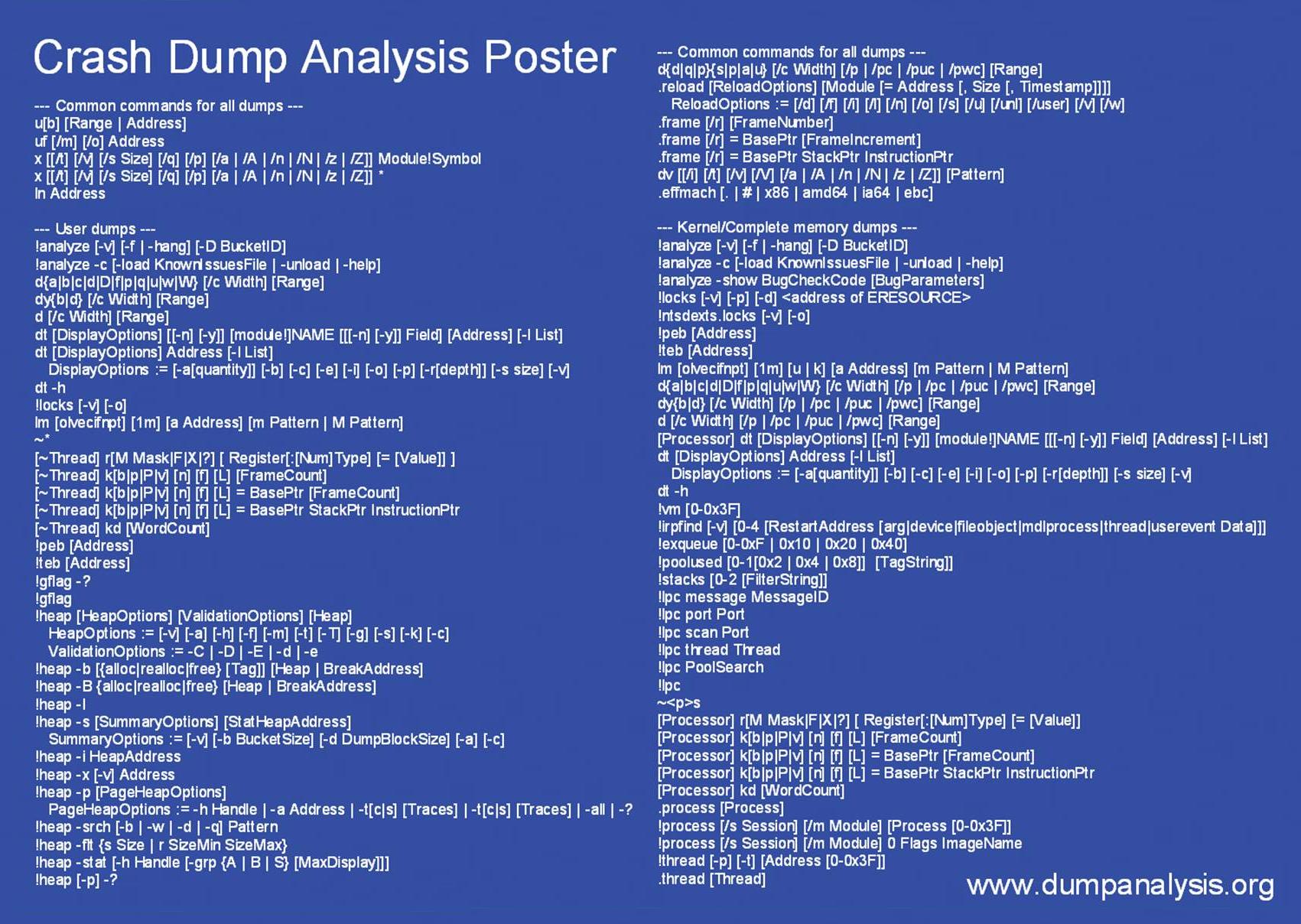
In December when I announced Crash Dump Analysis Card I talked about my plans to make a poster. Here is what I came to in the first version: A4 format poster with the following goals in mind:

  • Have it easy to stick nearby or have it handy
  • Foldable into two halves (user / kernel dumps)
  • Possibility to make it a background image on a PC desktop
  • Have it displayed on a second monitor
  • To facilitate mastering commands and their options
  • Encourage to look in WinDbg Help

You can download large JPEG file (1701×1208) for free (PDF file will be available later):

Download Crash Dump Analysis Poster

In a couple of months I’m going to release the new version after using and playing with the current one and collecting feedback. I have some extension commands missing in the first version of this poster like !list command, various scripting and meta-commands and I will add them in the next version. The current choice of commands is based on my previous Crash Dump Analysis Card and my personal day-to-day crash dump analysis work.

Originally I wanted to call it like something like WinDbg Cheat Sheet or WinDbg Poster but then I realized that I had to omit various live debugging commands and options and there are already several similar cheat sheets for live debugging. 

- Dmitry Vostokov -

Analyzing Dr. Watson logs

Sunday, April 8th, 2007

The main problem with Dr. Watson logs is lack of symbol information but this can be alleviated by using WinDbg if you have the same binary that crashed and produced the log entry. I’m going to illustrate this by using TestDefaultDebugger tool. Its main purpose is to crash. I use this tool here just to show you how to reconstruct stack trace.

If you run it and Dr. Watson is your default postmortem debugger you will get this event recoded in your Dr. Watson log:

*** ERROR: Module load completed but symbols could not be loaded for C:\Work\TestDefaultDebugger.exe
function: TestDefaultDebugger
        004014e6 cc              int     3
        004014e7 cc              int     3
        004014e8 cc              int     3
        004014e9 cc              int     3
        004014ea cc              int     3
        004014eb cc              int     3
        004014ec cc              int     3
        004014ed cc              int     3
        004014ee cc              int     3
        004014ef cc              int     3
FAULT ->004014f0 c7050000000000000000 mov dword ptr ds:[0],0  ds:0023:00000000=????????
        004014fa c3              ret
        004014fb cc              int     3
        004014fc cc              int     3
        004014fd cc              int     3
        004014fe cc              int     3
        004014ff cc              int     3
        00401500 0fb7542404      movzx   edx,word ptr [esp+4]
        00401505 89542404        mov     dword ptr [esp+4],edx
        00401509 e98e1c0000      jmp     TestDefaultDebugger+0×319c (0040319c)
        0040150e cc              int     3
*—-> Stack Back Trace <----*
*** ERROR: Symbol file could not be found.  Defaulted to export symbols for C:\WINDOWS\system32\ntdll.dll -
ChildEBP RetAddr  Args to Child
WARNING: Stack unwind information not available. Following frames may be wrong.
TestDefaultDebugger+0x14f0
TestDefaultDebugger+0x3470
TestDefaultDebugger+0x2a27
TestDefaultDebugger+0x8e69
TestDefaultDebugger+0x98d9
TestDefaultDebugger+0x6258
TestDefaultDebugger+0x836d

You see that when the log entry was saved there were no symbols available and this is the most common case. If you have such a log and no corresponding user dump (perhaps it was overwritten) then you can still reconstruct stack trace. To do this run WinDbg, set path to your application symbol files and load your application as a crash dump:

Microsoft (R) Windows Debugger  Version 6.6.0007.5
Copyright (c) Microsoft Corporation. All rights reserved.
Loading Dump File [C:\Work\TestDefaultDebugger.exe]
Symbol search path is: SRV*c:\websymbols*http://msdl.microsoft.com/download/symbols;c:\work
Executable search path is:
ModLoad: 00400000 00435000   C:\Work\TestDefaultDebugger.exe
eax=00000000 ebx=00000000 ecx=00000000 edx=00000000 esi=00000000 edi=00000000
eip=0040e8bb esp=00000000 ebp=00000000 iopl=0         nv up di pl nz na po nc
cs=0000  ss=0000  ds=0000  es=0000  fs=0000  gs=0000             efl=00000000
TestDefaultDebugger!wWinMainCRTStartup:
0040e8bb e876440000      call    TestDefaultDebugger!__security_init_cookie (00412d36)

Now use ln command to find the nearest symbol:

0:000> ln TestDefaultDebugger+0×14f0
c:\testdefaultdebugger\testdefaultdebuggerdlg.cpp(155)
(004014f0)   TestDefaultDebugger!CTestDefaultDebuggerDlg::OnBnClickedButton1   |  (00401500)   TestDefaultDebugger!CDialog::Create
Exact matches:
    TestDefaultDebugger!CTestDefaultDebuggerDlg::OnBnClickedButton1 (void)
0:000> ln TestDefaultDebugger+0×3470
f:\rtm\vctools\vc7libs\ship\atlmfc\src\mfc\cmdtarg.cpp(381)+0×18
(00403358)   TestDefaultDebugger!CCmdTarget::OnCmdMsg+0×118   |  (00403472)   TestDefaultDebugger!CCmdTarget::IsInvokeAllowed
0:000> ln TestDefaultDebugger+0×2a27
f:\rtm\vctools\vc7libs\ship\atlmfc\src\mfc\dlgcore.cpp(85)+0×17
(00402a0c)   TestDefaultDebugger!CDialog::OnCmdMsg+0×1b   |  (00402a91)   TestDefaultDebugger!CDialog::`scalar deleting destructor’
0:000> ln TestDefaultDebugger+0×8e69
f:\rtm\vctools\vc7libs\ship\atlmfc\src\mfc\wincore.cpp(2299)+0xd
(00408dd9)   TestDefaultDebugger!CWnd::OnCommand+0×90   |  (00408e70)   TestDefaultDebugger!CWnd::OnNotify
0:000> ln TestDefaultDebugger+0×98d9
f:\rtm\vctools\vc7libs\ship\atlmfc\src\mfc\wincore.cpp(1755)+0xe
(004098a3)   TestDefaultDebugger!CWnd::OnWndMsg+0×36   |  (00409ecf)   TestDefaultDebugger!CWnd::ReflectChildNotify
0:000> ln TestDefaultDebugger+0×6258
f:\rtm\vctools\vc7libs\ship\atlmfc\src\mfc\wincore.cpp(1741)+0×17
(00406236)   TestDefaultDebugger!CWnd::WindowProc+0×22   |  (0040627a)   TestDefaultDebugger!CTestCmdUI::CTestCmdUI
0:000> ln TestDefaultDebugger+0×836d
f:\rtm\vctools\vc7libs\ship\atlmfc\src\mfc\wincore.cpp(243)
(004082d3)   TestDefaultDebugger!AfxCallWndProc+0×9a   |  (004083c0)   TestDefaultDebugger!AfxWndProc

So we reconstructed the stack trace:

TestDefaultDebugger!CTestDefaultDebuggerDlg::OnBnClickedButton1
TestDefaultDebugger!CCmdTarget::OnCmdMsg+0×118
TestDefaultDebugger!CDialog::OnCmdMsg+0×1b
TestDefaultDebugger!CWnd::OnCommand+0×90
TestDefaultDebugger!CWnd::OnWndMsg+0×36
TestDefaultDebugger!CWnd::WindowProc+0×22
TestDefaultDebugger!AfxCallWndProc+0×9a

To check it we disassemble the top and see that it corresponds to our crash point from Dr. Watson log:

0:000> u TestDefaultDebugger!CTestDefaultDebuggerDlg::OnBnClickedButton1
TestDefaultDebugger!CTestDefaultDebuggerDlg::OnBnClickedButton1 [c:\testdefaultdebugger\testdefaultdebuggerdlg.cpp @ 155]:
004014f0 c7050000000000000000 mov dword ptr ds:[0],0
004014fa c3              ret
004014fb cc              int     3
004014fc cc              int     3
004014fd cc              int     3
004014fe cc              int     3
004014ff cc              int     3

Although I haven’t tried it yet I believe you can also apply this technique to old Windows 98 or Windows Me Dr. Watson logs.

- Dmitry Vostokov -

Crash Dump Analysis Patterns (Part 11)

Tuesday, April 3rd, 2007

One of mistakes beginners make is trusting WinDbg !analyze or kv commands displaying stack trace. WinDbg is only a tool, sometimes information necessary to get correct stack trace is missing and therefore some critical thought is required to distinguish between correct and incorrect stack traces. I call this pattern Incorrect Stack Trace. Incorrect stack traces usually

  • Have WinDbg warning: “Following frames may be wrong”

  • Don’t have the correct bottom frame like kernel32!BaseThreadStart (in user-mode)

  • Have function calls that don’t make any sense

  • Have strange looking disassembled function code or code that doesn’t make any sense from compiler perspective

  • Have ChildEBP and RetAddr addresses that don’t make any sense

Consider the following stack trace:

0:011> k
ChildEBP RetAddr
WARNING: Frame IP not in any known module. Following frames may be wrong.
0184e434 7c830b10 0×184e5bf
0184e51c 7c81f832 ntdll!RtlGetFullPathName_Ustr+0×15b
0184e5f8 7c83b1dd ntdll!RtlpLowFragHeapAlloc+0xc6a
00099d30 00000000 ntdll!RtlpLowFragHeapFree+0xa7

Here we have almost all attributes of the wrong stack trace. At the first glance it looks like some heap corruption happened (runtime heap alloc and free functions are present) but if you give it second thought you would see that low fragmentation heap Free function shouldn’t call low fragmentation heap Alloc function and the latter shoudn’t query full path name. That doesn’t make any sense.  

What we should do here? Look at raw stack and try to build the correct stack trace ourselves. In our case this is very easy. We need to traverse stack frames from BaseThreadStart+0×34 until we don’t find any function call or reach the top. When functions are called (no optimization, most compilers) EBP registers are linked together as explained on slide 13 here:

Practical Foundations of Debugging (6.1)

0:011> !teb
TEB at 7ffd8000
    ExceptionList:        0184ebdc
    StackBase:            01850000
    StackLimit:           01841000
    SubSystemTib:         00000000
    FiberData:            00001e00
    ArbitraryUserPointer: 00000000
    Self:                 7ffd8000
    EnvironmentPointer:   00000000
    ClientId:             0000061c . 00001b60
    RpcHandle:            00000000
    Tls Storage:          00000000
    PEB Address:          7ffdf000
    LastErrorValue:       0
    LastStatusValue:      c0000034
    Count Owned Locks:    0
    HardErrorMode:        0

0:011> dds 01841000 01850000
01841000  00000000


0184eef0  0184ef0c
0184eef4  7615dff2 localspl!SplDriverEvent+0×21
0184eef8  00bc3e08
0184eefc  00000003
0184ef00  00000001
0184ef04  00000000
0184ef08  0184efb0
0184ef0c  0184ef30
0184ef10  7615f9d0 localspl!PrinterDriverEvent+0×46
0184ef14  00bc3e08
0184ef18  00000003
0184ef1c  00000000
0184ef20  0184efb0
0184ef24  00b852a8
0184ef28  00c3ec58
0184ef2c  00bafcc0
0184ef30  0184f3f8
0184ef34  7614a9b4 localspl!SplAddPrinter+0×5f3
0184ef38  00c3ec58
0184ef3c  00000003
0184ef40  00000000
0184ef44  0184efb0
0184ef48  00c117f8


0184ff28  00000000
0184ff2c  00000000
0184ff30  0184ff84
0184ff34  77c75286 RPCRT4!LRPC_ADDRESS::ReceiveLotsaCalls+0×3a
0184ff38  0184ff4c
0184ff3c  77c75296 RPCRT4!LRPC_ADDRESS::ReceiveLotsaCalls+0×4a
0184ff40  7c82f2fc ntdll!RtlLeaveCriticalSection
0184ff44  000de378
0184ff48  00097df0
0184ff4c  4d2fa200
0184ff50  ffffffff
0184ff54  ca5b1700
0184ff58  ffffffff
0184ff5c  8082d821
0184ff60  0184fe38
0184ff64  00097df0
0184ff68  000000aa
0184ff6c  80020000
0184ff70  0184ff54
0184ff74  80020000
0184ff78  000b0c78
0184ff7c  00a50180
0184ff80  0184fe38
0184ff84  0184ff8c
0184ff88  77c5778f RPCRT4!RecvLotsaCallsWrapper+0xd
0184ff8c  0184ffac
0184ff90  77c5f7dd RPCRT4!BaseCachedThreadRoutine+0×9d
0184ff94  0009c410
0184ff98  00000000
0184ff9c  00000000
0184ffa0  00097df0
0184ffa4  00097df0
0184ffa8  00015f90
0184ffac  0184ffb8
0184ffb0  77c5de88 RPCRT4!ThreadStartRoutine+0×1b
0184ffb4  00088258
0184ffb8  0184ffec
0184ffbc  77e6608b kernel32!BaseThreadStart+0×34
0184ffc0  00097df0
0184ffc4  00000000
0184ffc8  00000000
0184ffcc  00097df0
0184ffd0  8ad84818
0184ffd4  0184ffc4
0184ffd8  8980a700
0184ffdc  ffffffff
0184ffe0  77e6b7d0 kernel32!_except_handler3
0184ffe4  77e66098 kernel32!`string’+0×98
0184ffe8  00000000
0184ffec  00000000
0184fff0  00000000
77c5de6d  RPCRT4!ThreadStartRoutine
0184fff8  00097df0
0184fffc  00000000
01850000  00000008

Next we need to use custom k command and specify base pointer. In our case the last found stack address that links EBP pointers is 0184eef0:

0:011> k L=0184eef0
ChildEBP RetAddr
WARNING: Frame IP not in any known module. Following frames may be wrong.
0184eef0 7615dff2 0×184e5bf
0184ef0c 7615f9d0 localspl!SplDriverEvent+0×21
0184ef30 7614a9b4 localspl!PrinterDriverEvent+0×46
0184f3f8 761482de localspl!SplAddPrinter+0×5f3
0184f424 74067c8f localspl!LocalAddPrinterEx+0×2e
0184f874 74067b76 SPOOLSS!AddPrinterExW+0×151
0184f890 01007e29 SPOOLSS!AddPrinterW+0×17
0184f8ac 01006ec3 spoolsv!YAddPrinter+0×75
0184f8d0 77c70f3b spoolsv!RpcAddPrinter+0×37
0184f8f8 77ce23f7 RPCRT4!Invoke+0×30
0184fcf8 77ce26ed RPCRT4!NdrStubCall2+0×299
0184fd14 77c709be RPCRT4!NdrServerCall2+0×19
0184fd48 77c7093f RPCRT4!DispatchToStubInCNoAvrf+0×38
0184fd9c 77c70865 RPCRT4!RPC_INTERFACE::DispatchToStubWorker+0×117
0184fdc0 77c734b1 RPCRT4!RPC_INTERFACE::DispatchToStub+0xa3
0184fdfc 77c71bb3 RPCRT4!LRPC_SCALL::DealWithRequestMessage+0×42c
0184fe20 77c75458 RPCRT4!LRPC_ADDRESS::DealWithLRPCRequest+0×127
0184ff84 77c5778f RPCRT4!LRPC_ADDRESS::ReceiveLotsaCalls+0×430
0184ff8c 77c5f7dd RPCRT4!RecvLotsaCallsWrapper+0xd

Stack traces make more sense now but we don’t see BaseThreadStart+0×34. By default WinDbg displays only certain amount of function calls (stack frames) so we need to specify stack frame count, for example, 100:

0:011> k L=0184eef0 100
ChildEBP RetAddr
WARNING: Frame IP not in any known module. Following frames may be wrong.
0184eef0 7615dff2 0×184e5bf
0184ef0c 7615f9d0 localspl!SplDriverEvent+0×21
0184ef30 7614a9b4 localspl!PrinterDriverEvent+0×46
0184f3f8 761482de localspl!SplAddPrinter+0×5f3
0184f424 74067c8f localspl!LocalAddPrinterEx+0×2e
0184f874 74067b76 SPOOLSS!AddPrinterExW+0×151
0184f890 01007e29 SPOOLSS!AddPrinterW+0×17
0184f8ac 01006ec3 spoolsv!YAddPrinter+0×75
0184f8d0 77c70f3b spoolsv!RpcAddPrinter+0×37
0184f8f8 77ce23f7 RPCRT4!Invoke+0×30
0184fcf8 77ce26ed RPCRT4!NdrStubCall2+0×299
0184fd14 77c709be RPCRT4!NdrServerCall2+0×19
0184fd48 77c7093f RPCRT4!DispatchToStubInCNoAvrf+0×38
0184fd9c 77c70865 RPCRT4!RPC_INTERFACE::DispatchToStubWorker+0×117
0184fdc0 77c734b1 RPCRT4!RPC_INTERFACE::DispatchToStub+0xa3
0184fdfc 77c71bb3 RPCRT4!LRPC_SCALL::DealWithRequestMessage+0×42c
0184fe20 77c75458 RPCRT4!LRPC_ADDRESS::DealWithLRPCRequest+0×127
0184ff84 77c5778f RPCRT4!LRPC_ADDRESS::ReceiveLotsaCalls+0×430
0184ff8c 77c5f7dd RPCRT4!RecvLotsaCallsWrapper+0xd
0184ffac 77c5de88 RPCRT4!BaseCachedThreadRoutine+0×9d
0184ffb8 77e6608b RPCRT4!ThreadStartRoutine+0×1b
0184ffec 00000000 kernel32!BaseThreadStart+0×34

Now stack trace looks much better. 

- Dmitry Vostokov @ DumpAnalysis.org -

WinDbg tips and tricks: triple dereference

Tuesday, March 13th, 2007

WinDbg commands like dpp allow you to do double dereference in the following format

pointer *pointer **pointer

for example:

0:000> dpp 004015a2
004015a2  00405068 7c80929c kernel32!GetTickCount

I had a couple of cases where I needed triple dereference (or even quadruple dereference) done on a range of memory. Finally after some thinking I tried to use WinDbg scripts and it worked. The key is to use $p pseudo-register which shows the last value of d* commands (dd, dps, etc):

.for (r $t0=00000000`004015a2, $t1=4; @$t1 >= 0; r $t1=$t1-1, $t0=$t0+$ptrsize) { dps @$t0 l1; dps $p l1; dps $p l1; .printf "\n" }

where $t0 and $t1 are pseudo-registers used to hold the starting address of a memory block (I use 64-bit format) and the number of objects to be triple dereferenced and displayed. $ptrsize is a pointer size. The script is platform independent (can be used on both 32-bit and 64-bit target). On my 32-bit target it produces what I originally wanted (triple dereferenced memory), for example:

004015a2  00405068 component!_imp__GetTickCount
00405068  7c80929c kernel32!GetTickCount
7c80929c  fe0000ba

004015a6  458df033
458df033  ????????
458df033  ????????

004015aa  15ff50f0
15ff50f0  ????????
15ff50f0  ????????

004015ae  00405064 component!_imp__QueryPerformanceCounter
00405064  7c80a427 kernel32!QueryPerformanceCounter
7c80a427  8b55ff8b

004015b2  33f4458b
33f4458b  ????????
33f4458b  ????????

If you want quadruple dereferenced memory you just need to add the additional dps @$t0 l1; to .for loop body. With this script even double dereference looks much better because it shows symbol information for the first dereference too whereas dpp command shows symbol name only for the second dereference. 

Another less “elegant” variation without $p pseudo-register uses poi operator but you need a .catch block to prevent the script termination on invalid memory access:

0:000> .for (r $t0=00000000`004015a2, $t1=4; @$t1 >= 0; r $t1=$t1-1, $t0=$t0+$ptrsize) { .catch { dds $t0 l1; dds poi($t0) l1; dds poi(poi($t0)) l1; }; .printf "\n" }

004015a2  00405068 component!_imp__GetTickCount
00405068  7c80929c kernel32!GetTickCount
7c80929c  fe0000ba

004015a6  458df033
458df033  ????????
Memory access error at ') '

004015aa  15ff50f0
15ff50f0  ????????
Memory access error at ') '

004015ae  00405064 component!_imp__QueryPerformanceCounter
00405064  7c80a427 kernel32!QueryPerformanceCounter
7c80a427  8b55ff8b

004015b2  33f4458b
33f4458b  ????????
Memory access error at ') '

You can also use !list extension but more formatting is necessary:

0:000> .for (r $t0=00000000`004015a2, $t1=4; @$t1 >= 0; r $t1=$t1-1, $t0=$t0+$ptrsize) { .printf "%p:\n--------\n\n", $t0; !list -x "dds @$extret l1" $t0; .printf "\n" }
004015a2:
---------
004015a2  00405068 component!_imp__GetTickCount
00405068  7c80929c kernel32!GetTickCount
7c80929c  fe0000ba
fe0000ba  ????????
Cannot read next element at fe0000ba
004015a6:
---------
004015a6  458df033
458df033  ????????
Cannot read next element at 458df033
004015aa:
---------
004015aa  15ff50f0
15ff50f0  ????????
Cannot read next element at 15ff50f0
004015ae:
---------
004015ae  00405064 component!_imp__QueryPerformanceCounter
00405064  7c80a427 kernel32!QueryPerformanceCounter
7c80a427  8b55ff8b
8b55ff8b  ????????
Cannot read next element at 8b55ff8b
004015b2:
---------
004015b2  33f4458b
33f4458b  ????????
Cannot read next element at 33f4458b

The advantage of !list is in unlimited number of pointer dereferences until invalid address is reached. 

- Dmitry Vostokov -

WinDbg tips and tricks: analyzing hangs faster

Sunday, March 4th, 2007

I’ve just found (by using Google) that the additional parameter (-hang) to the venerable !analyze -v command is rarely used… Here is the command I use if I get a manually generated dump and there is no exception in it reported by !analyze -v and subsequent visual inspection of ~*kv output doesn’t show anything suspicious, leading to hidden exception(s):

!analyze -hang -v

Then I always double check with !locks command because there could be multiple hang conditions in a dump.

The same parameter can be used in kernel memory dumps too. But double checking ERESOURCE locks (!locks), kernel threads (!stacks) and DPC queues (!dpcs) manually is highly recommended.

- Dmitry Vostokov -

WinDbg tips and tricks: hypertext commands

Saturday, March 3rd, 2007

You may know that the recent versions of WinDbg have RichEdit command output window that allows to do syntax highlighting and simulate hyperlinks.

Tooltip from WindowHistory shows window class:

However you may not know there is Debugger Markup Language (DML) and there are new commands that take advantage of it. For documentation please look at dml.doc located in your Debugging Tools for Windows folder.

Here is the output of some commands:

!dml_proc

Here we can click on a process link and get the list of threads:

We can click either on “Full details” link or on an individual thread link to see its call stack. If we select “user-mode state” link we get automatic switch to process context (useful for complete memory dumps):

kd> .process /p /r 0x8342c128
Implicit process is now 8342c128
Loading User Symbols

You can also navigate frames and local variables very easily:

If you click on a thread name (No name here) you get its context:

Clicking on a number sets the scope and shows local variables (if you have full PDB files):


Similar command is kM:

Another useful command is lmD where you can easily inspect modules:

- Dmitry Vostokov -

Looking for strings in a dump

Thursday, October 12th, 2006

Recently I discovered wonderful WinDbg commands dpu (UNICODE strings) and dpa (ASCII strings). Look at WinDbg help for other d** equivalents like dpp.

I needed to examine raw stack data and check if any pointers on stack were pointing to strings. For example:

0:143> !teb
TEB at 7ff2b000
...
    StackBase:            05e90000
    StackLimit:           05e89000
...
...
...
0:143> dpu 05e89000 05e90000
05e8f58c  00120010 ""
...
...
...
05e8f590  77e7723c "Debugger"
05e8f594  00000000
05e8f598  08dc0154
05e8f59c  01000040
05e8f5a0  05e8f5dc "G:\WINDOWS\system32\faultrep.dll"
05e8f5a4  0633adf0 ""
05e8f5a8  00000000
05e8f5ac  00000001
05e8f5b0  00000012
05e8f5b4  7c8723e0
05e8f5b8  ffffffff
05e8f5bc  00000004
05e8f5c0  69500000
05e8f5c4  00000000
05e8f5c8  00000aac
05e8f5cc  00000002
05e8f5d0  05e8f740
05e8f5d4  0633adfc "drwtsn32 -p %ld -e %ld -g"
05e8f5d8  00000000
...
...
...

Of course, you can apply these commands to any memory range, not only stack.

- Dmitry Vostokov -