Crash Dump Analysis Patterns (Part 163)

December 25th, 2011

Sometimes we need to check network adapters (miniports) to see whether they are up, down, connected or disconnected. This can be done using ndiskd WinDbg extension and its commands. For example (a kernel memory dump):

1: kd> !ndiskd.miniports
raspptp.sys, v0.0
  88453360 NetLuidIndex  1, IfIndex  3,  WAN Miniport (PPTP)
raspppoe.sys, v0.0
  884860e8 NetLuidIndex  0, IfIndex  4,  WAN Miniport (PPPOE)
ndiswan.sys, v0.0
  8842f0e8 NetLuidIndex  0, IfIndex  5,  WAN Miniport (IPv6)
  8842e0e8 NetLuidIndex  3, IfIndex  6,  WAN Miniport (IP)
rasl2tp.sys, v0.0
  8842b0e8 NetLuidIndex  0, IfIndex  2,  WAN Miniport (L2TP)
E1G60I32.sys, v8.1
  84b730e8 NetLuidIndex  4, IfIndex  8,  Intel(R) PRO/1000 MT Network Connection

tunnel.sys, v1.0
  84b370e8 NetLuidIndex  2, IfIndex  9,  isatap.{0DC6D9AD-70DC-41CE-9798-F71D1A8C899F}

1: kd> !ndiskd.miniport 84b730e8

MINIPORT

    Intel(R) PRO/1000 MT Network Connection

    Ndis Handle        84b730e8
    Ndis API Version   v6.0
    Adapter Context    88460008
    Miniport Driver    84b44938 - E1G60I32.sys  v8.1
    Ndis Verifier      [No flags set]

    Media Type         802.3
    Physical Medium    802.3
    Device Path        \??\PCI#VEN_8086&DEV_100F&SUBSYS_075015AD&REV_01#4&b70f118&0&0888#{ad498944-762f-11d0-8dcb-00c04fc3358c}\{0DC6D9AD-70DC-41CE-9798-F71D1A8C899F}
    Device Object      84b73030
    MAC Address        00-0c-29-b1-7d-39

STATE

    Miniport           Running
    Device PnP         Started
    Datapath           00000002          ← DIVERTED_BECAUSE_MEDIA_DISCONNECTED
    NBL Status         NDIS_STATUS_MEDIA_DISCONNECTED
    Operational status DOWN
    Operational flags  00000002          ← DOWN_NOT_CONNECTED

    Admin status       ADMIN_UP
    Media              MediaDisconnected
    Power              D0
    References         6
    User Handles       0
    Total Resets       0
    Pending OID        None
    Flags              0c452218
        ↑ BUS_MASTER, 64BIT_DMA, SG_DMA, DEFAULT_PORT_ACTIVATED,
        SUPPORTS_MEDIA_SENSE, DOES_NOT_DO_LOOPBACK, NOT_MEDIA_CONNECTED
    PnPFlags           00210021
        ↑ PM_SUPPORTED, DEVICE_POWER_ENABLED, RECEIVED_START, HARDWARE_DEVICE

BINDINGS

    Filter List        Filter              Filter Driver      Context          _
    QoS Packet Scheduler-0000
                       88e453d8            88e18938           88e1ed60

    Open List          Open                Protocol           Context          _
    RSPNDR             8bcbb470            8bd23ac8           8bcbb820
    LLTDIO             8bcb8c00            8bd15980           8bd153f8
    TCPIP6             88e528e8            88e02350           88e52c98
    TCPIP              88e1c078            88e02aa8           88e1e6a8

MORE INFORMATION

     → Driver handlers                      → Task offloads
     → Power management
     → Pending OIDs                         → Timers
                                            → Receive Side Throttling
     → Wake-on-LAN (WoL)                    → Packet filter
     → NDIS ports

Another example from a different complete memory dump: 

STATE

    Device PnP         Started
    Datapath           00000002          ← DIVERTED_BECAUSE_MEDIA_DISCONNECTED
    Packet Status      NDIS_STATUS_NO_CABLE
    Media              Not Connected

  […]

- Dmitry Vostokov @ DumpAnalysis.org + TraceAnalysis.org -
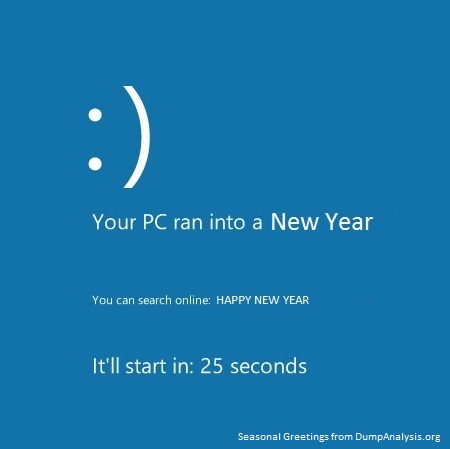
Happy New Spiking Year of Software Trace Analysis!

December 24th, 2011

I created a special picture based on CPU and memory timing diagram (an optimistic version of the original computicart):

- Dmitry Vostokov @ DumpAnalysis.org + TraceAnalysis.org -

America, Empire of Liberty

December 23rd, 2011

Before I finished book I knew very little about USA history limited by my school education in former Soviet Union times. Now I feel more confident and plan to read 4 volumes of Oxford History of the United States and 16 volumes of History of America and not being overwhelmed by details. I’m also reading 3 volumes of The Cambridge History of the Cold War and the book provided missing context for the first volume. As a researcher of a history of Russian revolutions (a book is scheduled by OpenTask publisher for the centennial in 2017) I firmly believe that in order to understand a history of your own country it is beneficial to read about other countries. Then discerned historical patterns and insights can be applied to a different narrative.

America, Empire of Liberty: A New History of the United States

The book also has an overview of historical literature at the back which might be useful if you are interested in further pursuing special topics. Additionally the book provides the great overview of background historical material needed to understand modern cyber conflicts.

In conclusion, I must say I’d never thought before that US history was so interesting and I now feel great sympathy for this country.

- Dmitry Vostokov @ LiterateScientist.com -

America: Empire of CyberLiberty?

December 23rd, 2011

In order to understand the politics of cyberwar in historical context it is beneficial to know the world history and especially the history of USA. Cyberconflicts and cyberwars are modern extensions of the previous power-driven tensions and conflicts. Knowing very little about actual USA history limited by school education in Soviet Union I found this almost 700 page book (UK paperback Penguin edition) written from a supposedly detached European perspective and read it from cover to cover:

America, Empire of Liberty: A New History of the United States

Which state will become an “Empire of Cyberwar” is my next question? Or such an empire will be at a supranational (suprastate) level? Looking forward to reading not yet written A Cyber History of the United States.

- Dmitry Vostokov @ DumpAnalysis.org + TraceAnalysis.org -
Bugtation No.151

December 23rd, 2011

Word of Memory.

Dmitry Vostokov, Memoriarch

- Dmitry Vostokov @ DumpAnalysis.org + TraceAnalysis.org -

Bugtation No.150

December 19th, 2011

150 bugtations so far…

Program history has two sides, a computational and a human.

Philip Schaff

- Dmitry Vostokov @ DumpAnalysis.org + TraceAnalysis.org -

Windows Software Trace Analysis Training

December 18th, 2011

This is the first initiative for the year of software trace analysis: the first and unique software trace and log analysis training based entirely on patterns of software behavior. No longer you will be frustrated when opening a software trace with millions of messages from hundreds of software components, threads and processes.

Memory Dump Analysis Services (DumpAnalysis.com) organizes a training course:

Learn how to efficiently and effectively analyze software traces and logs from complex software environments. Covered popular software logs and trace formats from Microsoft and Citrix products and tools including Event Tracing for Windows (ETW) and Citrix Common Diagnostics Format (CDF). Learn how to use pioneering and innovative pattern-driven software problem behavior analysis to troubleshoot and debug software incidents.

If your are registered you are allowed to optionally submit your software traces and logs before the training. This will allow us in addition to the carefully constructed problems tailor additional examples to the needs of the attendees.

The training consists of 2 two-hour sessions and additional homework exercises. When you finish the training you additionally get:

  1. A full transcript in PDF format (retail price $200)
  2. 6 volumes of Memory Dump Analysis Anthology in PDF format (retail price $120)
  3. A personalized attendance certificate with unique CID (PDF format)
  4. Free Dump Analysis World Network membership including updates to full PDF transcript Q&A section

Prerequisites: Basic Windows troubleshooting.

Audience: Software technical support and escalation engineers, software maintenance engineers, system administrators.

Session 1: October 12, 2012 4:00 PM - 6:00 PM BST
Session 2: October 15, 2012 4:00 PM - 6:00 PM BST

Price: 210 USD

Space is limited.
Reserve your remote training seat now at:
https://student.gototraining.com/r/5287623225237732608

Accelerated Software Trace Analysis Logo

- Dmitry Vostokov @ DumpAnalysis.org + TraceAnalysis.org -

Bugtation No.149

December 17th, 2011

Making Software A Better World.

Dmitry Vostokov, Memory Dump Analysis Services

- Dmitry Vostokov @ DumpAnalysis.org + TraceAnalysis.org -

2012 is The Year of Software Trace Analysis

December 17th, 2011

The number of software trace analysis patterns approaches the critical mass of 50 and we have decided to focus on software tracing and logging in the forthcoming year. Some books on tracing including Volume 7 of Memory Dump Analysis Anthology will be published by OpenTask during that year and our efforts will be to further advance software narratology, software trace linguistics, and software trace analysis in the context of memory dump analysis, generative debugging and modeling software behavior.

- Dmitry Vostokov @ DumpAnalysis.org + TraceAnalysis.org -

Crash Dump Analysis Patterns (Part 162)

December 14th, 2011

Sometimes Problem Module pattern can help in troubleshooting. Problem modules (including process names) are components that due to their value adding behaviour might break normal software behaviour and therefore require some troubleshooting workarounds from minor configuration changes to complete removal. Typical examples include memory optimization services for terminal services environments or hooksware. Typically you can see main process modules in the output of !vm or !process 0 0 commands. lm command will list module names such as DLLs from a process memory dump, lmk command can give you the list of kernel space modules (for example, drivers) from kernel and complete memory dumps, and the following command lists all user space modules for each process in a complete memory dump:

!for_each_process ".process /r /p @#Process; lmu"

Of course you can also try various lm command variants if you are interested in timestamps and module information.

- Dmitry Vostokov @ DumpAnalysis.org + TraceAnalysis.org -

Crash Dump Analysis Patterns (Part 161)

December 12th, 2011

This is another stack trace related pattern that we call Empty Stack Trace. Here we might need to do manual stack trace reconstruction like in the following example:

0:002> ~2s
eax=00000070 ebx=0110fb94 ecx=00000010 edx=005725d8 esi=0110fe58 edi=00000d80
eip=7c82847c esp=0110efe0 ebp=0110eff0 iopl=0  nv up ei pl zr na pe nc
cs=001b  ss=0023  ds=0023  es=0023  fs=003b  gs=0000      efl=00000246
ntdll!KiFastSystemCallRet:
7c82847c c3              ret

0:002> kL
ChildEBP RetAddr
0110efdc 00000000 ntdll!KiFastSystemCallRet

0:002> !teb
TEB at 7ffdc000
ExceptionList:        0110f980
StackBase:            01110000
StackLimit:           0110d000
SubSystemTib:         00000000
FiberData:            00001e00
ArbitraryUserPointer: 00000000
Self:                 7ffdc000
EnvironmentPointer:   00000000
ClientId:             00000b04 . 00000bd0
RpcHandle:            00000000
Tls Storage:          00000000
PEB Address:          7ffda000
LastErrorValue:       87
LastStatusValue:      c000000d
Count Owned Locks:    0
HardErrorMode:        0

0:002> dps 0110d000 01110000
0110d000  00000000
0110d004  00000000
[...]
0110f63c  00001000
0110f640  0110f64c
0110f644  02b91ea8
0110f648  00001000
0110f64c  00000004
0110f650  0110f6f0
0110f654  0374669d DbgHelp!WriteFullMemory+0×3cd
0110f658  ffffffff
0110f65c  0110d000
0110f660  00000000
0110f664  0480f5c0
0110f668  00003000
0110f66c  0110f7b0
0110f670  0110d000
0110f674  00000000
0110f678  00000065
0110f67c  00003000
0110f680  0110d000
0110f684  00000000
0110f688  01010000
0110f68c  00000000
0110f690  00000004
0110f694  00060002
0110f698  00003000
0110f69c  00000000
0110f6a0  00001000
0110f6a4  00000004
0110f6a8  00020000
0110f6ac  00040004
0110f6b0  7ffe0000 SharedUserData
0110f6b4  00000000
0110f6b8  00001000
0110f6bc  00000000
0110f6c0  0480f5c0
0110f6c4  00000000
0110f6c8  04c4a000
0110f6cc  00000000
0110f6d0  000003c7
0110f6d4  00000000
0110f6d8  00023b17
0110f6dc  00000000
0110f6e0  01110000
0110f6e4  00000000
0110f6e8  0099f000
0110f6ec  00000000
0110f6f0  0110f704
0110f6f4  037469d6 DbgHelp!WriteDumpData+0×206
0110f6f8  0110f738
0110f6fc  0110f7b0
0110f700  00000000
0110f704  0110f868
0110f708  03747449 DbgHelp!MiniDumpProvideDump+0×359
0110f70c  0110f738
0110f710  0110f7b0
0110f714  02b91fb0
0110f718  00000000
0110f71c  00000000
0110f720  00000000
0110f724  02b91fb0
0110f728  00000000
0110f72c  00000000
[…]
0110ff1c  00000001
0110ff20  00000008
0110ff24  0000000a
0110ff28  33017f51 ModuleA!Run+0xde
0110ff2c  00000001
0110ff30  0110ff74
0110ff34  00f08898
0110ff38  00000000
0110ff3c  00f082a8
0110ff40  00000000
0110ff44  00000001
0110ff48  33017e33 ModuleA!ThreadProc+0×2c
0110ff4c  a9b21e1e
0110ff50  00000000
0110ff54  00000000
0110ff58  00f08898
0110ff5c  0110ff4c
0110ff60  0110ffac
0110ff64  0110ff9c
0110ff68  33054245
0110ff6c  9ba52ad2
0110ff70  00000000
0110ff74  0110ffac
0110ff78  78543433 msvcr90!_endthreadex+0×44
0110ff7c  00f082a8
0110ff80  a9b2b0d3
0110ff84  00000000
0110ff88  00000000
0110ff8c  00f08898
0110ff90  0110ff80
0110ff94  0110ff80
0110ff98  0110ffdc
0110ff9c  0110ffdc
0110ffa0  7858cf5e msvcr90!_except_handler4
0110ffa4  d0f887df
0110ffa8  00000000
0110ffac  0110ffb8
0110ffb0  785434c7 msvcr90!_endthreadex+0xd8
0110ffb4  00000000
0110ffb8  0110ffec
0110ffbc  77e6482f kernel32!BaseThreadStart+0×34
0110ffc0  00f08898
0110ffc4  00000000
0110ffc8  00000000
0110ffcc  00f08898
0110ffd0  00000000
0110ffd4  0110ffc4
0110ffd8  80833bcc
0110ffdc  ffffffff
0110ffe0  77e61a60 kernel32!_except_handler3
0110ffe4  77e64838 kernel32!`string’+0×98
0110ffe8  00000000
0110ffec  00000000
0110fff0  00000000
0110fff4  7854345e msvcr90!_endthreadex+0×6f
0110fff8  00f08898
0110fffc  00000000
01110000  00000130

0:002> k L=0110f650 0110f650  0110f650
ChildEBP RetAddr
WARNING: Frame IP not in any known module. Following frames may be wrong.
0110f650 0374669d 0x110f650
0110f6f0 037469d6 DbgHelp!WriteFullMemory+0x3cd
0110f704 03747449 DbgHelp!WriteDumpData+0x206
0110f868 03747662 DbgHelp!MiniDumpProvideDump+0x359
0110f8dc 33050dd9 DbgHelp!MiniDumpWriteDump+0x1b2
[...]
0110fdfc 33031726 ModuleA!WriteExceptionMiniDump+0x50
0110fea0 33018c81 ModuleA!ThreadHung+0x6c
[...]
0110ff44 33017e33 ModuleA!Run+0xde
00000000 00000000 ModuleA!ThreadProc+0x2c

- Dmitry Vostokov @ DumpAnalysis.org + TraceAnalysis.org -

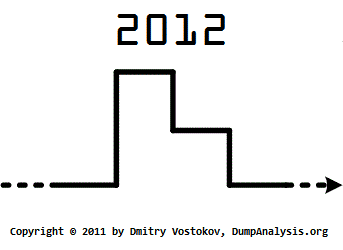
2012

December 12th, 2011

This is a specially commissioned artwork for the first celebration of Memoristmas. Those in the know will instantly recognize processor timing diagram:

- Dmitry Vostokov @ DumpAnalysis.org + TraceAnalysis.org -

WinDbg shortcuts: .ecxr

December 12th, 2011

If you are impatient with !analyze -v you can always use a replacement command that shows and sets the context for the current exception so you can quickly get to the possible crashing point (signature):

0:000> .ecxr
eax=00000000 ebx=00000001 ecx=00000000 edx=0018fe40 esi=00426310 edi=00000111
eip=0041ff21 esp=0018f81c ebp=0018f850 iopl=0  nv up ei pl zr na pe nc
cs=0023  ss=002b  ds=002b  es=002b  fs=0053  gs=002b      efl=00010246
*** ERROR: Module load completed but symbols could not be loaded for TestWER.exe
TestWER+0x1ff21:
0041ff21 c7050000000000000000 mov dword ptr ds:[0],0  ds:002b:00000000=????????

0:000> kL
*** Stack trace for last set context - .thread/.cxr resets it
ChildEBP RetAddr
WARNING: Stack unwind information not available. Following frames may be wrong.
0018f850 00403620 TestWER+0x1ff21
0018f860 0040382f TestWER+0x3620
0018f890 00402df6 TestWER+0x382f
0018f8b4 00409ef8 TestWER+0x2df6
0018f904 0040a792 TestWER+0x9ef8
0018f9a0 00406dea TestWER+0xa792
0018f9c0 00409713 TestWER+0x6dea
0018fa28 004097a2 TestWER+0x9713
0018fa48 76f66238 TestWER+0x97a2
0018fa74 76f668ea user32!InternalCallWinProc+0x23
0018faec 76f6cd1a user32!UserCallWinProcCheckWow+0x109
0018fb30 76f6cd81 user32!SendMessageWorker+0x581
0018fb54 74fb4e95 user32!SendMessageW+0x7f
0018fb74 74fb4ef7 comctl32!Button_NotifyParent+0x3d
0018fb90 74fb4d89 comctl32!Button_ReleaseCapture+0x113
0018fbf0 76f66238 comctl32!Button_WndProc+0xa18
0018fc1c 76f668ea user32!InternalCallWinProc+0x23
0018fc94 76f67d31 user32!UserCallWinProcCheckWow+0x109
0018fcf4 76f67dfa user32!DispatchMessageWorker+0x3bc
0018fd04 76f82292 user32!DispatchMessageW+0xf
0018fd30 0040618c user32!IsDialogMessageW+0x5f6
0018fd44 004071e2 TestWER+0x618c
0018fd50 00402dd3 TestWER+0x71e2
0018fd64 00408dc1 TestWER+0x2dd3
0018fd78 00403f35 TestWER+0x8dc1
0018fd90 00404090 TestWER+0x3f35
0018fd9c 00403f80 TestWER+0x4090
0018fda8 004040dd TestWER+0x3f80
0018fde0 00403440 TestWER+0x40dd
0018fe2c 004204ee TestWER+0x3440
0018fee4 0041fdf5 TestWER+0x204ee
0018fef8 0040fc3e TestWER+0x1fdf5
0018ff88 76ce3677 TestWER+0xfc3e
0018ff94 77b89f02 kernel32!BaseThreadInitThunk+0xe
0018ffd4 77b89ed5 ntdll!__RtlUserThreadStart+0x70
0018ffec 00000000 ntdll!_RtlUserThreadStart+0x1b

However, in case of multiple exceptions you still need to do stack trace collection analysis:

0:000> .ecxr
eax=00000030 ebx=7efde000 ecx=750d2dd9 edx=00000000 esi=00000000 edi=00000000
eip=770d280c esp=0037f828 ebp=0037f870 iopl=0  nv up ei pl nz na po nc
cs=0023  ss=002b  ds=002b  es=002b  fs=0053  gs=002b      efl=00000202
KERNELBASE!DebugBreak+0x2:
770d280c cc              int     3

0:000> ~*k 6

.  0  Id: f00.f04 Suspend: 0 Teb: 7efdd000 Unfrozen
ChildEBP RetAddr
0037f1a4 770d0bdd ntdll!NtWaitForMultipleObjects+0x15
0037f240 7529162d KERNELBASE!WaitForMultipleObjectsEx+0x100
0037f288 75291921 kernel32!WaitForMultipleObjectsExImplementation+0xe0
0037f2a4 752b9b2d kernel32!WaitForMultipleObjects+0x18
0037f310 752b9bca kernel32!WerpReportFaultInternal+0x186
0037f324 752b98f8 kernel32!WerpReportFault+0×70

1  Id: f00.f18 Suspend: 1 Teb: 7efda000 Unfrozen
ChildEBP RetAddr
0080f9ac 770d31bb ntdll!NtDelayExecution+0x15
0080fa14 770d3a8b KERNELBASE!SleepEx+0x65
0080fa24 752d28dd KERNELBASE!Sleep+0xf
0080fa38 752b98f8 kernel32!WerpReportFault+0×3f
0080fa48 752b9875 kernel32!BasepReportFault+0×20
0080fad4 77b10df7 kernel32!UnhandledExceptionFilter+0×1af

2  Id: f00.f1c Suspend: 1 Teb: 7efd7000 Unfrozen
ChildEBP RetAddr
00abf640 770d31bb ntdll!NtDelayExecution+0x15
00abf6a8 770d3a8b KERNELBASE!SleepEx+0x65
00abf6b8 752d28dd KERNELBASE!Sleep+0xf
00abf6cc 752b98f8 kernel32!WerpReportFault+0×3f
00abf6dc 752b9875 kernel32!BasepReportFault+0×20
00abf768 77b10df7 kernel32!UnhandledExceptionFilter+0×1af

- Dmitry Vostokov @ DumpAnalysis.org + TraceAnalysis.org -

What is Software Trace and Memory Dump Analysis? A One Sentence Definition

December 12th, 2011

More than 4 years passed since I provided a longer structuralist definition. Recently I came to recognize a pattern-driven iterative and incremental nature of memory and software trace analysis and post-construction software problem solving in general and therefore a one sentence definition became necessary:

“Recognition and interpretation of patterns of software behavior”

- Dmitry Vostokov @ DumpAnalysis.org + TraceAnalysis.org -

Memoristmas

December 12th, 2011

This is an annual celebration at the overflow boundary 31 - 32 [1] (December - January). Its date is kept coincidental with The New Year to allow backward and legacy compatibility. It is an official celebration in memory religion, Memorianity, but it is also an open one and not particularly tied to it similar to other religious celebrations that became secular holidays. A series of special artistic images and pictures have been commissioned for the first Memoristmas, so stay tuned (listen to memory for news). If you are curious about etymology of this new word please take a note that -mas suffix denotes memory analysis service.

Dmitry Vostokov,
Memoriarch

- Dmitry Vostokov @ DumpAnalysis.org + TraceAnalysis.org -

Crash Dump Analysis Patterns (Part 160)

December 11th, 2011

When doing software behavior artifact collection, live debugging or postmortem memory dump analysis we must also take into consideration the possibility of Debugger Bugs. I classify them into hard and soft bugs. The former are those software defects and behavioral problems that result in further abnormal software behavior incidents like crashes and hangs. One example is this Microsoft KB article about DebugDiag. Soft debugger bugs usually manifest themselves as glitches in data output, nonsense or false positive diagnostics, for example, this excessive non-paged pool usage message in the output from !vm WinDbg command (see the corresponding MS KB article):

1: kd> !vm

*** Virtual Memory Usage ***
Physical Memory:     1031581 (   4126324 Kb)
Page File: \??\C:\pagefile.sys
Current:   4433524 Kb  Free Space:   4433520 Kb
Minimum:   4433524 Kb  Maximum:     12378972 Kb
Unimplemented error for MiSystemVaTypeCount
Available Pages:      817652 (   3270608 Kb)
ResAvail Pages:       965229 (   3860916 Kb)
Locked IO Pages:           0 (         0 Kb)
Free System PTEs:   33555714 ( 134222856 Kb)
Modified Pages:        15794 (     63176 Kb)
Modified PF Pages:     15793 (     63172 Kb)
NonPagedPool Usage: 88079121 ( 352316484 Kb)
NonPagedPoolNx Usage:  12885 (     51540 Kb)
NonPagedPool Max:     764094 (   3056376 Kb)
********** Excessive NonPaged Pool Usage *****
PagedPool 0 Usage:     35435 (    141740 Kb)
PagedPool 1 Usage:      3620 (     14480 Kb)
PagedPool 2 Usage:       573 (      2292 Kb)
PagedPool 3 Usage:       535 (      2140 Kb)
PagedPool 4 Usage:       538 (      2152 Kb)
PagedPool Usage:       40701 (    162804 Kb)
PagedPool Maximum:  33554432 ( 134217728 Kb)
Session Commit:         9309 (     37236 Kb)
Shared Commit:          6460 (     25840 Kb)
Special Pool:              0 (         0 Kb)
Shared Process:         5760 (     23040 Kb)
PagedPool Commit:      40765 (    163060 Kb)
Driver Commit:          2805 (     11220 Kb)
Committed pages:      212472 (    849888 Kb)
Commit limit:        2139487 (   8557948 Kb)

- Dmitry Vostokov @ DumpAnalysis.org + TraceAnalysis.org -

My Vision of TaaS

December 5th, 2011

On the portal I published my vision of software tools as a service in the context of post-construction software problem solving. The main part is software problem description language (SPDL) which was previously introduced as Riemann programming language. I have decided to keep the name.

- Dmitry Vostokov @ DumpAnalysis.org + TraceAnalysis.org -

Crash Dump Analysis Patterns (Part 159)

December 5th, 2011

Sometimes we have a value or a pointer or a handle and would like to know all memory addresses that reference it. This can be done by virtual memory search (s WinDbg command). If you look for references in code (for example, or pool tags please see this case study) you can combine search with !for_each_module WinDbg extension command. There is also !search command for physical pages. We cover this Value References pattern in the forthcoming Advanced Windows Memory Dump Analysis training with a step-by-step complete memory dump analysis exercise. For object references there is also recently added !obtrace command with good examples in WinDbg help.

- Dmitry Vostokov @ DumpAnalysis.org + TraceAnalysis.org -

Crash Dump Analysis Patterns (Part 69c)

December 4th, 2011

This is a variant of Self-Diagnosis (kernel mode) pattern for system configuration database (registry). Sometimes it is possible to see which part of it (hive) caused the problem. Here’s an example involving possibly corrupt user profiles:

REGISTRY_ERROR (51)
Something has gone badly wrong with the registry.  If a kernel debugger is available, get a stack trace. It can also indicate that the registry got an I/O error while trying to read one of its files, so it can be caused by hardware problems or filesystem corruption. It may occur due to a failure in a refresh operation, which is used only in by the security system, and then only when resource limits are encountered.
Arguments:
Arg1: 00000003, (reserved)
Arg2: 00000004, (reserved)
Arg3: e82372f8, depends on where Windows bugchecked, may be pointer to hive
Arg4: 00000000, depends on where Windows bugchecked, may be return code of HvCheckHive if the hive is corrupt.

0: kd> !reg hivelist

-------------------------------------------------------------------------------------------------------------
| HiveAddr |Stable Length|Stable Map|Volatile Length|Volatile Map|MappedViews|PinnedViews|U(Cnt)| BaseBlock | FileName
-------------------------------------------------------------------------------------------------------------
| e1008a68 |      13000  | e1008ac8 |       1000    |  e1008c04  |        0  |        0  |     0| e1015000  | <NONAME>
| e101a4e0 |     901000  | e1023000 |      40000    |  e101a67c  |      202  |        0  |     0| e101e000  | SYSTEM
| e1938188 |       d000  | e19381e8 |       4000    |  e1938324  |        0  |        0  |     0| e193a000  | <NONAME>
| e1968290 |       8000  | e19682f0 |          0    |  00000000  |        3  |        0  |     0| e1d39000  | \SystemRoot\System32\Config\SAM
| e1cab270 |      3d000  | e1cab2d0 |       1000    |  e1cab40c  |       16  |        0  |     0| e1d32000  | emRoot\System32\Config\SECURITY
| e1c9f448 |    3f70000  | e1e37000 |       1000    |  e1c9f5e4  |      256  |        0  |     0| e1d71000  | temRoot\System32\Config\DEFAULT
| e1d75a80 |    7d5d000  | e1ee3000 |      23000    |  e1d75c1c  |      254  |       12  |     0| e1d37000  | emRoot\System32\Config\SOFTWARE
| e1ba30d0 |      37000  | e1ba3130 |       1000    |  e1ba326c  |       17  |        0  |     0| e1b9e000  | tings\NetworkService\ntuser.dat
| e1ba8060 |       1000  | e1ba80c0 |          0    |  00000000  |        1  |        0  |     0| e1b8e000  | \Microsoft\Windows\UsrClass.dat
| e1afc068 |      3b000  | e1afc0c8 |       1000    |  e1afc204  |       17  |        0  |     0| e1b3d000  | ettings\LocalService\ntuser.dat
| e1d6e2a0 |       1000  | e1d6e300 |          0    |  00000000  |        1  |        0  |     0| e1b39000  | \Microsoft\Windows\UsrClass.dat
[...]
| e82372f8 |     106000  | e8237358 |          0    |  00000000  |       55  |        4  |     0| e514c000  | ings\User123\NTUSER.DAT
[…]
————————————————————————————————————-

0: kd> dt _CMHIVE e82372f8
nt!_CMHIVE
   +0x000 Hive             : _HHIVE
   +0x2d0 FileHandles      : [3] 0x80002234 Void
   +0x2dc NotifyList       : _LIST_ENTRY [ 0x0 - 0x0 ]
   +0x2e4 HiveList         : _LIST_ENTRY [ 0xe7a38d64 - 0xe4d9fc9c ]
   +0x2ec HiveLock         : _EX_PUSH_LOCK
   +0x2f0 ViewLock         : 0x877b0120 _KGUARDED_MUTEX
   +0x2f4 WriterLock       : _EX_PUSH_LOCK
   +0x2f8 FlusherLock      : _EX_PUSH_LOCK
   +0x2fc SecurityLock     : _EX_PUSH_LOCK
   +0x300 LRUViewListHead  : _LIST_ENTRY [ 0xe6160170 - 0xe3d71978 ]
   +0x308 PinViewListHead  : _LIST_ENTRY [ 0xe2714fe0 - 0xe108d9e0 ]
   +0x310 FileObject       : 0x89ecf310 _FILE_OBJECT
   +0x314 FileFullPath     : _UNICODE_STRING "\Device\HarddiskVolumeX\Documents and Settings\User123\NTUSER.DAT"
   +0×31c FileUserName     : _UNICODE_STRING “\??\E:\Documents and Settings\User123\NTUSER.DAT”
   +0×324 MappedViews      : 0×37
   +0×326 PinnedViews      : 4
   +0×328 UseCount         : 0
   +0×32c SecurityCount    : 9
   +0×330 SecurityCacheSize : 9
   +0×334 SecurityHitHint  : 0n0
   +0×338 SecurityCache    : 0xe74d5008 _CM_KEY_SECURITY_CACHE_ENTRY
   +0×33c SecurityHash     : [64] _LIST_ENTRY [ 0xe3f80228 - 0xe5901ef0 ]
   +0×53c UnloadEvent      : (null)
   +0×540 RootKcb          : (null)
   +0×544 Frozen           : 0 ”
   +0×548 UnloadWorkItem   : (null)
   +0×54c GrowOnlyMode     : 0 ”
   +0×550 GrowOffset       : 0
   +0×554 KcbConvertListHead : _LIST_ENTRY [ 0xe823784c - 0xe823784c ]
   +0×55c KnodeConvertListHead : _LIST_ENTRY [ 0xe8237854 - 0xe8237854 ]
   +0×564 CellRemapArray   : (null)
   +0×568 Flags            : 1
   +0×56c TrustClassEntry  : _LIST_ENTRY [ 0xe8237864 - 0xe8237864 ]
   +0×574 FlushCount       : 0
   +0×578 CreatorOwner     : (null)

- Dmitry Vostokov @ DumpAnalysis.org + TraceAnalysis.org -

Crash Dump Analysis Patterns (Part 158)

December 4th, 2011

Certain System Objects can be found in object directory and can be useful to see additional system and other product activity. For example, in a complete memory dump from Accelerated .NET Memory Dump Analysis training we see that LowCommitCondition event is signalled:

1: kd> !object \KernelObjects
Object: 85a08030  Type: (82b38ed0) Directory
    ObjectHeader: 85a08018 (old version)
    HandleCount: 0  PointerCount: 19
    Directory Object: 85a074c0  Name: KernelObjects

    Hash Address  Type          Name
    ---- -------  ----          ----
     02  82b7b0b8 Event         HighCommitCondition
     04  82b7b780 Event         HighMemoryCondition
     10  82b7b178 Event         LowNonPagedPoolCondition
     11  82b7b138 Event         HighNonPagedPoolCondition
     17  82b7b0f8 Event         LowCommitCondition
     20  82b78d08 Event         SuperfetchParametersChanged
         82b6eb58 Event         BootLoaderTraceReady
     23  84bfdd58 Session       Session0
         82b78c88 Event         PrefetchTracesReady
     24  84b7d1f8 Session       Session1
     25  82b78cc8 Event         SuperfetchScenarioNotify
         82b7b740 Event         LowPagedPoolCondition
     26  82b7b1b8 Event         HighPagedPoolCondition
         82b7a030 Event         MemoryErrors
     28  82b78c48 Event         SuperfetchTracesReady
     32  82b7b7c0 Event         LowMemoryCondition
         85a09d00 KeyedEvent    CritSecOutOfMemoryEvent
     34  82b7b078 Event         MaximumCommitCondition

1: kd> dt _DISPATCHER_HEADER 82b7b0f8
ntdll!_DISPATCHER_HEADER
   +0x000 Type             : 0 ''
   +0x001 Abandoned        : 0 ''
   +0x001 Absolute         : 0 ''
   +0x001 NpxIrql          : 0 ''
   +0x001 Signalling       : 0 ''
   +0x002 Size             : 0x4 ''
   +0x002 Hand             : 0x4 ''
   +0x003 Inserted         : 0 ''
   +0x003 DebugActive      : 0 ''
   +0x003 DpcActive        : 0 ''
   +0x000 Lock             : 0n262144
   +0×004 SignalState      : 0n1
   +0×008 WaitListHead     : _LIST_ENTRY [ 0×82b7b100 - 0×82b7b100 ]

If we check virtual memory statistics we see lots of free space for the currrent physical memory and pagefile: 

1: kd> !vm

*** Virtual Memory Usage ***
 Physical Memory:      261872 (   1047488 Kb)
 Page File: \??\C:\pagefile.sys
   Current:   1354688 Kb  Free Space:     53120 Kb
   Minimum:   1354688 Kb  Maximum:      4194304 Kb
 Available Pages:      180984 (    723936 Kb)
 ResAvail Pages:       216475 (    865900 Kb)
 Locked IO Pages:           0 (         0 Kb)
 Free System PTEs:     352925 (   1411700 Kb)
 Modified Pages:          129 (       516 Kb)
 Modified PF Pages:        94 (       376 Kb)
 NonPagedPool Usage:        0 (         0 Kb)
 NonPagedPoolNx Usage:  16894 (     67576 Kb)
 NonPagedPool Max:     192350 (    769400 Kb)
 PagedPool 0 Usage:      5957 (     23828 Kb)
 PagedPool 1 Usage:      3218 (     12872 Kb)
 PagedPool 2 Usage:       965 (      3860 Kb)
 PagedPool 3 Usage:      1311 (      5244 Kb)
 PagedPool 4 Usage:      1064 (      4256 Kb)
 PagedPool Usage:       12515 (     50060 Kb)
 PagedPool Maximum:    523264 (   2093056 Kb)
 Session Commit:         5021 (     20084 Kb)
 Shared Commit:         15023 (     60092 Kb)
 Special Pool:              0 (         0 Kb)
 Shared Process:         1938 (      7752 Kb)
 PagedPool Commit:      12523 (     50092 Kb)
 Driver Commit:          2592 (     10368 Kb)
 Committed pages:      402494 (   1609976 Kb)
 Commit limit:         589254 (   2357016 Kb)
[...]

Another example is from Windows 7 memory dump I used for Fundamentals of Complete Crash and Hang Memory Dump Analysis presentation. Here we can find WER reporting mutant in session 1 object directory and get problem PID from its name:

0: kd> !object \Sessions\1\BaseNamedObjects\
Object: fffff8a0016eb290  Type: (fffffa800426df30) Directory
    ObjectHeader: fffff8a0016eb260 (new version)
    HandleCount: 57  PointerCount: 217
    Directory Object: fffff8a0016e9220  Name: BaseNamedObjects

    Hash Address          Type          Name
    ---- -------          ----          ----
     00  fffffa8008437670 Event         STOP_HOOKING64
[...]
    08  fffffa80044baa40 Mutant        WERReportingForProcess1788
[…]

0: kd> !process 0n1788 1
Searching for Process with Cid == 6fc
Cid handle table at fffff8a00180b000 with 21248 entries in use

PROCESS fffffa8004364060
    SessionId: 1  Cid: 06fc    Peb: 7fffffd4000  ParentCid: 0840
    DirBase: 5fbc2000  ObjectTable: fffff8a004c8e930  HandleCount:  16.
    Image: ApplicationD.exe
    VadRoot fffffa8009d85170 Vads 34 Clone 0 Private 206. Modified 0. Locked 0.
    DeviceMap fffff8a001ce6b90
    Token                             fffff8a003eab060
    ElapsedTime                       00:01:51.543
    UserTime                          00:00:00.000
    KernelTime                        00:00:00.000
    QuotaPoolUsage[PagedPool]         0
    QuotaPoolUsage[NonPagedPool]      0
    Working Set Sizes (now,min,max)  (483, 50, 345) (1932KB, 200KB, 1380KB)
    PeakWorkingSetSize                483
    VirtualSize                       13 Mb
    PeakVirtualSize                   13 Mb
    PageFaultCount                    481
    MemoryPriority                    BACKGROUND
    BasePriority                      8
    CommitCharge                      231

- Dmitry Vostokov @ DumpAnalysis.org + TraceAnalysis.org -