Archive for the ‘Announcements’ Category

WinDbg has been updated to version 6.8.4.0

Wednesday, November 7th, 2007

A bit late notice. I have just found that the new version of WinDbg was released last month:

http://www.microsoft.com/whdc/devtools/debugging/installx86.mspx

http://www.microsoft.com/whdc/devtools/debugging/install64bit.mspx

Seems not so many enhancements in this release according to the link below and relnotes.txt and at least it is not called Beta:

http://www.microsoft.com/whdc/devtools/debugging/whatsnew.mspx

- Dmitry Vostokov @ DumpAnalysis.org -
Patterns on Portal

Wednesday, October 31st, 2007

Some Crash Dump Analysis (CDA) Portal announcements:

  • Registration-free - no need to register. This has been done to remove administration overhead. Thanks for everyone who has registered so far.

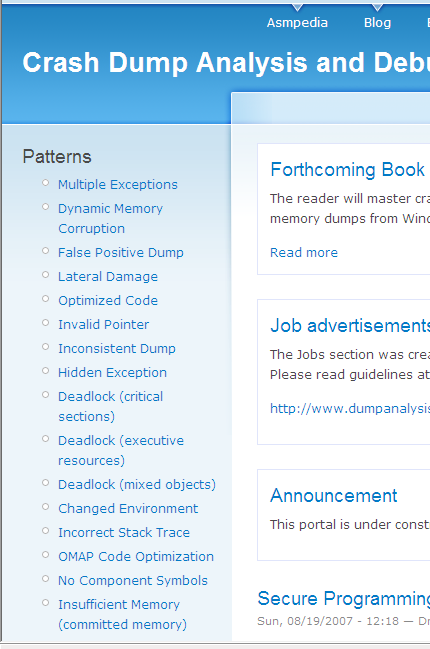
  • CDA Patterns are listed on the right side bar. These most popular posts from my blog are made readily accessible:

- Dmitry Vostokov @ DumpAnalysis.org -
Memory Dump - A Mathematical Definition

Wednesday, October 24th, 2007

This is the first post in Science of Memory Dump Analysis category where I apply philosophy, systems theory, mathematics, physics and computer science ideas. It was inspired after reading Life Itself book written by Robert Rosen where computers are depicted as direct sums of states. As shown in that book, in the case of machines, their synthetic models (direct sums) are equivalent to analytic models (direct product of observables). Taking every single bit as an observable having its values in Z2 set {0, 1} we can make a definition of an ideal memory dump as a direct product or a direct sum of bits saved instantaneously at the given time:

i si = i si

Of course, we can also consider bytes having 8 bits as observables having their values from Z256 set, etc.

In our case we can simply rewrite direct sum or product as the list of bits, bytes, words or double words, etc:

(…, si-1, si, si+1, …, sj-1, sj, sj+1, …)

According to Rosen we include hardware states (registers, for example) and partition memory into input, output states for particular computation and other states.

Saving a memory dump takes certain amount of time. Suppose that it takes 3 discrete time events (ticks). During the first tick we save memory up to (…, si-1, si) and that memory has some relationship to sj state. During the second tick sj state changes its value and during the 3rd tick we copy the rest of the memory (si+1, …, sj-1, sj, sj+1, …). Now we see that the final memory dump is inconsistent:

(…, si-1, si, si+1, …, sj-1, sj, sj+1, …)

I explained this earlier in plain words in Inconsistent Dump pattern. Therefore we might consider a real memory dump as a direct sum of disjoint memory areas Mt taken during some time interval (t0, …, tn)

M = t Mt where Mt = k stk or simply

M = t k stk

- Dmitry Vostokov @ DumpAnalysis.org -

Local crash dumps on Vista

Thursday, October 18th, 2007

It appears that Microsoft decided to help customers to save full user dumps locally for later postmortem analysis. According to MSDN this is done via LocalDumps registry key starting from Vista SP1 and Windows Server 2008:

http://msdn2.microsoft.com/en-us/library/bb787181.aspx

This is a quote from the article above:

[…] Prior to application termination, the system will check the registry settings to determine whether a local dump is to be collected. The registry settings control whether a full dump is collected versus a minidump. The custom flags specified also determine which information is collected in the dump. […] You can make use of the local dump collection even if WER is disabled. The local dumps are collected even if the user cancels WER reporting at any point. […]

From my understanding it is independent from the default postmortem debugger mechanism via AeDebug registry key and might help to solve the problem with native services. I haven’t tried it yet but will do as soon as I install Vista SP1 or install Windows Server 2008 RC0. If it works then dump collection might be easier in production environments because of no need to install Debugging Tools for Windows to set up a postmortem debugger.

- Dmitry Vostokov @ DumpAnalysis.org -

TOC for Windows® Crash Dump Analysis

Monday, October 15th, 2007

Following up the announcement of the forthcoming book I’ve published a preliminary Table of Contents which can be found here:

http://www.dumpanalysis.org/index.php?q=TOC+for+Windows+Crash+Dump+Analysis+Book

In November I’m going to publish a sample chapter and by that time try to finalize TOC.

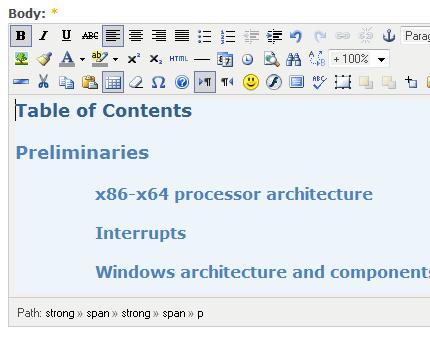
As a part of my preparatory work I also installed TinyMCE module for my Drupal installation and can now enjoy writing anytime and anywhere:

At the same time I’m trying to improve my writing by reading these two books:

Spring Into Technical Writing for Engineers and Scientists (Spring Into… Series)

Buy from Amazon

BUGS in Writing, Revised Edition: A Guide to Debugging Your Prose (2nd Edition)

Buy from Amazon

- Dmitry Vostokov @ DumpAnalysis.org -

Reading Windows-based Code (Part 6)

Thursday, October 4th, 2007

The HTML version of the presentation is located here:

Reading Windows-based Code (Part 6)

Contents:

  • Function pointers
  • Reading declarations
  • Pointers to structures

In Part 7 I’m planning to include the following topics:

  • Linked lists and their implementation overview
  • Windows linked lists (SINGLE_LIST_ENTRY, LIST_ENTRY)
  • Anatomy of a typical Windows service

- Dmitry Vostokov @ DumpAnalysis.org -
Heaps and heap corruption explained

Tuesday, October 2nd, 2007

Excellent free chapter explaining process heap implementation and debugging heap corruption issues from the authors of Advanced Windows Debugging book:

Sample Chapter

- Dmitry Vostokov @ DumpAnalysis.org -

Book: Windows® Crash Dump Analysis

Sunday, August 26th, 2007

After blogging for more than a year, accumulating initial amount of material and being persuaded by my colleagues at Citrix I finally decided to embrace a new challenge and write a book with a simple working title: Windows® Crash Dump Analysis.

The reader will master crash and hang memory dump analysis for process, kernel and complete memory dumps. The book will provide answers to many questions including those in the following list:

Memory Dump Analysis Interview Questions

and will also include guidelines for implementing SMART (Smart Memory Analysis in Real Time) process in a technical support or software maintenance environment.

As this is my first book I’m going to write the draft version online. More details and the link to Table of Contents will be announced in September/October.

I’ll continue blogging about crash dump analysis at the same time.

- Dmitry Vostokov @ DumpAnalysis.org -

Memory Dump Analysis Jobs

Sunday, August 26th, 2007

The Jobs section was created on Crash Dump Analysis Portal to assist companies in finding engineers skilled in crash/core dump analysis. Please read guidelines at:

http://www.dumpanalysis.org/index.php?q=jobs

- Dmitry Vostokov @ DumpAnalysis.org -

Reading Windows-based Code (Part 5)

Friday, August 24th, 2007

The HTML version of the presentation is located here:

Reading Windows-based Code (Part 5)

- Dmitry Vostokov @ DumpAnalysis.org -

Book: Advanced Windows Debugging

Friday, August 17th, 2007

Waiting for this book to be released:

Advanced Windows Debugging by Mario Hewardt and Daniel Pravat

Buy from Amazon

Already ordered it and will post my review as soon as it arrives.

- Dmitry Vostokov @ DumpAnalysis.org -

Dump2Picture update (version 1.1)

Monday, August 13th, 2007

Previously announced Dump2Picture has been updated to version 1.1 with the following improvements to handle 8 bits-per-pixel images correctly:

- Saves grey scale palette

- Calculates right bitmap width and file size

The update can be downloaded from the same link:

Download Dump2Picture

Now 8 bits-per-pixel Vista kernel dump looks much better:

- Dmitry Vostokov @ DumpAnalysis.org -

Reading Windows-based Code (Part 4)

Thursday, August 9th, 2007

The HTML version of the presentation is located here:

Reading Windows-based Code (Part 4)

I had to postpone a detailed overview of Windows specific types and the structure of a typical Windows GUI program for 5th part.

- Dmitry Vostokov @ DumpAnalysis.org -

Basic Windows Crash Dump Analysis (Part 1)

Tuesday, August 7th, 2007

I have published the HTML version (with minor updates) of the original training presentation created in 2005. 

The first part explains various concepts like process, thread, crash, hang, etc. and introduces memory dump classification from memory type and procedure perspectives. It also covers crash dump gathering and verification, explains symbols and lists common scenarios. Here is the link: 

Basic Windows Crash Dump Analysis (Part 1)

- Dmitry Vostokov @ DumpAnalysis.org -

Visualizing Memory Dumps

Saturday, August 4th, 2007

As the first step towards Memory Dump Tomography I created a small program that interprets a memory dump as a picture. You can visualize crash dumps with it. The tool is available for free download:

Download Dump2Picture

Simply run it from the command prompt and specify full paths to a dump file and an output BMP file. The memory dump file will be converted by default into true color, 32 bits-per-pixel bitmap. You can specify other values: 8, 16 and 24.

C:\Dump2Picture>Dump2Picture.exe

Dump2Picture version 1.0
Written by Dmitry Vostokov, 2007

Usage: Dump2Picture dumpfile bmpfile [8|16|24|32]

For example:

C:\Dump2Picture>Dump2Picture.exe MEMORY.DMP MEMORY.BMP 8

Dump2Picture version 1.0
Written by Dmitry Vostokov, 2007

MEMORY.BMP
MEMORY.DMP
        1 file(s) copied.

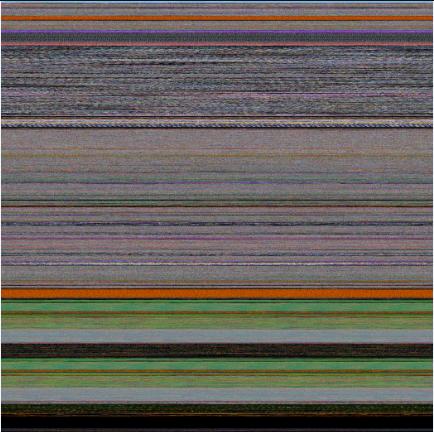
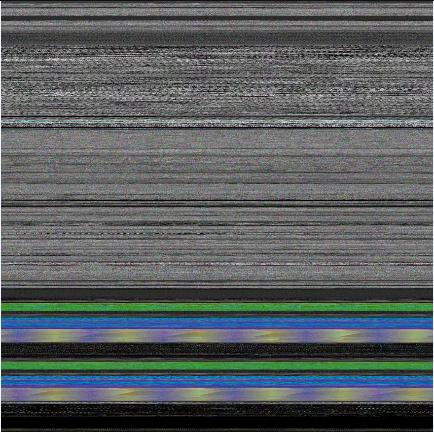
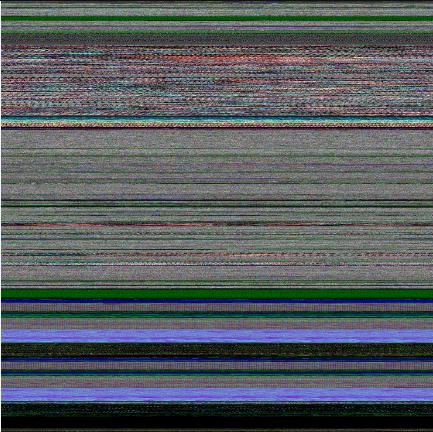
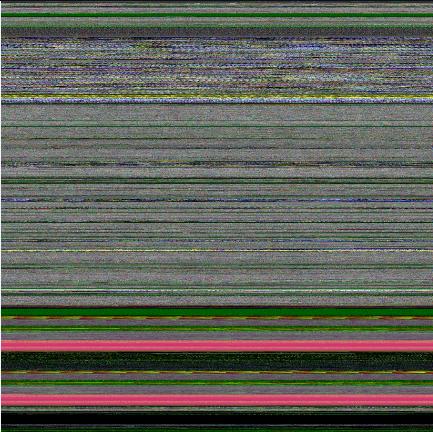
Below are some screenshots of bitmap files created by the tool. Think about them as visualized kernel or user address spaces. 

Vista kernel memory dump (8 bits-per-pixel):

Vista kernel memory dump (16 bits-per-pixel):

Vista kernel memory dump (24 bits-per-pixel):

Vista kernel memory dump (32 bits-per-pixel):

Notepad process user memory dump (8 bits-per-pixel):

Notepad process user memory dump (16 bits-per-pixel):

Notepad process user memory dump (24 bits-per-pixel):

Notepad process user memory dump (32 bits-per-pixel):

Mspaint process user memory dump (32 bits-per-pixel):

Mspaint process user memory dump after loading “Toco Toucan.jpg” from Vista Sample Pictures folder (32 bits-per-pixel):

Citrix ICA client process (wfica32.exe) user memory dump (32 bits-per-pixel):

Enjoy :-)

- Dmitry Vostokov @ DumpAnalysis.org -

Reading Windows-based Code (Part 3)

Friday, July 27th, 2007

The HTML version of the presentation is located here:

Reading Windows-based Code (Part 3)

The 4th part coming next week will be about Windows specific types and will describe in detail the structure of a typical Windows GUI program. 

- Dmitry Vostokov @ DumpAnalysis.org -

Reading Windows-based Code (Part 2)

Saturday, July 21st, 2007

The HTML version of the presentation is located here:

Reading Windows-based Code (Part 2)

This second part is still based on the first chapters from “Code Reading: The Open Source Perspective” book written by Diomidis Spinellis. As I mentioned in the first presentation (slide 2) that book never uses Windows-based code and this prompted me to start Code Reading (The Windows Perspective) series.

The 3rd part coming next week will be mostly about basic data types and introduce some Windows conventions related to them. 

- Dmitry Vostokov @ DumpAnalysis.org -

Reading Windows-based Code (Part 1)

Friday, July 13th, 2007

As promised here is the first introductory part of the Code Reading (The Windows Perspective) training. You might need to download and install Microsoft Office Animation Runtime if you don’t have PowerPoint installed:

PowerPoint 2003/2002 Add-in: Office Animation Runtime 

The HTML version of the presentation is located here:

Reading Windows-based Code (Part 1)

- Dmitry Vostokov @ DumpAnalysis.org -

StressPrinters update

Thursday, July 12th, 2007

The new version 1.3.1 has been published and can be downloaded from Citrix technical support:

StressPrinters 1.3.1 for 32-bit and 64-bit platforms

What’s new:

  1. Configurable timeout to mark potential printer drivers in the log 

  2. The log structure and warnings are documented in the article with an example

  3. AddPrinter command line section in the article for fine-tuning tests

  4. The option to execute a post-processing command after tests 

The motivation behind the creation of this tool is explained in the previous post:

StressPrinters: Stressing Printer Autocreation 

- Dmitry Vostokov @ DumpAnalysis.org -

WinDbg update 6.7.5.1

Sunday, July 8th, 2007

The new WinDbg has been released this week: 6.7.5.1. Contains some enhancements since 6.7.5.0 released earlier in April.

What’s New for Debugging Tools for Windows

One improvement is for handling mini-dumps:

When loading modules from a user-mode minidump provide available misc and CV record info from dump. This can allow symbols to be loaded in some cases when PE image file is not available.

- Dmitry Vostokov @ DumpAnalysis.org -