Archive for the ‘WinDbg Tips and Tricks’ Category

If I knew about that command, .step_filter …

Tuesday, August 5th, 2008

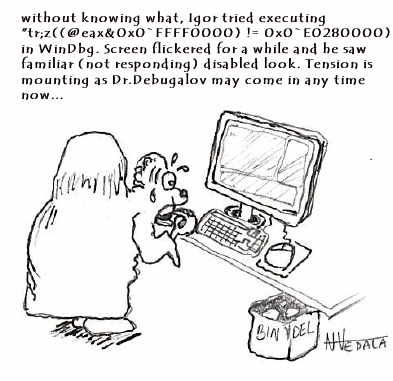
We all know that there are WinDbg commands that we cannot stop. New cartoon from Narasimha Vedala shows the common frustration of an engineer discovering non-interruptability at the time when it is not needed the most:

DBG_IgorExecutes from Narasimha Vedala

- Dmitry Vostokov @ DumpAnalysis.org -

WinDbg shortcuts: !envvar

Monday, August 4th, 2008

More than a year ago I wrote a post about checking computer name in various memory dump types:

Where did the crash dump come from?

Today I found yet another shortcut for process memory dumps using WinDbg command !envvar:

0:003> !envvar COMPUTERNAME
        COMPUTERNAME = MYHOMEPC

Of course, we can use it for any other variable. It also works for complete memory dumps but we need to set the appropriate process context first:

3: kd> !envvar PATH
        PATH = C:\WINDOWS\system32;C:\WINDOWS;[...]

- Dmitry Vostokov @ DumpAnalysis.org -

WinDbg shortcuts: .quit_lock

Sunday, August 3rd, 2008

I always have 10-20 or more simultaneously opened debugging sessions (mostly crash dump files) and sometimes I quit the wrong one accidentally or by mistake. After that I have to repeat some commands if I forgot to open a log file. I was very pleased to find today that there is a special WinDbg meta-command that prevents you from such accidents:

.quit_lock command sets a password to prevent you from accidentally ending the debugging session (from WinDbg help).

Here is an example:

0:001> .quit_lock
No quit lock

0:001> .quit_lock /s "password"
Quit lock string is 'password'

0:001> q
.quit_lock -q required to unlock 'q'

0:001> .quit_lock -q "password"
Quit lock removed

- Dmitry Vostokov @ DumpAnalysis.org -

WinDbg shortcuts: .dumpcab

Monday, July 28th, 2008

Suppose you are debugging a process and you want to send its memory dump to another engineer perhaps in a different company. You also use some symbol files that are not available on public symbol servers or your dump is minidump that requires certain images to be loaded too. Then you can use .dumpcab command to save a dump in a CAB file together with necessary symbols and images. You can only do it when your debugging target is a dump file. If you are debugging a live process you need to save a dump file first:

0:000> .dump /ma c:\UserDumps\notepad.dmp
Creating c:\UserDumps\notepad.dmp - mini user dump
Dump successfully written

Then you open the dump file and create a CAB file from it:

Loading Dump File [C:\UserDumps\notepad.dmp]
User Mini Dump File with Full Memory: Only application data is available

[...]

0:001> .dumpcab -a c:\UserDumps\notepad.cab
Creating a cab file can take a VERY VERY long time
.Ctrl-C can only interrupt the command after a file has been added to the cab.
  Adding C:\UserDumps\notepad.dmp - added
  Adding c:\mss\ntdll.pdb\B958B2F91A5A46B889DAFAB4D140CF252\ntdll.pdb - added
Wrote c:\UserDumps\notepad.cab

Additional information can be found in WinDbg help

- Dmitry Vostokov @ DumpAnalysis.org -

WinDbg shortcuts: .f+, .f-

Monday, July 28th, 2008

These are handy shortcuts to .frame command. .f+ shifts the current frame index down the stack trace and .f- shifts it up towards the top. More information can be found in WinDbg help.

Here is an example from notepad process stack trace:

0:000> kn
 # ChildEBP RetAddr
00 001bfcfc 761ef837 ntdll!KiFastSystemCallRet
01 001bfd00 761ef86a USER32!NtUserGetMessage+0xc
02 001bfd1c 00c31418 USER32!GetMessageW+0x33
03 001bfd5c 00c3195d notepad!WinMain+0xec
04 001bfdec 76364911 notepad!_initterm_e+0x1a1
05 001bfdf8 76fde4b6 kernel32!BaseThreadInitThunk+0xe
06 001bfe38 76fde489 ntdll!__RtlUserThreadStart+0x23
07 001bfe50 00000000 ntdll!_RtlUserThreadStart+0x1b
0:000> .f+
01 001bfd00 761ef86a USER32!NtUserGetMessage+0xc
0:000> .f+
02 001bfd1c 00c31418 USER32!GetMessageW+0x33
0:000> .f+
03 001bfd5c 00c3195d notepad!WinMain+0xec
0:000> .f+
04 001bfdec 76364911 notepad!_initterm_e+0x1a1
0:000> .f-
03 001bfd5c 00c3195d notepad!WinMain+0xec
0:000> .f-
02 001bfd1c 00c31418 USER32!GetMessageW+0x33
0:000> .f-
01 001bfd00 761ef86a USER32!NtUserGetMessage+0xc
0:000> .f-
00 001bfcfc 761ef837 ntdll!KiFastSystemCallRet
0:000> .f-
         ^ Current frame index underflow '.f-'

- Dmitry Vostokov @ DumpAnalysis.org -

WinDbg shortcuts: .exptr

Saturday, July 26th, 2008

Some WinDbg commands are very useful as shortcuts to common debugging actions. While working on Windows Debugging Notebook I constantly discover them and here is the first one: .exptr

“The .exptr command displays an EXCEPTION_POINTERS structure.” (from WinDbg help)

When looking at hidden exceptions and manual crash dumps we need information from this structure and this command provides a convenient way to see both exception record and exception context in one unified output:

0:003> kv
ChildEBP RetAddr  Args to Child             
00b3e11c 7c822124 7c83970f 0000004c 00000000 ntdll!KiFastSystemCallRet
00b3e120 7c83970f 0000004c 00000000 00000000 ntdll!NtWaitForSingleObject+0xc
00b3e15c 7c839620 00000000 00000004 00000001 ntdll!RtlpWaitOnCriticalSection+0x19c
00b3e17c 7c832ad0 7c889d94 09150000 7c889e0c ntdll!RtlEnterCriticalSection+0xa8
00b3e1b0 77e68de4 00000001 00000000 00b3e1ec ntdll!LdrLockLoaderLock+0xe4
00b3e210 77e98fae 09150000 00b3e5b0 00000104 kernel32!GetModuleFileNameW+0x77
00b3e24c 77e76d5f 091518b8 00b3e5a4 00000000 kernel32!FillUEFInfo+0x51
00b3e8d4 77e84269 00b3e8fc 77e6b831 00b3e904 kernel32!UnhandledExceptionFilter+0xec
00b3e8dc 77e6b831 00b3e904 00000000 00b3e904 kernel32!BaseThreadStart+0×4a
00b3e904 7c82eeb2 00b3e9e8 00b3ffdc 00b3ea04 kernel32!_except_handler3+0×61
00b3e928 7c82ee84 00b3e9e8 00b3ffdc 00b3ea04 ntdll!ExecuteHandler2+0×26
00b3e9d0 7c82ecc6 00b38000 00b3ea04 00b3e9e8 ntdll!ExecuteHandler+0×24
00b3e9d0 7c832335 00b38000 00b3ea04 00b3e9e8 ntdll!KiUserExceptionDispatcher+0xe (CONTEXT @ 00b3ea04)
00b3eeec 77e67319 00090000 00000000 0000056a ntdll!RtlAllocateHeap+0×9e3
[…]

0:003> .exptr 00b3e8fc

----- Exception record at 00b3e9e8:
ExceptionAddress: 7c832335 (ntdll!RtlAllocateHeap+0x000009e3)
   ExceptionCode: c0000005 (Access violation)
  ExceptionFlags: 00000000
NumberParameters: 2
   Parameter[0]: 00000001
   Parameter[1]: 0008019d
Attempt to write to address 0008019d

----- Context record at 00b3ea04:
eax=0325f1f0 ebx=00000051 ecx=00090000 edx=00090400 esi=0008019d edi=0325f1e8
eip=7c832335 esp=00b3ecd0 ebp=00b3eeec iopl=0 nv up ei ng nz na po cy
cs=001b  ss=0023  ds=0023  es=0023  fs=003b  gs=0000  efl=00010283
ntdll!RtlAllocateHeap+0x9e3:
7c832335 8906            mov     dword ptr [esi],eax  ds:0023:0008019d=01000002

- Dmitry Vostokov @ DumpAnalysis.org -

In Search of Lost CID

Friday, July 11th, 2008

Paraphrasing the title of Marcel Proust’s “In Search of Lost Time” 6-volume classic we can say there is timeless empirical knowledge. One is target CID (Client ID, PID:TID) for RPC calls. We just need to search for even 16-bit numbers and compare them with the list of available PIDs. The example can be found on ntdebugging blog:

Tracking Down a Multi-Process Deadlock

Actually the second dword after PID can contain even 16-bit TID number as can be seen from another example:

1: kd> kv
ChildEBP RetAddr  Args to Child             
[...]
00faf828 7778c38b 00faf8f0 00faf9f0 06413b54 ole32!CRpcChannelBuffer::SwitchAptAndDispatchCall+0x112
00faf908 776c0565 06413b54 00fafa00 00faf9f0 ole32!CRpcChannelBuffer::SendReceive2+0xd3
00faf974 776c04fa 06413b54 00fafa00 00faf9f0 ole32!CAptRpcChnl::SendReceive+0xab
00faf9c8 77ce247f 06413b54 00fafa00 00faf9f0 ole32!CCtxComChnl::SendReceive+0×1a9
00faf9e4 77ce252f 03213bdc 00fafa2c 0600016e RPCRT4!NdrProxySendReceive+0×43
00fafdcc 77ce25a6 763050e8 76306bba 00fafe04 RPCRT4!NdrClientCall2+0×206
00fafdec 77c64f87 0000000c 00000005 00fafe3c RPCRT4!ObjectStublessClient+0×8b
00fafdfc 7784ba75 03213bdc 03235858 03235850 RPCRT4!ObjectStubless+0xf
[…]

1: kd> dpp 06413b54 l8
06413b54  77672418 7778bcdf ole32!CRpcChannelBuffer::QueryInterface
06413b58  776723e8 777267f5 ole32!CRpcChannelBuffer::QueryInterface
06413b5c  00000003
06413b60  00000002
06413b64  0743fde8 0316f080
06413b68  07676528 031d5ad0
06413b6c  064c9c80 064c9d00
06413b70  078843c0 00000000

1: kd> dd 064c9c80 l4
064c9c80  064c9d00 064c9c00 00003108 00001dac ; PID TID

I have been using this technique for a long time and only now see it documented.

- Dmitry Vostokov @ DumpAnalysis.org -

Crash Dump Analysis Patterns (Part 19b)

Thursday, July 10th, 2008

Previously I wrote about how to calculate thread waiting time in kernel and complete memory dumps (Waiting Thread Time pattern). Now I show how to do it for user dumps. Unfortunately this information is not available in user space and therefore this can be done only approximately by calculating average or maximum waiting time.

The key is to take advantage of !runaway WinDbg command. Modern versions of postmortem debuggers and process dumpers usually save thread time information additionally. For example, /ma switch for .dump command does it. The later versions of userdump.exe also do it. When !runaway is invoked with 0y111 (7) flag it shows each thread user and kernel times and also the time elapsed since each thread was created. Therefore for threads that didn’t do much CPU intensive computation their average waiting time will almost correspond to their elapsed time. Unfortunately we cannot say when that computation took place. It could be the case that the thread in question was waiting 98.9% of the time, then did some computation for 0.01% and was waiting again 1% of the time or it could be the case that it was doing computation 0.01% of the time initially and then waiting the rest of the time (99.9%) until the dump was saved.

Consider this example of a sleeping thread:

0:000> ~32kL 100
ChildEBP RetAddr 
0a18f03c 7c826f4b ntdll!KiFastSystemCallRet
0a18f040 77e41ed1 ntdll!NtDelayExecution+0xc
0a18f0a8 77e424ed kernel32!SleepEx+0x68
0a18f0b8 1b0ac343 kernel32!Sleep+0xf
0a18f100 1b00ba49 msjet40!System::AllocatePages+0x15e
0a18f11c 1b00ba08 msjet40!PageDesc::WireCurrentPage+0x2f
0a18f13c 1b00b8dd msjet40!PageDesc::ReadPage+0x119
0a18f164 1b01b567 msjet40!Database::ReadPage+0x7a
0a18f190 1b00e309 msjet40!TableMover::GetNextRow+0xc9
0a18f1a8 1b015de9 msjet40!TableMover::Move+0xc4
0a18f1d8 1b015d9c msjet40!ErrIsamMove+0x6c
0a18f1f0 1b038aa4 msjet40!ErrDispMove+0x43
0a18f43c 1b015d9c msjet40!ErrJPMoveRange+0x350
0a18f454 1b0200b3 msjet40!ErrDispMove+0x43
0a18f6a0 1b021e4d msjet40!ErrMaterializeRows+0x1fd
0a18f6f0 1b021c0d msjet40!ErrJPSetColumnSort+0x191
0a18f718 1b0210a4 msjet40!ErrJPOpenSort+0x105
0a18f750 1b020de5 msjet40!ErrJPOpenRvt+0x171
0a18f9f0 1b039b82 msjet40!ErrExecuteQuery+0x548
0a18fa3c 1b05548b msjet40!ErrExecuteTempQuery+0x13d
0a18fa6c 4c23b01e msjet40!JetExecuteTempQuery+0xc9
0a18fa94 4c23a8d1 odbcjt32!DoJetCloseTable+0x64
0a18fd10 4c23a6b6 odbcjt32!SQLInternalExecute+0x217
0a18fd20 4c23a694 odbcjt32!SQLExecuteCover+0x1f
0a18fd28 488b3fc1 odbcjt32!SQLExecute+0x9
0a18fd44 0c4898b5 odbc32!SQLExecute+0xd3
[...]

The process uptime can be seen from vertarget WinDbg command:

0:000> vertarget
[...]
Process Uptime: 0 days 1:17:22.000
[...]

Then we dump thread times (only information for our 32nd thread is shown here):

0:000> !runaway 0y111
 User Mode Time
  Thread       Time
  32:cfc       0 days 0:00:00.109
[...]
 Kernel Mode Time
  Thread       Time
  32:cfc       0 days 0:00:00.062
[...]
 Elapsed Time
  Thread       Time
[...]
  32:cfc       0 days 1:17:20.703
[...]

We see that 1 hour, 17 minutes and almost 21 seconds  passed since the thread was created. By subtracting this time from process uptime we see that it was created in the first 2 seconds and it was consuming less than one second of CPU time. Therefore, most of the time this thread was waiting. Unfortunately we cannot say when it was waiting most of the time, in the beginning before it started sleeping or after. Fortunately we might continue guessing by looking at Sleep argument:

0:032> kv
ChildEBP RetAddr  Args to Child             
0a18f03c 7c826f4b 77e41ed1 00000000 0a18f080 ntdll!KiFastSystemCallRet
0a18f040 77e41ed1 00000000 0a18f080 00000000 ntdll!NtDelayExecution+0xc
0a18f0a8 77e424ed 00000032 00000000 04390000 kernel32!SleepEx+0x68
0a18f0b8 1b0ac343 00000032 042a34b4 0a18f1c8 kernel32!Sleep+0xf
[…]

We see that it had been sleeping for at most 32 milliseconds and perhaps this is a retry / sleep loop. We might guess that the thread was recently spinning in that loop and therefore waiting all the time before that. Alternatively we might guess that the retry portion is very small and fast and 32 milliseconds are spread over all elapsed time and the thread was in this loop the significant proportion of time. What we can surely say that the last waiting time was no more than 32 milliseconds. in the case of waiting for an event, for example, I don’t see any reliable way of calculating this time. If anyone knows please post a comment.

- Dmitry Vostokov @ DumpAnalysis.org -

Heuristic Stack Trace in WinDbg 6.9.3.113

Thursday, June 26th, 2008

Here is another 64-bit example of Hidden Exception pattern where looking at raw stack data helps in problem identification. Opening the dump in 6.8.0004.0 version of WinDbg shows this meaningless stack trace:

00000000`00000000 ??              ???

0:035> kL
Child-SP          RetAddr           : Call Site
00000000`00000000 00000000`00000000 : 0x0

Analysis command doesn’t help too:

FAULTING_IP:
ntdll!DbgBreakPoint+0
00000000`77ef2aa0 cc              int     3

EXCEPTION_RECORD:  ffffffffffffffff -- (.exr 0xffffffffffffffff)
ExceptionAddress: 0000000077ef2aa0 (ntdll!DbgBreakPoint)
   ExceptionCode: 80000003 (Break instruction exception)
  ExceptionFlags: 00000000
NumberParameters: 1
   Parameter[0]: 0000000000000000

FAULTING_THREAD:  0000000000000e50

DEFAULT_BUCKET_ID:  STATUS_BREAKPOINT

PROCESS_NAME:  application.exe

ERROR_CODE: (NTSTATUS) 0x80000003 - {EXCEPTION}  Breakpoint  A breakpoint has been reached.

NTGLOBALFLAG:  2000000

APPLICATION_VERIFIER_FLAGS:  0

LAST_CONTROL_TRANSFER:  from 0000000000000000 to 0000000000000000

STACK_TEXT: 
00000000`00000000 00000000`00000000 : 00000000`00000000 00000000`00000000 00000000`00000000 00000000`00000000 : 0x0

STACK_COMMAND:  kb

PRIMARY_PROBLEM_CLASS:  STATUS_BREAKPOINT

BUGCHECK_STR:  APPLICATION_FAULT_STATUS_BREAKPOINT_STACK_CORRUPTION

FOLLOWUP_IP:
ntdll!DbgBreakPoint+0
00000000`77ef2aa0 cc              int     3

SYMBOL_NAME:  ntdll!DbgBreakPoint+0

FOLLOWUP_NAME:  MachineOwner

MODULE_NAME: ntdll

IMAGE_NAME:  ntdll.dll

DEBUG_FLR_IMAGE_TIMESTAMP:  45d6cc72

FAILURE_BUCKET_ID:  ntdll.dll!DbgBreakPoint_80000003_STATUS_BREAKPOINT

BUCKET_ID:  X64_APPLICATION_FAULT_STATUS_BREAKPOINT_STACK_CORRUPTION_ntdll!DbgBreakPoint+0

Followup: MachineOwner
---------

However, looking at thread raw stack data allows us to get the problem stack trace showing that the full page heap enabled process detected heap corruption during free operation:

0:035> !teb
TEB at 000007fffff72000
    ExceptionList:        0000000000000000
    StackBase:            00000000080e0000
    StackLimit:           00000000080d8000

    SubSystemTib:         0000000000000000
    FiberData:            0000000000001e00
    ArbitraryUserPointer: 0000000000000000
    Self:                 000007fffff72000
    EnvironmentPointer:   0000000000000000
    ClientId:             0000000000000918 . 0000000000000e50
    RpcHandle:            0000000000000000
    Tls Storage:          0000000000000000
    PEB Address:          000007fffffd8000
    LastErrorValue:       0
    LastStatusValue:      c0000034
    Count Owned Locks:    0
    HardErrorMode:        0

0:035> dds 00000000080d8000 00000000080e0000
[...]
00000000`080dd7b8  00000000`77ef3202 ntdll!KiUserExceptionDispatcher+0×52
00000000`080dd7c0  00000000`0178070a
00000000`080dd7c8  00000000`080dd7c0 ; exception context

00000000`080dd7d0  00000000`08599d30
00000000`080dd7d8  00000000`00000020
00000000`080dd7e0  00000000`00000000
00000000`080dd7e8  00000000`00000000
00000000`080dd7f0  00001fa0`0010001f
00000000`080dd7f8  0053002b`002b0033
00000000`080dd800  00000202`002b002b
00000000`080dd808  00000000`00000000
[…]

0:035> .cxr 00000000`080dd7c0
rax=0000000000000001 rbx=0000000008599d30 rcx=000077fad8cd0000
rdx=00000000ffff0165 rsi=0000000077ec0000 rdi=0000000000000000
rip=0000000077ef2aa0 rsp=00000000080ddd58 rbp=0000000000000020
 r8=00000000ffffffff  r9=0000000000000000 r10=0000000000000007
r11=0000000000000000 r12=00000000080dde70 r13=0000000077f5d300
r14=0000000077f5d2f0 r15=0000000077f86bc0
iopl=0  nv up ei pl nz na pe nc
cs=0033 ss=002b ds=002b es=002b fs=0053 gs=002b efl=00000202
ntdll!DbgBreakPoint:
00000000`77ef2aa0 cc              int     3

0:035> kL 100
Child-SP          RetAddr           Call Site
00000000`080ddd58 00000000`77f5c78d ntdll!DbgBreakPoint
00000000`080ddd60 00000000`77f5da05 ntdll!RtlpDphReportCorruptedBlock+0×86d
00000000`080dde50 00000000`77f5a0f3 ntdll!RtlpDphNormalHeapFree+0×45
00000000`080ddfb0 00000000`77f60d5b ntdll!RtlpDebugPageHeapFree+0×203
00000000`080de0e0 00000000`77f3bcc8 ntdll!RtlDebugFreeHeap+0×3b
00000000`080de170 00000000`77edc095 ntdll!RtlFreeHeapSlowly+0×4e
00000000`080de2e0 000007ff`7fc2daab ntdll!RtlFreeHeap+0×15e
00000000`080de3f0 00000000`67fa288f msvcrt!free+0×1b
00000000`080de420 00000000`1000d3e9 dll!FreeMem+0xf

[…]
00000000`080df180 000007ff`7fe96cc9 RPCRT4!Invoke+0×65
00000000`080df1e0 000007ff`7fe9758d RPCRT4!NdrStubCall2+0×54d
00000000`080df7a0 000007ff`7fd697b4 RPCRT4!NdrServerCall2+0×1d
00000000`080df7d0 000007ff`7fde06b6 RPCRT4!DispatchToStubInCNoAvrf+0×14
00000000`080df800 000007ff`7fd6990d RPCRT4!DispatchToStubInCAvrf+0×16
00000000`080df830 000007ff`7fd69766 RPCRT4!RPC_INTERFACE::DispatchToStubWorker+0×50d
00000000`080df9a0 000007ff`7fd6b214 RPCRT4!RPC_INTERFACE::DispatchToStub+0×2ec
00000000`080dfa20 000007ff`7fd6b9e3 RPCRT4!LRPC_SCALL::DealWithRequestMessage+0×63b
00000000`080dfae0 000007ff`7fd7007c RPCRT4!LRPC_ADDRESS::DealWithLRPCRequest+0×3bf
00000000`080dfba0 000007ff`7fd45369 RPCRT4!LRPC_ADDRESS::ReceiveLotsaCalls+0×710
00000000`080dfeb0 000007ff`7fd65996 RPCRT4!RecvLotsaCallsWrapper+0×9
00000000`080dfee0 000007ff`7fd65d51 RPCRT4!BaseCachedThreadRoutine+0xde
00000000`080dff50 00000000`77d6b6da RPCRT4!ThreadStartRoutine+0×21
00000000`080dff80 00000000`00000000 kernel32!BaseThreadStart+0×3a

Opening the dump in 6.9.3.113 version of WinDbg and running verbose analysis command shows “heuristic” stack trace (all symbols from raw stack) similar to old W2K extension stack command (see Guessing stack trace) where I highlighted exception processing hints in magenta:

0:035> !analyze -v
[...]
STACK_TEXT: 
00000000`77f15fb3 ntdll!RtlLookupFunctionTable
000007ff`5738e62c ole32!_pfnDliNotifyHook2 <PERF> (ole32+0x24e62c)
000007ff`57140000 ole32!_imp_TraceMessage <PERF> (ole32+0x0)
000007ff`57178356 ole32!ICoCreateInstanceEx
00000000`77ec0000 ntdll!_real <PERF> (ntdll+0x0)
00000000`77ef31dd ntdll!KiUserExceptionDispatcher
00000000`77f3ad68 ntdll!RtlAllocateHeapSlowly
00000000`77f967b8 ntdll!$$VProc_ImageExportDirectory
00000000`77f416ce ntdll!RtlpLookupFunctionEntryForStackWalks
00000000`77ef2aa0 ntdll!DbgBreakPoint
00000000`77ee5a36 ntdll!RtlVirtualUnwind
00000000`77f41c13 ntdll!RtlpWalkFrameChain
00000000`77f5d300 ntdll!`string'
00000000`77f5d2f0 ntdll!`string'
00000000`77f86bc0 ntdll!`string'
00000000`77ee455d ntdll!RtlpExecuteHandlerForException
00000000`77edc095 ntdll!RtlFreeHeap
00000000`77f979e4 ntdll!$$VProc_ImageExportDirectory
00000000`77ed609a ntdll!RtlCreateProcessParameters
00000000`77d5c71f kernel32!BasePushProcessParameters
00000000`77dc059b kernel32!UnhandledExceptionFilter
00000000`77ee6097 ntdll!RtlDispatchException
00000000`77f51285 ntdll!RtlpCaptureStackTraceForLogging
00000000`77f60270 ntdll!RtlDebugAllocateHeap
00000000`77f511a3 ntdll!RtlpExtendStackTraceDataBase
00000000`77d6ec00 kernel32!BasepComputeProcessPath
00000000`77d5c5b2 kernel32!BasePushProcessParameters
00000000`77d59c71 kernel32!CreateProcessInternalW
00000000`77dbc2df kernel32!BaseThreadStart
00000000`77ee6583 ntdll!_C_specific_handler
00000000`77f51432 ntdll!RtlpLogCapturedStackTrace
00000000`77f5e572 ntdll!RtlpDphLogStackTrace
00000000`77d5c4b2 kernel32!BasePushProcessParameters
00000000`77f4bb56 ntdll!DeleteNodeFromTree
00000000`77f4bf24 ntdll!RtlDeleteElementGenericTableAvl
00000000`77f574e1 ntdll!RtlpDphRemoveFromBusyList
00000000`77f5a0dd ntdll!RtlpDebugPageHeapFree
00000000`77f41799 ntdll!RtlCaptureStackBackTrace
00000000`67fa288f dll!FreeMem
00000000`77f5e559 ntdll!RtlpDphLogStackTrace
00000000`77f5a09f ntdll!RtlpDebugPageHeapFree
00000000`77f60d5b ntdll!RtlDebugFreeHeap
00000000`77f3bcc8 ntdll!RtlFreeHeapSlowly
00000000`77d4f7bc kernel32!CreateProcessInternalW
00000000`77f513bd ntdll!RtlpLogCapturedStackTrace
00000000`77ed495f ntdll!RtlDestroyProcessParameters
00000000`77d5c7c2 kernel32!BasePushProcessParameters
00000000`77dc0730 kernel32!`string’
00000000`77d813f0 kernel32!`string’
00000001`000000e0 application!_imp_RegQueryValueExW <PERF> (application+0xe0)
00000000`77ef9971 ntdll!RtlImageNtHeader
00000000`77d6b302 kernel32!BaseCreateStack
00000000`77d5c8a1 kernel32!BaseInitializeContext
00000000`77ef5a81 ntdll!CsrClientCallServer
00000000`77d5c829 kernel32!CreateProcessInternalW
00000001`00000001 application!_imp_RegQueryValueExW <PERF> (application+0×1)
00000001`00000000 application!_imp_RegQueryValueExW <PERF> (application+0×0)
000007ff`57178717 ole32!CProcessActivator::CCICallback
000007ff`571921bf ole32!CoCreateInstance
00000000`77d59620 kernel32!BaseProcessStart
00000000`77dc05d4 kernel32!UnhandledExceptionFilter
00000000`77e346e0 kernel32!__PchSym_ <PERF> (kernel32+0xf46e0)
00000000`77d6b6da kernel32!BaseThreadStart
000007ff`7fe7a934 RPCRT4!Ndr64pSizing
00000000`77f41c93 ntdll!RtlpWalkFrameChain
00000000`77edca76 ntdll!RtlAllocateHeap
00000000`77d40000 kernel32!_imp_memcpy <PERF> (kernel32+0×0)
00000000`77fa0100 ntdll!RtlpStaticDebugInfo
00000000`77ed08b3 ntdll!vsnwprintf
00000000`77dbf42c kernel32!StringCchPrintfW
00000000`77d6e314 kernel32!CloseHandle
00000000`77dc06d8 kernel32!UnhandledExceptionFilter
00000000`77e0a958 kernel32!`string’
00000000`77e29080 kernel32!CfgmgrDllString
000007ff`7fd697b4 RPCRT4!DispatchToStubInCNoAvrf
00000000`77efc2d9 ntdll!bsearch
00000000`77efc791 ntdll!RtlpFindUnicodeStringInSection
00000000`77e23454 kernel32!__PchSym_ <PERF> (kernel32+0xe3454)
00000000`77e1d324 kernel32!g_hModW03A2409
00000000`77e1d330 kernel32!g_hModW03A2409
00000000`77f39fce ntdll!RtlLookupFunctionEntry
00000000`77f39231 ntdll!RtlDispatchException
00000000`77fa3c70 ntdll!RtlpCallbackEntryList
00000000`77d92290 kernel32!_C_specific_handler
00000000`77e30033 kernel32!__PchSym_ <PERF> (kernel32+0xf0033)
000007ff`7fd65d51 RPCRT4!ThreadStartRoutine
00000000`77efc437 ntdll!RtlpLocateActivationContextSection
00000000`77ef8708 ntdll!RtlFindActivationContextSectionString
000007ff`7fc2dab0 msvcrt!free
00000000`77fc5f08 ntdll!CsrPortMemoryRemoteDelta <PERF> (ntdll+0×105f08)
00000000`77fc5fe0 ntdll!CsrPortMemoryRemoteDelta <PERF> (ntdll+0×105fe0)
00000000`77fc5dd0 ntdll!CsrPortMemoryRemoteDelta <PERF> (ntdll+0×105dd0)
00000000`77fc6250 ntdll!CsrPortMemoryRemoteDelta <PERF> (ntdll+0×106250)
00000000`77fc2614 ntdll!CsrPortMemoryRemoteDelta <PERF> (ntdll+0×102614)
00000000`77fb2e28 ntdll!CsrPortMemoryRemoteDelta <PERF> (ntdll+0xf2e28)
000007ff`7fc00000 msvcrt!_imp_MultiByteToWideChar <PERF> (msvcrt+0×0)
000007ff`7fc7fb78 msvcrt!bufin <PERF> (msvcrt+0×7fb78)
00000000`77ef3202 ntdll!KiUserExceptionDispatcher
00000000`77f86220 ntdll!`string’
00000000`77f5c78d ntdll!RtlpDphReportCorruptedBlock
00000000`77f5d1b0 ntdll!`string’
00000000`77f5d1e0 ntdll!`string’
00000000`77f5d200 ntdll!`string’
00000000`77f5da05 ntdll!RtlpDphNormalHeapFree
000007ff`7fde06b6 RPCRT4!DispatchToStubInCAvrf
000007ff`7fd7007c RPCRT4!LRPC_ADDRESS::ReceiveLotsaCalls
000007ff`7fd45369 RPCRT4!RecvLotsaCallsWrapper
000007ff`7fd65996 RPCRT4!BaseCachedThreadRoutine
00000000`77f57370 ntdll!RtlpDphFindBusyMemory
00000000`77f5a0f3 ntdll!RtlpDebugPageHeapFree
000007ff`57197e5b ole32!CRetailMalloc_Free
00000000`77c30000 USER32!InternalCreateDialog
000007ff`5719a21a ole32!COleStaticMutexSem::Request
00000000`77d6d6e1 kernel32!FreeLibrary
000007ff`7ebc0000 OLEAUT32!_imp_RegFlushKey <PERF> (OLEAUT32+0×0)
000007ff`56db3024 msxml3!ModelInit::~ModelInit
00000000`77d6e76c kernel32!LocalAlloc
000007ff`7fc2daab msvcrt!free
000007ff`7fd70000 RPCRT4!LRPC_ADDRESS::ReceiveLotsaCalls
000007ff`7ff0b397 ADVAPI32!LocalBaseRegOpenKey
000007ff`7ff0b977 ADVAPI32!RegQueryValueExW
000007ff`7ff0b20e ADVAPI32!LocalBaseRegCloseKey
000007ff`7ff0b19f ADVAPI32!RegCloseKey
00000000`77ef7b33 ntdll!RtlNtStatusToDosError
000007ff`7fd66238 RPCRT4!LRPC_SCALL::ImpersonateClient
00000000`77efbcdf ntdll!RtlEqualSid
000007ff`7fd662a6 RPCRT4!LRPC_SCALL::RevertToSelf
000007ff`7ff0c6d4 ADVAPI32!GetTokenInformation
000007ff`7fd5cb7b RPCRT4!RpcRevertToSelf
000007ff`7fd666b2 RPCRT4!SCALL::AddToActiveContextHandles
000007ff`7fd37f76 RPCRT4!NDRSContextUnmarshall2
00000000`77f5a001 ntdll!RtlpDebugPageHeapFree
000007ff`7fd6f32b RPCRT4!DCE_BINDING::`scalar deleting destructor’
000007ff`7fd604c3 RPCRT4!RpcStringBindingParseW
000007ff`7fd30000 RPCRT4!_imp_GetSecurityDescriptorDacl <PERF> (RPCRT4+0×0)
000007ff`7fd66374 RPCRT4!NdrServerContextNewUnmarshall
000007ff`7fd605e5 RPCRT4!RpcStringFreeA
000007ff`7fd69e00 RPCRT4!NdrServerInitialize
000007ff`7fd65e81 RPCRT4!RPC_INTERFACE::CheckSecurityIfNecessary
000007ff`7fd6b9e3 RPCRT4!LRPC_ADDRESS::DealWithLRPCRequest
000007ff`7fd66c1e RPCRT4!NdrUnmarshallHandle
000007ff`7fd69a75 RPCRT4!Invoke
000007ff`7fe96cc9 RPCRT4!NdrStubCall2
00000000`77f5e500 ntdll!RtlpDphFreeDelayedBlocksFromHeap
000007ff`7fd608b4 RPCRT4!SVR_BINDING_HANDLE::SVR_BINDING_HANDLE
00000000`77ef7dbb ntdll!RtlInitializeCriticalSectionAndSpinCount
000007ff`7fd60100 RPCRT4!DCE_BINDING::StringBindingCompose
000007ff`7fe9758d RPCRT4!NdrServerCall2
000007ff`7fd5cffd RPCRT4!ParseAndCopyEndpointField
000007ff`7fd604ce RPCRT4!RpcStringBindingParseW
000007ff`7fd6990d RPCRT4!RPC_INTERFACE::DispatchToStubWorker
000007ff`7fc40b0f msvcrt!getptd
000007ff`7fd37eaf RPCRT4!RpcServerInqCallAttributesW
000007ff`7fd65e9c RPCRT4!RPC_INTERFACE::CheckSecurityIfNecessary
000007ff`7fd69766 RPCRT4!RPC_INTERFACE::DispatchToStub
000007ff`7fd6b214 RPCRT4!LRPC_SCALL::DealWithRequestMessage
000007ff`7fd70466 RPCRT4!LRPC_ADDRESS::DereferenceAssociation
000007ff`7fd6ee28 RPCRT4!LRPC_SASSOCIATION::DealWithCopyMessage
000007ff`7fd65d30 RPCRT4!ThreadStartRoutine
00000000`77d6b6a0 kernel32!BaseThreadStart

- Dmitry Vostokov @ DumpAnalysis.org -
Data Recovery with Memory Dump Analysis

Monday, June 9th, 2008

My friend was typing a long message in IE to one of his old schoolmates that he had just found on Internet. He spent about an hour writing and rewriting and when finally hit the Send button he got a page saying that connection was probably lost. Going back in URL history brought the empty edit box and all data was lost. Or was it? He called me and I immediately advised him to save a crash dump of iexplore.exe using Task Manager (Vista). I also asked him for a word he used to start his message. It was “Hello” in Russian. I got his dump file and opened it in WinDbg. Because the language of his message was Russian I assumed that it was still there in local buffers or heap entries in UNICODE format so I typed “ello” in Notepad and saved this in a Unicode text file. Loading it in a binary editor (I used Visual C++) showed the following sequence of bytes:

40 04 38 04 32 04 35 04 42 04

Then I did a search in WinDbg for this sequence from the first loaded module address till the end of user space:

0:000> lm
start    end        module name
003c0000 0045b000   iexplore
[...]

0:000> s 003c0000 L?7FFFFFFF 40 04 38 04 32 04 35 04 42 04
[...]
048971e4 40 04 38 04 32 04 35 04-42 04 2c 00 20 00 1c 04  @.8.2.5.B.,. ...
[...]
08530fe4 40 04 38 04 32 04 35 04-42 04 2c 00 20 00 1c 04 @.8.2.5.B.,. ...
[...]
201ea65c 40 04 38 04 32 04 35 04-42 04 2c 00 20 00 1c 04 @.8.2.5.B.,. ...
[...]
 

The number of found entries was big and I decided to output every entry into a file using the following script: 

.foreach ( address { s-[1]b 003c0000 L?7FFFFFFF 40 04 38 04 32 04 35 04 42 04 }) {.writemem c:\dmitry\ieout${address}.txt ${address}-10 ${address}+1000}

I got numerous files:

C:\dmitry>dir ieout*.txt
[...]
09/06/2008  08:53               4112 ieout0x048971e4.txt
09/06/2008  08:53               4112 ieout0x0489784c.txt
09/06/2008  08:53               4112 ieout0x0489b854.txt
09/06/2008  08:53               4112 ieout0x0489bc5c.txt
[...]

I combined all of them into one big file and sent it to my friend:

C:\dmitry>type ieout0x*.txt >ieoutall.txt

The file contained not only the final message but all intermediate typing histories too. He was very happy.

- Dmitry Vostokov @ DumpAnalysis.org -

Who opened that file?

Friday, May 30th, 2008

Sometimes certain files are opened but not closed when not needed and this prevents other applications and users from using, deleting or replacing them. Sometimes on behalf of certain API calls another process opens them. One of the questions I was asked recently is how to find that process. The answer that I found is very simple: just list all handles from all processes and search for that file name there. This works in kernel and complete memory dumps and also in live kernel debugging session including its local kernel debugging variant. The following WinDbg command lists all objects (we need to open a log because the output is usually of several megabytes):

3: kd> !for_each_process "!handle 0 3 @#Process"

!handle 0 3 @#Process
processor number 3, process 8a392818
PROCESS 8a392818  SessionId: none  Cid: 0004    Peb: 00000000  ParentCid: 0000
    DirBase: bfc51000  ObjectTable: e1001e00  HandleCount: 2650.
    Image: System

Handle table at e16a3000 with 2650 Entries in use
0004: Object: 8a392818  GrantedAccess: 001f0fff Entry: e1004008
Object: 8a392818  Type: (8a392e70) Process
    ObjectHeader: 8a392800 (old version)
        HandleCount: 3  PointerCount: 235

0008: Object: 8a391db0  GrantedAccess: 00000000 Entry: e1004010
Object: 8a391db0  Type: (8a392ca0) Thread
    ObjectHeader: 8a391d98 (old version)
        HandleCount: 1  PointerCount: 1

000c: Object: e101bca0  GrantedAccess: 00000000 Entry: e1004018
Object: e101bca0  Type: (8a37db00) Key
    ObjectHeader: e101bc88 (old version)
        HandleCount: 1  PointerCount: 3
        Directory Object: 00000000  Name: \REGISTRY

[...]

1fac: Object: 88ec72b0  GrantedAccess: 00000003 (Protected) Entry: e1ed7f58
Object: 88ec72b0  Type: (8a36f900) File
    ObjectHeader: 88ec7298 (old version)
        HandleCount: 1  PointerCount: 2
        Directory Object: 00000000  Name: \Documents and Settings\MyUserName\NTUSER.DAT {HarddiskVolume1}

[...]

07fc: Object: e1000768  GrantedAccess: 00000003 Entry: e2fefff8
Object: e1000768  Type: (8a387e70) KeyedEvent
    ObjectHeader: e1000750 (old version)
        HandleCount: 273  PointerCount: 274
        Directory Object: e1001a48  Name: CritSecOutOfMemoryEvent

processor number 3, process 8873f3b8
PROCESS 8873f3b8  SessionId: 6  Cid: 4c1c    Peb: 7ffdf000  ParentCid: 42bc
    DirBase: 49dbb000  ObjectTable: e325f788  HandleCount:  90.
    Image: PROFLWIZ.EXE

Handle table at e36c3000 with 90 Entries in use
0004: Object: e1000768  GrantedAccess: 00000003 Entry: e36c3008
Object: e1000768  Type: (8a387e70) KeyedEvent
    ObjectHeader: e1000750 (old version)
        HandleCount: 273  PointerCount: 274
        Directory Object: e1001a48  Name: CritSecOutOfMemoryEvent

[...]

- Dmitry Vostokov @ DumpAnalysis.org -

.NET Managed Code Analysis in Complete Memory Dumps

Wednesday, May 28th, 2008

While working on WDN book I noticed that it is possible to analyze managed code in complete memory dumps. We just need to switch to the process in question and load SOS DLL (if memory dumps are from 64-bit Windows we need to run 64-bit WinDbg because it needs to load 64-bit SOS from Microsoft.NET \ Framework64 \ vX.X.XXXXX folder).

Here is some command output from a complete memory dump generated from SystemDump when running TestDefaultDebugger.NET application where we try to find and disassemble IL code for this function:

namespace WindowsApplication1
{
  public partial class Form1 : Form
  {
[...]
  private void button1_Click(object sender, EventArgs e)
  {
  System.Collections.Stack stack = new System.Collections.Stack();
stack.Pop();
  }
  }
}

Loading Dump File [C:\W2K3\MEMORY_NET.DMP]
Kernel Complete Dump File: Full address space is available

Symbol search path is: srv*c:\mss*http://msdl.microsoft.com/download/symbols
Executable search path is:
Windows Server 2003 Kernel Version 3790 (Service Pack 2) UP Free x64
Product: Server, suite: Enterprise TerminalServer
Built by: 3790.srv03_sp2_gdr.070321-2337
Kernel base = 0xfffff800`01000000 PsLoadedModuleList = 0xfffff800`01198b00

kd> !process 0 0
**** NT ACTIVE PROCESS DUMP ****
[...]
PROCESS fffffadfe7287610
    SessionId: 0  Cid: 0ad8    Peb: 7fffffdf000  ParentCid: 0acc
    DirBase: 12cd9000  ObjectTable: fffffa800163c260  HandleCount: 114.
    Image: TestDefaultDebugger.NET.exe

PROCESS fffffadfe67905a0
    SessionId: 0  Cid: 085c    Peb: 7fffffd4000  ParentCid: 0acc
    DirBase: 232e2000  ObjectTable: fffffa8000917e10  HandleCount:  55.
    Image: SystemDump.exe

kd> .process /r /p fffffadfe7287610
Implicit process is now fffffadf`e7287610
Loading User Symbols

kd> .loadby sos mscorwks

kd> !threads

ThreadCount: 2
UnstartedThread: 0
BackgroundThread: 1
PendingThread: 0
DeadThread: 0
Hosted Runtime: no
                                              PreEmptive                                                Lock
       ID OSID        ThreadOBJ     State   GC     GC Alloc Context                  Domain           Count APT Exception
       1  a94 0000000000161150      6020 Enabled  0000000000000000:0000000000000000 000000000014ccb0     0 STA
       2  604 00000000001688b0      b220 Enabled  0000000000000000:0000000000000000 000000000014ccb0     0 MTA (Finalizer)

kd> !process fffffadfe7287610 4
PROCESS fffffadfe7287610
    SessionId: 0  Cid: 0ad8    Peb: 7fffffdf000  ParentCid: 0acc
    DirBase: 12cd9000  ObjectTable: fffffa800163c260  HandleCount: 114.
    Image: TestDefaultDebugger.NET.exe

        THREAD fffffadfe668cbf0  Cid 0ad8.0a94  Teb: 000007fffffdd000 Win32Thread: fffff97ff4df2830 WAIT
        THREAD fffffadfe727e6d0  Cid 0ad8.0f54  Teb: 000007fffffdb000 Win32Thread: 0000000000000000 WAIT
        THREAD fffffadfe72d5bf0  Cid 0ad8.0604  Teb: 000007fffffd9000 Win32Thread: 0000000000000000 WAIT
        THREAD fffffadfe679cbf0  Cid 0ad8.06b0  Teb: 000007fffffd7000 Win32Thread: 0000000000000000 WAIT
        THREAD fffffadfe67d23d0  Cid 0ad8.0b74  Teb: 000007fffffd5000 Win32Thread: fffff97ff4b99010 WAIT

kd> !EEHeap -gc
Number of GC Heaps: 1
generation 0 starts at 0x0000000002a41030
generation 1 starts at 0x0000000002a41018
generation 2 starts at 0x0000000002a41000
ephemeral segment allocation context: (0x0000000002a8d528, 0x0000000002a8dfe8)
         segment            begin         allocated             size
00000000001a1260 0000064274e28f60  0000064274e5f610 0x00000000000366b0(222896)
00000000001a1070 000006427692ffe8  000006427695af20 0x000000000002af38(175928)
0000000000164f60 00000642787c7380  0000064278809150 0x0000000000041dd0(269776)
0000000002a40000 0000000002a41000  0000000002a8dfe8 0x000000000004cfe8(315368)
Large object heap starts at 0x0000000012a41000
         segment            begin         allocated             size
0000000012a40000 0000000012a41000  0000000012a4e738 0x000000000000d738(55096)
Total Size           0xfdad8(1039064)
------------------------------
GC Heap Size           0xfdad8(1039064)

kd> !gchandles
Bad MethodTable for Obj at 0000000002a7a7b8
Bad MethodTable for Obj at 0000000002a7a750
Bad MethodTable for Obj at 0000000002a445b0
GC Handle Statistics:
Strong Handles: 25
Pinned Handles: 7
Async Pinned Handles: 0
Ref Count Handles: 1
Weak Long Handles: 30
Weak Short Handles: 63
Other Handles: 0
Statistics:
              MT    Count    TotalSize Class Name
[...]
0000064280016580        1          464 WindowsApplication1.Form1
[…]

kd> !dumpmt -md 0000064280016580
EEClass: 0000064280143578
Module: 0000064280012e00
Name: WindowsApplication1.Form1
mdToken: 02000002  (C:\TestDefaultDebugger.NET.exe)
BaseSize: 0×1d0
ComponentSize: 0×0
Number of IFaces in IFaceMap: 15
Slots in VTable: 375
————————————–
MethodDesc Table
           Entry       MethodDesc      JIT Name
[…]
0000064280150208 00000642800164d0      JIT WindowsApplication1.Form1.InitializeComponent()
0000064280150210 00000642800164e0      JIT WindowsApplication1.Form1..ctor()
0000064280150218 00000642800164f0     NONE WindowsApplication1.Form1.button1_Click(System.Object, System.EventArgs)

kd> !dumpil 00000642800164f0
ilAddr = 00000000004021bc
IL_0000: newobj System.Collections.Stack::.ctor
IL_0005: stloc.0
IL_0006: ldloc.0
IL_0007: callvirt System.Collections.Stack::Pop
IL_000c: pop
IL_000d: ret

- Dmitry Vostokov @ DumpAnalysis.org -

WinDbg cheat sheet for crash dump analysis

Friday, May 9th, 2008

Thanks to Volker who noticed WinDbg online help I was able to quickly update my HTML version of CDA Poster to point to online links instead of the local help CHM file:

http://www.dumpanalysis.org/CDAPoster.html

It is also featured on http://www.windbg.org

I’m also working on the better version that will be released simultaneuosly with WDN book.

- Dmitry Vostokov @ DumpAnalysis.org -

STL and WinDbg

Thursday, May 8th, 2008

Some applications are written using Standard Template Library and it is good that there is !stl WinDbg extension which works with a few types from Plauger’s STL implementation used in Visual C++ CRT library:

0:000> !stl
!stl [options] <varname>
  stl [options] <varname> - dumps an STL variable
  stl [options] -n <type-name> <address>
             currently works with string, wstring
             vector<string>, vector<wstring>
             list<string>, vector<wstring>
             (and pointer varieties therein)
   [options]
       -n <type-name> The name of the type. If the
               type has spaces, surround with
               parentheses ().
       -v      verbose output
       -V      extremely verbose output

If we have public symbols and know variable names we can simply dump their values, for example:

0:000> dv /i /V
prv local  @ecx @ecx            this = 0x0012fbdc
prv local  0012fbf8 @ebp-0x2c   MyName = class std::basic_string<char,std::char_traits<char>,std::allocator<char> >

0:000> !stl MyName
[da 0x12fbfc]
0012fbfc  "COMPANY__NAME"

We can also supply full STL type name:

0:000> !stl -n (std::basic_string<char,std::char_traits<char>,std::allocator<char> >) 0012fbf8
[da 0x12fbfc]
0012fbfc  "COMPANY__NAME"

Let’s dump this string type internal structure to be able to recognize it later in raw data:

0:000> dt -r -n std::basic_string<char,std::char_traits<char>,std::allocator<char> > 0012fbf8
application!std::basic_string<char,std::char_traits<char>,std::allocator<char> >
   +0x000 _Alval           : std::allocator<char>
   =00400000 npos             : 0x905a4d
   +0×004 _Bx              : std::basic_string<char,std::char_traits<char>,std::allocator<char> >::_Bxty
      +0×000 _Buf             : [16]  “COMPANY__NAME”

      +0×000 _Ptr             : 0×43415250  “”
   +0×014 _Mysize          : 0xd
   +0×018 _Myres           : 0xf

We see that for short strings less than 16 bytes std::basic_string<char> data starts from offset +4 and followed by the actual string size and its reserved size:

0:000> dd 0012fbf8
0012fbf8  00000000 43415250 45434954 53504d5f
0012fc08  41bf00
33 0000000d 0000000f 41bf3b72
0012fc18  0012fc6c 0046107b 00000000 0012fc78
0012fc28  0041a441 00000000 41bf3b2e 00ed6380
0012fc38  00000003 00ed6128 00ed6128 00f41b00
0012fc48  00ed6128 41bf3b3e 0012fc3c 00000000
0012fc58  0000000f 00f41b98 00f469a0 00000000
0012fc68  014487c8 0012fcfc 00463fdd 00000002

For bigger strings implementation starts with a pointer from offset +4 to the actual string data and then followed by 12 bytes of garbage and then by the actual string size and its reserved size:

0:000> dt -r -n std::basic_string<char,std::char_traits<char>,std::allocator<char> >
application!std::basic_string<char,std::char_traits<char>,std::allocator<char> >
   +0x000 _Alval           : std::allocator<char>
   =00400000 npos             : Uint4B
   +0×004 _Bx              : std::basic_string<char,std::char_traits<char>,std::allocator<char> >::_Bxty
      +0×000 _Buf             : [16] Char
      +0×000 _Ptr             : Ptr32 Char
   +0×014 _Mysize          : Uint4B
   +0×018 _Myres           : Uint4B

0:000> dt -r -n std::basic_string<char,std::char_traits<char>,std::allocator<char> > 0012ff08
application!std::basic_string<char,std::char_traits<char>,std::allocator<char> >
   +0x000 _Alval           : std::allocator<char>
   =00400000 npos             : 0x905a4d
   +0×004 _Bx              : std::basic_string<char,std::char_traits<char>,std::allocator<char> >::_Bxty
      +0×000 _Buf             : [16]  “???”
      +0×000 _Ptr             : 0×00ed4ba0  “/h /c:100 /enum”
   +0×014 _Mysize          : 0×10
   +0×018 _Myres           : 0×1f

In such cases dpa or dpu commands help to show this additional dereference:

0:000> dpa 0012ff08
0012ff08  00ed2f90 "."
0012ff0c  00ed4ba0 “/h /c:100 /enum”
0012ff10  41eafd01
0012ff14  0012ffc0 “…”
0012ff18  0045890a “……U..SVWUj”

0012ff1c  00000010
0012ff20  0000001f

0012ff24  41bf3996
0012ff28  0012ffc0 “…”
0012ff2c  0044b528 “.E..}.”
0012ff30  00400000 “MZ.”

SDbgExt has commands to interrogate additional STL types.  

- Dmitry Vostokov @ DumpAnalysis.org -

Draft TOC for WDN book

Thursday, May 1st, 2008

Preliminary Table of Contents is available for previously announced Windows® Debugging Notebook:

Draft Table of Contents

This book also features:

  • - 256 pages 

  • - 64 essential WinDbg commands

  • - 32 essential concepts

  • - 16 essential tools including Citrix

  • - Hexadecimal and binary page numbering

  • - Quick base, meta and extension command reminder at the bottom of each page

  • - Expanded Crash Dump Analysis checklists

- Dmitry Vostokov @ DumpAnalysis.org -

Command Autocompletion in WinDbg

Wednesday, April 30th, 2008

To my shame I’ve just discovered this feature in WinDbg by reading WinDbg Help :-) For example, just type !a<TAB>. No longer I need to type command !analyze fully. As by product, I also discovered the existence of !analyzeuexception command which seems identical to !analyze command at least in user dumps.

- Dmitry Vostokov @ DumpAnalysis.org -

Windows® Debugging Notebook

Friday, April 25th, 2008

This is the next scheduled book from Crash Dump Analysis Publishing Roadmap:

  • Title: Windows® Debugging Notebook: Essential Concepts, WinDbg Commands and Tools
  • Authors: Roberto Alexis Farah, Dmitry Vostokov
  • Language: English
  • Product Dimensions: 22.86 x 15.24
  • ISBN-13: 978-1-906717-00-1
  • Publisher: Opentask (1 December 2009)
  • Paperback: 256 pages
  • ISBN-13: 978-0-9558328-5-7
  • Publisher: Opentask (1 February 2010)
  • Hardcover (Cloth): 256 pages

Draft Table of Contents will be published next month together with a sample chapter.

- Dmitry Vostokov @ DumpAnalysis.org -

MDAA Volume One Goes Digital

Friday, April 25th, 2008

Due to demand from people that prefer ebooks I published Memory Dump Analysis Anthology, Volume 1 in a digital format that can be purchased in Crash Dump Analysis Store. This format has color pictures inside.

- Dmitry Vostokov @ DumpAnalysis.org -

Bugcheck Callbacks

Wednesday, April 23rd, 2008

There are some improvements in Vista and Windows Server 2008 regarding various WER callbacks to write user-defined data in the case of application crashes and hangs. See MSDN documentation:

What’s New in WER

However I have found that many engineers are not aware that the similar mechanism exists in kernel for many years:

Writing a Bug Check Callback Routine

You can check this data using !bugdump and .enumtag WinDbg commands:

0: kd> !bugdump
**** Dump of Bug Check Data ****
8526ba7c: Bug check callback record could not be read

We get “could not be read” message probably because for systems newer than Windows XP SP1 !bugdump command shows callback data written to memory after the crash dump was saved. So it is useful for live debugging only. However we can see that bugcheck callbacks form a linked list:

0: kd> dps 8526ba7c
8526ba7c  849eca7c
8526ba80  81b36ce0 nt!KeBugCheckCallbackListHead
8526ba84  858a7dea ndis!ndisBugcheckHandler
8526ba88  8526b438
8526ba8c  00000b28
8526ba90  8594dd76 ndis! ?? ::LNCPHCLB::`string’
8526ba94  90461ac0
8526ba98  00000001
8526ba9c  85936767 ndis!ndisMDispatchReceiveNetBufferLists
8526baa0  85936767 ndis!ndisMDispatchReceiveNetBufferLists
8526baa4  85969274 ndis!ethFilterDprIndicateReceivePacket
8526baa8  8de66c5c bthpan!MpReturnPacket
8526baac  8526ea80
8526bab0  859495ef ndis!ndisSynchReturnPacketsForTranslation
8526bab4  8526b438
8526bab8  00000000

0: kd> !list -x "dps @$extret l10" 81b36ce0
81b36ce0  8526ba7c
81b36ce4  81ddbe40 hal!HalpCallbackRecord
81b36ce8  00000000
81b36cec  00000001
81b36cf0  00000000
81b36cf4  00000000
81b36cf8  00000101
81b36cfc  00000001
81b36d00  00000000
81b36d04  00000000
81b36d08  00000000
81b36d0c  00000000
81b36d10  00000000
81b36d14  00000000
81b36d18  00000000
81b36d1c  00000000

8526ba7c  849eca7c
8526ba80  81b36ce0 nt!KeBugCheckCallbackListHead
8526ba84  858a7dea ndis!ndisBugcheckHandler
8526ba88  8526b438
8526ba8c  00000b28
8526ba90  8594dd76 ndis! ?? ::LNCPHCLB::`string'
8526ba94  90461ac0
8526ba98  00000001
8526ba9c  85936767 ndis!ndisMDispatchReceiveNetBufferLists
8526baa0  85936767 ndis!ndisMDispatchReceiveNetBufferLists
8526baa4  85969274 ndis!ethFilterDprIndicateReceivePacket
8526baa8  8de66c5c bthpan!MpReturnPacket
8526baac  8526ea80
8526bab0  859495ef ndis!ndisSynchReturnPacketsForTranslation
8526bab4  8526b438
8526bab8  00000000

849eca7c  849ea72c
849eca80  8526ba7c
849eca84  858a7dea ndis!ndisBugcheckHandler
849eca88  849ec438
849eca8c  00000b28
849eca90  8594dd76 ndis! ?? ::LNCPHCLB::`string'
849eca94  8fbe2ac0
849eca98  00000001
849eca9c  85936767 ndis!ndisMDispatchReceiveNetBufferLists
849ecaa0  85936767 ndis!ndisMDispatchReceiveNetBufferLists
849ecaa4  859432ca ndis!ndisMIndicatePacket
849ecaa8  00000000
849ecaac  00000000
849ecab0  859495ef ndis!ndisSynchReturnPacketsForTranslation
849ecab4  849ec438
849ecab8  00000000

849ea72c  849c272c
849ea730  849eca7c
849ea734  858a7dea ndis!ndisBugcheckHandler
849ea738  849ea0e8
849ea73c  00000b28
849ea740  8594dd76 ndis! ?? ::LNCPHCLB::`string'
849ea744  8fbe0770
849ea748  00000001
849ea74c  85936767 ndis!ndisMDispatchReceiveNetBufferLists
849ea750  85936767 ndis!ndisMDispatchReceiveNetBufferLists
849ea754  85969274 ndis!ethFilterDprIndicateReceivePacket
849ea758  00000000
849ea75c  00000000
849ea760  859495ef ndis!ndisSynchReturnPacketsForTranslation
849ea764  849ea0e8
849ea768  00000000

849c272c  849c172c
849c2730  849ea72c
849c2734  858a7dea ndis!ndisBugcheckHandler
849c2738  849c20e8
849c273c  00000b28
849c2740  8594dd76 ndis! ?? ::LNCPHCLB::`string'
849c2744  8fbb8770
849c2748  00000001
849c274c  85936767 ndis!ndisMDispatchReceiveNetBufferLists
849c2750  85936767 ndis!ndisMDispatchReceiveNetBufferLists
849c2754  85969274 ndis!ethFilterDprIndicateReceivePacket
849c2758  85df579a tunmp!TunMpReturnPacket
849c275c  84a45538
849c2760  859495ef ndis!ndisSynchReturnPacketsForTranslation
849c2764  849c20e8
849c2768  00000000

849c172c  849a072c
849c1730  849c272c
849c1734  858a7dea ndis!ndisBugcheckHandler
849c1738  849c10e8
849c173c  00000b28
849c1740  8594dd76 ndis! ?? ::LNCPHCLB::`string'
849c1744  8fbb7770
849c1748  00000001
849c174c  85936767 ndis!ndisMDispatchReceiveNetBufferLists
849c1750  85936767 ndis!ndisMDispatchReceiveNetBufferLists
849c1754  859432ca ndis!ndisMIndicatePacket
849c1758  00000000
849c175c  00000000
849c1760  859495ef ndis!ndisSynchReturnPacketsForTranslation
849c1764  849c10e8
849c1768  00000000

849a072c  8499d72c
849a0730  849c172c
849a0734  858a7dea ndis!ndisBugcheckHandler
849a0738  849a00e8
849a073c  00000b28
849a0740  8594dd76 ndis! ?? ::LNCPHCLB::`string'
849a0744  8fb96770
849a0748  00000001
849a074c  85936767 ndis!ndisMDispatchReceiveNetBufferLists
849a0750  85936767 ndis!ndisMDispatchReceiveNetBufferLists
849a0754  859432ca ndis!ndisMIndicatePacket
849a0758  00000000
849a075c  00000000
849a0760  859495ef ndis!ndisSynchReturnPacketsForTranslation
849a0764  849a00e8
849a0768  00000000

8499d72c  8499f72c
8499d730  849a072c
8499d734  858a7dea ndis!ndisBugcheckHandler
8499d738  8499d0e8
8499d73c  00000b28
8499d740  8594dd76 ndis! ?? ::LNCPHCLB::`string'
8499d744  8fb93770
8499d748  00000001
8499d74c  85936767 ndis!ndisMDispatchReceiveNetBufferLists
8499d750  85936767 ndis!ndisMDispatchReceiveNetBufferLists
8499d754  859432ca ndis!ndisMIndicatePacket
8499d758  00000000
8499d75c  00000000
8499d760  859495ef ndis!ndisSynchReturnPacketsForTranslation
8499d764  8499d0e8
8499d768  00000000

8499f72c  81ddbe40 hal!HalpCallbackRecord
8499f730  8499d72c
8499f734  858a7dea ndis!ndisBugcheckHandler
8499f738  8499f0e8
8499f73c  00000b28
8499f740  8594dd76 ndis! ?? ::LNCPHCLB::`string'
8499f744  8fb95770
8499f748  00000001
8499f74c  85936767 ndis!ndisMDispatchReceiveNetBufferLists
8499f750  85936767 ndis!ndisMDispatchReceiveNetBufferLists
8499f754  859432ca ndis!ndisMIndicatePacket
8499f758  00000000
8499f75c  00000000
8499f760  859495ef ndis!ndisSynchReturnPacketsForTranslation
8499f764  8499f0e8
8499f768  00000000

81ddbe40  81b36ce0 nt!KeBugCheckCallbackListHead
81ddbe44  8499f72c
81ddbe48  81dcebdc hal!HalpBugCheckCallback
81ddbe4c  00000000
81ddbe50  00000000
81ddbe54  81dc2550 hal!HalName
81ddbe58  03b9112c
81ddbe5c  00000001
81ddbe60  00000000
81ddbe64  00000000
81ddbe68  00000000
81ddbe6c  00000000
81ddbe70  6d46da80
81ddbe74  00000000
81ddbe78  00000000
81ddbe7c  00000000

Another WinDbg command .enumtag shows data written before saving a crash dump and therefore useful for postmortem crash dump analysis (binary output is removed for visual clarity):

0: kd> .enumtag
{BC5C008F-1E3A-44D7-988D86F6884C6758} - 0x5cd bytes
  ...$............
  ................
  Apple Inc..    M
  M21.88Z.009A.B00
  .0706281359.06/2
  8/07............
  ................
  .Apple Inc..Macm
  ini2,1.1.0.    
        .System SK
  UNumber.Napa Mac
  ................
  ..Apple Inc..Mac
  -F4208EAA.PVT. .
  .Part Compon
  ent.............
  ..........Apple
  Inc..Mac-F4208EA
  A.           . 
  ............J6H1
  :1-X CMOS CLEAR(
  default); J8H1:1
  -X BIOS RECOVERY
  ...........None.
  Ethernet........
  ...None.DVI.....
  ......None.USB0.
  ..........None.U
  SB1...........No
  ne.USB2.........
  ..None.USB3.....
  ....!.None.FireW
  ire0...........N
  one.Audio Line I
  n...........None
  .Audio Line Out.
  ..............Ai
  rPort........Int
  egrated Graphics
  Controller ....
  ....Yukon Ethern
  et Controller...
  .....Azalia Audi
  o Codec........S
  ATA........PATA.
  ..........#.....
  .............&.&
  .A..........Inte
  l(R) Core(TM)2 C
  PU         T.Int
  el(R) Corporatio
  n.U2E1.       ..
[...]
  .......Intel(R)
  Core(TM)2 CPU  
       T.Intel(R)
  Corporation.U2E
  1.       .......
[...]
  ...........DIMM0
  .BANK 0.0x2C0000
  0000000000.    
      .       .0x
  3848544636343634
  4844592D36363744
  3320....!.......
  .. .$........"..
  ...@.@..........
  ......DIMM1.BANK
  1.0x2C000000000
  00000.         
  .       .0x38485
  4463634363448445
  92D363637443320.
[...]
{6C7AC389-4313-47DC-9F34A8800A0FB56C} - 0x266 bytes
  ....~.M.H.z.....
  ......)...,...C.
  o.m.p.o.n.e.n.t.
  .I.n.f.o.r.m.a.
  t.i.o.n.........
  ..&...C.o.n.f.i.
  g.u.r.a.t.i.o.n.
  .D.a.t.a.......
  ........I.d.e.n.
  t.i.f.i.e.r.....
  ..B...x.8.6. .F.
  a.m.i.l.y. .6. .
  M.o.d.e.l. .1.5.
  .S.t.e.p.p.i.n.
  g. .2...(...P.r.
  o.c.e.s.s.o.r.N.
  a.m.e.S.t.r.i.n.
  g.......`...I.n.
  t.e.l.(.R.). .C.
  o.r.e.(.T.M.).2.
  .C.P.U. . . . .
  . . . . .T.5.6.
  0.0. . .@. .1...
  8.3.G.H.z..."...
  U.p.d.a.t.e. .S.
  i.g.n.a.t.u.r.e.
  ..............W.
  ......U.p.d.a.t.
  e. .S.t.a.t.u.s.
  ..............".
  ..V.e.n.d.o.r.I.
  d.e.n.t.i.f.i.e.
  r...........G.e.
  n.u.i.n.e.I.n.t.
  e.l.......M.S.R.
[...]
{D03DC06F-D88E-44C5-BA2AFAE035172D19} - 0x438 bytes
  ............Genu
  ntelineI....Genu
  ntelineI........
[...]
  ........Intel(R)
  Core(TMIntel(R)
  Core(TM........
  )2 CPU         T
  )2 CPU         T
  ........5600  @
  1.83GHz.5600  @
  1.83GHz.........
[...]
{E83B40D2-B0A0-4842-ABEA71C9E3463DD1} - 0x184 bytes
  APICh.....APPLE
  Apple00.....Loki
  _.......FACP....
  .aAPPLE Apple00.
  ....Loki_......>
  HPET8.....APPLE
  Apple00.....Loki
  _.......MCFG<...
  ..APPLE Apple00.
  ....Loki_.......
  ASF!.... .APPLE
  Apple00.....Loki
  _.......SBST0...
  ..APPLE Apple00.
  ....Loki_.......
  ECDTS....9APPLE
  Apple00.....Loki
  _.......SSDTO...
  .>APPLE SataPri.
  ....INTL... SSDT
  O....>APPLE Sata
  Pri.....INTL...
  SSDTO....>APPLE
  SataPri.....INTL
{270A33FD-3DA6-460D-BA893C1BAE21E39B} - 0xfc8 bytes
  ........H.......
  H.......H.......
[...]

Of course, this is much more useful if your drivers save additional data for troubleshooting and you have written a WinDbg extension to interpret it.

- Dmitry Vostokov @ DumpAnalysis.org -

Crash Dump Analysis Patterns (Part 59)

Tuesday, April 22nd, 2008

David V provided an idea and a user dump for the next pattern which I call Missing Component. Sometimes the code raises an exception when certain DLL is missing. We need to guess that component name if we don’t have symbols and source code. This can be done by inspecting raw stack data in the close proximity of the exception ESP/RSP.

Consider the crash dump of Zune.exe with the following incomplete unmanaged stack trace:

EXCEPTION_RECORD:  ffffffff -- (.exr 0xffffffffffffffff)
ExceptionAddress: 76f442eb (kernel32!RaiseException+0x00000058)
   ExceptionCode: c06d007f
  ExceptionFlags: 00000000
NumberParameters: 1
   Parameter[0]: 0024f21c

0:000> kL
ChildEBP RetAddr 
0024f1f8 6eb1081e kernel32!RaiseException+0x58
WARNING: Stack unwind information not available. Following frames may be wrong.
0024f260 6eac62fb ZuneNativeLib!ZuneLibraryExports::InteropNotifyUnAdvise+0x6aa9
0024f2ac 6ea9e269 ZuneNativeLib!ZuneLibraryExports::Phase2Initialization+0x24c9
0024f32c 79e74d79 ZuneNativeLib!ZuneLibraryExports::QueryDatabase+0x99da
0024f3d4 664bd6af mscorwks!MethodTable::IsValueType+0x35
0024f3e8 319cec9e ZuneShell_ni+0x2d6af
0024f3f4 31a15d19 UIX_ni+0x1ec9e
0024f3f8 00000000 UIX_ni+0x65d19

We can try to interpret the crash as Managed Code Exception but let’s first to check the exception code. Google search shows that the error code c06d007f means “DelayLoad Export Missing” and this definitely has to do with some missing DLL. It is not possible to tell which one was missing from the stack trace output. Additional digging is required.

Let’s look at the raw stack. First, we can try to see whether there are any calls to LoadLibrary on thread raw stack data:

0:000> !teb
TEB at 7ffdf000
    ExceptionList:        0024f8c4
    StackBase:            00250000
    StackLimit:           00249000

    SubSystemTib:         00000000
    FiberData:            00001e00
    ArbitraryUserPointer: 00000000
    Self:                 7ffdf000
    EnvironmentPointer:   00000000
    ClientId:             000012f4 . 00001080
    RpcHandle:            00000000
    Tls Storage:          004e8a18
    PEB Address:          7ffde000
    LastErrorValue:       126
    LastStatusValue:      c0000135
    Count Owned Locks:    0
    HardErrorMode:        0

0:000> dds 00249000 00250000
00249000 00000000
00249004 00000000
00249008 00000000
0024900c 00000000
00249010 00000000
00249014 00000000
00249018 00000000
[...]
0024f1a0 00000000
0024f1a4 00000000
0024f1a8 c06d007f
0024f1ac 00000000
0024f1b0 00000000
0024f1b4 76f442eb kernel32!RaiseException+0x58
0024f1b8 00000001
0024f1bc 0024f21c
0024f1c0 00000000
0024f1c4 00000000
0024f1c8 00000000
0024f1cc 00000000
0024f1d0 76f00000 kernel32!_imp___aullrem (kernel32+0x0)
0024f1d4 f7bd2a5d
0024f1d8 0024f1e8
0024f1dc 76fb8e8f kernel32!LookupHandler+0x10
0024f1e0 6ecb9b40 ZuneNativeLib!ShutdownSingletonMgr+0x15b024
0024f1e4 0024f21c
0024f1e8 0024f200
0024f1ec 6ec74e2a ZuneNativeLib!ShutdownSingletonMgr+0x11630e
0024f1f0 6ecb9b40 ZuneNativeLib!ShutdownSingletonMgr+0x15b024
0024f1f4 6ecb9ff0 ZuneNativeLib!ShutdownSingletonMgr+0x15b4d4
0024f1f8 0024f260
0024f1fc 6eb1081e ZuneNativeLib!ZuneLibraryExports::InteropNotifyUnAdvise+0x6aa9
0024f200 c06d007f
0024f204 00000000
0024f208 00000001
[...]

There are no such calls in our crash dump. Then we can try to interpret raw stack data as a byte stream to see “.dll” strings:

0:000> db 00249000 00250000
00249000 00 00 00 00 00 00 00 00-00 00 00 00 00 00 00 00 ................
00249010 00 00 00 00 00 00 00 00-00 00 00 00 00 00 00 00 ................
00249020 00 00 00 00 00 00 00 00-00 00 00 00 00 00 00 00 ................
00249030 00 00 00 00 00 00 00 00-00 00 00 00 00 00 00 00 ................
[...]

There are no such strings except “user32.dll”.

Now we can try to interpret every double word as a pointer to a Unicode string:

0:000> dpu 00249000 00250000
[...]

There are no strings with “.dll” inside. Finally, if we try to interpret every double word as a pointer to an ASCII string we get a few references to “ZuneService.dll”:

0:000> dpa 00249000 00250000
[...]
0024f1c8 00000000
0024f1cc 00000000
0024f1d0 76f00000 "MZ."
0024f1d4 f7bd2a5d
0024f1d8 0024f1e8 ""
0024f1dc 76fb8e8f "..t-.E."
0024f1e0 6ecb9b40 “ZuneService.dll”
0024f1e4 0024f21c “$”
0024f1e8 0024f200 “.”
0024f1ec 6ec74e2a “..^.._]..”
0024f1f0 6ecb9b40 “ZuneService.dll”
0024f1f4 6ecb9ff0 “CreateServiceInstance”
0024f1f8 0024f260 “..$”
0024f1fc 6eb1081e “.]…….e.”
0024f200 c06d007f
0024f204 00000000
0024f208 00000001
0024f20c 0024f268 “..$”
0024f210 00000000
0024f214 0024f2c8 “…n ..n<.$”
0024f218 6ecbe220 “”
0024f21c 00000024
0024f220 6ecb9960 “.”
0024f224 6ecbe05c “.c.n.2.n”
0024f228 6ecb9b40 “ZuneService.dll”
0024f22c 00000001
0024f230 6ecb9ff0 “CreateServiceInstance”
0024f234 ffffffff
0024f238 00000000

If we search for 0024f1e0 pointer in dps WinDbg command output we would see that it is in a close proximity to RaiseException call and it seems that all our pointers to “ZuneService.dll” string fall into ZuneNativeLib address range:

0024f1b4 76f442eb kernel32!RaiseException+0x58
0024f1b8 00000001
0024f1bc 0024f21c
0024f1c0 00000000
0024f1c4 00000000
0024f1c8 00000000
0024f1cc 00000000
0024f1d0 76f00000 kernel32!_imp___aullrem (kernel32+0x0)
0024f1d4 f7bd2a5d
0024f1d8 0024f1e8
0024f1dc 76fb8e8f kernel32!LookupHandler+0x10
0024f1e0 6ecb9b40 ZuneNativeLib!ShutdownSingletonMgr+0×15b024
0024f1e4 0024f21c
0024f1e8 0024f200
0024f1ec 6ec74e2a ZuneNativeLib!ShutdownSingletonMgr+0×11630e
0024f1f0 6ecb9b40 ZuneNativeLib!ShutdownSingletonMgr+0×15b024
0024f1f4 6ecb9ff0 ZuneNativeLib!ShutdownSingletonMgr+0×15b4d4
0024f1f8 0024f260
0024f1fc 6eb1081e ZuneNativeLib!ZuneLibraryExports::InteropNotifyUnAdvise+0×6aa9
0024f200 c06d007f
0024f204 00000000
0024f208 00000001
0024f20c 0024f268
0024f210 00000000
0024f214 0024f2c8
0024f218 6ecbe220 ZuneNativeLib!ShutdownSingletonMgr+0×15f704
0024f21c 00000024
0024f220 6ecb9960 ZuneNativeLib!ShutdownSingletonMgr+0×15ae44
0024f224 6ecbe05c ZuneNativeLib!ShutdownSingletonMgr+0×15f540
0024f228 6ecb9b40 ZuneNativeLib!ShutdownSingletonMgr+0×15b024
0024f22c 00000001
0024f230 6ecb9ff0 ZuneNativeLib!ShutdownSingletonMgr+0×15b4d4
0024f234 ffffffff
0024f238 00000000

When examining the system it was found that ZuneService.dll was missing there indeed.

- Dmitry Vostokov @ DumpAnalysis.org -