Picturing Computer Memory

August 15th, 2007

An alternative to converting memory dumps to picture files is to save a memory range to a binary file and then convert it to a BMP file. Thus you can view the particular DLL or driver mapped into address space, heap or pool region, etc.

To save a memory range to a file use WinDbg .writemem command:

.writemem d2p-range.bin 00800000 0085e000

or

.writemem d2p-range.bin 00400000 L20000

I wrote a WinDbg script that saves a specified memory range and then calls a shell script which automatically converts saved binary file to a BMP file and then runs whatever picture viewer is registered for .bmp extension.

The WinDbg script code (mempicture.txt):

.writemem d2p-range.bin ${$arg1} ${$arg2}
.if (${/d:$arg3})
{
  .shell -i- mempicture.cmd d2p-range ${$arg3}
}
.else
{
  .shell -i- mempicture.cmd d2p-range
}

The shell script (mempicture.cmd):

dump2picture %1.bin %1.bmp %2
%1.bmp

Because WinDbg installation folder is assumed to be the default directory for both scripts and Dump2Picture.exe they should be copied to the same folder where windbg.exe is located. On my system it is

C:\Program Files\Debugging Tools for Windows

Both scripts are now included in Dump2Picture package available for free download:

Dump2Picture package

To call the script from WinDbg use the following command:

$$>a< mempicture.txt Range [bits-per-pixel]

where Range can be in Address1 Address2 or Address Lxxx format, bits-per-pixel can be 8, 16, 24 or 32. By default it is 32.

For example, I loaded a complete Windows x64 memory dump and visualized HAL (hardware abstraction layer) module:

kd> lm
start             end                 module name
fffff800`00800000 fffff800`0085e000   hal
fffff800`01000000 fffff800`0147b000   nt
fffff97f`ff000000 fffff97f`ff45d000   win32k
...
...
...

kd> $$>a< mempicture.txt fffff800`00800000 fffff800`0085e000
Writing 5e001 bytes...

C:\Program Files\Debugging Tools for Windows>dump2picture d2p-range.bin d2p-range.bmp

Dump2Picture version 1.1
Written by Dmitry Vostokov, 2007

d2p-range.bmp
d2p-range.bin
        1 file(s) copied.

C:\Program Files\Debugging Tools for Windows>d2p-range.bmp
<.shell waiting 10 second(s) for process>
.shell: Process exited
kd>

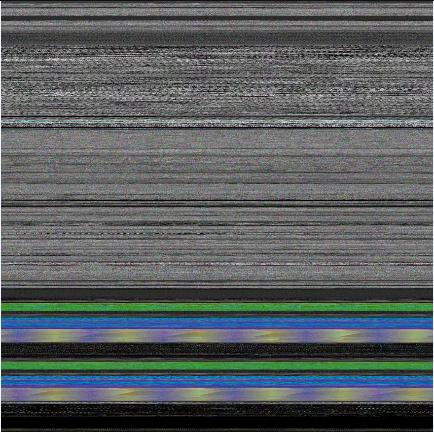
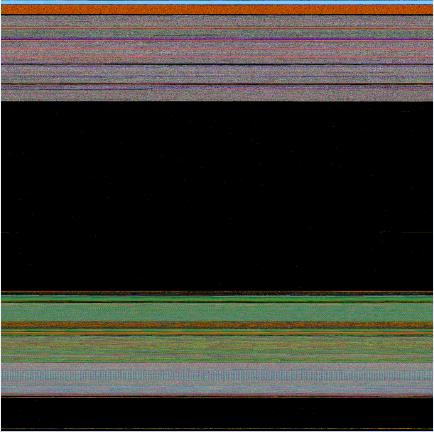
and Windows Picture and Fax Viewer application was launched and displayed the following picture:

Enjoy :-)

- Dmitry Vostokov @ DumpAnalysis.org -
Unicode Illuminated

August 14th, 2007

I generated a memory dump with plenty of Unicode and ASCII strings “Hello World!” to see how they look on a picture. I assume you know the difference between Unicode (UTF-16) and ASCII encodings: wide characters from the former occupy two bytes:

0:000> db 008c7420 l20
008c7420  48 00 65 00 6c 00 6c 00-6f 00 20 00 57 00 6f 00  H.e.l.l.o. .W.o.
008c7430  72 00 6c 00 64 00 21 00-00 00 00 00 00 00 00 00  r.l.d.!.........

and characters from the latter occupy one byte of memory:

0:000> db 008c72b4 l10
008c72b4  48 65 6c 6c 6f 20 57 6f-72 6c 64 21 00 00 00 00  Hello World!....

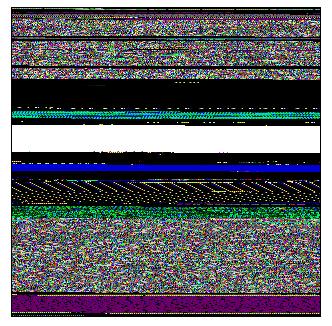
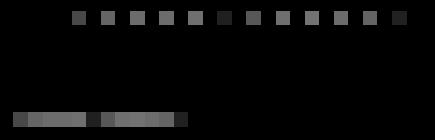
You can see that the second byte for Unicode English characters is zero. I converted that memory dump into 8 bits-per-pixel bitmap using Dump2Picture and after zooming it sufficiently in Vista Photo Viewer until pixels become squares I got the following picture that illustrates the difference between Unicode and ASCII strings:

Incidentally the same memory dump converted to 32 bits-per-pixel bitmap shows Unicode “Hello World!” strings in green colors :-)

- Dmitry Vostokov @ DumpAnalysis.org -

Dump2Picture update (version 1.1)

August 13th, 2007

Previously announced Dump2Picture has been updated to version 1.1 with the following improvements to handle 8 bits-per-pixel images correctly:

- Saves grey scale palette

- Calculates right bitmap width and file size

The update can be downloaded from the same link:

Download Dump2Picture

Now 8 bits-per-pixel Vista kernel dump looks much better:

- Dmitry Vostokov @ DumpAnalysis.org -
Visualizing Memory Leaks

August 12th, 2007

Dump2Picture can be used to explore memory leaks visually. I created the following small program in Visual C++ that leaks 64Kb every second:

#include "stdafx.h"
#include <windows.h>

int _tmain(int argc, _TCHAR* argv[])
{
  while (true)
  {
    printf("%x\n", (UINT_PTR)malloc(0xFFFF));
    Sleep(1000);
  }

  return 0;
}

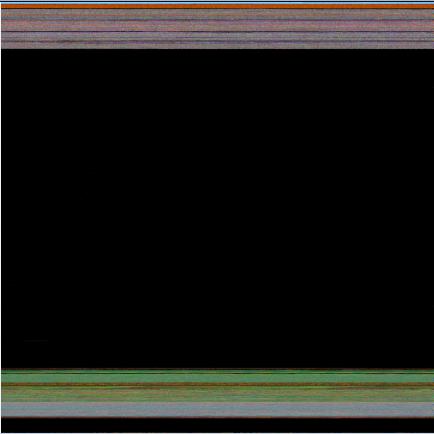
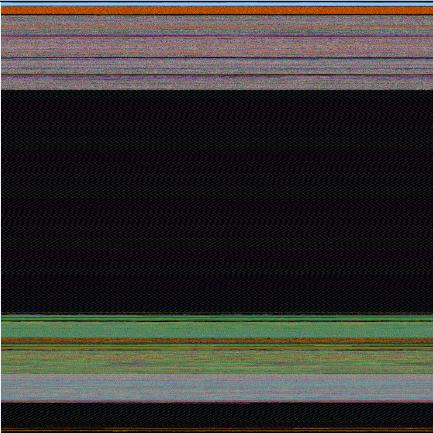
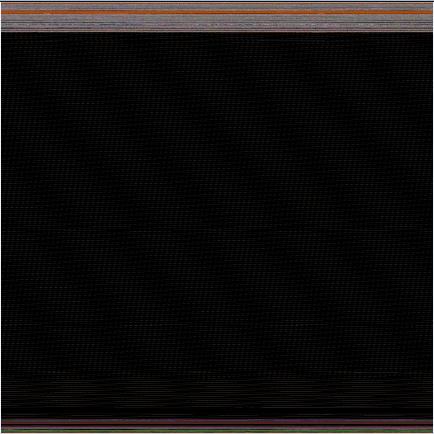
Then I sampled 3 dumps at 7Mb, 17Mb and 32Mb process virtual memory size and converted them as 16 bits-per-pixel bitmaps. On the pictures below we can see that the middle black memory area grows significantly. Obviously malloc function allocates zeroed memory and therefore we see black color.

7Mb process memory dump:

17Mb process memory dump:

32Mb process memory dump:

If we zoom in the black area we would see the following pattern:


Colored lines inside are heap control structures that are created for every allocated block of memory. If this is correct then allocating smaller memory blocks would create a hatched pattern. And this is true indeed. The following program leaks 256 byte memory blocks:

#include "stdafx.h"
#include <windows.h>

int _tmain(int argc, _TCHAR* argv[])
{
  while (true)
  {
    printf("%x\n", (UINT_PTR)malloc(0xFF));
    Sleep(1000/0xFF);
  }

  return 0;
}

The corresponding process memory picture and zoomed heap area are the following:

Making allocations 4 times smaller makes heap area to look hatched and zoomed picture is more densely packed by heap control structures:

#include "stdafx.h"
#include <windows.h>

int _tmain(int argc, _TCHAR* argv[])
{
  while (true)
  {
    printf("%x\n", (UINT_PTR)malloc(0xFF/4));
    Sleep((1000/0xFF)/4);
  }

  return 0;
}


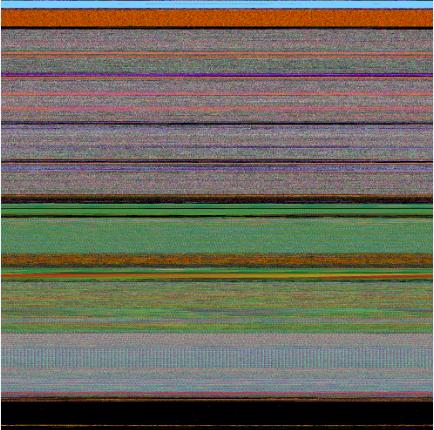
Here is another example. One service was increasing its memory constantly. The crash dump picture shows huge hatched dark region in the middle:


and if we zoom in this region:

Because the pattern and allocation size look uniform it could be the true heap memory leak for some operation that allocates constant size buffers. After opening the dump and looking at heap segments that had grown the most we see the same allocation size indeed:

0:000> !.\w2kfre\ntsdexts.heap -h 5
HEAPEXT: Unable to get address of NTDLL!NtGlobalFlag.
Index   Address  Name      Debugging options enabled
  1:   00140000
  2:   00240000
  3:   00310000
  4:   00330000
  5:   00370000
    Segment at 00370000 to 00380000 (00010000 bytes committed)
    Segment at 01680000 to 01780000 (00100000 bytes committed)
    Segment at 019C0000 to 01BC0000 (00200000 bytes committed)
    Segment at 01BC0000 to 01FC0000 (00400000 bytes committed)
    Segment at 01FC0000 to 027C0000 (00800000 bytes committed)
    Segment at 027C0000 to 037C0000 (01000000 bytes committed)
    Segment at 037C0000 to 057C0000 (02000000 bytes committed)

    Segment at 057C0000 to 097C0000 (00155000 bytes committed)


    057B96E0: 01048 . 01048 [07] - busy (1030), tail fill
    057BA728: 01048 . 01048 [07] - busy (1030), tail fill
    057BB770: 01048 . 01048 [07] - busy (1030), tail fill
    057BC7B8: 01048 . 01048 [07] - busy (1030), tail fill
    057BD800: 01048 . 01048 [07] - busy (1030), tail fill
    057BE848: 01048 . 01048 [07] - busy (1030), tail fill
    057BF890: 01048 . 00770 [14] free fill
  Heap entries for Segment07 in Heap 370000
    057C0040: 00040 . 01048 [07] - busy (1030), tail fill
    057C1088: 01048 . 01048 [07] - busy (1030), tail fill
    057C20D0: 01048 . 01048 [07] - busy (1030), tail fill
    057C3118: 01048 . 01048 [07] - busy (1030), tail fill
    057C4160: 01048 . 01048 [07] - busy (1030), tail fill
    057C51A8: 01048 . 01048 [07] - busy (1030), tail fill


- Dmitry Vostokov @ DumpAnalysis.org -

Crash Dump Analysis Patterns (Part 21)

August 12th, 2007

Sometimes it is possible that a process crash dump doesn’t have all usual threads inside. For example, you expect at least 4 threads including the main process thread but in the dump you see only 3. If you know that some access violations were reported in the event log before (not necessarily for the same PID) you might suspect that one of threads had been terminated due to some reason. I call this pattern Missing Thread.

In order to simulate this problem I created a small multithreaded program in Visual C++:

#include "stdafx.h"
#include <process.h>

void thread_request(void *param)
{
    while (true);
}

int _tmain(int argc, _TCHAR* argv[])
{
    _beginthread(thread_request, 0, NULL);

    try
    {
        if (argc == 2)
        {
            *(int *)NULL = 0;
        }
    }
    catch (...)
    {
        _endthread();
    }

    while (true);

    return 0;
}

If there is a command line argument then the main thread simulates access violation and finishes in the exception handler. In order to use SEH exceptions with C++ try/catch blocks you have to enable /EHa option in C++ Code Generation properties:

If we run the program without command line parameter and take a manual dump from it we would see 2 threads:

0:000> ~*kL

.  0  Id: 1208.fdc Suspend: 1 Teb: 7efdd000 Unfrozen
ChildEBP RetAddr
0012ff70 00401403 MissingThread!wmain+0x58
0012ffc0 7d4e7d2a MissingThread!__tmainCRTStartup+0x15e
0012fff0 00000000 kernel32!BaseProcessStart+0x28

   1  Id: 1208.102c Suspend: 1 Teb: 7efda000 Unfrozen
ChildEBP RetAddr
005dff7c 004010ef MissingThread!thread_request
005dffb4 00401188 MissingThread!_callthreadstart+0x1b
005dffb8 7d4dfe21 MissingThread!_threadstart+0x73
005dffec 00000000 kernel32!BaseThreadStart+0x34

0:000> ~
.  0  Id: 1208.fdc Suspend: 1 Teb: 7efdd000 Unfrozen
   1  Id: 1208.102c Suspend: 1 Teb: 7efda000 Unfrozen

0:000> dd 7efdd000 l4
7efdd000  0012ff64 00130000 0012e000 00000000

I also dumped TEB of the main thread. However if we run the program with any command line parameter and look at its manual dump we would see only one thread with the main thread missing:

0:000> ~*kL

.  0  Id: 1004.12e8 Suspend: 1 Teb: 7efda000 Unfrozen
ChildEBP RetAddr
005dff7c 004010ef MissingThread!thread_request
005dffb4 00401188 MissingThread!_callthreadstart+0x1b
005dffb8 7d4dfe21 MissingThread!_threadstart+0x73
005dffec 00000000 kernel32!BaseThreadStart+0x34

0:000> ~
.  0  Id: 1004.12e8 Suspend: 1 Teb: 7efda000 Unfrozen

If we try to dump TEB address and stack data from the missing main thread we would see that the memory was already decommitted:

0:000> dd 7efdd000 l4
7efdd000  ???????? ???????? ???????? ????????

0:000> dds 0012e000  00130000
0012e000  ????????
0012e004  ????????
0012e008  ????????
0012e00c  ????????
0012e010  ????????
0012e014  ????????
0012e018  ????????
0012e01c  ????????
0012e020  ????????
0012e024  ????????

The same effect can be achieved in the similar program that exits the thread in the custom unhandled exception filter:

#include "stdafx.h"
#include <process.h>
#include <windows.h>

LONG WINAPI CustomUnhandledExceptionFilter(struct _EXCEPTION_POINTERS* ExceptionInfo)
{
    ExitThread(-1);
}

void thread_request(void *param)
{
    while (true);
}

int _tmain(int argc, _TCHAR* argv[])
{
    _beginthread(thread_request, 0, NULL);
    SetUnhandledExceptionFilter(CustomUnhandledExceptionFilter);

    *(int *)NULL = 0;

    while (true);

    return 0;
}

The solution to catch an exception that results in a thread termination would be to run the program under WinDbg or any other debugger:

CommandLine: C:\MissingThread\MissingThread.exe 1
Symbol search path is: SRV*c:\websymbols*http://msdl.microsoft.com/download/symbols
Executable search path is:
ModLoad: 00400000 0040f000   MissingThread.exe
ModLoad: 7d4c0000 7d5f0000   NOT_AN_IMAGE
ModLoad: 7d600000 7d6f0000   C:\W2K3\SysWOW64\ntdll32.dll
ModLoad: 7d4c0000 7d5f0000   C:\W2K3\syswow64\kernel32.dll
(df0.12f0): Break instruction exception - code 80000003 (first chance)
eax=7d600000 ebx=7efde000 ecx=00000005 edx=00000020 esi=7d6a01f4 edi=00221f38
eip=7d61002d esp=0012fb4c ebp=0012fcac iopl=0 nv up ei pl nz na po nc
cs=0023 ss=002b ds=002b es=002b fs=0053 gs=002b efl=00000202
ntdll32!DbgBreakPoint:
7d61002d cc              int     3

0:000> g
ModLoad: 71c20000 71c32000   C:\W2K3\SysWOW64\tsappcmp.dll
ModLoad: 77ba0000 77bfa000   C:\W2K3\syswow64\msvcrt.dll
ModLoad: 00410000 004ab000   C:\W2K3\syswow64\ADVAPI32.dll
ModLoad: 7da20000 7db00000   C:\W2K3\syswow64\RPCRT4.dll
ModLoad: 7d8d0000 7d920000   C:\W2K3\syswow64\Secur32.dll
(df0.12f0): Access violation - code c0000005 (first chance)
First chance exceptions are reported before any exception handling.
This exception may be expected and handled.
eax=000007a0 ebx=7d4d8df9 ecx=78b842d9 edx=00000000 esi=00000002 edi=00000ece
eip=00401057 esp=0012ff50 ebp=0012ff70 iopl=0 nv up ei pl zr na pe nc
cs=0023 ss=002b ds=002b es=002b fs=0053 gs=002b efl=00010246
MissingThread!wmain+0x47:
00401057 c7050000000000000000 mov dword ptr ds:[0],0  ds:002b:00000000=????????

0:000> kL
ChildEBP RetAddr
0012ff70 00401403 MissingThread!wmain+0x47
0012ffc0 7d4e7d2a MissingThread!__tmainCRTStartup+0x15e
0012fff0 00000000 kernel32!BaseProcessStart+0x28

If live debugging is not possible and you are interested in crash dumps saved upon a first chance exception before it is processed in an exception handler you can also use MS userdump after you install it and enable All Exceptions in the Process Monitoring Rules dialog box. Another tool can be used is ADPlus in crash mode from Debugging Tools for Windows.

- Dmitry Vostokov @ DumpAnalysis.org -

BIOS Internals

August 10th, 2007

The life of OS starts with BIOS and if you are curious about BIOS technology, x86 computer architecture and security the following book that I recently discovered and bought will help you:

BIOS Disassembly Ninjutsu Uncovered

- Dmitry Vostokov @ DumpAnalysis.org -

Another look at page faults

August 9th, 2007

Recently observed this bugcheck with reported “valid” address (in blue):

DRIVER_IRQL_NOT_LESS_OR_EQUAL (d1)
An attempt was made to access a pageable (or completely invalid) address at an
interrupt request level (IRQL) that is too high.  This is usually
caused by drivers using improper addresses.
If kernel debugger is available get stack backtrace.
Arguments:
Arg1: e16623fc, memory referenced
Arg2: 00000002, IRQL
Arg3: 00000000, value 0 = read operation, 1 = write operation
Arg4: ae2b222e, address which referenced memory

TRAP_FRAME:  a54a4a40 -- (.trap 0xffffffffa54a4a40)
ErrCode = 00000000
eax=00000000 ebx=00000000 ecx=e16623f0 edx=00000000 esi=ae2ce428 edi=a54a4b4c
eip=ae2b222e esp=a54a4ab4 ebp=a54a4ac4 iopl=0 nv up ei pl nz ac po nc
cs=0008 ss=0010 ds=0023 es=0023 fs=0030 gs=0000 efl=00010212
driver!ProcessCommand+0x44:
ae2b222e 39590c cmp dword ptr [ecx+0Ch],ebx ds:0023:e16623fc=00000000

1: kd> dd e16623fc l4
e16623fc 00000000 00790000 004c4c44 00010204

The address belongs to a paged pool:

1: kd> !pool e16623fc
Pool page e16623fc region is Paged pool
 e1662000 size:  3a8 previous size:    0  (Allocated)  NtfF
 e16623a8 size:   10 previous size:  3a8  (Free)       ….
 e16623b8 size:   28 previous size:   10  (Allocated)  Ntfo
 e16623e0 size:    8 previous size:   28  (Free)       CMDa
*e16623e8 size:   20 previous size:    8  (Allocated) *DRV

So why do we have the bugcheck here if the memory wasn’t paged out? This is because page faults occur when pages are marked as invalid in page tables and not only when they are paged out to a disk. We can check whether an address belongs to an invalid page by using !pte command:

1: kd> !pte e16623fc
               VA e16623fc
PDE at 00000000C0603858    PTE at 00000000C070B310
contains 00000000F5434863  contains 00000000E817A8C2
pfn f5434 ---DA--KWEV                           not valid
                       Transition: e817a
                       Protect: 6 - ReadWriteExecute

Let’s check our PTE (page table entry):

1: kd> .formats 00000000E817A8C2
Evaluate expression:
  Hex: e817a8c2
  Decimal: -401102654
  Octal: 35005724302
  Binary: 11101000 00010111 10101000 11000010

We see that 0th (Valid) bit is cleared and this means that PTE marks the page as invalid and also 11th bit (Transition) is set which marks that page as on standby or modified lists. When referenced and IRQL is less than 2 the page will be made valid and added to a process working set. We see the address as “valid” in WinDbg  because that page was not paged out and present in a crash dump. But it is marked as invalid and therefore triggers the page fault. Page fault handler sees that IRQL == 2 and generates D1 bugcheck.

- Dmitry Vostokov @ DumpAnalysis.org -
Reading Windows-based Code (Part 4)

August 9th, 2007

The HTML version of the presentation is located here:

Reading Windows-based Code (Part 4)

I had to postpone a detailed overview of Windows specific types and the structure of a typical Windows GUI program for 5th part.

- Dmitry Vostokov @ DumpAnalysis.org -
Basic Windows Crash Dump Analysis (Part 1)

August 7th, 2007

I have published the HTML version (with minor updates) of the original training presentation created in 2005. 

The first part explains various concepts like process, thread, crash, hang, etc. and introduces memory dump classification from memory type and procedure perspectives. It also covers crash dump gathering and verification, explains symbols and lists common scenarios. Here is the link: 

Basic Windows Crash Dump Analysis (Part 1)

- Dmitry Vostokov @ DumpAnalysis.org -
Memory Dump Analysis Patterns

August 6th, 2007

Because the number of crash dump analysis patterns is growing I created a page that lists them and new will be added to it as soon as I write them. Some patterns are not really related to crashes, for example, memory leaks or CPU spikes so it would be better to call all of them memory dump analysis patterns instead. 

Memory Dump Analysis Patterns

- Dmitry Vostokov @ DumpAnalysis.org -

Crash Dump Analysis Patterns (Part 20a)

August 6th, 2007

Memory Leak is another pattern that may be finally manifested as Insufficient Memory pattern in a crash dump. In this part I’ll cover process heap memory leaks. They are usually identified when the process virtual memory size grows over time. It starts with 80Mb and instead of fluctuating normally below 100Mb it suddenly starts growing to 150Mb after some time and then to 300Mb next day and then grows to 600Mb and so on.

Usually a process heap is under suspicion here. To confirm this we need to sample 2-3 consecutive user memory dumps at process sizes 100Mb, 200Mb and 300Mb, for example. This can be done by using Microsoft userdump.exe command line tool. Then we can see whether there is any heap growth by using !heap -s WinDbg command:

1st dump

0:000> !heap -s
  Heap     Flags   Reserv  Commit  Virt
                    (k)     (k)    (k)
---------------------------------------
00140000 00000002    2048   1048   1112
00240000 00008000      64     12     12
00310000 00001002    7232   4308   4600
00420000 00001002    1024    520    520
00340000 00001002     256     40     40
00720000 00001002      64     32     32
00760000 00001002      64     48     48
01020000 00001002     256     24     24
02060000 00001002      64     16     16
02070000 00001003     256    120    120
020b0000 00001003     256      4      4
020f0000 00001003     256      4      4
02130000 00001003     256      4      4
02170000 00001003     256      4      4
021f0000 00001002    1088     76     76
021e0000 00001002      64     16     16
02330000 00001002    1088    428    428
02340000 00011002     256     12     12
02380000 00001002      64     12     12
024c0000 00001003      64      8      8
028d0000 00001002    7232   3756   6188
02ce0000 00001003      64      8      8
07710000 00001002      64     20     20
07b20000 00001002      64     16     16
07f30000 00001002      64     16     16
09050000 00001002     256     12     12
09c80000 00001002  130304 102340 102684
007d0000 00001003     256    192    192
00810000 00001003     256      4      4
0bdd0000 00001003     256      4      4
0be10000 00001003     256      4      4
0be50000 00001003     256      4      4
0be90000 00001003     256     56     56
0bed0000 00001003     256      4      4
0bf10000 00001003     256      4      4
0bf50000 00001003     256      4      4
0bf90000 00001003     256      4      4
00860000 00001002      64     20     20
00870000 00001002      64     20     20
0d760000 00001002     256     12     12
0dc60000 00001002    1088    220    220
0c3a0000 00001002      64     12     12
0c3d0000 00001002    1088    160    364
08420000 00001002      64     64     64

2nd dump

0:000> !heap -s
  Heap     Flags   Reserv  Commit  Virt
                    (k)     (k)    (k)
---------------------------------------
00140000 00000002    8192   4600   4600
00240000 00008000      64     12     12
00310000 00001002    7232   4516   4600
00420000 00001002    1024    520    520
00340000 00001002     256     44     44
00720000 00001002      64     32     32
00760000 00001002      64     48     48
01020000 00001002     256     24     24
02060000 00001002      64     16     16
02070000 00001003     256    124    124
020b0000 00001003     256      4      4
020f0000 00001003     256      4      4
02130000 00001003     256      4      4
02170000 00001003     256      4      4
021f0000 00001002    1088     76     76
021e0000 00001002      64     16     16
02330000 00001002    1088    428    428
02340000 00011002     256     12     12
02380000 00001002      64     12     12
024c0000 00001003      64      8      8
028d0000 00001002    7232   3796   6768
02ce0000 00001003      64      8      8
07710000 00001002      64     20     20
07b20000 00001002      64     16     16
07f30000 00001002      64     16     16
09050000 00001002     256     12     12
09c80000 00001002  261376 221152 221928
007d0000 00001003     256    192    192
00810000 00001003     256      4      4
0bdd0000 00001003     256      4      4
0be10000 00001003     256      4      4
0be50000 00001003     256      4      4
0be90000 00001003     256     60     60
0bed0000 00001003     256      4      4
0bf10000 00001003     256      4      4
0bf50000 00001003     256      4      4
0bf90000 00001003     256      4      4
00860000 00001002      64     20     20
00870000 00001002      64     20     20
0d760000 00001002     256     12     12
0dc60000 00001002    1088    228    228
0c3a0000 00001002      64     12     12
0c3d0000 00001002    1088    168    224
08450000 00001002      64     64     64

We see that the only significant heap growth is at 09c80000 address, from 130Mb to 260Mb. However this doesn’t say which code uses it. In order to find the code we need to enable the so called user mode stack trace database. Please refer to the following Citrix article:

http://support.citrix.com/article/CTX106970

The example in the article is for Citrix IMA service but you can replace ImaSrv.exe with any other executable name.

Suppose that after enabling user mode stack trace database and restarting the program or service we see the growth and we get memory dumps with the following suspicious heap highlighted in red:

0:000> !gflag
Current NtGlobalFlag contents: 0x00001000
ust - Create user mode stack trace database

0:000> !heap -s
NtGlobalFlag enables following debugging aids for new heaps:
  stack back traces
LFH Key: 0x2687ed29
  Heap     Flags   Reserv  Commit  Virt
                    (k)     (k)    (k)
---------------------------------------
00140000 58000062    4096    488    676
00240000 58008060      64     12     12
00360000 58001062    3136   1152   1216
003b0000 58001062      64     32     32
01690000 58001062     256     32     32
016d0000 58001062    1024    520    520
003e0000 58001062      64     48     48
02310000 58001062     256     24     24
02b30000 58001062      64     16     16
02b40000 58001063     256     64     64
02b80000 58001063     256      4      4
02bc0000 58001063     256      4      4
02c00000 58001063     256      4      4
02c40000 58001063     256      4      4
02c80000 58001063     256      4      4
02cc0000 58001063     256      4      4
02d30000 58001063      64      4      4
03140000 58001062    7232   4160   4896
03550000 58001063      64      4      4
07f70000 58001062      64     12     12
08380000 58001062      64     12     12
08790000 58001062      64     12     12
091d0000 58011062     256     12     12
09210000 58001062      64     16     16
09220000 58001062      64     12     12
092a0000 58001062      64     12     12
09740000 58001062     256     12     12
0b1a0000 58001062      64     12     12
0b670000 58001062   64768  39508  39700
0b7b0000 58001062      64     12     12
0c650000 58001062    1088    192    192

Every heap is subdivided into several segments and to see which segments have grown the most we can use !heap -m <heap address> command:

0:000> !heap -m 0b670000
Index   Address  Name      Debugging options enabled
29:   0b670000
    Segment at 0b670000 to 0b6b0000 (00040000 bytes committed)
    Segment at 0c760000 to 0c860000 (00100000 bytes committed)
    Segment at 0c980000 to 0cb80000 (001fe000 bytes committed)
    Segment at 0cb80000 to 0cf80000 (003cc000 bytes committed)
    Segment at 0dc30000 to 0e430000 (00800000 bytes committed)
    Segment at 12330000 to 13330000 (01000000 bytes committed)
    Segment at 13330000 to 15330000 (0078b000 bytes committed)


If we use !heap -a <heap address> command then in addition to the list of heap segments individual heap allocation entries will be dumped as well. This could be very big output and we should open the log file in advance by using .logopen <file name> command.

The output can be like this (taken from another dump):

0:000> !heap -a 000a0000
...
...
...
    Segment00 at 000a0000:
        Flags:           00000000
        Base:            000a0000
        First Entry:     000a0580
        Last Entry:      000b0000
        Total Pages:     00000010
        Total UnCommit:  00000002
        Largest UnCommit:00000000
        UnCommitted Ranges: (1)

    Heap entries for Segment00 in Heap 000a0000
        000a0000: 00000 . 00580 [101] - busy (57f)
        000a0580: 00580 . 00240 [101] - busy (23f)
        000a07c0: 00240 . 00248 [101] - busy (22c)
        000a0a08: 00248 . 00218 [101] - busy (200)
        000a0c20: 00218 . 00ce0 [100]
        000a1900: 00ce0 . 00f88 [101] - busy (f6a)
        000a2888: 00f88 . 04418 [101] - busy (4400)
        000a6ca0: 04418 . 05958 [101] - busy (5940)
        000ac5f8: 05958 . 00928 [101] - busy (90c)
        000acf20: 00928 . 010c0 [100]
        000adfe0: 010c0 . 00020 [111] - busy (1d)
        000ae000:      00002000      - uncommitted bytes.

Then we can inspect individual entries to see stack traces that allocated them by using !heap -p -a <heap entry address> command:

0:000> !heap -p -a 000a6ca0
    address 000a6ca0 found in
    _HEAP @ a0000
      HEAP_ENTRY Size Prev Flags    UserPtr UserSize - state
        000a6ca0 0b2b 0000  [00]   000a6cb8    05940 - (busy)
        Trace: 2156ac
        7704dab4 ntdll!RtlAllocateHeap+0x0000021d
        75c59b12 USP10!UspAllocCache+0x0000002b
        75c62381 USP10!AllocSizeCache+0x00000048
        75c61c74 USP10!FindOrCreateSizeCacheWithoutRealizationID+0x00000124
        75c61bc0 USP10!FindOrCreateSizeCacheUsingRealizationID+0x00000070
        75c59a97 USP10!UpdateCache+0x0000002b
        75c59a61 USP10!ScriptCheckCache+0x0000005c
        75c59d04 USP10!ScriptStringAnalyse+0x0000012a
        7711140f LPK!LpkStringAnalyse+0x00000114
        7711159e LPK!LpkCharsetDraw+0x00000302
        77111488 LPK!LpkDrawTextEx+0x00000044
        76a4beb3 USER32!DT_DrawStr+0x0000013a
        76a4be45 USER32!DT_DrawJustifiedLine+0x0000005f
        76a49d68 USER32!AddEllipsisAndDrawLine+0x00000186
        76a4bc31 USER32!DrawTextExWorker+0x000001b1
        76a4bedc USER32!DrawTextExW+0x0000001e
        746051d8 uxtheme!CTextDraw::GetTextExtent+0x000000be
        7460515a uxtheme!GetThemeTextExtent+0x00000065
        74611ed4 uxtheme!CThemeMenuBar::MeasureItem+0x00000124
        746119c1 uxtheme!CThemeMenu::OnMeasureItem+0x0000003f
        74611978 uxtheme!CThemeWnd::_PreDefWindowProc+0x00000117
        74601ea5 uxtheme!_ThemeDefWindowProc+0x00000090
        74601f61 uxtheme!ThemeDefWindowProcW+0x00000018
        76a4a09e USER32!DefWindowProcW+0x00000068
        931406 notepad!NPWndProc+0x00000084
        76a51a10 USER32!InternalCallWinProc+0x00000023
        76a51ae8 USER32!UserCallWinProcCheckWow+0x0000014b
        76a51c03 USER32!DispatchClientMessage+0x000000da
        76a3bc24 USER32!__fnINOUTLPUAHMEASUREMENUITEM+0x00000027
        77040e6e ntdll!KiUserCallbackDispatcher+0x0000002e
        76a51d87 USER32!RealDefWindowProcW+0x00000047
        74601f2f uxtheme!_ThemeDefWindowProc+0x000001b8

If we want to dump all heap entries with their corresponding stack traces we can use !heap -k -h <heap address> command.

Note: sometimes all these commands don’t work. In such cases we can use old Windows 2000 extension.

Some prefer to use umdh.exe and get text file logs but the advantage of embedding heap allocation stack traces in a dump is that we are not concerned with sending and configuring symbol files at a customer side.

- Dmitry Vostokov @ DumpAnalysis.org -

Visualizing Memory Dumps

August 4th, 2007

As the first step towards Memory Dump Tomography I created a small program that interprets a memory dump as a picture. You can visualize crash dumps with it. The tool is available for free download:

Download Dump2Picture

Simply run it from the command prompt and specify full paths to a dump file and an output BMP file. The memory dump file will be converted by default into true color, 32 bits-per-pixel bitmap. You can specify other values: 8, 16 and 24.

C:\Dump2Picture>Dump2Picture.exe

Dump2Picture version 1.0
Written by Dmitry Vostokov, 2007

Usage: Dump2Picture dumpfile bmpfile [8|16|24|32]

For example:

C:\Dump2Picture>Dump2Picture.exe MEMORY.DMP MEMORY.BMP 8

Dump2Picture version 1.0
Written by Dmitry Vostokov, 2007

MEMORY.BMP
MEMORY.DMP
        1 file(s) copied.

Below are some screenshots of bitmap files created by the tool. Think about them as visualized kernel or user address spaces. 

Vista kernel memory dump (8 bits-per-pixel):

Vista kernel memory dump (16 bits-per-pixel):

Vista kernel memory dump (24 bits-per-pixel):

Vista kernel memory dump (32 bits-per-pixel):

Notepad process user memory dump (8 bits-per-pixel):

Notepad process user memory dump (16 bits-per-pixel):

Notepad process user memory dump (24 bits-per-pixel):

Notepad process user memory dump (32 bits-per-pixel):

Mspaint process user memory dump (32 bits-per-pixel):

Mspaint process user memory dump after loading “Toco Toucan.jpg” from Vista Sample Pictures folder (32 bits-per-pixel):

Citrix ICA client process (wfica32.exe) user memory dump (32 bits-per-pixel):

Enjoy :-)

- Dmitry Vostokov @ DumpAnalysis.org -

Listening to Computer Memory

July 29th, 2007

An alternative to converting memory dumps to sound files is to save a memory range to a binary file and then convert it to a wave file. The latter is better for complete memory dumps which can be several Gb in size.

To save a memory range to a file use WinDbg .writemem command:

.writemem d2w-range.bin 00400000 00433000

or

.writemem d2w-range.bin 00400000 L200

I wrote a WinDbg script that saves a specified memory range and then calls a shell script which automatically converts saved binary file to a wave file and then runs whatever sound program is registered for .wav extension. On many systems it is Microsoft Media Player unless you installed any other third-party player.

The WinDbg script code (memsounds.txt):

.writemem d2w-range.bin ${$arg1} ${$arg2}
.if (${/d:$arg5})
{
  .shell -i- memsounds.cmd d2w-range ${$arg3} ${$arg4} ${$arg5}
}
.elsif (${/d:$arg4})
{
  .shell -i- memsounds.cmd d2w-range ${$arg3} ${$arg4}
}
.elsif (${/d:$arg3})
{
  .shell -i- memsounds.cmd d2w-range ${$arg3}
}
.else
{
  .shell -i- memsounds.cmd d2w-range
}

The shell script (memsounds.cmd):

dump2wave %1.bin %1.wav %2 %3 %4
%1.wav

Because WinDbg installation folder is assumed to be the default directory for both scripts and Dump2Wave.exe they should be copied to the same folder where windbg.exe is located. On my system it is

C:\Program Files\Debugging Tools for Windows

Both scripts are included in Dump2Wave package available for free download:

Dump2Wave package

To call the script from WinDbg use the following command:

$$>a< memsounds.txt Range [Freq] [Bits] [Channels]

where Range can be in Address1 Address2 or Address Lxxx format, Freq can be 44100, 22050, 11025 or 8000, Bits can be 8 or 16, Channels can be 1 or 2. By default it is 44100, 16, 2.

If you have a live debugging session or loaded a crash dump you can listen to a memory range immediately. For example, the range of memory from 00400000 to 00433000 interpreted as 44.1KHz 16bit stereo:

0:000> $$>a< memsounds.txt 00400000 00433000
Writing 33001 bytes...

C:\Program Files\Debugging Tools for Windows>dump2wave d2w-range.bin d2w-range.wav

Dump2Wave version 1.2.1
Written by Dmitry Vostokov, 2006

d2w-range.wav
d2w-range.bin
        1 file(s) copied.

C:\Program Files\Debugging Tools for Windows>d2w-range.wav
.shell: Process exited
0:000>

or the same range interpreted as 8KHz 8bit mono:

0:000> $$>a< memsounds.txt 00400000 00433000 8000 8 1
Writing 33001 bytes...

C:\Program Files\Debugging Tools for Windows>dump2wave d2w-range.bin d2w-range.wav 8000 8 1

Dump2Wave version 1.2.1
Written by Dmitry Vostokov, 2006

d2w-range.wav
d2w-range.bin
        1 file(s) copied.

C:\Program Files\Debugging Tools for Windows>d2w-range.wav
.shell: Process exited
0:000>

The script starts Windows Media Player on my system and I only need to push the play button to start listening.

Enjoy :-)

- Dmitry Vostokov @ DumpAnalysis.org -
Crash Dump Analysis Patterns (Part 9c)

July 28th, 2007

This is another variant of Deadlock pattern when we have mixed synchronization objects, for example, events and critical sections. An event may be used to signal the availability of some work item for processing it, the fact that the queue is not empty and a critical section may be used to protect some shared data. 

The typical deadlock scenario here is when one thread resets an event by calling WaitForSingleObject and tries to acquire a critical section. In the mean time the second thread has already acquired that critical section and now is waiting for the event to be set:

Thread A     |  Thread B
..           |  ..
reset Event  |  ..
..           |  acquire CS
wait for CS  |  ..
             |  wait for Event

The classical fix to this bug is to acquire the critical section and wait for the event in the same order in both threads.

In our example crash dump we can easily identify the second thread that acquied the critical section and is waiting for the event 0×480:

0:000> !locks

CritSec ntdll!LdrpLoaderLock+0 at 7c889d94
WaiterWoken        No
LockCount          9
RecursionCount     1
OwningThread       2038
EntryCount         0
ContentionCount    164
*** Locked

  13  Id: 590.2038 Suspend: 1 Teb: 7ffaa000 Unfrozen
ChildEBP RetAddr  Args to Child
0483fd5c 7c822124 77e6bad8 00000480 00000000 ntdll!KiFastSystemCallRet
0483fd60 77e6bad8 00000480 00000000 00000000 ntdll!NtWaitForSingleObject+0xc
0483fdd0 77e6ba42 00000480 ffffffff 00000000 kernel32!WaitForSingleObjectEx+0xac
0483fde4 776cfb30 00000480 ffffffff 777904f8 kernel32!WaitForSingleObject+0×12
0483fe00 776adfaa 00000480 00000000 00000080 ole32!CDllHost::ClientCleanupFinish+0×2a
0483fe2c 776adf1a 00000000 0483fe7c 77790828 ole32!DllHostProcessUninitialize+0×80
0483fe4c 776b063f 00000000 00000000 0c9ecee0 ole32!ApartmentUninitialize+0xf8
0483fe64 776b06e3 0483fe7c 00000000 00000001 ole32!wCoUninitialize+0×48
0483fe80 776e43f5 00000001 77670000 776afef0 ole32!CoUninitialize+0×65
0483fe8c 776afef0 0483feb4 776b5cb8 77670000 ole32!DoThreadSpecificCleanup+0×63
0483fe94 776b5cb8 77670000 00000003 00000000 ole32!ThreadNotification+0×37
0483feb4 776b5c1b 77670000 00000003 00000000 ole32!DllMain+0×176
0483fed4 7c82257a 77670000 00000003 00000000 ole32!_DllMainCRTStartup+0×52
0483fef4 7c83c195 776b5bd3 77670000 00000003 ntdll!LdrpCallInitRoutine+0×14
0483ffa8 77e661d6 00000000 00000000 0483ffec ntdll!LdrShutdownThread+0xd2
0483ffb8 77e66090 00000000 00000000 00000000 kernel32!ExitThread+0×2f
0483ffec 00000000 77c5de6d 0ab24f68 00000000 kernel32!BaseThreadStart+0×39

0:000> !handle 480 ff
Handle 00000480
  Type          Event
  Attributes    0
  GrantedAccess 0×1f0003:
         Delete,ReadControl,WriteDac,WriteOwner,Synch
         QueryState,ModifyState
  HandleCount   2
  PointerCount  4
  Name          <none>
  No object specific information available

It is difficult to find the first thread, the one which has reset the event and is waiting for the critical section. In our dump we have 9 such threads from !locks command output:

LockCount          9

Event as a synchronization primitive doesn’t have an owner. Despite this we can try to find 0×480 and WaitForSingleObject address near on some other thread raw stack if that information wasn’t overwritten. Let’s do a memory search:

0:000> s -d 0 L4000000 00000480
000726ec 00000480 00000022 000004a4 00000056
008512a0 00000480 00000480 00000000 00000000
008512a4 00000480 00000000 00000000 01014220
0085ab68 00000480 00000480 00000092 00000000
0085ab6c 00000480 00000092 00000000 01014234
00eb12a0 00000480 00000480 00000000 00000000
00eb12a4 00000480 00000000 00000000 0101e614
00ebeb68 00000480 00000480 00000323 00000000
00ebeb6c 00000480 00000323 00000000 0101e644
03ffb4fc 00000480 d772c13b ce753966 00fa840f
040212a0 00000480 00000480 00000000 00000000
040212a4 00000480 00000000 00000000 01063afc
0402ab68 00000480 00000480 00000fb6 00000000
0402ab6c 00000480 00000fb6 00000000 01063b5c
041312a0 00000480 00000480 00000000 00000000
041312a4 00000480 00000000 00000000 01065b28
0413eb68 00000480 00000480 00001007 00000000
0413eb6c 00000480 00001007 00000000 01065b7c
043412a0 00000480 00000480 00000000 00000000
043412a4 00000480 00000000 00000000 01066b44
0434ab68 00000480 00000480 00001033 00000000
0434ab6c 00000480 00001033 00000000 01066b9c
0483fd68 00000480 00000000 00000000 00000000
0483fdd8 00000480 ffffffff 00000000 0483fe00
0483fdec 00000480 ffffffff 777904f8 77790738
0483fe08 00000480 00000000 00000080 776b0070
0483fe20 00000480 00000000 00000000 0483fe4c

05296f58 00000480 ffffffff ffffffff ffffffff
05297eb0 00000480 00000494 000004a4 000004c0
0557cf9c 00000480 00000000 00000000 00000000
05580adc 00000480 00000000 00000000 00000000
0558715c 00000480 00000000 00000000 00000000
0558d3cc 00000480 00000000 00000000 00000000
0559363c 00000480 00000000 00000000 00000000
0559ee0c 00000480 00000000 00000000 00000000
055a507c 00000480 00000000 00000000 00000000
056768ec 00000480 00000000 00000000 00000000
0568ef14 00000480 00000000 00000000 00000000
0581ff88 00000480 07ca7ee0 0581ff98 776cf2a3
05ed1260 00000480 00000480 00000000 00000000
05ed1264 00000480 00000000 00000000 01276efc
05ed8b68 00000480 00000480 00005c18 00000000
05ed8b6c 00000480 00005c18 00000000 01276f74
08f112a0 00000480 00000480 00000000 00000000
08f112a4 00000480 00000000 00000000 00000000
08f1ab68 00000480 00000480 00007732 00000000
08f1ab6c 00000480 00007732 00000000 01352db0

In blue color I highlighted the thread #13 raw stack occurrences and in red color I highlighted memory locations that belong to another thread raw stack. In fact, these are the only memory locations from search results that make any sense from code perspective. The only meaningful stack traces can be found in memory locations highlighted in blue and red above.

This can be seen if we feed search results to WinDbg dds command (not all output is shown for clarity):

0:000> .foreach (place { s-[1]d 0 L4000000 00000480 }) { dds place -30; .printf "\n" }
000726bc  00000390
000726c0  00000022
000726c4  000003b4
000726c8  00000056
000726cc  00000004
000726d0  6dc3f6fd
000726d4  0000040c
000726d8  0000001e
000726dc  0000042c
000726e0  00000052
000726e4  00000004
000726e8  eacb0f6d
000726ec  00000480
000726f0  00000022
000726f4  000004a4
000726f8  00000056
000726fc  00000004
00072700  62b796d2
00072704  000004fc
00072708  0000001e
0007270c  0000051c
00072710  00000052
00072714  00000004
00072718  2a615cff
0007271c  00000570
00072720  00000024
00072724  00000598
00072728  00000058
0007272c  00000004
00072730  51913e59
00072734  000005f0
00072738  00000016
...
...
...
0568eee4  05680008 xpsp2res+0x1b0008
0568eee8  01200000
0568eeec  00001010
0568eef0  00200001
0568eef4  00000468
0568eef8  00000121
0568eefc  00000000
0568ef00  00000028
0568ef04  00000030
0568ef08  00000060
0568ef0c  00040001
0568ef10  00000000
0568ef14  00000480
0568ef18  00000000
0568ef1c  00000000
0568ef20  00000000
0568ef24  00000000
0568ef28  00000000
0568ef2c  00800000
0568ef30  00008000
0568ef34  00808000
0568ef38  00000080
0568ef3c  00800080
0568ef40  00008080
0568ef44  00808080
0568ef48  00c0c0c0
0568ef4c  00ff0000
0568ef50  0000ff00
0568ef54  00ffff00
0568ef58  000000ff
0568ef5c  00ff00ff
0568ef60  0000ffff

0581ff58  0581ff70
0581ff5c  776b063f ole32!wCoUninitialize+0x48
0581ff60  00000001
0581ff64  00007530
0581ff68  77790438 ole32!gATHost
0581ff6c  00000000
0581ff70  0581ff90
0581ff74  776cf370 ole32!CDllHost::WorkerThread+0xdd
0581ff78  0581ff8c
0581ff7c  00000001
0581ff80  77e6ba50 kernel32!WaitForSingleObjectEx
0581ff84  0657cfe8
0581ff88  00000480

0581ff8c  07ca7ee0
0581ff90  0581ff98
0581ff94  776cf2a3 ole32!DLLHostThreadEntry+0xd
0581ff98  0581ffb8
0581ff9c  776b2307 ole32!CRpcThread::WorkerLoop+0×1e
0581ffa0  77790438 ole32!gATHost
0581ffa4  00000000
0581ffa8  0657cfe8
0581ffac  77670000 ole32!_imp__InstallApplication <PERF> (ole32+0×0)
0581ffb0  776b2374 ole32!CRpcThreadCache::RpcWorkerThreadEntry+0×20
0581ffb4  00000000
0581ffb8  0581ffec
0581ffbc  77e6608b kernel32!BaseThreadStart+0×34
0581ffc0  0657cfe8
0581ffc4  00000000
0581ffc8  00000000
0581ffcc  0657cfe8
0581ffd0  3cfb5963
0581ffd4  0581ffc4

05ed1230  0101f070
05ed1234  05ed1274
05ed1238  05ed1174
05ed123c  05ed0000
05ed1240  05ed1280
05ed1244  00000000
05ed1248  00000000
05ed124c  00000000
05ed1250  05ed8b80
05ed1254  05ed8000
05ed1258  00002000
05ed125c  00001000
05ed1260  00000480
05ed1264  00000480
05ed1268  00000000
05ed126c  00000000
05ed1270  01276efc
05ed1274  05ed12b4
05ed1278  05ed1234
05ed127c  05ed0000
05ed1280  05ed2d00
05ed1284  05ed1240
05ed1288  05ed1400
05ed128c  00000000
05ed1290  05edade0
05ed1294  05eda000
05ed1298  00002000
05ed129c  00001000
05ed12a0  00000220
05ed12a4  00000220
05ed12a8  00000000
05ed12ac  00000000
...
...
...
08f1ab3c  00000000
08f1ab40  00000000
08f1ab44  00000000
08f1ab48  00000000
08f1ab4c  00000000
08f1ab50  00000000
08f1ab54  00000000
08f1ab58  00000000
08f1ab5c  00000000
08f1ab60  abcdbbbb
08f1ab64  08f11000
08f1ab68  00000480
08f1ab6c  00000480
08f1ab70  00007732
08f1ab74  00000000
08f1ab78  01352db0
08f1ab7c  dcbabbbb
08f1ab80  ffffffff
08f1ab84  c0c00ac1
08f1ab88  00000000
08f1ab8c  c0c0c0c0
08f1ab90  c0c0c0c0
08f1ab94  c0c0c0c0
08f1ab98  c0c0c0c0
08f1ab9c  c0c0c0c0
08f1aba0  c0c0c0c0
08f1aba4  ffffffff
08f1aba8  c0c00ac1
08f1abac  00000000
08f1abb0  c0c0c0c0
08f1abb4  c0c0c0c0
08f1abb8  c0c0c0c0

We see that address 0581ff88 is the most meaningful and it also has WaitForSingleObjectEx nearby. This address belongs to the raw stack of the following thread #16:

  16  Id: 590.1a00 Suspend: 1 Teb: 7ffa9000 Unfrozen
ChildEBP RetAddr
0581fc98 7c822124 ntdll!KiFastSystemCallRet
0581fc9c 7c83970f ntdll!NtWaitForSingleObject+0xc
0581fcd8 7c839620 ntdll!RtlpWaitOnCriticalSection+0x19c
0581fcf8 7c83a023 ntdll!RtlEnterCriticalSection+0xa8
0581fe00 77e67bcd ntdll!LdrUnloadDll+0x35
0581fe14 776b46fb kernel32!FreeLibrary+0x41
0581fe20 776b470f ole32!CClassCache::CDllPathEntry::CFinishObject::Finish+0x2f
0581fe34 776b44a0 ole32!CClassCache::CFinishComposite::Finish+0x1d
0581ff0c 776b0bfd ole32!CClassCache::CleanUpDllsForApartment+0x1d0
0581ff38 776b0b1f ole32!FinishShutdown+0xd7
0581ff58 776b063f ole32!ApartmentUninitialize+0x94
0581ff70 776cf370 ole32!wCoUninitialize+0x48
0581ff90 776cf2a3 ole32!CDllHost::WorkerThread+0xdd
0581ff98 776b2307 ole32!DLLHostThreadEntry+0xd
0581ffac 776b2374 ole32!CRpcThread::WorkerLoop+0×1e
0581ffb8 77e6608b ole32!CRpcThreadCache::RpcWorkerThreadEntry+0×20
0581ffec 00000000 kernel32!BaseThreadStart+0×34

And if we disassemble ole32!CRpcThread::WorkerLoop function which is found below WaitForSingleObjectEx on both stack trace and raw stack data from search results we would see that the former function calls the latter function indeed:

0:000> uf ole32!CRpcThread::WorkerLoop
ole32!CRpcThread::WorkerLoop:
776b22e9 mov     edi,edi
776b22eb push    esi
776b22ec mov     esi,ecx
776b22ee cmp     dword ptr [esi+4],0
776b22f2 jne     ole32!CRpcThread::WorkerLoop+0x67 (776b234d)

ole32!CRpcThread::WorkerLoop+0xb:
776b22f4 push    ebx
776b22f5 push    edi
776b22f6 mov     edi,dword ptr [ole32!_imp__WaitForSingleObjectEx (77671304)]
776b22fc mov     ebx,7530h

ole32!CRpcThread::WorkerLoop+0x18:
776b2301 push    dword ptr [esi+0Ch]
776b2304 call    dword ptr [esi+8]
776b2307 call    dword ptr [ole32!_imp__GetCurrentThread (7767130c)]
776b230d push    eax
776b230e call    dword ptr [ole32!_imp__RtlCheckForOrphanedCriticalSections (77671564)]
776b2314 xor     eax,eax
776b2316 cmp     dword ptr [esi],eax
776b2318 mov     dword ptr [esi+8],eax
776b231b mov     dword ptr [esi+0Ch],eax
776b231e je      ole32!CRpcThread::WorkerLoop+0x65 (776b234b)

ole32!CRpcThread::WorkerLoop+0x37:
776b2320 push    esi
776b2321 mov     ecx,offset ole32!gRpcThreadCache (7778fc28)
776b2326 call    ole32!CRpcThreadCache::AddToFreeList (776de78d)

ole32!CRpcThread::WorkerLoop+0x55:
776b232b push    0
776b232d push    ebx
776b232e push    dword ptr [esi]
776b2330 call    edi

776b2332 test    eax,eax
776b2334 je      ole32!CRpcThread::WorkerLoop+0×60 (776cf3be)

ole32!CRpcThread::WorkerLoop+0x44:
776b233a push    esi
776b233b mov     ecx,offset ole32!gRpcThreadCache (7778fc28)
776b2340 call    ole32!CRpcThreadCache::RemoveFromFreeList (776e42de)
776b2345 cmp     dword ptr [esi+4],0
776b2349 je      ole32!CRpcThread::WorkerLoop+0x55 (776b232b)

ole32!CRpcThread::WorkerLoop+0x65:
776b234b pop     edi
776b234c pop     ebx

ole32!CRpcThread::WorkerLoop+0x67:
776b234d pop     esi
776b234e ret

ole32!CRpcThread::WorkerLoop+0x60:
776cf3be cmp     dword ptr [esi+4],eax
776cf3c1 je      ole32!CRpcThread::WorkerLoop+0x18 (776b2301)

ole32!CRpcThread::WorkerLoop+0x69:
776cf3c7 jmp     ole32!CRpcThread::WorkerLoop+0x65 (776b234b)

Therefore we have possibly identified the thread #16 that resets the event by calling WaitForSingleObjectEx and tries to acquire the critical section. We also know the second thread #13 that has already acquired that critical section and now is waiting for the event to be signaled.

- Dmitry Vostokov @ DumpAnalysis.org -

Reading Windows-based Code (Part 3)

July 27th, 2007

The HTML version of the presentation is located here:

Reading Windows-based Code (Part 3)

The 4th part coming next week will be about Windows specific types and will describe in detail the structure of a typical Windows GUI program. 

- Dmitry Vostokov @ DumpAnalysis.org -
Reconstructing Stack Trace Manually

July 25th, 2007

This is a small case study to complement Incorrect Stack Trace pattern and show how to reconstruct stack trace manually based on an example with complete source code.

I created a small working multithreaded program:

#include "stdafx.h"
#include <stdio.h>
#include <process.h>

typedef void (*REQ_JUMP)();
typedef void (*REQ_RETURN)();

const char str[] = "\0\0\0\0\0\0\0";

bool loop = true;

void return_func()
{
  puts("Return Func");
  loop = false;
  _endthread();
}

void jump_func()
{
  puts("Jump Func");
}

void internal_func_2(void *param_jump,void *param_return)
{
  REQ_JUMP f_jmp = (REQ_JUMP)param_jump;
  REQ_RETURN f_ret = (REQ_RETURN)param_return;

  puts("Internal Func 2");
  // Uncomment memcpy to crash the program
  // Overwrite f_jmp and f_ret with NULL
  // memcpy(&f_ret, str, sizeof(str));
  __asm
  {
     push f_ret;
     mov  eax, f_jmp
     mov  ebp, 0 // use ebp as a general purpose register
     jmp  eax
  }
}

void internal_func_1(void *param)
{
  puts("Internal Func 1");
  internal_func_2(param, &return_func);
}

void thread_request(void *param)
{
  puts("Request");
  internal_func_1(param);
}

int _tmain(int argc, _TCHAR* argv[])
{
  _beginthread(thread_request, 0, (void *)jump_func);
  while (loop);
  return 0;
}

For it I had to disable optimizations in Visual C++ compiler otherwise most of the code would have been eliminated because the program is very small and easy for code optimizer. If we run the program it displays the following output:

Request
Internal Func 1
Internal Func 2
Jump Func
Return Func

internal_func_2 gets two parameters: the function address to jump and the function address to call upon the return. The latter sets loop variable to false in order to break infinite main thread loop and calls _endthread. Why is that complexity in so small sample? I wanted to simulate FPO optimization in an inner function call and also gain control over a return address. This is why I set EBP to zero before jumping and pushed the custom return address which I can change any time. If I used the call instruction then the processor would have determined the return address as the next instruction address.

The code also copies two internal_func_2 parameters into local variables f_jmp and f_ret because the commented memcpy call is crafted to overwrite them with zeroes and do not touch the saved EBP, return address and function arguments. This is all to make stack trace incorrect but at the same time make manual stack reconstruction as easy as possible in this example.

Let’s suppose that memcpy call is a bug that overwrites local variables. Then we have a crash obviously because EAX is zero and jump to zero address will cause access violation. EBP is also 0 because we assigned 0 to it explicitly. Let’s pretend that we wanted to pass some constant via EBP and it is zero.

What we have now:

EBP is 0
EIP is 0
the return address is 0

As you might have expected already when you load a crash dump WinDbg is utterly confused because it has no clue on how to reconstruct the stack trace:

This dump file has an exception of interest stored in it.
The stored exception information can be accessed via .ecxr.
(bd0.ec8): Access violation - code c0000005 (first/second chance not available)
eax=00000000 ebx=00595620 ecx=00000002 edx=00000000 esi=00000000 edi=00000000
eip=00000000 esp=0069ff54 ebp=00000000 iopl=0 nv up ei pl nz ac po nc
cs=0023 ss=002b ds=002b es=002b fs=0053 gs=002b efl=00010212
00000000 ??              ???

0:001> kv
ChildEBP RetAddr  Args to Child
WARNING: Frame IP not in any known module. Following frames may be wrong.
0069ff50 00000000 00000000 00000000 0069ff70 0×0

Fortunately ESP is not zero so we can look at raw stack:

0:001> dds esp
0069ff54  00000000
0069ff58  00000000
0069ff5c  00000000
0069ff60  0069ff70
0069ff64  0040187f WrongIP!internal_func_1+0x1f
0069ff68  00401830 WrongIP!jump_func
0069ff6c  00401840 WrongIP!return_func
0069ff70  0069ff7c
0069ff74  0040189c WrongIP!thread_request+0xc
0069ff78  00401830 WrongIP!jump_func
0069ff7c  0069ffb4
0069ff80  78132848 msvcr80!_endthread+0x4b
0069ff84  00401830 WrongIP!jump_func
0069ff88  aa75565b
0069ff8c  00000000
0069ff90  00000000
0069ff94  00595620
0069ff98  c0000005
0069ff9c  0069ff88
0069ffa0  0069fb34
0069ffa4  0069ffdc
0069ffa8  78138cd9 msvcr80!_except_handler4
0069ffac  d207e277
0069ffb0  00000000
0069ffb4  0069ffec
0069ffb8  781328c8 msvcr80!_endthread+0xcb
0069ffbc  7d4dfe21 kernel32!BaseThreadStart+0x34
0069ffc0  00595620
0069ffc4  00000000
0069ffc8  00000000
0069ffcc  00595620
0069ffd0  c0000005

Here we can start searching for the following pairs:

EBP:         PreviousEBP
             Function return address


PreviousEBP: PrePreviousEBP
             Function return address


for example:

0:001> dds esp
0069ff54 00000000
0069ff58 00000000
0069ff5c 00000000
0069ff60 0069ff70
0069ff64 0040187f WrongIP!internal_func_1+0×1f
0069ff68 00401830 WrongIP!jump_func
0069ff6c 00401840 WrongIP!return_func
0069ff70 0069ff7c
0069ff74 0040189c WrongIP!thread_request+0xc
0069ff78 00401830 WrongIP!jump_func
0069ff7c 0069ffb4

This is based on the fact that a function call saves its return address and the standard function prolog saves the previous EBP value and sets ESP to point to it.

push ebp
mov ebp, esp

Therefore our stack looks like this:

0:001> dds esp
0069ff54 00000000
0069ff58 00000000
0069ff5c 00000000
0069ff60 0069ff70
0069ff64 0040187f WrongIP!internal_func_1+0×1f
0069ff68 00401830 WrongIP!jump_func
0069ff6c 00401840 WrongIP!return_func
0069ff70 0069ff7c
0069ff74 0040189c WrongIP!thread_request+0xc
0069ff78 00401830 WrongIP!jump_func
0069ff7c 0069ffb4
0069ff80 78132848 msvcr80!_endthread+0×4b
0069ff84 00401830 WrongIP!jump_func
0069ff88 aa75565b
0069ff8c 00000000
0069ff90 00000000
0069ff94 00595620
0069ff98 c0000005
0069ff9c 0069ff88
0069ffa0 0069fb34
0069ffa4 0069ffdc
0069ffa8 78138cd9 msvcr80!_except_handler4
0069ffac d207e277
0069ffb0 00000000
0069ffb4 0069ffec
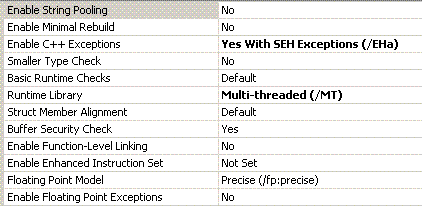
0069ffb8 781328c8 msvcr80!_endthread+0xcb
0069ffbc 7d4dfe21 kernel32!BaseThreadStart+0×34
0069ffc0 00595620
0069ffc4 00000000
0069ffc8 00000000
0069ffcc 00595620
0069ffd0 c0000005

Also we double check return addresses to see if they are valid code indeed. The best way is to try to disassemble them backwards. This should show call instructions resulted in saved return addresses:

0:001> ub WrongIP!internal_func_1+0x1f
WrongIP!internal_func_1+0x1:
00401871 mov     ebp,esp
00401873 push    offset WrongIP!GS_ExceptionPointers+0x38 (00402124)
00401878 call    dword ptr [WrongIP!_imp__puts (004020ac)]
0040187e add     esp,4
00401881 push    offset WrongIP!return_func (00401850)
00401886 mov     eax,dword ptr [ebp+8]
00401889 push    eax
0040188a call    WrongIP!internal_func_2 (004017e0)

0:001> ub WrongIP!thread_request+0xc
WrongIP!internal_func_1+0x2d:
0040189d int     3
0040189e int     3
0040189f int     3
WrongIP!thread_request:
004018a0 push    ebp
004018a1 mov     ebp,esp
004018a3 mov     eax,dword ptr [ebp+8]
004018a6 push    eax
004018a7 call    WrongIP!internal_func_1 (00401870)

0:001> ub msvcr80!_endthread+0x4b
msvcr80!_endthread+0x2f:
7813282c pop     esi
7813282d push    0Ch
7813282f push    offset msvcr80!__rtc_tzz+0x64 (781b4b98)
78132834 call    msvcr80!_SEH_prolog4 (78138c80)
78132839 call    msvcr80!_getptd (78132e29)
7813283e and     dword ptr [ebp-4],0
78132842 push    dword ptr [eax+58h]
78132845 call    dword ptr [eax+54h]

0:001> ub msvcr80!_endthread+0xcb
msvcr80!_endthread+0xaf:
781328ac mov     edx,dword ptr [ecx+58h]
781328af mov     dword ptr [eax+58h],edx
781328b2 mov     edx,dword ptr [ecx+4]
781328b5 push    ecx
781328b6 mov     dword ptr [eax+4],edx
781328b9 call    msvcr80!_freefls (78132e41)
781328be call    msvcr80!_initp_misc_winxfltr (781493c1)
781328c3 call    msvcr80!_endthread+0×30 (7813282d)

0:001> ub BaseThreadStart+0x34
kernel32!BaseThreadStart+0x10:
7d4dfdfd mov     eax,dword ptr fs:[00000018h]
7d4dfe03 cmp     dword ptr [eax+10h],1E00h
7d4dfe0a jne     kernel32!BaseThreadStart+0x2e (7d4dfe1b)
7d4dfe0c cmp     byte ptr [kernel32!BaseRunningInServerProcess (7d560008)],0
7d4dfe13 jne     kernel32!BaseThreadStart+0x2e (7d4dfe1b)
7d4dfe15 call    dword ptr [kernel32!_imp__CsrNewThread (7d4d0310)]
7d4dfe1b push    dword ptr [ebp+0Ch]
7d4dfe1e call    dword ptr [ebp+8]

Now we can use extended version of k command and supply custom EBP, ESP and EIP values. We set EBP to the first found address of EBP:PreviousEBP pair and set EIP to 0:

0:001> k L=0069ff60 0069ff60 0
ChildEBP RetAddr
WARNING: Frame IP not in any known module. Following frames may be wrong.
0069ff5c 0069ff70 0x0
0069ff60 0040188f 0x69ff70
0069ff70 004018ac WrongIP!internal_func_1+0x1f
0069ff7c 78132848 WrongIP!thread_request+0xc
0069ffb4 781328c8 msvcr80!_endthread+0x4b
0069ffb8 7d4dfe21 msvcr80!_endthread+0xcb
0069ffec 00000000 kernel32!BaseThreadStart+0x34

The stack trace looks good because it also shows BaseThreadStart.

From the backwards disassembly of the return address WrongIP!internal_func_1+0×1f we see that internal_func_1 calls internal_func_2 so we can disassemble the latter function:

0:001> uf internal_func_2
Flow analysis was incomplete, some code may be missing
WrongIP!internal_func_2:
   28 004017e0 push    ebp
   28 004017e1 mov     ebp,esp

   28 004017e3 sub     esp,8
   29 004017e6 mov     eax,dword ptr [ebp+8]
   29 004017e9 mov     dword ptr [ebp-4],eax

   30 004017ec mov     ecx,dword ptr [ebp+0Ch]
   30 004017ef mov     dword ptr [ebp-8],ecx
   32 004017f2 push    offset WrongIP!GS_ExceptionPointers+0×28 (00402114)
   32 004017f7 call    dword ptr [WrongIP!_imp__puts (004020ac)]
   32 004017fd add     esp,4
   33 00401800 push    8
   33 00401802 push    offset WrongIP!GS_ExceptionPointers+0×8 (004020f4)
   33 00401807 lea     edx,[ebp-8]
   33 0040180a push    edx
   33 0040180b call    WrongIP!memcpy (00401010)
   33 00401810 add     esp,0Ch
   35 00401813 push    dword ptr [ebp-8]
   36 00401816 mov     eax,dword ptr [ebp-4]
   37 00401819 mov     ebp,0
   38 0040181e jmp     eax

We see that it takes some value from [ebp-8], puts it into EAX and then jumps to that address. The function uses standard prolog (in blue) and therefore EBP-4 is the local variable. From the code we see that it comes from [EBP+8] which is the first function parameter:

EBP+C: second parameter
EBP+8: first parameter
EBP+4: return address
EBP:   previous EBP
EBP-4: local variable
EBP-8: local variable

If we examine the first parameter we would see it is a valid function address that we were supposed to call:

0:001> kv L=0069ff60 0069ff60 0
ChildEBP RetAddr  Args to Child
WARNING: Frame IP not in any known module. Following frames may be wrong.
0069ff5c 0069ff70 0040188f 00401830 00401850 0x0
0069ff60 0040188f 00401830 00401850 0069ff7c 0x69ff70
0069ff70 004018ac 00401830 0069ffb4 78132848 WrongIP!internal_func_1+0×1f
0069ff7c 78132848 00401830 6d5ba283 00000000 WrongIP!thread_request+0xc
0069ffb4 781328c8 7d4dfe21 00595620 00000000 msvcr80!_endthread+0×4b
0069ffb8 7d4dfe21 00595620 00000000 00000000 msvcr80!_endthread+0xcb
0069ffec 00000000 7813286e 00595620 00000000 kernel32!BaseThreadStart+0×34

0:001> u 00401830
WrongIP!jump_func:
00401830 push    ebp
00401831 mov     ebp,esp
00401833 push    offset WrongIP!GS_ExceptionPointers+0x1c (00402108)
00401838 call    dword ptr [WrongIP!_imp__puts (004020ac)]
0040183e add     esp,4
00401841 pop     ebp
00401842 ret
00401843 int     3

However if we look at the code we would see that we call memcpy with ebp-8 address and the number of bytes to copy is 8. In pseudo-code it would look like:

memcpy(ebp-8, 004020f4, 8);

   33 00401800 push    8
   33 00401802 push    offset WrongIP!GS_ExceptionPointers+0x8 (004020f4)
   33 00401807 lea     edx,[ebp-8]
   33 0040180a push    edx
   33 0040180b call    WrongIP!memcpy (00401010)
   33 00401810 add     esp,0Ch

If we examine 004020f4 address we would see that it contains 8 zeroes:

0:001> db 004020f4 l8
004020f4  00 00 00 00 00 00 00 00
       

Therefore memcpy overwrites our local variables that contain a jump address with zeroes. This explains why we have jumped to 0 address and why EIP was zero.

Finally our reconstructed stack trace looks like this:

WrongIP!internal_func_2+offset ; here we jump
WrongIP!internal_func_1+0x1f
WrongIP!thread_request+0xc
msvcr80!_endthread+0x4b
msvcr80!_endthread+0xcb
kernel32!BaseThreadStart+0x34

This was based on the fact that ESP was valid. If we have a zero or invalid ESP we can look at the entire raw stack range from thread environment block (TEB). Use !teb command to get thread stack range. In my example this command doesn’t work due to the lack of proper MS symbols but it reports TEB address and we can dump it:

0:001> !teb
TEB at 7efda000
error InitTypeRead( TEB )...

0:001> dd 7efda000 l3
7efda000 0069ffa4 006a0000 0069e000

Usually the second double word is the stack limit and the third is the stack base address so we can dump the range and start reconstructing stack trace for our example from the bottom of the stack (BaseThreadStart) or look after exception handling calls (shown in red):

0:001> dds 0069e000 006a0000
0069e000  00000000
0069e004  00000000
...
...
...
0069fb24  7d535b43 kernel32!UnhandledExceptionFilter+0×851


0069fbb0  0069fc20
0069fbb4  7d6354c9 ntdll!RtlDispatchException+0×11f
0069fbb8  0069fc38
0069fbbc  0069fc88
0069fc1c  00000000
0069fc20  00000000
0069fc24  7d61dd26 ntdll!NtRaiseException+0×12
0069fc28  7d61ea51 ntdll!KiUserExceptionDispatcher+0×29
0069fc2c  0069fc38


0069ff38  00000000
0069ff3c  00000000
0069ff40  00000000
0069ff44  00000000
0069ff48  00000000
0069ff4c  00000000
0069ff50  00000000
0069ff54  00000000
0069ff58  00000000
0069ff5c  00000000
0069ff60  0069ff70
0069ff64  0040188f WrongIP!internal_func_1+0×1f
0069ff68  00401830 WrongIP!jump_func
0069ff6c  00401850 WrongIP!return_func
0069ff70  0069ff7c
0069ff74  004018ac WrongIP!thread_request+0xc
0069ff78  00401830 WrongIP!jump_func
0069ff7c  0069ffb4
0069ff80  78132848 msvcr80!_endthread+0×4b
0069ff84  00401830 WrongIP!jump_func
0069ff88  6d5ba283
0069ff8c  00000000
0069ff90  00000000
0069ff94  00595620
0069ff98  c0000005
0069ff9c  0069ff88
0069ffa0  0069fb34
0069ffa4  0069ffdc
0069ffa8  78138cd9 msvcr80!_except_handler4
0069ffac  152916af
0069ffb0  00000000
0069ffb4  0069ffec
0069ffb8  781328c8 msvcr80!_endthread+0xcb
0069ffbc  7d4dfe21 kernel32!BaseThreadStart+0×34
0069ffc0  00595620
0069ffc4  00000000


- Dmitry Vostokov @ DumpAnalysis.org -

Selected Citrix Troubleshooting Tools

July 23rd, 2007

I’ve put an HTML version of the recently updated Selected Citrix Tools presentation:

Selected Citrix Tools (15.07.07)

It covers only public tools that I wrote and maintain. If you are interested in the broader spectrum of troubleshooting tools for Citrix environments please look at the following Citrix article:

http://support.citrix.com/article/CTX107572

- Dmitry Vostokov @ DumpAnalysis.org -
GDB for WinDbg Users (Part 6)

July 22nd, 2007

Once we get backtrace in GDB or stack trace in WinDbg we are interested in concrete stack frames, their arguments and local variables. I slightly modified the program used in the previous part to include some local variables:

#include <stdio.h>

void func_1(int param_1, char param_2, int *param_3, char *param_4);
void func_2(int param_1, char param_2, int *param_3, char *param_4);
void func_3(int param_1, char param_2, int *param_3, char *param_4);
void func_4();

int   g_val_1;
char  g_val_2;
int  *g_pval_1 = &g_val_1;
char *g_pval_2 = &g_val_2;

int main()
{
  int   local_0 = 0;
  char *hello = "Hello World!";

  g_val_1 = 1;
  g_val_2 = '1';

  func_1(g_val_1, g_val_2, (int *)g_pval_1, (char *)g_pval_2);
  return 0;
}

void func_1(int param_1, char param_2, int *param_3, char *param_4)
{
   int local_1 = 1;

   g_val_1 = 2;
   g_val_2 = '2';

   param_3 = &local_1;

   func_2(g_val_1, g_val_2, param_3, param_4);
}

void func_2(int param_1, char param_2, int *param_3, char *param_4)
{
   int local_2 = 2;

   g_val_1 = 3;
   g_val_2 = '3';


   param_3 = &local_2;

   func_3(g_val_1, g_val_2, param_3, param_4);
}

void func_3(int param_1, char param_2, int *param_3, char *param_4)
{
   int local_3 = 3;

   *g_pval_1 += param_1;
   *g_pval_2 += param_2;

   func_4();
}

void func_4()
{
   puts("Hello World!");
}

In GDB the frame command is used to set the current stack frame. Then info args command can be used to list function arguments and info locals command can be used to list local variables:

(gdb) break func_4
Breakpoint 1 at 0x401455: file test.c, line 61.

(gdb) run
Starting program: C:\MinGW\examples/test.exe

Breakpoint 1, func_4 () at test.c:61
61         puts("Hello World!");

(gdb) bt
#0  func_4 () at test.c:61
#1  0x0040144d in func_3 (param_1=3, param_2=51 '3', param_3=0x22ff10,
    param_4=0x404070 "f") at test.c:56
#2  0x0040140c in func_2 (param_1=2, param_2=50 '2', param_3=0x22ff10,
    param_4=0x404070 "f") at test.c:46
#3  0x004013ba in func_1 (param_1=1, param_2=49 '1', param_3=0x22ff30,
    param_4=0x404070 "f") at test.c:34
#4  0x00401363 in main () at test.c:21

(gdb) frame
#0  func_4 () at test.c:61
61         puts("Hello World!");

(gdb) frame 0
#0  func_4 () at test.c:61
61         puts("Hello World!");

(gdb) info args
No arguments.

(gdb) info locals
No locals.

(gdb) frame 1
#1  0x0040144d in func_3 (param_1=3, param_2=51 '3', param_3=0x22ff10,
    param_4=0x404070 "f") at test.c:56
56         func_4();

(gdb) info args
param_1 = 3
param_2 = 51 '3'
param_3 = (int *) 0x22ff10
param_4 = 0x404070 "f"

(gdb) info locals
local_3 = 3
param_2 = 51 '3'

(gdb) frame 2
#2  0x0040140c in func_2 (param_1=2, param_2=50 '2', param_3=0x22ff10,
    param_4=0x404070 "f") at test.c:46
46         func_3(g_val_1, g_val_2, param_3, param_4);

(gdb) info args
param_1 = 2
param_2 = 50 '2'
param_3 = (int *) 0x22ff10
param_4 = 0x404070 "f"

(gdb) info locals
local_2 = 2
param_2 = 50 '2'

(gdb) frame 3
#3  0x004013ba in func_1 (param_1=1, param_2=49 '1', param_3=0x22ff30,
    param_4=0x404070 "f") at test.c:34
34         func_2(g_val_1, g_val_2, param_3, param_4);

(gdb) info args
param_1 = 1
param_2 = 49 '1'
param_3 = (int *) 0x22ff30
param_4 = 0x404070 "f"

(gdb) info locals
local_1 = 1
param_2 = 49 '1'

(gdb) frame 4
#4  0x00401363 in main () at test.c:21
21        func_1(g_val_1, g_val_2, (int *)g_pval_1, (char *)g_pval_2);

(gdb) info args
No arguments.

(gdb) info locals
local_0 = 0
hello = 0x403000 "Hello World!"

(gdb)

In WinDbg kn command shows stack trace with frame numbers, knL command additionally omits source code references, .frame command switches to particular stack frame, dv command shows parameters and local variables together, dv /i command classifies them into categories, parameters or locals, dv /V command shows their addresses and offsets for the relevant base frame register, usually EBP, dv /t command shows type information:

Microsoft (R) Windows Debugger  Version 6.7.0005.1
Copyright (c) Microsoft Corporation. All rights reserved.

CommandLine: C:\dmitri\test\release\test.exe
Symbol search path is: SRV*c:\websymbols*http://msdl.microsoft.com/download/symbols
Executable search path is:
ModLoad: 00400000 0040f000   test.exe
ModLoad: 7d4c0000 7d5f0000   NOT_AN_IMAGE
ModLoad: 7d600000 7d6f0000   C:\W2K3\SysWOW64\ntdll32.dll
ModLoad: 7d4c0000 7d5f0000   C:\W2K3\syswow64\kernel32.dll
(e38.ac0): Break instruction exception - code 80000003 (first chance)
eax=7d600000 ebx=7efde000 ecx=00000005 edx=00000020 esi=7d6a01f4 edi=00221f38
eip=7d61002d esp=0012fb4c ebp=0012fcac iopl=0 nv up ei pl nz na po nc
cs=0023 ss=002b ds=002b es=002b fs=0053 gs=002b efl=00000202
ntdll32!DbgBreakPoint:
7d61002d cc              int     3

0:000> bp func_4

0:000> g
ModLoad: 71c20000 71c32000   C:\W2K3\SysWOW64\tsappcmp.dll
ModLoad: 77ba0000 77bfa000   C:\W2K3\syswow64\msvcrt.dll
ModLoad: 00410000 004ab000   C:\W2K3\syswow64\ADVAPI32.dll
ModLoad: 7da20000 7db00000   C:\W2K3\syswow64\RPCRT4.dll
ModLoad: 7d8d0000 7d920000   C:\W2K3\syswow64\Secur32.dll
Breakpoint 0 hit
eax=0040c9d4 ebx=7d4d8df9 ecx=0040c9d4 edx=00000066 esi=00000002 edi=00000ece
eip=00408be0 esp=0012ff10 ebp=0012ff18 iopl=0 nv up ei pl nz na pe nc
cs=0023 ss=002b ds=002b es=002b fs=0053 gs=002b efl=00000206
test!func_4:
00408be0 55              push    ebp

0:000> knL
 # ChildEBP RetAddr
00 0012ff0c 00408c38 test!func_4
01 0012ff18 00408c7c test!func_3+0x38
02 0012ff34 00408ccc test!func_2+0x3c
03 0012ff50 00408d24 test!func_1+0x3c
04 0012ff70 00401368 test!main+0x44
05 0012ffc0 7d4e7d2a test!__tmainCRTStartup+0x15f
06 0012fff0 00000000 kernel32!BaseProcessStart+0x28

0:000> .frame
00 0012ff0c 00408c38 test!func_4 [c:\dmitri\test\test\test.cpp @ 60]

0:000> .frame 0
00 0012ff0c 00408c38 test!func_4 [c:\dmitri\test\test\test.cpp @ 60]

0:000> dv

0:000> .frame 1
01 0012ff18 00408c7c test!func_3+0x38 [c:\dmitri\test\test\test.cpp @ 57]

0:000> dv
        param_1 = 3
        param_2 = 51 '3'
        param_3 = 0x0012ff30
        param_4 = 0x0040c9d4 "f"
        local_3 = 3

0:000> dv /i
prv param  param_1 = 3
prv param  param_2 = 51 '3'
prv param  param_3 = 0x0012ff30
prv param  param_4 = 0x0040c9d4 "f"
prv local  local_3 = 3

0:000> dv /i /V
prv param  0012ff20 @ebp+0x08 param_1 = 3
prv param  0012ff24 @ebp+0x0c param_2 = 51 '3'
prv param  0012ff28 @ebp+0x10 param_3 = 0x0012ff30
prv param  0012ff2c @ebp+0x14 param_4 = 0x0040c9d4 "f"
prv local  0012ff14 @ebp-0x04 local_3 = 3

0:000> .frame 4
04 0012ff70 00401368 test!main+0x44 [c:\dmitri\test\test\test.cpp @ 21]

0:000> dv
        local_0 = 0
          hello = 0x0040a274 "Hello World!"

0:000> dv /i
prv local          local_0 = 0
prv local            hello = 0x0040a274 "Hello World!"

0:000> dv /i /V
prv local  0012ff68 @ebp-0x08         local_0 = 0
prv local  0012ff6c @ebp-0x04           hello = 0x0040a274 "Hello World!"

0:000> dv /t
int local_0 = 0
char * hello = 0x0040a274 "Hello World!"

Our comparison table grows a bit:

Action                      | GDB                 | WinDbg
----------------------------------------------------------------
Start the process           | run                 | g
Exit                        | (q)uit              | q
Disassemble (forward)       | (disas)semble       | uf, u
Disassemble N instructions  | x/<N>i              | -
Disassemble (backward)      | -                   | ub
Stack trace                 | backtrace (bt)      | k
Full stack trace            | bt full             | kv
Stack trace with parameters | bt full             | kP
Partial trace (innermost)   | bt <N>              | k <N>
Partial trace (outermost)   | bt -<N>             | -
Stack trace for all threads | thread apply all bt | ~*k
Breakpoint                  | break               | bp
Frame numbers               | any bt command      | kn
Select frame                | frame               | .frame
Display parameters          | info args           | dv /t /i /V
Display locals              | info locals         | dv /t /i /V

- Dmitry Vostokov @ DumpAnalysis.org -

Crash Dump Analysis Patterns (Part 19)

July 22nd, 2007

Almost all threads in any system are waiting for resources or waiting in a ready-to-run queues to be scheduled. At any moment of time the number of running threads is equal to the number of processors. The rest, hundreds and thousands of threads, are waiting. Looking at their waiting times in kernel and complete memory dumps provides some interesting observations that worth their own pattern name: Waiting Thread Time.

When a thread starts waiting that time is recorded in WaitTime field of _KTHREAD structure:

1: kd> dt _KTHREAD 8728a020
   +0x000 Header           : _DISPATCHER_HEADER
   +0x010 MutantListHead   : _LIST_ENTRY [ 0x8728a030 - 0x8728a030 ]
   +0x018 InitialStack     : 0xa3a1f000
   +0x01c StackLimit       : 0xa3a1a000
   +0x020 KernelStack      : 0xa3a1ec08
   +0x024 ThreadLock       : 0
   +0x028 ApcState         : _KAPC_STATE
   +0x028 ApcStateFill     : [23]  "H???"
   +0x03f ApcQueueable     : 0x1 ''
   +0x040 NextProcessor    : 0x3 ''
   +0x041 DeferredProcessor : 0x3 ''
   +0x042 AdjustReason     : 0 ''
   +0x043 AdjustIncrement  : 1 ''
   +0x044 ApcQueueLock     : 0
   +0x048 ContextSwitches  : 0x6b7
   +0x04c State            : 0x5 ''
   +0x04d NpxState         : 0xa ''
   +0x04e WaitIrql         : 0 ''
   +0x04f WaitMode         : 1 ''
   +0x050 WaitStatus       : 0
   +0x054 WaitBlockList    : 0x8728a0c8 _KWAIT_BLOCK
   +0x054 GateObject       : 0x8728a0c8 _KGATE
   +0x058 Alertable        : 0 ''
   +0x059 WaitNext         : 0 ''
   +0x05a WaitReason       : 0x11 ''
   +0x05b Priority         : 12 ''
   +0x05c EnableStackSwap  : 0x1 ''
   +0x05d SwapBusy         : 0 ''
   +0x05e Alerted          : [2]  ""
   +0x060 WaitListEntry    : _LIST_ENTRY [ 0x88091e10 - 0x88029ce0 ]
   +0x060 SwapListEntry    : _SINGLE_LIST_ENTRY
   +0x068 Queue            : (null)
   +0×06c WaitTime         : 0×82de9b
   +0×070 KernelApcDisable : 0


This value is also displayed in decimal format as Wait Start TickCount when you list threads or use !thread command:

0: kd> ? 0x82de9b
Evaluate expression: 8576667 = 0082de9b

1: kd> !thread 8728a020
THREAD 8728a020  Cid 4c9c.59a4  Teb: 7ffdf000 Win32Thread: bc012008 WAIT: (Unknown) UserMode Non-Alertable
    8728a20c  Semaphore Limit 0x1
Waiting for reply to LPC MessageId 017db413:
Current LPC port e5fcff68
Impersonation token:  e2b07028 (Level Impersonation)
DeviceMap                 e1da6518
Owning Process            89d20740       Image:         winlogon.exe
Wait Start TickCount      8576667        Ticks: 7256 (0:00:01:53.375)
Context Switch Count      1719                 LargeStack
UserTime                  00:00:00.0359
KernelTime                00:00:00.0375

Tick is a system unit of time and KeTimeIncrement double word value contains its equivalent as the number of 100-nanosecond units:

0: kd> dd KeTimeIncrement l1
808a6304  0002625a

0: kd> ? 0002625a
Evaluate expression: 156250 = 0002625a

0: kd> ?? 156250.0/10000000.0
double 0.015625

Therefore on that system one tick is 0.015625 of a second.

The current tick count is available via KeTickCount variable:

0: kd> dd KeTickCount l1
8089c180  0082faf3

If we subtract the recorded start wait time from the current tick count we get the number of ticks passed since the thread began waiting:

0: kd> ? 0082faf3-82de9b
Evaluate expression: 7256 = 00001c58

Using our previously calculated constant of the number of seconds per tick (0.015625) we get the number of seconds passed:

0: kd> ?? 7256.0 * 0.015625
double 113.37499999999999

113.375 seconds is 1 minute 53 seconds and 375 milliseconds:

0: kd> ?? 113.375-60.0
double 53.374999999999986

We can see that this value corresponds to Ticks value that WinDbg shows for the thread:

Wait Start TickCount 8576667 Ticks: 7256 (0:00:01:53.375)

Why do we need to concern ourselves with these ticks? If we know that some activity was frozen for 15 minutes we can filter out threads from our search space because threads with significantly less number of ticks were running at some time and were not waiting for 15 minutes.

Threads with low number of ticks were running recently:

THREAD 86ced020  Cid 0004.3908  Teb: 00000000 Win32Thread: 00000000 WAIT: (Unknown) KernelMode Non-Alertable
    b99cb7d0  QueueObject
    86ced098  NotificationTimer
Not impersonating
DeviceMap                 e10038e0
Owning Process            8ad842a8       Image:         System
Wait Start TickCount      8583871        Ticks: 52 (0:00:00:00.812)
Context Switch Count      208
UserTime                  00:00:00.0000
KernelTime                00:00:00.0000
Start Address rdbss!RxWorkerThreadDispatcher (0xb99cdc2e)
Stack Init ad21d000 Current ad21ccd8 Base ad21d000 Limit ad21a000 Call 0
Priority 8 BasePriority 8 PriorityDecrement
ChildEBP RetAddr
ad21ccf0 808330c6 nt!KiSwapContext+0×26
ad21cd1c 8082af7f nt!KiSwapThread+0×284
ad21cd64 b99c00e9 nt!KeRemoveQueue+0×417
ad21cd9c b99cdc48 rdbss!RxpWorkerThreadDispatcher+0×4b
ad21cdac 80948e74 rdbss!RxWorkerThreadDispatcher+0×1a
ad21cddc 8088d632 nt!PspSystemThreadStartup+0×2e
00000000 00000000 nt!KiThreadStartup+0×16

Another application would be to find all threads from different processes whose wait time roughly corresponds to 15 minutes and therefore they might be related to the same frozen activity. For example, these RPC threads below from different processes are most likely related because one is the RPC client thread, the other is the RPC server thread waiting for some object and their common Ticks value is the same: 15131.

THREAD 89cc9750  Cid 0f1c.0f60  Teb: 7ffd6000 Win32Thread: 00000000 WAIT: (Unknown) UserMode Non-Alertable
    89cc993c  Semaphore Limit 0x1
Waiting for reply to LPC MessageId 0000a7e7:
Current LPC port e18fcae8
Not impersonating
DeviceMap                 e10018a8
Owning Process            88d3b938       Image:         svchost.exe
Wait Start TickCount      29614          Ticks: 15131 (0:00:03:56.421)
Context Switch Count      45
UserTime                  00:00:00.0000
KernelTime                00:00:00.0000
Win32 Start Address 0×0000a7e6
LPC Server thread working on message Id a7e6
Start Address kernel32!BaseThreadStartThunk (0×7c82b5bb)
Stack Init f29a6000 Current f29a5c08 Base f29a6000 Limit f29a3000 Call 0
Priority 11 BasePriority 10 PriorityDecrement 0
Kernel stack not resident.
ChildEBP RetAddr
f29a5c20 80832f7a nt!KiSwapContext+0×26
f29a5c4c 8082927a nt!KiSwapThread+0×284
f29a5c94 8091df86 nt!KeWaitForSingleObject+0×346
f29a5d50 80888c6c nt!NtRequestWaitReplyPort+0×776
f29a5d50 7c94ed54 nt!KiFastCallEntry+0xfc
0090f6b8 7c941c94 ntdll!KiFastSystemCallRet
0090f6bc 77c42700 ntdll!NtRequestWaitReplyPort+0xc
0090f708 77c413ba RPCRT4!LRPC_CCALL::SendReceive+0×230
0090f714 77c42c7f RPCRT4!I_RpcSendReceive+0×24
0090f728 77cb5d63 RPCRT4!NdrSendReceive+0×2b
0090f9cc 67b610ca RPCRT4!NdrClientCall+0×334
0090f9dc 67b61c07 component!NotifyOfEvent+0×14


0090ffec 00000000 kernel32!BaseThreadStart+0×34

THREAD 89b49590  Cid 098c.01dc  Teb: 7ff92000 Win32Thread: 00000000 WAIT: (Unknown) UserMode Non-Alertable
    88c4e020  Thread
    89b49608  NotificationTimer
Not impersonating
DeviceMap                 e10018a8
Owning Process            89d399c0       Image:         MyService.exe
Wait Start TickCount      29614          Ticks: 15131 (0:00:03:56.421)
Context Switch Count      310
UserTime                  00:00:00.0015
KernelTime                00:00:00.0000
Win32 Start Address 0×0000a7e7
LPC Server thread working on message Id a7e7
Start Address kernel32!BaseThreadStartThunk (0×7c82b5bb)
Stack Init f2862000 Current f2861c60 Base f2862000 Limit f285f000 Call 0
Priority 11 BasePriority 10 PriorityDecrement 0
Kernel stack not resident.
ChildEBP RetAddr
f2861c78 80832f7a nt!KiSwapContext+0×26
f2861ca4 8082927a nt!KiSwapThread+0×284
f2861cec 80937e4c nt!KeWaitForSingleObject+0×346
f2861d50 80888c6c nt!NtWaitForSingleObject+0×9a
f2861d50 7c94ed54 nt!KiFastCallEntry+0xfc
0a6cf590 7c942124 ntdll!KiFastSystemCallRet
0a6cf594 7c82baa8 ntdll!NtWaitForSingleObject+0xc
0a6cf604 7c82ba12 kernel32!WaitForSingleObjectEx+0xac
0a6cf618 3f691c11 kernel32!WaitForSingleObject+0×12
0a6cf658 09734436 component2!WaitForResponse+0×75


0a6cf8b4 77cb23f7 RPCRT4!Invoke+0×30
0a6cfcb4 77cb26ed RPCRT4!NdrStubCall2+0×299
0a6cfcd0 77c409be RPCRT4!NdrServerCall2+0×19
0a6cfd04 77c4093f RPCRT4!DispatchToStubInCNoAvrf+0×38
0a6cfd58 77c40865 RPCRT4!RPC_INTERFACE::DispatchToStubWorker+0×117
0a6cfd7c 77c357eb RPCRT4!RPC_INTERFACE::DispatchToStub+0xa3
0a6cfdbc 77c41e26 RPCRT4!RPC_INTERFACE::DispatchToStubWithObject+0xc0
0a6cfdfc 77c41bb3 RPCRT4!LRPC_SCALL::DealWithRequestMessage+0×42c
0a6cfe20 77c45458 RPCRT4!LRPC_ADDRESS::DealWithLRPCRequest+0×127
0a6cff84 77c2778f RPCRT4!LRPC_ADDRESS::ReceiveLotsaCalls+0×430
0a6cff8c 77c2f7dd RPCRT4!RecvLotsaCallsWrapper+0xd
0a6cffac 77c2de88 RPCRT4!BaseCachedThreadRoutine+0×9d
0a6cffb8 7c826063 RPCRT4!ThreadStartRoutine+0×1b
0a6cffec 00000000 kernel32!BaseThreadStart+0×34

- Dmitry Vostokov @ DumpAnalysis.org -

Reading Windows-based Code (Part 2)

July 21st, 2007

The HTML version of the presentation is located here:

Reading Windows-based Code (Part 2)

This second part is still based on the first chapters from “Code Reading: The Open Source Perspective” book written by Diomidis Spinellis. As I mentioned in the first presentation (slide 2) that book never uses Windows-based code and this prompted me to start Code Reading (The Windows Perspective) series.

The 3rd part coming next week will be mostly about basic data types and introduce some Windows conventions related to them. 

- Dmitry Vostokov @ DumpAnalysis.org -