Pseudo-corrupt memory dumps

August 7th, 2008

One of the users got these errors when opening a few crash dumps:

[...]
Ignored in-page I/O error
Exception 0xc0000006 while accessing file mapping
Unable to read KLDR_DATA_TABLE_ENTRY at 8a3dd228 - NTSTATUS 0xC0000006
Ignored in-page I/O error
[...]

He was wondering whether something was wrong with his disk or network drive mapping where they were stored or this was another sign of Corrupt Dump pattern. I also noticed these errors when I keep dump files open for weeks and then come back to them. So my conclusion was to advise him to close and open new drive mappings and/or reopen dump files.

- Dmitry Vostokov @ DumpAnalysis.org -
Tool Tips: Live Sysinternals

August 7th, 2008

If you need the latest updates of Sysinternals tools you can always check this page:

http://live.sysinternals.com/

and you can also map a drive to this location (it is done automatically via WebDAV redirector):

\\live.sysinternals.com

- Dmitry Vostokov @ DumpAnalysis.org -
From archives of Journal of Paleontology

August 6th, 2008

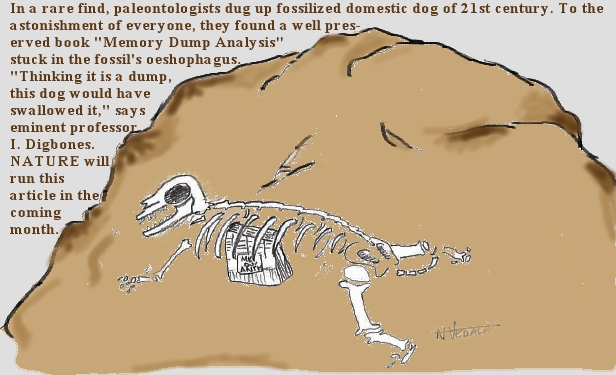
New futuristic cartoon from Narasimha Vedala (click on it to enlarge):

DBG_PaleoFinds from Narasimha Vedala (click to enlarge)

- Dmitry Vostokov @ DumpAnalysis.org -
The Successor…

August 6th, 2008

Here I will not talk about succ() function. Here comes the answer from Narasimha Vedala in the form of stack frames:

The Hall of Frame

DBG_HallOfFrame from Narasimha Vedala

I don’t want to comment about this :-) If you come across this post and wonder ”Why Physics?” here is the background:

Physics of Debugging (Part 1)

- Dmitry Vostokov @ DumpAnalysis.org -

Physics of Debugging (Part 1)

August 5th, 2008

Elaborating on threads in abstract space idea I tried today to apply canonical formalism of classical mechanics. Thread kinematics involves two abstract coordinates q1 and q2 which correspond to memory addresses and their dereferenced values respectively. Although these are discrete variables (N), we can generalize them to be continuous (R+). The motivation lies in the discreteness of physical measurement: if we divide [0,1] interval into 264 sub-intervals we get approximately 5.421e-20 values which are small indeed even by today’s experimental standards. Next we introduce dynamic variables called v1 and v2 which correspond to the rate of change of an address and the rate of change of a value respectively. These are called generalized velocities (we leave the definition of momenta for the next time). These can also be continualized according to the same line of thought we used for generalized coordinates. So finally we have R+2 x R+2 space. R+2 can be complexificated into the subset of C and we get the subset of C2. If we allow negative addresses and values we get full R2 x R2 space or, after complexification, the full complex C2 space which is well-known for its magic in physical theories. If we have N threads we get C2n space.

Now we can go forward and employ all apparatus of classical physics :-) Just one final remark for now, we need to call the particle: I propose to name it classical μ-memuon.


1 The founder of Physics of Debugging :-)

- Dmitry Vostokov @ DumpAnalysis.org -

Crash Dump Analysis Patterns (Part 74)

August 5th, 2008

Sometimes a dump file looks normal inside and at least we don’t see any suspicious past activity. However, as it often happens, the dump was saved manually as a response to some failure. Here Last Error Collection might help in finding further troubleshooting suggestions. If we have a process memory dump we can get all errors and NTSTATUS values at once using !gle command with -all parameter:

0:000> !gle -all
Last error for thread 0:
LastErrorValue: (Win32) 0x3e5 (997) - Overlapped I/O operation is in progress.
LastStatusValue: (NTSTATUS) 0x103 - The operation that was requested is pending completion.

Last error for thread 1:
LastErrorValue: (Win32) 0 (0) - The operation completed successfully.
LastStatusValue: (NTSTATUS) 0 - STATUS_WAIT_0

Last error for thread 2:
LastErrorValue: (Win32) 0 (0) - The operation completed successfully.
LastStatusValue: (NTSTATUS) 0 - STATUS_WAIT_0

Last error for thread 3:
LastErrorValue: (Win32) 0 (0) - The operation completed successfully.
LastStatusValue: (NTSTATUS) 0 - STATUS_WAIT_0

[...]

Last error for thread 28:
LastErrorValue: (Win32) 0 (0) - The operation completed successfully.
LastStatusValue: (NTSTATUS) 0 - STATUS_WAIT_0

Last error for thread 29:
LastErrorValue: (Win32) 0×6ba (1722) - The RPC server is unavailable.
LastStatusValue: (NTSTATUS) 0 - STATUS_WAIT_0

Last error for thread 2a:
LastErrorValue: (Win32) 0 (0) - The operation completed successfully.
LastStatusValue: (NTSTATUS) 0 - STATUS_WAIT_0

Last error for thread 2b:
LastErrorValue: (Win32) 0 (0) - The operation completed successfully.
LastStatusValue: (NTSTATUS) 0 - STATUS_WAIT_0

[...]

For complete memory dumps we can employ the following command or similar to it:

!for_each_thread ".thread /r /p @#Thread; .if (@$teb != 0) { !teb; !gle; }"

0: kd> !for_each_thread ".thread /r /p @#Thread; .if (@$teb != 0) { !teb; !gle; }"

[...]

Implicit thread is now 8941eb40
Implicit process is now 8a4ac498
Loading User Symbols
TEB at 7ff3e000
    ExceptionList:        0280ffa8
    StackBase:            02810000
    StackLimit:           0280b000
    SubSystemTib:         00000000
    FiberData:            00001e00
    ArbitraryUserPointer: 00000000
    Self:                 7ff3e000
    EnvironmentPointer:   00000000
    ClientId:             00001034 . 000012b0
    RpcHandle:            00000000
    Tls Storage:          00000000
    PEB Address:          7ffde000
    LastErrorValue:       0
    LastStatusValue:      c00000a3
    Count Owned Locks:    0
    HardErrorMode:        0
LastErrorValue: (Win32) 0 (0) - The operation completed successfully.
LastStatusValue: (NTSTATUS) 0xc00000a3 - {Drive Not Ready}  The drive is not ready for use; its door may be open.  Please check drive %hs and make sure that a disk is inserted and that the drive door is closed.

[...]

 - Dmitry Vostokov @ DumpAnalysis.org -
If I knew about that command, .step_filter …

August 5th, 2008

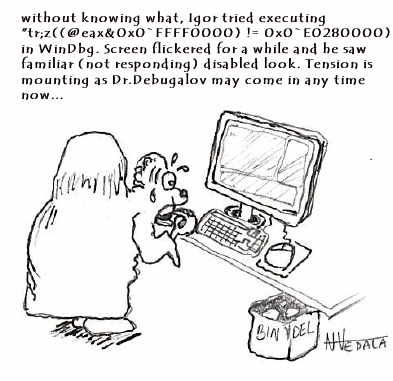
We all know that there are WinDbg commands that we cannot stop. New cartoon from Narasimha Vedala shows the common frustration of an engineer discovering non-interruptability at the time when it is not needed the most:

DBG_IgorExecutes from Narasimha Vedala

- Dmitry Vostokov @ DumpAnalysis.org -

WinDbg shortcuts: !envvar

August 4th, 2008

More than a year ago I wrote a post about checking computer name in various memory dump types:

Where did the crash dump come from?

Today I found yet another shortcut for process memory dumps using WinDbg command !envvar:

0:003> !envvar COMPUTERNAME
        COMPUTERNAME = MYHOMEPC

Of course, we can use it for any other variable. It also works for complete memory dumps but we need to set the appropriate process context first:

3: kd> !envvar PATH
        PATH = C:\WINDOWS\system32;C:\WINDOWS;[...]

- Dmitry Vostokov @ DumpAnalysis.org -

DebugWare Patterns (Part 3)

August 4th, 2008

Many products have lots of configuration parameters stored in OS configuration database, Windows registry. Some of parameters are internal and some are public but never exposed via product GUI or management consoles. Configuration parameters can be related to product functionality or can make troubleshooting and debugging easier, for example, additional tracing parameters to set the verbosity level of debugging output or enable additional safety checks. These parameters can be scattered across different registry branches or keys. Therefore another pattern frequently seen in troubleshooting and debugging tools is called:

Configuration Wrapper

Here excellent example is Microsoft tool:

Gflags

- Dmitry Vostokov @ DumpAnalysis.org -

WinDbg shortcuts: .quit_lock

August 3rd, 2008

I always have 10-20 or more simultaneously opened debugging sessions (mostly crash dump files) and sometimes I quit the wrong one accidentally or by mistake. After that I have to repeat some commands if I forgot to open a log file. I was very pleased to find today that there is a special WinDbg meta-command that prevents you from such accidents:

.quit_lock command sets a password to prevent you from accidentally ending the debugging session (from WinDbg help).

Here is an example:

0:001> .quit_lock
No quit lock

0:001> .quit_lock /s "password"
Quit lock string is 'password'

0:001> q
.quit_lock -q required to unlock 'q'

0:001> .quit_lock -q "password"
Quit lock removed

- Dmitry Vostokov @ DumpAnalysis.org -

Dr. Debugalov’s Interaction Diagrams (DIDs)

August 2nd, 2008

New cartoon from Narasimha Vedala, Science series, illustrates bugluon-debugluon interactions:

Dr. Debugalov works out Standard Model of Debugging to save the digital world

DBG_AntiParticles from Narasimha Vedala (click to enlarge)

For complete explanation, see:

The Standard Model of Debugging

- Dmitry Vostokov @ DumpAnalysis.org -

The Standard Model of Debugging

August 1st, 2008

This model was inspired by Large Hadron Collider (LHC) and NV’s Debugon. It is a simply-symmetrical model consisting of Bugluon - Debugluon pair of particles where one is a particle and the other is the corresponding antiparticle. The interaction between them is completely of non-gravitational nature. When they annihilate we get the light at the end of a long debugging tunnel, called Large Hard-debugging Collider (LHC). A bugluon particle moving in memory space usually leaves traces and various defects. A photographic picture of tracks left by bugluons is called a memory space dump. The analysis of various track patterns is called memory dump analysis :-)

- Dmitry Vostokov @ DumpAnalysis.org -
 

Pointer Award

July 31st, 2008

This is a proposal for Debug Awards from Narasimha Vedala:

OSCAR parallel in debugging world - Pointer Award 

DBG_DebugAwards from Narasimha Vedala

- Dmitry Vostokov @ DumpAnalysis.org -

Dr. Debugalov and Gödel

July 30th, 2008

New cartoon from Narasimha Vedala, Science series, provides great insight into incompleteness of debugging:

Debugalov’s Conjecture… “In every sufficiently complex system there is a bug you cannot debug…”

DBG_DocsConjecturewithGodel from Narasimha Vedala (click to enlarge)

- Dmitry Vostokov @ DumpAnalysis.org -

StressPrinters version 1.3.2

July 30th, 2008

New version of StressPrinters tool is available that has a fix for the following bug:

When you run the tool it enumerates all installed printer drivers. When Citrix Universal Printer driver is found the enumeration procedure skips the rest of the list. This results in not showing all the drivers installed in Citrix terminal services environment.

You can download the new version from Citrix support website: CTX109374.

- Dmitry Vostokov @ DumpAnalysis.org

Dr. Debugalov and Quantum String Theory

July 29th, 2008

New cartoon from Narasimha Vedala, Science series, provides great insight into strcat(…)-family of functions:

Quantum String Theory and bugs chance…

DBG_StringTheory from Narasimha Vedala

- Dmitry Vostokov @ DumpAnalysis.org

Crash Dump Analysis Patterns (Part 73)

July 29th, 2008

Opposite to Overaged System sometimes we can see Young System pattern. This means that the system didn’t have time to initialize and subsequently mature or reach the state when the problem could surface. Usual signs are less than a minute system uptime (or larger, depends on a problem context) and the low number of processes and services running (also, sometimes the problem description mentions a terminal services session but there is only one console session in the dump, or two as in Vista and Windows Server 2008):

System Uptime: 0 days 0:00:18.562

3: kd> !vm
[...]
         0248 lsass.exe         1503 (      6012 Kb)
         020c winlogon.exe      1468 (      5872 Kb)
         03b8 svchost.exe        655 (      2620 Kb)
         023c services.exe       416 (      1664 Kb)
         01f0 csrss.exe          356 (      1424 Kb)
         0338 svchost.exe        298 (      1192 Kb)
         02dc svchost.exe        259 (      1036 Kb)
         0374 svchost.exe        240 (       960 Kb)
         039c svchost.exe        224 (       896 Kb)
         01bc smss.exe            37 (       148 Kb)
         0004 System               8 (        32 Kb)

3: kd> !session
Sessions on machine: 1
Valid Sessions: 0

In the case of the fully initialized system the manual dump might have been taken after reboot when the bugcheck already happened or any other reason stemming from the usual confusion between crashes and hangs.

Similar considerations apply to a young process as well, where Process Uptime value from user dumps or ElapsedTime value from kernel or complete memory dumps is too small unless we have obvious crash or hang signs inside, for example, exceptions, deadlock, wait chain or blocked thread waiting for another coupled process:

Process Uptime: 0 days 0:00:10.000

3: kd> !process 8a389d88
PROCESS 8a389d88  SessionId: 0  Cid: 020c    Peb: 7ffdf000  ParentCid: 01bc
    DirBase: 7fbe6080  ObjectTable: e1721008  HandleCount: 455.
    Image: winlogon.exe
    VadRoot 8a65d070 Vads 194 Clone 0 Private 1166. Modified 45. Locked 0.
    DeviceMap e10030f8
    Token                             e139bde0
    ElapsedTime                       00:00:01.062
    UserTime                          00:00:00.046
    KernelTime                        00:00:00.015
    QuotaPoolUsage[PagedPool]         71228
    QuotaPoolUsage[NonPagedPool]      72232
    Working Set Sizes (now,min,max)  (2265, 50, 345) (9060KB, 200KB, 1380KB)
    PeakWorkingSetSize                2267
    VirtualSize                       41 Mb
    PeakVirtualSize                   42 Mb
    PageFaultCount                    2605
    MemoryPriority                    BACKGROUND
    BasePriority                      13
    CommitCharge                      1468

- Dmitry Vostokov @ DumpAnalysis.org

Bug Entanglement (Bugtanglement)

July 28th, 2008

Have you ever noticed how software bugs twist together or entwine into a confusing mass of an intricate trap that complicates and confuses debugging? Welcome to Bug Entanglement or just Bugtanglement[1], the new word inspired by quantum mechanics, see Quantum entanglement for analogy. We don’t see a software bug until an observer makes a measurement… And how uncertain these measurements (memory dumps, for example) are! If an observer interferes, it is not the same system, like we see it from observation, anymore. And once we made our measurement, the software system continues to evolve according to its internal design function which we never know fully and only approximate with our requirements specifications.

Welcome to Quantum Theory of Software Bugs :-)

After writing the last paragraph I did Google search and found that I just rediscovered what was already discovered more than 10 years ago by Bernard Robertson-Dunn:

A Quantum Theory of Software

[1] Seems I coined yet another word…, Google is silent.

- Dmitry Vostokov @ DumpAnalysis.org

Dr. Debugalov at Web Debugging Workshop

July 28th, 2008

New cartoon from Narasimha Vedala, Spiderman series:

Dr. Debugalov Boots the Spidey

DBG_SpideyKickedOut from Narasimha Vedala (click to enlarge)

- Dmitry Vostokov @ DumpAnalysis.org -

WinDbg shortcuts: .dumpcab

July 28th, 2008

Suppose you are debugging a process and you want to send its memory dump to another engineer perhaps in a different company. You also use some symbol files that are not available on public symbol servers or your dump is minidump that requires certain images to be loaded too. Then you can use .dumpcab command to save a dump in a CAB file together with necessary symbols and images. You can only do it when your debugging target is a dump file. If you are debugging a live process you need to save a dump file first:

0:000> .dump /ma c:\UserDumps\notepad.dmp
Creating c:\UserDumps\notepad.dmp - mini user dump
Dump successfully written

Then you open the dump file and create a CAB file from it:

Loading Dump File [C:\UserDumps\notepad.dmp]
User Mini Dump File with Full Memory: Only application data is available

[...]

0:001> .dumpcab -a c:\UserDumps\notepad.cab
Creating a cab file can take a VERY VERY long time
.Ctrl-C can only interrupt the command after a file has been added to the cab.
  Adding C:\UserDumps\notepad.dmp - added
  Adding c:\mss\ntdll.pdb\B958B2F91A5A46B889DAFAB4D140CF252\ntdll.pdb - added
Wrote c:\UserDumps\notepad.cab

Additional information can be found in WinDbg help

- Dmitry Vostokov @ DumpAnalysis.org -