MDAA Volume 2: Table of Contents
Wednesday, October 1st, 2008The book is nearly finished and here is the final TOC:
Memory Dump Analysis Anthology, Volume 2: Table of Contents
- Dmitry Vostokov @ DumpAnalysis.org -
The book is nearly finished and here is the final TOC:
Memory Dump Analysis Anthology, Volume 2: Table of Contents
- Dmitry Vostokov @ DumpAnalysis.org -
In the previous post about resolving security issues with crash dumps I mentioned the solution to use logs generated from memory dump files. In the case of process dumps the obvious step is to save logs by a postmortem debugger at the moment of the crash. Here WinDbg scripts come to the rescue. Suppose that CDB is set as a postmortem debugger (see Custom postmortem debuggers on Vista) and AeDebug \ Debugger registry key value is set to:
"C:\Program Files\Debugging Tools for Windows\cdb.exe" -p %ld -e %ld -g -y SRV*c:\mss*http://msdl.microsoft.com/download/symbols -c "$$><c:\WinDbgScripts\LogsAndDumps.txt;q"
Here we specify MS symbols server and the script file. The symbol path is absolutely necessary to have correct stack traces. The script file has the following contents:
.logopen /t c:\UserDumps\process.log

.kframes 100

!analyze -v

~*kv

lmv

.logclose

.dump /m /u c:\UserDumps\mini_process

.dump /ma /u c:\UserDumps\full_process

.dump /mrR /u c:\UserDumps\secure_mini_process

.dump /marR /u c:\UserDumps\secure_full_process
.kframes WinDbg meta-command is necessary to avoid the common pitfall of looking at cut off stack traces (see Mistake #1). In addition to logging the output of any command we want, the script writes 4 memory dumps of the same process:
- mini dump
- full dump
- secure mini dump
- secure full dump
My previous post WinDbg is privacy-aware explains secure dumps in detail. If you need to tailor dump file names and logs to include real process name might need to try the following or similar technique explained here:
Generating file name for .dump command
- Dmitry Vostokov @ DumpAnalysis.org -
.dump WinDbg command doesn’t have an option to include the process name although we can specify PID, date and time using /u option. This question came to me ages ago but only yesterday one of the visitors (Thomas B.) provided a hint to use aliases:
as /c CrashApp [get a module name here]
.dump /ma /u c:\UserDumps\${CrashApp}.dmp
Unfortunately an attempt to use lm command fails due to a line break in the output:
0:001> lmM *.exe 1m

notepad
0:001> as /c CrashApp lmM *.exe 1m
0:001> .dump /ma /u c:\UserDumps\${CrashApp}.dmp

Unable to create file 'c:\UserDumps\notepad

_06ec_2008-08-13_14-39-30-218_06cc.dmp‘ - Win32 error 0n123

    “The filename, directory name, or volume label syntax is incorrect.”
After some thinking I recalled that .printf command doesn’t output line breaks. Also the module name can be extracted from _PEB structure if it is accessible. $peb pseudo-register can be used to get PEB address automatically. Therefore I came up with the following alias:
as /c CrashFirstModule .printf "%mu", @@c++((*(ntdll!_LDR_DATA_TABLE_ENTRY**)&@$peb->Ldr->InLoadOrderModuleList.Flink)->BaseDllName.Buffer)
0:001> as /c CrashFirstModule .printf "%mu", @@c++((*(ntdll!_LDR_DATA_TABLE_ENTRY**)&@$peb->Ldr->InLoadOrderModuleList.Flink)->BaseDllName.Buffer)
0:001> .dump /ma /u c:\UserDumps\${CrashFirstModule}.dmp

Creating c:\UserDumps\notepad.exe_06ec_2008-08-13_14-44-51-702_06cc.dmp - mini user dump

Dump successfully written
These commands can be included in a script for a postmortem debugger, for example, CDB.
- Dmitry Vostokov @ DumpAnalysis.org -
This is a new word I’ve just coined to describe applications heavily dependent on various hooks that are either injected by normal Windows hooking mechanism, registry or via more elaborate tricks like remote threads or patching code. Originally I thought of hookware but found that this term is already in use for completely different purpose.
Now I list various patterns in memory dumps that help in detection, troubleshooting and debugging of hooksware:
- Hooked Functions (user space)
- Hooked Functions (kernel space)
This is the primary detection mechanism for hooks that patch code.
See also Raw Pointer and Out-of-Module Pointer patterns.
The WinDbg script to run when you don’t know which module was patched.
Loaded hooks shift other DLLs by changing their load address and therefore might expose dormant bugs.
- Insufficient Memory (module fragmentation)
Hooks loaded in the middle of address space limit the maximum amount of memory that can be allocated at once. For example, various virtual machines, like Java, reserve the big chunk of memory at the start up.
We can get an approximate picture of what a 3rd-party hook module does by looking at its import table or in the case of patching by looking at the list of deviations returned by .chkimg command.
Might give an idea about the author of the hook.
- Coincidental Symbolic Information
Sometimes hooks are loaded at round addresses like 0×10000000 and these values are very frequently used as flags or constants too.
When hooking goes wrong the execution path goes into the wild territory.
Here we can find various hooks that use normal Windows hooking mechanism. Sometimes the search for “hook” word in symbolic raw stack output of dds command reveals them but beware of Coincidental Symbolic Information. See also Raw Stack Analysis Scripts page.
- Message Hooks - Modeling Example
Windows message hooking pattern example.
Some hooks may hide themselves.
- Dmitry Vostokov @ DumpAnalysis.org + TraceAnalysis.org -
My friend was typing a long message in IE to one of his old schoolmates that he had just found on Internet. He spent about an hour writing and rewriting and when finally hit the Send button he got a page saying that connection was probably lost. Going back in URL history brought the empty edit box and all data was lost. Or was it? He called me and I immediately advised him to save a crash dump of iexplore.exe using Task Manager (Vista). I also asked him for a word he used to start his message. It was “Hello” in Russian. I got his dump file and opened it in WinDbg. Because the language of his message was Russian I assumed that it was still there in local buffers or heap entries in UNICODE format so I typed “ello” in Notepad and saved this in a Unicode text file. Loading it in a binary editor (I used Visual C++) showed the following sequence of bytes:
40 04 38 04 32 04 35 04 42 04
Then I did a search in WinDbg for this sequence from the first loaded module address till the end of user space:
0:000> lm

start    end        module name

003c0000 0045b000   iexplore

[...]
0:000> s 003c0000 L?7FFFFFFF 40 04 38 04 32 04 35 04 42 04

[...]

048971e4 40 04 38 04 32 04 35 04-42 04 2c 00 20 00 1c 04  @.8.2.5.B.,. ...

[...]

08530fe4 40 04 38 04 32 04 35 04-42 04 2c 00 20 00 1c 04 @.8.2.5.B.,. ...

[...]

201ea65c 40 04 38 04 32 04 35 04-42 04 2c 00 20 00 1c 04 @.8.2.5.B.,. ...

[...]
The number of found entries was big and I decided to output every entry into a file using the following script:
.foreach ( address { s-[1]b 003c0000 L?7FFFFFFF 40 04 38 04 32 04 35 04 42 04 }) {.writemem c:\dmitry\ieout${address}.txt ${address}-10 ${address}+1000}
I got numerous files:
C:\dmitry>dir ieout*.txt

[...]

09/06/2008  08:53               4112 ieout0x048971e4.txt

09/06/2008  08:53               4112 ieout0x0489784c.txt

09/06/2008  08:53               4112 ieout0x0489b854.txt

09/06/2008  08:53               4112 ieout0x0489bc5c.txt

[...]
I combined all of them into one big file and sent it to my friend:
C:\dmitry>type ieout0x*.txt >ieoutall.txt
The file contained not only the final message but all intermediate typing histories too. He was very happy.
- Dmitry Vostokov @ DumpAnalysis.org -
This is the next scheduled book from Crash Dump Analysis Publishing Roadmap:
Draft Table of Contents will be published next month together with a sample chapter.
- Dmitry Vostokov @ DumpAnalysis.org -
Due to demand from people that prefer ebooks I published Memory Dump Analysis Anthology, Volume 1 in a digital format that can be purchased in Crash Dump Analysis Store. This format has color pictures inside.
- Dmitry Vostokov @ DumpAnalysis.org -
I’m very proud to announce that it is finally available in both paperback and hardback. Why have I made available both editions? Because I personally prefer hardcover books. You can order the book today and it will be printed in 3-5 days (paperback) or 5-10 days (hardcover) and sent to you:
Memory Dump Analysis Anthology, Volume 1
Note: although listed on Amazon and other online bookstores it is not immediately available at these stores at the moment due to the late submission. I apologize for this. However, I expect that in a few weeks pre-orders taken there will be eventually fulfilled. In the mean time, if you want the book now, you can use the link above.
- Dmitry Vostokov @ DumpAnalysis.org -
Although the first volume has not been published yet (scheduled for 15th of April, 2008) the planning for the second volume has already begun. Preliminary information is:
Hardcover version is also planned. PDF version will be available for download too.
(*) subject to change
- Dmitry Vostokov @ DumpAnalysis.org -
This is a forthcoming reference book for technical support and escalation engineers troubleshooting and debugging complex software issues. The book is also invaluable for software maintenance and development engineers debugging unmanaged, managed and native code.
- Dmitry Vostokov @ DumpAnalysis.org -
It is very easy to become a publisher nowadays. Much easier than I thought. I registered myself as a publisher under the name of OpenTask which is my registered business name in Ireland. I also got the list of ISBN numbers and therefore can announce product details for the first volume of Memory Dump Analysis Anthology series:
Memory Dump Analysis Anthology, Volume 1
(*) subject to change
PDF file will be available for download too.
- Dmitry Vostokov @ DumpAnalysis.org -
I have published the sample chapter from “Windows® Crash Dump Analysis” book. I have decided that it should be a short introduction to the scripting language from Debugging Tools for Windows package. If you know some C-style language like C, C++, Java or C# then the mapping between it and scripting facilities is pretty straightforward. You can download the chapter from this link:
- Dmitry Vostokov @ DumpAnalysis.org -
In the previous part I used WinDbg scripting to get raw stack data from user process dump. However the script needs to be modified if the dump is complete memory dump. Here I use !for_each_thread WinDbg extension command to dump stack trace and user space raw stack data for all threads except system threads because they don’t have user space stack counterpart and their TEB address is NULL:
!for_each_thread ".thread /r /p @#Thread; .if (@$teb != 0) {!thread @#Thread; r? $t1 = ((ntdll!_NT_TIB *)@$teb)->StackLimit; r? $t2 = ((ntdll!_NT_TIB *)@$teb)->StackBase; !teb; dps @$t1 @$t2}"
We need to open a log file. It will be huge and we might want to dump raw stack contents for specific process only. In such case we can filter the output of the script using $proc pseudo-register, the address of EPROCESS:
!for_each_thread ".thread /r /p @#Thread; .if (@$teb != 0 & @$proc == <EPROCESS>) {!thread @#Thread; r? $t1 = ((ntdll!_NT_TIB *)@$teb)->StackLimit; r? $t2 = ((ntdll!_NT_TIB *)@$teb)->StackBase; !teb; dps @$t1 @$t2}"
For example:
1: kd>!process 0 0

...

...

...

PROCESS 8596f9c8  SessionId: 0  Cid: 0fac    Peb: 7ffde000  ParentCid: 0f3c

    DirBase: 3fba6520  ObjectTable: d6654e28  HandleCount: 389.

    Image: explorer.exe

…

…

…
1: kd> !for_each_thread ".thread /r /p @#Thread; .if (@$teb != 0 & @$proc == 8596f9c8) {!thread @#Thread; r? $t1 = ((ntdll!_NT_TIB *)@$teb)->StackLimit; r? $t2 = ((ntdll!_NT_TIB *)@$teb)->StackBase; !teb; dps @$t1 @$t2}”

Implicit thread is now 8659b208

Implicit process is now 8659b478

Loading User Symbols
Implicit thread is now 86599db0

Implicit process is now 8659b478

Loading User Symbols
...

...

...

Implicit thread is now 85b32db0

Implicit process is now 8596f9c8

Loading User Symbols
THREAD 85b32db0  Cid 0fac.0fb0  Teb: 7ffdd000 Win32Thread: bc0a6be8 WAIT: (Unknown) UserMode Non-Alertable

    859bda20  SynchronizationEvent

Not impersonating

DeviceMap                 d743e440

Owning Process            8596f9c8       Image:         explorer.exe

Wait Start TickCount      376275         Ticks: 102 (0:00:00:01.593)

Context Switch Count      3509                 LargeStack

UserTime                  00:00:00.078

KernelTime                00:00:00.203

Win32 Start Address Explorer!ModuleEntry (0x010148a4)

Start Address kernel32!BaseProcessStartThunk (0x77e617f8)

Stack Init ba5fe000 Current ba5fdc50 Base ba5fe000 Limit ba5f9000 Call 0

Priority 10 BasePriority 8 PriorityDecrement 0

ChildEBP RetAddr  Args to Child

ba5fdc68 80833465 85b32db0 85b32e58 00000000 nt!KiSwapContext+0x26

ba5fdc94 80829a62 00000000 bc0a6be8 00000000 nt!KiSwapThread+0x2e5

ba5fdcdc bf89abe3 859bda20 0000000d 00000001 nt!KeWaitForSingleObject+0x346

ba5fdd38 bf89da53 000024ff 00000000 00000001 win32k!xxxSleepThread+0x1be

ba5fdd4c bf89e411 000024ff 00000000 0007fef8 win32k!xxxRealWaitMessageEx+0x12

ba5fdd5c 8088978c 0007ff08 7c8285ec badb0d00 win32k!NtUserWaitMessage+0x14

ba5fdd5c 7c8285ec 0007ff08 7c8285ec badb0d00 nt!KiFastCallEntry+0xfc (TrapFrame @ ba5fdd64)

0007feec 7739bf53 7c92addc 77e619d1 000d9298 ntdll!KiFastSystemCallRet

0007ff08 7c8fadbd 00000000 0007ff5c 0100fff1 USER32!NtUserWaitMessage+0xc

0007ff14 0100fff1 000d9298 7ffde000 0007ffc0 SHELL32!SHDesktopMessageLoop+0x24

0007ff5c 0101490c 00000000 00000000 000207fa Explorer!ExplorerWinMain+0x2c4

0007ffc0 77e6f23b 00000000 00000000 7ffde000 Explorer!ModuleEntry+0x6d

0007fff0 00000000 010148a4 00000000 78746341 kernel32!BaseProcessStart+0x23
Last set context:

TEB at 7ffdd000

    ExceptionList:        0007ffe0

    StackBase:            00080000

    StackLimit:           00072000

    SubSystemTib:         00000000

    FiberData:            00001e00

    ArbitraryUserPointer: 00000000

    Self:                 7ffdd000

    EnvironmentPointer:   00000000

    ClientId:             00000fac . 00000fb0

    RpcHandle:            00000000

    Tls Storage:          00000000

    PEB Address:          7ffde000

    LastErrorValue:       6

    LastStatusValue:      c0000008

    Count Owned Locks:    0

    HardErrorMode:        0

00072000  ????????

00072004  ????????

00072008  ????????

0007200c  ????????

00072010  ????????

00072014  ????????

00072018  ????????

0007201c  ????????

...

...

...

00079ff8  ????????

00079ffc  ????????

0007a000  00000000

0007a004  00000000

0007a008  00000000

0007a00c  00000000

0007a010  00000000

0007a014  00000000

0007a018  00000000

0007a01c  00000000

0007a020  00000000

0007a024  00000000

0007a028  00000000

0007a02c  00000000

...

...

...

0007ff04  0007ff14

0007ff08  0007ff14

0007ff0c  7c8fadbd SHELL32!SHDesktopMessageLoop+0x24

0007ff10  00000000

0007ff14  0007ff5c

0007ff18  0100fff1 Explorer!ExplorerWinMain+0x2c4

0007ff1c  000d9298

0007ff20  7ffde000

0007ff24  0007ffc0

0007ff28  00000000

0007ff2c  0007fd28

0007ff30  0007ff50

0007ff34  7ffde000

0007ff38  7c82758b ntdll!ZwQueryInformationProcess+0xc

0007ff3c  77e6c336 kernel32!GetErrorMode+0x18

0007ff40  ffffffff

0007ff44  0000000c

0007ff48  00000000

0007ff4c  00018fb8

0007ff50  000000ec

0007ff54  00000001

0007ff58  000d9298

0007ff5c  0007ffc0

0007ff60  0101490c Explorer!ModuleEntry+0x6d

0007ff64  00000000

0007ff68  00000000

0007ff6c  000207fa

0007ff70  00000001

0007ff74  00000000

0007ff78  00000000

0007ff7c  00000044

0007ff80  0002084c

0007ff84  0002082c

0007ff88  000207fc

0007ff8c  00000000

0007ff90  00000000

0007ff94  00000000

0007ff98  00000000

0007ff9c  f60e87fc

0007ffa0  00000002

0007ffa4  021a006a

0007ffa8  00000001

0007ffac  00000001

0007ffb0  00000000

0007ffb4  00000000

0007ffb8  00000000

0007ffbc  00000000

0007ffc0  0007fff0

0007ffc4  77e6f23b kernel32!BaseProcessStart+0x23

0007ffc8  00000000

0007ffcc  00000000

0007ffd0  7ffde000

0007ffd4  00000000

0007ffd8  0007ffc8

0007ffdc  b9a94ce4

0007ffe0  ffffffff

0007ffe4  77e61a60 kernel32!_except_handler3

0007ffe8  77e6f248 kernel32!`string'+0x88

0007ffec  00000000

0007fff0  00000000

0007fff4  00000000

0007fff8  010148a4 Explorer!ModuleEntry

0007fffc  00000000

00080000  78746341

...

...

...
Because complete memory dumps contain only physical memory contents some pages of raw stack data can be in page files and therefore unavailable.
- Dmitry Vostokov @ DumpAnalysis.org -
Small Memory Dumps, also referred as minidumps because they are stored in %SystemRoot% \ Minidump folder, contain only bugcheck information, kernel mode stack data and the list of loaded drivers. They can be used to transmit system crash information to a vendor or a 3rd-party for an automated crash dump analysis. Another use is to keep system crash history. In this part I discuss the scripting approach to extract information from all minidumps stored on a particular system. The script processes all minidump files and creates text log files containing the following information:
Crash dump name and type
OS information, crash time and system uptime
Processor context (r) and verbose stack trace (kv) prior to applying !analyze -v. This is useful sometimes when WinDbg reconstructs a different stack trace after changing a processor context to the execution context at the time of a trap, exception or fault.
The output of !analyze -v command
Processor context (r) and verbose stack trace (kv) after !analyze -v command.
Code disassembly for the current execution pointer (EIP or x64 RIP). This includes forward (u) and backward (ub) disassembly, and we also try to disassemble the whole function (uf) which should succeed if we have symbol information
Raw stack dump with symbol information (dps)
The same raw stack data but interpreted as pointers to Unicode zero-terminated strings (dpu). Some pointers on the stack might point to local string buffers located on the same stack. This can be a slow operation and WinDbg might temporarily hang.
The same raw stack data but interpreted as pointers to ASCII zero-terminated strings (dpa). This can be a slow operation and WinDbg might temporarily hang.
Verbose information about loaded drivers (lmv)
CPU, machine ID, machine-specific registers, and verbose SMBIOS information like motherboard and devices (!sysinfo)
Here is WinDbg script listing:
$$

$$ MiniDmp2Txt: Dump information from minidump into log

$$

.logopen /d /u

.echo "command> ||"

||

.echo "command> vertarget"

vertarget

.echo "command> r (before analysis)"

r

.echo "command> kv (before analysis)"

kv 100

.echo "command> !analyze -v"

!analyze -v

.echo "command> r"

r

.echo "command> kv"

kv 100

.echo "command> ub eip"

ub eip

.echo "command> u eip"

u eip

.echo "command> uf eip"

uf eip

.echo "command> dps esp-3000 esp+3000"

dps esp-3000 esp+3000

.echo "command> dpu esp-3000 esp+3000"

dpu esp-3000 esp+3000

.echo "command> dpa esp-3000 esp+3000"

dpa esp-3000 esp+3000

.echo "command> lmv"

lmv

.echo "command> !sysinfo cpuinfo"

!sysinfo cpuinfo

.echo "command> !sysinfo cpuspeed"

!sysinfo cpuspeed

.echo "command> !sysinfo cpumicrocode"

!sysinfo cpumicrocode

.echo "command> !sysinfo gbl"

!sysinfo gbl

.echo "command> !sysinfo machineid"

!sysinfo machineid

.echo "command> !sysinfo registers"

!sysinfo registers

.echo "command> !sysinfo smbios -v"

!sysinfo smbios -v

.logclose

$$

$$ MiniDmp2Txt: End of File

$$
To run WinDbg automatically against each minidump file (.dmp) use the following VB script (customize symbol search path (-y) to point to your own folders):
'

' MiniDumps2Txt.vbs

'

Set fso = CreateObject("Scripting.FileSystemObject")

Set Folder = fso.GetFolder(".")

Set Files = Folder.Files

Set WshShell = CreateObject("WScript.Shell")

For Each File In Files

  If Mid(File.Name,Len(File.Name)-3,4) = ".dmp" Then

    Set oExec = WshShell.Exec("C:\Program Files\Debugging Tools for Windows\WinDbg.exe -y ""srv*c:\ms*http://msdl.microsoft.com/download/symbols"" -z " + File.Name + " -c ""$$><c:\scripts\MiniDmp2Txt.txt;q"" -Q -QS -QY -QSY")

    Do While oExec.Status = 0

      WScript.Sleep 1000

    Loop

  End If

Next

'

' MiniDumps2Txt.vbs: End of File

'
We can also use kd.exe instead of WinDbg but its window will be hidden if we use the same VB script.
Log file interpretation is the subject of the next minidump analysis part.
- Dmitry Vostokov @ DumpAnalysis.org -
Sometimes we need to dump the whole thread stack data to find traces of hooks, printer drivers or just string fragments. This is usually done by finding the appropriate TEB and dumping the data between StackLimit and StackBase addresses, for example:
0:000> ~

.  0  Id: 106c.4e4 Suspend: 1 Teb: 7ffde000 Unfrozen

   1  Id: 106c.4e0 Suspend: 1 Teb: 7ffdc000 Unfrozen

   2  Id: 106c.1158 Suspend: 1 Teb: 7ffdb000 Unfrozen

   3  Id: 106c.c3c Suspend: 1 Teb: 7ffd9000 Unfrozen

   4  Id: 106c.1174 Suspend: 1 Teb: 7ffd8000 Unfrozen

   5  Id: 106c.1168 Suspend: 1 Teb: 7ffd4000 Unfrozen

   6  Id: 106c.1568 Suspend: 1 Teb: 7ffaf000 Unfrozen

   7  Id: 106c.1574 Suspend: 1 Teb: 7ffad000 Unfrozen

   8  Id: 106c.964 Suspend: 1 Teb: 7ffac000 Unfrozen

   9  Id: 106c.1164 Suspend: 1 Teb: 7ffab000 Unfrozen

  10  Id: 106c.d84 Suspend: 1 Teb: 7ffaa000 Unfrozen

  11  Id: 106c.bf4 Suspend: 1 Teb: 7ffa9000 Unfrozen

  12  Id: 106c.eac Suspend: 1 Teb: 7ffa8000 Unfrozen

  13  Id: 106c.614 Suspend: 1 Teb: 7ffd5000 Unfrozen

  14  Id: 106c.cd8 Suspend: 1 Teb: 7ffa7000 Unfrozen

  15  Id: 106c.1248 Suspend: 1 Teb: 7ffa6000 Unfrozen

  16  Id: 106c.12d4 Suspend: 1 Teb: 7ffa4000 Unfrozen

  17  Id: 106c.390 Suspend: 1 Teb: 7ffa3000 Unfrozen

  18  Id: 106c.764 Suspend: 1 Teb: 7ffa1000 Unfrozen

  19  Id: 106c.f48 Suspend: 1 Teb: 7ff5f000 Unfrozen

  20  Id: 106c.14a8 Suspend: 1 Teb: 7ff53000 Unfrozen

  21  Id: 106c.464 Suspend: 1 Teb: 7ff4d000 Unfrozen

  22  Id: 106c.1250 Suspend: 1 Teb: 7ffa5000 Unfrozen

  23  Id: 106c.fac Suspend: 1 Teb: 7ff5c000 Unfrozen

  24  Id: 106c.1740 Suspend: 1 Teb: 7ffd7000 Unfrozen

  25  Id: 106c.ae4 Suspend: 1 Teb: 7ffd6000 Unfrozen

  26  Id: 106c.a4c Suspend: 1 Teb: 7ffdd000 Unfrozen

  27  Id: 106c.1710 Suspend: 1 Teb: 7ffda000 Unfrozen

  28  Id: 106c.1430 Suspend: 1 Teb: 7ffa2000 Unfrozen

  29  Id: 106c.1404 Suspend: 1 Teb: 7ff4e000 Unfrozen

  30  Id: 106c.9a8 Suspend: 1 Teb: 7ff4c000 Unfrozen

  31  Id: 106c.434 Suspend: 1 Teb: 7ff4b000 Unfrozen

  32  Id: 106c.c8c Suspend: 1 Teb: 7ff4a000 Unfrozen

  33  Id: 106c.4f0 Suspend: 1 Teb: 7ff49000 Unfrozen

  34  Id: 106c.be8 Suspend: 1 Teb: 7ffae000 Unfrozen

  35  Id: 106c.14e0 Suspend: 1 Teb: 7ff5d000 Unfrozen

  36  Id: 106c.fe0 Suspend: 1 Teb: 7ff5b000 Unfrozen

  37  Id: 106c.1470 Suspend: 1 Teb: 7ff57000 Unfrozen

  38  Id: 106c.16c4 Suspend: 1 Teb: 7ff5e000 Unfrozen
0:000> !teb 7ffad000

TEB at 7ffad000

    ExceptionList:        0181ff0c

    StackBase:            01820000

    StackLimit:           0181c000

    SubSystemTib:         00000000

    FiberData:            00001e00

    ArbitraryUserPointer: 00000000

    Self:                 7ffad000

    EnvironmentPointer:   00000000

    ClientId:             0000106c . 00001574

    RpcHandle:            00000000

    Tls Storage:          00000000

    PEB Address:          7ffdf000

    LastErrorValue:       0

    LastStatusValue:      c000000d

    Count Owned Locks:    0

    HardErrorMode:        0
0:000> dps 0181c000 01820000

0181c000  00000000

0181c004  00000000

0181c008  00000000

0181c00c  00000000

0181c010  00000000

0181c014  00000000

0181c018  00000000

0181c01c  00000000

0181c020  00000000

0181c024  00000000

...

...

...

0181ffb8  0181ffec

0181ffbc  77e6608b kernel32!BaseThreadStart+0x34

0181ffc0  00f31eb0

0181ffc4  00000000

0181ffc8  00000000

0181ffcc  00f31eb0

0181ffd0  8a38f7a8

0181ffd4  0181ffc4

0181ffd8  88a474b8

0181ffdc  ffffffff

0181ffe0  77e6b7d0 kernel32!_except_handler3

0181ffe4  77e66098 kernel32!`string'+0x98

0181ffe8  00000000

0181ffec  00000000

0181fff0  00000000

0181fff4  7923a709

0181fff8  00f31eb0

0181fffc  00000000

01820000  ????????
However, if our process has many threads, like in the example above, and we want to dump stack data from all of them, we need to automate this process. After several attempts I created the following simple script which can be copy-pasted into WinDbg command window or saved in a text file to be loaded and executed later via WinDbg $$>< command. The script takes the advantage of the following command
~e (Thread-Specific Command)
The ~e command executes one or more commands for a specific thread or for all threads in the target process.
(from WinDbg help)
Here is the script:
~*e r? $t1 = ((ntdll!_NT_TIB *)@$teb)->StackLimit; r? $t2 = ((ntdll!_NT_TIB *)@$teb)->StackBase; !teb; dps @$t1 @$t2
Raw stack data from different stacks is separated by !teb output for clarity, for example:
0:000> .logopen rawdata.log

0:000> ~*e r? $t1 = ((ntdll!_NT_TIB *)@$teb)->StackLimit; r? $t2 = ((ntdll!_NT_TIB *)@$teb)->StackBase; !teb; dps @$t1 @$t2

TEB at 7ffde000

    ExceptionList:        0007fd38

    StackBase:            00080000

    StackLimit:           0007c000

    SubSystemTib:         00000000

    FiberData:            00001e00

    ArbitraryUserPointer: 00000000

    Self:                 7ffde000

    EnvironmentPointer:   00000000

    ClientId:             0000106c . 000004e4

    RpcHandle:            00000000

    Tls Storage:          00000000

    PEB Address:          7ffdf000

    LastErrorValue:       0

    LastStatusValue:      c0000034

    Count Owned Locks:    0

    HardErrorMode:        0

0007c000  00000000

0007c004  00000000

0007c008  00000000

0007c00c  00000000

0007c010  00000000

0007c014  00000000

0007c018  00000000

0007c01c  00000000

0007c020  00000000

0007c024  00000000

...

...

...

...

...

...

...

0977ffb4  00000000

0977ffb8  0977ffec

0977ffbc  77e6608b kernel32!BaseThreadStart+0x34

0977ffc0  025c3728

0977ffc4  00000000

0977ffc8  00000000

0977ffcc  025c3728

0977ffd0  a50c4963

0977ffd4  0977ffc4

0977ffd8  000a5285

0977ffdc  ffffffff

0977ffe0  77e6b7d0 kernel32!_except_handler3

0977ffe4  77e66098 kernel32!`string'+0x98

0977ffe8  00000000

0977ffec  00000000

0977fff0  00000000

0977fff4  77bcb4bc msvcrt!_endthreadex+0x2f

0977fff8  025c3728

0977fffc  00000000

09780000  ????????

TEB at 7ffae000

    ExceptionList:        0071ff64

    StackBase:            00720000

    StackLimit:           0071c000

    SubSystemTib:         00000000

    FiberData:            00001e00

    ArbitraryUserPointer: 00000000

    Self:                 7ffae000

    EnvironmentPointer:   00000000

    ClientId:             0000106c . 00000be8

    RpcHandle:            00000000

    Tls Storage:          00000000

    PEB Address:          7ffdf000

    LastErrorValue:       0

    LastStatusValue:      c000000d

    Count Owned Locks:    0

    HardErrorMode:        0

0071c000  00000000

0071c004  00000000

0071c008  00000000

0071c00c  00000000

0071c010  00000000

0071c014  00000000

0071c018  00000000

0071c01c  00000000

0071c020  00000000

0071c024  00000000

0071c028  00000000

0071c02c  00000000

0071c030  00000000

0071c034  00000000

0071c038  00000000

0071c03c  00000000

0071c040  00000000

0071c044  00000000

0071c048  00000000

0071c04c  00000000

0071c050  00000000

0071c054  00000000

...

...

...

...

...

...

...

0:000> .logclose
Instead of (or in addition to) dps command used in the script we can use dpu or dpa commands to dump all strings that are pointed to by stack data or create an even more complex script that does triple dereference.
- Dmitry Vostokov @ DumpAnalysis.org -
An alternative to converting memory dumps to picture files is to save a memory range to a binary file and then convert it to a BMP file. Thus you can view the particular DLL or driver mapped into address space, heap or pool region, etc.
To save a memory range to a file use WinDbg .writemem command:
.writemem d2p-range.bin 00800000 0085e000
or
.writemem d2p-range.bin 00400000 L20000
I wrote a WinDbg script that saves a specified memory range and then calls a shell script which automatically converts saved binary file to a BMP file and then runs whatever picture viewer is registered for .bmp extension.
The WinDbg script code (mempicture.txt):
.writemem d2p-range.bin ${$arg1} ${$arg2}

.if (${/d:$arg3})

{

  .shell -i- mempicture.cmd d2p-range ${$arg3}

}

.else

{

  .shell -i- mempicture.cmd d2p-range

}
The shell script (mempicture.cmd):
dump2picture %1.bin %1.bmp %2

%1.bmp
Because WinDbg installation folder is assumed to be the default directory for both scripts and Dump2Picture.exe they should be copied to the same folder where windbg.exe is located. On my system it is
C:\Program Files\Debugging Tools for Windows
Both scripts are now included in Dump2Picture package available for free download:
To call the script from WinDbg use the following command:
$$>a< mempicture.txt Range [bits-per-pixel]
where Range can be in Address1 Address2 or Address Lxxx format, bits-per-pixel can be 8, 16, 24 or 32. By default it is 32.
For example, I loaded a complete Windows x64 memory dump and visualized HAL (hardware abstraction layer) module:
kd> lm

start             end                 module name

fffff800`00800000 fffff800`0085e000   hal

fffff800`01000000 fffff800`0147b000   nt

fffff97f`ff000000 fffff97f`ff45d000   win32k

...

...

...
kd> $$>a< mempicture.txt fffff800`00800000 fffff800`0085e000

Writing 5e001 bytes...
C:\Program Files\Debugging Tools for Windows>dump2picture d2p-range.bin d2p-range.bmp
Dump2Picture version 1.1

Written by Dmitry Vostokov, 2007
d2p-range.bmp

d2p-range.bin

        1 file(s) copied.
C:\Program Files\Debugging Tools for Windows>d2p-range.bmp

<.shell waiting 10 second(s) for process>

.shell: Process exited

kd>
and Windows Picture and Fax Viewer application was launched and displayed the following picture:
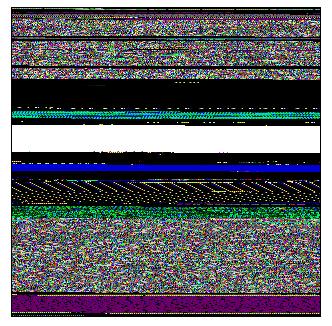
Enjoy 
- Dmitry Vostokov @ DumpAnalysis.org -
An alternative to converting memory dumps to sound files is to save a memory range to a binary file and then convert it to a wave file. The latter is better for complete memory dumps which can be several Gb in size.
To save a memory range to a file use WinDbg .writemem command:
.writemem d2w-range.bin 00400000 00433000
or
.writemem d2w-range.bin 00400000 L200
I wrote a WinDbg script that saves a specified memory range and then calls a shell script which automatically converts saved binary file to a wave file and then runs whatever sound program is registered for .wav extension. On many systems it is Microsoft Media Player unless you installed any other third-party player.
The WinDbg script code (memsounds.txt):
.writemem d2w-range.bin ${$arg1} ${$arg2}

.if (${/d:$arg5})

{

  .shell -i- memsounds.cmd d2w-range ${$arg3} ${$arg4} ${$arg5}

}

.elsif (${/d:$arg4})

{

  .shell -i- memsounds.cmd d2w-range ${$arg3} ${$arg4}

}

.elsif (${/d:$arg3})

{

  .shell -i- memsounds.cmd d2w-range ${$arg3}

}

.else

{

  .shell -i- memsounds.cmd d2w-range

}
The shell script (memsounds.cmd):
dump2wave %1.bin %1.wav %2 %3 %4

%1.wav
Because WinDbg installation folder is assumed to be the default directory for both scripts and Dump2Wave.exe they should be copied to the same folder where windbg.exe is located. On my system it is
C:\Program Files\Debugging Tools for Windows
Both scripts are included in Dump2Wave package available for free download:
To call the script from WinDbg use the following command:
$$>a< memsounds.txt Range [Freq] [Bits] [Channels]
where Range can be in Address1 Address2 or Address Lxxx format, Freq can be 44100, 22050, 11025 or 8000, Bits can be 8 or 16, Channels can be 1 or 2. By default it is 44100, 16, 2.
If you have a live debugging session or loaded a crash dump you can listen to a memory range immediately. For example, the range of memory from 00400000 to 00433000 interpreted as 44.1KHz 16bit stereo:
0:000> $$>a< memsounds.txt 00400000 00433000

Writing 33001 bytes...
C:\Program Files\Debugging Tools for Windows>dump2wave d2w-range.bin d2w-range.wav
Dump2Wave version 1.2.1

Written by Dmitry Vostokov, 2006
d2w-range.wav

d2w-range.bin

        1 file(s) copied.
C:\Program Files\Debugging Tools for Windows>d2w-range.wav

.shell: Process exited

0:000>
or the same range interpreted as 8KHz 8bit mono:
0:000> $$>a< memsounds.txt 00400000 00433000 8000 8 1

Writing 33001 bytes...
C:\Program Files\Debugging Tools for Windows>dump2wave d2w-range.bin d2w-range.wav 8000 8 1
Dump2Wave version 1.2.1

Written by Dmitry Vostokov, 2006
d2w-range.wav

d2w-range.bin

        1 file(s) copied.
C:\Program Files\Debugging Tools for Windows>d2w-range.wav

.shell: Process exited

0:000>
The script starts Windows Media Player on my system and I only need to push the play button to start listening.
Enjoy 
- Dmitry Vostokov @ DumpAnalysis.org -
It is a well known fact that crash dumps may contain sensitive and private information. Crash reports that contain binary process extracts may contain it too. There is a conflict here between the desire to get full memory contents for debugging purposes and possible security implications. The solution would be to have postmortem debuggers and user mode process dumpers to implement an option to save only the activity data like stack traces in a text form. Some problems on a system level can be corrected just by looking at thread stack traces, critical section list, full module information, thread times and so on. This can help to identify components that cause process crashes, hangs or CPU spikes.
Users or system administrators can review text data before sending it outside their environment. This was already implemented as Dr. Watson logs. However these logs don’t usually have sufficient information required for crash dump analysis compared to information we can extract from a dump using WinDbg, for example. If you need to analyze kernel and all process activities you can use scripts to convert your kernel and complete memory dumps to text files:
Dmp2Txt: Solving Security Problem
The similar scripts can be applied to user dumps:
Using scripts to process hundreds of user dumps
Generating good scripts in a production environment has one problem: the conversion tool or debugger needs to know about symbols. This can be easily done with Microsoft modules because of Microsoft public symbol server. Other companies like Citrix have the option to download public symbols:
Debug Symbols for Citrix Presentation Server
Alternatively one can write a WinDbg extension that loads a text file with stack traces, appropriate module images, finds the right PDB files and presents stack traces with full symbolic information. This can also be a separate program that uses Visual Studio DIA (Debug Interface Access) SDK to access PDB files later after receiving a text file from a customer.
I’m currently experimenting with some approaches and will write about them later. Text files will also be used in Internet Based Crash Dump Analysis Service because it is much easier to process text files than crash dumps. Although it is feasible to submit small mini dumps for this purpose they don’t contain much information and require writing specialized OS specific code to parse them. Also text files having the same file size can contain much more useful information without exposing private and sensitive information.
I would appreciate any comments and suggestions regarding this problem.
- Dmitry Vostokov @ DumpAnalysis.org -
I was looking for a way to pass arguments to scripts and the new WinDbg 6.7.5 documentation contains the description of $$>a< command:
$$>a< Filename arg1 arg2 arg3 … argn
argn
- Specifies an argument that the debugger passes to the script. These parameters can be quoted strings or space-delimited strings. All arguments are optional.
This promises a lot of possibilities to write cool scripts and use structured programming. Couldn’t quickly find in the help who gets the passed parameter, a pseudu-register or a fixed-name alias. Certainly some experimentation is needed here.
- Dmitry Vostokov -
The good collection of WinDbg scripts was posted this month on Roberto Farah’s blog. Most of his scripts use DML (Debugger Markup Language). I also looked over my previous posts and put my old crash dump analysis scripts into one collection.
Found one problem. I was writing a script yesterday to call some external programs and found that I couldn’t easily pass parameters to the script. I mean something like this would be great:
$$><myscript.txt param1 param2
and I could possibly reference parameters inside the script perhaps by some pseudo-register. The current approach is to set up pseudo-registers before running the script and I don’t like it. I’ll post a better solution if I find it.
- Dmitry Vostokov -