Archive for the ‘Fun with Crash Dumps’ Category

Memory Dump Analysis Anthology, Volume 1

Thursday, February 7th, 2008

It is very easy to become a publisher nowadays. Much easier than I thought. I registered myself as a publisher under the name of OpenTask which is my registered business name in Ireland. I also got the list of ISBN numbers and therefore can announce product details for the first volume of Memory Dump Analysis Anthology series:

Memory Dump Analysis Anthology, Volume 1

  • Paperback: 720 pages (*)
  • ISBN-13: 978-0-9558328-0-2
  • Hardcover: 720 pages (*)
  • ISBN-13: 978-0-9558328-1-9
  • Author: Dmitry Vostokov
  • Publisher: Opentask (15 Apr 2008)
  • Language: English
  • Product Dimensions: 22.86 x 15.24

(*) subject to change 

PDF file will be available for download too.

- Dmitry Vostokov @ DumpAnalysis.org -

Dump2Picture v1.1 source code

Tuesday, February 5th, 2008

Since the first release of Dump2Picture I was under pressure to publish its source code and today I released it under GPL. I have to apologize that it doesn’t always use secure string manipulation functions, error handling is copy/pasted several times and there are no comments. I promise better code in the next version. :-)

If you plan to make changes and improvements please let me know so I could enjoy your versions of memory visuals too. I used ancient Visual C++ 6.0 to compile and build the project.

// Dump2Picture version 1.1 (c) Dmitry Vostokov
// GNU GENERAL PUBLIC LICENSE
// http://www.gnu.org/licenses/gpl-3.0.txt

#include <math.h>
#include <iostream>
#include <process.h>
#include <windows.h>

BITMAPFILEHEADER bmfh = { 'MB', 0, 0, 0,
   sizeof(BITMAPFILEHEADER) + sizeof(BITMAPINFOHEADER) };
BITMAPINFOHEADER bmih = { sizeof(BITMAPINFOHEADER), 0, 0, 1, 32,
   0, 0, 0, 0, 0, 0 };
RGBQUAD rgb[256];

void DisplayError (LPCSTR szPrefix)
{
 LPSTR errMsg;
 CHAR  szMsg[256];
 strncpy(szMsg, szPrefix, 128);
 DWORD gle = GetLastError();
 if (gle && FormatMessage(
    FORMAT_MESSAGE_ALLOCATE_BUFFER|FORMAT_MESSAGE_FROM_SYSTEM,
    NULL, gle, 0, (LPSTR)&errMsg, 0, NULL))
 {
  strcat(szMsg, ": ");
  strncat(szMsg, errMsg, 120);
 }  
 std::cout << szMsg << std::endl;
 LocalFree(errMsg);
}

int main(int argc, char* argv[])
{
 std::cout << std::endl << "Dump2Picture version 1.1"
    << std::endl << "Written by Dmitry Vostokov, 2007"
    << std::endl << std::endl;
 if (argc < 3)
 {
  std::cout << "Usage: Dump2Picture dumpfile bmpfile [8|16|24|32]" << std::endl;
  return -1;
 }

 HANDLE hFile = CreateFile(argv[1], GENERIC_READ,
    FILE_SHARE_READ, NULL, OPEN_EXISTING,
    FILE_ATTRIBUTE_NORMAL, NULL);
 if (hFile == INVALID_HANDLE_VALUE)
 {
  DisplayError("Cannot read dump file"); 
  return -1;
 }

 DWORD dwDumpSizeHigh = 0;
 DWORD dwDumpSizeLow = GetFileSize(hFile, &dwDumpSizeHigh);
 CloseHandle(hFile);

 if (dwDumpSizeHigh)
 {
  std::cout << "The dump file must be less than 4Gb"
     << std::endl;
  return -1;
 }

 if (argc == 4)
 {
  if (!strcmp(argv[argc-1],"8"))
  {
   bmih.biBitCount = 8;
   for (int i = 0; i < 256; ++i)
   {
    rgb[i].rgbBlue = rgb[i].rgbGreen = rgb[i].rgbRed = i;
    rgb[i].rgbReserved = 0;
   }
  }
  else if (!strcmp(argv[argc-1],"16"))
  {
   bmih.biBitCount = 16;
  }
  else if (!strcmp(argv[argc-1],"24"))
  {
   bmih.biBitCount = 24;
  }
  else
  {
   bmih.biBitCount = 32;
  }
 }

 bmih.biWidth = bmih.biHeight = sqrt((double)(dwDumpSizeLow/
    (bmih.biBitCount/8)));
 bmih.biWidth -= bmih.biWidth%2;
 if (bmih.biBitCount == 8 )
 {
  bmih.biWidth -= bmih.biWidth%8;
 }
 bmih.biHeight -= bmih.biHeight%2;
 bmih.biSizeImage = bmih.biWidth*bmih.biHeight*
    (bmih.biBitCount/8);
 if (bmih.biBitCount == 8 )
 {
  bmfh.bfOffBits += sizeof(rgb);
 }
 bmfh.bfSize = bmfh.bfOffBits + bmih.biSizeImage;

 hFile = CreateFile(argv[2], GENERIC_WRITE, 0, NULL,
    CREATE_ALWAYS, FILE_ATTRIBUTE_NORMAL, NULL);
 if (hFile == INVALID_HANDLE_VALUE)
 {
  DisplayError("Cannot create bitmap header file"); 
  return -1;
 }

 DWORD dwWritten;
 if (!WriteFile(hFile, &bmfh, sizeof(bmfh), &dwWritten, NULL))
 {
  DisplayError("Cannot write bitmap header file"); 
  CloseHandle(hFile);
  return -1;
 }

 if (!WriteFile(hFile, &bmih, sizeof(bmih), &dwWritten, NULL))
 {
  DisplayError("Cannot write bitmap header file"); 
  CloseHandle(hFile);
  return -1;
 }

 if (bmih.biBitCount == 8 )
 {
  if (!WriteFile(hFile, &rgb, sizeof(rgb), &dwWritten, NULL))
  {
   DisplayError("Cannot write bitmap header file"); 
   CloseHandle(hFile);
   return -1;
  }
 }
 
 CloseHandle(hFile);

 std::string str = "copy \"";
 str += argv[2];
 str += "\" /B + \"";
 str += argv[1];
 str += "\" /B \"";
 str += argv[2];
 str += "\" /B";

 system(str.c_str());
 
 return 0;
}

- Dmitry Vostokov @ DumpAnalysis.org -

Memoretics

Monday, February 4th, 2008

I’ve been trying to put memory dump analysis on relevant scientific grounds for some time and now this branch of science needs its own name. After considering different alternative names I finally chose the word Memoretics. Here is the brief definition:

Computer Memoretics studies computer memory snapshots and their evolution in time.

Obviously this domain of research has many links with application and system debugging. However its scope is wider than debugging because it doesn’t necessarily study memory snapshots from systems and applications experiencing faulty behaviour.

Initially I was thinking about Memogenics word but its suffix is heavily associated with genes metaphor which I’m currently trying to avoid although I personally re-discovered software genes approach to software disorders when thinking about Memoretics vs. Memogenics. Later I found some research efforts going on but seems they are based on constructing software genes artificially. On the contrary I would try to discover genes in computer memories first.

genic

Also Memoretics has longer prefix almost resembling Memory word. This had the final influence on my decision.

PS. I was also thinking about Memorology word but it has negative connotations with Astrology or Numerology and was coined already by someone like Memology and Memorics

- Dmitry Vostokov @ DumpAnalysis.org -

Optometrics and Crashes

Monday, February 4th, 2008

What’s the relation? During my eye test today an optometrist complained that he has to re-enter data because his program crashed. Later on I looked at the screen and saw familiar Borland style GUI. I resisted temptation to offer on the spot crash dump analysis assistance. Now I regret that - perhaps he might have offered better discount for me :-)

- Dmitry Vostokov @ DumpAnalysis.org -

Crash Dumps and Global Conspiracy

Friday, January 11th, 2008

I’m reading a book now about global conspiracy to educate myself about various such theories and just for fun. There are Matrix-style conspiracy theories where we are like computer programs. Looking from crash dump analysis and debugging perspective I thought about this: can a process detect its own past crash dumps? Obviously yes, if the code was written with such intention. If the code was written without such intention but is complex enough to generate additional code or reuse the existing one to train itself in such procedure then it can detect past crash dumps too. You see where I’m heading now :-) If we can see our past crash dumps then this will be the proof that we live in a Matrix-type world. The link to the book I’m reading now is below and I promise to write a review when I finish it.

Yet another thought - are there any secret software engineering societies (SSES)? Can we see patterns in memory dumps linking to alien code?

The David Icke Guide to the Global Conspiracy

Buy from Amazon

- Dmitry Vostokov @ DumpAnalysis.org -
Unicode Illuminated

Tuesday, August 14th, 2007

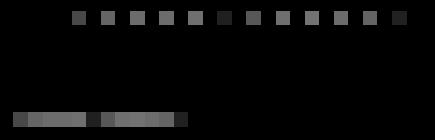
I generated a memory dump with plenty of Unicode and ASCII strings “Hello World!” to see how they look on a picture. I assume you know the difference between Unicode (UTF-16) and ASCII encodings: wide characters from the former occupy two bytes:

0:000> db 008c7420 l20
008c7420  48 00 65 00 6c 00 6c 00-6f 00 20 00 57 00 6f 00  H.e.l.l.o. .W.o.
008c7430  72 00 6c 00 64 00 21 00-00 00 00 00 00 00 00 00  r.l.d.!.........

and characters from the latter occupy one byte of memory:

0:000> db 008c72b4 l10
008c72b4  48 65 6c 6c 6f 20 57 6f-72 6c 64 21 00 00 00 00  Hello World!....

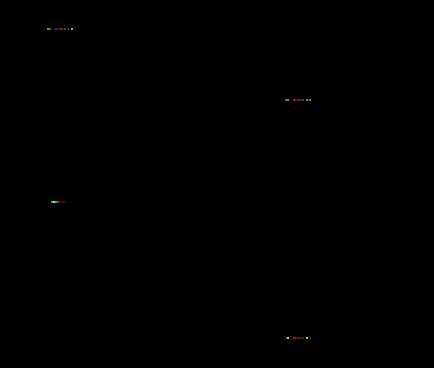
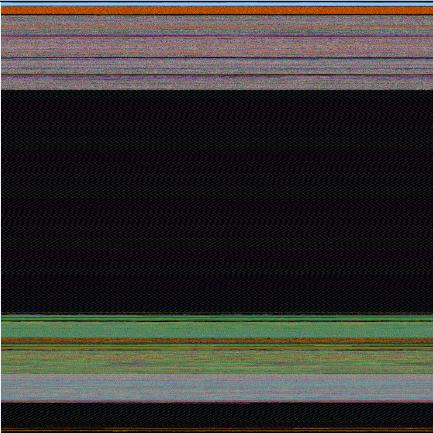
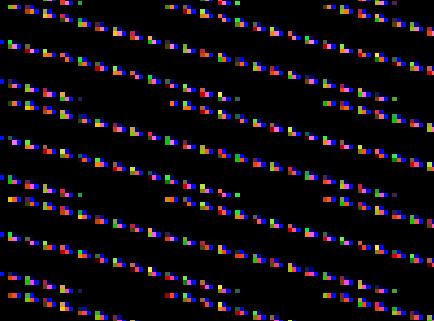
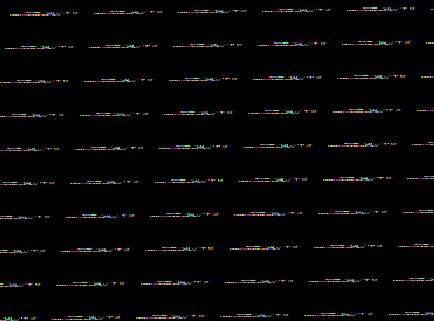
You can see that the second byte for Unicode English characters is zero. I converted that memory dump into 8 bits-per-pixel bitmap using Dump2Picture and after zooming it sufficiently in Vista Photo Viewer until pixels become squares I got the following picture that illustrates the difference between Unicode and ASCII strings:

Incidentally the same memory dump converted to 32 bits-per-pixel bitmap shows Unicode “Hello World!” strings in green colors :-)

- Dmitry Vostokov @ DumpAnalysis.org -

Dump2Picture update (version 1.1)

Monday, August 13th, 2007

Previously announced Dump2Picture has been updated to version 1.1 with the following improvements to handle 8 bits-per-pixel images correctly:

- Saves grey scale palette

- Calculates right bitmap width and file size

The update can be downloaded from the same link:

Download Dump2Picture

Now 8 bits-per-pixel Vista kernel dump looks much better:

- Dmitry Vostokov @ DumpAnalysis.org -
Visualizing Memory Leaks

Sunday, August 12th, 2007

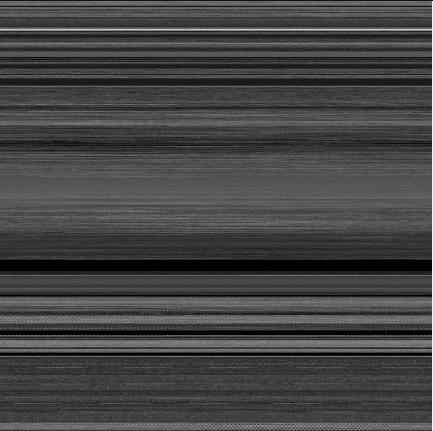
Dump2Picture can be used to explore memory leaks visually. I created the following small program in Visual C++ that leaks 64Kb every second:

#include "stdafx.h"
#include <windows.h>

int _tmain(int argc, _TCHAR* argv[])
{
  while (true)
  {
    printf("%x\n", (UINT_PTR)malloc(0xFFFF));
    Sleep(1000);
  }

  return 0;
}

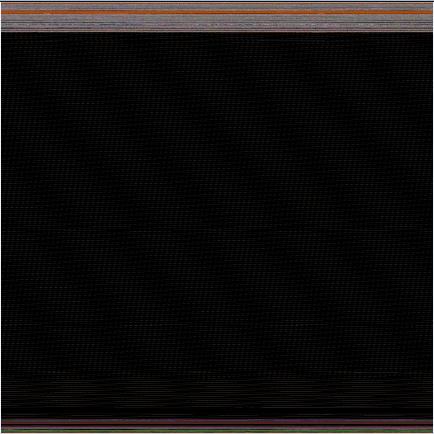
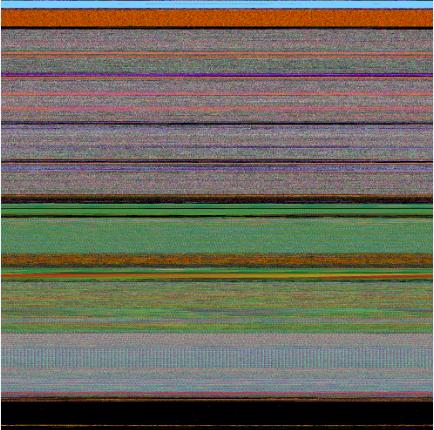
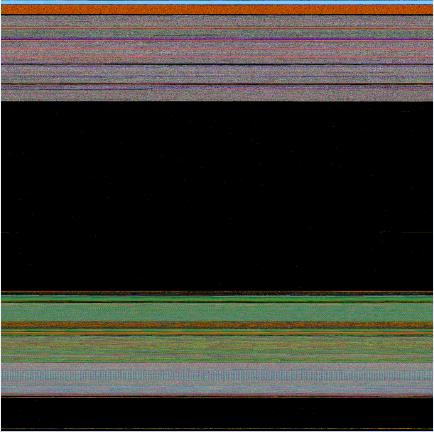
Then I sampled 3 dumps at 7Mb, 17Mb and 32Mb process virtual memory size and converted them as 16 bits-per-pixel bitmaps. On the pictures below we can see that the middle black memory area grows significantly. Obviously malloc function allocates zeroed memory and therefore we see black color.

7Mb process memory dump:

17Mb process memory dump:

32Mb process memory dump:

If we zoom in the black area we would see the following pattern:


Colored lines inside are heap control structures that are created for every allocated block of memory. If this is correct then allocating smaller memory blocks would create a hatched pattern. And this is true indeed. The following program leaks 256 byte memory blocks:

#include "stdafx.h"
#include <windows.h>

int _tmain(int argc, _TCHAR* argv[])
{
  while (true)
  {
    printf("%x\n", (UINT_PTR)malloc(0xFF));
    Sleep(1000/0xFF);
  }

  return 0;
}

The corresponding process memory picture and zoomed heap area are the following:

Making allocations 4 times smaller makes heap area to look hatched and zoomed picture is more densely packed by heap control structures:

#include "stdafx.h"
#include <windows.h>

int _tmain(int argc, _TCHAR* argv[])
{
  while (true)
  {
    printf("%x\n", (UINT_PTR)malloc(0xFF/4));
    Sleep((1000/0xFF)/4);
  }

  return 0;
}


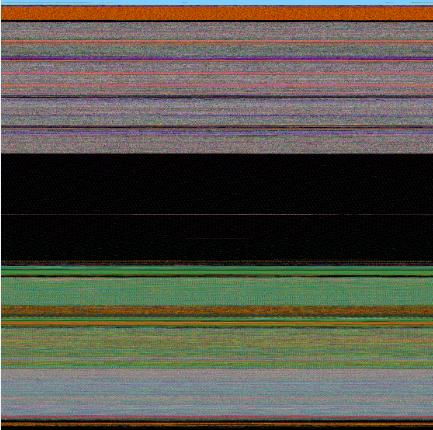
Here is another example. One service was increasing its memory constantly. The crash dump picture shows huge hatched dark region in the middle:


and if we zoom in this region:

Because the pattern and allocation size look uniform it could be the true heap memory leak for some operation that allocates constant size buffers. After opening the dump and looking at heap segments that had grown the most we see the same allocation size indeed:

0:000> !.\w2kfre\ntsdexts.heap -h 5
HEAPEXT: Unable to get address of NTDLL!NtGlobalFlag.
Index   Address  Name      Debugging options enabled
  1:   00140000
  2:   00240000
  3:   00310000
  4:   00330000
  5:   00370000
    Segment at 00370000 to 00380000 (00010000 bytes committed)
    Segment at 01680000 to 01780000 (00100000 bytes committed)
    Segment at 019C0000 to 01BC0000 (00200000 bytes committed)
    Segment at 01BC0000 to 01FC0000 (00400000 bytes committed)
    Segment at 01FC0000 to 027C0000 (00800000 bytes committed)
    Segment at 027C0000 to 037C0000 (01000000 bytes committed)
    Segment at 037C0000 to 057C0000 (02000000 bytes committed)

    Segment at 057C0000 to 097C0000 (00155000 bytes committed)


    057B96E0: 01048 . 01048 [07] - busy (1030), tail fill
    057BA728: 01048 . 01048 [07] - busy (1030), tail fill
    057BB770: 01048 . 01048 [07] - busy (1030), tail fill
    057BC7B8: 01048 . 01048 [07] - busy (1030), tail fill
    057BD800: 01048 . 01048 [07] - busy (1030), tail fill
    057BE848: 01048 . 01048 [07] - busy (1030), tail fill
    057BF890: 01048 . 00770 [14] free fill
  Heap entries for Segment07 in Heap 370000
    057C0040: 00040 . 01048 [07] - busy (1030), tail fill
    057C1088: 01048 . 01048 [07] - busy (1030), tail fill
    057C20D0: 01048 . 01048 [07] - busy (1030), tail fill
    057C3118: 01048 . 01048 [07] - busy (1030), tail fill
    057C4160: 01048 . 01048 [07] - busy (1030), tail fill
    057C51A8: 01048 . 01048 [07] - busy (1030), tail fill


- Dmitry Vostokov @ DumpAnalysis.org -
Visualizing Memory Dumps

Saturday, August 4th, 2007

As the first step towards Memory Dump Tomography I created a small program that interprets a memory dump as a picture. You can visualize crash dumps with it. The tool is available for free download:

Download Dump2Picture

Simply run it from the command prompt and specify full paths to a dump file and an output BMP file. The memory dump file will be converted by default into true color, 32 bits-per-pixel bitmap. You can specify other values: 8, 16 and 24.

C:\Dump2Picture>Dump2Picture.exe

Dump2Picture version 1.0
Written by Dmitry Vostokov, 2007

Usage: Dump2Picture dumpfile bmpfile [8|16|24|32]

For example:

C:\Dump2Picture>Dump2Picture.exe MEMORY.DMP MEMORY.BMP 8

Dump2Picture version 1.0
Written by Dmitry Vostokov, 2007

MEMORY.BMP
MEMORY.DMP
        1 file(s) copied.

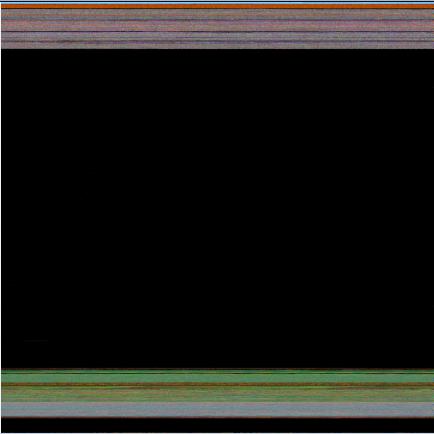
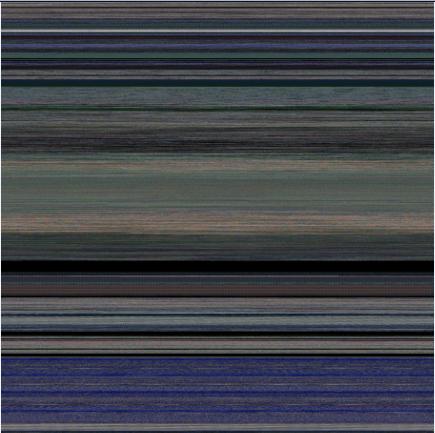
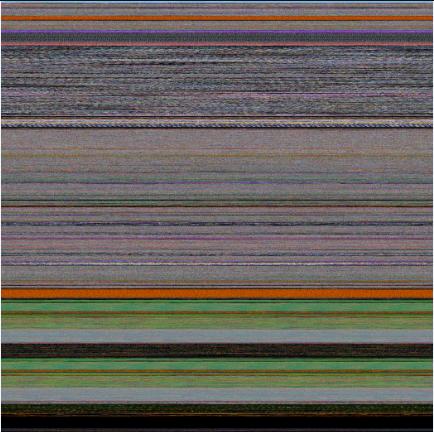
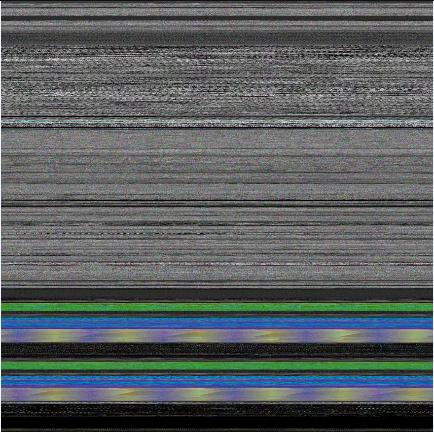
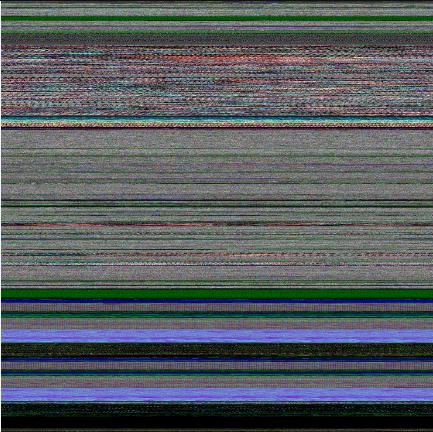
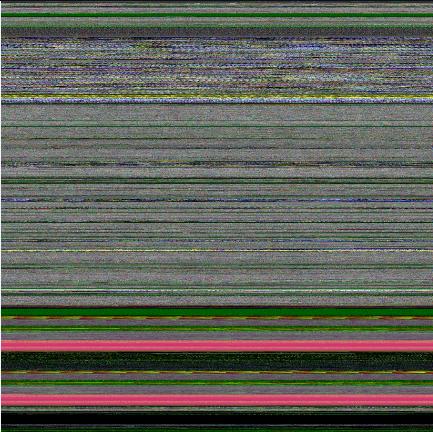
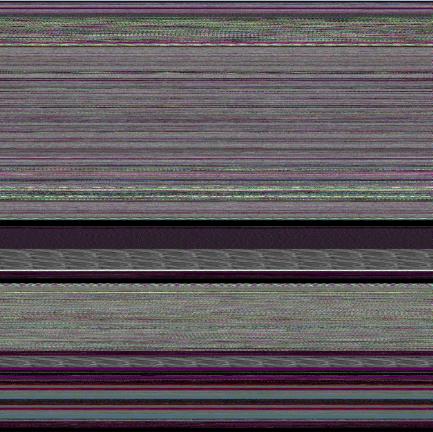
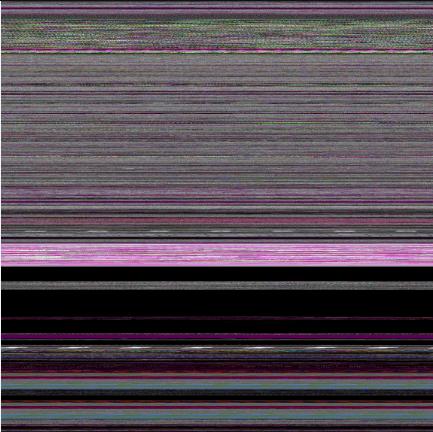
Below are some screenshots of bitmap files created by the tool. Think about them as visualized kernel or user address spaces. 

Vista kernel memory dump (8 bits-per-pixel):

Vista kernel memory dump (16 bits-per-pixel):

Vista kernel memory dump (24 bits-per-pixel):

Vista kernel memory dump (32 bits-per-pixel):

Notepad process user memory dump (8 bits-per-pixel):

Notepad process user memory dump (16 bits-per-pixel):

Notepad process user memory dump (24 bits-per-pixel):

Notepad process user memory dump (32 bits-per-pixel):

Mspaint process user memory dump (32 bits-per-pixel):

Mspaint process user memory dump after loading “Toco Toucan.jpg” from Vista Sample Pictures folder (32 bits-per-pixel):

Citrix ICA client process (wfica32.exe) user memory dump (32 bits-per-pixel):

Enjoy :-)

- Dmitry Vostokov @ DumpAnalysis.org -
Voices from Process Space

Sunday, November 19th, 2006

Following the release of Dump2Wave tool some members of Citrix community have been asking me to provide some interesting sound fragments from dump files. I was also particularly interested in catching voices from the past: embedded fragments of human voice. So I recorded my “Hello” message, played it by Media Player and then saved a process dump. Then I converted the dump to CD-quality wave file and saved interesting sound fragments from it (to conserve space - the original wave file was 76Mb).

To listen to these fragments you can download wave files from the following location:

DumpSounds.zip (8Mb)

Here is the description of what I heard in these wave files:

- dump1.wav

  • violin
  • aliens
  • train sound
  • Hello

- dump2.wav

  • electric guitar
  • signals from cosmos

- dump3.wav

  • Morse code alphabet

- dump4.wav

  • helicopter

- dump5.wav

  • horn
  • some interesting noise and fragments of electronic music

 Enjoy :-)

Of course, you can convert kernel memory dumps to wave files and hear voices from kernel space too…

- Dmitry Vostokov -

Dump2Wave update

Sunday, October 29th, 2006

Dump2Wave has been updated and can be downloaded from the same link as before:

Download Dump2Wave version 1.2.1

What’s new and corrections list:

  • Dumps with file size not divisible by the product of bytes-per-sample and channels (sample alignment) are converted into correct wave files now
  • Sample alignment is calculated correctly for non-CD quality wave
  • File paths with spaces are allowed now (you need to include them in double quotes)
  • Added diagnostic and error messages

- Dmitry Vostokov -

Musical Dumps: Dump2Wave

Sunday, October 22nd, 2006

Dump2Wave command line tool is available for free download:

Download Dump2Wave

Simply run it from the command prompt and specify full paths to dump file and output WAV file. Dump file will be converted by default into 44.1KHz 16bit stereo WAV file (CD quality). You can specify you own conversion parameters like samples per second (22050, 11025, etc), bits per sample (8 or 16) and the number of channels (1 - mono, 2 - stereo):

For example, I converted sndrec32.dmp to sndrec32.wav:

The dump was taken after sndrec32.exe played “Windows XP Logon Sound.wav” file from \Windows\Media folder and that wave file was originally sampled as 22050Hz 16bits stereo. By listening to sndrec32.dmp I was able to hear a fragment from that logon sound because it was stored in a buffer inside sndrec32.exe process.

Note: Dump2Wave will not convert a dump file which is greater than 4Gb. Forthcoming DumpPlayer will be able to play large complete memory dumps in real-time without conversion and you could graphically choose a region to play.

Just a reminder on how you can save a dump manually (unless you have a dump from application crash or BSOD):

Dumping Processes Without Breaking Them

Microsoft User Mode Process Dumper

How to Attach NTSD to a Process and Save a Dump

How to Attach WinDbg to a Process

- Dmitry Vostokov -