Archive for January 31st, 2008

Reference Stack Traces (Volume 3)

Thursday, January 31st, 2008

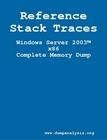
Now the third volume is ready. Here is PDF file for free download:

Windows Server 2003™ x86 Complete Memory Dump

Surprisingly it is almost twice less in the number of pages than the first volume for Vista x86.  

Printed versions are available for purchase at the nominal price to cover manufacturing costs:

The second edition will contain annotations and comments.

Large print (paperback)

Buy

Small print (paperback)

Buy

Small print (hardcover)

Buy

- Dmitry Vostokov @ DumpAnalysis.org -

Crash Dump Analysis Patterns (Part 46)

Thursday, January 31st, 2008

Similar to No Process Dumps pattern there is corresponding No System Dumps pattern where the system bluescreens either on demand or because of a bug check condition but no kernel or complete dumps are saved. In such cases I would advise to check free space on a drive where memory dumps are supposed to be saved. This is because crash dumps are saved to a page file first and then copied to a separate file during boot time, by default to memory.dmp file. Please see related Microsoft links in my old post. In case you have enough free space but not enough page file space you might get an instance of Truncated Dump or Corrupt Dump pattern.   

Yesterday I experienced No System Dump pattern on Windows Server 2003 SP2 running on VMWare workstation when I was trying to get a complete memory dump using SystemDump. I set up page file correctly as sizeof(PhysicalMemory) + 100Mb but I didn’t check free space on drive C: and no dump was saved, not even kernel minidump. System event log entry was blank too. 

- Dmitry Vostokov @ DumpAnalysis.org -

Domain-Driven Debugging and Troubleshooting

Thursday, January 31st, 2008

SDT (Structured Debugging and Troubleshooting) is procedural (action-based). Once we get the description of the problem we jump to actions:

  1. Ask this
  2. Ask that
  3. Do this
  4. Do that

Whereas OODT is centered around objects (systems and customers are also objects):

  1. Get objects from the problem description and problem environment

  2. Interrogate them sending messages (could be an email at high levels :-)) like changing a registry key is a message to configuration management subsystem

OODT depends on troubleshooting domain and therefore finally we finally come to DDDT.

- Dmitry Vostokov @ DumpAnalysis.org -
Component-Based Debugging and Troubleshooting

Thursday, January 31st, 2008

Component identification is one of the main goals of post-mortem memory dump analysis and troubleshooting process in general. Using the definition of components as units of deployment and 3rd-party composition taken from Clemens Szyperski’s seminal book discussing component software in general and COM, CORBA, Java and .NET in particular (highly recommended book)

Component Software: Beyond Object-Oriented Programming (2nd Edition)

Buy from Amazon

I would say that CBDT is centered around component isolation and replacement.

- Dmitry Vostokov @ DumpAnalysis.org -

Object-Oriented Debugging and Troubleshooting

Thursday, January 31st, 2008

OODT pronounced ”Oddity” is not a paradigm shift for support and software maintenance environments but a recognized way to solve problems using object-oriented techniques. In contrast to Structured Debugging and Troubleshooting methods (SDT) where engineers have sequence of questions and structure troubleshooting plans around them OODT is based on targeting specific objects, subsystems and systems (sending “messages” to them) and evaluating response and changes in their behaviour. I have to say more about it later after introducing CBDT (no easy pronunciation for it but any suggestions are welcome :-)).

Note: OODT doesn’t mean troubleshooting OO systems - it means applying OO techniques to troubleshooting

- Dmitry Vostokov @ DumpAnalysis.org -