User Interface Problem Analysis Patterns (Part 1)

July 14th, 2011

As a part of unified debugging pattern and generative debugging approach we extend software behavior analysis patterns such as memory dump and software trace analysis with UI abnormal behaviour patterns. Here by abnormality we mean behavior that users should not encounter while using software. Typical example is some error message or GUI distortion during execution of a functional use case. Such patterns will extend software behavior analysis pattern language we use for description of various post-construction software problems.

The first pattern we start with is called Error Message Box and we link it to Message Box and Self-Diagnosis memory analysis patterns. You can download x86 and x64 modeling examples from this location:

UIPMessageBox.zip

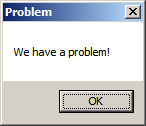
When we start the application it shows a message box:

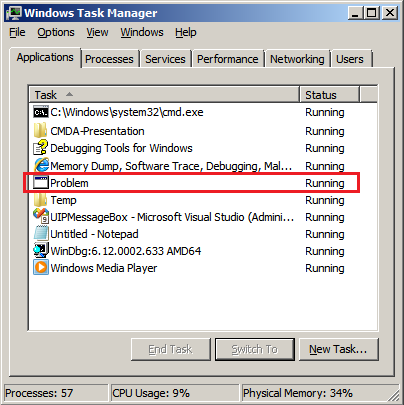
We then launch Task Manager and find the window:

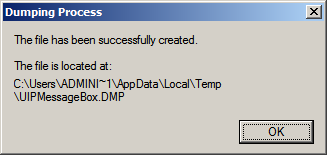
Then we save a crash dump using right-click context menu:

When we open the process memory dump we see this stack trace:

0:000> ~*kL

.  0  Id: d30.71c Suspend: 0 Teb: 000007ff`fffdd000 Unfrozen
Child-SP          RetAddr           Call Site
00000000`002ff1e8 00000000`77837214 user32!ZwUserWaitMessage+0xa
00000000`002ff1f0 00000000`778374a5 user32!DialogBox2+0x274
00000000`002ff280 00000000`778827f0 user32!InternalDialogBox+0x135
00000000`002ff2e0 00000000`77881ae5 user32!SoftModalMessageBox+0x9b4
00000000`002ff410 00000000`7788133b user32!MessageBoxWorker+0x31d
00000000`002ff5d0 00000000`77881232 user32!MessageBoxTimeoutW+0xb3
00000000`002ff6a0 00000001`3ffa101d user32!MessageBoxW+0×4e
00000000`002ff6e0 00000001`3ffa1039 UIPMessageBox!bar+0×1d
00000000`002ff710 00000001`3ffa1052 UIPMessageBox!foo+0×9
00000000`002ff740 00000001`3ffa11ea UIPMessageBox!wmain+0×12
00000000`002ff770 00000000`7770f56d UIPMessageBox!__tmainCRTStartup+0×15a
00000000`002ff7b0 00000000`77942cc1 kernel32!BaseThreadInitThunk+0xd
00000000`002ff7e0 00000000`00000000 ntdll!RtlUserThreadStart+0×1d

We see there that foo function called bar function which displayed the message box. In real scenarios function name could me more meaningful and give a clue for troubleshooting and debugging in addition to message text:

0:000> ub 00000001`3ffa101d
UIPMessageBox!__unguarded_readlc_active+0xfff:
00000001`3ffa0fff add     byte ptr [rax-7Dh],cl
00000001`3ffa1002 in      al,dx
00000001`3ffa1003 sub     byte ptr [rbp+33h],al
00000001`3ffa1006 leave
00000001`3ffa1007 lea     r8,[UIPMessageBox!__mnames+0×28 (00000001`3ffa83c8)]
00000001`3ffa100e lea     rdx,[UIPMessageBox!__mnames+0×38 (00000001`3ffa83d8)]
00000001`3ffa1015 xor     ecx,ecx
00000001`3ffa1017 call    qword ptr [UIPMessageBox!_imp_MessageBoxW (00000001`3ffa71d8)]

0:000> du 00000001`3ffa83c8
00000001`3ffa83c8  “Problem”

0:000> du 00000001`3ffa83d8
00000001`3ffa83d8  “We have a problem!”

- Dmitry Vostokov @ DumpAnalysis.org + TraceAnalysis.org -

Raw Stack from Laterally Damaged Memory Dumps

July 14th, 2011

Sometimes TEB information is missing from laterally damaged dumps:

0:010> !teb
TEB at 000007fffff9c000
    ExceptionList:        0000000000000000
    StackBase:            0000000000000000
    StackLimit:           0000000000000000
    SubSystemTib:         0000000000000000
    FiberData:            0000000000000000
    ArbitraryUserPointer: 0000000000000000
    Self:                 0000000000000000
    EnvironmentPointer:   0000000000000000
    ClientId:             0000000000000000 . 0000000000000000
    RpcHandle:            0000000000000000
    Tls Storage:          0000000000000000
    PEB Address:          0000000000000000
    LastErrorValue:       0
    LastStatusValue:      0
    Count Owned Locks:    0
    HardErrorMode:        0

In such cases if stack trace is present we can get raw stack data with associated symbolic information by using ChildEBP (x86) or Child-SP (x64) columns:

0:010> kL
Child-SP          RetAddr           Call Site
00000000`0310ec88 000007fe`fd2313a6 ntdll!NtWaitForMultipleObjects+0xa
00000000`0310ec90 00000000`77023143 KERNELBASE!WaitForMultipleObjectsEx+0xe8
00000000`0310ed90 00000000`77099025 kernel32!WaitForMultipleObjectsExImplementation+0xb3
00000000`0310ee20 00000000`770991a7 kernel32!WerpReportFaultInternal+0×215
00000000`0310eec0 00000000`770991ff kernel32!WerpReportFault+0×77
00000000`0310eef0 00000000`7709941c kernel32!BasepReportFault+0×1f
00000000`0310ef20 00000000`772b6228 kernel32!UnhandledExceptionFilter+0×1fc
00000000`0310f000 00000000`77234f48 ntdll! ?? ::FNODOBFM::`string’+0×22c5
00000000`0310f030 00000000`77254f6d ntdll!_C_specific_handler+0×8c
00000000`0310f0a0 00000000`77235b2c ntdll!RtlpExecuteHandlerForException+0xd
00000000`0310f0d0 00000000`7726f638 ntdll!RtlDispatchException+0×3cb
00000000`0310f7b0 00000000`000a1760 ntdll!KiUserExceptionDispatcher+0×2e
00000000`0310fd68 000007fe`f6c1ba28 0xa1760
00000000`0310fd70 000007fe`fb5c4744 ModuleA!Close+0×88
00000000`0310fdb0 000007fe`fb5c7603 ModuleB!Close+0×38
00000000`0310fde0 00000000`7701f56d ModuleB!WorkItem+0×5b
00000000`0310fe10 00000000`77252cc1 kernel32!BaseThreadInitThunk+0xd
00000000`0310fe40 00000000`00000000 ntdll!RtlUserThreadStart+0×1d

0:010> dps 00000000`0310ec88 00000000`0310fe40
00000000`0310ec88  000007fe`fd2313a6 KERNELBASE!WaitForMultipleObjectsEx+0xe8
[…]
00000000`0310fe38  00000000`77252cc1 ntdll!RtlUserThreadStart+0×1d
00000000`0310fe40  00000000`00000000

- Dmitry Vostokov @ DumpAnalysis.org + TraceAnalysis.org -

Clouded

July 12th, 2011

- Dmitry Vostokov @ DumpAnalysis.org + TraceAnalysis.org -

Cloud Traces

July 12th, 2011

I was inspired today for a new comic art movement called Computicart (Computical Art). The first composition is called Cloud Traces (remember that memory dumps are just bigger software traces and software traces are just smaller memory dumps):

- Dmitry Vostokov @ DumpAnalysis.org + TraceAnalysis.org -

Airport Terminal Services Incident

July 10th, 2011

A week ago I was flying from Dublin airport and observed “terminal services” incident first hand being the first in the registration queue for an hour while waiting for the problem resolution and “live debugging”. The system couldn’t print tickets. The following dialog phrases were very amusing to hear:

- Press F6 to initialize PE

- A message reads: “Can’t associate a printer with terminal session. Please enter the printer address.”

PS. The problem was resolved by booting the previous system version. It’s aways Mr. Upgrade who’s at fault…

- Dmitry Vostokov @ DumpAnalysis.org + TraceAnalysis.org -

New Published Books

July 10th, 2011

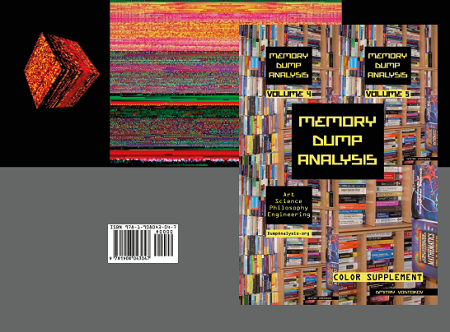
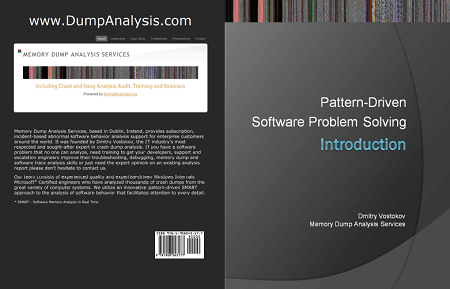
The following books have been published and available on Amazon and B&N:

- Hardcover version of Memory Dump Analysis Anthology, Volume 5

- Memory Dump Analysis Anthology: Color Supplement for Volumes 4-5


- Introduction to Pattern-Driven Software Problem Solving

- Dmitry Vostokov @ DumpAnalysis.org + TraceAnalysis.org -

Crash Dump Analysis Patterns (Part 1c)

June 28th, 2011

In addition to multiple exceptions is user mode / space and kernel mode / space patterns we can have multiple exceptions in “managed space”. After SOS extension is loaded we can use the following commands to list such exceptions (some output was skipped for formatting clarity):

0:000> !Threads
[...]
       ID  OSID Exception
   0    1  12c  System.IO.FileNotFoundException (0000000003bd6230)
   8    2  e24  (Finalizer)
  10    3  c1c  System.Reflection.TargetInvocationException (000000000492a388)
  11    4  cb0  (Threadpool Completion Port)
  12    5  c10
  13    6  1e8  (Threadpool Completion Port)
  15    7  c14  (Threadpool Worker)
  16    8  edc  (Threadpool Worker)
[…]
  23    e 1084 System.NullReferenceException (000000000492a300)

0:000> ~*e !pe
Exception object: 0000000003bd6230
Exception type: System.IO.FileNotFoundException
Message: Could not load file or assembly [...]
InnerException: System.IO.FileNotFoundException, use !PrintException 0000000003bd6938 to see more
StackTrace (generated):
    SP               IP               Function
[...]
Exception object: 000000000492a388
Exception type: System.Reflection.TargetInvocationException
Message: Exception has been thrown by the target of an invocation.
InnerException: System.NullReferenceException, use !PrintException 000000000492a300 to see more
StackTrace (generated):
    SP               IP               Function
[...]

- Dmitry Vostokov @ DumpAnalysis.org + TraceAnalysis.org -

Workaround Patterns (Part 4)

June 26th, 2011

Sometimes Fake API calls can be an alternative to source code defect fixing especially if it provides quick problem resolution in production environment. Such faking can be implemented at binary level (as patching and hooking after link phase) or at object code level (before link phase). For the latter example please look at the following case study: Applying API Wrapper Pattern. The reverse process (introducing unexpected situations via unit testing, modeling software defects) is similar and for C and C++ can be done using Isolator++.

- Dmitry Vostokov @ DumpAnalysis.org + TraceAnalysis.org -

Crash Dump Analysis Patterns (Part 145)

June 25th, 2011

In addition to Blocked Thread, endpoint threads of Wait Chain patterns, and Blocking Module we would like to add Blocking File pattern that often happen (but not limited to) in roaming profile scenarios. For example, an application was reported hanging and in a complete memory dump we can see a thread in stack trace collection:

THREAD fffffa8005eca060  Cid 14b0.1fec  Teb: 000000007ef84000 Win32Thread: fffff900c26c2c30 WAIT: (Executive) KernelMode Non-Alertable
        fffffa80048e6758  NotificationEvent
IRP List:
       fffffa8005a6c160: (0006,03e8) Flags: 00060000  Mdl: 00000000
Not impersonating
DeviceMap                 fffff8a0055b6620
Owning Process            fffffa80063dd970       Image:         Application.exe
Attached Process          N/A            Image:         N/A
Wait Start TickCount      171988390      Ticks: 26963639 (4:21:01:46.859)
Context Switch Count      226                 LargeStack
UserTime                  00:00:00.015
KernelTime                00:00:00.015
Win32 Start Address 0×000000006d851f62
Stack Init fffff880075a9db0 Current fffff880075a9770
Base fffff880075aa000 Limit fffff880075a4000 Call 0
Priority 10 BasePriority 8 UnusualBoost 0 ForegroundBoost 2 IoPriority 2 PagePriority 5
Child-SP          RetAddr           Call Site
fffff880`075a97b0 fffff800`0167f752 nt!KiSwapContext+0×7a
fffff880`075a98f0 fffff800`016818af nt!KiCommitThreadWait+0×1d2
fffff880`075a9980 fffff800`019b612a nt!KeWaitForSingleObject+0×19f
fffff880`075a9a20 fffff800`0198feaa nt! ?? ::NNGAKEGL::`string’+0×1d61a
fffff880`075a9a60 fffff800`018ed0e3 nt!IopSynchronousServiceTail+0×35a
fffff880`075a9ad0 fffff800`01677853 nt!NtLockFile+0×514
fffff880`075a9bb0 00000000`77840cea nt!KiSystemServiceCopyEnd+0×13 (TrapFrame @ fffff880`075a9c20)
00000000`0798e488 00000000`7543293b ntdll!ZwLockFile+0xa
00000000`0798e490 00000000`7541cf87 wow64!whNtLockFile+0×7f
00000000`0798e510 00000000`7536276d wow64!Wow64SystemServiceEx+0xd7
00000000`0798edd0 00000000`7541d07e wow64cpu!TurboDispatchJumpAddressEnd+0×24
00000000`0798ee90 00000000`7541c549 wow64!RunCpuSimulation+0xa
00000000`0798eee0 00000000`7786d177 wow64!Wow64LdrpInitialize+0×429
00000000`0798f430 00000000`7782308e ntdll! ?? ::FNODOBFM::`string’+0×2bfe4
00000000`0798f4a0 00000000`00000000 ntdll!LdrInitializeThunk+0xe

We immediately spot the anomaly of a lock file attempt and look at its IRP:

0: kd> !irp fffffa8005a6c160
Irp is active with 7 stacks 7 is current (= 0xfffffa8005a6c3e0)
 No Mdl: No System Buffer: Thread fffffa8005eca060:  Irp stack trace. 
     cmd  flg cl Device   File     Completion-Context
 [  0, 0]   0  2 00000000 00000000 00000000-00000000

   Args: 00000000 00000000 00000000 ffffffffc000020c
 [  0, 0]   0  0 00000000 00000000 00000000-00000000

   Args: 00000000 00000000 00000000 00000000
 [  0, 0]   0  0 00000000 00000000 00000000-00000000

   Args: 00000000 00000000 00000000 00000000
 [  0, 0]   0  0 00000000 00000000 00000000-00000000

   Args: 00000000 00000000 00000000 00000000
 [  0, 0]   0  0 00000000 00000000 00000000-00000000

   Args: 00000000 00000000 00000000 00000000
 [ 11, 0]   0  2 fffffa8004da0620 00000000 fffff8800177d9cc-fffffa800710e580   
        \FileSystem\mrxsmb mup!MupiUncProviderCompletion
   Args: 00000000 00000000 00000000 00000000
>[ 11, 1]   0  0 fffffa8004066400 fffffa80048e66c0 00000000-00000000   
        \FileSystem\Mup
   Args: fffffa8004a98120 00000001 00000000 00000000

From that IRP we see a file name: 

0: kd> !fileobj fffffa80048e66c0

[...]\AppData\Roaming\Vendor\Product\Recent\index.dat

LockOperation Set  Device Object: 0xfffffa8004066400   \FileSystem\Mup
Vpb is NULL
Access: Read SharedRead SharedWrite SharedDelete

Flags:  0x40002
 Synchronous IO
 Handle Created

File Object is currently busy and has 0 waiters.

FsContext: 0xfffff8a00e8d9010 FsContext2: 0xfffff8a012e4d688
CurrentByteOffset: 0
Cache Data:
  Section Object Pointers: fffffa8006086928
  Shared Cache Map: 00000000
File object extension is at fffffa8005c8cbe0:

Alternatively we get a 32-bit stack trace from the virtualized process:

0: kd> .process /r /p fffffa80063dd970
Implicit process is now fffffa80`063dd970
Loading User Symbols

0: kd> .thread /w fffffa8005eca060
Implicit thread is now fffffa80`05eca060
The context is partially valid. Only x86 user-mode context is available.
x86 context set

0: kd:x86> .reload
Loading Kernel Symbols
Loading User Symbols
Loading unloaded module list
Loading Wow64 Symbols

0: kd:x86> kv
  *** Stack trace for last set context - .thread/.cxr resets it
ChildEBP RetAddr  Args to Child             
07ac8510 774f033f 00000390 00000000 00000000 ntdll_779d0000!ZwLockFile+0×12
07ac8590 774f00d3 061b2b68 ada9964d c0000016 kernel32!BaseDllOpenIniFileOnDisk+0×246
07ac85d0 774efae9 061b2b68 00001000 6d352f20 kernel32!BaseDllReadWriteIniFileOnDisk+0×2d
07ac85e8 775001bf 00000001 00000000 061b2b68 kernel32!BaseDllReadWriteIniFile+0xed
07ac861c 6d928401 07aca71c 00000000 00001000 kernel32!GetPrivateProfileStringW+0×35
WARNING: Stack unwind information not available. Following frames may be wrong.
07ac8640 6d9282f5 07aca71c 00000000 00000000 DLL+0×618401
[…]
07acfb14 774e3677 06757d20 07acfb60 77a09d72 DLL+0×541f6d
07acfb20 77a09d72 06757d20 eca51e43 00000000 kernel32!BaseThreadInitThunk+0xe
07acfb60 77a09d45 6d851f62 06757d20 ffffffff ntdll_779d0000!__RtlUserThreadStart+0×70
07acfb78 00000000 6d851f62 06757d20 00000000 ntdll_779d0000!_RtlUserThreadStart+0×1b

We get the same file name from a file handle:

0: kd> !handle 00000390
processor number 0, process fffffa80063dd970
PROCESS fffffa80063dd970
    SessionId: 5  Cid: 14b0    Peb: 7efdf000  ParentCid: 1fac
    DirBase: 48293000  ObjectTable: fffff8a010515f90  HandleCount: 342.
    Image: Application.exe

Handle table at fffff8a0083e9000 with 444 Entries in use
0390: Object: fffffa80048e66c0  GrantedAccess: 00120089 Entry: fffff8a00866fe40
Object: fffffa80048e66c0  Type: (fffffa8003cf0b40) File
    ObjectHeader: fffffa80048e6690 (new version)
        HandleCount: 1  PointerCount: 3
        Directory Object: 00000000  Name: […]\AppData\Roaming\Vendor\Product\Recent\index.dat {Mup}

We also c0000016 error code on raw stack and examine it too:

0: kd> !error c0000016
Error code: (NTSTATUS) 0xc0000016 (3221225494) - {Still Busy}  The specified I/O request packet (IRP) cannot be disposed of because the I/O operation is not complete.

- Dmitry Vostokov @ DumpAnalysis.org + TraceAnalysis.org -
Crash Dump Analysis Patterns (Part 144)

June 25th, 2011

This pattern description is also short as the previous one. How would you call a memory dump where you don’t see anything abnormal or even suspicious? We call it Quiet Dump. For example, in such a dump its stack trace collection would not deviate from reference stack traces and we would not see any spiking thread.

- Dmitry Vostokov @ DumpAnalysis.org + TraceAnalysis.org -

Crash Dump Analysis Patterns (Part 143)

June 25th, 2011

This pattern description is short. Pleiades is a cluster of modules in lm WinDbg command output that serve similar function, like print drivers in print spooler or Citrix printing services. Usually we know that anyone of them could be at fault. Another example is a group of process modules in a complete memory dump serving the same function in separate terminal services sessions.

- Dmitry Vostokov @ DumpAnalysis.org + TraceAnalysis.org -

Crash Dump Analysis Patterns (Part 142)

June 24th, 2011

For analysis of memory dumps from coupled processes or, in general, memory fibers from fiber bundle memory spaces we need to know their creation times (called debug session time).  In some cases we need to know their time sequence: which process memory dump was saved first and how much time had passed before the second process memory dump was saved. Beside an initial output when we open a dump .time and version WinDbg commands can be used to check this information at any time during analysis.

In one example involving printing we see a blocking thread trying to contact a print spooler service using LPC. Its thread age is no more than 3 seconds. We also have the print spooler service process memory dump supposedly taken at the same time. However, when we check we see it was saved 2 minutes before. Moreover, PrintIsolationHost.exe process memory dump was saved even earlier. So the whole sequence was reversed because the printing application calls the spooler and it calls the appropriate driver, not the way around. We call this pattern Unsynchronized Dumps.

- Dmitry Vostokov @ DumpAnalysis.org + TraceAnalysis.org -
Having Fun (Debugging Slang, Part 25)

June 24th, 2011

Having Fun - Having too many functions to analyze, reverse engineer, or simply having too many of them on a call stack.

Examples: We were having fun all night. A thread had fun culminating in a double fault. Why do I love debugging?

- Dmitry Vostokov @ DumpAnalysis.org + TraceAnalysis.org -
Adult Debugging (Debugging Slang, Part 24)

June 24th, 2011

Adult Debugging - The act of debugging when you are dealing with Functions you don’t know much about using public sources. Comes from famous xxx calls, for example:

win32k!xxxHkCallHook
win32k!xxxCallHook2
win32k!xxxCallHook
win32k!xxxReceiveMessage
win32k!xxxRealSleepThread
win32k!xxxSleepThread
win32k!xxxInterSendMsgEx
win32k!xxxSendMessageTimeout
win32k!xxxWrapSendMessage

Examples: We are doing adult debugging from time to time.

- Dmitry Vostokov @ DumpAnalysis.org + TraceAnalysis.org -
Crash Dump Analysis Patterns (Part 141)

June 23rd, 2011

Sometimes, it is useful to know how much time ago a thread was created in order to understand when other behavioral patterns possibly started to appear. For example, in user process memory dumps with saved thread time information we can see using !runaway WinDbg extension command or using .ttime command. Looking at a stack trace collection we notice a thread blocked in LPC call:

0:000> ~40 kc
Call Site
ntdll!NtAlpcSendWaitReceivePort
rpcrt4!LRPC_CCALL::SendReceive
rpcrt4!NdrpClientCall3
rpcrt4!NdrClientCall3
[...]
kernel32!BaseThreadInitThunk
ntdll!RtlUserThreadStart

We are interested when all this started because we want to compare with other coupled process memory dumps saved at different times:

0:000> !runaway f
 User Mode Time
[...]
 Kernel Mode Time
  Thread       Time
[...]
 Elapsed Time
  Thread       Time
   0:8ac       4 days 11:42:14.484
   1:8b4       4 days 11:42:14.296
[...]
  35:868       4 days 10:18:48.255
  36:73ec      0 days 15:55:31.938
  37:c0bc      0 days 10:36:53.447
  38:782c      0 days 0:02:01.683
  39:5864      0 days 0:00:52.236
  40:5ffc      0 days 0:00:02.565

0:000> ~40s
ntdll!NtAlpcSendWaitReceivePort+0xa:
00000000`76d3ff0a c3              ret

0:040> .ttime
Created: Tue Jun  14 15:15:28.444 2011
Kernel:  0 days 0:00:00.000
User:    0 days 0:00:00.000

0:040> .time
Debug session time: Tue Jun  14 15:15:31.000 2011
System Uptime: 4 days 11:43:21.389
Process Uptime: 4 days 11:42:15.000
  Kernel time: 0 days 0:00:10.000
  User time: 0 days 0:04:22.000

We call this pattern Thread Age. We see that our blocked thread had only recently started compared to other threads and actually started after other dumps were saved when we look at their debug session time.

- Dmitry Vostokov @ DumpAnalysis.org + TraceAnalysis.org -
Memioart: The New Art Form

June 22nd, 2011

As the number of crash dump analysis pattern icons approaches 100 with software trace analysis patterns (and other troubleshooting and debugging pattern categories) on the horizon with every icon as a symbol signifying certain computer memory signs (computer memory semiotics is called memiotics, as a part of memoretics discipline) I found it necessary to name the new form of art. I decided upon the name Memioart. If you have a better name for it please let me know. I also plan to write commentaries on memioicons (semioicons) to explain elements on pattern icons and reasons why I chose them.

- Dmitry Vostokov @ DumpAnalysis.org + TraceAnalysis.org -

Icons for Memory Dump Analysis Patterns (Part 96)

June 22nd, 2011

Today we introduce an icon for Handle Limit (GDI) pattern:

B/W

Color

- Dmitry Vostokov @ DumpAnalysis.org + TraceAnalysis.org -

Crash Dump Analysis Patterns (Part 140)

June 20th, 2011

In this part we introduce Coupled Modules pattern. Often we identify a pattern that points to a particular module such as a driver or DLL other modules could use functional services from and, therefore, the latter modules can be implicated in abnormal software behavior. For example, detected insufficient kernel paged pool memory pointed to a driver that owns a pool tag DRV:

1: kd> !poolused 4
   Sorting by  Paged Pool Consumed

 Tag    Allocs    Frees     Diff     Used  
 DRV   1466496  1422361    44135  188917256  UNKNOWN pooltag ‘DRV ‘, please update pooltag.txt
 File  6334830  6284036    50794    6735720  File objects
 Thre    53721    45152     8569    4346432  Thread objects , Binary: nt!ps
[…]

This module is known to be a directing module to other drivers (from stack trace perspective) but we also know that other (directed) modules use its services that require memory allocation.

- Dmitry Vostokov @ DumpAnalysis.org + TraceAnalysis.org -
Stack Trace Patterns

June 18th, 2011

A page to reference all different kinds of stack traces is necessary, so I created this post:

I’ll update it as soon as I add more similar patterns.

- Dmitry Vostokov @ DumpAnalysis.org + TraceAnalysis.org -
Stack trace collection, message box, self-diagnosis, version-specific extension, managed stack trace and managed code exception: pattern cooperation

June 18th, 2011

A service written in one of .NET languages was described as crashing and a process dump was collected for analysis. The default analysis command couldn’t an exception so we had to look at stack trace collection to find any anomalies. Indeed, there was a thread with message box code:

0:010> kL
Child-SP          RetAddr           Call Site
00000000`1f69e808 00000000`774b4bc4 user32!ZwUserWaitMessage+0xa
00000000`1f69e810 00000000`774b4edd user32!DialogBox2+0x274
00000000`1f69e8a0 00000000`77502920 user32!InternalDialogBox+0x135
00000000`1f69e900 00000000`77501c15 user32!SoftModalMessageBox+0x9b4
00000000`1f69ea30 00000000`7750146b user32!MessageBoxWorker+0x31d
00000000`1f69ebf0 00000000`77501362 user32!MessageBoxTimeoutW+0xb3
00000000`1f69ecc0 000007fe`f1590ce7 user32!MessageBoxW+0×4e
00000000`1f69ed00 000007fe`eb0f5c59 mscorwks!DoNDirectCall__PatchGetThreadCall+0×7b
[…]

MessageBoxW parameters were showing self-diagnosis pattern with a stack trace:

0:010> du 00000000`085f90c8
00000000`085f90c8  "......    at ClassA.foo()
[…]

0:010> du 00000000`085f9c40
00000000`085f9c40  "Assertion Failed: Abort=Quit, Re"
00000000`085f9c80  "try=Debug, Ignore=Continue"

We tried unsuccessfully to load CLR extensions and requested the copy of .NET Framework from the affected computer. After that we were able to load version-specific extension, see managed stack trace and managed code exception:

0:010> !DumpStack
OS Thread Id: 0x8dc (15)
Child-SP         RetAddr          Call Site
000000001f69e808 00000000774b4bc4 user32!ZwUserWaitMessage+0xa
000000001f69e810 00000000774b4edd user32!DialogBox2+0x274
000000001f69e8a0 0000000077502920 user32!InternalDialogBox+0x135
000000001f69e900 0000000077501c15 user32!SoftModalMessageBox+0x9b4
000000001f69ea30 000000007750146b user32!MessageBoxWorker+0x31d
000000001f69ebf0 0000000077501362 user32!MessageBoxTimeoutW+0xb3
000000001f69ecc0 000007fef1590ce7 user32!MessageBoxW+0x4e
000000001f69ed00 000007feeb0f5c59 mscorwks!DoNDirectCall__PatchGetThreadCall+0x7b
[...]
000000001f69e030 000007ff00a9ba1c ModuleA!ClassA.foo()+0×47
[…]
000000001f69fe30 000000007781c521 kernel32!BaseThreadInitThunk+0xd
000000001f69fe60 0000000000000000 ntdll!RtlUserThreadStart+0×1d

0:010> ~0s

0:000> !pe
Exception object: 0000000005a976b8
Exception type: System.FormatException
Message: Index (zero based) must be greater than or equal to zero and less than the size of the argument list.
InnerException: <none>
StackTrace (generated):
    SP               IP               Function
    0000000000D0BE40 000007FEEC2153B0 mscorlib_ni!System.Text.StringBuilder.AppendFormat(System.IFormatProvider, System.String, System.Object[])+0x999280
    0000000000D0BEE0 000007FEEB87C0FA mscorlib_ni!System.String.Format(System.IFormatProvider, System.String, System.Object[])+0x5a
    0000000000D0BF30 000007FF00AB336B ModuleA!ClassB.get()+0xeb

- Dmitry Vostokov @ DumpAnalysis.org + TraceAnalysis.org -