September 6th, 2006
Microsoft has released this tool to help analyze memory dumps. I’m currently evaluating it and post my opinion later. Seems to be pretty cool tool according to its description and PPT presentation which you can download here:
Kernel Memory Space Analyzer
You need to manually copy x86 folder from kktools to your Debugging Tools for Windows folder and run kanalyze.exe from there. Refer to PPT presentation for details.
- Dmitry Vostokov -
Posted in Crash Dump Analysis, Tools | 1 Comment »
August 25th, 2006
Faced with a dilemma: to write or not to write debugging extensions I looked at the possibility to try scripts.
After spending some hours I wrote the final version of my first script which can enumerate processes in a complete memory dump and output their command line.
You need to save the script below in a text file and use the following command to run it from WinDbg command prompt: $$><script.txt
$$ WinDbg script to get process command line for all processes in complete memory dump

r $t0 = nt!PsActiveProcessHead

.for (r $t1 = poi(@$t0); (@$t1 != 0) & (@$t1 != @$t0);

       r $t1 = poi(@$t1))

{

   r? $t2 = #CONTAINING_RECORD(@$t1,

      nt!_EPROCESS, ActiveProcessLinks);

   .process @$t2

   .if (@$peb != 0)

   {

      .catch

      {

         r $t3 = @@c++(@$peb->ProcessParameters)

         r? $t4 =

              @@c++(&((_RTL_USER_PROCESS_PARAMETERS *)

              @$t3)->CommandLine)

         .printf "_EPROCESS: %N Command Line: %msu\n",

          @$t2, @$t4

      }

   }

}
- Dmitry Vostokov -
Posted in Crash Dump Analysis, Tools, WinDbg Scripts | No Comments »
August 22nd, 2006
The following tool I wrote saves historical logs of events in a session (windows, messages, etc):
WindowHistory for 32-bit platforms
WindowHistory for 64-bit platforms
Also forthcoming tools (already written and soon will be published):
WindowHistory CE/Mobile for ARM/X-Scale processors
MessageHistory for 32-bit and 64-bit platforms
The latter is better than SPY++ because it can spy messages for 64-bit windows and also has been written with support person and customers in mind:
Watch Citrix Tools for updates (requires free registration)
- Dmitry Vostokov -
Posted in Tools | No Comments »
August 22nd, 2006
Everything about crash dump analysis and debugging on Windows platforms
http://www.dumpanalysis.org/forum
My favourite question is about 8-byte atomic write on 32-bit platform
- Dmitry Vostokov -
Posted in Crash Dump Analysis | No Comments »
August 17th, 2006
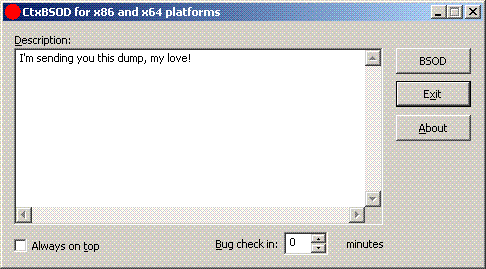
CtxBSOD v2.1 has just been published which allows you to crash your computer and embed a message in a dump. Dumps are becoming a universal medium of discourse between customers and support personnel. New plans are for developing DumpChat which will utilize Live debugging techniques 
http://support.citrix.com/article/CTX111072
- Dmitry Vostokov -
Posted in Crash Dump Analysis | No Comments »
August 14th, 2006
Being so tired of typing endless ‘!analyze -v’ one day an idea came to me about using Voice Recognition.
Taking advantage of spending 7 years in that field starting from 1992 and being the architect and designer/developer of the first pioneer speech recognition systems on Windows platforms (if you remember Covox and Voice Blaster - I was an employee there) VoiceMouse, JustVoice, SpeakingMouse, and recently my own project OpenTask I seriosly consider using this for Dump Analysis.
More later…
- Dmitry Vostokov -
Posted in Crash Dump Analysis | 3 Comments »