Archive for October 22nd, 2006

Easter Egg

Sunday, October 22nd, 2006

As I promised in the announced Troubleshooting Tool Ideas post you can download from my personal website for free the Demo Tool with an Easter Egg inside:

Demo Tool

If you run it you will see the tool window:
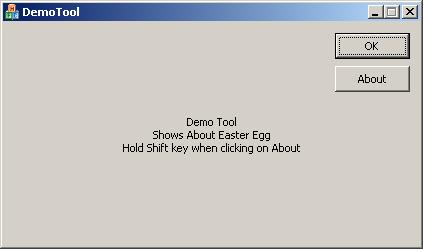
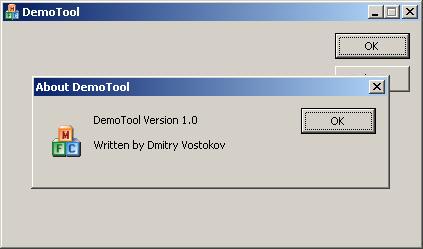
If you click on “About” button the normal “About DemoTool” dialog box appears:
However if you hold “Shift” key when clicking on “About” button an Easter Egg appears: the main tool window transforms into graphical surface where all contributors and developers are shown and scrolled up and the tool name is animated. There is also “Special Thanks” section in the list.
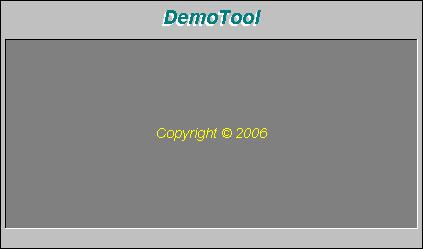
All future and updated tools will include this Easter Egg feature.

Some history: the source code for this Easter Egg was written in 1992 for Windows 3.1 and in 1995 I ported it to Windows 95. It still works on Windows 2000/XP/2003 without any modifications. In 2006 I ported it to Windows Mobile.

- Dmitry Vostokov -

Dump Monitor Suite

Sunday, October 22nd, 2006

Following the announced Troubleshooting Tool Ideas database Ramzy Mansour from Citrix Technical Support came up with a brilliant idea about Dump Monitor Suite and its two useful components for Citrix administrators:

DumpStats:

- Monitors and displays a graphical chart showing which services and processes crashed or hanged on an individual Citrix server, their crash time and date, dump location, dump type, crash signature, modules where crashes happened, etc.

- Aggregates and displays statistics for the whole Citrix farm

DumpAlerts:

- Sends an e-mail alert and/or an SMS message to a cell phone when any crash or hang happens

- Configures alerts based on severity and specific processes

Additionally Dump Monitor Suite will include the following components (some of them already exist and will be enhanced):

DumpChecks

- Enhanced and improved version of Citrix DumpCheck Explorer extension and its command line version

DumpProperties:

- New Explorer extension (Properties dialog) which shows various data extracted from a dump, like process name, module list, whether heap checking was enabled, module name where crash happened, etc.

DumpDepends:

- Integrated and enhanced version of SystemDump which allows to dump dependent processes

We are currently finalizing functional specs and architecture. More information about this Suite will be posted soon.

- Dmitry Vostokov -

Dump Tomography

Sunday, October 22nd, 2006

There is an idea to interpret a process or a system dump as a picture (similar to interpreting it as a giant wave file: Dump2Wave). I would like to extend this idea and present it as a Dump Tomography - a combination of images taken from a dump when looking at it from different perspectives - memory, resources, subsystem hierarchy, etc. I’m going to include some simple pictorial interpretations and representations in forthcoming DumpPlayer.

Dump Analysis becomes both Medicine and Art. You can finally hear how corruption sounds and how it looks :-)

- Dmitry Vostokov -

Musical Dumps: Dump2Wave

Sunday, October 22nd, 2006

Dump2Wave command line tool is available for free download:

Download Dump2Wave

Simply run it from the command prompt and specify full paths to dump file and output WAV file. Dump file will be converted by default into 44.1KHz 16bit stereo WAV file (CD quality). You can specify you own conversion parameters like samples per second (22050, 11025, etc), bits per sample (8 or 16) and the number of channels (1 - mono, 2 - stereo):

For example, I converted sndrec32.dmp to sndrec32.wav:

The dump was taken after sndrec32.exe played “Windows XP Logon Sound.wav” file from \Windows\Media folder and that wave file was originally sampled as 22050Hz 16bits stereo. By listening to sndrec32.dmp I was able to hear a fragment from that logon sound because it was stored in a buffer inside sndrec32.exe process.

Note: Dump2Wave will not convert a dump file which is greater than 4Gb. Forthcoming DumpPlayer will be able to play large complete memory dumps in real-time without conversion and you could graphically choose a region to play.

Just a reminder on how you can save a dump manually (unless you have a dump from application crash or BSOD):

Dumping Processes Without Breaking Them

Microsoft User Mode Process Dumper

How to Attach NTSD to a Process and Save a Dump

How to Attach WinDbg to a Process

- Dmitry Vostokov -

