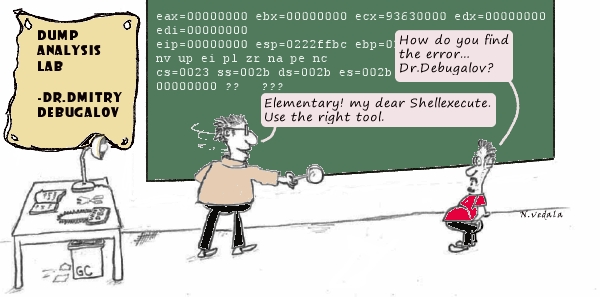
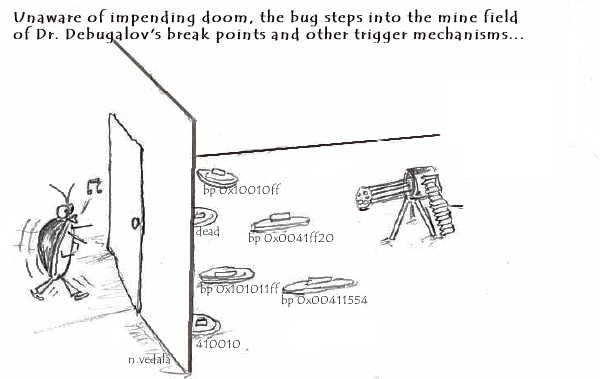
Dr. Debugalov lectures on Debugging
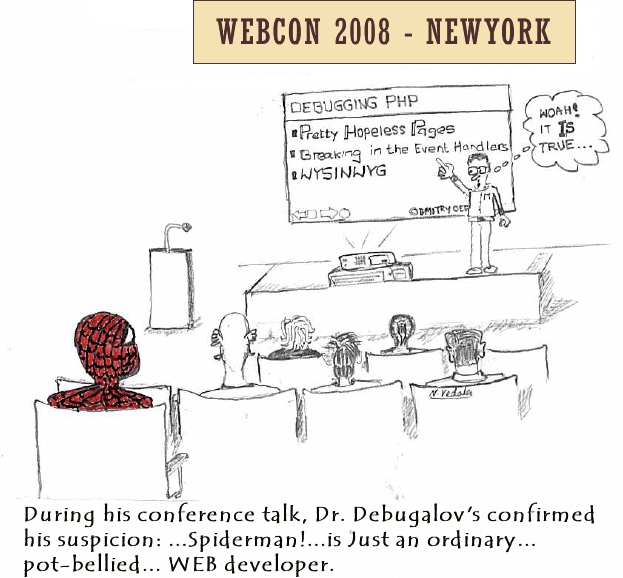
Sunday, July 20th, 2008Yet another insightful cartoon from Narasimha Vedala (click on it to enlarge):
Spider Man
- Dmitry Vostokov @ DumpAnalysis.org -
Yet another insightful cartoon from Narasimha Vedala (click on it to enlarge):
Spider Man
- Dmitry Vostokov @ DumpAnalysis.org -
I was very pleased to notice that the reference to crash dump analysis patterns and Memory Dump Analysis Anthology book appeared on Wikipedia:
http://en.wikipedia.org/wiki/Debugging
Special thanks to a person who added this information!
- Dmitry Vostokov @ DumpAnalysis.org -
These are patterns for troubleshooting and debugging tools: solutions for common recurrent problems. Forthcoming book
DebugWare: The Art and Craft of Writing Troubleshooting Tools
which I’m writing with Kapildev Ramlal, the author of several Citrix tools, will discuss them in sufficient detail. The first pattern is named:
API Query
Software products use various API and external interfaces to query data or get notifications from operating system environment. Their behaviour depends on API return values or output parameters that are not always logged or logged with insufficient detail. In order to reproduce or diagnose problems an engineer can write a small API Query tool that will periodically or asynchronously query the same set of API and log their input and output data. If the problem happens with the product at some point this additional log will help in problem identification and resolution.
Examples:
I’ve set up a dedicated page for DebugWare patterns:
http://www.dumpanalysis.org/blog/index.php/debugware-patterns/
- Dmitry Vostokov @ DumpAnalysis.org -
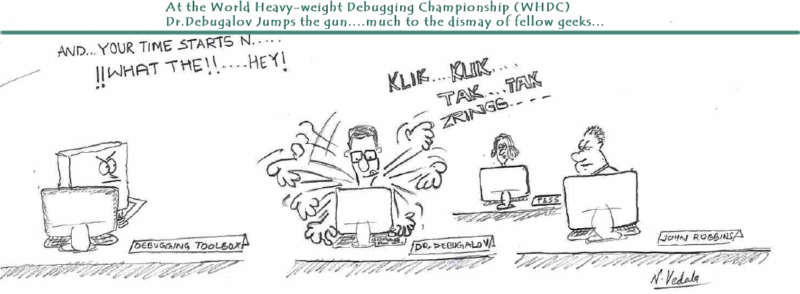
The proposed World Heavy-weight Debugging Championship and the cartoon come from Narasimha Vedala (click to enlarge):
At The Championships
WHDC is also known as the abbreviation of Windows Hardware Developer Central.
- Dmitry Vostokov @ DumpAnalysis.org -
Let’s now apply the knowledge of crash dump analysis patterns to the real memory dump coming from the hanging system. !locks WinDbg command is the most frequently used start command for such symptoms according to my observation which might be biased. It reveals deep Wait Chain pattern for executive resources:
1: kd> !locks
[...]
Resource @ 0x8b10c168 Exclusively owned
Contention Count = 1950624
NumberOfSharedWaiters = 2
NumberOfExclusiveWaiters = 154
Threads: 88256430-01<*> 882aedb0-01 8a348580-01
Threads Waiting On Exclusive Access:
891fd368 894fd240 88382280 8921b9c0
8aa18db0 89790328 882b8818 88a70bf8
884a2780 88999818 8a13b020 8846a7a0
8a0b3020 8812e568 897b6db0 88a16440
8922c5f8 88bfe3b8 88264ac0 89ff2b40
8a9da020 881cf020 8807adb0 89d64598
887811d0 8822a850 88264820 88194738
8801f7a8 88284020 88628db0 8a071db0
884a84b0 88be46c0 89755b18 89700020
89ca4580 881cddb0 882f7020 88bcf9a0
8921b020 8826fdb0 88a73db0 88211020
8868a1c8 89121280 89e01020 895cedb0
88d03790 883941f8 8910f820 891ebc80
89862db0 88154af8 8821e7d0 881cedb0
8822b020 88094818 8a00b020 89e69020
880bbdb0 8945f690 8954c1c0 88d2cb90
881cd020 8921c448 89550540 8a5a5870
8a159228 893976c0 882847b8 89306578
880eb9a8 8978e020 882f72c0 8966c380
8a12f4b8 8815adb0 881a5020 897c7db0
8873ebf8 88674530 8831b468 88e999a0
88287020 8966e600 88541db0 8826d7a0
88119b10 8a226338 882f7810 888ba348
884b89a8 88d03db0 8826db00 8910adb0
881d8368 89288238 8a00adb0 89125db0
88eb50a0 88dbbdb0 880ed020 895cd5b0
881d4b00 88565db0 886e7780 884b86d8
8a603598 89383020 8826f370 886d2248
88cd1360 881d1888 88bef670 88117db0
890d63f0 894d0368 8826f850 89123020
88209020 8826fac0 88f9bdb0 89027478
894b8d18 882a7338 899b9020 897c3db0
8a13fc50 88b33d50 88b54b68 88652360
8a199020 8910dc98 8833a020 8a194a70
8a5af640 89b717a0 89464db0 8a152878
884773d8 88afe020 88debaf8 88bef2a0
88bd6948 89abddb0 8a133db0 88e0ebe8
88287398 889622e0 8836aab8 88daec80
88c5c450 88225718
[...]
Resource @ 0x8a316c98 Exclusively owned
Contention Count = 40315
NumberOfExclusiveWaiters = 2
Threads: 893bd498-01<*>
Threads Waiting On Exclusive Access:
8846f9a8 88256430
[...]
Resource @ 0x8a2b3800 Exclusively owned
Contention Count = 17735
NumberOfExclusiveWaiters = 1
Threads: 8a30ec80-01<*>
Threads Waiting On Exclusive Access:
893bd498
[...]
14606 total locks, 14 locks currently held
We have this chain: 154 threads -> 88256430 -> 893bd498 -> 8a30ec80
The same conclusion comes from !analyze -v -hang command:
1: kd> !analyze -v -hang
[...]
Scanning for threads blocked on locks ...
CURRENT_IRQL: 2
BLOCKING_THREAD: 8a30ec80
LOCK_ADDRESS: 8a2b3800 -- (!locks 8a2b3800)
Resource @ 0x8a2b3800 Exclusively owned
Contention Count = 17735
NumberOfExclusiveWaiters = 1
Threads: 8a30ec80-01<*>
Threads Waiting On Exclusive Access:
893bd498
BUGCHECK_STR: LOCK_HELD
[...]
Let’s examine the thread 8a30ec80 that holds so many others:
1: kd> !thread 8a30ec80 1f
THREAD 8a30ec80 Cid 3ca0.20f0 Teb: 00000000 Win32Thread: 00000000 RUNNING on processor 2
Not impersonating
DeviceMap e1000930
Owning Process 8a254128 Image: processA.exe
Wait Start TickCount 2024978 Ticks: 2291 (0:00:00:35.796)
Context Switch Count 339739
UserTime 00:00:00.000
KernelTime 01:08:29.484
Start Address driverA!WorkerRoutine (0xbfa4b850)
Stack Init b7409000 Current b7407e74 Base b7409000 Limit b7406000 Call 0
Priority 13 BasePriority 13 PriorityDecrement 0
ChildEBP RetAddr
f77353a0 bfa4b880 driverA!DoProcessing+0×256
f77353a4 ff180010 driverA!WorkerRoutine+0×30
[…]
We see that this thread is running on processor 2 and the time spent in kernel is more than one hour. Seems we have the case of Spiking Thread pattern here. Also the thread is not waiting and seems to be moving some data:
1: kd> .thread 8a30ec80
Implicit thread is now 8a30ec80
1: kd> r
Last set context:
eax=baec2950 ebx=00000000 ecx=00001b4a edx=00002275 esi=bae8c010 edi=ba01a018
eip=bfa3b68c esp=f77353a4 ebp=b7407f44 iopl=0 nv up ei pl nz na po nc
cs=0008 ss=0010 ds=0023 es=0023 fs=0030 gs=0000 efl=00000202
driverA!DoProcessing+0×256:
bfa3b68c f3a5 rep movs dword ptr es:[edi],dword ptr [esi]
This driver was also known to have pool allocation problems resulting in various strange system behaviour so let’s inspect the output of !vm command to see whether we have an instance of Insufficient Memory pattern:
1: kd> !vm
*** Virtual Memory Usage ***
Physical Memory: 1048242 ( 4192968 Kb)
Page File: \??\C:\pagefile.sys
Current: 4456448 Kb Free Space: 3483860 Kb
Minimum: 4456448 Kb Maximum: 4456448 Kb
Available Pages: 409879 ( 1639516 Kb)
ResAvail Pages: 942398 ( 3769592 Kb)
Locked IO Pages: 124 ( 496 Kb)
Free System PTEs: 182782 ( 731128 Kb)
Free NP PTEs: 32766 ( 131064 Kb)
Free Special NP: 0 ( 0 Kb)
Modified Pages: 29 ( 116 Kb)
Modified PF Pages: 29 ( 116 Kb)
NonPagedPool Usage: 13567 ( 54268 Kb)
NonPagedPool Max: 65279 ( 261116 Kb)
PagedPool 0 Usage: 12350 ( 49400 Kb)
PagedPool 1 Usage: 2442 ( 9768 Kb)
PagedPool 2 Usage: 2457 ( 9828 Kb)
PagedPool 3 Usage: 2395 ( 9580 Kb)
PagedPool 4 Usage: 2465 ( 9860 Kb)
PagedPool Usage: 22109 ( 88436 Kb)
PagedPool Maximum: 64512 ( 258048 Kb)
********** 3 pool allocations have failed **********
Shared Commit: 133470 ( 533880 Kb)
Special Pool: 0 ( 0 Kb)
Shared Process: 24993 ( 99972 Kb)
PagedPool Commit: 22173 ( 88692 Kb)
Driver Commit: 2056 ( 8224 Kb)
Committed pages: 938909 ( 3755636 Kb)
Commit limit: 2119027 ( 8476108 Kb)
[...]
We have signs here but the current size of paged pool and nonpaged pool seems to be very far from their maximum. Perhaps there were failures in session pool allocations? Let’s look at session pool:
1: kd> !vm 4
[...]
Session ID 5 @ f79f3000:
Paged Pool Usage: 35640K
*** 6 Pool Allocation Failures ***
Commit Usage: 36900K
We see the problem in session 5 and let’s see in which session our processA.exe was running:
1: kd> !process 8a254128 0
PROCESS 8a254128 SessionId: 15 Cid: 3ca0 Peb: 7ffd7000 ParentCid: 01ac
DirBase: bff47800 ObjectTable: e779f5c8 HandleCount: 161.
Image: processA.exe
It was session 15 and therefore we might conclude that previous problems with driverA are not connected to this new one. The identified problem is CPU spike. Perhaps the code contains a bug that causes this driver to loop indefinitely.
- Dmitry Vostokov @ DumpAnalysis.org -
New cartoons from Narasimha Vedala:
Valley Of Death
At A Glance
Igor Messes Up
- Dmitry Vostokov @ DumpAnalysis.org -
More cartoons from Narasimha Vedala:
Heap Analysis

Revolution Is Brewing
- Dmitry Vostokov @ DumpAnalysis.org -
This fictional character and cartoons are the creation of Narasimha Vedala and I’m sure you will enjoy them as much as I do:
Bug On Stack

At The Board
Field Guide To Analysis

Unearthing Bugs

Bugs Doom
- Dmitry Vostokov @ DumpAnalysis.org -
Sometimes ETW (or CDF) traces can be really huge. Unless we trace the elusive but the specific error we already know about, there is no need to make such traces if we can reproduce the issue. My favourite example is connectivity problems when you cannot connect to a terminal server. The best way is to start tracing, try to connect, get an error and stop tracing. Usually it takes no more than a couple of minutes. We can even trace all modules here just to make sure that we don’t miss anything. It is also better to focus on one specific scenario per one lean trace instead of packing several of them into one big trace.
- Dmitry Vostokov @ DumpAnalysis.org -
Yesterday I noticed that certain wp-admin PHP pages were not accessible anymore. I was able to view messages but not to post them or change options. Originally I thought that this was the side effect of having two versions of Wordpress running at the same time or improper DB charset configuration of the second instance (I recently set up the Russian version of my blog). I tried to reinstall the latter instance with proper configuration and language but this didn’t help. HTTP fiddler showed no response from the server for problem PHP pages. I also noticed that my other domains running on the same server didn’t have this problem. Finally I hit upon the clue: one of logs had this error:
[client xx.xx.xx.xxx] PHP Fatal error: Allowed memory size of 8388608 bytes exhausted (tried to allocate 11 bytes) in […] dumpanalysis.org/httpdocs/ru/blog/wp-admin/includes/update.php on line 17
Out of memory error! Googling “PHP memory” hit upon the solution to add the following line to .htaccess file:
php_value memory_limit 20M
Now it all suddenly made sense to me. I didn’t think of possible artificial memory limits in script engines. Adding the second instance of Wordpress hit PHP memory limit which was already almost exhausted by my Wordpress blog with more than 500 posts, Drupal portal, phpBB forum and MediaWiki.
Now I’m able to write posts again
Happy debugging!
- Dmitry Vostokov @ DumpAnalysis.org -
Who’s that person? I came up with this title long time ago when I heard some kernel software developers bragging that they don’t care about user space. Actually it was apparently visible that they never analyzed complete memory dumps in all their entirety. A software debugging generalist feels comfortable in every space and mode, in live debugging of every possible application, service and driver and in postmortem analysis of every memory dump type (see also Programmer Universalis for a similar description).
- Dmitry Vostokov @ DumpAnalysis.org -
Paraphrasing the title of Marcel Proust’s “In Search of Lost Time” 6-volume classic we can say there is timeless empirical knowledge. One is target CID (Client ID, PID:TID) for RPC calls. We just need to search for even 16-bit numbers and compare them with the list of available PIDs. The example can be found on ntdebugging blog:
Tracking Down a Multi-Process Deadlock
Actually the second dword after PID can contain even 16-bit TID number as can be seen from another example:
1: kd> kv
ChildEBP RetAddr Args to Child
[...]
00faf828 7778c38b 00faf8f0 00faf9f0 06413b54 ole32!CRpcChannelBuffer::SwitchAptAndDispatchCall+0x112
00faf908 776c0565 06413b54 00fafa00 00faf9f0 ole32!CRpcChannelBuffer::SendReceive2+0xd3
00faf974 776c04fa 06413b54 00fafa00 00faf9f0 ole32!CAptRpcChnl::SendReceive+0xab
00faf9c8 77ce247f 06413b54 00fafa00 00faf9f0 ole32!CCtxComChnl::SendReceive+0×1a9
00faf9e4 77ce252f 03213bdc 00fafa2c 0600016e RPCRT4!NdrProxySendReceive+0×43
00fafdcc 77ce25a6 763050e8 76306bba 00fafe04 RPCRT4!NdrClientCall2+0×206
00fafdec 77c64f87 0000000c 00000005 00fafe3c RPCRT4!ObjectStublessClient+0×8b
00fafdfc 7784ba75 03213bdc 03235858 03235850 RPCRT4!ObjectStubless+0xf
[…]
1: kd> dpp 06413b54 l8
06413b54 77672418 7778bcdf ole32!CRpcChannelBuffer::QueryInterface
06413b58 776723e8 777267f5 ole32!CRpcChannelBuffer::QueryInterface
06413b5c 00000003
06413b60 00000002
06413b64 0743fde8 0316f080
06413b68 07676528 031d5ad0
06413b6c 064c9c80 064c9d00
06413b70 078843c0 00000000
1: kd> dd 064c9c80 l4
064c9c80 064c9d00 064c9c00 00003108 00001dac ; PID TID
I have been using this technique for a long time and only now see it documented.
- Dmitry Vostokov @ DumpAnalysis.org -
Dynamic memory corruption patterns in user and kernel spaces are specializations of one big parent pattern called Corrupt Structure because crashes there happen due to corrupt or overwritten heap or pool control structures (for the latter see Double Free pattern). Another frequently seen specialization is called Critical Section Corruption which is the subject of this post. Critical sections are linked together through statically pre-allocated or heap-allocated helper structure (shown in magenta) although themselves they can be stored anywhere from static and stack area to heap:
0:001> dt -r1 ntdll!_RTL_CRITICAL_SECTION 77795240
+0×000 DebugInfo : 0×00175d28 _RTL_CRITICAL_SECTION_DEBUG
+0×000 Type : 0
+0×002 CreatorBackTraceIndex : 0
+0×004 CriticalSection : 0×77795240 _RTL_CRITICAL_SECTION
+0×008 ProcessLocksList : _LIST_ENTRY [ 0×173a08 - 0×173298 ]
+0×010 EntryCount : 0
+0×014 ContentionCount : 0
+0×018 Spare : [2] 0
+0×004 LockCount : -1
+0×008 RecursionCount : 0
+0×00c OwningThread : (null)
+0×010 LockSemaphore : (null)
+0×014 SpinCount : 0
0:001> !address 77795240
77670000 : 77792000 - 00005000
Type 01000000 MEM_IMAGE
Protect 00000004 PAGE_READWRITE
State 00001000 MEM_COMMIT
Usage RegionUsageImage
FullPath C:\WINDOWS\system32\ole32.dll
0:001> !address 0×00175d28
00140000 : 00173000 - 0000d000
Type 00020000 MEM_PRIVATE
Protect 00000004 PAGE_READWRITE
State 00001000 MEM_COMMIT
Usage RegionUsageHeap
Handle 00140000
0:000> !locks
CritSec ntdll!LdrpLoaderLock+0 at 7c8877a0
WaiterWoken No
LockCount 0
RecursionCount 1
OwningThread 1184
EntryCount 0
ContentionCount b04707
*** Locked
0:000> dt -r1 _RTL_CRITICAL_SECTION 7c8877a0
+0×000 DebugInfo : 0×7c8877c0 _RTL_CRITICAL_SECTION_DEBUG
+0×000 Type : 0
+0×002 CreatorBackTraceIndex : 0
+0×004 CriticalSection : 0×7c8877a0 _RTL_CRITICAL_SECTION
+0×008 ProcessLocksList : _LIST_ENTRY [ 0×7c887be8 - 0×7c887bc8 ]
+0×010 EntryCount : 0
+0×014 ContentionCount : 0xb04707
+0×018 Spare : [2] 0
+0×004 LockCount : -2
+0×008 RecursionCount : 1
+0×00c OwningThread : 0×00001184
+0×010 LockSemaphore : 0×0000013c
+0×014 SpinCount : 0
0:000> !address 7c8877a0
7c800000 : 7c887000 - 00003000
Type 01000000 MEM_IMAGE
Protect 00000004 PAGE_READWRITE
State 00001000 MEM_COMMIT
Usage RegionUsageImage
FullPath C:\WINDOWS\system32\ntdll.dll
0:000> !address 0×7c8877c0
7c800000 : 7c887000 - 00003000
Type 01000000 MEM_IMAGE
Protect 00000004 PAGE_READWRITE
State 00001000 MEM_COMMIT
Usage RegionUsageImage
FullPath C:\WINDOWS\system32\ntdll.dll
Consider the case when CRITICAL_SECTION is defined on a stack and there was Local Buffer Overflow overwriting DebugInfo pointer. Then we have an example of Wild Pointer pattern and traversing the list of critical sections from this point will diverge into completely unrelated memory area or stop there. Consider another example of heap corruption or race condition overwriting ProcessLocksList or CriticalSection pointer. Then we have an instance of Wild Pointer pattern illustrated below:
0:000> !locks
CritSec ntdll!LdrpLoaderLock+0 at 7c8877a0
WaiterWoken No
LockCount 0
RecursionCount 1
OwningThread 1184
EntryCount 0
ContentionCount b04707
*** Locked
CritSec +1018de08 at 1018de08
WaiterWoken Yes
LockCount -49153
RecursionCount 5046347
OwningThread 460050
EntryCount 0
ContentionCount 0
*** Locked
CritSec +1018ddd8 at 1018ddd8
WaiterWoken Yes
LockCount -1
RecursionCount 0
OwningThread 0
*** Locked
CritSec +1018de28 at 1018de28
WaiterWoken Yes
LockCount -1
RecursionCount 0
OwningThread 0
*** Locked
CritSec +1018de08 at 1018de08
WaiterWoken Yes
LockCount -49153
RecursionCount 5046347
OwningThread 460050
EntryCount 0
ContentionCount 0
*** Locked
CritSec +1018de28 at 1018de28
WaiterWoken Yes
LockCount -1
RecursionCount 0
OwningThread 0
*** Locked
CritSec +1018ddd8 at 1018ddd8
WaiterWoken Yes
LockCount -1
RecursionCount 0
OwningThread 0
*** Locked
Scanned 841 critical sections
We see the signs of corruption at 1018de08 address which is interpreted as pointing to a locked critical section. To see where the corruption started we need to look at the list of all critical sections either locked or not locked:
0:000> !locks -v
CritSec ntdll!RtlCriticalSectionLock+0 at 7c887780
LockCount NOT LOCKED
RecursionCount 0
OwningThread 0
EntryCount 0
ContentionCount 28
CritSec ntdll!LdrpLoaderLock+0 at 7c8877a0
WaiterWoken No
LockCount 0
RecursionCount 1
OwningThread 1184
EntryCount 0
ContentionCount b04707
*** Locked
CritSec ntdll!FastPebLock+0 at 7c887740
LockCount NOT LOCKED
RecursionCount 0
OwningThread 0
EntryCount 0
ContentionCount 42c9
CritSec ntdll!RtlpCalloutEntryLock+0 at 7c888ea0
LockCount NOT LOCKED
RecursionCount 0
OwningThread 0
EntryCount 0
ContentionCount 0
CritSec ntdll!PMCritSect+0 at 7c8883c0
LockCount NOT LOCKED
RecursionCount 0
OwningThread 0
EntryCount 0
ContentionCount 0
CritSec ntdll!UMLogCritSect+0 at 7c888400
LockCount NOT LOCKED
RecursionCount 0
OwningThread 0
EntryCount 0
ContentionCount 0
CritSec ntdll!RtlpProcessHeapsListLock+0 at 7c887960
LockCount NOT LOCKED
RecursionCount 0
OwningThread 0
EntryCount 0
ContentionCount 0
CritSec +80608 at 00080608
LockCount NOT LOCKED
RecursionCount 0
OwningThread 0
EntryCount 0
ContentionCount 22
[...]
CritSec cabinet!_adbgmsg+13c at 74fb4658
LockCount NOT LOCKED
RecursionCount 0
OwningThread 0
EntryCount 0
ContentionCount 0
CritSec +c6c17c at 00c6c17c
LockCount NOT LOCKED
RecursionCount 0
OwningThread 0
EntryCount 0
ContentionCount 0
CritSec +c6c0e4 at 00c6c0e4
LockCount NOT LOCKED
RecursionCount 0
OwningThread 0
EntryCount 0
ContentionCount 0
CritSec at 1018de08 does not point back to the debug info at 00136a40
Perhaps the memory that held the critical section has been reused without calling DeleteCriticalSection() ?
CritSec +1018de08 at 1018de08
WaiterWoken Yes
LockCount -49153
RecursionCount 5046347
OwningThread 460050
EntryCount 0
ContentionCount 0
*** Locked
CritSec at 1018ddd8 does not point back to the debug info at 00136a68
Perhaps the memory that held the critical section has been reused without calling DeleteCriticalSection() ?
CritSec +1018ddd8 at 1018ddd8
WaiterWoken Yes
LockCount -1
RecursionCount 0
OwningThread 0
*** Locked
[...]
We see that the problem appears when the heap-allocated critical section at 00c6c0e4 address is linked to an inconsistent critical section at 0×1018de08 address where memory contains UNICODE string fragment:
0:000> !address 00c6c0e4
00c60000 : 00c60000 - 00010000
Type 00020000 MEM_PRIVATE
Protect 00000004 PAGE_READWRITE
State 00001000 MEM_COMMIT
Usage RegionUsageHeap
Handle 00c60000
0:000> dt -r1 _RTL_CRITICAL_SECTION 00c6c0e4
+0x000 DebugInfo : 0x00161140 _RTL_CRITICAL_SECTION_DEBUG
+0x000 Type : 0
+0x002 CreatorBackTraceIndex : 0
+0x004 CriticalSection : 0x00c6c0e4 _RTL_CRITICAL_SECTION
+0×008 ProcessLocksList : _LIST_ENTRY [ 0×136a48 - 0×119f58 ]
+0×010 EntryCount : 0
+0×014 ContentionCount : 0
+0×018 Spare : [2] 0
+0×004 LockCount : -1
+0×008 RecursionCount : 0
+0×00c OwningThread : (null)
+0×010 LockSemaphore : (null)
+0×014 SpinCount : 0
0:000> dt -r _RTL_CRITICAL_SECTION_DEBUG 0×00136a48-0×008
+0×000 Type : 0
+0×002 CreatorBackTraceIndex : 0
+0×004 CriticalSection : 0×1018de08 _RTL_CRITICAL_SECTION
+0×000 DebugInfo : 0×000d001b _RTL_CRITICAL_SECTION_DEBUG
+0×000 Type : 0
+0×002 CreatorBackTraceIndex : 0
+0×004 CriticalSection : (null)
+0×008 ProcessLocksList : _LIST_ENTRY [ 0×0 - 0×0 ]
+0×010 EntryCount : 0
+0×014 ContentionCount : 0×37e3c700
+0×018 Spare : [2] 0×8000025
+0×004 LockCount : 196609
+0×008 RecursionCount : 5046347
+0×00c OwningThread : 0×00460050
+0×010 LockSemaphore : 0×00310033
+0×014 SpinCount : 0×520044
+0×008 ProcessLocksList : _LIST_ENTRY [ 0×136a70 - 0×161148 ]
+0×000 Flink : 0×00136a70 _LIST_ENTRY [ 0×136a98 - 0×136a48 ]
+0×000 Flink : 0×00136a98 _LIST_ENTRY [ 0×136ae8 - 0×136a70 ]
+0×004 Blink : 0×00136a48 _LIST_ENTRY [ 0×136a70 - 0×161148 ]
+0×004 Blink : 0×00161148 _LIST_ENTRY [ 0×136a48 - 0×119f58 ]
+0×000 Flink : 0×00136a48 _LIST_ENTRY [ 0×136a70 - 0×161148 ]
+0×004 Blink : 0×00119f58 _LIST_ENTRY [ 0×161148 - 0×16cc3c0 ]
+0×010 EntryCount : 0
+0×014 ContentionCount : 0
+0×018 Spare : [2] 0×2e760000
0:000> !address 0x1018de08
10120000 : 10120000 - 00100000
Type 00020000 MEM_PRIVATE
Protect 00000004 PAGE_READWRITE
State 00001000 MEM_COMMIT
Usage RegionUsageIsVAD
The address points miraculously to some DLL:
0:000> du 1018de08
1018de08 "....componentA.dll"
We might suggest that componentA.dll played some role there.
There are other messages from verbose version of !locks WinDbg command pointing to critical section problems:
CritSec componentB!Section+0 at 74004008
LockCount NOT LOCKED
RecursionCount 0
OwningThread 0
EntryCount 0
ContentionCount 0
The CritSec componentC!Info+c at 72455074 has been RE-INITIALIZED.
The critical section points to DebugInfo at 00107cc8 instead of 000f4788
CritSec componentC!Info+c at 72455074
LockCount NOT LOCKED
RecursionCount 0
OwningThread 0
EntryCount 0
ContentionCount 0
CritSec componentD!foo+8ec0 at 0101add0
LockCount NOT LOCKED
RecursionCount 0
OwningThread 0
EntryCount 0
ContentionCount 0
- Dmitry Vostokov @ DumpAnalysis.org -
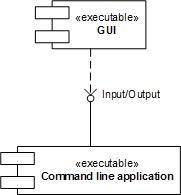
Sometimes compilers optimize code by replacing function calls with their bodies. This procedure is called function inlining and functions themselves are called inline. On one platform we can see the real function call on the stack trace but on another platform or product version we only see the same problem instruction. Fortunately the rest of stack trace should be the same. Therefore when comparing Stack Traces we shouldn’t pay attention only to the top function call. This pattern is called Inline Function Optimization.
It is frequently seen when threads crash while copying or moving memory. Consider this stack trace:
0: kd> kL
ChildEBP RetAddr
f22efaf4 f279ec3d driver!QueueValue+0x26b
f22efb30 8081dcdf driver!BufferAppendData+0x35f
f22efc7c 808f47b7 nt!IofCallDriver+0x45
f22efc90 808f24ee nt!IopSynchronousServiceTail+0x10b
f22efd38 80888c7c nt!NtWriteFile+0x65a
f22efd38 7c82ed54 nt!KiFastCallEntry+0xfc
When looking at rep movs instruction we might suspect that QueueValue was copying memory:
0: kd> r
eax=00000640 ebx=89b23000 ecx=00000190 edx=89b3c828 esi=02124220 edi=e2108f58
eip=f279c797 esp=f22efadc ebp=f22efaf4 iopl=0 nv up ei pl nz na pe nc
cs=0008 ss=0010 ds=0023 es=0023 fs=0030 gs=0000 efl=00010206
driver!QueueValue+0x26b:
f279c797 f3a5 rep movs dword ptr es:[edi],dword ptr [esi] es:0023:e2108f58=dfefbecf ds:0023:02124220=????????
On x64 bit platform the same driver had the similar stack trace but with memcpy at its top:
fffffadf`8955f4a8 fffffadf`8d1bef46 driver!memcpy+0x1c0
fffffadf`8955f4b0 fffffadf`8d1c15c9 driver!QueueValue+0x2fe
fffffadf`8955f550 fffff800`01273ed9 driver!BufferAppendData+0x481
[...]
We also see how QueueValue+0×2fe and QueueValue+0×26b are close. In fact the source code for the driver calls RtlCopyMemory function only once and it is defined as memcpy in wdm.h. The latter function is also exported from nt:
0: kd> x nt!
[...]
80881780 nt!memcpy = <no type information>
[...]
but usually can be found in any driver that links it from C runtime library, for example, on my x64 Windows:
1: kd> x nt!memcpy
fffff800`01c464e0 nt!memcpy = <no type information>
1: kd> x srv!memcpy
fffff980`0eafdf20 srv!memcpy = <no type information>
1: kd> x win32k!memcpy
fffff960`000c1b40 win32k!memcpy = <no type information>
Therefore we see that when compiling for x86 platform Visual C++ compiler decided to inline memcpy code but AMD compiler on x64 platform didn’t inline it. The overall stack trace without offsets is very similar and we can suppose that the problem was identical.
- Dmitry Vostokov @ DumpAnalysis.org -
There is a growing Windows Debugging group on Facebook which I joined recently:
http://www.facebook.com/group.php?gid=23775552268
- Dmitry Vostokov @ DumpAnalysis.org -

Previously I noticed that it reached #1 bestseller status in Assembly Language Programming category but today I see it #1 bestseller in Debugging category:
| Books > Computers & Internet > Programming > Languages & Tools > Debugging |
| Books > Computers & Internet > Programming > Languages & Tools > Assembly Language Programming |
And again, I remind that because the status is updated every hour you might not see the same status when you read this post ![]()
- Dmitry Vostokov @ DumpAnalysis.org -
This little quotation book is a perfect gift to any software engineer or scientist:
It’s Not a Bug, It’s a Feature!: Computer Wit and Wisdom
- Dmitry Vostokov @ DumpAnalysis.org -

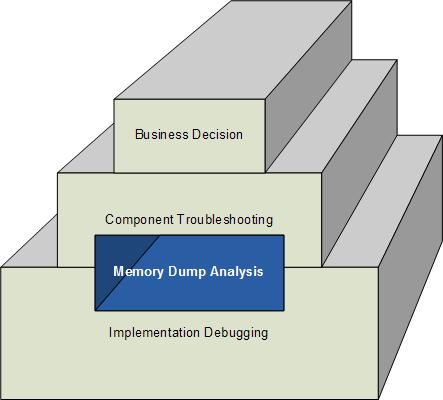
How does software change in production environment? My experience suggests 3 major ways:
This can be shown on the following rough diagram (excluding possible overlapping of levels) highlighting the often hidden role of memory dump analysis in software change:

- Dmitry Vostokov @ DumpAnalysis.org -
Often engineers spend 10 minutes pursuing a certain investigation path and then prematurely closing it and switching to another. This is what I call Myopic Troubleshooting and Debugging.
This anti-pattern name was inspired by Daniel Dennett’s discussion of insufficiently patient scientists doing computer simulations:
“mistaking a failure of imagination for an insight into necessity” (Darwin’s Dangerous Idea, page 175).
Paraphrasing we can say that engineers think of impossibility where their imagination fails.
- Dmitry Vostokov @ DumpAnalysis.org -