Archive for the ‘GDB for WinDbg Users’ Category

Modern Memory Dump and Software Trace Analysis: Volumes 1-3

Sunday, April 18th, 2010

OpenTask to offer first 3 volumes of Memory Dump Analysis Anthology in one set:

The set is available exclusively from OpenTask e-Commerce web site starting from June. Individual volumes are also available from Amazon, Barnes & Noble and other bookstores worldwide.

Product information:

  • Title: Modern Memory Dump and Software Trace Analysis: Volumes 1-3
  • Author: Dmitry Vostokov
  • Language: English
  • Product Dimensions: 22.86 x 15.24
  • Paperback: 1600 pages
  • Publisher: Opentask (31 May 2010)
  • ISBN-13: 978-1-906717-99-5

Information about individual volumes:

- Dmitry Vostokov @ DumpAnalysis.org + TraceAnalysis.org -

Memory Dump and Software Trace Analysis Training and Seminars

Friday, April 9th, 2010

Plan to start providing training and seminars in my free time. If you are interested please answer these questions (you can either respond here in comments or use this form for private communication http://www.dumpanalysis.org/contact):

  • Are you interested in on-site training, prefer traveling or attending webinars?
  • Are you interested in software trace analysis as well?
  • What specific topics are you interested in?
  • What training level (beginner, intermediate, advanced) are you interested in? (please provide an example, if possible)

Additional topics of expertise that can be integrated into training include Source Code Reading and Analysis, Debugging, Windows Architecture, Device Drivers, Troubleshooting Tools Design and Implementation, Multithreading, Deep Down C and C++, x86 and x64 Assembly Language Reading.

Looking forward to your responses. Any suggestions are welcome.

- Dmitry Vostokov @ DumpAnalysis.org + TraceAnalysis.org -

The Korean Edition of Memory Dump Analysis Anthology, Volume 1

Monday, April 5th, 2010

I’m very pleased to announce that the Korean edition is available:

The book can be found on: 

- Dmitry Vostokov @ DumpAnalysis.org + TraceAnalysis.org -

More Practical Foundations Series

Tuesday, August 4th, 2009

OpenTask plans to expand its Practical Foundations series and publish the following 2 books for the forthcoming Memory Dump Analysis Fundamentals certification (Unix track) being developed by Memory Analysis and Debugging Institute:

  • Linux, FreeBSD and Mac OS X Debugging: Practical Foundations (ISBN: 978-1906717773)

  • 64-bit Linux, FreeBSD and Mac OS X Debugging: Practical Foundations (ISBN: 978-1906717780)

  • - Dmitry Vostokov @ DumpAnalysis.org -

    Deadlocks in iPhone

    Friday, July 24th, 2009

    One of the authors of June Debugged! MZ/PE issue, Kapildev Ramlal, published a short article about XCode debugging of multithreaded deadlocks and a few GDB commands:

    Episode 1 of XCode iPhone Debugging Adventures

    - Dmitry Vostokov @ DumpAnalysis.org -

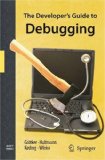
    Review of and Notes on The Developer’s Guide to Debugging

    Friday, April 24th, 2009

    I finally read this book from cover to cover and I must say it is the very sound book and presents a consistent approach to debugging real-life problems with user-land C and C++ code on Linux environments.

    The Developer’s Guide to Debugging

    Buy from Amazon

    Although it uses mainly GDB for illustrations and provides Visual C++ equivalents when possible it doesn’t cover Debugging Tools for Windows and its main GUI debugger, WinDbg. To rectify this I created extensive notes while reading.

    Additional reader audience for this book might include a Windows engineer who needs to debug software on Linux or FreeBSD so a quick GDB crash course is needed. It would also serve as an excellent debugging course or as a supplemental course to any C or C++ course. Highly recommended if you are a Linux C/C++ software engineer. Even if you are an experienced one, you will find something new or make your debugging more consistent. If you need to teach or mentor juniors, this book helps too.

    - Dmitry Vostokov @ DumpAnalysis.org -

    GDB and KDB Debuggers book

    Friday, November 28th, 2008

    Following the release of WinDbg: A Reference Poster and Learning Cards the following book is planned for Windows (GDB), Linux and FreeBSD users:

    • Title: GDB and KDB Debuggers:
      A Reference Poster and Learning Cards
    • Author: Gonçalo Gomes
    • Publisher: Opentask (1 April 2009)
    • Language: English
    • Product Dimensions: 28.0 x 21.6
    • ISBN-13: 978-1-906717-39-1
    • Paperback: 16 pages

    - Dmitry Vostokov @ DumpAnalysis.org -

    Introducing Mac Crash Corner

    Friday, May 16th, 2008

    As a happy owner of an Apple MacBook Air Laptop I’m introducing the new blog category where I’m going to dig into crash dump analysis on Mac OS X and FreeBSD whenever an occasion happens.

    Buy from Amazon

    In order to seamlessly analyze Windows crash dumps and use WinDbg I also bought VMware Fusion

    Buy from Amazon

    and Microsoft Office 2008 for Mac to write about my experience:

    Buy from Amazon

    - Dmitry Vostokov @ DumpAnalysis.org -

    MDAA Volume One Goes Digital

    Friday, April 25th, 2008

    Due to demand from people that prefer ebooks I published Memory Dump Analysis Anthology, Volume 1 in a digital format that can be purchased in Crash Dump Analysis Store. This format has color pictures inside.

    - Dmitry Vostokov @ DumpAnalysis.org -

    The First Windows® Memory Dump Analysis Book!

    Tuesday, April 15th, 2008

    I’m very proud to announce that it is finally available in both paperback and hardback. Why have I made available both editions? Because I personally prefer hardcover books. You can order the book today and it will be printed in 3-5 days (paperback) or 5-10 days (hardcover) and sent to you:

    Memory Dump Analysis Anthology, Volume 1

    Note: although listed on Amazon and other online bookstores it is not immediately available at these stores at the moment due to the late submission. I apologize for this. However, I expect that in a few weeks pre-orders taken there will be eventually fulfilled. In the mean time, if you want the book now, you can use the link above.

    - Dmitry Vostokov @ DumpAnalysis.org -

    The Time of the Crash

    Wednesday, March 26th, 2008

    When we have a crash dump WinDbg tells us the time of the crash:

    1: kd> vertarget
    Windows Vista Kernel Version 6000 MP (2 procs) Free x64
    Product: WinNt, suite: TerminalServer SingleUserTS
    Built by: 6000.16575.amd64fre.vista_gdr.071009-1548
    Kernel base = 0xfffff800`01c00000 PsLoadedModuleList = 0xfffff800`01d9af70
    Debug session time: Tue Jan 29 11:03:52.572 2008 (GMT+0)
    System Uptime: 0 days 0:12:06.648

    However I couldn’t find the similar command in GDB documentation. 

    One option is to check core file timestamp. For kernel core files perhaps there is some kernel variable we can examine too (I’m interested in FreeBSD here). 

    If anyone knows about GDB command that shows the time of a crash or any other method please let me know. Any hints are greatly appreciated!

    - Dmitry Vostokov @ DumpAnalysis.org

    Memory Dump Analysis Anthology, Volume 1

    Thursday, February 7th, 2008

    It is very easy to become a publisher nowadays. Much easier than I thought. I registered myself as a publisher under the name of OpenTask which is my registered business name in Ireland. I also got the list of ISBN numbers and therefore can announce product details for the first volume of Memory Dump Analysis Anthology series:

    Memory Dump Analysis Anthology, Volume 1

    • Paperback: 720 pages (*)
    • ISBN-13: 978-0-9558328-0-2
    • Hardcover: 720 pages (*)
    • ISBN-13: 978-0-9558328-1-9
    • Author: Dmitry Vostokov
    • Publisher: Opentask (15 Apr 2008)
    • Language: English
    • Product Dimensions: 22.86 x 15.24

    (*) subject to change 

    PDF file will be available for download too.

    - Dmitry Vostokov @ DumpAnalysis.org -

    GDB for WinDbg Users (Part 7)

    Friday, October 26th, 2007

    It has been some time since I wrote the previous part. Here I will put some useful links. First link is a paper from Greg Lehey with core dump analysis cases studies on FreeBSD Intel platform using GDB and DDB (interactive kernel debugger)

    Debugging Kernel Problems   

    The second link is a modern x86 assembly language book written by Richard Blum featuring AT&T syntax, GAS and GDB, interfacing with C language and Linux system calls, optimized compiler code, FPU and SIMD commands, inline and GCC generated assembly code:

    Professional Assembly Language

    Buy from Amazon

    - Dmitry Vostokov @ DumpAnalysis.org -

    GDB for WinDbg Users (Part 6)

    Sunday, July 22nd, 2007

    Once we get backtrace in GDB or stack trace in WinDbg we are interested in concrete stack frames, their arguments and local variables. I slightly modified the program used in the previous part to include some local variables:

    #include <stdio.h>

    void func_1(int param_1, char param_2, int *param_3, char *param_4);
    void func_2(int param_1, char param_2, int *param_3, char *param_4);
    void func_3(int param_1, char param_2, int *param_3, char *param_4);
    void func_4();

    int   g_val_1;
    char  g_val_2;
    int  *g_pval_1 = &g_val_1;
    char *g_pval_2 = &g_val_2;

    int main()
    {
      int   local_0 = 0;
      char *hello = "Hello World!";

      g_val_1 = 1;
      g_val_2 = '1';

      func_1(g_val_1, g_val_2, (int *)g_pval_1, (char *)g_pval_2);
      return 0;
    }

    void func_1(int param_1, char param_2, int *param_3, char *param_4)
    {
       int local_1 = 1;

       g_val_1 = 2;
       g_val_2 = '2';

       param_3 = &local_1;

       func_2(g_val_1, g_val_2, param_3, param_4);
    }

    void func_2(int param_1, char param_2, int *param_3, char *param_4)
    {
       int local_2 = 2;

       g_val_1 = 3;
       g_val_2 = '3';


       param_3 = &local_2;

       func_3(g_val_1, g_val_2, param_3, param_4);
    }

    void func_3(int param_1, char param_2, int *param_3, char *param_4)
    {
       int local_3 = 3;

       *g_pval_1 += param_1;
       *g_pval_2 += param_2;

       func_4();
    }

    void func_4()
    {
       puts("Hello World!");
    }

    In GDB the frame command is used to set the current stack frame. Then info args command can be used to list function arguments and info locals command can be used to list local variables:

    (gdb) break func_4
    Breakpoint 1 at 0x401455: file test.c, line 61.

    (gdb) run
    Starting program: C:\MinGW\examples/test.exe

    Breakpoint 1, func_4 () at test.c:61
    61         puts("Hello World!");

    (gdb) bt
    #0  func_4 () at test.c:61
    #1  0x0040144d in func_3 (param_1=3, param_2=51 '3', param_3=0x22ff10,
        param_4=0x404070 "f") at test.c:56
    #2  0x0040140c in func_2 (param_1=2, param_2=50 '2', param_3=0x22ff10,
        param_4=0x404070 "f") at test.c:46
    #3  0x004013ba in func_1 (param_1=1, param_2=49 '1', param_3=0x22ff30,
        param_4=0x404070 "f") at test.c:34
    #4  0x00401363 in main () at test.c:21

    (gdb) frame
    #0  func_4 () at test.c:61
    61         puts("Hello World!");

    (gdb) frame 0
    #0  func_4 () at test.c:61
    61         puts("Hello World!");

    (gdb) info args
    No arguments.

    (gdb) info locals
    No locals.

    (gdb) frame 1
    #1  0x0040144d in func_3 (param_1=3, param_2=51 '3', param_3=0x22ff10,
        param_4=0x404070 "f") at test.c:56
    56         func_4();

    (gdb) info args
    param_1 = 3
    param_2 = 51 '3'
    param_3 = (int *) 0x22ff10
    param_4 = 0x404070 "f"

    (gdb) info locals
    local_3 = 3
    param_2 = 51 '3'

    (gdb) frame 2
    #2  0x0040140c in func_2 (param_1=2, param_2=50 '2', param_3=0x22ff10,
        param_4=0x404070 "f") at test.c:46
    46         func_3(g_val_1, g_val_2, param_3, param_4);

    (gdb) info args
    param_1 = 2
    param_2 = 50 '2'
    param_3 = (int *) 0x22ff10
    param_4 = 0x404070 "f"

    (gdb) info locals
    local_2 = 2
    param_2 = 50 '2'

    (gdb) frame 3
    #3  0x004013ba in func_1 (param_1=1, param_2=49 '1', param_3=0x22ff30,
        param_4=0x404070 "f") at test.c:34
    34         func_2(g_val_1, g_val_2, param_3, param_4);

    (gdb) info args
    param_1 = 1
    param_2 = 49 '1'
    param_3 = (int *) 0x22ff30
    param_4 = 0x404070 "f"

    (gdb) info locals
    local_1 = 1
    param_2 = 49 '1'

    (gdb) frame 4
    #4  0x00401363 in main () at test.c:21
    21        func_1(g_val_1, g_val_2, (int *)g_pval_1, (char *)g_pval_2);

    (gdb) info args
    No arguments.

    (gdb) info locals
    local_0 = 0
    hello = 0x403000 "Hello World!"

    (gdb)

    In WinDbg kn command shows stack trace with frame numbers, knL command additionally omits source code references, .frame command switches to particular stack frame, dv command shows parameters and local variables together, dv /i command classifies them into categories, parameters or locals, dv /V command shows their addresses and offsets for the relevant base frame register, usually EBP, dv /t command shows type information:

    Microsoft (R) Windows Debugger  Version 6.7.0005.1
    Copyright (c) Microsoft Corporation. All rights reserved.

    CommandLine: C:\dmitri\test\release\test.exe
    Symbol search path is: SRV*c:\websymbols*http://msdl.microsoft.com/download/symbols
    Executable search path is:
    ModLoad: 00400000 0040f000   test.exe
    ModLoad: 7d4c0000 7d5f0000   NOT_AN_IMAGE
    ModLoad: 7d600000 7d6f0000   C:\W2K3\SysWOW64\ntdll32.dll
    ModLoad: 7d4c0000 7d5f0000   C:\W2K3\syswow64\kernel32.dll
    (e38.ac0): Break instruction exception - code 80000003 (first chance)
    eax=7d600000 ebx=7efde000 ecx=00000005 edx=00000020 esi=7d6a01f4 edi=00221f38
    eip=7d61002d esp=0012fb4c ebp=0012fcac iopl=0 nv up ei pl nz na po nc
    cs=0023 ss=002b ds=002b es=002b fs=0053 gs=002b efl=00000202
    ntdll32!DbgBreakPoint:
    7d61002d cc              int     3

    0:000> bp func_4

    0:000> g
    ModLoad: 71c20000 71c32000   C:\W2K3\SysWOW64\tsappcmp.dll
    ModLoad: 77ba0000 77bfa000   C:\W2K3\syswow64\msvcrt.dll
    ModLoad: 00410000 004ab000   C:\W2K3\syswow64\ADVAPI32.dll
    ModLoad: 7da20000 7db00000   C:\W2K3\syswow64\RPCRT4.dll
    ModLoad: 7d8d0000 7d920000   C:\W2K3\syswow64\Secur32.dll
    Breakpoint 0 hit
    eax=0040c9d4 ebx=7d4d8df9 ecx=0040c9d4 edx=00000066 esi=00000002 edi=00000ece
    eip=00408be0 esp=0012ff10 ebp=0012ff18 iopl=0 nv up ei pl nz na pe nc
    cs=0023 ss=002b ds=002b es=002b fs=0053 gs=002b efl=00000206
    test!func_4:
    00408be0 55              push    ebp

    0:000> knL
     # ChildEBP RetAddr
    00 0012ff0c 00408c38 test!func_4
    01 0012ff18 00408c7c test!func_3+0x38
    02 0012ff34 00408ccc test!func_2+0x3c
    03 0012ff50 00408d24 test!func_1+0x3c
    04 0012ff70 00401368 test!main+0x44
    05 0012ffc0 7d4e7d2a test!__tmainCRTStartup+0x15f
    06 0012fff0 00000000 kernel32!BaseProcessStart+0x28

    0:000> .frame
    00 0012ff0c 00408c38 test!func_4 [c:\dmitri\test\test\test.cpp @ 60]

    0:000> .frame 0
    00 0012ff0c 00408c38 test!func_4 [c:\dmitri\test\test\test.cpp @ 60]

    0:000> dv

    0:000> .frame 1
    01 0012ff18 00408c7c test!func_3+0x38 [c:\dmitri\test\test\test.cpp @ 57]

    0:000> dv
            param_1 = 3
            param_2 = 51 '3'
            param_3 = 0x0012ff30
            param_4 = 0x0040c9d4 "f"
            local_3 = 3

    0:000> dv /i
    prv param  param_1 = 3
    prv param  param_2 = 51 '3'
    prv param  param_3 = 0x0012ff30
    prv param  param_4 = 0x0040c9d4 "f"
    prv local  local_3 = 3

    0:000> dv /i /V
    prv param  0012ff20 @ebp+0x08 param_1 = 3
    prv param  0012ff24 @ebp+0x0c param_2 = 51 '3'
    prv param  0012ff28 @ebp+0x10 param_3 = 0x0012ff30
    prv param  0012ff2c @ebp+0x14 param_4 = 0x0040c9d4 "f"
    prv local  0012ff14 @ebp-0x04 local_3 = 3

    0:000> .frame 4
    04 0012ff70 00401368 test!main+0x44 [c:\dmitri\test\test\test.cpp @ 21]

    0:000> dv
            local_0 = 0
              hello = 0x0040a274 "Hello World!"

    0:000> dv /i
    prv local          local_0 = 0
    prv local            hello = 0x0040a274 "Hello World!"

    0:000> dv /i /V
    prv local  0012ff68 @ebp-0x08         local_0 = 0
    prv local  0012ff6c @ebp-0x04           hello = 0x0040a274 "Hello World!"

    0:000> dv /t
    int local_0 = 0
    char * hello = 0x0040a274 "Hello World!"

    Our comparison table grows a bit:

    Action                      | GDB                 | WinDbg
    ----------------------------------------------------------------
    Start the process           | run                 | g
    Exit                        | (q)uit              | q
    Disassemble (forward)       | (disas)semble       | uf, u
    Disassemble N instructions  | x/<N>i              | -
    Disassemble (backward)      | -                   | ub
    Stack trace                 | backtrace (bt)      | k
    Full stack trace            | bt full             | kv
    Stack trace with parameters | bt full             | kP
    Partial trace (innermost)   | bt <N>              | k <N>
    Partial trace (outermost)   | bt -<N>             | -
    Stack trace for all threads | thread apply all bt | ~*k
    Breakpoint                  | break               | bp
    Frame numbers               | any bt command      | kn
    Select frame                | frame               | .frame
    Display parameters          | info args           | dv /t /i /V
    Display locals              | info locals         | dv /t /i /V

    - Dmitry Vostokov @ DumpAnalysis.org -

    GDB for WinDbg Users (Part 5)

    Sunday, July 1st, 2007

    Displaying thread stack trace is the most used action in crash or core dump analysis and debugging. To show various available GDB commands I created the next version of the test program with the following source code:

    #include <stdio.h>

    void func_1(int param_1, char param_2, int *param_3, char *param_4);
    void func_2(int param_1, char param_2, int *param_3, char *param_4);
    void func_3(int param_1, char param_2, int *param_3, char *param_4);
    void func_4();

    int val_1;
    char val_2;
    int *pval_1 = &val_1;
    char *pval_2 = &val_2;

    int main()
    {
      val_1 = 1;
      val_2 = '1';
      func_1(val_1, val_2, (int *)pval_1, (char *)pval_2);
      return 0;
    }

    void func_1(int param_1, char param_2, int *param_3, char *param_4)
    {
      val_1 = 2;
      val_2 = '2';
      func_2(param_1, param_2, param_3, param_4);
    }

    void func_2(int param_1, char param_2, int *param_3, char *param_4)
    {
      val_1 = 3;
      val_2 = '3';
      func_3(param_1, param_2, param_3, param_4);
    }

    void func_3(int param_1, char param_2, int *param_3, char *param_4)
    {
      *pval_1 += param_1;
      *pval_2 += param_2;
      func_4();
    }

    void func_4()
    {
      puts("Hello World!");
    }

    I compiled it with -g gcc compiler option to generate symbolic information. It will be needed for GDB to display function arguments and local variables.

    C:\MinGW\examples>..\bin\gcc -g -o test.exe test.c

    If you have a crash in func_4 then you can examine stack trace (backtrace) once you open a core dump. Because we don’t have a core dump of our test program we will simulate the stack trace by putting a breakpoint on func_4. In GDB this can be done by break command:

    C:\MinGW\examples>..\bin\gdb test.exe
    ...
    ...
    ...
    (gdb) break func_4
    Breakpoint 1 at 0x40141d
    (gdb) run
    Starting program: C:\MinGW\examples/test.exe
    Breakpoint 1, 0x0040141d in func_4 ()
    (gdb)

    In WinDbg the breakpoint command is bp:

    CommandLine: C:\dmitri\test\release\test.exe
    Symbol search path is: SRV*c:\websymbols*http://msdl.microsoft.com/download/symbols
    Executable search path is:
    ModLoad: 00400000 0040f000   test.exe
    ModLoad: 7d4c0000 7d5f0000   NOT_AN_IMAGE
    ModLoad: 7d600000 7d6f0000   C:\W2K3\SysWOW64\ntdll32.dll
    ModLoad: 7d4c0000 7d5f0000   C:\W2K3\syswow64\kernel32.dll
    (103c.17d8): Break instruction exception - code 80000003 (first chance)
    eax=7d600000 ebx=7efde000 ecx=00000005 edx=00000020 esi=7d6a01f4 edi=00221f38
    eip=7d61002d esp=0012fb4c ebp=0012fcac iopl=0 nv up ei pl nz na po nc
    cs=0023 ss=002b ds=002b es=002b fs=0053 gs=002b efl=00000202
    ntdll32!DbgBreakPoint:
    7d61002d cc              int     3

    0:000> bp func_4

    0:000> g
    ModLoad: 71c20000 71c32000   C:\W2K3\SysWOW64\tsappcmp.dll
    ModLoad: 77ba0000 77bfa000   C:\W2K3\syswow64\msvcrt.dll
    ModLoad: 77f50000 77fec000   C:\W2K3\syswow64\ADVAPI32.dll
    ModLoad: 7da20000 7db00000   C:\W2K3\syswow64\RPCRT4.dll
    Breakpoint 0 hit
    eax=0040c9d0 ebx=7d4d8dc9 ecx=0040c9d0 edx=00000064 esi=00000002 edi=00000ece
    eip=00408be0 esp=0012ff24 ebp=0012ff28 iopl=0 nv up ei pl nz na po nc
    cs=0023 ss=002b ds=002b es=002b fs=0053 gs=002b efl=00000202
    test!func_4:
    00408be0 55              push    ebp

    I had to disable optimization in the project properties otherwise Visual C++ compiler optimizes away all function calls and produces the following short code:

    0:000> uf main
    00401000 push    offset test!`string' (004020f4)
    00401005 mov     dword ptr [test!val_1 (0040337c)],4
    0040100f mov     byte ptr [test!val_2 (00403378)],64h
    00401016 call    dword ptr [test!_imp__puts (004020a0)]
    0040101c add     esp,4
    0040101f xor     eax,eax
    00401021 ret

    I will talk about setting breakpoints in another part and here I’m going to concentrate only on commands that examine call stack. backtrace or bt command shows stack trace. backtrace <N> or bt <N> shows only the innermost N stack frames. backtrace -<N> or bt -<N> shows only the outermost N stack frames. backtrace full or bt full additionally shows local variables. There are also variants backtrace full <N> or bt full <N> and backtrace full -<N> or bt full -<N>:

    (gdb) backtrace
    #0  func_4 () at test.c:48
    #1  0x00401414 in func_3 (param_1=1, param_2=49 '1', param_3=0x404080,
        param_4=0x404070 "d") at test.c:43
    #2  0x004013da in func_2 (param_1=1, param_2=49 '1', param_3=0x404080,
        param_4=0x404070 "d") at test.c:35
    #3  0x0040139a in func_1 (param_1=1, param_2=49 '1', param_3=0x404080,
        param_4=0x404070 "d") at test.c:27
    #4  0x00401355 in main () at test.c:18

    (gdb) bt
    #0  func_4 () at test.c:48
    #1  0x00401414 in func_3 (param_1=1, param_2=49 '1', param_3=0x404080,
        param_4=0x404070 "d") at test.c:43
    #2  0x004013da in func_2 (param_1=1, param_2=49 '1', param_3=0x404080,
        param_4=0x404070 "d") at test.c:35
    #3  0x0040139a in func_1 (param_1=1, param_2=49 '1', param_3=0x404080,
        param_4=0x404070 "d") at test.c:27
    #4  0x00401355 in main () at test.c:18

    (gdb) bt 2
    #0  func_4 () at test.c:48
    #1  0x00401414 in func_3 (param_1=1, param_2=49 '1', param_3=0x404080,
        param_4=0x404070 "d") at test.c:43
    (More stack frames follow...)

    (gdb) bt -2
    #3  0x0040139a in func_1 (param_1=1, param_2=49 '1', param_3=0x404080,
        param_4=0x404070 "d") at test.c:27
    #4  0x00401355 in main () at test.c:18

    (gdb) bt full
    #0  func_4 () at test.c:48
    No locals.
    #1  0x00401414 in func_3 (param_1=1, param_2=49 '1', param_3=0x404080,
        param_4=0x404070 "d") at test.c:43
            param_2 = 49 '1'
    #2  0x004013da in func_2 (param_1=1, param_2=49 '1', param_3=0x404080,
        param_4=0x404070 "d") at test.c:35
            param_2 = 49 '1'
    #3  0x0040139a in func_1 (param_1=1, param_2=49 '1', param_3=0x404080,
        param_4=0x404070 "d") at test.c:27
            param_2 = 49 '1'
    #4  0x00401355 in main () at test.c:18
    No locals.

    (gdb) bt full 2
    #0  func_4 () at test.c:48
    No locals.
    #1  0x00401414 in func_3 (param_1=1, param_2=49 '1', param_3=0x404080,
        param_4=0x404070 "d") at test.c:43
            param_2 = 49 '1'
    (More stack frames follow...)

    (gdb) bt full -2
    #3  0x0040139a in func_1 (param_1=1, param_2=49 '1', param_3=0x404080,
        param_4=0x404070 "d") at test.c:27
            param_2 = 49 '1'
    #4  0x00401355 in main () at test.c:18
    No locals.

    (gdb)

    In WinDbg there is only one k command but it has many parameters, for example:

    - default stack trace with source code lines

    0:000> k
    ChildEBP RetAddr
    0012ff20 00408c30 test!func_4 [c:\dmitri\test\test\test.cpp @ 47]
    0012ff28 00408c69 test!func_3+0x30 [c:\dmitri\test\test\test.cpp @ 44]
    0012ff40 00408c99 test!func_2+0x29 [c:\dmitri\test\test\test.cpp @ 35]
    0012ff58 00408cd3 test!func_1+0x29 [c:\dmitri\test\test\test.cpp @ 27]
    0012ff70 00401368 test!main+0x33 [c:\dmitri\test\test\test.cpp @ 18]
    0012ffc0 7d4e992a test!__tmainCRTStartup+0x15f [f:\sp\vctools\crt_bld\self_x86\crt\src\crt0.c @ 327]
    0012fff0 00000000 kernel32!BaseProcessStart+0x28

    - stack trace without source code lines

    0:000> kL
    ChildEBP RetAddr
    0012ff20 00408c30 test!func_4
    0012ff28 00408c69 test!func_3+0x30
    0012ff40 00408c99 test!func_2+0x29
    0012ff58 00408cd3 test!func_1+0x29
    0012ff70 00401368 test!main+0x33
    0012ffc0 7d4e992a test!__tmainCRTStartup+0x15f
    0012fff0 00000000 kernel32!BaseProcessStart+0x28

    - full stack trace without source code lines showing 3 stack arguments for every stack frame, calling convention and optimization information

    0:000> kvL
    ChildEBP RetAddr  Args to Child
    0012ff20 00408c30 0012ff40 00408c69 00000001 test!func_4 (CONV: cdecl)
    0012ff28 00408c69 00000001 00000031 0040c9d4 test!func_3+0x30 (CONV: cdecl)
    0012ff40 00408c99 00000001 00000031 0040c9d4 test!func_2+0x29 (CONV: cdecl)
    0012ff58 00408cd3 00000001 00000031 0040c9d4 test!func_1+0x29 (CONV: cdecl)
    0012ff70 00401368 00000001 004230e0 00423120 test!main+0x33 (CONV: cdecl)
    0012ffc0 7d4e992a 00000000 00000000 7efde000 test!__tmainCRTStartup+0x15f (FPO: [Non-Fpo]) (CONV: cdecl)
    0012fff0 00000000 004013bf 00000000 00000000 kernel32!BaseProcessStart+0x28 (FPO: [Non-Fpo])

    - stack trace without source code lines showing all function parameters

    0:000> kPL
    ChildEBP RetAddr
    0012ff20 00408c30 test!func_4(void)
    0012ff28 00408c69 test!func_3(
       int param_1 = 1,
       char param_2 = 49 '1',
       int * param_3 = 0x0040c9d4,
       char * param_4 = 0x0040c9d0 "d")+0x30
    0012ff40 00408c99 test!func_2(
       int param_1 = 1,
       char param_2 = 49 '1',
       int * param_3 = 0x0040c9d4,
       char * param_4 = 0x0040c9d0 "d")+0x29
    0012ff58 00408cd3 test!func_1(
       int param_1 = 1,
       char param_2 = 49 '1',
       int * param_3 = 0x0040c9d4,
       char * param_4 = 0x0040c9d0 "d")+0x29
    0012ff70 00401368 test!main(void)+0x33
    0012ffc0 7d4e992a test!__tmainCRTStartup(void)+0x15f
    0012fff0 00000000 kernel32!BaseProcessStart+0x28

    - stack trace without source code lines showing stack frame numbers

    0:000> knL
     # ChildEBP RetAddr
    00 0012ff20 00408c30 test!func_4
    01 0012ff28 00408c69 test!func_3+0x30
    02 0012ff40 00408c99 test!func_2+0x29
    03 0012ff58 00408cd3 test!func_1+0x29
    04 0012ff70 00401368 test!main+0x33
    05 0012ffc0 7d4e992a test!__tmainCRTStartup+0x15f
    06 0012fff0 00000000 kernel32!BaseProcessStart+0x28

    - stack trace without source code lines showing the distance between stack frames in bytes

    0:000> knfL
     #   Memory  ChildEBP RetAddr
    00           0012ff20 00408c30 test!func_4
    01         8 0012ff28 00408c69 test!func_3+0x30
    02        18 0012ff40 00408c99 test!func_2+0x29
    03        18 0012ff58 00408cd3 test!func_1+0x29
    04        18 0012ff70 00401368 test!main+0x33
    05        50 0012ffc0 7d4e992a test!__tmainCRTStartup+0x15f
    06        30 0012fff0 00000000 kernel32!BaseProcessStart+0x28

    - stack trace without source code lines showing the innermost 2 frames:

    0:000> kL 2
    ChildEBP RetAddr
    0012ff20 00408c30 test!func_4
    0012ff28 00408c69 test!func_3+0x30

    If you want to see stack traces from all threads in a process use the following command: 

    (gdb) thread apply all bt

    Thread 1 (thread 728.0xc0c):
    #0  func_4 () at test.c:48
    #1  0x00401414 in func_3 (param_1=1, param_2=49 '1', param_3=0x404080,
        param_4=0x404070 "d") at test.c:43
    #2  0x004013da in func_2 (param_1=1, param_2=49 '1', param_3=0x404080,
        param_4=0x404070 "d") at test.c:35
    #3  0x0040139a in func_1 (param_1=1, param_2=49 '1', param_3=0x404080,
        param_4=0x404070 "d") at test.c:27
    #4  0x00401355 in main () at test.c:18
    (gdb)

    In WinDbg it is ~*k. Any parameter shown above can be used, for example:

    0:000> ~*kL

    .  0  Id: 103c.17d8 Suspend: 1 Teb: 7efdd000 Unfrozen
    ChildEBP RetAddr
    0012ff20 00408c30 test!func_4
    0012ff28 00408c69 test!func_3+0x30
    0012ff40 00408c99 test!func_2+0x29
    0012ff58 00408cd3 test!func_1+0x29
    0012ff70 00401368 test!main+0x33
    0012ffc0 7d4e992a test!__tmainCRTStartup+0x15f
    0012fff0 00000000 kernel32!BaseProcessStart+0x28

    Therefore, our next version of the map contains these new commands:

    Action                      | GDB                 | WinDbg
    ----------------------------------------------------------
    Start the process           | run                 | g
    Exit                        | (q)uit              | q
    Disassemble (forward)       | (disas)semble       | uf, u
    Disassemble N instructions  | x/<N>i              | -
    Disassemble (backward)      | -                   | ub
    Stack trace                 | backtrace (bt)      | k
    Full stack trace            | bt full             | kv
    Partial trace (innermost)   | bt <N>              | k <N>
    Partial trace (outermost)   | bt -<N>             | -
    Stack trace for all threads | thread apply all bt | ~*k
    Breakpoint                  | break               | bp

    - Dmitry Vostokov @ DumpAnalysis.org -

    GDB for WinDbg Users (Part 4)

    Sunday, July 1st, 2007

    If you are looking for debugging tutorials with a wider scope than just listing various debugger commands then the following books will be useful:

    Both use GDB for debugging case studies and will be useful for engineers with any level of debugging experience.

    - Dmitry Vostokov @ DumpAnalysis.org -

    GDB for WinDbg Users (Part 3)

    Thursday, June 28th, 2007

    One of the common tasks in crash dump analysis is to disassemble various functions. In GDB it can be done by using two different commands: disassemble and x/i.

    The first command gets a function name, an address or a range of addresses and can be shortened to just disas:

    (gdb) set disassembly-flavor intel
    (gdb) disas main
    Dump of assembler code for function main:
    0x4012f0 <main>:        push   ebp
    0x4012f1 <main+1>:      mov    ebp,esp
    0x4012f3 <main+3>:      sub    esp,0x8
    0x4012f6 <main+6>:      and    esp,0xfffffff0
    0x4012f9 <main+9>:      mov    eax,0x0
    0x4012fe <main+14>:     add    eax,0xf
    0x401301 <main+17>:     add    eax,0xf
    0x401304 <main+20>:     shr    eax,0x4
    0x401307 <main+23>:     shl    eax,0x4
    0x40130a <main+26>:     mov    DWORD PTR [ebp-4],eax
    0x40130d <main+29>:     mov    eax,DWORD PTR [ebp-4]
    0x401310 <main+32>:     call   0x401860 <_alloca>
    0x401315 <main+37>:     call   0x401500 <__main>
    0x40131a <main+42>:     mov    DWORD PTR [esp],0x403000
    0x401321 <main+49>:     call   0x401950 <puts>
    0x401326 <main+54>:     mov    eax,0x0
    0x40132b <main+59>:     leave
    0x40132c <main+60>:     ret
    0x40132d <main+61>:     nop
    0x40132e <main+62>:     nop
    0x40132f <main+63>:     nop
    End of assembler dump.
    (gdb) disas 0x4012f0
    Dump of assembler code for function main:
    0x4012f0 <main>:        push   ebp
    0x4012f1 <main+1>:      mov    ebp,esp
    0x4012f3 <main+3>:      sub    esp,0x8
    0x4012f6 <main+6>:      and    esp,0xfffffff0
    0x4012f9 <main+9>:      mov    eax,0x0
    0x4012fe <main+14>:     add    eax,0xf
    0x401301 <main+17>:     add    eax,0xf
    0x401304 <main+20>:     shr    eax,0x4
    0x401307 <main+23>:     shl    eax,0x4
    0x40130a <main+26>:     mov    DWORD PTR [ebp-4],eax
    0x40130d <main+29>:     mov    eax,DWORD PTR [ebp-4]
    0x401310 <main+32>:     call   0x401860 <_alloca>
    0x401315 <main+37>:     call   0x401500 <__main>
    0x40131a <main+42>:     mov    DWORD PTR [esp],0x403000
    0x401321 <main+49>:     call   0x401950 <puts>
    0x401326 <main+54>:     mov    eax,0x0
    0x40132b <main+59>:     leave
    0x40132c <main+60>:     ret
    0x40132d <main+61>:     nop
    0x40132e <main+62>:     nop
    0x40132f <main+63>:     nop
    End of assembler dump.
    (gdb) disas 0x4012f0 0x40132d
    Dump of assembler code from 0x4012f0 to 0x40132d:
    0x4012f0 <main>:        push   ebp
    0x4012f1 <main+1>:      mov    ebp,esp
    0x4012f3 <main+3>:      sub    esp,0x8
    0x4012f6 <main+6>:      and    esp,0xfffffff0
    0x4012f9 <main+9>:      mov    eax,0x0
    0x4012fe <main+14>:     add    eax,0xf
    0x401301 <main+17>:     add    eax,0xf
    0x401304 <main+20>:     shr    eax,0x4
    0x401307 <main+23>:     shl    eax,0x4
    0x40130a <main+26>:     mov    DWORD PTR [ebp-4],eax
    0x40130d <main+29>:     mov    eax,DWORD PTR [ebp-4]
    0x401310 <main+32>:     call   0x401860 <_alloca>
    0x401315 <main+37>:     call   0x401500 <__main>
    0x40131a <main+42>:     mov    DWORD PTR [esp],0x403000
    0x401321 <main+49>:     call   0x401950 <puts>
    0x401326 <main+54>:     mov    eax,0x0
    0x40132b <main+59>:     leave
    0x40132c <main+60>:     ret
    End of assembler dump.
    (gdb)

    The equivalent for this command in WinDbg is uf (unassemble function) and u (unassemble):

    0:000> .asm no_code_bytes
    Assembly options: no_code_bytes
    0:000> uf main
    test!main [test.cpp @ 3]:
    00401000 push    offset test!`string' (004020f4)
    00401005 call    dword ptr [test!_imp__puts (004020a0)]
    0040100b add     esp,4
    0040100e xor     eax,eax
    00401010 ret
    0:000> uf 00401000
    test!main [test.cpp @ 3]:
    00401000 push    offset test!`string' (004020f4)
    00401005 call    dword ptr [test!_imp__puts (004020a0)]
    0040100b add     esp,4
    0040100e xor     eax,eax
    00401010 ret
    0:000> u 00401000
    test!main [c:\dmitri\test\test\test.cpp @ 3]:
    00401000 push    offset test!`string' (004020f4)
    00401005 call    dword ptr [test!_imp__puts (004020a0)]
    0040100b add     esp,4
    0040100e xor     eax,eax
    00401010 ret
    test!__security_check_cookie [f:\sp\vctools\crt_bld\self_x86\crt\src\intel\secchk.c @ 52]:
    00401011 cmp     ecx,dword ptr [test!__security_cookie (00403000)]
    00401017 jne     test!__security_check_cookie+0xa (0040101b)
    00401019 rep ret
    0:000> u 00401000 00401011
    test!main [test.cpp @ 3]:
    00401000 push    offset test!`string' (004020f4)
    00401005 call    dword ptr [test!_imp__puts (004020a0)]
    0040100b add     esp,4
    0040100e xor     eax,eax
    00401010 ret
    0:000> u
    test!__security_check_cookie [f:\sp\vctools\crt_bld\self_x86\crt\src\intel\secchk.c @ 52]:
    00401011 cmp     ecx,dword ptr [test!__security_cookie (00403000)]
    00401017 jne     test!__security_check_cookie+0xa (0040101b)
    00401019 rep ret
    0040101b jmp     test!__report_gsfailure (004012cd)
    test!pre_cpp_init [f:\sp\vctools\crt_bld\self_x86\crt\src\crtexe.c @ 321]:
    00401020 push    offset test!_RTC_Terminate (004014fd)
    00401025 call    test!atexit (004014c7)
    0040102a mov     eax,dword ptr [test!_newmode (00403364)]
    0040102f mov     dword ptr [esp],offset test!startinfo (0040302c)
    0:000> u eip
    ntdll32!DbgBreakPoint:
    7d61002d int     3
    7d61002e ret
    7d61002f nop
    7d610030 mov     edi,edi
    ntdll32!DbgUserBreakPoint:
    7d610032 int     3
    7d610033 ret
    7d610034 mov     edi,edi
    ntdll32!DbgBreakPointWithStatus:
    7d610036 mov     eax,dword ptr [esp+4]

    The second GDB command is x/[N]i address where N is the number of instructions to disassemble:

    (gdb) x/i 0x4012f0
    0x4012f0 <main>:        push   ebp
    (gdb) x/2i 0x4012f0
    0x4012f0 <main>:        push   ebp
    0x4012f1 <main+1>:      mov    ebp,esp
    (gdb) x/3i 0x4012f0
    0x4012f0 <main>:        push   ebp
    0x4012f1 <main+1>:      mov    ebp,esp
    0x4012f3 <main+3>:      sub    esp,0x8
    (gdb) x/4i $pc
    0x4012f6 <main+6>:      and    esp,0xfffffff0
    0x4012f9 <main+9>:      mov    eax,0x0
    0x4012fe <main+14>:     add    eax,0xf
    0x401301 <main+17>:     add    eax,0xf
    (gdb)

    I don’t know the way to disassemble just N instructions in WinDbg. However in WinDbg I can disassemble backwards (ub). This is useful, for example, if we have a return address and we want to see the CALL instruction:

    0:000> k
    ChildEBP RetAddr
    0012ff7c 0040117a test!main [test.cpp @ 3]
    0012ffc0 7d4e992a test!__tmainCRTStartup+0×10f [f:\sp\vctools\crt_bld\self_x86\crt\src\crtexe.c @ 597]
    0012fff0 00000000 kernel32!BaseProcessStart+0×28
    0:000> ub 7d4e992a
    kernel32!BaseProcessStart+0×10:
    7d4e9912 call    kernel32!BasepReport32bitAppLaunching (7d4e9949)
    7d4e9917 push    4
    7d4e9919 lea     eax,[ebp+8]
    7d4e991c push    eax
    7d4e991d push    9
    7d4e991f push    0FFFFFFFEh
    7d4e9921 call    dword ptr [kernel32!_imp__NtSetInformationThread (7d4d032c)]
    7d4e9927 call    dword ptr [ebp+8]

    So our next version of the map contains these new commands:

    Action                     | GDB           | WinDbg
    ---------------------------------------------------
    Start the process          | run           | g
    Exit                       | (q)uit        | q
    Disassemble (forward)      | (disas)semble | uf, u
    Disassemble N instructions | x/i           | -
    Disassemble (backward)     | -             | ub

    - Dmitry Vostokov @ DumpAnalysis.org -

    GDB for WinDbg Users (Part 2)

    Tuesday, June 26th, 2007

    The primary motivation for this tutorial is to help WinDbg users starting with FreeBSD or Linux core dump analysis like myself to quickly learn GDB debugger commands because most debugging and crash dump analysis principles and techniques are the same for both worlds. You need to disassemble, dump memory locations, list threads and their stack traces, etc. GDB users starting with Windows crash dump analysis can learn WinDbg commands quickly so this tutorial has a second name: ”WinDbg for GDB users“. I don’t want to create a separate tutorial for this to avoid duplication but I have created a separate blog category “WinDbg for GDB users” to include selected posts where I map WinDbg commands to GDB commands and vice versa.

    Although GDB is primarily used on Unix systems it is possible to use it on Windows. For this tutorial I use MinGW (Minimalist GNU for Windows):

    http://www.mingw.org

    You can download and install the current MinGW package from SourceForge:

    http://sourceforge.net/project/showfiles.php?group_id=2435

    Next you need to download an install GDB package. At the time of this writing both packages (MinGW-5.1.3.exe and gdb-5.2.1-1.exe) were available at the following location:

    http://sourceforge.net/project/showfiles.php?group_id=2435&package_id=82721

    When installing MinGW package select MinGW base tools and g++ compiler. This will download necessary components for GNU C/C++ environment. When installing GDB package select the same destination folder you used when installing MinGW package.

    Now we can create the first C program we will use for learning GDB commands:

    #include <stdio.h>
    int main()
    {
      puts("Hello World!");
      return 0;
    }

    Create test.c file, save it in examples folder, compile and link into test.exe:

    C:\MinGW>mkdir examples

    C:\MinGW\examples>..\bin\gcc -o test.exe test.c

    C:\MinGW\examples>test
    Hello World!

    Now you can run it under GDB: 

    C:\MinGW\examples>..\bin\gdb test.exe
    GNU gdb 5.2.1
    ...
    ...
    ...
    (gdb) run
    Starting program: C:\MinGW\examples/test.exe

    Program exited normally.
    (gdb) q

    C:\MinGW\examples>

    WinDbg equivalent to GDB run command is g.

    Here is the command line to launch WinDbg and load the same program:

    C:\MinGW\examples>"c:\Program Files\Debugging Tools for Windows\WinDbg" -y SRV*c:\symbols*http://msdl.microsoft.com/download/symbols test.exe

    WinDbg will set the initial breakpoint and you can execute the process with g command:

    Microsoft (R) Windows Debugger  Version 6.7.0005.0
    Copyright (c) Microsoft Corporation. All rights reserved.

    CommandLine: test.exe
    Symbol search path is: SRV*c:\symbols*http://msdl.microsoft.com/download/symbols
    Executable search path is:
    ModLoad: 00400000 00406000   image00400000
    ModLoad: 7c900000 7c9b0000   ntdll.dll
    ModLoad: 7c800000 7c8f4000   C:\WINDOWS\system32\kernel32.dll
    ModLoad: 77c10000 77c68000   C:\WINDOWS\system32\msvcrt.dll
    (220.fbc): Break instruction exception - code 80000003 (first chance)
    eax=00341eb4 ebx=7ffde000 ecx=00000004 edx=00000010 esi=00341f48 edi=00341eb4
    eip=7c901230 esp=0022fb20 ebp=0022fc94 iopl=0 nv up ei pl nz na po nc
    cs=001b ss=0023 ds=0023 es=0023 fs=003b gs=0000 efl=00000202
    ntdll!DbgBreakPoint:
    7c901230 cc              int     3
    0:000> g
    eax=0022fe60 ebx=00000000 ecx=0022fe68 edx=7c90eb94 esi=7c90e88e edi=00000000
    eip=7c90eb94 esp=0022fe68 ebp=0022ff64 iopl=0 nv up ei pl zr na pe nc
    cs=001b ss=0023 ds=0023 es=0023 fs=003b gs=0000 efl=00000246
    ntdll!KiFastSystemCallRet:
    7c90eb94 c3              ret

    q command to end a debugging session is the same for both debuggers.  

    So our first map between GDB and WinDbg commands contains the following entries:

    Action                  GDB     | WinDbg
    ----------------------------------------
    Start the process       run     | g
    Exit                    (q)uit  | q

    - Dmitry Vostokov @ DumpAnalysis.org -

    GDB for WinDbg Users (Part 1)

    Monday, June 25th, 2007

    Recently started using GDB on FreeBSD and found AT&T Intel assembly language syntax uncomfortable. The same is when using GDB on Windows. Source and destination operands are reversed and negative offsets like -4 are represented in hexadecimal format like 0xfffffffc. It is ok for small assembly language fragments but very confusing when looking at several pages of code. Here is an example of AT&T syntax:

    C:\MinGW\bin>gdb a.exe
    GNU gdb 5.2.1
    Copyright 2002 Free Software Foundation, Inc.
    GDB is free software, covered by the GNU General Public License, and you are welcome to change it and/or distribute copies of it under certain conditions.
    Type "show copying" to see the conditions.
    There is absolutely no warranty for GDB. Type "show warranty" for details.
    This GDB was configured as "i686-pc-mingw32"...(no debugging symbols found)...
    (gdb) disas main
    Dump of assembler code for function main:
    0x4012f0 <main>:        push   %ebp
    0x4012f1 <main+1>:      mov    %esp,%ebp
    0x4012f3 <main+3>:      sub    $0x8,%esp
    0x4012f6 <main+6>:      and    $0xfffffff0,%esp
    0x4012f9 <main+9>:      mov    $0x0,%eax
    0x4012fe <main+14>:     add    $0xf,%eax
    0x401301 <main+17>:     add    $0xf,%eax
    0x401304 <main+20>:     shr    $0x4,%eax
    0x401307 <main+23>:     shl    $0x4,%eax
    0x40130a <main+26>:     mov    %eax,0xfffffffc(%ebp)
    0x40130d <main+29>:     mov    0xfffffffc(%ebp),%eax
    0x401310 <main+32>:     call   0x401850 <_alloca>
    0x401315 <main+37>:     call   0x4014f0 <__main>
    0x40131a <main+42>:     leave
    0x40131b <main+43>:     ret
    0x40131c <main+44>:     nop
    0x40131d <main+45>:     nop
    0x40131e <main+46>:     nop
    0x40131f <main+47>:     nop
    End of assembler dump.

    To my relief, I found that I can change AT&T flavour to Intel using the following command:

    (gdb) set disassembly-flavor intel

    The same function now looks more familiar:

    (gdb) disas main
    Dump of assembler code for function main:
    0x4012f0 <main>:        push   ebp
    0x4012f1 <main+1>:      mov    ebp,esp
    0x4012f3 <main+3>:      sub    esp,0x8
    0x4012f6 <main+6>:      and    esp,0xfffffff0
    0x4012f9 <main+9>:      mov    eax,0x0
    0x4012fe <main+14>:     add    eax,0xf
    0x401301 <main+17>:     add    eax,0xf
    0x401304 <main+20>:     shr    eax,0x4
    0x401307 <main+23>:     shl    eax,0x4
    0x40130a <main+26>:     mov    DWORD PTR [ebp-4],eax
    0x40130d <main+29>:     mov    eax,DWORD PTR [ebp-4]
    0x401310 <main+32>:     call   0x401850 <_alloca>
    0x401315 <main+37>:     call   0x4014f0 <__main>
    0x40131a <main+42>:     leave
    0x40131b <main+43>:     ret
    0x40131c <main+44>:     nop
    0x40131d <main+45>:     nop
    0x40131e <main+46>:     nop
    0x40131f <main+47>:     nop
    End of assembler dump.

    - Dmitry Vostokov @ DumpAnalysis.org -