Book: Advanced Windows Debugging

CARE: Crash Analysis Report Environment

DATA (Dump Analysis + Trace Analysis) Facebook group
Please join the community of memory (dump) and trace analysis engineers. This group promotes scientific methods and memory dump-based worldview.

Twitter @ DumpAnalysis
You can now follow portal and blog news at DumpAnalysis on Twitter

LinkedIn Group Dr. Watson Enthusiasts
All about Dr. Watson errors and more. Get news, excerpts and progress reports about the forthcoming book The Science of Dr. Watson: An Illustrated History of Debugging (ISBN 978-1906717070)

2010 (0x7DA) - The Year of Dump Analysis
2011 (0x7DB) - 2020 (0x7E4) The Debugging Decade

Waiting for this book to be released:

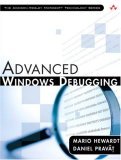
Advanced Windows Debugging by Mario Hewardt and Daniel Pravat
Buy from Amazon

Already ordered it and will post my review as soon as it arrives.

- Dmitry Vostokov @ DumpAnalysis.org -


Announcements

Coming Soon:

Debugging Notebook: Essential Concepts, WinDbg Commands and Tools

Crash Dump Analysis for System Administrators and Support Engineers

New Magazines:

Debugged! MZ/PE: MagaZine for/from Practicing Engineers


New Books:

Memory Dump Analysis Anthology, Volume 3

First Fault Software Problem Solving: A Guide for Engineers, Managers and Users

x64 Windows Debugging: Practical Foundations

Also available:

Windows Debugging: Practical Foundations

DLL List Landscape: The Art from Computer Memory Space

Dumps, Bugs and Debugging Forensics: The Adventures of Dr. Debugalov

WinDbg: A Reference Poster and Learning Cards

Memory Dump Analysis Anthology, Volume 2

Memory Dump Analysis Anthology, Volume 1

New Children's Book:

Baby Turing

3 Responses to “Book: Advanced Windows Debugging”

  1. Dmitry Vostokov Says:

    Sample chapter about heap corruption:

    http://www.dumpanalysis.org/blog/index.php/2007/10/02/heaps-explained/

  2. Dmitry Vostokov Says:

    The book arrived and I’m reading it. The initial review is published here:

    http://www.dumpanalysis.org/Review+of+Advanced+Windows+Debugging

  3. Dmitry Vostokov Says:

    I also posted my review on Amazon

Leave a Reply