WinDbg tips and tricks: hypertext commands

CARE: Crash Analysis Report Environment

DATA (Dump Analysis + Trace Analysis) Facebook group
Please join the community of memory (dump) and trace analysis engineers. This group promotes scientific methods and memory dump-based worldview.

Twitter @ DumpAnalysis
You can now follow portal and blog news at DumpAnalysis on Twitter

LinkedIn Group Dr. Watson Enthusiasts
All about Dr. Watson errors and more. Get news, excerpts and progress reports about the forthcoming book The Science of Dr. Watson: An Illustrated History of Debugging (ISBN 978-1906717070)

2010 (0x7DA) - The Year of Dump Analysis
2011 (0x7DB) - 2020 (0x7E4) The Debugging Decade

You may know that the recent versions of WinDbg have RichEdit command output window that allows to do syntax highlighting and simulate hyperlinks.

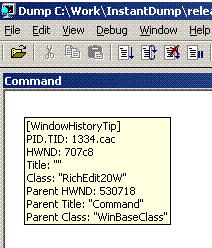
Tooltip from WindowHistory shows window class:
However you may not know there is Debugger Markup Language (DML) and there are new commands that take advantage of it. For documentation please look at dml.doc located in your Debugging Tools for Windows folder.

Here is the output of some commands:

!dml_proc
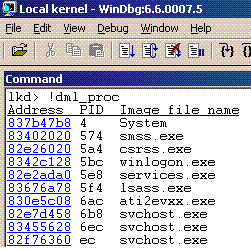
Here we can click on a process link and get the list of threads:
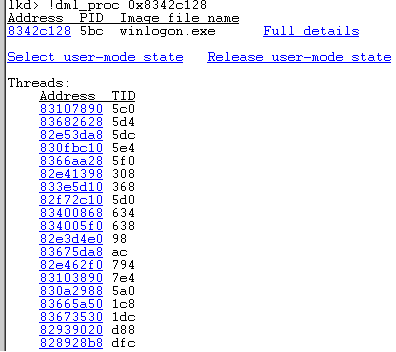
We can click either on “Full details” link or on an individual thread link to see its call stack. If we select “user-mode state” link we get automatic switch to process context (useful for complete memory dumps):

kd> .process /p /r 0x8342c128
Implicit process is now 8342c128
Loading User Symbols

You can also navigate frames and local variables very easily:

If you click on a thread name (No name here) you get its context:
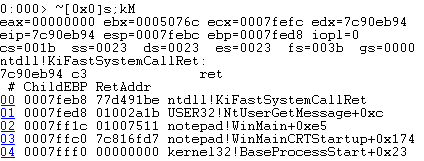
Clicking on a number sets the scope and shows local variables (if you have full PDB files):

 

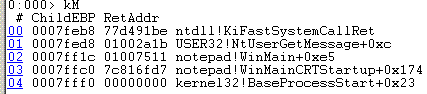
Similar command is kM:
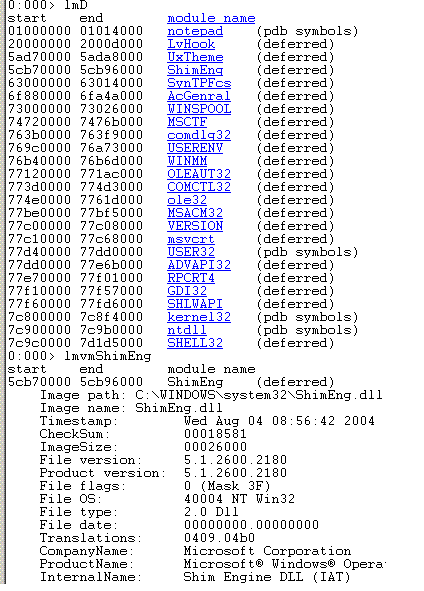
Another useful command is lmD where you can easily inspect modules:
- Dmitry Vostokov -


Announcements

Coming Soon:

Debugging Notebook: Essential Concepts, WinDbg Commands and Tools

Crash Dump Analysis for System Administrators and Support Engineers

New Magazines:

Debugged! MZ/PE: MagaZine for/from Practicing Engineers


New Books:

Memory Dump Analysis Anthology, Volume 3

First Fault Software Problem Solving: A Guide for Engineers, Managers and Users

x64 Windows Debugging: Practical Foundations

Also available:

Windows Debugging: Practical Foundations

DLL List Landscape: The Art from Computer Memory Space

Dumps, Bugs and Debugging Forensics: The Adventures of Dr. Debugalov

WinDbg: A Reference Poster and Learning Cards

Memory Dump Analysis Anthology, Volume 2

Memory Dump Analysis Anthology, Volume 1

New Children's Book:

Baby Turing

Leave a Reply