|
1
|
- Part 1: Memory, Registers and Simple Arithmetic
|
|
2
|
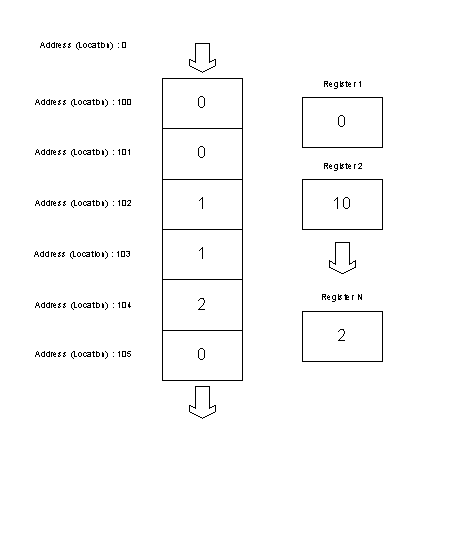
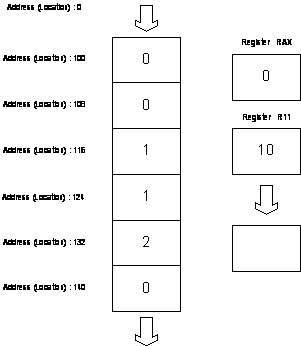
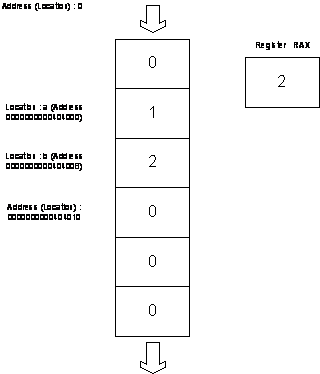
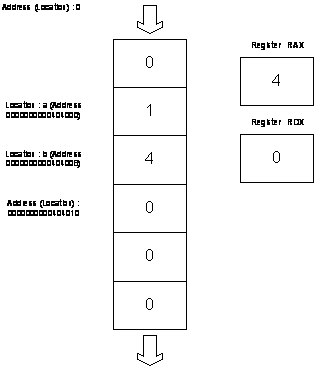
- Computer memory consists of a sequence of memory cells and each cell has
a unique address (location). Every cell contains a “number”. We refer to
these “numbers” as contents at the given address (location).
- Think of registers as the standalone memory cells. The name of the
register is its address.
|
|
3
|
|
|
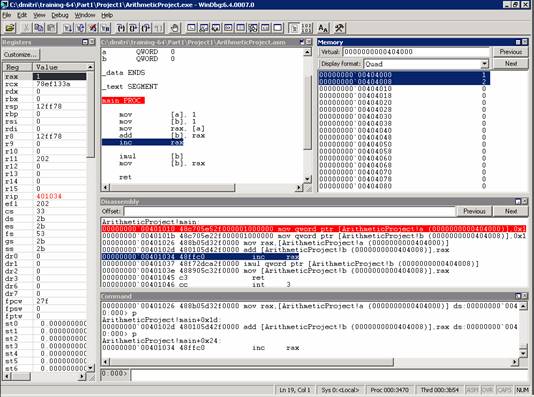
4
|
|
|
5
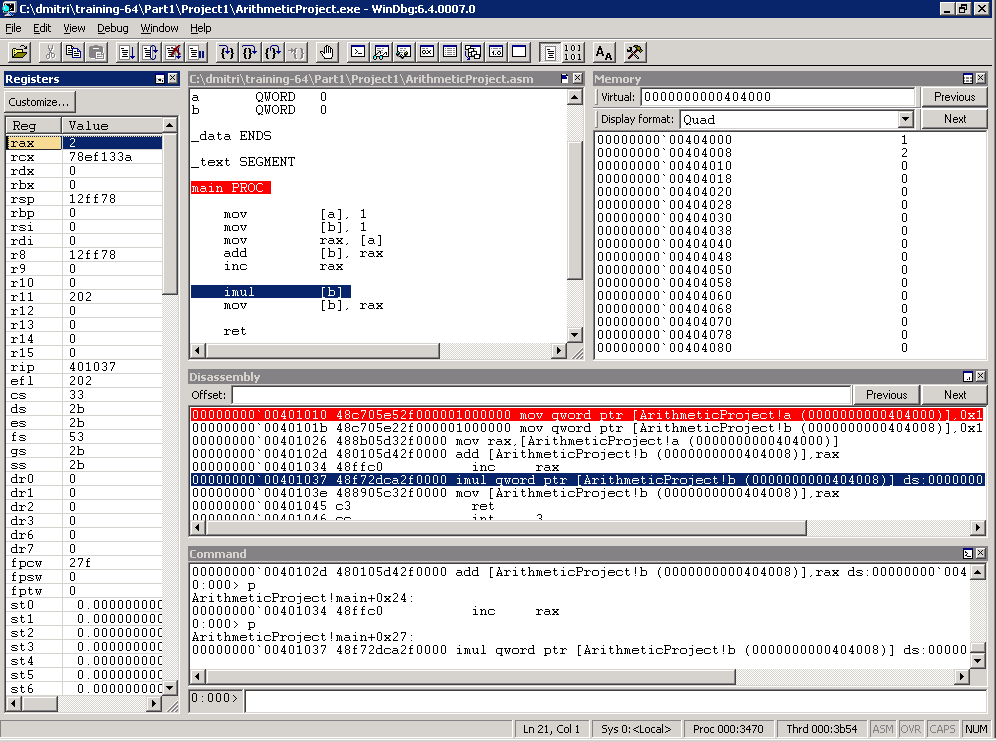
|
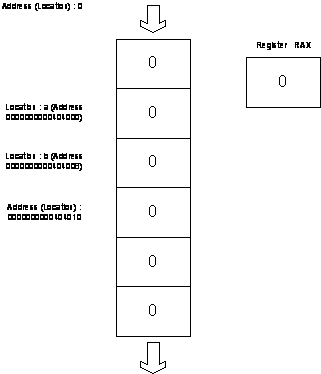
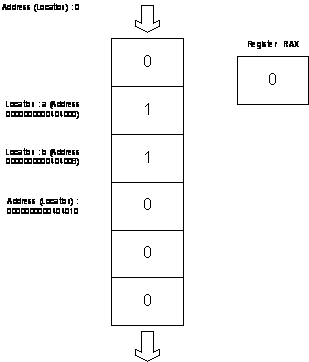
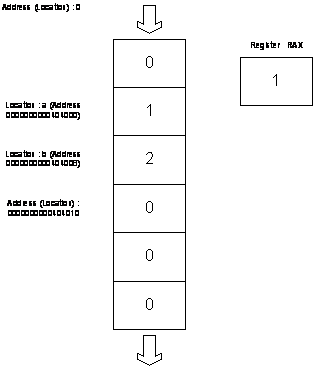
- Two memory addresses (locations):
- “a” and “b”. We can think about “a” and “b” as names of addresses
(locations)
- Notation [a] means contents at the memory address (location) “a”
- 64bit Registers RAX, RDX, …, R10, R11, …
- In C we define 64bit memory locations “a” and “b” as:
- static __int64 a, b;
- In MASM we define 64bit memory locations as
- a QWORD 0
- b QWORD 0
|
|
6
|
- ; ml64 /Zi ArithmeticProject.asm /link /entry:main /SUBSYSTEM:CONSOLE
- _data SEGMENT
- a QWORD 0
- b QWORD 0
- _data ENDS
- _text SEGMENT
- main PROC
- mov [a], 1
- mov [b], 1
- mov rax, [a]
- add [b], rax
- inc rax
- imul [b]
- mov [b], rax
- ret
- main ENDP
- _text ENDS
- END
|
|
7
|
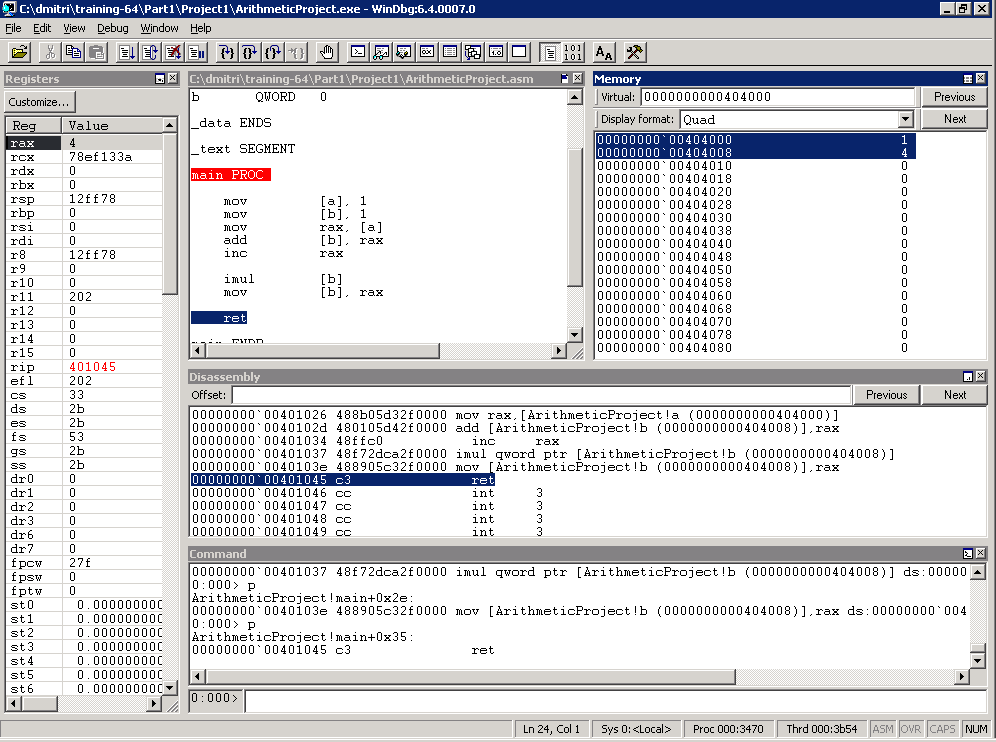
- icrosoft (R) Windows Debugger
Version 6.4.0007.2
- Copyright (c) Microsoft Corporation. All rights reserved.
- CommandLine: C:\dmitri\training-64\Part1\Project1\ArithmeticProject.exe
- Symbol search path is:
SRV*c:\websymbols*http://msdl.microsoft.com/download/symbols
- Executable search path is:
- ModLoad: 00000000`00400000 00000000`00405000 ArithmeticProject.exe
- ModLoad: 00000000`78ec0000 00000000`78ff9000 ntdll.dll
- ModLoad: 00000000`78d40000 00000000`78eb2000 C:\W2K3\system32\kernel32.dll
- (3470.3b54): Break instruction exception - code 80000003 (first chance)
- ntdll!DbgBreakPoint:
- 00000000`78ef3320 cc
int 3
- 0:000> u main
- ArithmeticProject!main
[C:\dmitri\training-64\Part1\Project1\ArithmeticProject.asm @ 13]:
- 00000000`00401010 48c705e52f000001000000 mov qword ptr
[ArithmeticProject!a (0000000000404000)],0x1
- 00000000`0040101b 48c705e22f000001000000 mov qword ptr
[ArithmeticProject!b (0000000000404008)],0x1
- 00000000`00401026 488b05d32f0000
mov rax,[ArithmeticProject!a (0000000000404000)]
- 00000000`0040102d 480105d42f0000
add [ArithmeticProject!b (0000000000404008)],rax
- 00000000`00401034 48ffc0
inc rax
- 00000000`00401037 48f72dca2f0000
imul qword ptr [ArithmeticProject!b (0000000000404008)]
- 00000000`0040103e 488905c32f0000
mov [ArithmeticProject!b (0000000000404008)],rax
- 00000000`00401045 c3
ret
- 0:000> bp 00000000`00401010
- 0:000> g
- Breakpoint 0 hit
- ArithmeticProject!main:
- 00000000`00401010 48c705e52f000001000000 mov qword ptr
[ArithmeticProject!a (0000000000404000)],0x1
ds:00000000`00404000=0000000000000000
- 0:000> u
- ArithmeticProject!main
[C:\dmitri\training-64\Part1\Project1\ArithmeticProject.asm @ 13]:
- 00000000`00401010 48c705e52f000001000000 mov qword ptr
[ArithmeticProject!a (0000000000404000)],0x1
- 00000000`0040101b 48c705e22f000001000000 mov qword ptr
[ArithmeticProject!b (0000000000404008)],0x1
- 00000000`00401026 488b05d32f0000
mov rax,[ArithmeticProject!a (0000000000404000)]
- 00000000`0040102d 480105d42f0000
add [ArithmeticProject!b (0000000000404008)],rax
- 00000000`00401034 48ffc0
inc rax
- 00000000`00401037 48f72dca2f0000
imul qword ptr [ArithmeticProject!b (0000000000404008)]
- 00000000`0040103e 488905c32f0000
mov [ArithmeticProject!b (0000000000404008)],rax
- 00000000`00401045 c3
ret
|
|
8
|
|
|
9
|
- [a] := 1
- [b] := 1
- [b] := [b] + [a] ; b = 2
- [b] := [b] * 2 ; b = 4
|
|
10
|
- We can think of a computer program as a sequence of instructions for
manipulation of contents of memory cells and registers
- For example, addition: add the contents of memory cell №12 to the
contents of memory cell №14.
- In notation [14] := [14] + [12]
- Because memory cells contain “numbers” we start with simple arithmetic
|
|
11
|
- [a] := 1
- “a” means location (address) of the memory cell
- the name of location (address) 0000000000404000
- [a] means contents at the address “a”
- In C language “a” is called “variable” and we write:
- a = 1;
- In assembly language we write:
- mov [a], 1
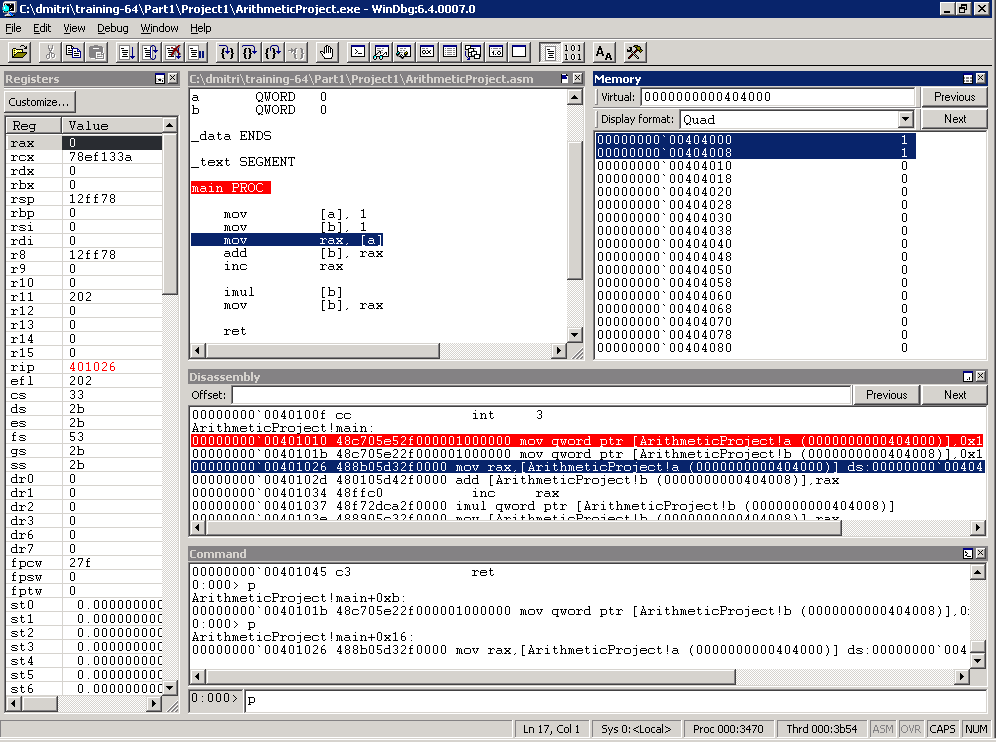
- In WinDbg disassembly output we see:
- mov qword ptr [ArithmeticProject!a (0000000000404000)],0x1
|
|
12
|
- [a] := 1
- [b] := 1
- [b] := [b] + [a] ; b = 2
- [b] := [b] * 2 ; b = 4
|
|
13
|
|
|
14
|
|
|
15
|
- register := 1 or register := [a]
- We do not use brackets when refer to register contents
- Latter instruction means assign (copy) the number at the location
(address) “a” to a register
- In assembly language we write:
- mov rax, 1
- mov rax, [a]
- In WinDbg disassembly output we see:
- mov rax,[ArithmeticProject!a (0000000000404000)]
|
|
16
|
- [b] := [b] + [a]
- “a” and “b” mean locations (addresses) “a” and “b”, names of locations
(addresses) 0000000000404000 and 0000000000404008. [a] and [b] mean
contents at the adresses “a” and “b”, simply some numbers
- In C language we write:
- b = b + a;
- In assembly language we use instruction add
- We cannot use both memory addresses in one step (instruction): add [b],
[a]
- We can only use add [b], register
- Here register is like a temporary memory cell:
- register := [a]
- [b] := [b] + register
- In assembly language we write:
- mov rax, [a]
- add [b], rax
- In WinDbg disassembly output we see:
- mov rax,[ArithmeticProject!a (0000000000404000)]
- add [ArithmeticProject!b (0000000000404008)],rax
|
|
17
|
- [a] := 1
- [b] := 1
- [b] := [b] + [a] ; [b] = 2
- ; rax = 1
- [b] := [b] * 2 ; [b] = 4
|
|
18
|
|
|
19
|
|
|
20
|
- [a] := [a] + 1 ([a] := [a] – 1)
- Means increment (decrement) number at location (address) “a”
- In C language we write:
- a = a + 1; or ++a; or a++;
- b = b – 1; or --b; or b--;
- In assembly language we use instructions inc and dec
- In assembly language we write:
- inc [a]
- inc rax
- dec [a]
- dec rax
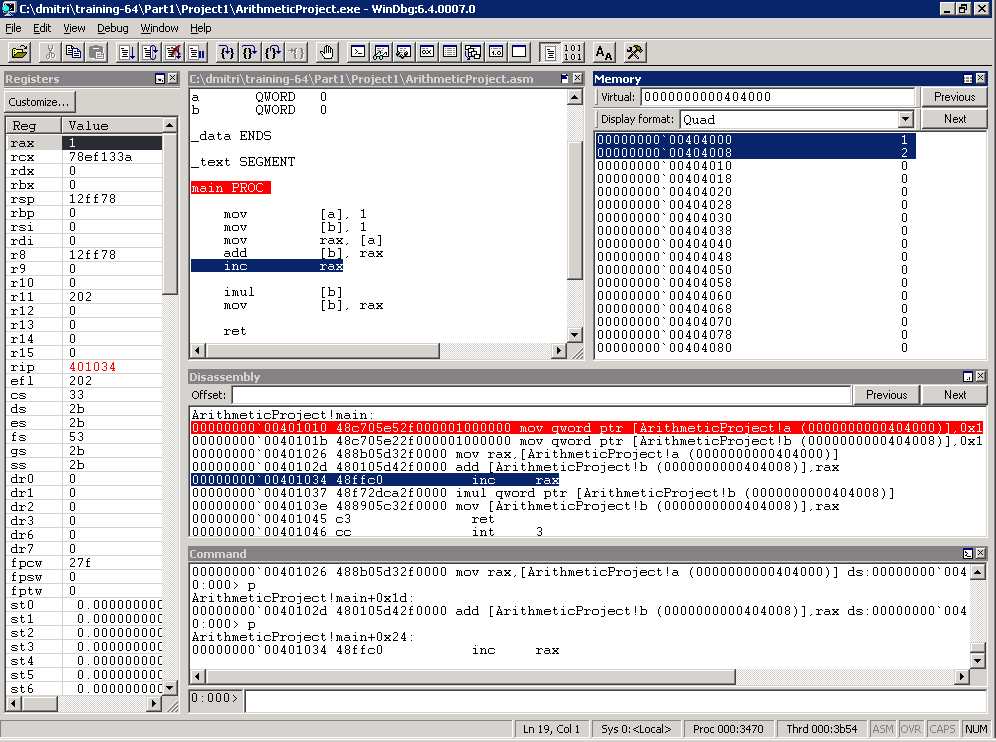
- In WinDbg disassembly output we see:
- inc rax
|
|
21
|
- [a] := 1
- [b] := 1
- [b] := [b] + [a] ; b = 2
- ; rax = 1
- rax := rax + 1 ; rax = 2
- [b] := [b] * 2 ; [b] = 4
|
|
22
|
|
|
23
|
|
|
24
|
- [b] := [b] * 2
- Means multiply the number at the location (address) “b” by 2
- In C language we write:
- b = b * 2;
- b *= 2;
- In assembly language we use instruction imul (integer multiply)
- In assembly language we write:
- imul [b]
- mov [b], rax
- Means [b] := [b] * rax, so we have to put 2 into rax, but we already
have 2 in rax
- Result of multiplication is put into registers rax and rdx
- In WinDbg disassembly output we see:
- imul qword ptr [ArithmeticProject!b (0000000000404008)]
- mov [ArithmeticProject!b (0000000000404008)],rax
|
|
25
|
- Why the result of multiplication occupies two registers rax and rdx?
- Each 64bit register or memory cell can contain any number between
-9223372036854775808 and 9223372036854775807
- If we multiply 2 by 2 the result can be put into one register rax
- If we multiply 9223372036854775807 by 4 we get 36893488147419103228. The
result is too big to fit into one register or memory cell.
- We can think of rdx:rax pair as two memory cells joined together to hold
the multiplication result.
|
|
26
|
- [a] := 1
- [b] := 1
- [b] := [b] + [a] ; [b] = 2
- ; rax = 1
- rax := rax + 1
- ; rax = 2
- [b] := [b] * 2 ; [b] = 4
|
|
27
|
|
|
28
|
|
|
29
|
- We will review today’s material by looking at the x64 disassembly output
of the very simple program written in C.
- Representation of numbers. Hexadecimal notation.
- The concept of the “pointer”.
- We will rewrite our arithmetic project using pointers.
|

 Notes
Notes